An LED refresh rate is the number of times per second an LED display re-lights every pixel to rebuild the picture on screen. It is measured in hertz (Hz), and it is the single parameter that decides whether a video wall looks rock-steady in person and completely clean on camera. When buyers compare LED display quotes, they usually see 1920Hz, 3840Hz or 7680Hz printed next to pixel pitch and brightness – and then wonder whether the higher number is worth paying for.
This guide answers that question with numbers instead of marketing: what LED refresh rate really controls, how it differs from frame rate, scan rate and PWM rate, which tier suits each application, how to verify a supplier’s figure, and when a high refresh rate LED display is a waste of money.
Quick answer: for indoor advertising, meeting rooms and information screens, a 1920Hz LED refresh rate is enough. For stages, live events, broadcast, retail video walls and anything that will be filmed on a phone, specify 3840Hz as the baseline. Reserve 7680Hz for virtual production (XR/ICVFX), broadcast studios and slow-motion capture, where camera shutter speeds are short enough to expose even a 3840Hz screen.
catalogue
1. What Is LED Refresh Rate?
01. The Plain-English Definition of LED Refresh Rate
An LED screen has no continuously glowing image. Every pixel is switched on and off thousands of times per second, and the driver IC controls that switching row by row. The LED refresh rate is how many complete on-off cycles each row performs every second. At 3840Hz, each row is re-lit 3,840 times per second, which means a complete image is rebuilt every 0.26 milliseconds.
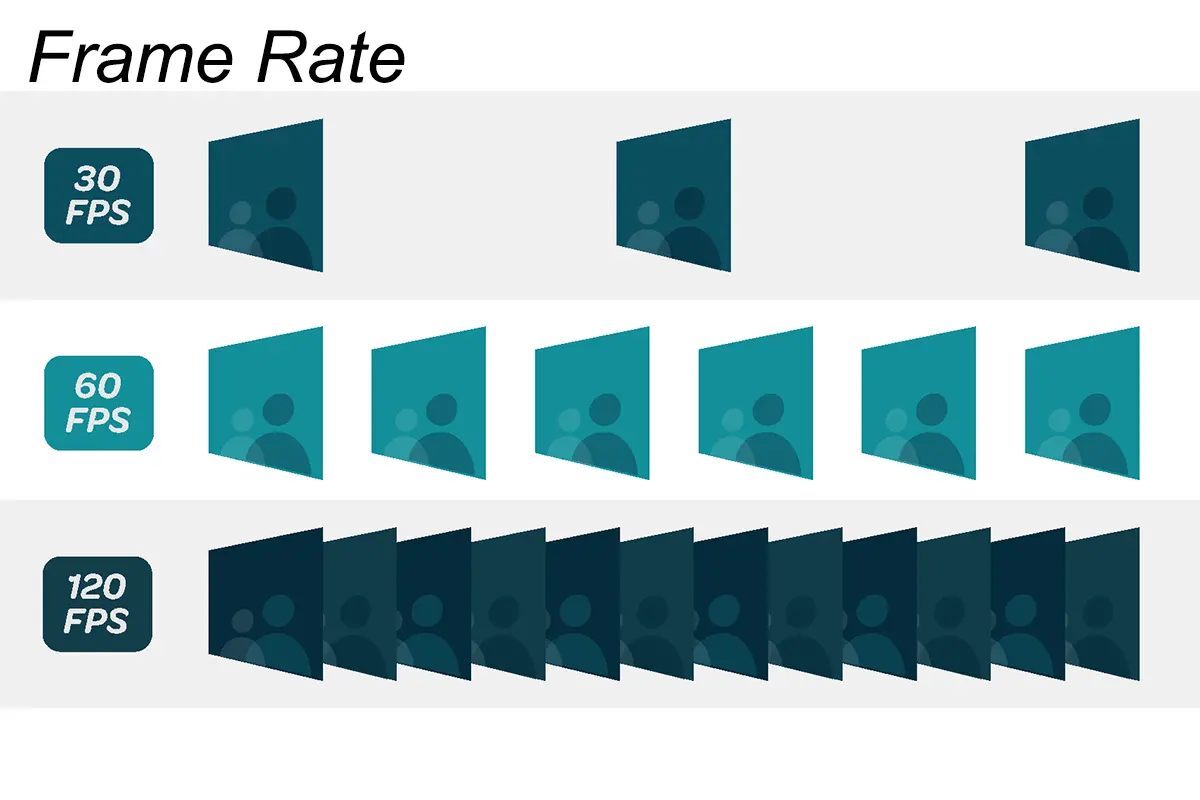
That is far faster than the content itself: at 3840Hz the screen redraws each 60fps video frame about 64 times before the next one arrives. This is why a high refresh rate LED display looks stable even when the source is only 60fps – refresh rate is the screen’s job, frame rate is the content’s.
02. How LED Refresh Rate Affects Flicker, Camera Banding and Eye Comfort
Three separate problems appear when the LED refresh rate is too low, and buyers usually discover them in this order:
- Visible flicker and eye strain. Below roughly 1000Hz, the on-off cycle starts to become perceptible as shimmer, especially in peripheral vision and on large screens viewed from close range. Staff who watch an information screen for eight hours a day notice this long before a visitor does.
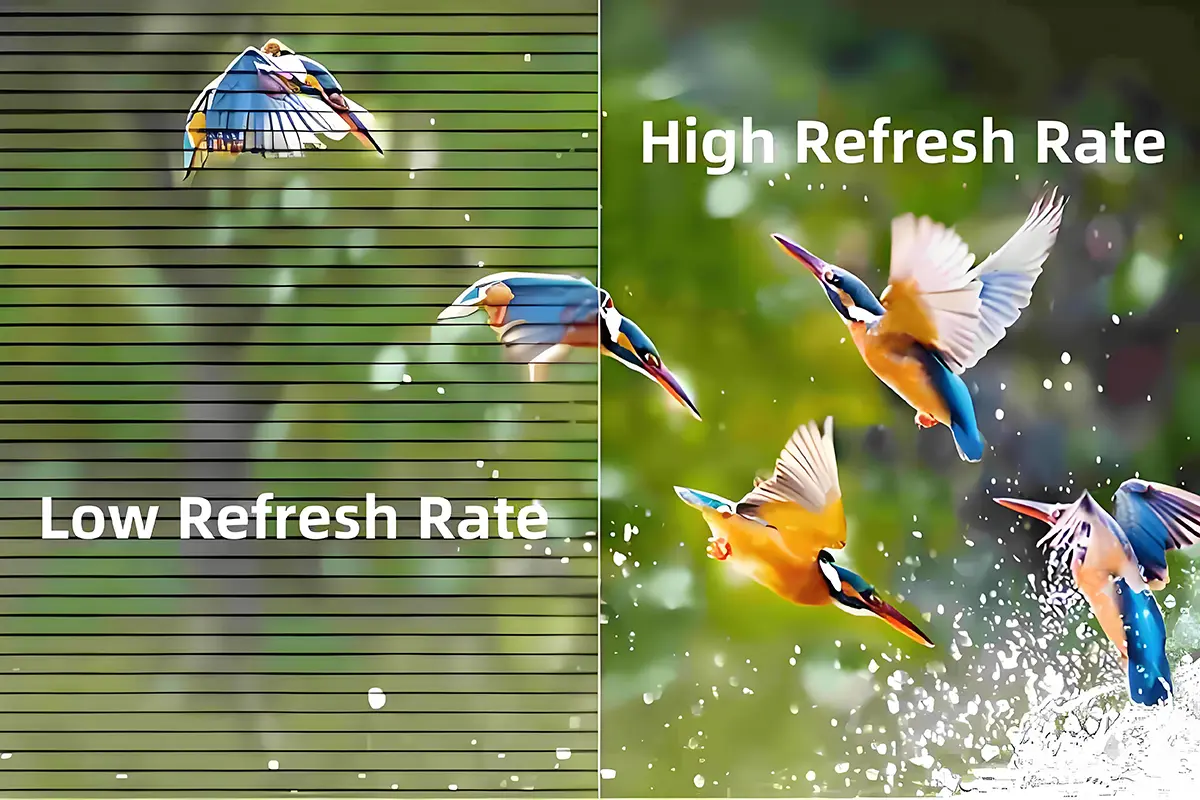
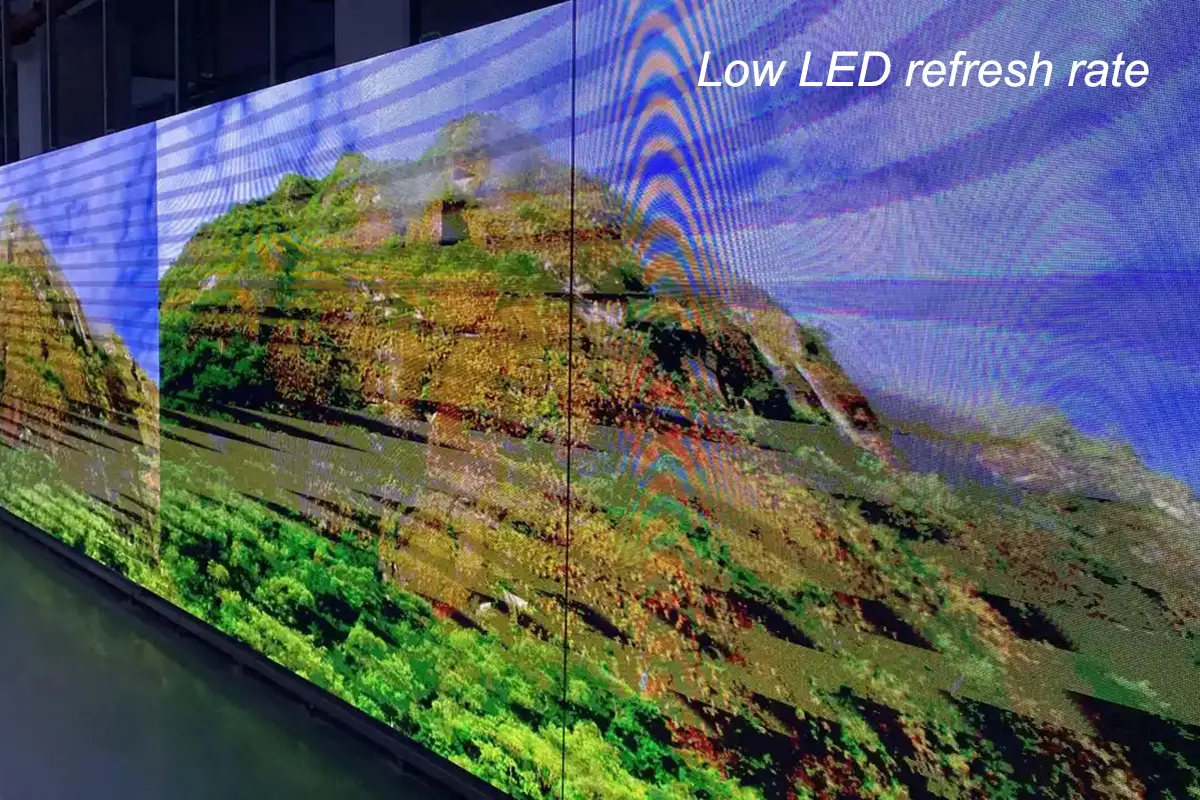
- Camera banding. A phone or broadcast camera with a rolling shutter captures the screen line by line. If the refresh cycle and the shutter are out of step, dark horizontal bands and rolling waves appear in the footage. This is the defect that ruins product launches, concert recordings and retail livestreams.
If your screen will ever be filmed – and in 2026 almost every commercial screen is filmed by someone’s phone – the refresh rate matters more than a small difference in pixel pitch.
03. What Actually Determines the LED Refresh Rate of a Screen
The refresh rate is not a setting the manufacturer simply picks. It is the result of four hardware decisions that all compete for the same clock budget inside the driver IC:
- Driver IC: the chip that switches every lamp and sets the LED refresh rate ceiling for the module. Entry-level ICs such as MBI5124 or ICN2027 top out around 960Hz, while MBI5153, ICN2053, ICN2153 and MBI5252 families can reach 3840Hz and beyond.
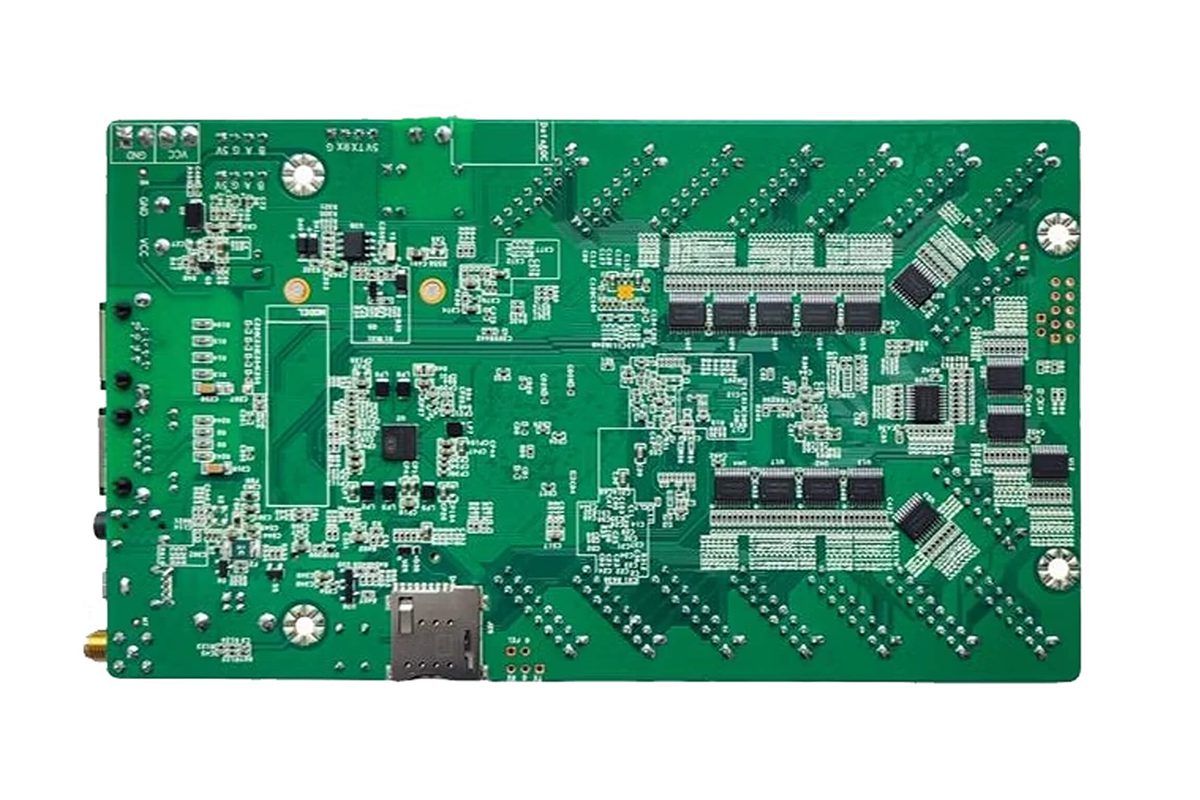
- Control system: the sending card, receiving card and software chain. A LED control system that cannot output a high refresh rate will hold the whole screen back, no matter how good the modules are.
- Scan mode and grayscale depth: a module that scans 1/16 of its rows at a time has more clock time per row than a 1/4-scan module, so it can hold a higher refresh rate at the same grayscale. Raising bit depth also consumes clock budget, which is why 3840Hz at 14-bit grayscale and 3840Hz at 16-bit grayscale are not the same claim.
- Module design, wiring and power: thin copper, long ribbon cables and unstable supply voltage all limit how fast data can be pushed to the far end of a cabinet.
2. LED Refresh Rate vs Frame Rate vs Scan Rate vs PWM Rate
Four different numbers are often quoted as “the refresh rate” in the same conversation. Confusing them is the fastest way to buy the wrong screen, so it is worth separating them once and clearly.
01. Frame Rate: How Fast the Content Moves
Frame rate is a property of the video source, measured in frames per second (fps). A 60fps clip contains 60 distinct images per second; a 24fps film contains 24. Frame rate decides how smooth the storytelling feels, and on an LED wall it can never exceed the source: a 3840Hz screen showing 30fps content still shows 30fps motion. The only rule that links the two is that the LED refresh rate must be comfortably higher than the frame rate – in practice at least 20 to 30 times higher for camera work.
02. Scan Rate: How Many Rows Are Lit at the Same Time
LED modules are multiplexed. A 1/16-scan module lights one sixteenth of its rows at a time and cycles through the rest; a 1/4-scan module drives a quarter of the rows in each pass. Designers choose a scan mode to balance driver count, cost, brightness and refresh headroom. A lower scan count leaves more clock time per row, which is why outdoor and high-refresh modules are often 1/4 or 1/8 scan, while fine-pitch indoor modules commonly use 1/16 or 1/32 scan.
03. PWM Rate and Grayscale: The Clock Inside the Driver IC
Brightness in an LED display is not created by dimming the light source; it is created by switching the pixel on and off extremely fast and varying the proportion of on-time. That switching frequency is the PWM (pulse-width modulation) rate, and a smooth 14-bit or 16-bit grayscale ramp needs many PWM steps inside every refresh cycle. Refresh rate, PWM rate and grayscale depth therefore share one clock, which is why a datasheet can list “3840Hz” and still show scan lines on camera: the figure was measured at a low grayscale setting or in a demo mode.
| Parameter | What it measures | Unit | Who controls it | Typical LED display range | If it is too low |
|---|---|---|---|---|---|
| LED refresh rate | How often each row of pixels is re-lit | Hz | Driver IC + control system | 960Hz – 7680Hz | Visible flicker, camera banding, rolling lines in video |
| Frame rate | How many distinct images the source supplies per second | fps | Video source / media player | 24fps – 120fps | Motion looks choppy, regardless of the screen |
| Scan rate | The fraction of rows driven in each multiplex pass | 1/4, 1/8, 1/16, 1/32 | Module design | 1/4 to 1/32 scan | Lower brightness per row, reduced refresh headroom |
| PWM / grayscale clock | How often each pixel is switched for brightness control | Hz / bits | Driver IC | Grayscale 13-16 bit | Banding in gradients, dull or flat colour |
3. LED Refresh Rate Chart: 960Hz, 1920Hz, 3840Hz and 7680Hz
Almost every commercial LED display is sold at one of four refresh-rate tiers. The table below summarises what each tier delivers in practice, and where it stops being enough.
| Tier | Refresh cycles per second | What the eye sees | What a phone or broadcast camera sees | Best-fit application |
|---|---|---|---|---|
| Low refresh | Under 960Hz | Noticeable shimmer on large or close-viewed screens | Heavy rolling bands, unusable footage | Legacy text-only signs, budget indoor displays never filmed |
| Standard refresh | 1920Hz | Stable and comfortable at normal viewing distance | Slight ripples or scan lines at short shutter speeds | Meeting rooms, classrooms, information displays, cost-driven advertising |
| High refresh | 3840Hz | Clean and flicker-free at any normal distance | Clean footage at typical photo and video settings | Stages, live events, retail video walls, studio backdrops, outdoor advertising |
| Ultra refresh | 7680Hz | Indistinguishable from 3840Hz to the naked eye | Clean at very short shutter speeds and in slow motion | Virtual production (XR/ICVFX), broadcast studios, high-speed capture |
01. What Each Tier Looks Like to the Eye and to a Camera
The human eye cannot tell 3840Hz from 7680Hz in normal viewing. The difference appears only through a lens. A camera samples the screen at a shutter speed you choose – often 1/500s or 1/1000s in daylight – and if the screen refreshes fewer times than the shutter samples, the camera catches the screen mid-pass and records a band. This is why the same 1920Hz screen can look flawless to a visitor and obviously banded in a visitor’s Instagram story taken seconds later.
02. Why 3840Hz Became the Commercial Baseline
Smartphones turned every viewer into a broadcaster, so the camera test moved from the broadcast van into the audience. Driver IC prices fell: MBI5153 and ICN2053-class chips are now standard in mid-range modules, so the premium for high refresh rate hardware narrowed to a few percent. Rental clients also started writing “3840Hz minimum” into tenders after banding incidents on live broadcasts. For any screen that will be photographed, 3840Hz is the sensible floor.
03. When 7680Hz Is Genuinely Required
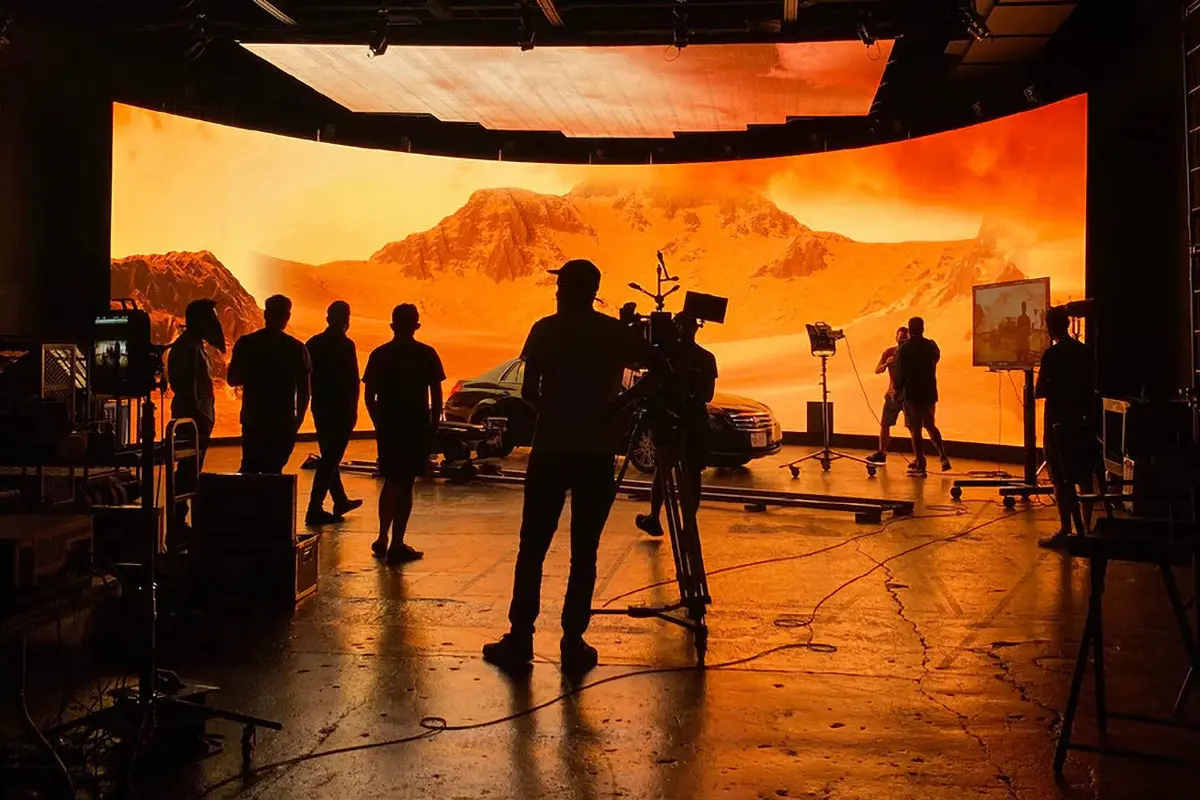
A 7680Hz LED refresh rate exists for one reason: cameras with very short shutter times. In virtual production and in-camera VFX (ICVFX), an LED volume is both the background plate and a light source, and it is shot at short shutter angles so the on-set footage matches a clean background. A 3840Hz wall will band under those conditions; a 7680Hz wall will not. The same applies to broadcast studios shooting slow motion, and to clients producing high-frame-rate sports replays. Outside these cases, the extra refresh cycles are invisible and the money is better spent on pixel pitch, colour calibration or cabinet mechanics.
4. 1920Hz vs 3840Hz: Which LED Refresh Rate Is Better for Your Project?
01. The Real Difference on Camera
Side by side, a 1920Hz and a 3840Hz screen of identical pitch, brightness and calibration look the same to a standing viewer. The difference appears the moment a camera is involved. In our own staging tests with a phone at 1/500s shutter, 1920Hz modules show faint horizontal ripples while 3840Hz modules stay clean; when the shutter is pushed to 1/1000s or the footage is slowed down, only 3840Hz and above remain usable. If the client will film the screen once a week, that single difference justifies the upgrade.
02. Cost, Power and Brightness Trade-offs
Higher refresh is not free, but it is no longer expensive either. The cost appears in better driver ICs and receiving cards, slightly higher power draw and heat, and marginally less brightness headroom at extreme grayscale settings. Between two well-made modules of the same pitch the price gap is small – far smaller than the cost of re-shooting a launch event that banded on camera.
03. A 60-Second Decision Framework
Ask three questions in order. Will the screen be photographed or filmed? Is the content fast-moving or is the screen seen close up? Does the client’s tender name a minimum figure? If any answer is yes, specify 3840Hz. If all three are no – a fixed information board showing static text and simple graphics – 1920Hz is a defensible engineering choice and the saving can be spent on a tighter pixel pitch.
| Decision factor | 1920Hz | 3840Hz | 7680Hz |
|---|---|---|---|
| Naked-eye viewing quality | Good at normal distance | Excellent | No visible gain over 3840Hz |
| Phone photo / video | Occasional ripples at fast shutter speeds | Clean in normal use | Clean at very short shutter speeds |
| Broadcast and slow motion | Not recommended | Acceptable with care | Required |
| Relative hardware cost | Lowest | Small premium | Highest |
| Power draw and heat | Lowest | Slightly higher | Highest |
| Best for | Information screens, meeting rooms, budget advertising | Stages, events, retail, outdoor advertising, most tenders | Virtual production, broadcast studios, high-speed capture |
5. How to Check the Real LED Refresh Rate of a Screen
Datasheets are written by sellers, so the useful skill is verification. You can test an LED refresh rate without a laboratory: a phone camera, the control software and one optional tool will tell you almost everything.
01. The Phone Camera Test, Step by Step
Set the phone to manual or pro mode, fix the shutter at 1/1000s and record the screen while it plays moving content. Look for dark horizontal bands or rolling waves, then repeat at 1/500s. A screen that stays clean at 1/1000s is genuinely high refresh; one that only looks clean at 1/60s is a low refresh rate LED display whatever the datasheet claims. Test at full white and full brightness, the hardest case.
02. Reading the Actual Value in the Control Software
Every mainstream control platform reports the working LED refresh rate of the receiving cards. In NovaLCT, for example, the receiver parameters page shows the refresh rate currently running, and it changes as you alter grayscale or scan settings – which is a useful demonstration of the trade-off described earlier. The same information is available in Colorlight’s iSet and in Linsn LED Studio. If the value shown in software is lower than the figure in the quotation, the quotation describes a capability, not the delivered configuration. Related reading: NovaLCT configuration, Colorlight software and Linsn LED Studio.
03. Measuring PWM Rate with a Light Sensor or Oscilloscope
For a definitive measurement, engineers place a photodiode or fast light sensor in front of the module and read the output on an oscilloscope. The waveform shows the actual PWM period and the refresh cycle, including any instability under different brightness levels. This is the method to use in factory acceptance testing, or when two suppliers dispute a specification. It is also the only way to confirm that a screen holds its refresh rate at 100% white, when power demand is highest and cheap designs start to drop cycles.
6. How to Change the LED Refresh Rate (and When You Cannot)
Buyers often ask whether the refresh rate of an existing screen can be raised later. Sometimes it can be doubled in ten minutes; sometimes the hardware will never allow it. The deciding factor is whether the electronics chain was designed with headroom.
01. When the LED Refresh Rate Can Be Adjusted
Three conditions have to be true at the same time. First, the driver ICs must be capable – MBI5153, ICN2053, ICN2153 and MBI5252-class chips support 1920Hz to 3840Hz and above, while MBI5124 and ICN2027-class chips are limited to roughly 960Hz. Second, the receiving cards must support a high refresh configuration; older receiving card models simply have no such menu. Third, the sending card and software must expose the setting – NovaLCT, Colorlight iSet and Linsn LED Studio all provide a refresh rate or PWM/gray-scale control that lets an engineer trade grayscale depth for refresh speed. If all three conditions are met, changing the LED refresh rate is a configuration task, not a hardware project.
02. When the LED Refresh Rate Is Locked by Hardware
In three situations the number is fixed for life. Entry-level modules built around cheap driver ICs already run at their electrical limit. Screens whose power distribution, ribbon cables and PCB layout were specified for low-speed switching will drop rows or flash if the clock is pushed harder. And some manufacturers lock a profile at the factory: the software lets you select 3840Hz while the hardware still runs at 960Hz, so verify with the phone camera test instead of trusting the menu.
03. Driver ICs and the Refresh Rates They Support
The driver IC is the hard ceiling of any LED refresh rate upgrade, so it belongs in your specification. The table below lists the common families and what they can realistically deliver.
| Driver IC model | Supports high refresh (≥1920Hz) | Maximum refresh rate | Typical application |
|---|---|---|---|
| MBI5124NO | No | ≤960Hz | Basic information screens, low-end advertising boards |
| ICN2027 | No | ≤960Hz | Classrooms, small meeting rooms |
| MBI5153 | Yes | 1920Hz – 3840Hz | Stages, advertising vehicles, live screens |
| ICN2053 | Yes | 3840Hz | High-definition fine-pitch indoor screens |
| ICN2153 | Yes | 3840Hz and above | High-end performances, virtual shooting stages |
| MBI5252 | Yes | 3840Hz and above | Outdoor advertising screens, high-end custom projects |
7. Best LED Refresh Rate by Application
There is no universal best LED refresh rate. The right figure depends on who looks at the screen, from how far, and whether a camera is ever pointed at it. The table below translates that into a specification you can hand to a supplier.
| Application | Recommended LED refresh rate | Why | What to check before ordering |
|---|---|---|---|
| Meeting rooms, classrooms, information boards | 1920Hz | Static text and simple graphics are viewed directly, never filmed professionally | Uniform brightness at low grey levels, no visible shimmer close up |
| Retail, hotel and corporate video walls | 3840Hz | Customers photograph and film screens constantly | Clean phone footage at 1/500s, accurate colour at low brightness |
| Indoor advertising and advertising LED boards | 3840Hz | Content is filmed for social media and runs for long hours | Refresh rate holds at 100% white, no colour shift after hours of use |
| Outdoor advertising and mobile LED displays | 3840Hz | Bright ambient light forces short camera shutter speeds | High brightness with stable refresh, IP-rated cabinets, anti-reflective masking |
| Stages, concerts and live events | 3840Hz or above | Live broadcast, IMAG screens and audience phones all film the wall | Refresh rate verified in software, plus a camera test on site |
| Broadcast studios and XR / virtual production | 7680Hz | Short shutter angles and slow-motion capture expose every band | Verified PWM measurement, colour calibration with the camera pipeline |
| Stadiums, jumbotrons and esports arenas | 3840Hz | Mixed direct viewing and broadcast, long viewing distances | See our jumbotron screen guide for structure, viewing distance and control room planning |
01. Retail, Corporate and Meeting Room Displays
These screens are viewed directly and filmed incidentally. A 1920Hz LED refresh rate is comfortable for a dashboard or a room booking board, but the moment marketing wants to film a product loop, 3840Hz pays for itself.
02. Outdoor Advertising and Mobile LED Trailers
Daylight forces cameras to short shutter speeds, which is exactly when a marginal refresh rate becomes visible banding. Specify outdoor and vehicle-mounted screens at 3840Hz minimum, and check that outdoor LED modules hold their refresh behaviour as the cabinet heats up.
03. Stages, Live Events and Broadcast
Staging is the most demanding mainstream application because the wall is both scenery and light source. 3840Hz or above is now normal, and the camera test should be repeated on site with the actual broadcast cameras. For in-camera VFX, treat 7680Hz as mandatory and plan the virtual production LED wall with the camera department. Rental companies expanding their stock can review our stage LED display options.
04. Stadiums, Jumbotrons and Esports Arenas
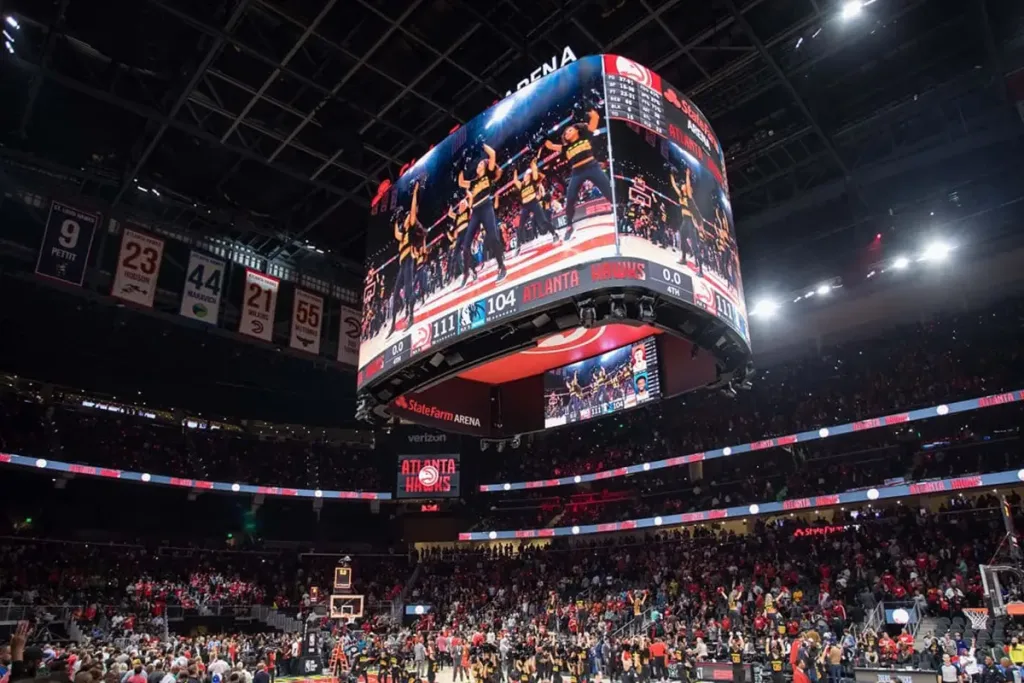
Large-format screens are viewed from 30 metres and filmed from 100. Pixel pitch dominates perceived sharpness at that distance, but refresh rate still decides whether the broadcast feed is clean: 3840Hz is the practical baseline.
8. LED Refresh Rate Specifications to Put in Your Tender
01. The Numbers to Demand on the Datasheet
A useful refresh rate specification names four values, not one: the refresh rate at the delivered grayscale depth, the grayscale depth itself, the scan mode and the driver IC family. Ask for the figure at 14-bit or 16-bit grayscale at 100% white. A supplier who answers all four questions is quoting a configuration; one who answers with a single number is quoting a marketing claim.
02. Red Flags in Refresh Rate Claims
Be cautious when a high refresh figure is paired with an unusually cheap price, when the driver IC is unnamed, when the refresh rate is described as “up to”, or when the supplier cannot demonstrate the figure in the control software during a factory visit. Ask for a phone video at 1/1000s shutter recorded on the actual production unit; it takes two minutes and settles the question. Buyers who follow this process – and who apply it when choosing an LED display module supplier – end up with screens that behave on camera years later, which is what the customer remembers.
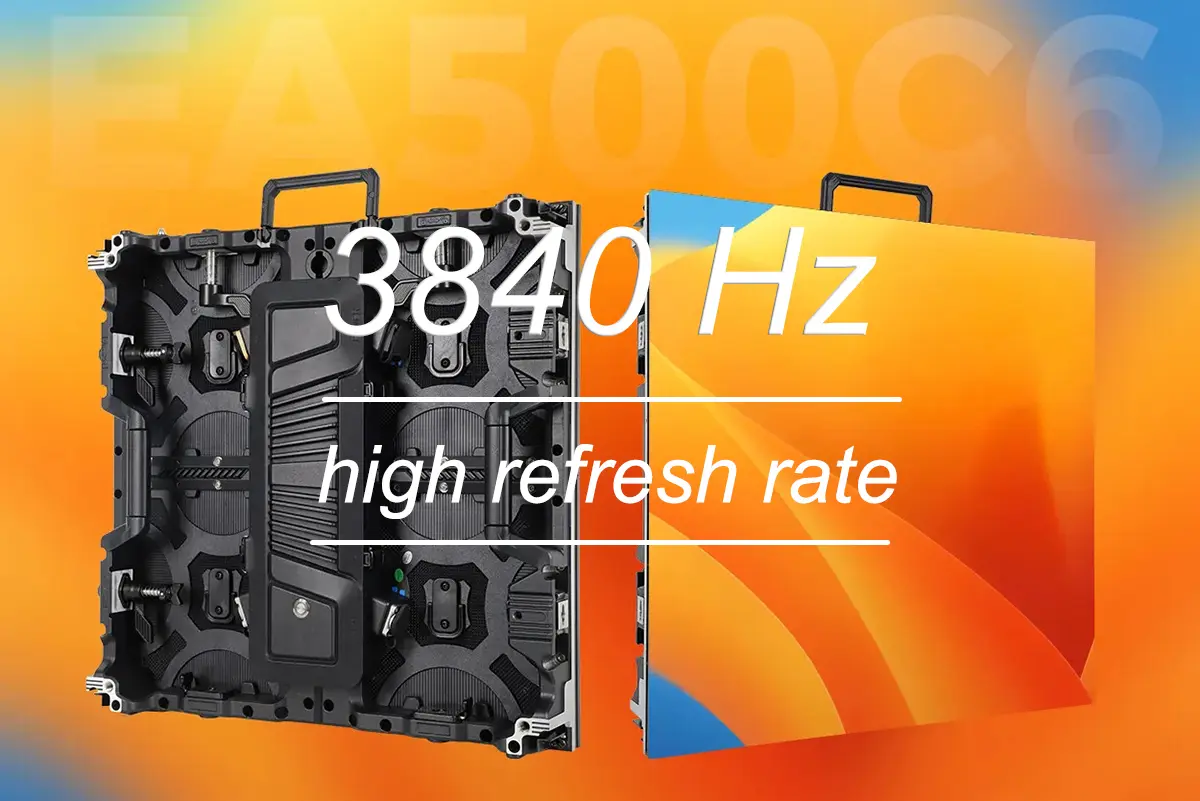
Our French customers use the 3840Hz high refresh EA500C6 rental LED video wall for brand display and live advertising, playing high frame-rate video while the audience films the screen. Their feedback is consistent: the live picture is stable, there is no visible flicker, and both photographs and livestreams come out clean – which is the outcome a high refresh rate LED display is really bought for.
9. FAQ About LED Refresh Rate
These are the questions buyers, integrators and rental houses ask us most often about LED refresh rate.
10. Conclusion
LED refresh rate is not a specification to chase upward – it is a specification to match to the application. For screens that are only looked at, 1920Hz is a sound engineering choice. For screens that will be photographed, streamed or broadcast, 3840Hz is the baseline that protects your client’s content, and 7680Hz is the specialist tool for virtual production and slow-motion capture. What separates a good purchase from a disappointing one is verification: ask for the refresh rate at the delivered grayscale depth, name the driver IC family, and confirm the running value in the control software with a phone test at 1/1000s.
If you are specifying an LED display and want the refresh rate, driver IC and control system matched properly to the application, talk to our engineers or review our range of LED display solutions. We will tell you where 1920Hz is genuinely enough – and where it is not.
 Energy Efficient LED Screen: Power, Costs & Buying Guide
 Jumbotron Screen Guide 2026: Cost, Specs & Buying Tips