

Conference Room LED Displays for Integrators
A conference room LED display is a direct-view video wall for shared presentations, dashboards and meeting content. For integrators specifying a large seamless screen, define the physical pixel count, usable wall size and room AV connections together. A screen that accepts 4K video may still have fewer than 3840 × 2160 physical pixels.
- Check the smallest shared text from the back row and the pixel structure from the nearest seat.
- Compare LED, LCD and projection using the same content, lighting and seating plan.
- Specify the LED screen and processor separately from cameras, microphones and the meeting platform unless the quotation explicitly includes them.
On this page
- What Is the Best Display for a Conference Room?
- Conference Room Display Applications
- Conference Room Display Installation Case
- Conference Room Display Buying Guide
- What Is a Conference Room Display?
- Conference Room Display Types: LED vs LCD vs Projector
- What Size Display Should You Choose for Your Conference Room?
- How to Choose the Right LED Screen for a Conference Room
- Why Choose EagerLED for Your Conference Room Display
- Conference Room Display Installation Tips
- Conference Room Display FAQ
- Conclusion
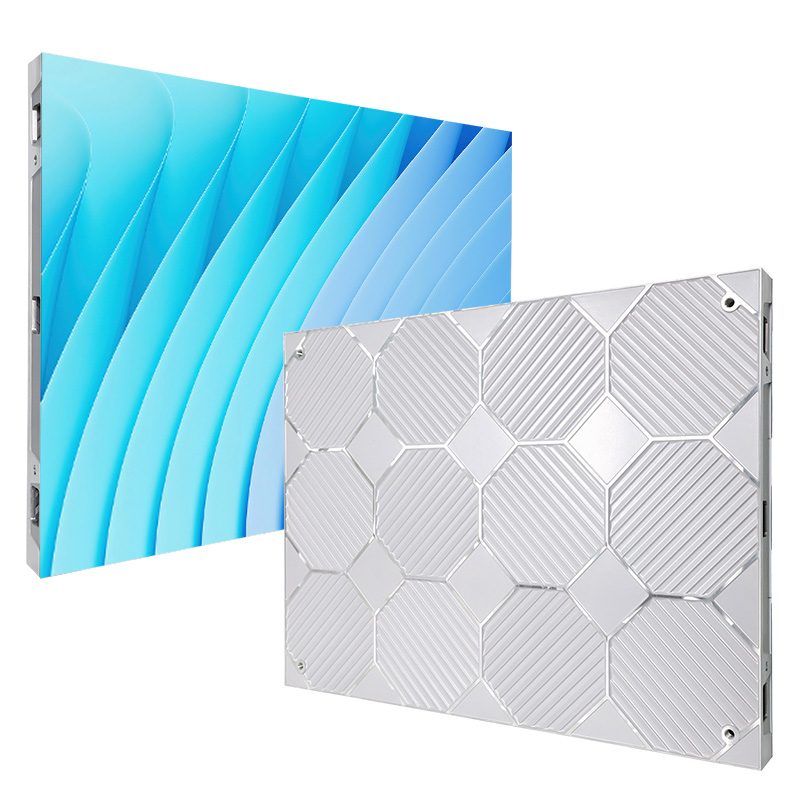
EA640H1 Indoor LED Screen
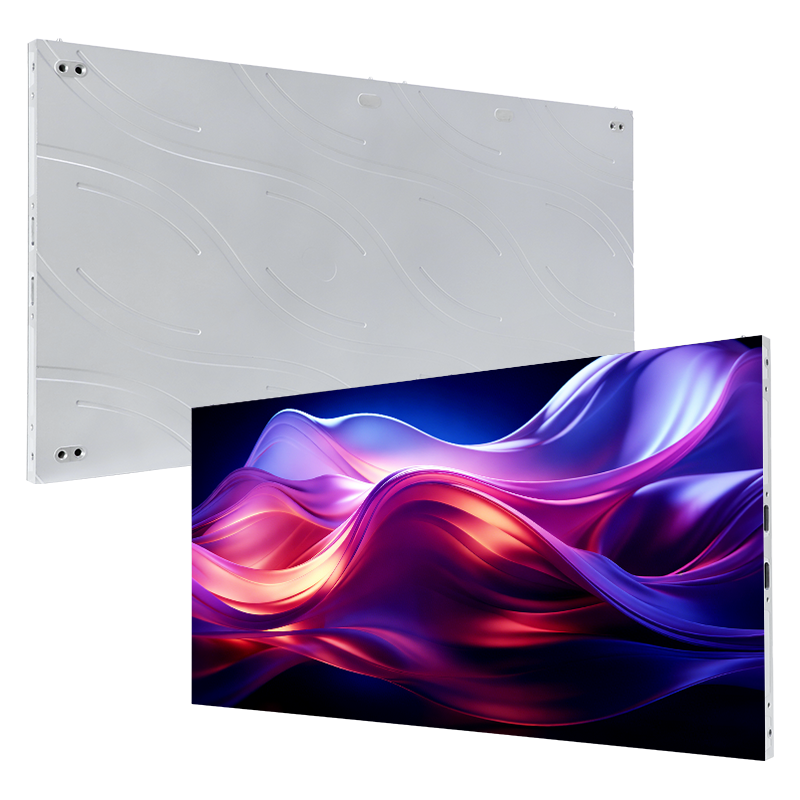
EA250WH5 Indoor LED Screen
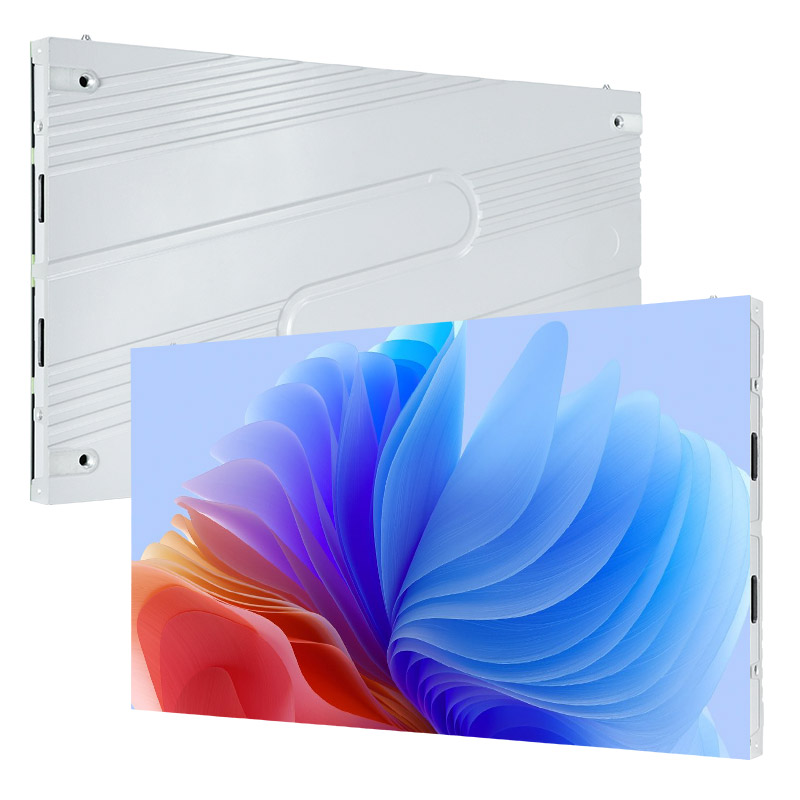
EA600COB3 Indoor LED Screen
What Is the Best Display for a Conference Room?
The best display for a conference room is the one that keeps your actual content readable from every seat. A single LCD is practical for compact rooms; a fine-pitch LED video wall supports larger seamless layouts; a projector can suit a large image with controlled lighting. Test spreadsheet labels, video calls and source switching before choosing.
Common Challenges with Traditional Conference Room Displays
- Small text is difficult to read: low resolution or an undersized screen hides chart labels and spreadsheet details from the back row.
- Ambient light washes out the image: projectors and reflective screens can lose contrast when blinds are open or room lights are on.
- Side seats get a weaker view: limited viewing angles reduce brightness and color accuracy away from the center.
- Visible seams interrupt content: multi-panel LCD video walls can place bezels across diagrams, faces and data.
- Connections slow the meeting: limited inputs or unreliable switching wastes time when presenters change devices.
Why Choose an LED Screen for a Conference Room?
A fine-pitch LED screen for a conference room provides a seamless, scalable canvas when its pitch, brightness and processor match the room.
- Clear in normal room lighting: adjustable brightness keeps presentations readable without darkening the room.
- Flexible dimensions: modular cabinets can fit standard 16:9 layouts or wider boardroom walls.
- Wide viewing angles: participants at the sides see a more consistent image.
- No panel bezels: charts, video feeds and shared documents remain uninterrupted.
- Serviceable design: front-access modules simplify maintenance where rear access is limited.
Conference Room Display Applications
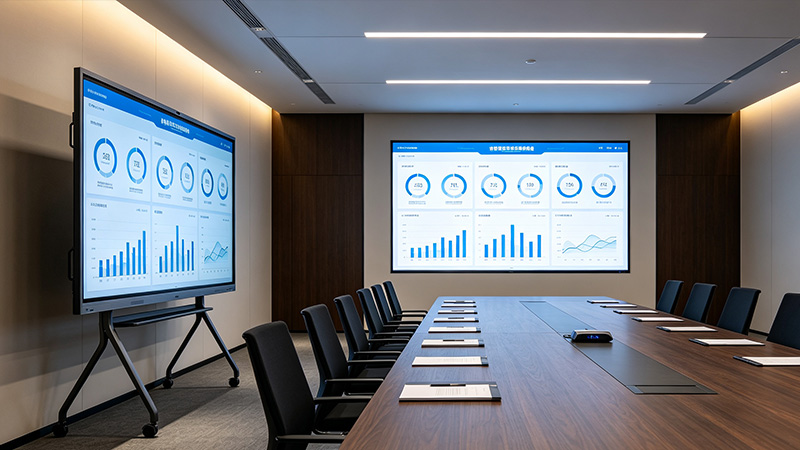
All-in-One LED Display
An all-in-one LED display combines the LED modules, power supply, receiving cards, controller and processing hardware in one system. It suits small and medium meeting rooms that need a clean installation and straightforward daily operation.
Advantages
- Integrated hardware reduces on-site cabling and setup time.
- A compact enclosure preserves usable meeting-room space.
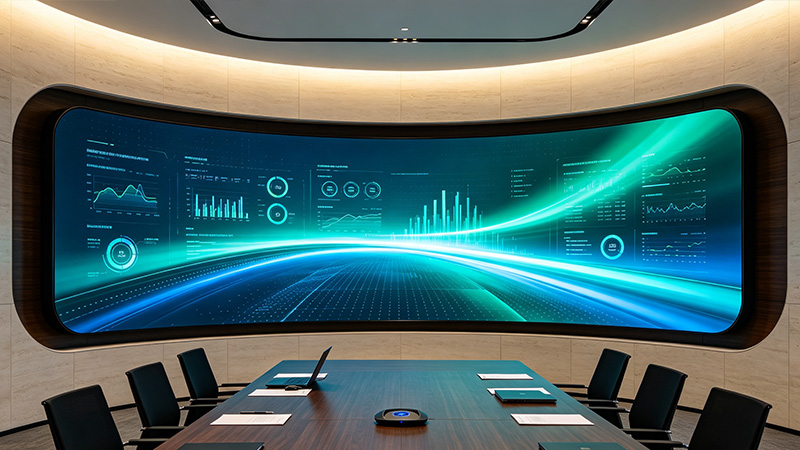
Flexible LED Screen
A flexible LED screen uses bendable modules to follow curved walls, columns or architectural features. Choose it when room geometry or brand presentation requires a shape that a flat display cannot provide.
Advantages
- Supports curved and irregular display surfaces.
- Lightweight modules can reduce the load on suitable supporting structures.
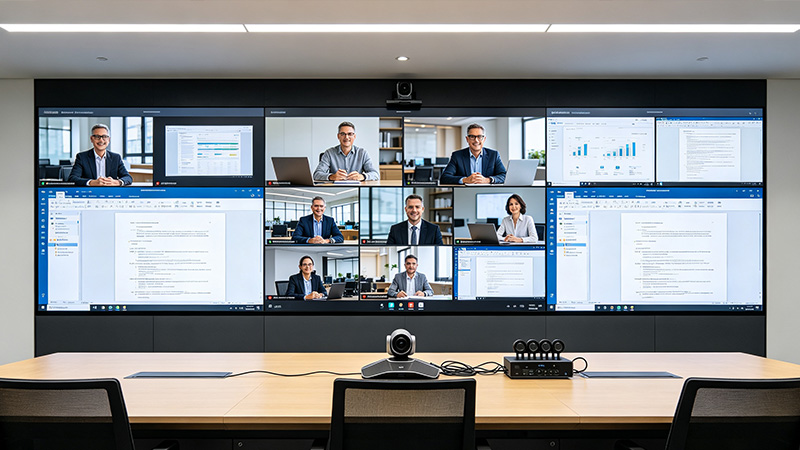
4K Conference Room LED Screen
A native 4K UHD conference room LED screen has 3840 × 2160 physical pixels. Accepting a 4K input signal alone does not establish native 4K resolution. It is appropriate for detailed drawings, dashboards, multi-window video calls and close viewing, provided the screen dimensions and pixel pitch create a true 4K canvas.
Advantages
- Displays dense charts, maps and technical drawings with more detail.
- Supports closer viewing when paired with an appropriate pixel pitch.
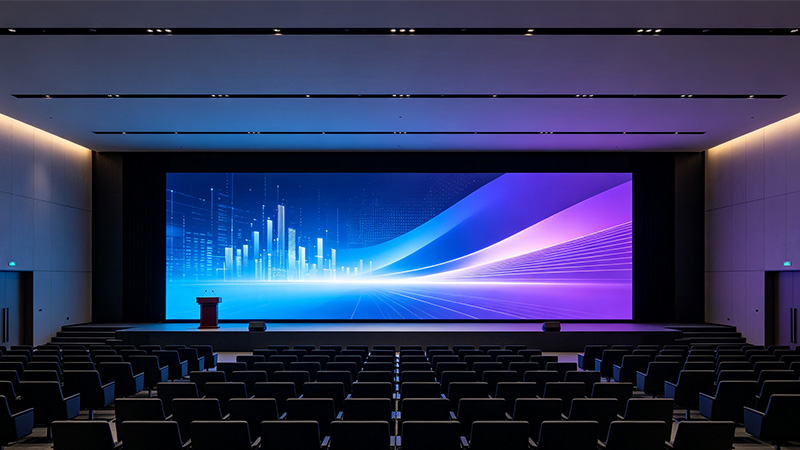
LED Video Wall
A direct-view LED video wall joins LED cabinets into one display without LCD panel bezels. It suits boardrooms and large meeting spaces that need a custom image size. Specify the native pixel count, processor and service access together.
Advantages
- A continuous image for charts, presentations and remote participants.
- Modular dimensions adapted to the available wall.
Conference Room Display Installation Case
A dependable meeting room display keeps small text readable, color consistent and source changes unobtrusive. EagerLED fine-pitch indoor LED systems combine adjustable brightness, a seamless image and front-service options for permanent boardroom and collaboration-space installations.
Use the installation video to discuss mounting and commissioning with your installer. Review the EA640F2 indoor LED display or browse customer project feedback for project references. Confirm the model, screen dimensions, location and scope of work before using any example to estimate your installation schedule.
Conference Room Display Buying Guide
Start with the content and seating plan, then choose the display technology. For a conference room LED screen, specify active width and height, native resolution, pixel pitch, signal inputs and maintenance access as one system.
This guide compares LED, LCD and projector options, with a resolution calculation table and installation checklist for meeting rooms and boardrooms.
What should an integrator confirm before ordering?
Compare offers against a room-specific acceptance brief. These checks define what to ask and demonstrate; they are not performance guarantees for every model.
| Decision | Provide with your enquiry | Ask to see before approval |
|---|---|---|
| Readable meeting content | Nearest and farthest viewing distances; a real spreadsheet or multi-window meeting layout | The smallest text shown at the proposed active size and native pixel count |
| Video and conferencing integration | Room computer, outputs, source resolution and intended meeting platform | Processor input/output mapping, aspect ratio and source switching; list camera/audio equipment separately |
| Camera appearance and room comfort | Normal room lighting, camera position and planned operating brightness | A camera test with the intended shutter settings and a dimmed image suitable for seated viewers |
| Installation and future service | Wall photos/drawings, installation depth and access restrictions | Cabinet layout, service-clearance drawing, spare-module plan and the responsibility for mounting and commissioning |
Can a smaller LED wall display a 4K presentation?
It can show a scaled version if the selected processor supports that source, but it cannot preserve every source pixel when the physical canvas is smaller. For example, scaling 3840 × 2160 content to 1920 × 1080 halves each image dimension. Review small text in the final layout rather than relying on an input-format label.
Does the screen quotation include a complete hybrid meeting room?
Only items explicitly listed in the offer should be treated as included. Ask for the LED cabinets, processor, mounting hardware, spares and commissioning scope, and a separate list for the room computer, camera, microphones, speakers and platform licensing. Confirm who integrates and accepts the complete system.
For a permanent room, compare the indoor LED screen range. For equipment that will be repeatedly moved between conference venues, review the rental LED screen equipment range; local event hire and equipment purchase are different scopes.
Conference Room Display Guide
1. What Is a Conference Room Display?
A conference room display is a presentation system designed for shared documents, video calls, dashboards and multimedia. Unlike a consumer television, a professional system must remain legible from the farthest seat, accept common meeting-room inputs and operate reliably for repeated daily use.
- Readable detail: charts and text remain clear from the back row.
- Fast source switching: laptops and meeting systems connect without delaying the session.
- Video-conferencing compatibility: the display works with cameras, microphones, speakers and control systems.
- Appropriate installation: wall-mounted, recessed or freestanding layouts fit the room and allow maintenance access.
- Stable output: brightness and color remain consistent during long meetings.
The three main meeting room display screens are LED displays, LCD screens and projector systems. The right choice depends on audience size, room lighting, required image size and how closely people sit to the screen.
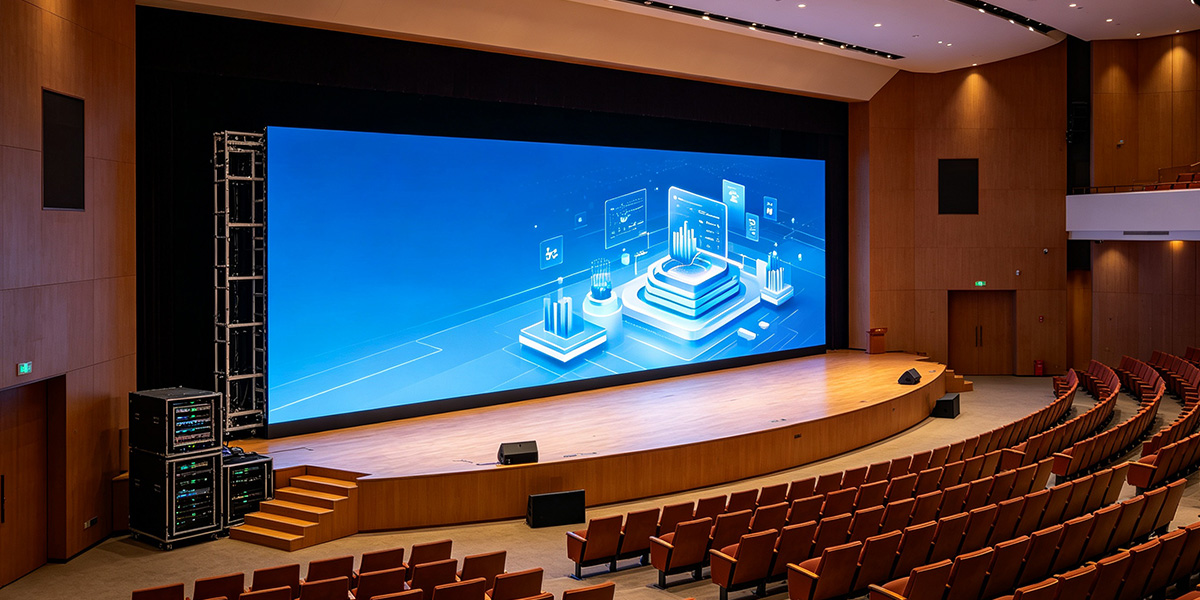
2. Conference Room Display Types: LED vs LCD vs Projector
Choose LCD for a compact room, a projector for low upfront cost in controlled lighting, and LED for a large seamless image that stays visible in brighter rooms. The comparison below shows the practical trade-offs.
Projector and Screen
Projectors have a comparatively low purchase cost and can create a large image, but they are sensitive to ambient light. Contrast falls in bright rooms, lamps or light engines require maintenance, and presenters may cast shadows across the image. They work best where lighting can be controlled and detailed text is not the main content.
LCD Screen
LCD screens provide sharp text and natural color at common sizes, making them a sensible option for huddle rooms and small meeting rooms. At larger sizes, costs rise quickly; tiled video walls introduce bezels, and reflections or narrower viewing angles can affect side seats.
LED Display
Fine-pitch LED displays are modular, bright and seamless. They suit boardrooms, command rooms and larger collaboration spaces where the audience must read detailed content from different positions. The main considerations are pixel pitch, processor compatibility, installation depth and initial budget.
3. What Size Display Should You Choose for Your Conference Room?
Size a meeting room display for the farthest viewer and the smallest text they need to read. Room capacity alone cannot determine screen size: ten people seated around a short table have different requirements from ten people in a long room.
- Compact rooms: compare a single LCD with an all-in-one LED system using the same content and seating plan.
- Long rooms: check spreadsheet labels and shared-screen windows from the back row before approving the image size.
- Large boardrooms: assess a modular LED wall when the required dimensions exceed a practical single-panel installation.
Use the LED screen size guide to estimate dimensions, then confirm sightlines with a room drawing and a content demonstration.
LED screen dimensions can be customized, but image quality at close range is controlled by pixel pitch, the center-to-center distance between adjacent pixels. A smaller pitch gives finer detail at a shorter viewing distance and normally increases cost.
Read the pixel-pitch selection guide before comparing quotations. Match pitch to the closest viewer and the smallest text, not simply to the wall width.
- Closest seat: compare candidate pixel pitches with small text at the actual viewing distance.
- Farthest seat: check whether the text is physically large enough to read, even if the screen has ample pixels.
- Content layout: assess the smallest shared window during a hybrid meeting, not only full-screen slides.
A 4K input does not make an LED wall native 4K. The physical LED pixels must provide the required resolution. A processor may accept 3840 × 2160 and scale it to a smaller canvas.
Calculated active image dimensions: width or height in metres = pixel count × pixel pitch in millimetres ÷ 1,000. The examples below use 1920 × 1080 and 3840 × 2160 pixels. They are mathematical planning examples, not stock sizes or guaranteed model options; cabinet and module dimensions determine the buildable configuration.
| Pixel pitch | 1920 × 1080 active size | 3840 × 2160 active size | Selection check |
|---|---|---|---|
| P1.25 (1.25 mm) | 2.40 × 1.35 m | 4.80 × 2.70 m | Test close-view text |
| P1.5 (1.5 mm) | 2.88 × 1.62 m | 5.76 × 3.24 m | Check wall height |
| P1.875 (1.875 mm) | 3.60 × 2.025 m | 7.20 × 4.05 m | Confirm cabinet layout |
| P2.5 (2.5 mm) | 4.80 × 2.70 m | 9.60 × 5.40 m | Verify smallest content |
For temporary conferences or events, a rental LED screen may be more practical than a permanent installation. Outdoor use requires a purpose-built weather-rated display; do not assume an indoor conference LED screen is suitable outside.
4. How to Choose the Right LED Screen for a Conference Room
A useful meeting room display specification covers more than diagonal size. Microsoft Teams Rooms planning guidance recommends reviewing room size, layout, purpose, power and AV requirements before device selection. Apply the same process to image quality, lighting, viewing distance, signal compatibility, mounting and service access.
- Resolution and content: choose enough pixels to keep spreadsheets, dashboards and small labels readable.
- Brightness and contrast: specify adjustable output for the room’s daylight and lighting conditions. Confirm the chosen model’s dimming range and test text contrast at the intended operating brightness.
- Pixel pitch: base pitch on the closest viewing position and required detail.
- Refresh rate: check both input frame rate and LED refresh rate. Test with the actual camera and shutter settings; a high advertised refresh rate alone does not guarantee a band-free camera image.
- Viewing angle: check image consistency from the seats nearest the side walls.
- Inputs and control: check the processor input resolution, frame rate and connection to the room computer. HDMI or DisplayPort carries video; USB camera and microphone connections usually belong to the conferencing system.
- Hybrid meetings: specify the camera, microphones, speakers and room computer separately unless explicitly included. An LED display alone does not provide Microsoft Teams Rooms or Zoom Rooms functionality.
- Mounting and service: confirm wall support, ventilation, installation depth and front-service access before ordering.
- Support and cost: request an itemized quote covering screen, processor, structure, spares, shipping, installation and commissioning, with warranty and response terms stated.
5. Why Choose EagerLED for Your Conference Room Display
Choosing a conference room display also means choosing the team that will size, configure and support it. EagerLED provides product selection, drawings, remote installation assistance and after-sales support. See completed LED display projects and customer feedback for real installation examples.
- Room-specific configuration: fine-pitch options, modular dimensions and front-service designs support different walls and viewing distances.
- Installation planning: the team can review screen dimensions, mounting structure, power and signal layout before delivery.
- Commissioning support: documentation and remote technical assistance help installers complete setup and calibration.
- Lifecycle support: replaceable modules and spare-part planning reduce disruption during future maintenance.
6. Conference Room Display Installation Tips
Correct installation protects image quality, serviceability and safety. Confirm the wall, power, signal routing and ventilation before the display arrives.
- Choose a clear sightline. Center the display where every seat can see it and avoid direct glare from windows or strong lights.
- Verify structural capacity. A qualified installer should confirm that the wall or support structure can carry the complete display and mounting system.
- Plan service access. Leave the access required by the selected rear-service or front-service design.
- Confirm power and signal routes. Separate power and data where appropriate and provide the circuits specified for the system.
- Bench-test before mounting. Check modules, color consistency, signal inputs and controls before fixing the display permanently.
- Calibrate for the room. Set brightness and color for normal meeting conditions rather than running at maximum output.
- Document the installation. Keep wiring diagrams, processor settings and spare-module records for future service.
For curved or architectural walls, review flexible LED screen options during the planning stage.
7. Conference Room Display FAQ
8. Conclusion
Choose your conference room display around readable content, room lighting and the full installed cost. LCD suits compact layouts, projection needs a lighting plan, and fine-pitch LED supports large seamless boardroom walls.
Request a conference room LED display quote from EagerLED. Include wall width and height, nearest and farthest viewing distances, wall photos, sample content, conferencing platform, destination and target installation date. Ask for the proposed native resolution, pixel pitch and itemized equipment scope.
