

Transparent LED Screens for Glass and Outdoor Projects
A transparent LED screen displays direct-view video while allowing some view and daylight through its cabinet, mesh or film structure. EagerLED lists indoor glass, outdoor cabinet and flexible film models. Choose the mounting format and exposure conditions first, then compare the exact transparency, pitch, brightness and service method for the selected model.
- Tell us whether the screen mounts to glass, a facade structure or an event frame.
- Confirm viewing distance, daylight, transparency target, power route and maintenance access together.
- Request a quotation that identifies the selected display system, control equipment, supporting structure and installation responsibilities.
On this page
Match the transparent display to its mounting format
| Product route | First project checks |
|---|---|
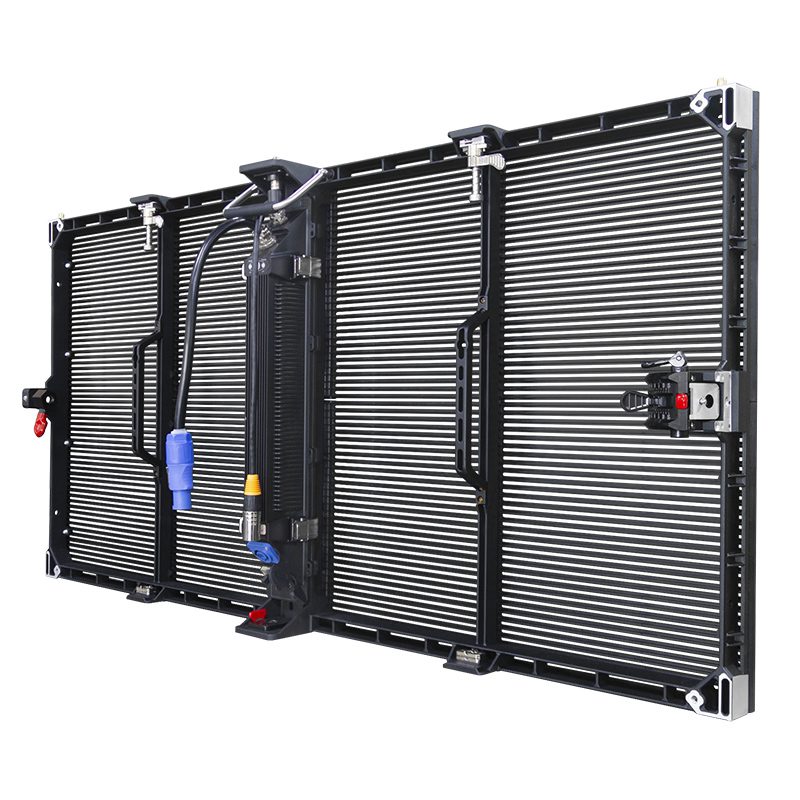
| EA1000TOR1 outdoor screen | Facade position, outdoor exposure, supporting structure and service route. |
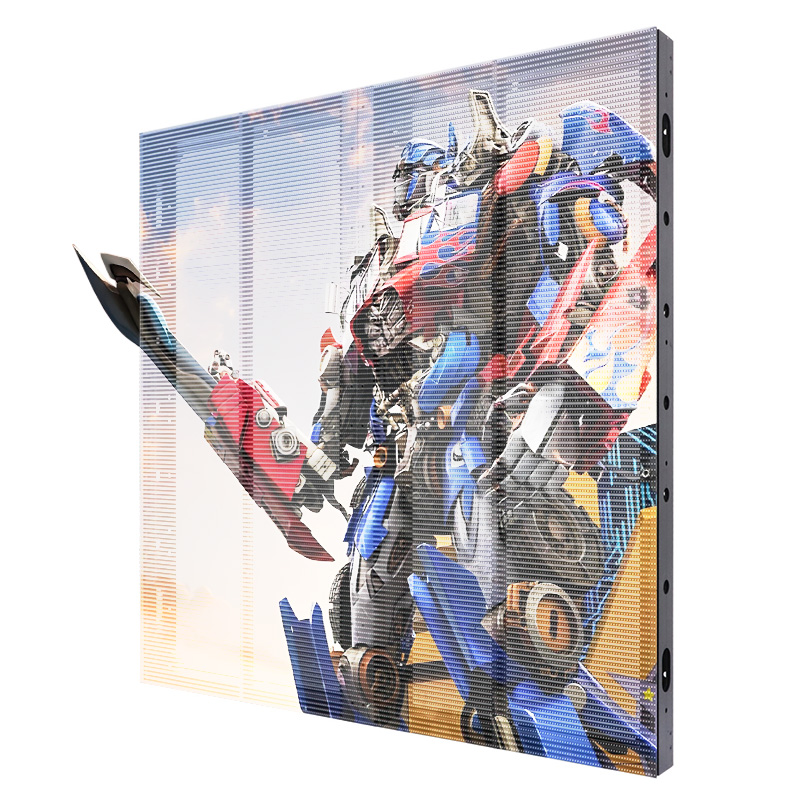
| EA250INV indoor glass screen | Glass dimensions, mounting method, viewing positions and power/data routing. |
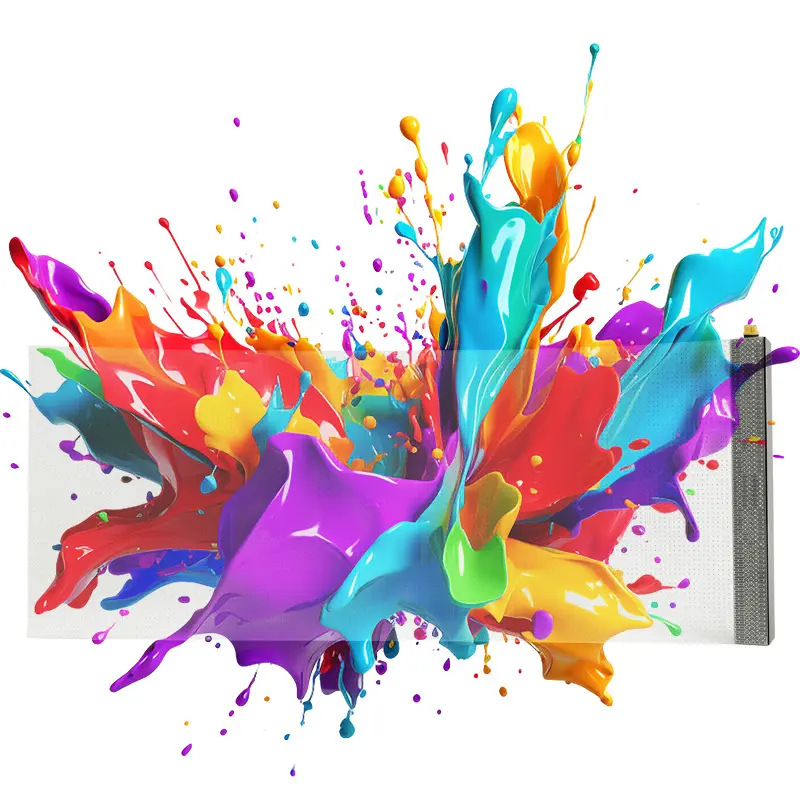
| EA-iFilm2 transparent film | Glass substrate, permitted attachment, content canvas and replacement access. |
These are different system formats. Ask for the current model datasheet before comparing transparency or weather ratings; figures are not interchangeable between products.
Categories
2026 New LED Screen Price for You
A transparent LED screen displays video while preserving a controlled view through the installation. It works best when transparency, image detail, brightness, structural load, service access, and viewing distance are specified together. This guide explains how to compare systems for glass walls, retail windows, stages, rental events, and architectural projects.
1. What Is a Transparent LED Screen?
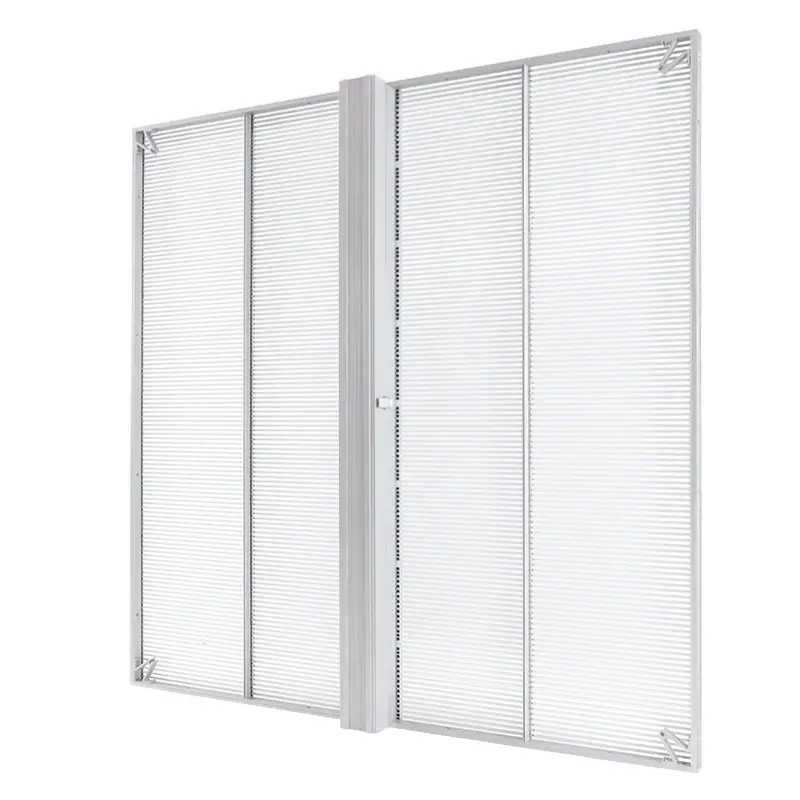
A transparent LED screen is a modular LED display with open space between its light-emitting components. The open structure allows a portion of the background and daylight to remain visible, while the LEDs produce text, graphics, and video. It is designed for projects where a solid display would block a window, facade, stage sightline, or interior view.
The word “transparent” describes the physical openness of the display, not perfectly clear glass. View-through performance changes with the product structure, pixel pitch, viewing angle, installation frame, cables, and content. Dark content usually reveals more of the background; bright, full-screen content makes the display surface more apparent.
01 Core Benefits
- Preserves sightlines: useful where people still need to see products, architecture, performers, or daylight behind the screen.
- Reduces visual mass: open cabinets and slim modules can integrate more lightly with glass and stage structures than a solid video wall.
- Supports modular sizing: cabinets or film sections can be arranged around the required display area.
- Creates layered content: motion graphics can appear in front of a visible physical background.
Transparency always involves a tradeoff. Wider spacing can improve the view through the screen, but it also reduces pixel density and close-range detail. A conventional indoor LED screen may be the better choice when fine text, short viewing distance, or maximum image density matters more than seeing through the display.
2. How Transparent LED Screens Work
The screen creates an image with LEDs mounted on narrow strips, bars, mesh, cabinets, or transparent film circuits. Gaps between these components form the open area. A controller divides the video canvas across modules, while receiving cards and power supplies coordinate each section as one display.
01 LED Spacing and Image Formation
Pixel pitch is the center-to-center distance between pixels. A smaller pitch increases pixel density and can improve detail at shorter distances, but it may also reduce open area and increase system cost. A larger pitch can suit long viewing distances and architectural surfaces where transparency is the priority. Use the actual screen dimensions and the proposed pitch to calculate native resolution; the LED screen resolution guide explains that calculation.
02 Transparency and Content Design
Transparency is affected by more than the product data sheet. Mounting bars, power boxes, cable routes, mullions, and the viewing angle can all change the finished result. Content should use strong shapes, readable type, and controlled contrast. Thin details and dark low-contrast graphics can disappear against a busy background.
03 Control, Power, and Cabinet Alignment
Signal and power travel through the display in planned routes. Cabinets must align accurately so vertical bars and module seams do not interrupt the image. The video processor should be configured to the screen’s exact pixel canvas, input sources, refresh requirement, and content orientation.
3. Types of Transparent LED Displays
The main types are fixed indoor panels, outdoor-rated panels, rental cabinets, glass LED screens, and adhesive or flexible LED film. The best type is determined by the surface, exposure, viewing distance, installation frequency, and service route rather than transparency alone.
| Display type | Typical fit | Selection priority |
|---|---|---|
| Indoor fixed transparent panel | Retail windows, showrooms, atriums, interior glass walls | Shorter viewing distance, slim mounting, front or rear access |
| Outdoor fixed transparent panel | Facades and exposed architectural structures | Weather protection, daylight visibility, drainage, wind and thermal planning |
| Rental transparent cabinet | Concerts, exhibitions, launches and touring productions | Fast locks, handling protection, rigging, repeat assembly and transport |
| Transparent glass LED screen | Glass storefronts and integrated interior glazing | Glass condition, mounting method, cable concealment and service access |
| Flexible transparent LED film | Lightweight or shaped glass surfaces where the specified film permits | Surface preparation, bend limits, module replacement and visual uniformity |
A project that is installed and removed repeatedly should be compared with a purpose-built rental LED screen. Permanent advertising projects should also review the content, access, and operating requirements covered in this advertising LED board guide.
4. Transparent LED Screen Specifications to Compare
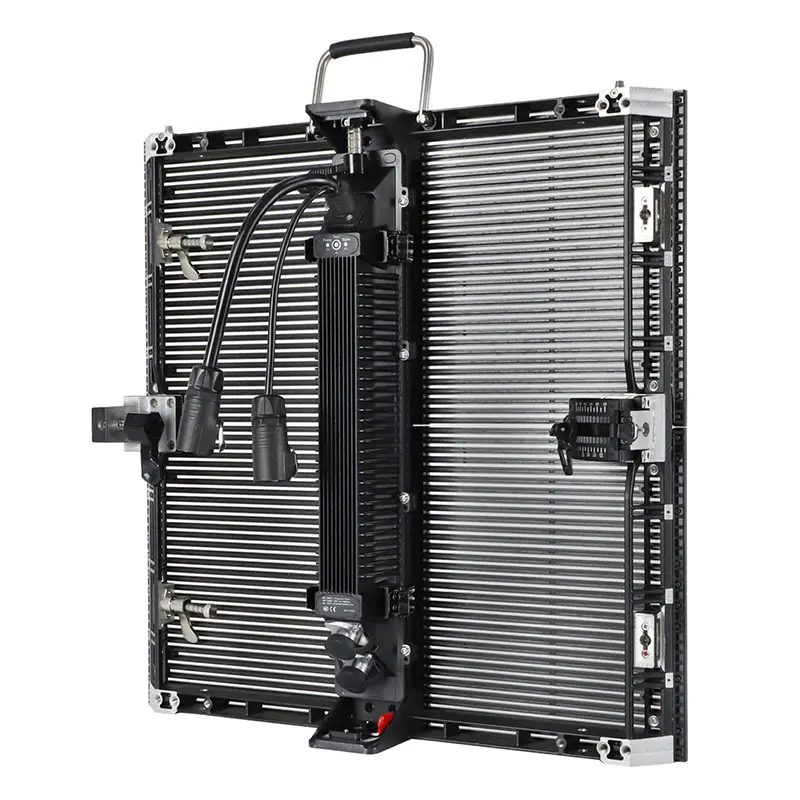
Compare specifications as a connected system, not as isolated maximum values. Transparency, pixel pitch, brightness, cabinet size, environmental protection, refresh rate, weight, power, and service access all affect the finished installation. Request the exact model data sheet and cabinet drawing before approving a structure.
| Specification | Question to ask | Why it matters |
|---|---|---|
| Transparency or open ratio | How is the value measured, and does it include the cabinet and wiring? | Indicates how much of the background may remain visible under stated conditions. |
| Horizontal and vertical pixel pitch | What is the nearest regular viewing distance? | Controls pixel density, native resolution, image detail, and perceived LED spacing. |
| Brightness and adjustment range | Will the screen face interior light, a bright window, or direct outdoor daylight? | Determines legibility and whether output can be reduced for comfortable indoor viewing. |
| Refresh rate and scan method | Will cameras record or broadcast the display? | A suitable configuration helps reduce scan lines and flicker in the intended camera setup. |
| Environmental rating | Which face and components are exposed to rain, dust, heat, or condensation? | Confirms whether the selected model suits the actual installation environment. |
| Cabinet dimensions and weight | What loads can the glass, wall, truss, or support structure accept? | Affects layout, engineering, handling, rigging, and transport. |
| Service access | Can modules, power supplies, and control parts be reached from the front, rear, or both? | Changes installation depth and future maintenance time. |
| Power and control | What are the maximum and typical loads, input sources, and backup requirements? | Defines circuits, distribution, processor configuration, and operational planning. |
Do not select pitch from a viewing-distance rule alone. Calculate the native pixel canvas, test representative content, and compare at least two candidate pitches at the intended viewing distance. This pixel pitch selection guide provides a practical starting point.
5. Transparent vs Conventional LED Displays
Choose transparent LED when preserving the background is essential; choose a conventional LED display when image density, contrast, or the simplest opaque canvas is the priority. Neither format is universally better. The site, content, viewing distance, and mounting constraints decide.
| Selection point | Transparent LED display | Conventional LED display |
|---|---|---|
| Background view | Preserves part of the view and daylight through the open structure | Creates an opaque image surface |
| Pixel density | Often prioritizes openness and longer viewing distances | Offers more choices for close viewing and fine-pitch detail |
| Visual effect | Layers digital content over products, architecture, or performers | Provides a solid, controlled video canvas |
| Structure | Requires careful planning around glass, bars, cables, and sightlines | Requires a complete wall, frame, ground stack, or hanging structure |
| Content | Works best with bold forms, spacing, and background-aware composition | Supports a broader range of dense video, dashboards, and small text |
| Service | Access depends strongly on the bar, module, film, or cabinet design | Front- and rear-service options are widely available by model |
For storefronts, the screen should support the merchandise rather than hide it. Review the sightline and content principles used for an LED screen for shops before deciding how much of the window to cover.
6. Transparent LED Screen Applications
Transparent LED is most useful where digital content and a visible physical background must share the same space. Common applications include retail glazing, stages, showrooms, exhibitions, atriums, transport hubs, and selected building facades.
01 Retail Windows and Showrooms
A window installation can display campaigns while keeping products and the store interior visible. Measure daylight from both sides of the glass, check reflections, and test content from the main pedestrian viewing angles. The mounting and cable route should not obstruct doors, emergency paths, or regular window cleaning.
02 Stages, Exhibitions, and Rental Events
Open LED panels can reveal performers, lighting, and scenery behind digital graphics. Touring systems need repeatable alignment, safe rigging, protected connectors, spare modules, and a transport plan. Camera tests should be completed with the proposed refresh settings and show lighting.
03 Facades, Atriums, and Corporate Spaces
Architectural projects require coordination between display, glazing, structure, power, control, fire-safety, ventilation, and maintenance teams. Outdoor exposure adds weather, drainage, wind, and thermal requirements. Final engineering must follow the selected product documentation and applicable local rules.
7. How to Choose a Transparent LED Screen
Start with the site and audience, then select the display. A useful project brief states what must remain visible, where people stand, how bright the background is, what content will play, how the screen mounts, and how technicians will reach it.
01 Define the Viewing Conditions
- Measure the display width and height, nearest and farthest viewing positions, and primary viewing angles.
- Record interior and exterior light conditions at the times the display will operate.
- Identify whether the display will be seen directly, filmed by cameras, or both.
- Decide how much background visibility the design must preserve.
02 Calculate the Physical and Pixel Canvas
Compare cabinet layouts that fit the opening without leaving awkward partial modules. Calculate the finished native resolution for each candidate pitch and match the content aspect ratio. Ask for a layout drawing that shows cabinet seams, mounting bars, power boxes, signal routes, and the active image area.
03 Confirm the Complete Bill of Materials
The quotation should identify cabinets or film sections, modules, power supplies, receiving cards, processor, sender, cables, mounting hardware, spare parts, packing, and documentation. Clarify which items are optional and whether installation, commissioning, content setup, and operator training are included.
04 Review Supplier Documentation
Ask for the exact model data sheet, cabinet drawing, wiring plan, service procedure, warranty terms, and project scope. EagerLED’s current manufacturing and support information is summarized on the EagerLED company page. Confirm every project-specific statement in the final proposal rather than relying on a general category description.
8. Installation and Maintenance
A reliable installation provides safe structural support, accessible components, organized power and signal paths, and a documented service plan. Thin or lightweight hardware does not remove the need for proper engineering.
01 Approve the Structure and Service Route
Confirm whether the screen is suspended, wall mounted, ground supported, attached to a dedicated frame, or applied to suitable glass. The supporting surface and fixings must be approved for the complete load and environment. Leave the access required to replace modules, power supplies, receivers, and cables.
02 Protect Power and Signal Paths
Use properly sized circuits, labeled distribution, protected connectors, and documented cable routes. Separate power and signal planning. Projects that require continuous operation should discuss backup power, spare control components, and an alternate signal path.
03 Maintain Image Quality and Airflow
- Inspect alignment, locks, brackets, cables, and connectors at planned intervals.
- Keep ventilation openings clear and operate within the model’s stated environment.
- Clean the display and glass only with methods approved for the selected surface.
- Back up processor files and document brightness schedules and content settings.
- Keep compatible spare modules from the same production batch when color matching is important.
Project limitation: Published category information is suitable for initial comparison only. Final transparency, pitch, brightness, refresh rate, environmental protection, load, power, structure, and maintenance access must be confirmed for the exact model and installation site.
9. Transparent LED Screen FAQs
These answers address the questions buyers most often need to resolve before comparing quotations.
01 How transparent is a transparent LED screen?
Transparency depends on the open area of the selected panel or film, pixel spacing, cabinet bars, wiring, mounting structure, and viewing angle. Compare the measurement method stated by the supplier and review a full cabinet sample rather than relying on one percentage alone.
02 Can a transparent LED screen be installed directly on glass?
Some glass LED and film products are designed for suitable glass mounting, while cabinet systems require a dedicated frame or suspension structure. The glass type, surface condition, load, heat, cable route, access, and local requirements must be checked before installation.
03 Is transparent LED suitable for outdoor use?
Only a model specified for the actual outdoor exposure should be used outside. Confirm which faces and components are protected, together with brightness, weather sealing, drainage, wind loading, temperature range, and service access.
04 What pixel pitch should I choose?
Choose pixel pitch by balancing the nearest viewing distance, required native resolution, content detail, transparency, and budget. Calculate the pixel canvas for at least two pitches and compare samples at the intended viewing distance before ordering.
05 How should content be designed for a transparent display?
Use bold shapes, readable type, controlled contrast, and intentional empty areas. Test the content against the real background in daylight and at night because reflections, merchandise, scenery, and ambient light can change legibility.
06 What information is needed for an accurate quotation?
Provide the display width and height, glass or structure drawings, photos, nearest viewing distance, indoor or outdoor exposure, ambient light, installation method, service access, input sources, camera requirements, local voltage, delivery country, and project schedule.
10. Conclusion
The right transparent LED screen preserves the required view without treating transparency as the only specification. Compare the physical opening, native resolution, viewing distance, brightness, environmental protection, structure, service access, control, power, and content as one system.
For a project-specific recommendation, send EagerLED the screen dimensions, site photos or drawings, viewing distance, installation environment, content sources, and delivery location. The project team can then match the application to a current transparent display series and prepare an itemized configuration for review.
