

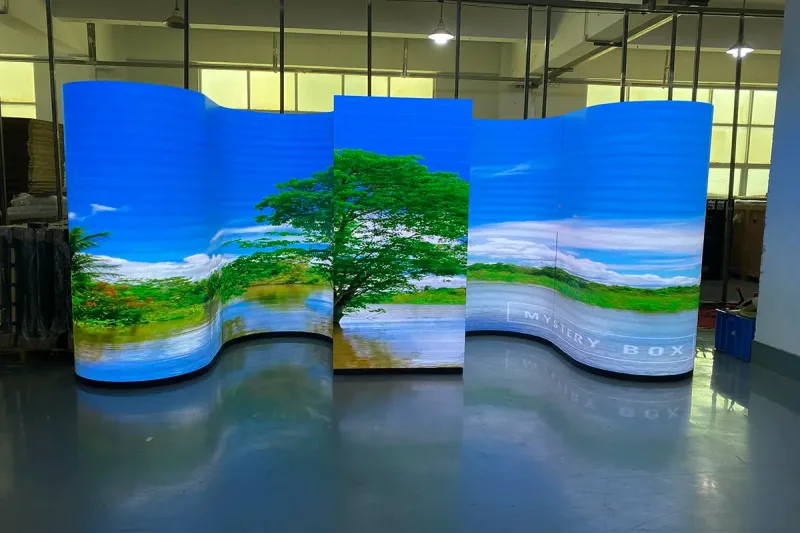
A flexible LED screen is a curved display system assembled from soft LED modules, a shaped supporting structure and compatible control equipment. EagerLED supplies configurations for indoor curved walls, columns and creative displays. This page helps buyers define the finished system; module-only specifications are available in the dedicated module range.
- Specify the complete curved display system or a compatible module-only order.
- Share the surface drawing, bend direction, viewing positions and maintenance route.
- Agree the frame, control, power, installation and spare-parts scope before pricing.
On this page
Flexible LED Screen System Scope Before Ordering
Start with a drawing of the finished surface. Show the width, height, concave or convex direction, target radius or diameter, viewing positions and maintenance route. The display geometry, supporting structure and pixel map need to be reviewed together.
- Mechanical scope: agree the shaped frame, module contact points, mounting responsibilities and front removal clearance.
- Display scope: confirm the exact module format, pitch, quantity, permitted curvature, brightness and spare-module plan.
- Control scope: define the full pixel canvas, processor capacity, receiving-card configuration and content mapping for the curved surface.
- Site scope: identify local frame fabrication, installation, cabling and commissioning responsibilities in the quote.
Should I buy a complete system or loose flexible modules?
Loose modules suit projects with an already approved frame and electrical design. For a new curved screen, request a quotation that clearly identifies the frame, modules, controller, power and data equipment and spares. Compare the flexible LED display module specifications when selecting components, then send the complete screen drawing for review.
Categories
2026 New LED Screen Price for You
A flexible LED screen is a direct-view display built from soft PCB modules that mount to a shaped support structure. It can form concave, convex, cylindrical and wave surfaces, but every module has a rated bend limit; it should not be folded like fabric. Current EA-Flex indoor flexible LED display data lists five module formats, P0.9 COB through P5 pitch options, 600-800 cd/m² brightness, a refresh rate of at least 3,840 Hz, 14-bit grayscale and a 140° viewing angle, depending on configuration. Use this guide to match geometry, viewing distance, brightness, service access and control requirements before requesting a layout and bill of materials.
Table of Contents
1. What Is a Flexible LED Screen?
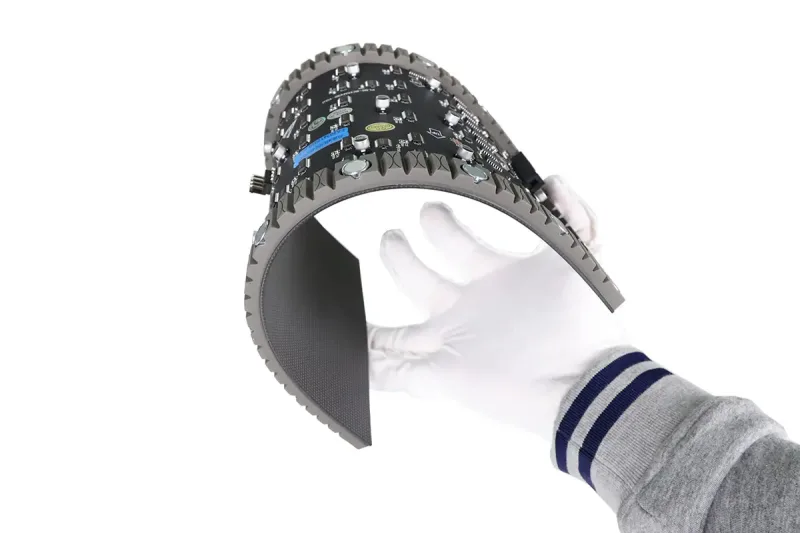
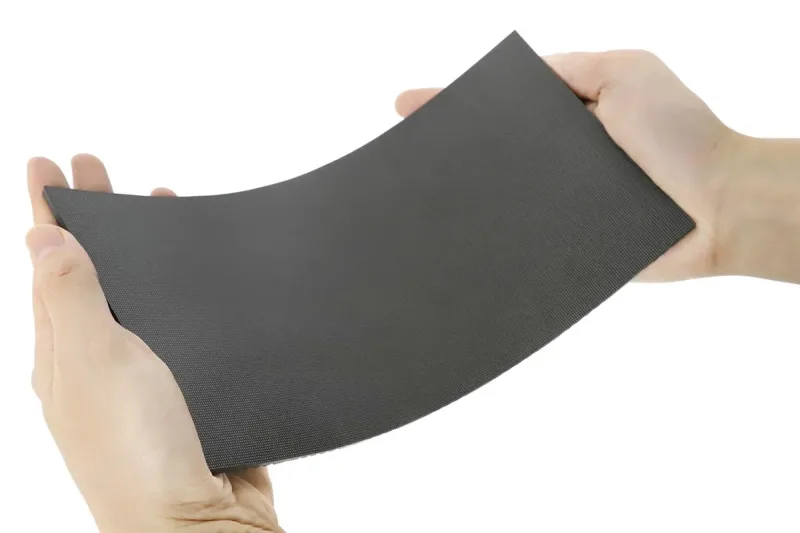
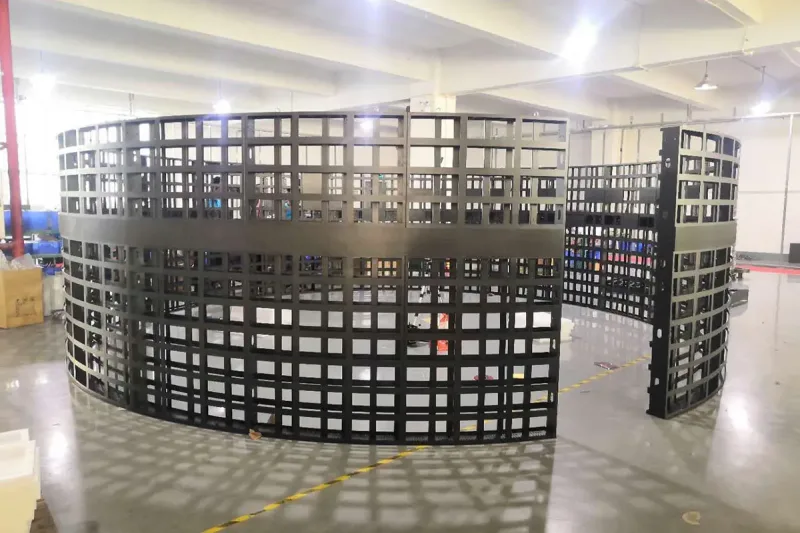
A flexible LED screen uses bendable LED modules instead of rigid flat modules. The soft printed circuit board, compact components and magnetic backing allow each module to follow a prepared steel or aluminum frame. The frame defines the final shape; the module supplies the continuous image surface.
This distinction matters because “flexible” does not mean unlimited movement. A module intended for a gentle column cannot automatically form a tight sphere, fold across a sharp edge or operate outdoors. The quotation should identify the exact module size, pixel pitch, permitted bend direction, minimum radius or maximum angle, protection rating and mounting method.
01 Flexible Module Versus Curved Cabinet
A flexible module can follow a custom radius on a purpose-built structure. A curved cabinet is a rigid cabinet manufactured at a fixed angle. Flexible modules give more geometric freedom, while curved cabinets can simplify repeatable installation and alignment. Compare both approaches when the project uses standard arcs rather than a free-form surface.
02 What a Complete System Includes
The display is more than the visible modules. It also needs a supporting structure, power supplies, receiving cards, controller or processor, data cabling, power distribution, ventilation, spare parts and content workflow. Review the LED control system together with the module layout so the native resolution and source inputs are defined before production.
2. How Flexible LED Modules Work
Each module contains an LED pixel array, driver electronics and connectors on a flexible PCB. Magnets or model-specific fasteners hold the module against the shaped structure. Power and signal cables connect the modules to receiving cards and power supplies, while the controller maps incoming content across the finished pixel canvas.
01 Bend Direction and Radius
Confirm whether the module bends in one direction or can support more complex geometry. The EA-Flex product description specifies concave, convex, cylindrical and wave-shaped surfaces and a bend angle up to 45° for applicable configurations. Treat this as model-specific data and confirm the final radius, module format and structure on the approved drawing.
02 Magnetic Front Service
Front-service magnetic modules can be removed from the viewing side. This is useful on columns, curved walls and shallow architectural features where a rear maintenance corridor is unavailable. The structure still needs planned access to power supplies, receiving cards and cable routes; “front service” should not be assumed to make every component reachable.
03 Alignment and Calibration
Soft modules do not correct an inaccurate frame. Variations in radius, magnet position or module plane can create visible seams and uneven reflections. After mechanical alignment, brightness and color calibration are needed so replacement modules match the rest of the display.
3. Flexible LED Screen Types and Shapes
“Flexible LED screen” describes a construction method rather than one standard shape. Select the format from the site geometry, viewing zone and maintenance plan.
| Display format | Typical use | Primary design priorities |
|---|---|---|
| Concave or convex wall | Retail, showrooms, stages and immersive rooms | Radius, module alignment, viewing zone, native resolution and front service |
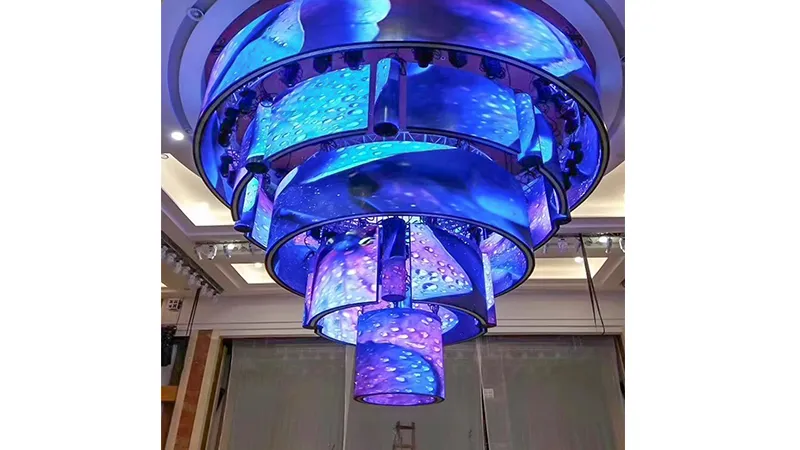
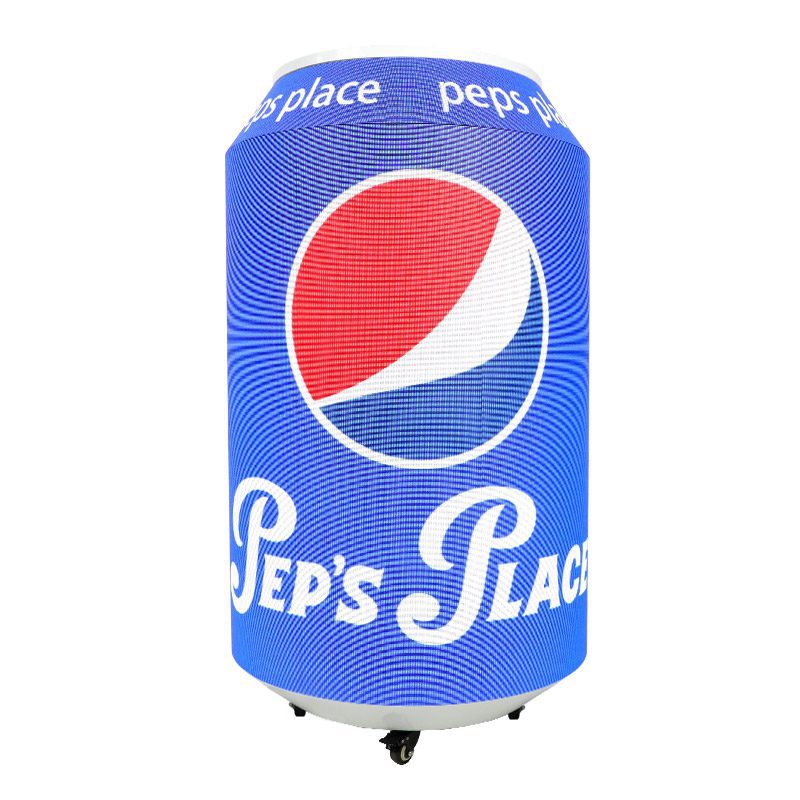
| Column or cylinder | Malls, hotels, exhibition halls and public interiors | Column diameter, seam position, 360° content flow, cable routing and service opening |
| Wave or free-form surface | Brand installations, museums and creative stages | 3D frame accuracy, changing radii, module map, content template and calibration |
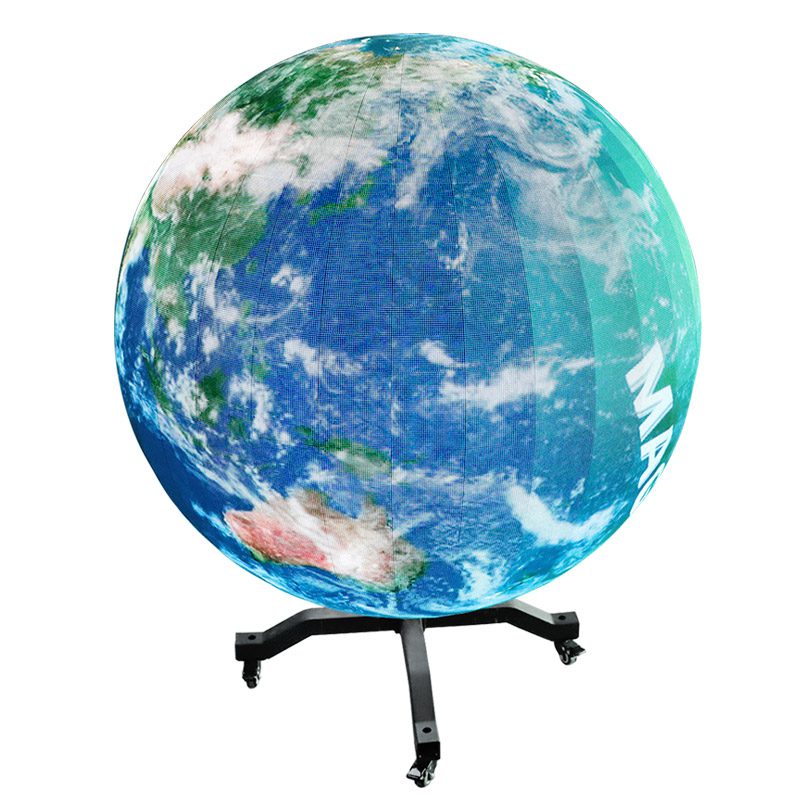
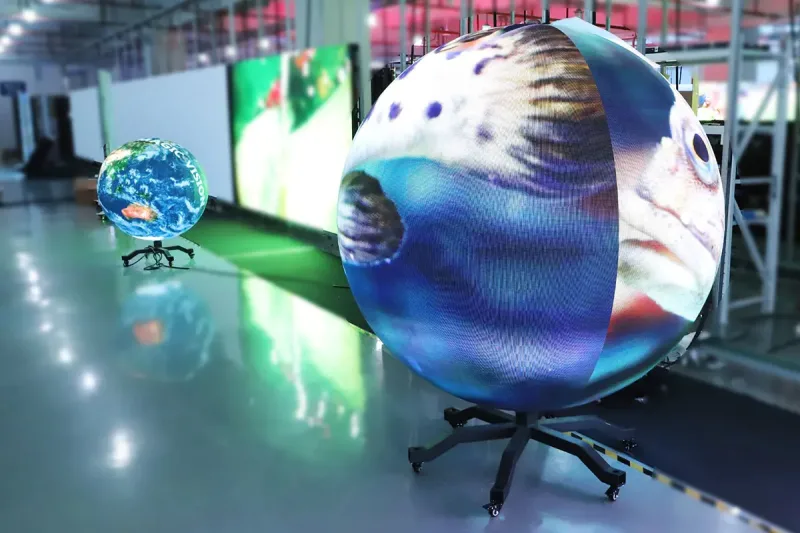
| LED sphere | Landmark displays, atriums and event features | Sphere diameter, tapered geometry, pixel mapping, viewing height and maintenance access |
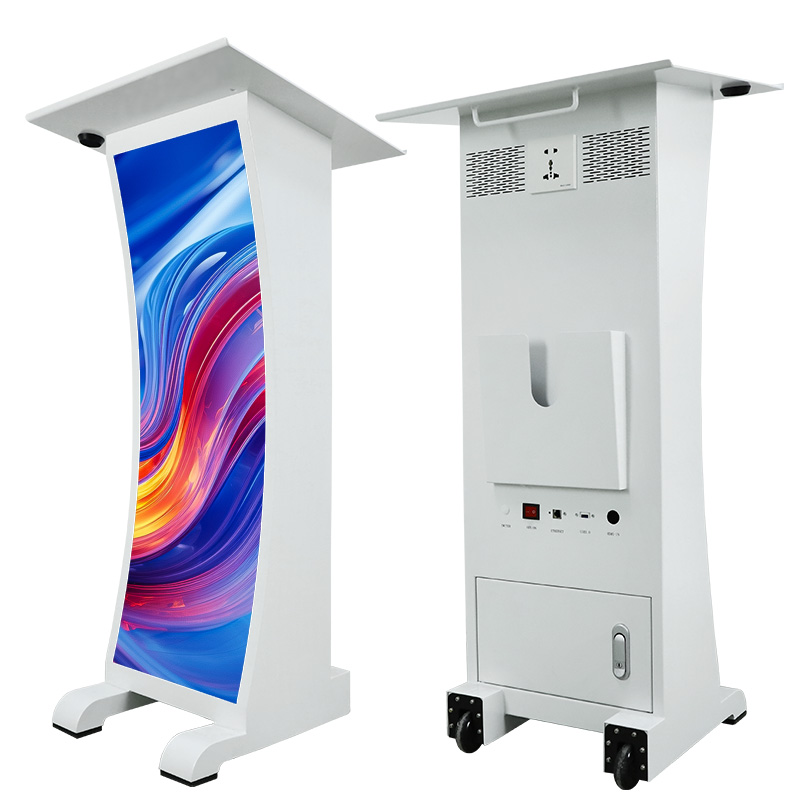
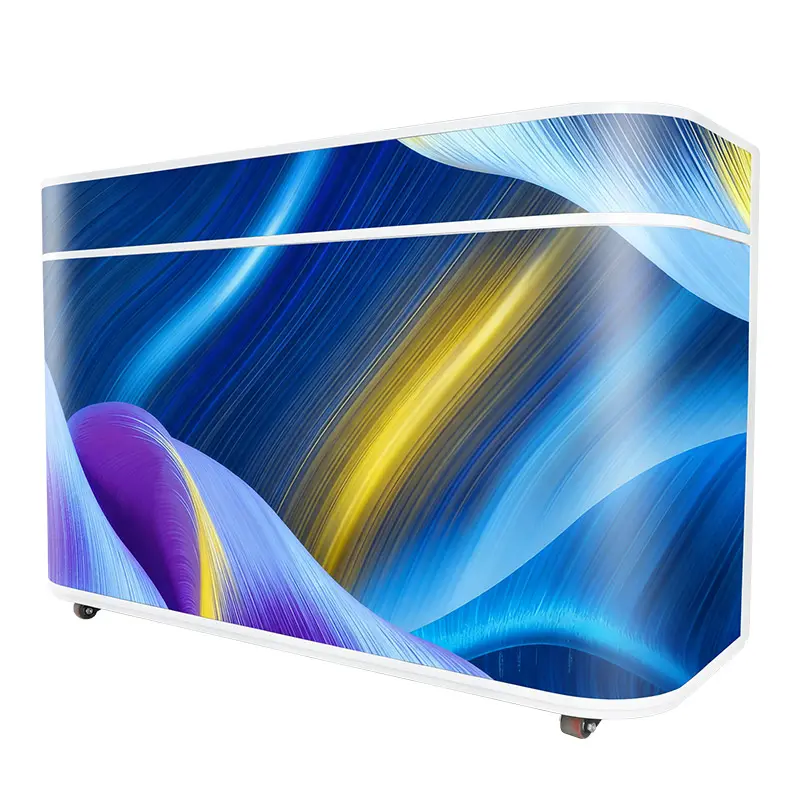
| Curved product fixture | Reception desks, podiums and compact retail displays | Slim depth, close-view pitch, integrated structure, quiet operation and safe edges |
01 Cylindrical and Wraparound Displays
A cylinder can present content around part or all of a column. Decide where the visual seam, service opening and primary viewing zone will sit. A 360° installation also needs content created for a continuous canvas rather than a flat 16:9 video placed unchanged around the circumference.
02 Spheres and Irregular Geometry
Spherical and compound shapes need a detailed module map because the surface cannot be described by one radius. The EAiBall LED sphere display is a purpose-built option for spherical projects; compare it with a custom flexible-module structure before deciding which approach offers better geometry and serviceability.
4. Key Specifications to Compare
Compare specifications as a connected system. The smallest pitch is not automatically the best value, and maximum brightness does not solve poor viewing geometry. Ask the supplier to connect every number to the site drawing and intended content.
| Specification | EA-Flex listed range or feature | Buyer question |
|---|---|---|
| Pixel pitch | P0.9 COB to P5, depending on module format | What native resolution will the finished width and height produce? |
| Module format | 240 × 120, 256 × 128, 320 × 160, 250 × 250 and 300 × 168.75 mm | Which format best follows the radius with the fewest visible transitions? |
| Brightness | 600-800 cd/m², depending on configuration | What output is comfortable in the measured indoor ambient light? |
| Refresh rate | At least 3,840 Hz | Will cameras record the display, and at which frame rates and shutter settings? |
| Grayscale and viewing angle | 14-bit grayscale and 140° viewing angle | How will image uniformity be checked across the curved viewing zone? |
| Protection rating | IP31 on the listed indoor configurations | Does the complete installed system match the actual dust and moisture exposure? |
| Power | AC 100-240 V, 50-60 Hz; model-specific maximum power data | What are the typical and maximum loads for the final screen area? |
Data note: the figures above summarize the current EA-Flex product tables and are not universal values for every flexible LED screen. Confirm the selected model’s data sheet and approved drawing. The International Electrotechnical Commission’s IP rating guide explains that IEC 60529 classifies enclosure protection against intrusion by solids and liquids; an IP label should be interpreted for the tested enclosure and configuration.
01 Pixel Pitch and Native Resolution
Start with the finished dimensions and nearest regular viewer. Calculate pixel width and height for at least two pitch options, then preview representative text, product images and video at the actual distance. The site’s pixel pitch selection guide provides a broader comparison framework.
02 Brightness, Refresh and Camera Use
Indoor brightness should be adjustable for the real ambient light, not fixed at maximum. For camera-facing stages, studios or launches, test the complete system with the production camera, frame rate and shutter settings. Refresh rate is important, but scan design, grayscale performance and camera setup also affect recorded results.
5. Applications and Design Priorities
Flexible screens are most useful when the display must follow architecture or become part of the visual concept. A flat wall should still be evaluated against a conventional indoor LED screen, which may offer a simpler structure and lower installation complexity.
01 Retail, Hotels and Corporate Interiors
- Columns and atriums: plan the primary viewing zone, content seam and service opening.
- Curved feature walls: prioritize close-view pitch, quiet operation, slim depth and color consistency.
- Reception desks and podiums: integrate ventilation, safe edges and front service into the furniture structure.
- Showrooms: calculate native resolution around the product content and camera use.
02 Stages, Exhibitions and Immersive Rooms
Temporary event systems need repeatable geometry, fast alignment and transport protection. If the structure will be assembled and moved frequently, compare a custom flexible-module build with a purpose-built rental LED screen or curved rental cabinet. The most flexible surface is not always the fastest touring system.
03 Transparent and Architectural Alternatives
For glass architecture, a transparent LED screen may preserve more daylight and views than an opaque flexible wall. Compare transparency, pitch, brightness, structural attachment and content appearance before choosing the technology.
6. How to Choose a Flexible LED Screen
Begin with the site geometry and operating plan, then select the module. This avoids forcing a catalog product onto a curve it was not designed to follow.
01 Document the Geometry
- Provide finished width and height plus a dimensioned plan, elevation and section.
- State whether each surface is concave, convex, cylindrical, spherical or free-form.
- Record the minimum radius and where the radius changes.
- Mark seams, edges, access panels, vents, power routes and structural attachment points.
02 Define the Viewing and Content Plan
List the nearest and farthest viewing positions, content type, smallest text, camera use, source resolution and daily operating hours. For a cylinder or sphere, show the intended content origin and how the image should wrap around the surface.
03 Request an Itemized Proposal
The quotation should identify the module model, pitch, quantity, support structure, controller, receiving cards, power supplies, data and power distribution, spare modules, spare electronics, packing, freight, commissioning and training. Ask for a dimensioned module map and native pixel resolution, not only a price per square meter.
04 Compare Evidence and Limitations
Review the exact data sheet, bend-limit evidence, frame drawing, aging-test record, calibration plan, warranty scope and spare-parts availability. Product values are configuration-dependent, and final structural, electrical, fire and access compliance depends on the installed system and local requirements.
7. Installation, Control and Maintenance
01 Structure and Electrical Planning
A qualified local professional should review the support structure, anchors, electrical distribution, grounding, ventilation and safe access. Fabricate and inspect the frame before fitting modules; small geometric errors can accumulate across a long curve and become visible at the final seam.
02 Content Mapping and Commissioning
Build the content template from the actual native pixel canvas. Map unusual shapes in the controller, test edge transitions and verify the intended viewing zone. Record controller files, receiving-card configuration, module map, calibration data and approved brightness settings for future service.
03 Preventive Maintenance
- Inspect module alignment, magnets or fasteners, cable strain relief and structural attachment.
- Keep mapped spare modules, receiving cards and power supplies in suitable storage.
- Monitor temperature, power-supply status, signal faults and image uniformity.
- Clean with the model-specific method and avoid pressure that exceeds the module’s bend limit.
- Back up controller files, calibration data and the current content template.
Practical limitation: an indoor flexible module with an IP31 rating is not an outdoor product. Do not add a weather claim based only on a front coating or on another model’s enclosure. Request evidence for the complete proposed configuration.
8. Flexible LED Screen FAQs
01 Can a flexible LED screen wrap around a column?
Yes, when the selected module and support structure are engineered for the required radius. Confirm the column diameter, concave or convex direction, module format and the manufacturer’s bend limit before fabrication. Do not force a module beyond its rated geometry.
02 Is a flexible LED screen foldable or rollable?
Most modular flexible LED screens are bendable, not freely foldable like fabric. Soft PCB modules conform to a prepared curve within a specified limit. Repeated folding, creasing or rolling tighter than the rated radius can damage solder joints, LEDs or the PCB.
03 Which pixel pitch should I choose?
Choose pixel pitch from the nearest regular viewing distance, finished screen size and content detail. Fine pitches suit close-view retail and showroom work; larger pitches can be practical for bigger indoor features viewed from farther away. Calculate the native resolution for the actual width and height before ordering.
04 Can an indoor flexible LED module be used outdoors?
Only if the complete product is designed and tested for that exposure. The listed EA-Flex configurations are indoor products with IP31 protection. An outdoor project needs a purpose-built enclosure, suitable front and rear protection, drainage, thermal design and locally approved structure and electrical work.
05 How is a flexible LED screen maintained?
Magnetic front-service modules can be removed from the viewing side for module-level work. A practical maintenance plan also covers mapped spare modules, power supplies, receiving cards, calibration files, ventilation, cable inspection and safe access to the supporting structure.
06 What information is needed for a quotation?
Provide finished width and height, a drawing or site photos, the nearest viewing distance, concave or convex geometry, minimum radius, indoor or outdoor exposure, service access, local voltage, content sources, delivery country and schedule. These details allow a supplier to prepare a cabinet or module layout and itemized bill of materials.
9. Conclusion
A flexible LED screen should be selected as a complete shaped display system, not as a soft module alone. Match the module’s bend limit to the geometry, pitch to the finished resolution and viewing distance, brightness to the measured environment, and service access to the structure. Then compare itemized proposals using the same dimensions, control scope and spare-parts plan. To review a project-specific module map and bill of materials, contact EagerLED with your drawings, viewing distance, site photos, voltage, delivery country and schedule.
