

Colorlight Software Download: Firmware & Manuals
Download Colorlight software, model-specific firmware, specifications and user manuals from EagerLED. Find LEDSETTING for screen configuration, PlayerMaster for multimedia-player content management, iSet for supported video processors, and legacy LEDVISION downloads below. Choose the tool and firmware that match your exact device and hardware revision.
Catalog verified: October 10, 2026. These mirrored downloads were sourced from Colorlight’s official English download catalog. The verification date is not a product release date. EagerLED provides this download hub; Colorlight is the software and hardware brand.
On mobile, swipe wide download tables horizontally.
Colorlight software downloads
The versions below are the selected current catalog packages verified for this hub. LEDVISION is listed separately as a discontinued product. A higher version number in another software family does not make it a replacement for your device’s supported tool.
| Software / version | What it is used for | Download |
|---|---|---|
| LEDSETTING V2.2.6 | LED screen configuration and control; check device support before replacing an existing tool. | Package 1 of 5 (80.0 MB) Package 2 of 5 (80.0 MB) Package 3 of 5 (80.0 MB) Package 4 of 5 (80.0 MB) Package 5 of 5 (28.5 MB) How to reconstruct all 5 packages |
| PlayerMaster 1.9.338 (official catalog label: V1.9338) | Content and playback management for supported Colorlight multimedia players. | Package 1 of 5 (80.0 MB) Package 2 of 5 (80.0 MB) Package 3 of 5 (80.0 MB) Package 4 of 5 (80.0 MB) Package 5 of 5 (52.4 MB) How to reconstruct all 5 packages |
| LEDVISION V9.7 | Legacy LED display control and playback. Colorlight lists this product as discontinued. | Package 1 of 4 (80.0 MB) Package 2 of 4 (80.0 MB) Package 3 of 4 (80.0 MB) Package 4 of 4 (18.0 MB) How to reconstruct all 4 packages |
| iSet V7.2 Windows | Configuration tool for supported Colorlight video processors. | Download ZIP (74.0 MB) ZIP containing the unmodified official RAR |
| iSet V7.0 macOS | Configuration tool for supported Colorlight video processors. | Download ZIP (38.4 MB) |
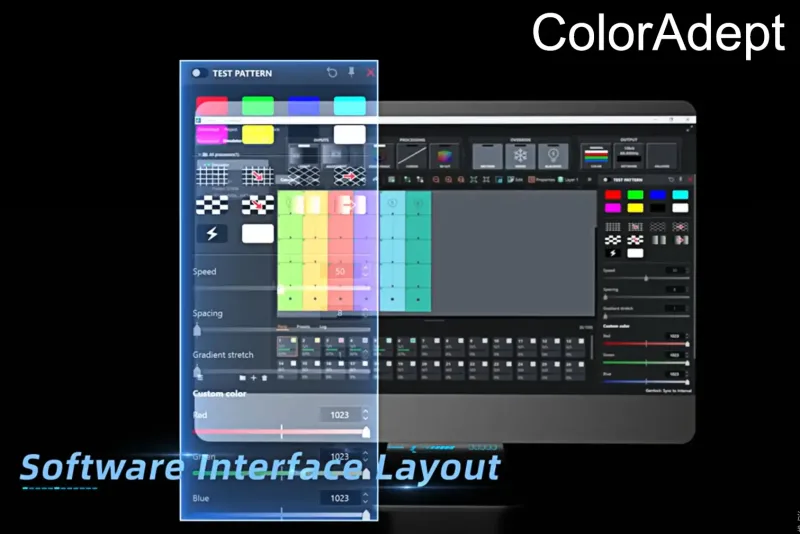
| ColorAdept Configuration Manager V2.2 | Control and configuration tools for supported Colorlight systems. | Download ZIP (95.7 MB) |
| ColorAdept V2.2 Windows | Control and configuration tools for supported Colorlight systems. | Package 1 of 2 (80.0 MB) Package 2 of 2 (51.2 MB) How to reconstruct all 2 packages |
| ColorAdept V2.2 macOS | Control and configuration tools for supported Colorlight systems. | Package 1 of 2 (80.0 MB) Package 2 of 2 (76.8 MB) How to reconstruct all 2 packages |
| Calibration Pro V7.4 | LED display calibration software. Calibration requires compatible hardware and an appropriate workflow. | Package 1 of 2 (80.0 MB) Package 2 of 2 (35.0 MB) How to reconstruct all 2 packages ZIP containing the unmodified official EXE |
| LEDUpgrade V5.2 | Device firmware upgrade tool; this installer is separate from each device firmware file. | Package 1 of 3 (80.0 MB) Package 2 of 3 (80.0 MB) Package 3 of 3 (46.7 MB) How to reconstruct all 3 packages |
| iTouch V1.0 Windows | Control software for supported devices. | Package 1 of 2 (80.0 MB) Package 2 of 2 (70.8 MB) How to reconstruct all 2 packages |
| GrandShow CE Basic V2.0 | GrandShow CE Basic package for its supported control workflow. | Package 1 of 7 (80.0 MB) Package 2 of 7 (80.0 MB) Package 3 of 7 (80.0 MB) Package 4 of 7 (80.0 MB) Package 5 of 7 (80.0 MB) Package 6 of 7 (80.0 MB) Package 7 of 7 (27.5 MB) How to reconstruct all 7 packages |
Previous software versions: legacy download archive
These existing EagerLED archive files are retained for systems that need an older version. They are not the current catalog releases. Choose an older version only when your device documentation or an established setup requires it.
- LEDVision V9.2 (archive ZIP)
- iSet V6.2 (archive ZIP)
- ColorAdept V1.8 Windows (archive ZIP)
- LEDVision V9.0 (archive ZIP)
- iSet V6.0 Windows (archive ZIP)
- ColorAdept V1.8 macOS (archive ZIP)
- LEDVision V8.8 (archive ZIP)
- iSet V6.0 macOS (archive ZIP)
- ColorAdept V1.6 Windows (archive ZIP)
- LEDVision V8.6 (archive ZIP)
- iSet V5.2 (archive ZIP)
- ColorAdept V1.6 macOS (archive ZIP)
- LEDVision V8.5 (archive ZIP)
- iSet V5.0 (archive ZIP)
- ColorAdept V1.2 Windows (archive ZIP)
- LEDVision V8.0 (archive ZIP)
- iSet V4.5 (archive ZIP)
- ColorAdept V1.2 macOS (archive ZIP)
- LEDVision V7.2 (archive ZIP)
- iSet V4.2 (archive ZIP)
- ColorAdept Configuration Manager V1.8 (archive ZIP)
- LEDVision V7.0 (archive ZIP)
- iSet V4.0 (archive ZIP)
- ColorAdept Configuration Manager V1.6 (archive ZIP)
- LEDVision V6.9 (archive ZIP)
- iSet V4.1 (archive ZIP)
- ColorAdept Configuration Manager V1.2 (archive ZIP)
- LEDvision V6.8 (archive ZIP)
- iSet V3.5 (archive ZIP)
- LEDvision 6.6 Setup (archive ZIP)
- iSet V3.6 (archive ZIP)
- ColorAdept V1.2 macOS (archive ZIP)
- LEDvision 4.20 Setup (archive ZIP)
- iSet V7.0 Windows (archive ZIP)
- ColorAdept V1.2 Windows (archive ZIP)
- LEDvision 6.0 Setup (archive ZIP)
- ColorAdept Configuration Manager V1.8 for Windows (archive ZIP)
- LEDvision 2.50 (For 5A and i5A Series) (archive ZIP)
- LEDvision 3.15 (For 5A and i5A Series) (archive ZIP)
- LEDvision 3.50 (For 5A and i5A Series) (archive ZIP)
- LEDVision V9.6 (archive ZIP)
- PlayerMaster V1.9 (archive ZIP)
- Calibration Pro V7.0 (archive ZIP)
- LEDUpgrade V4.0 (archive ZIP)
- PlayerMaster V1.8 (archive ZIP)
- Calibration Pro V6.5 (archive ZIP)
- LEDUpgrade V3.6 (archive ZIP)
- PlayerMaster V1.4 (archive ZIP)
- Calibration Pro V5.5 (archive ZIP)
- LEDUpgrade V3.2 (archive ZIP)
- PlayerMaster V1.2 (archive ZIP)
- Calibration Pro V4.0 (archive ZIP)
- LEDUpgrade V3.0 (archive ZIP)
- Calibration Pro V6.5.0 Setup (archive ZIP)
- Calibration Pro V5.5 Setup (archive ZIP)
- Calibration Pro V4.0 Setup (archive ZIP)
- Calibration Pro V3.5 Setup (archive ZIP)
- LEDUpgrade V4.0 (archive ZIP)
- LEDUpgrade V3.6 (archive ZIP)
- LEDUpgrade V3.2 (archive ZIP)
- LEDUpgrade V3.0 (archive ZIP)
- LEDUpgrade V2.6 (archive ZIP)
Which Colorlight software should I choose?
- LEDSETTING: start with the configuration tool specified in your controller or receiving-card documentation.
- PlayerMaster: choose this for the content-management workflow supported by your Colorlight multimedia player.
- iSet and ColorAdept: use the tool named in your processor or system manual. Check Windows and macOS labels carefully.
- LEDVISION: use the legacy package only when your existing system requires it. Colorlight’s catalog marks LEDVISION as discontinued; do not assume LEDSETTING supports every legacy device.
- LEDUpgrade: download the upgrade tool and the correct device firmware separately.
Before changing an installed system, record the device model, PCB revision, current firmware and software version, and save its working configuration. If the manual does not confirm compatibility, ask EagerLED for help identifying the correct Colorlight package.
Colorlight specifications and user manuals
Use specifications to compare device capabilities and user manuals to follow the configuration workflow. Manual version numbers are independent of software and firmware version numbers. Older manuals remain useful for their documented versions; they do not establish compatibility with every new release.
Software user manuals
| Document / version | PDF download |
|---|---|
| PlayerMaster User Manual V1.4 | PDF (8.6 MB) |
| iSet User Manual V7.0 | PDF (8.7 MB) |
| iSet User Manual V6.0 | PDF (23.5 MB) |
| iSet User Manual V5.0 | PDF (7.2 MB) |
| ColorAdept User Manual V1.8 | PDF (6.7 MB) |
| LEDSETTING V2.2.6 User Manual | PDF (26.0 MB) |
| LEDVISION User Manual V8.0 | PDF (9.3 MB) |
| LEDUpgrade User Manual V3.2 | PDF (3.5 MB) |
Sending controllers: manuals and specifications
| Document / version | PDF download |
|---|---|
| S20 Specification V2.1 | PDF (1.1 MB) |
| S20 User Manual V2.2 | PDF (2.5 MB) |
| S20F Specification V1.1 | PDF (1.1 MB) |
| S20F User Manual V1.1 | PDF (2.3 MB) |
| S6F Specification V1.2 | PDF (1.1 MB) |
| S6F User Manual V1.2 | PDF (1.8 MB) |
| S4 Specification V2.3 | PDF (0.9 MB) |
| S4 User Manual V2.2 | PDF (2.2 MB) |
Receiving cards: specifications
| Document / version | PDF download |
|---|---|
| E320Pro Specification V1.0.0 | PDF (1.2 MB) |
| HC5 Specifications V2.0.0 | PDF (3.5 MB) |
| K10 Specification V2.1.0 | PDF (3.3 MB) |
| K8 Specification V1.0.2 | PDF (3.2 MB) |
| E120 Specification V1.1.0 | PDF (1.1 MB) |
Multimedia players: manuals and specifications
| Document / version | PDF download |
|---|---|
| A800 User Manual V1.1 | PDF (0.9 MB) |
| A800 Specification V1.1 | PDF (0.7 MB) |
| A500 User Manual V1.2 | PDF (0.8 MB) |
| A500 Specification V1.4 | PDF (0.6 MB) |
| A4K User Manual V1.2 | PDF (1.1 MB) |
| A4K Specification V1.4 | PDF (1.1 MB) |
| A2K User Manual V1.4 | PDF (1.1 MB) |
| A2K Specification V1.3 | PDF (1.5 MB) |
| C3Pro User Manual V2.0 | PDF (1.6 MB) |
| C3Pro Specification V2.1.1 | PDF (1.5 MB) |
| A100 Specification V3.2 | PDF (1.5 MB) |
| A200 Specification V2.2 | PDF (1.5 MB) |
| A100&A200 User Manual V1.1 | PDF (1.8 MB) |
Video processors: manuals and specifications
| Document / version | PDF download |
|---|---|
| Universe Series User Manual V2.3 | PDF (93.3 MB) |
| U3 Max Specification V1.0 | PDF (1.6 MB) |
| X100 Pro-7U Specification V2.0 | PDF (1.2 MB) |
| X100 Pro-4U Specification V2.0 | PDF (1.2 MB) |
| X100 Pro-2U Specification V2.0 | PDF (1.3 MB) |
| U6 Max Specification V1.0 | PDF (1.8 MB) |
| U15 Max Specification V1.0 | PDF (2.0 MB) |
| U9 Max Specification V1.1 | PDF (2.2 MB) |
Colorlight firmware downloads
Firmware is model-specific. Match the model, PCB revision and variant shown in the package filename and device documentation before upgrading. Software installers such as LEDSETTING or LEDUpgrade are not themselves device firmware.
The table retains the official vendor filenames so you can compare hardware and firmware identifiers. Shared packages apply only to the models named by the official catalog. An S20 catalog entry with an X2s filename was excluded pending clarification.
Sending controller firmware
| Device / catalog version | Original Colorlight package filename | Firmware download |
|---|---|---|
| S20F V1.20 | Sender-S20F-1.20(Main-ARM1.20,Main-FPGA2.75,Front-ARM1.0)_1663208222.zip | Download ZIP (3.5 MB) |
| S6F PCB6.1 V4.60 | Sender-S6F-4.60(Main-ARM(4.60),Main-FPGA(8.15))_1729596812.zip | Download ZIP (0.7 MB) |
| S4 PCB5.0 V3.0 | Sender-S4-PCB5.0-V3.00(Main-ARM50.91,Main-FPGA3.00)_1663207362.zip | Download ZIP (0.5 MB) |
| S2 V6.0 | Sender-S2-6.0(Main-ARM6.0,Main-FPGA6.0)_1673672402.zip | Download ZIP (0.3 MB) |
Receiving card firmware
| Device / catalog version | Original Colorlight package filename | Firmware download |
|---|---|---|
| HC5 V2.03 | HC5_P1.0_FPGA2.03_PWM_20220512_12BIT_newpara_cali_1672195764.zip | Download ZIP (0.9 MB) |
| i10 V5.12 | I10_PCBB.0_PWM_FPGA5.12_20220420_18bit_1672195809.zip | Download ZIP (0.6 MB) |
| i9+ V11.23 | I9plus_PCB6.1_PWM_FPGA11.23_20221102_infibit4.0_1672276479.zip | Download ZIP (0.6 MB) |
| i8 V7.00 | i8_PCB8.0_PWM_FPGA7.00_20221028_infibit4.0_1672196185.zip | Download ZIP (0.4 MB) |
| K10 V8.07 | K10_PCB2.0_PWM_FPGA8.07_20221103_infibit4.0_1672196414.zip | Download ZIP (0.6 MB) |
| K8 V5.13 | K8_PCB1.0_PWM_FPGA5.13_20221020_infibit4.0_1672196472.zip | Download ZIP (0.4 MB) |
Multimedia player firmware
Video processor firmware
| Device / catalog version | Original Colorlight package filename | Firmware download |
|---|---|---|
| U6 Max | Splice-U6 Max-1.2.6-1.0.zip | Package 1 of 4 (80.0 MB) Package 2 of 4 (80.0 MB) Package 3 of 4 (80.0 MB) Package 4 of 4 (6.0 MB) How to reconstruct all 4 packages |
| U9 Max | Splicer-U9 Max-1.3020260210.zip | Package 1 of 5 (80.0 MB) Package 2 of 5 (80.0 MB) Package 3 of 5 (80.0 MB) Package 4 of 5 (80.0 MB) Package 5 of 5 (40.3 MB) How to reconstruct all 5 packages |
| U15 Max | Splice-U15Max-1.2.17-8.zip | Package 1 of 4 (80.0 MB) Package 2 of 4 (80.0 MB) Package 3 of 4 (80.0 MB) Package 4 of 4 (2.3 MB) How to reconstruct all 4 packages |
How to download and reconstruct split packages
Large vendor downloads exceed this website’s 128 MB upload limit. They are provided as numbered ZIP packages containing consecutive parts of the original file. You need every package in the same set. A package by itself is not an installer or usable firmware archive.
- Download all numbered packages for the selected item. Do not mix packages from different products or versions.
- Extract every package into the same empty folder. Keep the original part filenames. If asked about the repeated README.txt, either identical copy can be retained.
- On Windows, open the included Rebuild-Windows.cmd helper after reviewing it, or use the joining command described in README.txt. The helper joins local parts and displays a checksum; it does not install the vendor software or flash firmware.
- Compare the resulting SHA-256 checksum with the expected value in README.txt before using the reconstructed original. On macOS, README.txt includes the exact Terminal joining command; use
shasum -a 256on the reconstructed file to verify it. - Open the reconstructed ZIP or RAR archive, or use the vendor installer, according to its documentation. Confirm hardware compatibility again before any firmware update.
If a checksum does not match, re-download the affected packages and rebuild in a fresh folder. Do not use an incomplete or altered file. The split sets listed here were reconstructed locally and checked against the original downloaded file’s SHA-256 checksum.
Colorlight video tutorials
These tutorials may demonstrate earlier software versions. Use the matching current manual for version-specific menus and supported devices.
Colorlight download FAQ
What is the latest Colorlight LEDSETTING download listed here?
This hub lists LEDSETTING V2.2.6, verified against Colorlight’s official English download catalog on October 10, 2026. Download all five numbered packages and reconstruct the original ZIP before using it.
Which PlayerMaster version is available?
The official catalog label is PlayerMaster V1.9338. The vendor installer filename identifies build 1.9.338. Download all five packages to reconstruct the original installer.
Is Colorlight LEDVISION still available?
Yes. LEDVISION V9.7 is available here as a legacy download. Colorlight places LEDVISION in its discontinued product category. Confirm that your system requires this tool before installing it.
Can I use the same firmware for every Colorlight receiving card?
No. Firmware must match the exact model, PCB revision and variant. Use the official package filename and device documentation to check compatibility, and preserve the existing configuration before an upgrade.
Why are some downloads divided into ZIP packages?
The website accepts uploads up to 128 MB. Larger original vendor files are divided into smaller numbered packages. Download every package, extract them into one folder, reconstruct the original file and compare its SHA-256 checksum with README.txt.
Are the manuals, software and firmware versions supposed to match?
No. Manuals, software and firmware have separate version numbers. Follow the device documentation and release instructions rather than choosing a file solely because its version number is higher.
Need help with a Colorlight LED control system?
Send EagerLED the model name, PCB revision, existing software and firmware versions, and your intended setup. We can help identify the appropriate download. Explore our LED software download hub, LED control systems, or contact EagerLED.
