

A COB LED display module encapsulates RGB LED chips on the PCB for a smooth fine-pitch indoor screen surface. EagerLED lists 150 × 168.75 mm and 320 × 160 mm formats; choose the exact module model, pixel map and scan mode for the cabinet and control system before ordering or replacing modules.
- This page covers indoor RGB display modules, not COB lighting components.
- The same P1.25 pitch is available in different footprints and scan modes.
- Use module pixel counts to plan the canvas; do not assume cabinet or spare interchangeability.
- Confirm receiving-card mapping, connectors, power, calibration and the replacement route.
On this page
Compare the two published P1.25 formats
| Module format | Pixel map / scan | Published refresh / brightness |
|---|---|---|
| 150 × 168.75 mm | 120 × 135 / 1⁄60 | 3,840 Hz / 500–800 nits |
| 320 × 160 mm | 256 × 128 / 1⁄64 | 3,840 Hz / 600 nits |
With the listed 150 × 168.75 mm P1.25 module, a 16-column × 8-row module grid gives a nominal 2.4 × 1.35 m surface and 1,920 × 1,080 pixels using 128 modules. This is a planning calculation; confirm the cabinet grid, orientation, seams and control layout before ordering.
The 320 × 160 mm P1.25 format has a different pixel map and scan mode. A shared pitch does not make the two formats interchangeable; match the complete part number, mounting, signal/power interfaces and receiving-card configuration.
For a replacement order, send front and rear module photographs, the existing label, connector details, cabinet drawing and control configuration. Confirm production batch, calibration and spare matching so replacement modules can be adjusted to the wall.
Purchase questions
Can I order COB modules by pixel pitch alone?
No. Confirm the module footprint, pixel map, scan mode, connector pinout, voltage/current requirements, receiving-card mapping, mounting and exact model. Ask for a compatible replacement list.
Does COB encapsulation make the whole screen waterproof?
No. Surface encapsulation and the protection rating of an assembled screen are different. These listed modules are intended for indoor display projects; confirm the cabinet rating and installation conditions for the selected system.
What is needed for a complete indoor COB wall quotation?
Send the required wall dimensions, nearest viewer, target canvas resolution, room light, camera use, mounting and service access. Specify whether the order is module-only or includes cabinets, power, control, calibration and spares.
Request a COB module compatibility quote
Compare the EA600COB3 complete indoor COB LED display for other formats.
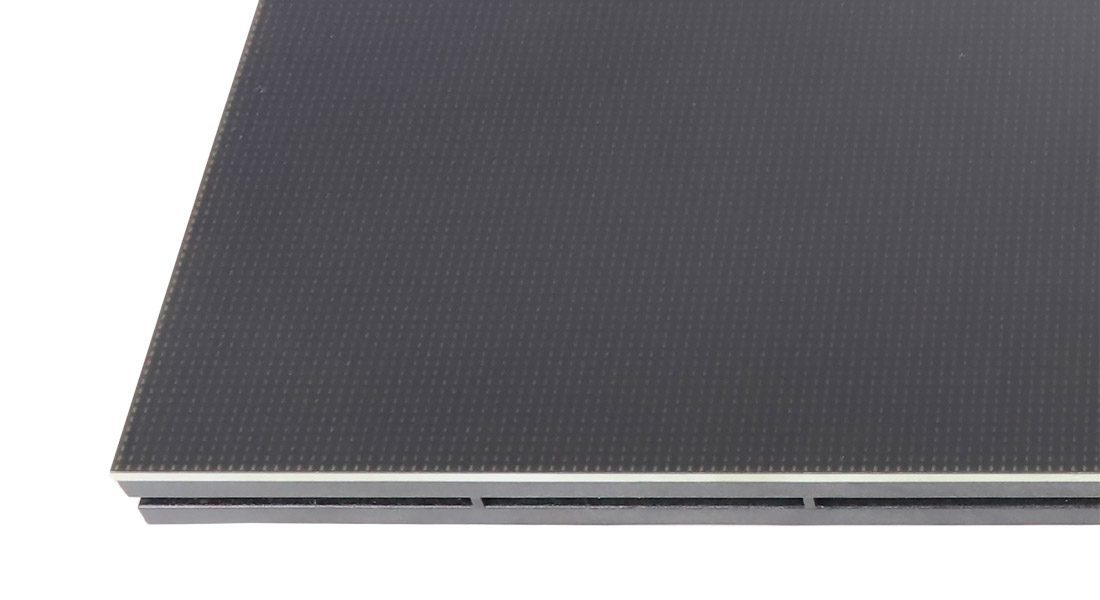
Advantages of COB LED display Module
COB packaging technology is a method that directly mounts LED chips onto a printed circuit board (PCB). Both flip-chip COB (Flip-Chip COB) and front-mounted COB (Front-Mounted COB) enable a tight bond between the chip and the PCB, enhancing the performance and reliability of the device while enabling the design of smaller, thinner electronic devices.
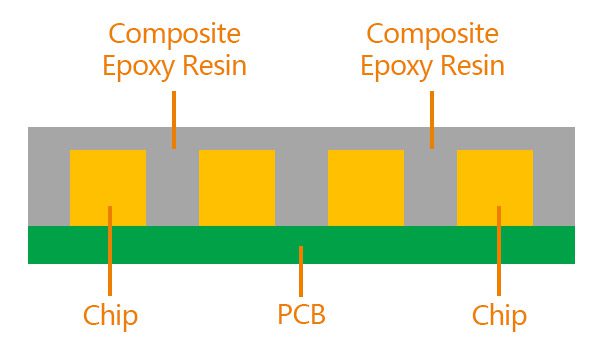
Flip-chip COB
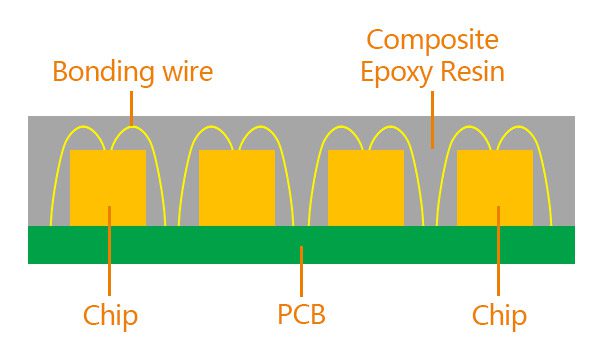
Front-mounted COB
Higher density leads to clearer visual quality
COB LED display module directly solders LED chips to PCB boards to form a flat and uniform LED surface, which helps improve the brightness and uniformity of the screen. There is no physical barrier between the light-emitting chips, and more pixels can be displayed per unit area, making the picture more delicate, the colors more full, and the visual effect more realistic.
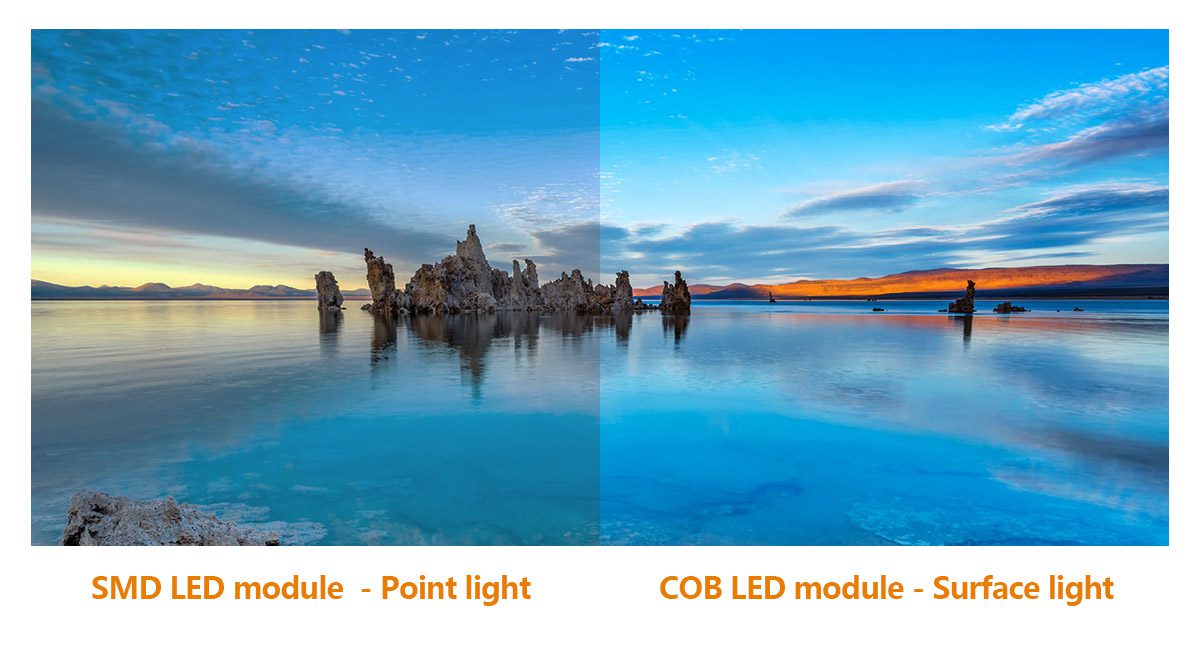
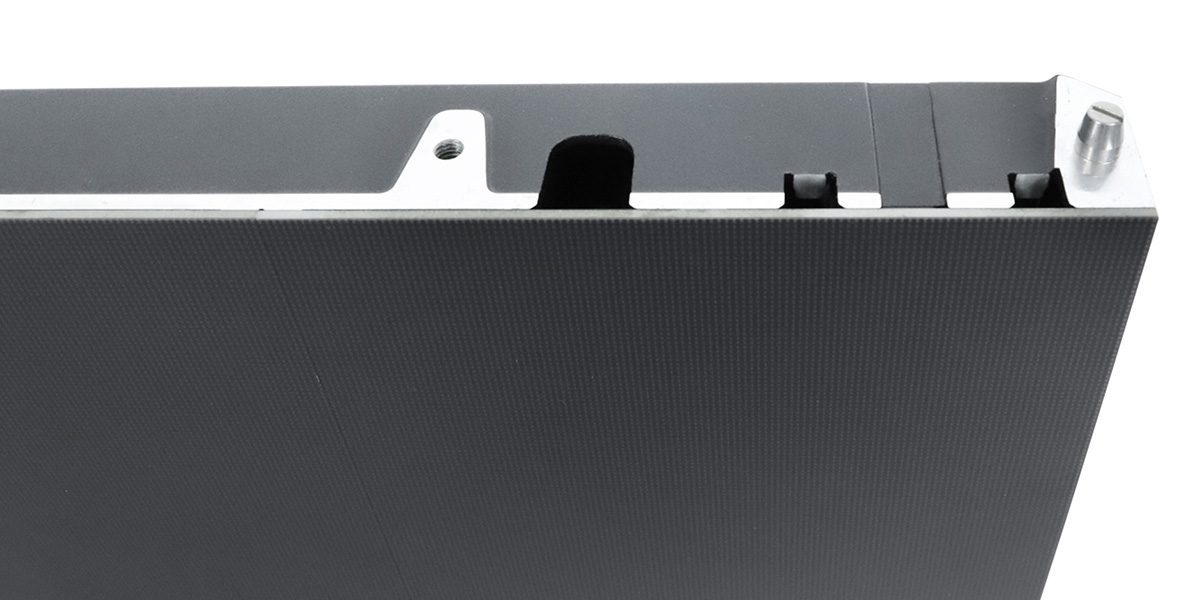
Excellent protection performance
COB LED display screen adopts an overall packaging method, and the surface is directly cured and covered with polymer materials, which effectively prevents dust from entering the interior of the display screen; surface encapsulation can improve resistance to dust and handling contact, but it does not establish an outdoor waterproof rating for the complete screen; the LED chip is completely covered in a protective layer, and there is no protruding lamp bead structure, so during transportation, installation and daily use, even if it encounters collision or vibration, it is not easy to cause the chip to fall off or be damaged.
Efficient heat dissipation
The close contact between the chip and the substrate is achieved, thereby reducing thermal resistance, allowing heat to be conducted to the substrate more quickly and dissipated quickly through the substrate, effectively reducing the operating temperature of the LED chip. Actual power and heat performance depend on the LED package, drive settings, brightness and cabinet design. Compare measured consumption and thermal performance for the complete selected configuration instead of assuming every COB system uses less power than SMD.
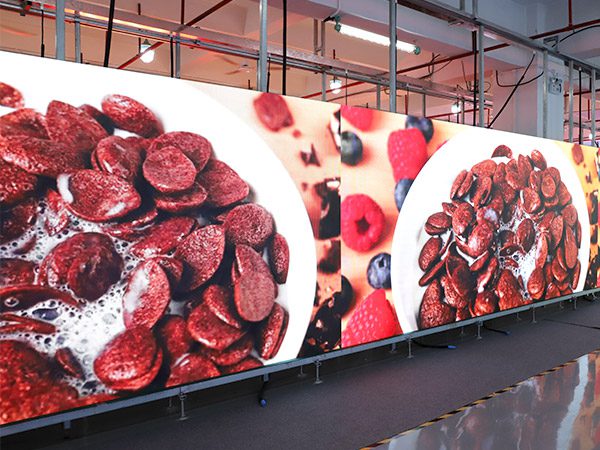
COB LED Display Aging Test
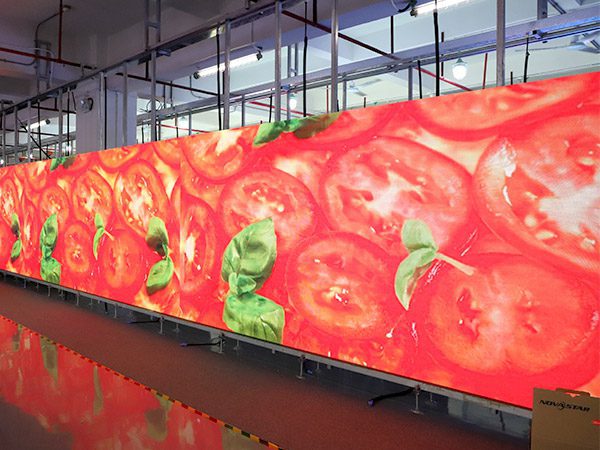
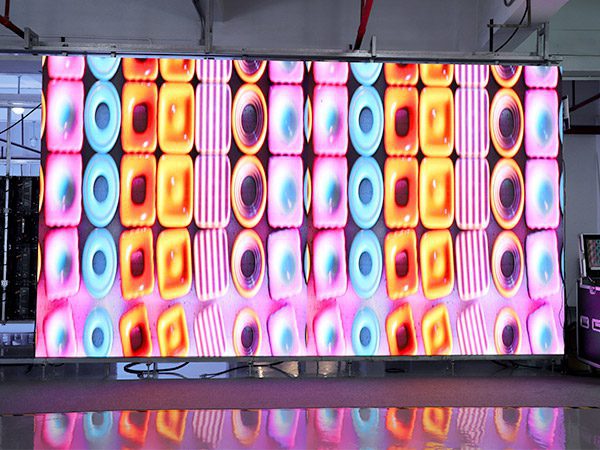
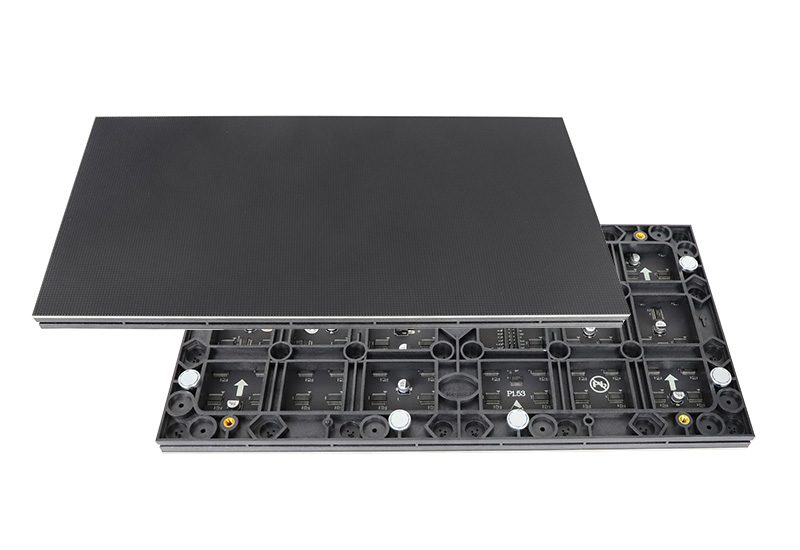
320x160mm Series COB LED Screen Panel
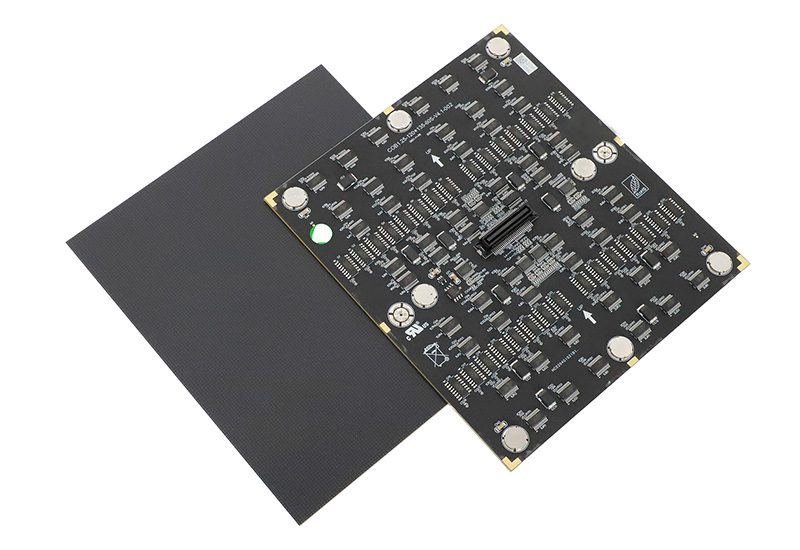
150×168.75mm Series COB LED Screen Module
COB LED Display Modules: P0.62-P1.87 at a Glance
A COB LED display module mounts RGB LED chips directly on the PCB and encapsulates them as a flat surface for fine-pitch, close-view indoor screens. The EagerLED range on this page spans P0.62 to P1.87 in 150 x 168.75 mm and 320 x 160 mm formats, with a 3840 Hz refresh rate and 500-800 nit brightness depending on the model. Use this guide to compare COB, SMD and GOB, size a high-resolution wall and prepare a supplier inquiry.
EagerLED COB module range at a glance
- Pixel pitch: P0.62, P0.78, P0.93, P1.25, P1.53/P1.56 and P1.86/P1.87, depending on module format.
- Module formats: 150 x 168.75 mm and 320 x 160 mm.
- Refresh rate: 3840 Hz across the models shown in the specification tables above.
- Brightness: 500-800 nits for the 150 x 168.75 mm series and 600 nits for the listed 320 x 160 mm series.
- Warranty: 2 years, as stated on this product page.
These are published module specifications. Final LED wall performance also depends on the cabinet structure, receiving card, power supply, calibration, installation environment and content source.
What Is a COB LED Display Module?
COB means chip on board. In a display module, multiple LED chips are mounted directly on the printed circuit board and encapsulated as an integrated surface instead of using separate protruding SMD lamp packages. For the broader packaging definition, Lumileds describes a CoB LED as a single device with many LED chips mounted on a thermally efficient substrate. Display manufacturers adapt this packaging approach to build dense RGB pixel arrays for direct-view LED screens.
The flat encapsulated surface is the main practical difference buyers notice. It supports fine pixel pitches, reduces exposed lamp structures and creates a continuous surface that is easier to handle during installation. However, COB is a packaging method, not a complete screen specification. Pixel pitch, module resolution, brightness, refresh rate, scan mode, controller compatibility and the service method still need to be evaluated together.
COB vs SMD vs GOB LED Modules
| Factor | COB | SMD | GOB |
|---|---|---|---|
| Typical construction | LED chips are mounted on the PCB and encapsulated as an integrated surface. | Individually packaged LEDs are soldered to the PCB. | An SMD-based module typically receives an added transparent protective coating. |
| Surface | Smooth, flat and free of protruding lamp packages. | Individual LED packages remain visible and accessible. | Coated surface; finish and coating thickness vary by supplier. |
| Common project fit | Fine-pitch indoor walls and short viewing distances. | Projects that prioritize broad availability, familiar servicing or lower initial cost. | Projects that want added surface protection while retaining an SMD architecture. |
| What to confirm | Module replacement method, color consistency and cabinet compatibility. | LED package quality, pixel pitch and component-level service plan. | Coating consistency, repair process and the assembled product’s protection rating. |
The comparison describes common packaging architectures, not a universal performance ranking. Exact results depend on the finished module and cabinet design. See the separate GOB LED module page when added surface protection is the main requirement.
How to Select the Right COB LED Module
1. Start with viewing distance and total screen resolution
A smaller pixel pitch places more pixels into the same physical area and is useful when viewers stand close to the screen or need to read small text. It also increases the number of pixels the controller must process. Do not select P0.62 simply because it is the smallest option. First define the wall dimensions, nearest viewing position and required canvas resolution, then calculate how many modules are needed horizontally and vertically.
2. Match the module format to the cabinet and service plan
The 150 x 168.75 mm and 320 x 160 mm series are not interchangeable by size alone. Check cabinet dimensions, mounting holes, power and signal interfaces, receiving-card capacity and front-service access. For a replacement project, provide the current module model, connector photographs and cabinet drawings. For a new project, choose the cabinet architecture before confirming module quantities.
3. Check brightness and refresh rate against the application
The modules on this page list 500-800 nits or 600 nits, depending on the series, and a 3840 Hz refresh rate. Brightness should be evaluated against the room’s ambient light rather than treated as a stand-alone quality score. A 3840 Hz module is a practical starting point for conference content, control-room dashboards and camera-facing studio applications, but the final camera result also depends on scan mode, grayscale performance, shutter settings and controller configuration.
4. Specify thermal, mechanical and maintenance requirements
Ask the supplier how the complete cabinet transfers heat, how modules are removed and how replacement modules are calibrated to the existing wall. Also state whether the installation will be wall-mounted, recessed or free-standing. COB encapsulation can improve surface resistance, but it does not automatically make every finished screen suitable for outdoor use. Request the protection rating of the assembled cabinet when moisture or dust exposure is expected.
Where Fine-Pitch COB Modules Fit Best
- Boardrooms and conference rooms: detailed presentations, spreadsheets and remote participants viewed from short distances.
- Control rooms: continuous dashboards, maps and multi-source monitoring where text clarity and stable operation are important.
- Broadcast and production studios: camera-facing LED backgrounds that require careful refresh, scan and calibration settings.
- Premium retail and showrooms: close-view product visuals on a smooth, integrated display surface.
- Training and simulation spaces: high-density graphics displayed across a seamless direct-view canvas.
For complete indoor display systems rather than replacement modules, review the indoor LED screen range. The conference room display guide provides additional application-level planning information.
Which EagerLED COB Series Should You Choose?
Choose the 150 x 168.75 mm series when the project requires the finest pitches listed on this page. It covers P0.62 through P1.87 and provides module resolutions from 242 x 272 pixels at P0.62 to 80 x 90 pixels at P1.87.
Choose the 320 x 160 mm series when the cabinet is designed around this common module footprint. The listed P1.25, P1.53 and P1.86 options provide 256 x 128, 208 x 104 and 172 x 86 pixels per module respectively.
Use the original specification tables above for the exact model number, scan mode, refresh rate and brightness. If the required pitch or format is not listed, send the target screen size and resolution for a compatibility check instead of assuming that a nearby model will fit.
What to Send a COB LED Display Supplier
- Target screen width and height, plus the available installation depth.
- Nearest and typical viewing distance.
- Required pixel resolution or the main content format.
- Indoor ambient-light conditions and any camera use.
- New installation or replacement project, including the existing model number.
- Cabinet dimensions, module size and front- or rear-service requirement.
- Delivery destination, project schedule and spare-module quantity.
This information lets the engineering team verify module count, controller load, cabinet compatibility and service access before quotation.
What the supplier should confirm in return
- The exact model, pixel pitch, module footprint, resolution and scan mode quoted.
- Compatibility with the proposed cabinet, receiving card, power supply and front-service method.
- The production-batch and calibration plan for spare modules and future replacements.
- The aging-test procedure or record used for the finished modules or assembled display.
- The written warranty scope, exclusions, spare-parts process and technical-support contact.
COB LED Display Module FAQ
Is COB better than SMD for an indoor LED wall?
COB is often the stronger choice for very fine pixel pitches, close viewing and a smooth protected surface. SMD can still be appropriate when the project prioritizes broad component availability, familiar component-level repair or a lower initial budget. Compare complete products, not the packaging name alone.
What pixel pitches are available on this page?
The listed range runs from P0.62 to P1.87. Availability depends on module format: the 150 x 168.75 mm series includes the finest pitches, while the 320 x 160 mm series shown here covers P1.25, P1.53 and P1.86.
Can a COB LED module be used to build a 4K display?
Yes. Using the listed P1.25 module in the 320 x 160 mm format, each module provides 256 x 128 pixels. A 15-module-wide by 17-module-high layout therefore provides 3,840 x 2,176 pixels across a physical module area of 4.8 x 2.72 m.
That layout is 16 pixels taller than a 3,840 x 2,160 4K UHD canvas, so the LED controller must map or crop the content correctly. Confirm cabinet dimensions, module tiling and controller capacity before finalizing a 4K design.
Is a COB LED display module waterproof?
The encapsulated surface can improve resistance to moisture and dust, but that does not make every module or cabinet outdoor-rated. Confirm the tested IP rating of the finished display, including cabinet seams, connectors, power supplies and ventilation.
What should be ordered as spare modules?
Spare quantity depends on project scale and service conditions. Order spares from the same production batch when possible, record the model and calibration data, and confirm how replacement modules will be matched to the wall after installation.
Request a COB LED Module Recommendation
Send your screen size, viewing distance, application, module format and delivery location to the EagerLED team. We will help identify a compatible pixel pitch and module series for your project.
Contact us for a COB LED module quotation or explore the complete LED module range.
