When a project needs a screen that stays flawless at close range, the COB LED screen has become the specification most integrators reach for. Chip-on-Board packaging bonds bare red, green and blue LED chips directly to the printed circuit board, then seals the whole pixel array under one protective layer. It is a fundamentally different approach from the plastic-packaged lamp beads used in a conventional SMD panel, and that difference decides where each screen belongs.
That change rewrote the rules of LED display technology: it pushed fine-pitch indoor screens below 1 mm pixel pitch, cut the failure modes caused by impact, and made high-contrast, camera-friendly walls practical for boardrooms, control rooms and studios.
This guide explains how a COB LED screen is built, how chip-on-board compares with SMD and GOB packaging, which pixel pitch fits which room, and how to specify, install and maintain one. The tables below give you the numbers to take into an upcoming tender.
Table of contents
1. What Is a COB LED Screen?
A COB LED screen is an LED display in which the red, green and blue chips that form each pixel are mounted directly onto the circuit board and encapsulated in a single layer of epoxy resin. The chips are never packaged into individual lamp beads, so there is no solder joint, no plastic carrier and no air gap between the emitter and the surface of the module.
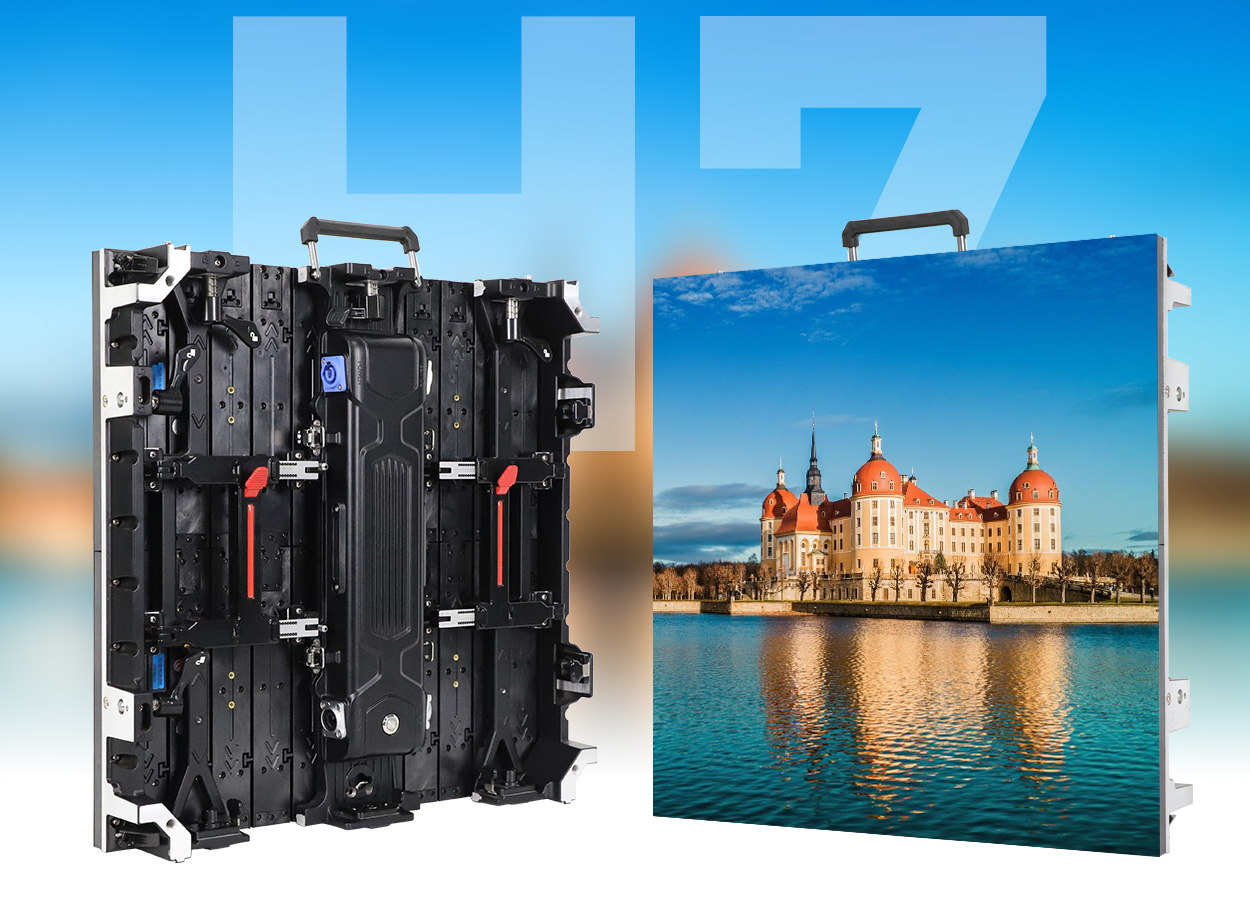
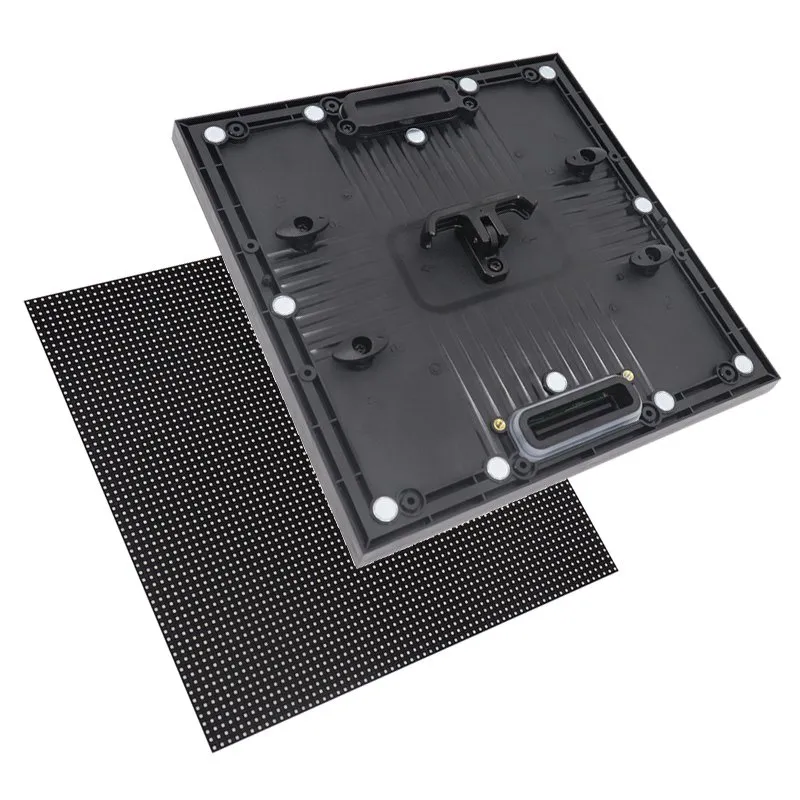
Typical hardware includes a COB LED display module built on a die-cast cabinet, such as the EA600COB3 COB LED display.
The practical result is a display surface that behaves like one sealed component rather than thousands of tiny parts. A COB LED screen therefore tolerates touching, cleaning and impact far better than a conventional LED display, and the tighter chip spacing makes ultra-fine pixel pitch achievable at a realistic cost.
01. How Chip-on-Board Packaging Works
The process starts with a driver board carrying the row and column circuitry. Bare LED dies are placed on the board pads and bonded electrically, either by wire bonding or by the flip-chip method, in which the die is turned over and soldered face-down. Flip-chip COB now dominates fine-pitch indoor screens because it removes the bonding wire, improving heat transfer and mechanical strength.
The whole array is then potted in epoxy. That encapsulation step is what gives a COB LED screen its resistance to moisture, dust and corrosion, and it also eliminates the reflective plastic surfaces that normally lift the black level of a display. Optical treatment of the resin layer controls gloss, so the screen can be tuned for either a matte finish in a bright room or a deeper black in a studio.
02. COB LED Screen vs SMD LED Screen: Packaging Compared
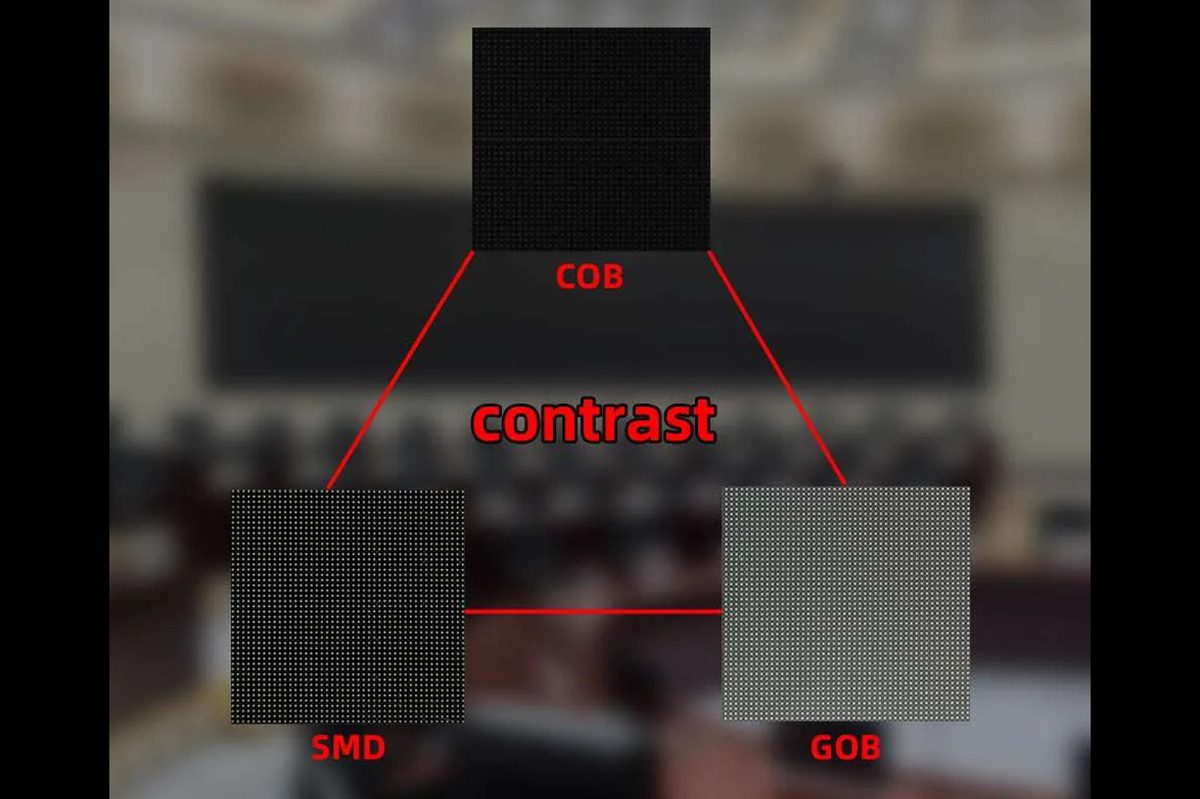
Most LED projects come down to a choice between three module types. An SMD LED module uses individually packaged diodes soldered to the board. A COB LED screen bonds the raw chips instead. GOB LED modules start from an SMD board and then flood-fill the surface with protective glue.
| Feature | SMD LED screen | COB LED screen | GOB LED screen |
|---|---|---|---|
| Pixel construction | Packaged lamp beads soldered to the PCB | Bare RGB chips bonded directly to the PCB | SMD beads covered by a flood-fill resin layer |
| Typical pixel pitch | 0.9 mm to 10 mm | 0.4 mm to 2.5 mm | 1.2 mm to 10 mm |
| Surface treatment | Exposed plastic package | Single epoxy encapsulation | Glue layer over the SMD row |
| Impact and touch tolerance | Low, beads can shear off | High, no exposed bead or wire | High, the glue absorbs impact |
| Moisture and dust ingress | Vulnerable without cabinet sealing | Sealed at module level | Sealed at module level |
| Typical contrast ratio | 3,000:1 to 5,000:1 | 10,000:1 and above | 5,000:1 to 8,000:1 |
| Viewing angle | About 140 to 160 degrees | About 170 degrees and wider | About 160 to 170 degrees |
| Heat path | Through the package and solder joint | Direct into the board substrate | Through the package and glue |
| Repairability | Single bead replacement | Module or die-level rework | Module replacement |
| Relative module cost | Lowest | Highest | Middle |
2. The Evolution of LED Display Technology
The COB LED screen did not appear overnight. It is the fourth packaging generation in a forty-year progression, and each generation solved a specific weakness of the one before it. Understanding that sequence explains why a COB LED screen now dominates close-viewing applications while older technologies still hold their ground at large pitch.
01. From DIP to SMD to COB and GOB
First-generation screens used discrete DIP lamp beads pushed through the board, one per pixel. They were robust but bulky, expensive to assemble and limited to relatively coarse pitch. SMD packaging, introduced in the 2000s, mounted three-in-one packages on the board surface, which cut the pitch, widened the viewing angle and drove the cost of indoor video walls down sharply.
SMD left the pixel exposed, and the plastic package is the weakest point of an LED screen: it collects dust, reflects light, shears off under impact and admits moisture. COB removed the package altogether, while GOB kept the SMD bead but buried it in protective resin as a lower-cost alternative.
| Generation | Era | Pixel structure | Typical pitch range | Where it still wins |
|---|---|---|---|---|
| DIP | 1990s to 2000s | Single discrete lamp bead per pixel | 10 mm to 30 mm | Legacy outdoor billboards and scoreboards |
| SMD | 2000s to 2010s | Three-in-one package soldered to the surface | 0.9 mm to 10 mm | Cost-sensitive indoor and outdoor walls at 2.5 mm and above |
| GOB | 2010s onward | SMD bead sealed under flood-fill resin | 1.2 mm to 10 mm | Harsh, humid or impact-heavy environments |
| COB | 2015 onward | Bare RGB chips bonded straight to the PCB | 0.4 mm to 2.5 mm | Fine-pitch indoor, camera-facing and touch-adjacent screens |
02. Why Fine-Pitch COB Replaced SMD in Close-Viewing Rooms
Demand for fine pitch came from rooms, not from stadiums. A boardroom eight-person table, a broadcast studio behind the presenter, a control desk, a hotel lobby wall or a university auditorium all put the audience within two or three metres of the screen. At those distances the physical size of a pixel becomes visible, and every weakness of the module surface becomes obvious on camera.
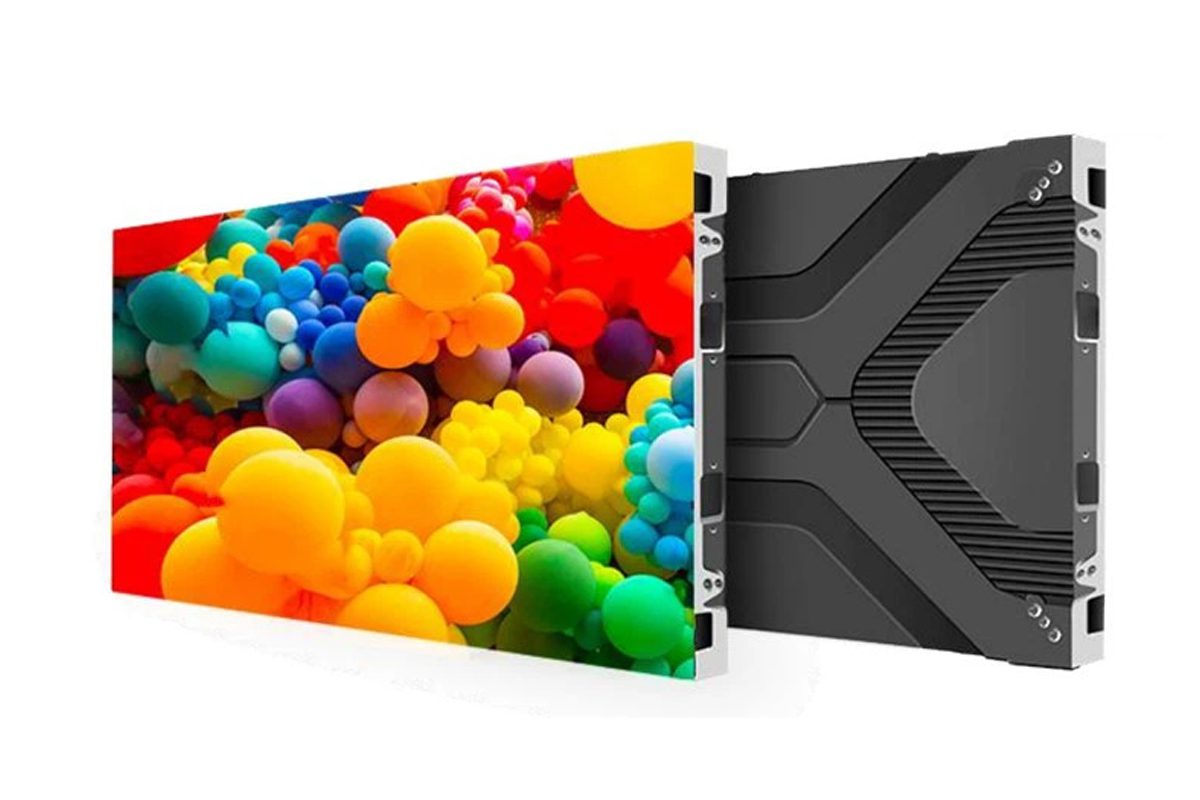
Three COB properties matched that demand directly. Chips can sit closer together, so pitches of 0.9 mm, 1.25 mm and 1.5 mm are practical at commercial cost. The sealed surface removes the shadow and flicker artefacts that appear on video when SMD beads are shot at an angle. And the flatter, darker surface raises the contrast ratio, which is what a viewer perceives as image quality at close range.
3. Key Advantages of a COB LED Screen
Each advantage below corresponds to a measurable behaviour that will show up in a tender document, a site survey or a five-year maintenance budget.
01. Durability, Impact and Moisture Resistance
Because there is no exposed lamp bead, a COB LED screen resists the two leading causes of permanent pixel damage: mechanical impact and liquid ingress. Brushing a hand across an SMD wall or cleaning it can shear beads and leave dead pixels; on a sealed COB surface the same contact is harmless. That matters most in spaces people use rather than watch, including interactive floors, meeting rooms and broadcast sets.
This matters most in spaces that are used rather than watched: interactive floors, meeting rooms where people walk past the wall daily, exhibition stands, and broadcast sets where equipment is moved constantly.
02. Heat Dissipation and Power Efficiency
Heat leaves an LED through its die and its substrate. In an SMD package that path runs through a plastic housing and a solder joint; in a COB LED screen the chips bond to a thermally conductive board, so heat spreads across the module instead of concentrating under each bead. Manufacturers typically quote 15 to 30 percent lower power consumption than an equivalent SMD screen at the same brightness.
The lower thermal resistance allows the panel to run at a lower junction temperature. Manufacturers typically quote 15 to 30 percent lower power consumption for a COB LED screen compared with a comparable SMD screen at the same brightness, and cooler operation slows the lumen depreciation that ends a display’s useful life.
03. Visual Performance: Contrast, Colour Uniformity and Viewing Angle
The epoxy surface is matte and dark, so it reflects far less ambient light than a grid of shiny plastic packages. That single property is why a COB LED screen reaches contrast ratios above 10,000:1, and why it keeps its blacks in a lit room rather than turning grey.
Colour uniformity also improves. In an SMD panel, seating depth, glue volume and package alignment vary slightly from bead to bead, producing the mottled appearance known as the screen-door effect. A COB array is calibrated at module level after encapsulation, so brightness and chromaticity track closely across the whole wall, and the viewing angle extends to roughly 170 degrees with minimal colour shift off-axis.
04. Reliability, Failure Rate and Maintenance
A COB LED screen removes the solder joints and wire bonds that fail first under thermal cycling, so manufacturers commonly quote pixel defect rates an order of magnitude lower than SMD equivalents.
Maintenance changes shape rather than disappearing. COB modules are generally not repaired bead by bead, so the working practice is module-level replacement with front-service access. Specify front maintenance, spare module availability for the expected service life, and the recalibration procedure used after any module swap.
| Advantage | What it means on site | Typical figure to specify |
|---|---|---|
| Sealed surface | Cleaning and contact do not create dead pixels | Module sealed to the PCB edge, IP-rated cabinet where required |
| Direct thermal path | Cooler operation, slower brightness decay | 15 to 30 percent lower power draw than equivalent SMD |
| Low reflectance | Deep blacks in a lit room and on camera | Contrast ratio 10,000:1 or higher |
| Wide viewing angle | Consistent colour from the side seats | 170 degrees horizontal and vertical |
| Fewer failure points | Lower out-of-warranty maintenance cost | Pixel defect rate quoted in parts per million |
| Module-level service | Fast swap, then recalibration | Front maintenance access and spare module stock |
4. COB LED Screen Specifications Explained
Four parameters on a specification sheet decide most of the viewing experience: pixel pitch, brightness, refresh rate and cabinet geometry.
01. Pixel Pitch and Viewing Distance
Pixel pitch is the centre-to-centre distance between two pixels, measured in millimetres. The smaller the number, the more pixels fit into each square metre and the closer the audience can stand before the image breaks into visible dots.
A reliable rule of thumb is one metre of minimum viewing distance for every millimetre of pitch, with a comfortable range of two to three times that figure:
| Pixel pitch | Minimum viewing distance | Comfortable viewing distance | Typical use |
|---|---|---|---|
| P0.9 | About 1 m | 2 m to 3 m | Broadcast studios, executive boardrooms, virtual production |
| P1.25 | About 1.2 m | 2.5 m to 4 m | Control rooms, premium meeting rooms, showrooms |
| P1.5 | About 1.5 m | 3 m to 5 m | Conference rooms, retail flagship stores, museums |
| P1.86 | About 1.9 m | 4 m to 6 m | Auditoriums, lobbies, lecture halls |
| P2.5 | About 2.5 m | 5 m to 8 m | Large atriums, high-bay showrooms, indoor public displays |
02. Brightness, Refresh Rate, Grayscale and Contrast
Indoor brightness of 600 to 1,200 nits covers most boardroom and studio work; brighter is not automatically better, because excess brightness washes out near-black detail in a dim room. Refresh rate matters more than buyers expect: anything below 3,840 Hz will band on broadcast cameras, so any camera-facing COB LED screen should be specified at 3,840 Hz or higher.
Add grayscale depth of 14 to 16 bit and a native resolution that matches the source material, and the panel resolves real detail rather than stretched pixels.
03. Cabinet Size, Weight and Installation Depth
Cabinet dimensions decide how cleanly the wall fills the opening. A 600 x 337.5 mm cabinet gives a native 16:9 tile, convenient for meeting rooms; 500 x 500 mm cabinets suit square arrays. Die-cast aluminium keeps a 500 mm COB cabinet near seven to nine kilograms. Write two more numbers into the specification: front-maintenance clearance, and total depth including the service gap.
Two more numbers belong in the specification: front-maintenance clearance, so a module can be swapped without dismantling the structure, and total depth with the service gap.
5. COB LED Screen Applications and Recommended Pixel Pitch
The room dictates the viewing distance, and the viewing distance dictates the pitch.
01. Control Rooms, Broadcast Studios and Command Centres
These rooms make a COB LED screen close to mandatory. Operators sit two metres away for eight-hour shifts, so fine pitch protects legibility and eye comfort. Cameras shoot the set from tight angles, so a wide viewing angle and flicker-free refresh rate keep the wall out of banding artefacts.
02. Corporate Boardrooms and Meeting Spaces
Boardrooms are the volume market for a COB LED screen at P0.9 to P1.5. The wall must show spreadsheets, video calls and 4K content without visible pixel structure, cope with lighting that changes through the day, and survive daily use by non-technicians.
03. Retail, Showrooms, Museums and Exhibitions
Retail and exhibition spaces want impact and interaction: deeper black, a surface that can be touched without collecting dead pixels, and low ambient reflection that keeps product imagery faithful.
04. Education, Training and Auditoriums
Lecture theatres need legible text from the back row and comfort at the front, which is why P1.86 to P2.5 is usual. The argument for a COB LED screen here is durability across decades of daily contact.
| Application | Recommended pitch | Brightness | Priority specification |
|---|---|---|---|
| Broadcast studio / virtual production | P0.9 to P1.25 | 600 to 1,000 nits | Refresh rate 3,840 Hz or higher, camera-friendly surface |
| Control room and command centre | P1.25 | 600 to 800 nits | 24/7 duty cycle and low failure rate |
| Boardroom and meeting room | P0.9 to P1.5 | 600 to 1,000 nits | 16:9 native cabinet and front maintenance |
| Retail and showroom | P1.25 to P1.86 | 800 to 1,500 nits | Contrast ratio and colour accuracy |
| Museum and exhibition | P1.5 to P1.86 | 600 to 1,200 nits | Low gloss and faithful colour temperature |
| Auditorium and lecture hall | P1.86 to P2.5 | 800 to 1,500 nits | Legible text from the back row |
6. COB LED Screen vs SMD and GOB: Which Should You Choose?
Choosing comes down to matching module construction to the room, the content and the maintenance budget the owner will actually fund.
01. Upfront Cost vs Total Cost of Ownership
A COB LED screen costs more per square metre than an equivalent SMD screen, and the gap widens as pitch tightens. Part of that premium returns through lower power consumption, fewer pixel failures and less revenue lost to a wall that is out of service.
Model it properly: add the power draw for the hours the screen really runs, the expected replacement modules and the cost of access equipment per repair. Where the wall is critical to daily operation that calculation usually favours COB; where it is seen from fifteen metres it usually does not.
02. When an SMD LED Screen Is Still the Better Buy
SMD remains rational where viewing distance is long and budget is tight. At 2.5 mm pitch and above, seen from more than five metres, the perceived quality gap narrows sharply while the price gap does not. Outdoor advertising walls, stadium perimeters and large rental panels are still SMD territory.
03. When GOB Protection Is Worth Paying For
GOB sits between the two: SMD economics with a protective glue layer. That suits sites where the risk is environmental rather than optical, such as humid coastal venues, semi-outdoor concourses and walls within reach of the public. If the budget cannot stretch to COB but the site would destroy an exposed SMD surface, GOB is the sensible compromise.
| Project scenario | Recommended module | Reason |
|---|---|---|
| Boardroom or studio, viewing under 3 m | COB LED screen, P0.9 to P1.25 | Pixel structure is invisible and the sealed surface suits camera work |
| Control room running 24/7 | COB LED screen, P1.25 | Lowest failure rate and best thermal stability |
| Interactive or touch-adjacent installation | COB LED screen | Contact does not create dead pixels |
| Humid or semi-outdoor public space | GOB LED screen | Protection against moisture at lower cost than COB |
| Large outdoor wall viewed beyond 10 m | SMD LED screen, P4 and above | Pitch delivers the required detail at the lowest cost |
| Rental fleet needing bead-level repair | SMD LED screen | Fastest field repair and widest spare-part availability |
7. Where the COB LED Screen Fits in the Wider LED Roadmap
Packaging is one axis of LED development. Three others are moving in parallel and they feed back into how a COB LED screen is specified.
01. 3D LED Screens and Creative Advertising
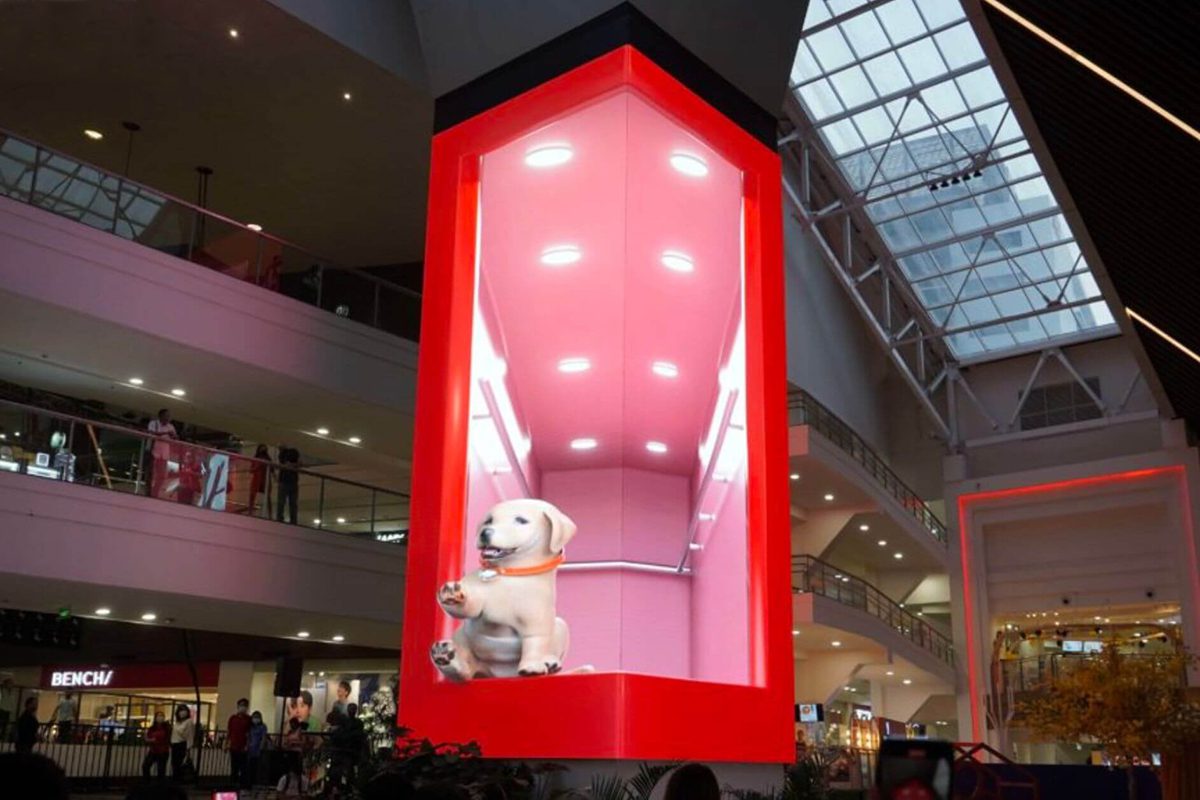
Naked-eye 3D content depends on a perfectly uniform, high-contrast surface, because the illusion of depth is built from controlled perspective and parallax. A COB LED screen is well suited to it: the flat sealed face reflects nothing between pixels and the wide viewing angle holds the effect for audiences standing off-axis, which is why the 3D LED billboard format is now standard for landmark retail advertising.
02. Energy Efficiency and Sustainability
Direct die bonding lowers thermal resistance, which lowers the cooling power the screen needs and the electricity the owner pays for. Across a large portfolio that saving compounds, and buyers increasingly treat it as a procurement metric. Projects that set energy targets early, and compare them against an energy efficient LED screen specification, find the COB option closes the gap over its service life.
03. MIP, Micro LED and the Next Packaging Shift
The next step after chip-on-board is already visible: MIP technology moulds tiny LED units into packages that standard SMT lines can handle, while micro LED pushes toward pitch below 0.3 mm. Both descend from the idea that created the COB LED screen: own the pixel at board level rather than assembling it from ready-made parts.
8. How to Choose, Install and Maintain a COB LED Screen
Most problems with a fine-pitch wall are decided before the screen arrives. The checklist below covers the decisions that are expensive to reverse.
01. Buyer Checklist
Confirm the measured viewing distance from the closest seat, not the average, then match pitch to that distance and cabinet dimensions to the opening. Verify refresh rate against the cameras that will film the room, and confirm the supplier can provide consistent modules for the expected service life.
Ask for a pixel defect rate in writing rather than a verbal assurance, and ask which controller and receiving cards are used. A well-specified process is described in this guide to COB LED display manufacturing quality control; if you source modules separately, apply the same tests when you choose an LED display module supplier.
02. Installation Requirements
A COB LED screen is lighter and thinner than older generations, but still needs a structure that holds every cabinet in one plane: a single millimetre of deviation across a joint shows as a visible seam at close range. Balance load across phases, keep signal runs short and away from mains cabling, and confirm the wall can take cabinets, structure and service weight.
Ventilation matters as much as fixing. Even an efficient COB LED screen needs air movement behind it, and blocking a recessed niche without a return path raises panel temperature. In a 16:9 room, check the geometry against a 16:9 aspect ratio LED display plan before committing to cabinet counts.
03. Cleaning, Calibration and Maintenance
Cleaning is straightforward because the surface is sealed: switch the wall off, use a soft dry microfibre cloth for dust and a lightly dampened cloth for marks, never a solvent or abrasive pad.
Schedule a calibration check once a year, and always after any module replacement. Watch for the early warning signs that appear on any LED display, including white spots on LED display surfaces, colour patches, or a module running brighter than its neighbours. Catching these at the module level keeps the wall uniform and avoids a full recalibration later.
9. Frequently Asked Questions About COB LED Screens
01. What does COB mean on an LED screen?
COB stands for Chip-on-Board. On a COB LED screen the red, green and blue chips are bonded directly onto the printed circuit board and covered by one epoxy layer, instead of being sealed into individual plastic packages and soldered to the board as in an SMD display.
02. Is a COB LED screen better than SMD?
For fine pitch and close viewing, yes. A COB LED screen delivers higher contrast, a wider viewing angle, better impact and moisture resistance and a lower pixel failure rate. For large pitch viewed from a distance, SMD is still more cost effective, so the answer depends on viewing distance and budget.
03. What is the difference between COB and GOB?
Both protect the pixel surface but start from different places. A COB LED screen bonds bare chips to the board and encapsulates them; GOB takes a conventional SMD module and flood-fills the surface with clear glue. COB generally offers finer pitch and higher contrast, GOB generally costs less.
04. Which pixel pitch should I choose for a COB LED screen?
Allow roughly one metre of minimum viewing distance per millimetre of pitch: P0.9 for boardrooms and studios, P1.25 for control rooms, P1.5 for conference and retail spaces, P1.86 for auditoriums and P2.5 for large lobbies. Confirm against the closest and furthest seats before ordering.
05. Is a COB LED screen more expensive than SMD?
The screen price is higher, by a margin that grows as pitch tightens. Total cost of ownership narrows the gap through lower power consumption and fewer pixel failures, and in many fine-pitch projects the COB LED screen is cheaper over a ten-year life.
06. Can a COB LED screen be repaired?
Yes, but not pixel by pixel. Repair is normally module-level: the affected module is swapped from the front of the wall and the replacement is colour and brightness calibrated to match its neighbours. Specify front maintenance access and spare module availability when you place the order.
07. Are COB LED screens suitable for outdoor use?
Indoor COB LED screens dominate the fine-pitch market, but COB modules are also used outdoors in sealed, IP-rated cabinets because the encapsulated surface resists moisture, dust and impact. For direct-sun positions, confirm the brightness rating and cabinet IP level first.
08. How long does a COB LED screen last?
LED emitters are typically rated for around 100,000 hours to half brightness, and the absence of solder joints and exposed packages removes the failure modes that usually shorten an LED display’s life. A COB LED screen in a clean indoor environment should run a decade or more with module-level service.
10. Conclusion
The COB LED screen is the point at which LED display technology stopped fighting its own packaging. By bonding chips directly to the board and sealing the array, chip-on-board removed the exposed package behind most durability, contrast and camera problems of the previous generation.
That is why fine-pitch indoor work has moved decisively toward COB packaging: a COB LED screen holds its image quality at two metres, survives decades of contact, runs cooler than the SMD screen it replaces and stays uniform on camera. The question is no longer whether the technology works, but whether the room needs it.
If you are planning a boardroom, control room, studio or exhibition wall and want to compare a COB LED screen against SMD and GOB options for your room, send us the dimensions and viewing distance and we will recommend the pitch, cabinet format and controller that fit the space.
 EagerLED EA640F2 Large LED Screen Creates Stunning Visual
 Kinetic LED Wall: How a Moving LED Screen Transforms Brand Advertising