An LED display screen is a digital display built from panels of light-emitting diodes that create the image pixel by pixel — with no backlight, no projector and none of the size limits of a glass panel. It stays readable in sunlight, scales from a 1 m² poster to a 1,000 m² stadium wall, and is repaired one module at a time.
Short answer: an LED display screen is a self-emissive display in which red, green and blue LEDs form each pixel. Its pixel pitch, brightness and cabinet construction — not the brand name — decide how it looks in a given space. Wrong pitch and wrong brightness class are the two most common reasons a finished screen looks worse than the demo video.
This LED display screen user guide covers how the system works, the specifications that decide image quality, and how to choose, install and maintain one. To jump straight to selection, see how to choose the right screen size.
1. What Is an LED Display Screen?
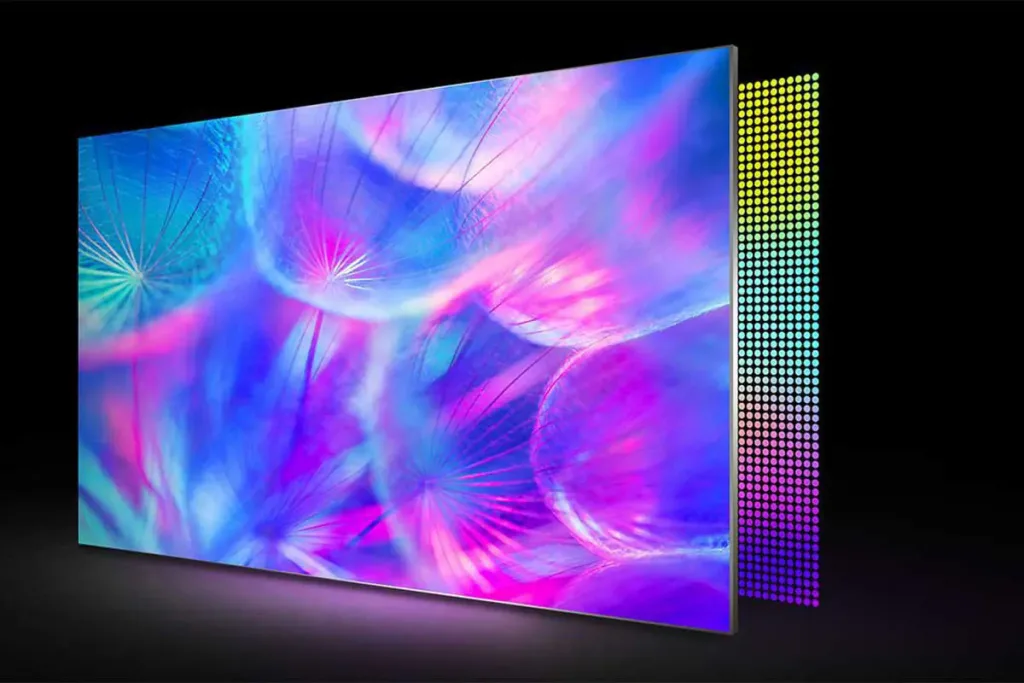
An LED display screen is an active, emissive display: every pixel is its own light source. A module carries a grid of LEDs, each pixel holds at least one red, green and blue LED, and the controller switches those colours thousands of times a second. Nothing passes through a liquid-crystal layer or bounces off a projection surface, so contrast and saturation survive almost any ambient light.
Three consequences follow: brightness is a design parameter rather than a limitation, size is additive because walls are assembled from identical cabinets, and service is modular, so a fault affects a small area instead of the whole LED display screen.
01. How an LED Display Screen Produces an Image
A sending card or video processor receives the source signal, scales it to the physical layout of the wall, and passes data down a daisy chain of receiving cards. Each receiving card drives the LEDs inside its own cabinets, which is why one bad card normally blanks one cabinet rather than the entire LED display screen.
Scan mode matters as much as the LED itself. A 1/16 scan lights one row group at a time and relies on persistence of vision to merge the rows into a complete image. Higher scan counts allow finer pitch but leave less time per line, so driver quality and refresh rate become critical — which is why a cheap LED display screen can look fine to the eye yet show banding the moment a camera points at it.
02. LED Display Screen or LCD, OLED and Projection?
The alternatives solve different problems. An LCD video wall is sealed and cheap per square metre, but each panel has a maximum size and the seams stay visible. OLED delivers outstanding contrast at consumer sizes but is not made in the large outdoor formats an LED display screen covers. Projection needs controlled light and a surface, which a shopping street cannot provide.
An LED display screen wins whenever the requirement is size, brightness and outdoor durability at the same time. For the panel technologies used inside LED screens, see SMD vs COB LED modules.
2. The Main Parts of an LED Display Screen System
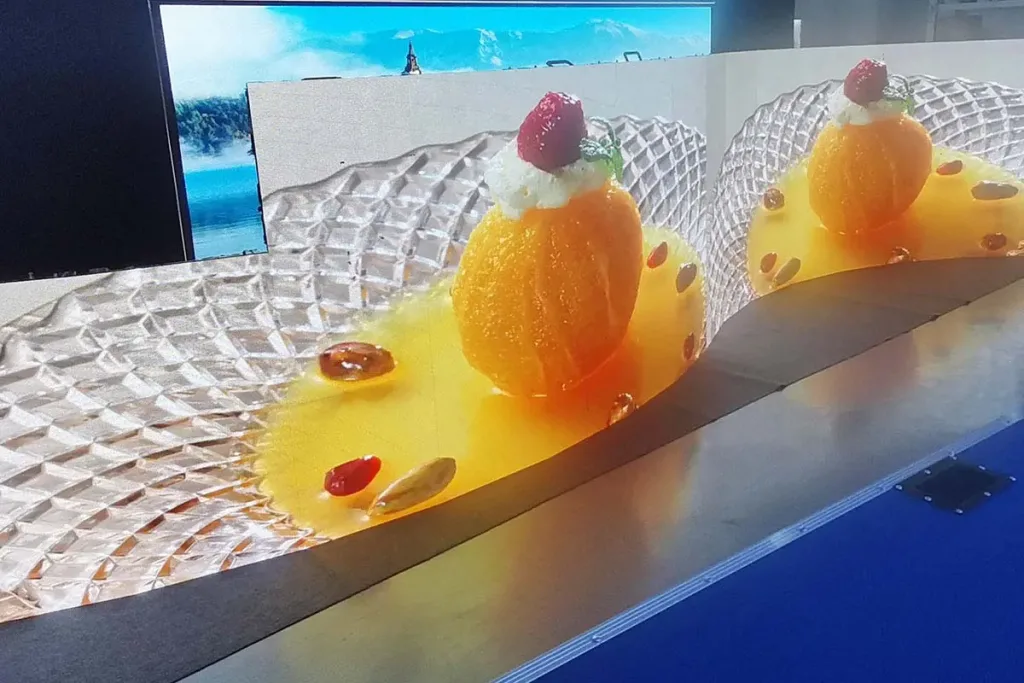
Buyers who compare only the panel price are comparing one third of the system. A complete installation has four layers: the cabinets, the control system, the power and structure, and the content pipeline that feeds it. Understanding all four keeps quotations comparable.
01. LED Modules, Cabinets and Pixel Pitch
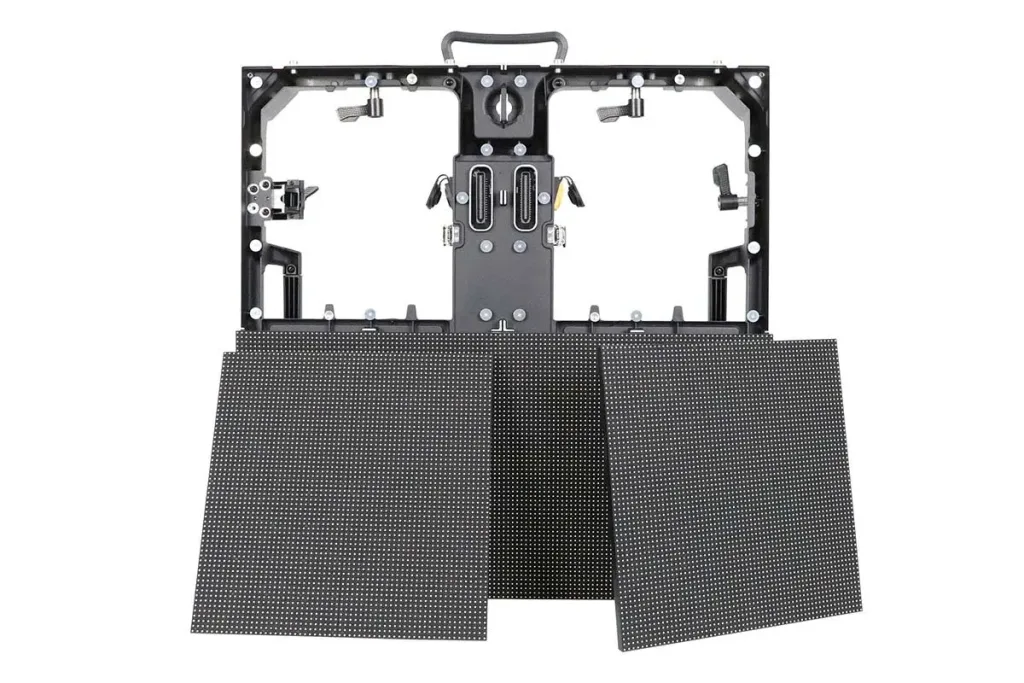
The module is the smallest replaceable front unit, typically 250 × 250 mm or 320 × 160 mm, holding the LEDs, driver ICs and mask. The cabinet is the frame that carries several modules, the receiving card, the power supply and the locking hardware. Pixel pitch is the centre-to-centre distance between pixels in millimetres; it decides viewing distance, maximum practical size and, more than any other number, the price of an LED display screen.
02. Controllers, Sending Cards and Receiving Cards
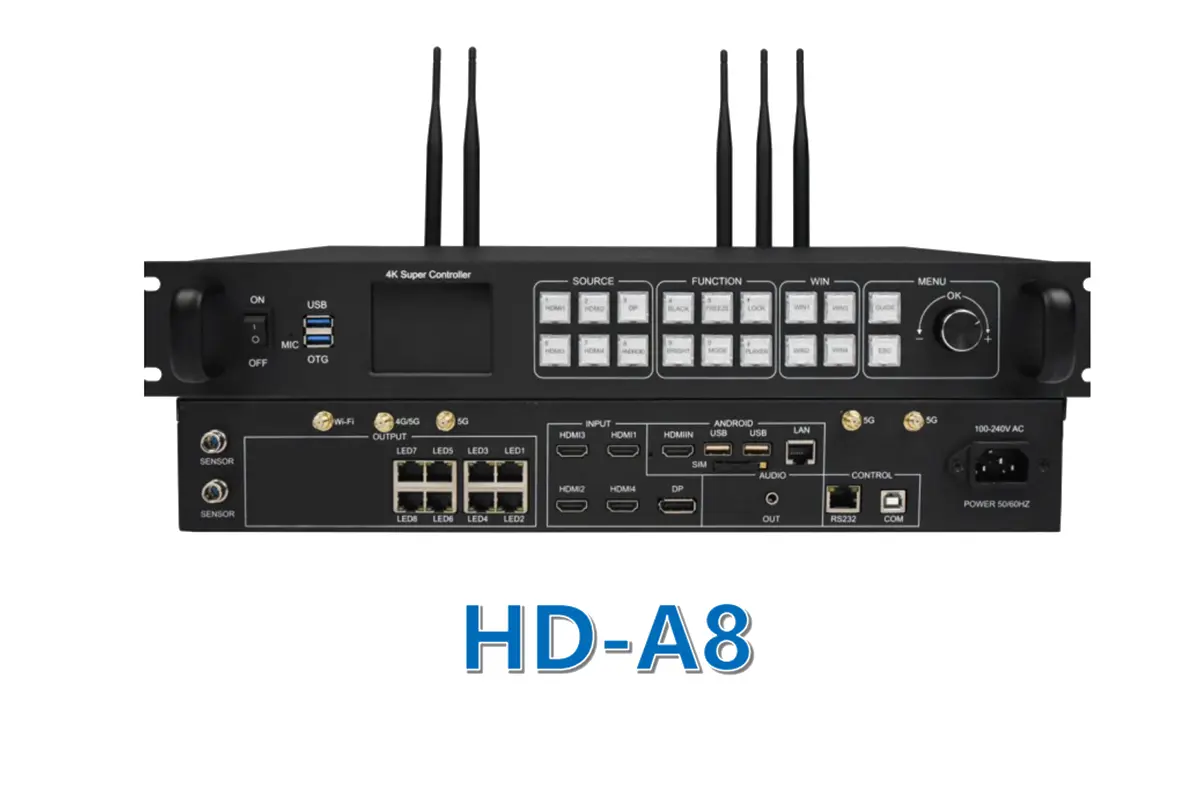
A media player or processor outputs the source; a sending card splits the image into a canvas sized to the wall; receiving cards inside the cabinets decode the data and drive the LEDs. Match the controller to the total pixel count of the wall, not its physical size. See LED display controllers and the LED receiving card guide.
03. Power Supplies, Structure and Cooling
Each cabinet contains switching power supplies sized for maximum load, but real consumption is far lower because most content sits at average brightness: a common planning figure is 30–40% of maximum. Size the electrical supply from the maximum rating and estimate running cost from average use. Outdoor cabinets need a sealed frame with drainage and, in hot climates, active cooling; indoor walls need rear ventilation.
Most LED display screen faults trace back to heat and moisture rather than to LED failure.
3. Types of LED Display Screen
Almost every LED display screen belongs to one of four families. The family sets the pixel pitch range, brightness class, cabinet material and price band, so it is the right first filter before comparing specifications.
01. Indoor LED Display Screens
Indoor LED display screens are built for close viewing and controlled light: pixel pitch from P0.9 to P4, brightness from 600 to 1,500 nits, and light cabinets because they need not survive wind or rain. Typical uses are lobbies, retail interiors, boardrooms, studios and conference room displays.
02. Outdoor LED Display Screens
Outdoor LED display screens are engineered around weather and distance: pitch usually P4 to P10 or coarser, brightness 5,000–10,000 nits with automatic night dimming, and sealed cabinets rated IP65 or better. Wind load, lightning protection and drainage shape the design. Because most outdoor failures are water or heat related, the weatherproofing decisions made at specification stage set the maintenance cost for a decade.
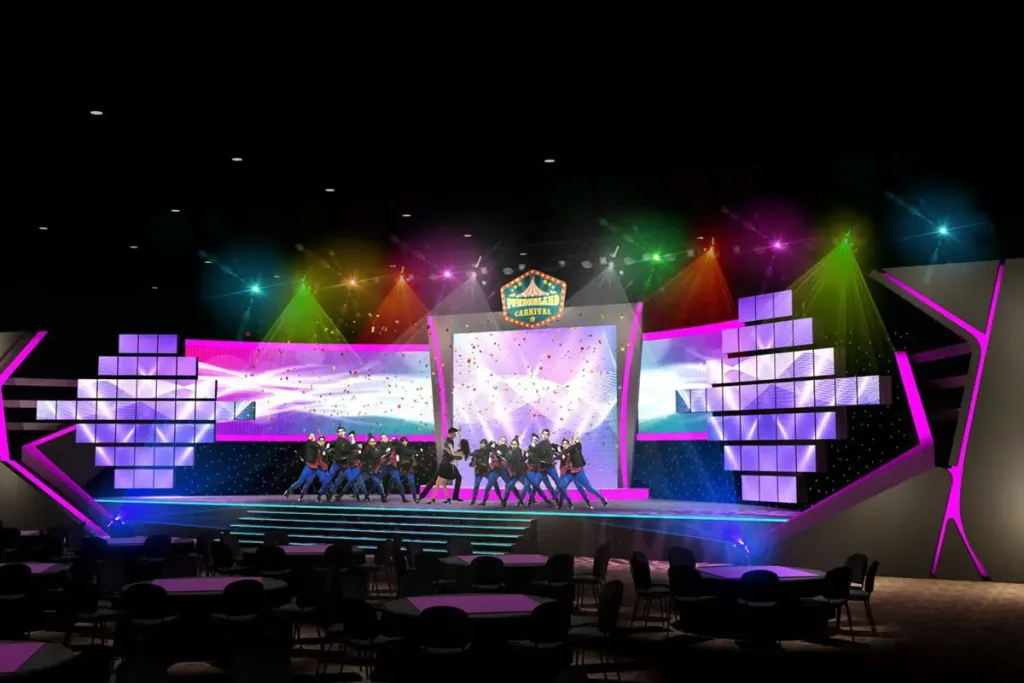
03. Rental and Stage LED Display Screens
Rental LED display screens trade absolute image quality for speed and durability. They use quick-lock cabinets, curved locking options, hanging bars and flight cases, and they are built to be assembled and struck dozens of times a year. A rental LED display screen is usually brighter and lighter than a fixed indoor wall of the same pitch, with a refresh rate high enough for broadcast cameras. The trade-off against a fixed installation is cost per event versus cost per decade.
04. Fine-Pitch, Flexible, Transparent and Poster LED Screens
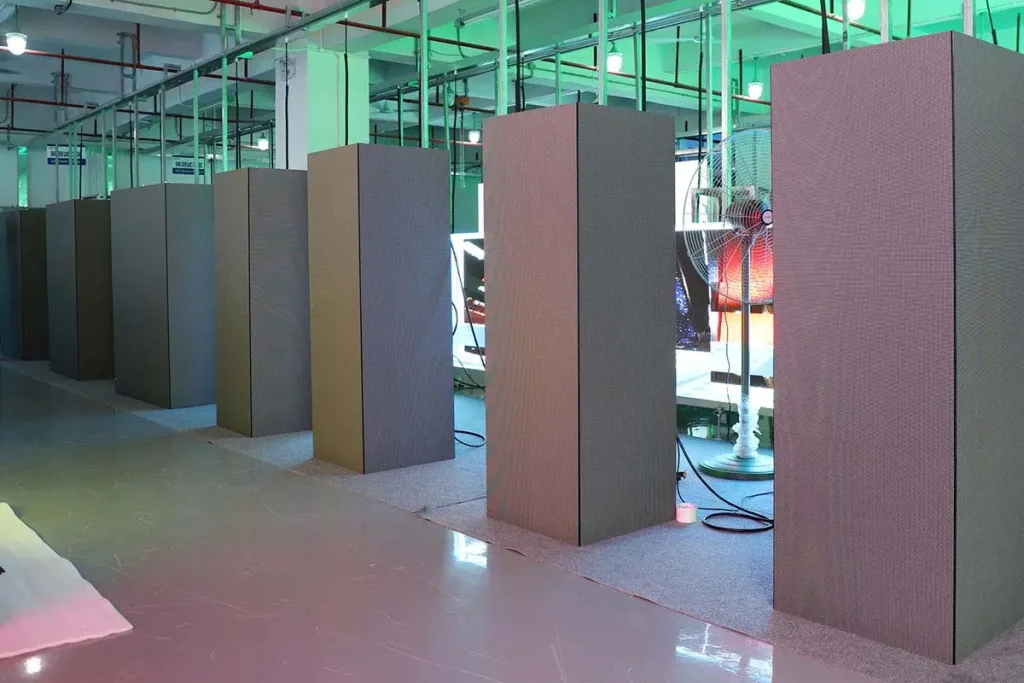
Four specialist formats cover the rest. Fine-pitch screens (P0.6–P1.5) replace control-room LCD walls where bezels are unacceptable. Flexible modules bend around columns. Transparent screens keep 50–70% of the surface see-through for glass facades. Poster screens stand alone at 1.8–2.5 m for lobbies and showrooms.
| Type | Typical pixel pitch | Brightness | Best for | Key trade-off |
|---|---|---|---|---|
| Indoor fixed | P0.9–P4 | 600–1,500 nits | Lobbies, boardrooms, retail interiors | Colour uniformity matters more than brightness |
| Outdoor fixed | P4–P10+ | 5,000–10,000 nits | Billboards, facades, roadside signage | Structure, power and waterproofing cost |
| Rental / stage | P2.6–P4.8 | 4,500–7,000 nits | Concerts, exhibitions, events | Pays off only with frequent reuse |
| Fine pitch | P0.6–P1.3 | 600–1,200 nits | Control rooms, studios, boardrooms | Highest cost per square metre |
| Transparent | P2.5–P10 | 3,000–6,000 nits | Glass facades, shop windows | Lower resolution, visible structure |
| Flexible / curved | P1.5–P6 | 1,000–6,000 nits | Columns, curved walls, stage sets | Bend radius limits module size |
| LED poster | P1.8–P2.5 | 600–1,500 nits | Lift lobbies, showrooms, retail | Small footprint, single panel |
4. LED Display Screen Specifications Explained
Specification sheets are where LED display screen projects are won and lost. Five numbers decide whether the finished screen looks sharp, can be photographed, and survives its first summer.
01. Pixel Pitch, Resolution and Viewing Distance
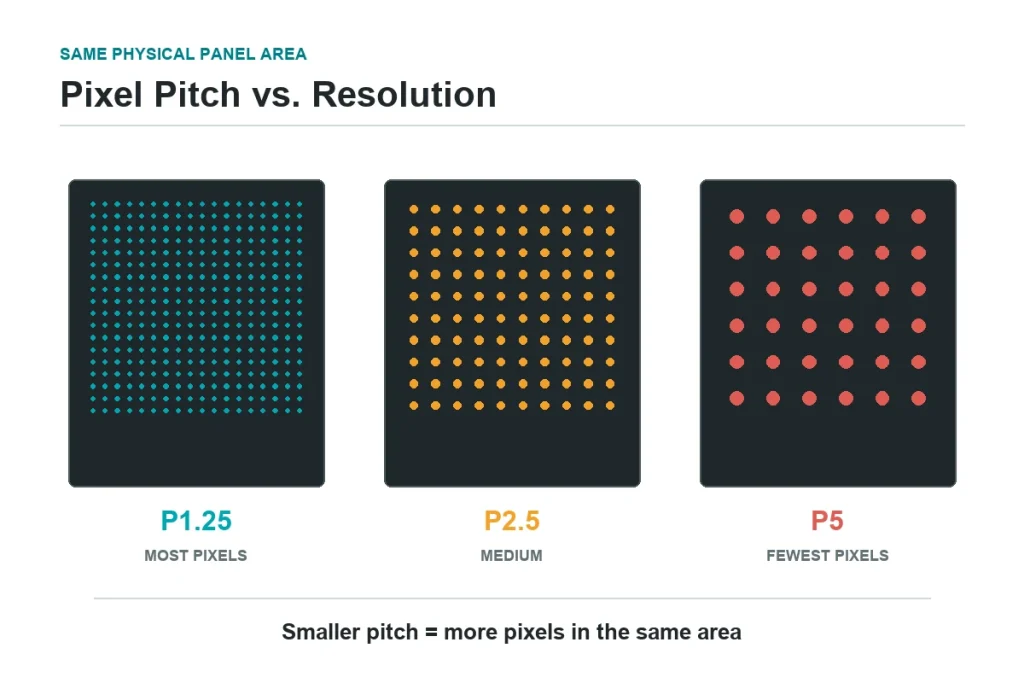
Pixel pitch is the distance between pixel centres. Smaller pitch means more pixels per square metre, a sharper image close up, and a higher price. The industry rule of thumb is roughly 1 mm of pitch per 1 metre of viewing distance, and fixed installations usually specify slightly finer than that to leave margin. Halving the pitch quadruples the pixel count — and with it the LEDs, driver channels and cards.
| Pixel pitch | Pixels per m² | Comfortable viewing distance | Typical LED display screen use |
|---|---|---|---|
| P0.9 | ~1,234,568 | 1–3 m | Boardrooms, control rooms, luxury retail |
| P1.5 | 444,444 | 2–5 m | Indoor lobbies, showrooms, broadcast |
| P2 | 250,000 | 3–7 m | Indoor advertising, retail, close-view outdoor |
| P2.5 | 160,000 | 4–10 m | Rental stages, indoor video walls |
| P4 | 62,500 | 6–15 m | Outdoor advertising, sports perimeters |
| P8–P10 | 15,625–10,000 | 15–40 m | Highways, arenas, very large outdoor screens |
Decide the pitch from the closest viewer, not the average one: the front row of a conference room sets the requirement.
02. Brightness, Contrast and Colour
Brightness is measured in nits and must be matched to ambient light rather than maximised: an indoor LED display screen at 5,000 nits is uncomfortable and shortens LED life, while an outdoor screen at 800 nits is unreadable at noon. Outdoor systems therefore include automatic brightness control, which also cuts power and heat. Contrast depends on how completely pixels switch off, helped by a matte black mask and dark cabinet interior. Colour quality depends on LED binning — tightly binned LEDs keep uniformity for years instead of developing patchwork.
03. Refresh Rate, Scan Mode and Grayscale
Refresh rate is how many times per second the LED display screen redraws the image. It is invisible above roughly 1,000 Hz but decisive on camera: broadcast and film work typically needs 3,840 Hz or higher so that shutter speed does not capture a rolling dark band. Any screen that will appear on video deserves a camera test rather than a datasheet claim. Grayscale depth (14–16 bit) sets how many brightness steps each colour can produce.
04. IP Rating, Power Consumption and Heat
Ingress protection uses two digits, the first for solids and the second for liquids: an outdoor LED display screen is normally IP65 or IP66 at the front with sealed connectors and a drainage path. Power is quoted as maximum and average — the maximum rating sizes the cable, breaker and generator, while average consumption drives operating cost. Heat is the long-term risk, because every 10 °C of excess operating temperature shortens LED and capacitor life.
| Specification | Indoor LED display screen | Outdoor LED display screen |
|---|---|---|
| Typical pixel pitch | P0.9–P4 | P4–P10 |
| Brightness | 600–1,500 nits | 5,000–10,000 nits |
| Ingress protection | IP31–IP54 | IP65–IP66 front, IP54+ rear |
| Cooling | Passive, room ventilation | Passive convection or air conditioning |
| Maximum power (typical) | 400–600 W/m² | 700–1,000 W/m² |
| Average power (typical) | 150–250 W/m² | 250–400 W/m² |
| Viewing distance | 1–10 m | 6–40 m+ |
| Service access | Front or rear | Front or rear, weather-rated seals |
5. What Is an LED Display Screen Used For?
An LED display screen is used wherever a message must reach many people at once, at a size and brightness printed or projected media cannot match. Advertising still dominates installed area, but transport, sport, retail, education and control rooms now account for a large share.
01. Advertising, Retail and Digital Signage
Outdoor advertising is the classic application: a roadside LED display screen or street billboard holds attention in a way a static board cannot, and the same screen can sell different slots through the day. Indoors, the LED display screen anchors store design — window displays, price walls and LED poster displays that change content by time of day.
02. Transport, Education and Healthcare
Transport applications prioritise legibility and uptime: departure boards, platform information and traffic displays that must survive vibration, dust and temperature swings. Education and corporate sites use LED display screens in lecture theatres and conference rooms, where a fine-pitch screen beats projection because it works with the lights on.
03. Rental Events, Sports Venues and Control Rooms
Events drive the rental market: concerts, conferences, exhibitions and weddings need a screen assembled in hours and struck the same night. Sports venues use stadium LED displays and perimeter boards where brightness and wide viewing angles are essential, and replay screens double as sponsorship assets.
| Industry | Typical LED display screen | Why LED wins |
|---|---|---|
| Outdoor advertising | P4–P10 billboard, facade or street furniture | Visible in sunlight; content sold by slot |
| Retail and malls | P1.5–P3 indoor wall, poster, transparent window screen | Continuous images, high colour impact |
| Transport | Information boards, wayfinding, platform displays | High uptime, readable at distance, 24/7 duty |
| Education and corporate | P1.2–P2.5 conference and auditorium screens | Works with room lights on; no shadowing |
| Events and rental | P2.6–P4.8 quick-lock cabinets | Fast build and strike, camera-safe refresh |
| Sports venues | Perimeter, big screen, scoreboard | Wide angles, high brightness, sponsorship value |
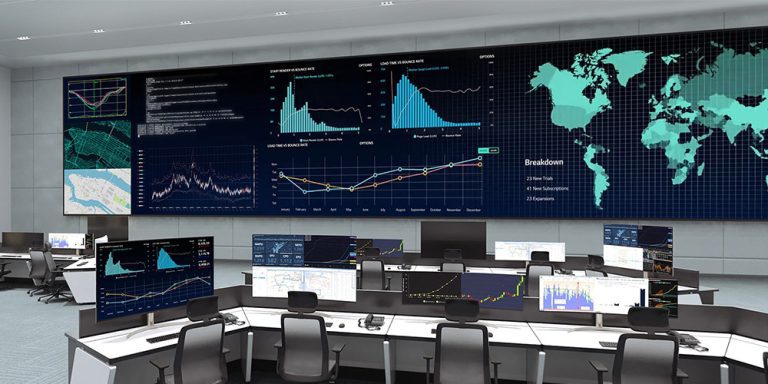
| Control rooms and studios | P0.9–P1.5 seamless video wall | No bezels; many inputs on one canvas |
| Houses of worship and theatre | P2.5–P4 stage backdrop | Set changes without physical scenery |
6. How to Choose an LED Display Screen
Choosing an LED display screen is a sequence, not a comparison of brochures. Work through the three steps below in order; each narrows the specification and prevents the most expensive mistakes.
01. Step 1: Fix the Viewing Distance and Pixel Pitch
Measure the shortest distance between the nearest viewer and the screen. That figure, in metres, is the practical pixel pitch ceiling in millimetres: 5 m suggests P5 or finer, 3 m suggests P3 or finer. Text-heavy content needs one step finer than video. Then calculate wall resolution — width in metres divided by pitch, multiplied by 1000, gives horizontal pixels — and confirm it sits inside the controller capacity. See what is the best pixel pitch.
02. Step 2: Match the LED Display Screen to Its Environment
Indoor or outdoor is only the first question. Consider ambient light (a south-facing glass facade needs far more brightness than a north-facing interior), mounting method (wall, pole, hanging, stack), service access (front service avoids a rear corridor) and local climate (coastal salt air, desert heat, monsoon rain). For exterior work, review how to choose a waterproof LED display first.
03. Step 3: Budget for the Complete System
Compare quotations on delivered scope, not headline price per square metre: a quotation that excludes the controller, structure, installation or spare modules is not cheaper, it is incomplete.
| Cost line | What it covers | How it scales | Where projects overspend |
|---|---|---|---|
| LED cabinets and modules | Panels, power supplies, receiving cards | By square metre and pixel pitch | Upgrading pitch after the design is fixed |
| Control system | Sending card, processor, player, software | By total pixel count and inputs | Under-speccing inputs, then adding converters |
| Structure and mounting | Steel frame, brackets, poles, lifting | By size, height and wind load | Site strengthening found late in the build |
| Electrical works | Distribution, cabling, breakers, protection | By maximum load in kW | Sizing from average instead of maximum power |
| Installation and commissioning | Labour, calibration, acceptance testing | By complexity and access | Night and weekend access premiums |
| Operating cost | Electricity, maintenance, cleaning | By average power and duty cycle | Cooling energy in hot climates |
7. How to Install an LED Display Screen
Installation decides whether a correctly specified LED display screen actually performs. The sequence below follows how a professional installation is run, from survey to sign-off.
01. Site Survey and Structural Checks
Before anything is ordered, confirm the mounting surface can carry the load, that power and network reach the screen position, and that viewing angles work from real traffic paths. Check wall flatness within a few millimetres across the full width, because an uneven substrate forces the frame to absorb the error and can crack modules. Outdoors, verify wind load, drainage below the screen and lightning protection. See LED display installation.
02. Mounting, Wiring and Signal Chain
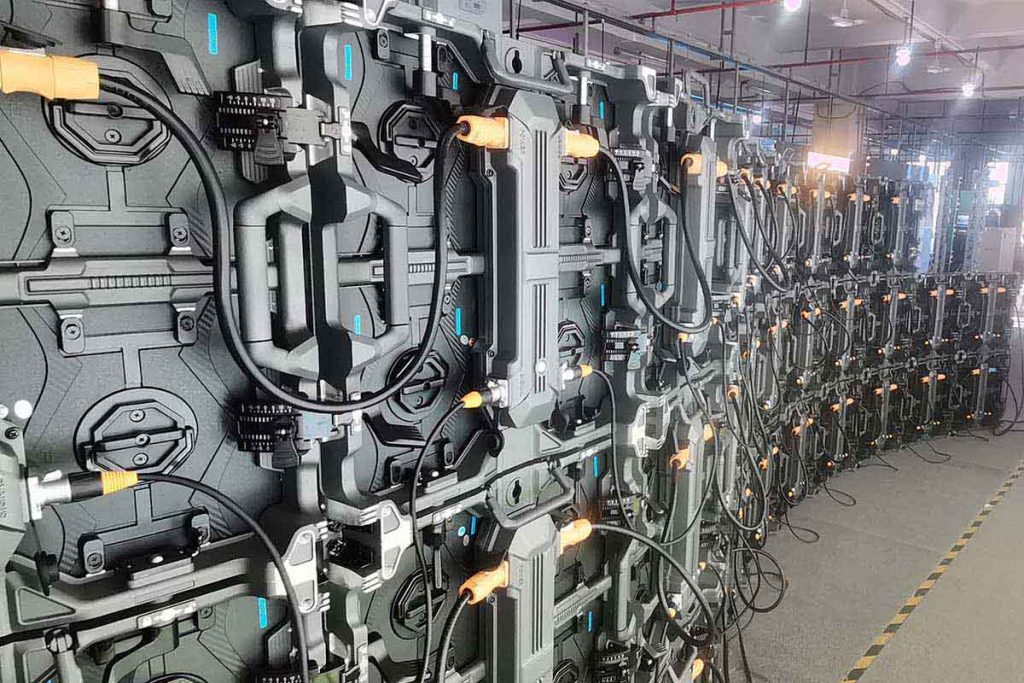
Frames are levelled and anchored first, then cabinets are placed from a corner outward and locked progressively so errors do not accumulate. Power is distributed in balanced phases with separate circuits per section, and the signal chain runs from the sending card through the cabinets in the order the mapping software expects.
03. Power-On, Calibration and Acceptance Testing
Commissioning runs in stages: power each section with no content, verify the receiving cards are recognised, then load a full-white screen to check for dead pixels and colour differences between cabinets. Run grey and colour ramps to expose banding, then play real content at the intended brightness.
8. Maintenance and Troubleshooting for an LED Display Screen
An LED display screen needs less routine maintenance than most people expect, but the maintenance it does need is preventive rather than cosmetic.
01. Routine Maintenance That Prevents Most Failures
Clean modules with a soft, dry or slightly damp cloth — never a wet mop, solvent or pressure washer. Inspect cabinet seals and drainage before the rainy season, clear dust from fans and filters, check that power and data connectors are seated, and verify the brightness sensor and temperature alarm.
02. Common LED Display Screen Faults and Fixes
Diagnose by isolating the layer: source, controller, sending card, receiving card, power supply, module. A dark cabinet usually means a receiving card or its power supply rather than the modules; a dark module usually means the module or its ribbon cable. Slowly degrading brightness across a whole screen points to power supply ageing.
| Symptom | Most likely layer | First check | Prevention |
|---|---|---|---|
| One cabinet completely dark | Receiving card or cabinet PSU | Swap the receiving card; test the PSU output | Keep spare cards; check sealing |
| One module dark or patchy | Module or ribbon cable | Reseat the ribbon; swap the module | Correct service handling; spare modules |
| Single LEDs missing (dead pixels) | LED or driver IC | Count and map dead pixels by module | Tight LED binning at purchase |
| Screen flickers or bands on camera | Refresh rate or scan mode | Camera test at the target shutter speed | Specify 3,840 Hz+ for video work |
| Colour patchwork between cabinets | Binning or calibration drift | Run a grey ramp and compare cabinets | Factory calibration; periodic recalibration |
| Moisture behind the modules | Sealing or drainage | Inspect gaskets, seals and drainage path | IP-rated cabinets; seasonal seal checks |
| Overheating and brightness drop | Cooling or power supply | Check airflow, fans, filters, temperature | Clear ventilation; air conditioning if needed |
| Half lines or scrambled image | Data cable order or mapping | Verify cable sequence against the map | Label cables during installation |
9. LED Display Screen Technology Trends in 2026
01. COB and MIP Packaging
Packaging is changing what a fine-pitch LED display screen can do. Chip-on-board (COB) LEDs are bonded directly to the board under a protective layer, which improves durability, reduces moiré and allows finer pitch; MIP applies the same idea to micro-LED dies. Compare them in SMD vs COB LED modules and MIP technology.
02. Higher Refresh Rates and Smarter Control
Two shifts matter to buyers. Refresh rates and grayscale depths that once belonged to broadcast rental screens are moving into fixed indoor installations, because phones and streaming cameras are now everywhere. And control software has become the differentiator: scheduling, content zoning, remote monitoring and predictive maintenance alerts are specified alongside the panel. See also contrast ratio and HDR for LED displays.
10. LED Display Screen FAQs
These are the questions buyers ask most often about an LED display screen. Each answer is written to stand on its own.
01. What is an LED display screen and how does it work?
An LED display screen is a self-emissive display whose pixels are red, green and blue LEDs. A controller converts the video signal into LED data, receiving cards inside each cabinet drive the pixels, and the LEDs switch fast enough to blend into a moving image. Because the LEDs make their own light, the screen stays readable in bright rooms and direct sunlight.
02. How much does an LED display screen cost?
Price is driven mainly by pixel pitch, brightness class and cabinet construction, so two screens of the same size can differ several times in cost. Halving the pitch quadruples the pixel count, which is why fine-pitch indoor screens cost the most per square metre. See LED display pricing factors.
03. What pixel pitch LED display screen do I need?
Start from the shortest viewing distance in metres and treat that number as the pitch ceiling in millimetres: viewers at 5 m are comfortable with P5 or finer, viewers at 2 m need P2 or finer. Text-heavy content such as schedules or prices needs one step finer pitch than video, because legibility depends on pixel density.
04. How long does an LED display screen last?
LED chips are typically rated at around 100,000 hours to half of original brightness, more than a decade of continuous use. In practice the working life of an LED display screen is set by its power supplies, cooling and sealing: a well-ventilated, correctly sealed screen often outlives its first set of power supplies by years.
05. What is the difference between an indoor and an outdoor LED display screen?
An outdoor LED display screen is brighter (5,000–10,000 nits against 600–1,500 nits indoors), sealed to IP65 or better, and mounted in a stronger frame that resists wind and rain. An indoor LED display screen is lighter and usually finer in pitch because viewers stand closer.
06. Can a failed pixel or module on an LED display screen be repaired?
Yes. An LED display screen is modular by design: a dead pixel cluster usually means replacing one module, while a dark cabinet usually means replacing a receiving card or its power supply. Front-service cabinets can be repaired from the front without dismantling the wall. See LED screen repair tips.
07. How much power does an LED display screen use?
Size the electrical supply from the maximum rating on the datasheet, because a full-white screen at full brightness is the worst case, and estimate running cost from average consumption, typically 30–40% of maximum. A 20 m² outdoor screen rated at 800 W/m² needs a supply sized for roughly 16 kW but may average 5–7 kW in normal use.
08. Do LED display screens work for text as well as video?
Yes, provided the pixel pitch suits the viewing distance. Text is the harder test, because letterforms need enough pixels to stay recognisable: a P6 screen that looks sharp playing video can look soft showing small text from 6 m. More answers are in the LED screen FAQ library.
11. Conclusion
An LED display screen is one of the few display technologies whose performance is decided almost entirely at specification stage. Pixel pitch fixes how sharp it looks, brightness class whether it competes with sunlight, cabinet sealing whether it survives its first winter, and the control system whether it can be fed by the sources the site uses.
Use this LED display screen user guide as a checklist: confirm viewing distance and pitch, match the screen to its environment, budget for the complete system, and document the installation before handover. When a problem appears, the troubleshooting table shows which layer to check first.
 Enhance Stage Performance With LED Background Screen In 2026
 Mini LED vs Micro LED: Differences, Cost & Which to Choose