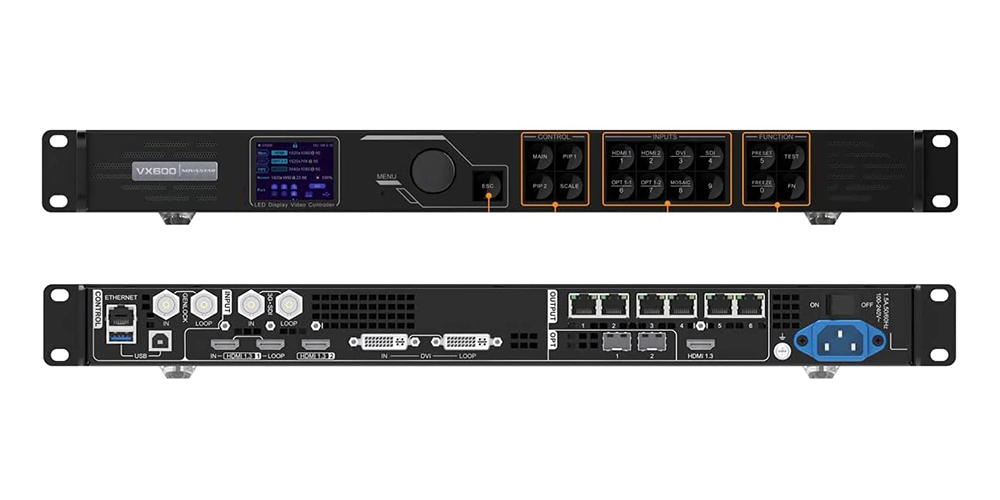
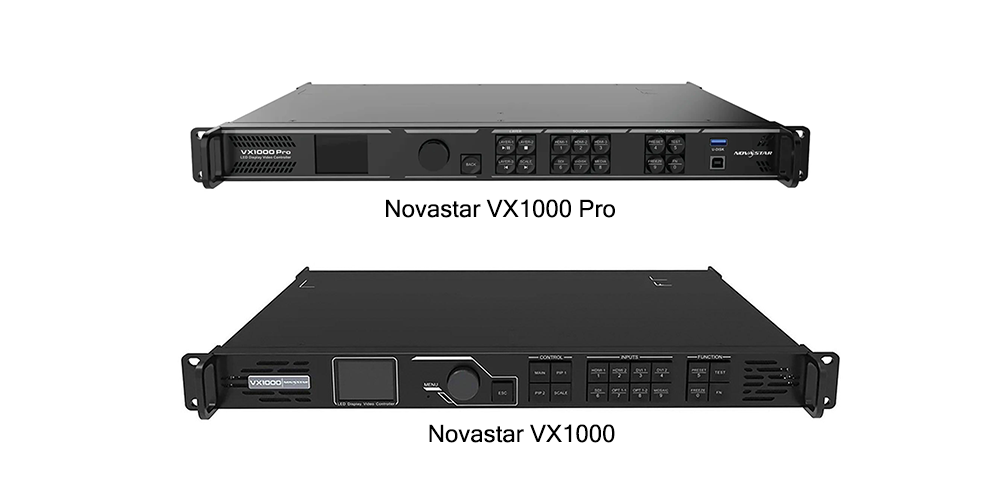
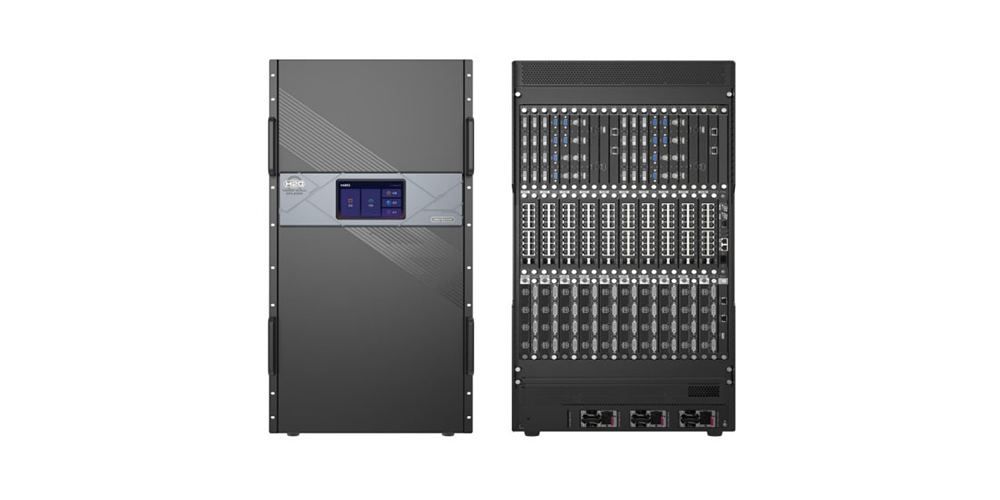
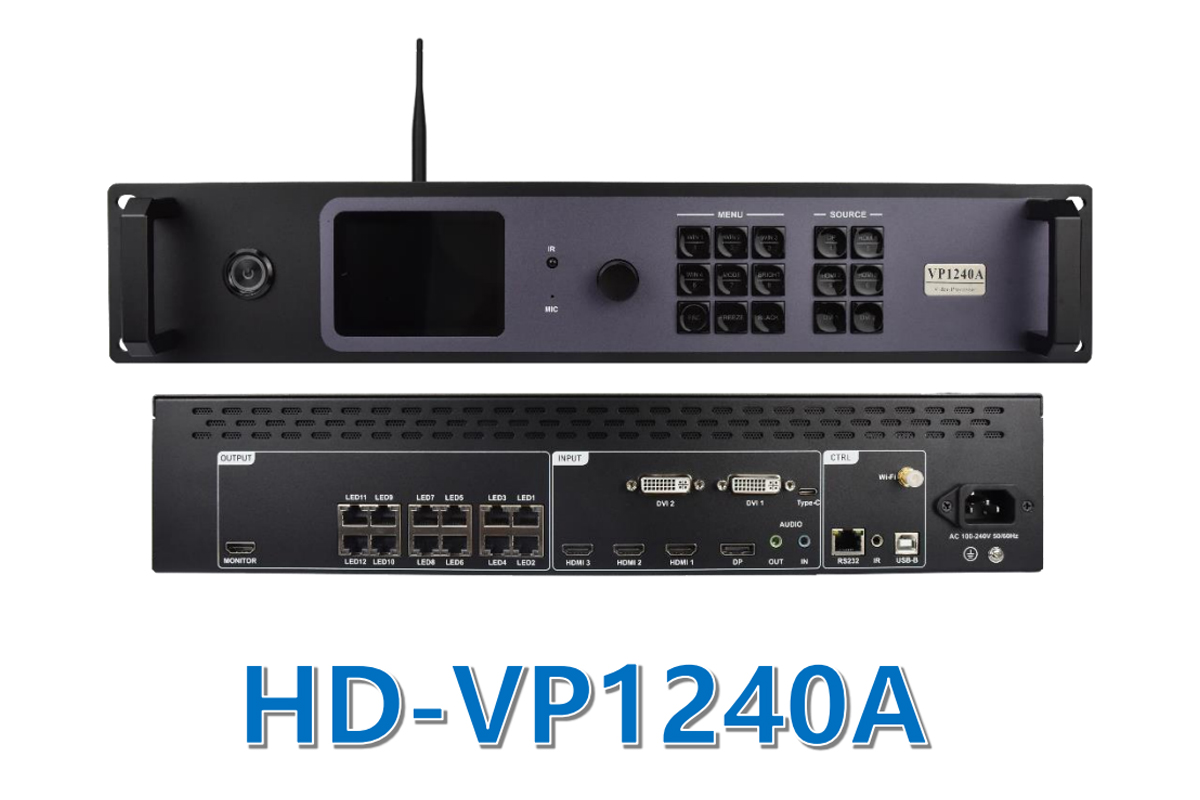
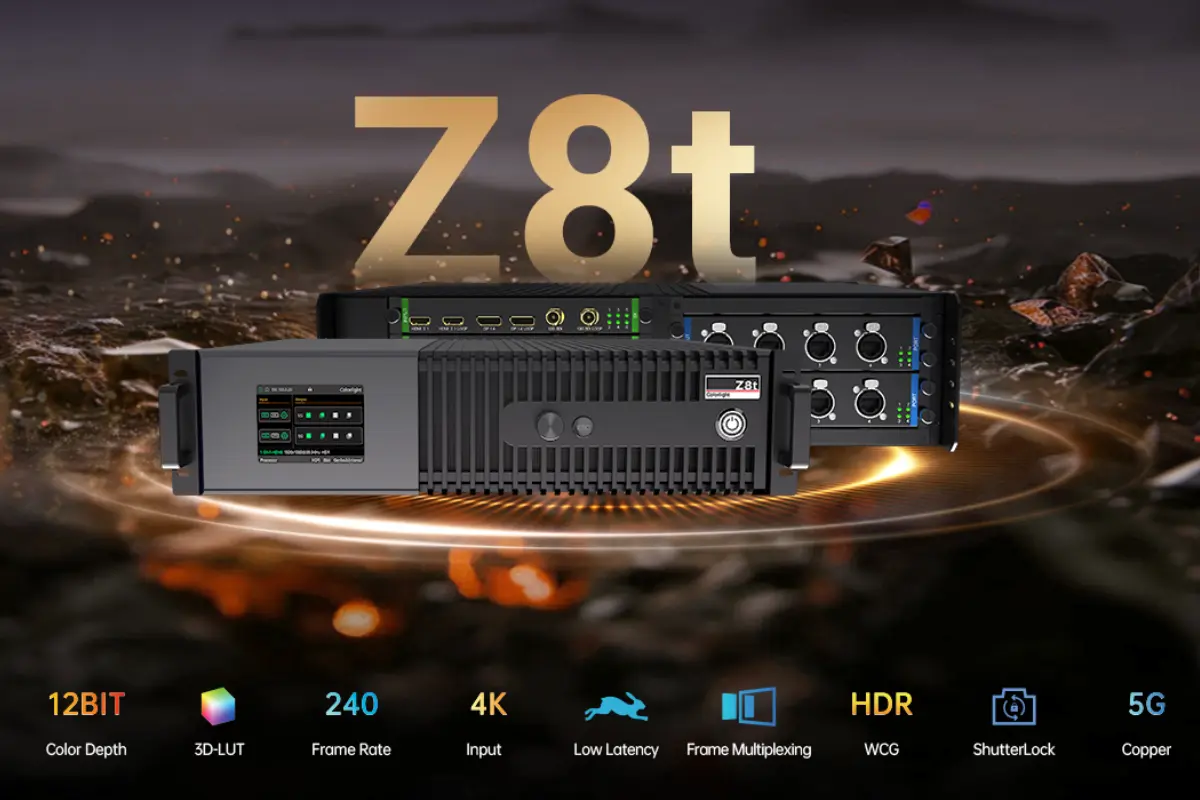
When it comes to video wall processors, the Novastar processors H Series stands out as an all-in-one option for fine-pitch LED displays. Instead of pairing a separate processor with a rack of LED controllers, these Novastar processors combine video wall splicing and display control inside one modular chassis, which simplifies integration and removes failure points from a project. This guide compares the five Novastar processors in the H Series — the H2, H5, H9, H15 and H20 — against NovaStar’s published specifications, so you can size loading capacity, layer resources and rack space correctly before you buy.
catalogue
1. What is Novastar H Series Video Wall Processor?
The Novastar H Series is a family of modular video wall splicers that double as LED display controllers. Every chassis is built from hot-swappable cards: input cards accept HDMI 2.0, DisplayPort 1.2, 12G-SDI, IP camera streams and fiber, while output cards drive the screen through NovaStar LED 4K sending cards such as the H_20xRJ45, H_16xRJ45+2xfiber and H_4xfiber. Because the slot layout is shared across the range, the same Novastar processors can be specified as a compact 2U switcher for a meeting room or as a 20U control core for hundreds of millions of pixels.
All five Novastar processors handle signals at 4K x 2K @ 60Hz with RGB 4:4:4 sampling and 10-bit color depth, and all of them support HDR10 and HLG. In practice, one Novastar processor can take over the switching, scaling, layer management and LED sending that would otherwise need three separate devices.
01. All-in-One Architecture: Splicing and Display Control in One Chassis
A conventional video wall chain uses a matrix switcher or processor for signal handling and a separate set of LED controllers for the screen itself. The Novastar processors H Series collapses both jobs into one chassis: input cards capture and scale the sources, the processing board manages layers, presets and EDID, and the output cards send the finished canvas straight to the receiving cards inside the LED cabinets. For integrators that removes an entire hop from the signal chain, which cuts cabling, rack space and the number of devices that can fail.
It also simplifies daily operation. Because the Novastar processors expose a browser-based control interface, a technician can build the canvas, save a preset and recall it from a phone, tablet or laptop on the same network, with no proprietary software to install on the control room PC.
02. Capabilities Shared by Every Novastar Processor in the H Series
Although the five models differ in size and capacity, the core feature set is identical. The table below summarises what every Novastar processor in the H Series delivers as standard.
| Capability | What it delivers |
|---|---|
| True 4K processing | 4K x 2K @ 60Hz input and output with RGB 4:4:4 sampling and 10-bit color. |
| Layer resources | Up to 16 x 2K, 8 x Dual-Link or 4 x 4K layers per card, with unrestricted placement on the canvas. |
| HDR pipeline | HDR10 and HLG pass-through for wider dynamic range on HDR-ready LED walls. |
| Preset management | Up to 2,000 saved presets, with scene switching in under 60 ms. |
| Low latency | Signal delay as low as one frame on supported input cards. |
| 3D support | Active 3D video walls when the NovaStar EMT200 3D emitter is added. |
| Web-based control | Browser control from Windows, macOS, iOS, Android or Linux over 1000M/100M networks. |
| Video wall tools | Irregular rectangle mosaic, LCD bezel compensation and eye-saver mode. |
| Reliability | Hot-swappable cards, redundant power options and online firmware updates. |
Two of those rows deserve a closer look. The layer figures are quoted per card rather than per chassis, so a fully populated H20 can manage 320 layers at once. Eye-saver mode and LCD bezel compensation are what allow the Novastar processors to build a wall from mixed cabinets, or to blend an LED wall with an LCD video wall inside the same canvas.
Output capacity depends on which LED 4K sending card is installed. NovaStar publishes three options:
- H_20xRJ45 — 20 Gigabit Ethernet output ports and up to 13 million pixels per card.
- H_16xRJ45+2xfiber — up to 10.4 million pixels per card, plus two OPT fiber copy ports.
- H_4xfiber — up to 20.8 million pixels per card with independent, copy and backup output modes.
One planning rule matters here: card types cannot be mixed on the same screen, so the sending card is a decision to make once, before the layout is designed. The loading capacity table in section 8 shows how each Novastar processor scales with each card type.
2. Common Use Cases for Novastar H Series Processor
Novastar processors in the H Series are specified wherever a screen has to show several sources at once and stay reliable for years. Typical projects include corporate boardrooms, utility and traffic control rooms, retail flagship stores, broadcast studios, stadium screens and transport hubs. The differences between the models matter most in three areas: how many pixels the chassis can load, how many layers have to be visible at the same time, and how much rack space and power the site can spare.
Because every Novastar processor shares the same firmware platform, a smaller model can be replaced by a larger one without retraining the operations team. That is unusual in this product class, and it is one reason integrators standardise on the H Series across a whole portfolio of sites.
01. Matching the Application to the Right Novastar Processor
Use the table below as a first filter: find the application closest to your project, then confirm the pixel count and layer budget against the model specifications in sections 3 to 7.
| Application | Recommended Novastar processors | Why it fits |
|---|---|---|
| Boardrooms and meeting rooms | H2, H5 | Compact 2U or 5U chassis with enough capacity for walls up to about 26 million pixels. |
| Retail and brand stores | H2, H5 | Eye-saver mode, scrolling text and scheduled presets for opening hours. |
| Control rooms and utilities | H5, H9 | Preset recall, redundant power and low latency for live data walls. |
| Broadcast studios | H9, H15 | 12G-SDI inputs, 3D support and enough layers for picture-in-picture layouts. |
| Stadium and arena screens | H20 | Up to 260 million pixels and 144Hz operation for fast-moving content. |
| Airports and transport hubs | H15, H20 | 24/7 duty cycle, hot-swappable cards and redundant power supplies. |
| Touring and stage rental | H5, H9 | 5U and 9U chassis that fit standard flight cases and set up quickly. |
| Museums and exhibitions | H9, H15 | Irregular mosaic and LCD bezel compensation for non-rectangular walls. |
Treat the table as a starting point rather than a rule. A single H2 often drives a 200-inch corporate wall perfectly well, while a twelve-metre stage screen may still call for an H20 if the client wants multiple live layers and a spare output card. When in doubt, size the chassis for the pixel count and layer count you expect in three years, not only for the opening night.
3. Novastar H2: Overview and Performance
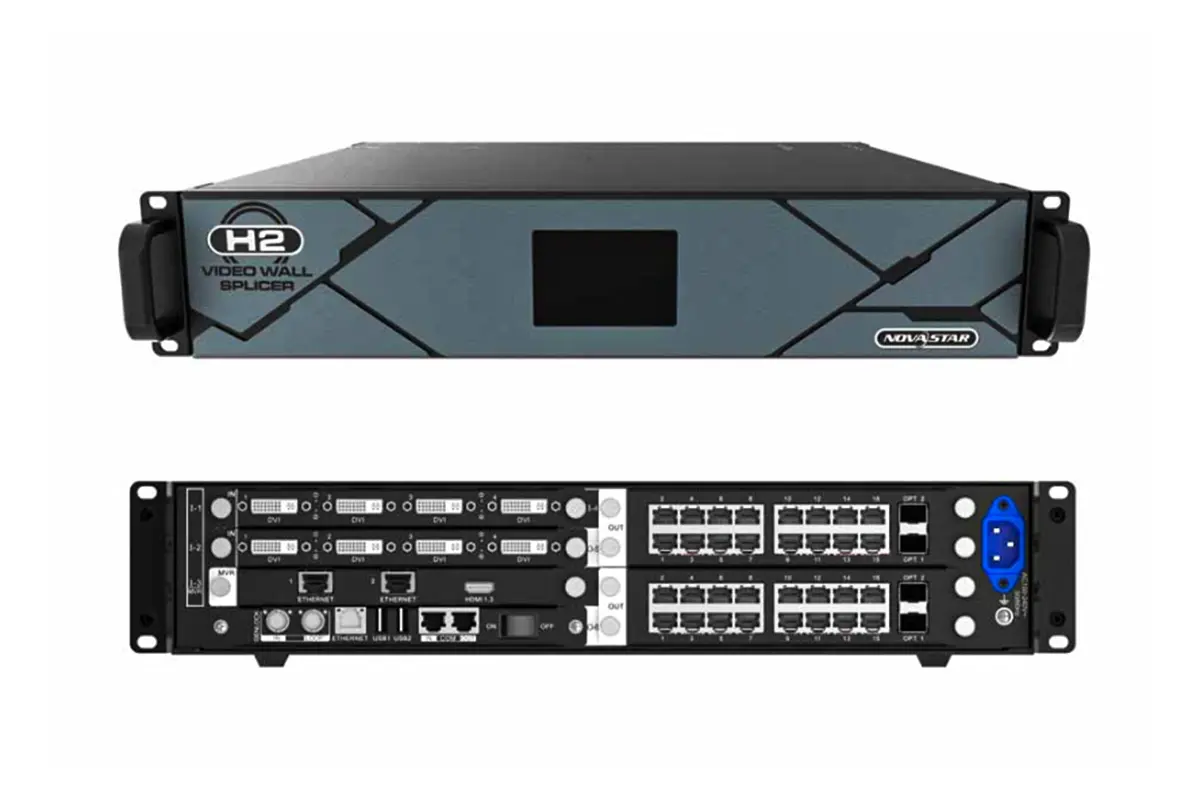
The Novastar H2 is the entry point to the range and the smallest chassis NovaStar builds for the H Series. At 2U it fits almost anywhere: a rack in a meeting room, a lectern cabinet or a small control desk. Despite the size, the H2 carries the same processing board and firmware as its larger siblings, so 4K processing, HDR, layer management and web control are all present.
01. Key Specifications of the Novastar H2 Processor
- Chassis: 2U with 4 input slots and 2 output slots (16 input and 8 output channels).
- Layers: 32 layers on the canvas.
- Loading capacity: 26 million pixels with the H_20xRJ45 card, 20.8 million with H_16xRJ45+2xfiber and 41.6 million with the H_4xfiber card.
- Power: 210 W from a single power supply.
- Dimensions and weight: 482.6 x 529.8 x 88.1 mm, 11 kg net.
- Signal processing: 4K x 2K @ 60Hz, RGB 4:4:4, 10-bit color, HDR10 and HLG.
02. Where the Novastar H2 Fits Best
With two output slots the H2 suits a single wall up to roughly 26 million pixels, or a group of screens that share one canvas. Typical installs include conference room displays, hotel lobbies, retail windows and small command desks. If the project needs more than two output cards, or an extra set of live layers, move up to the H5 or the H9 instead of overloading the smallest Novastar processor in the range.
4. Novastar H5: What Sets It Apart?
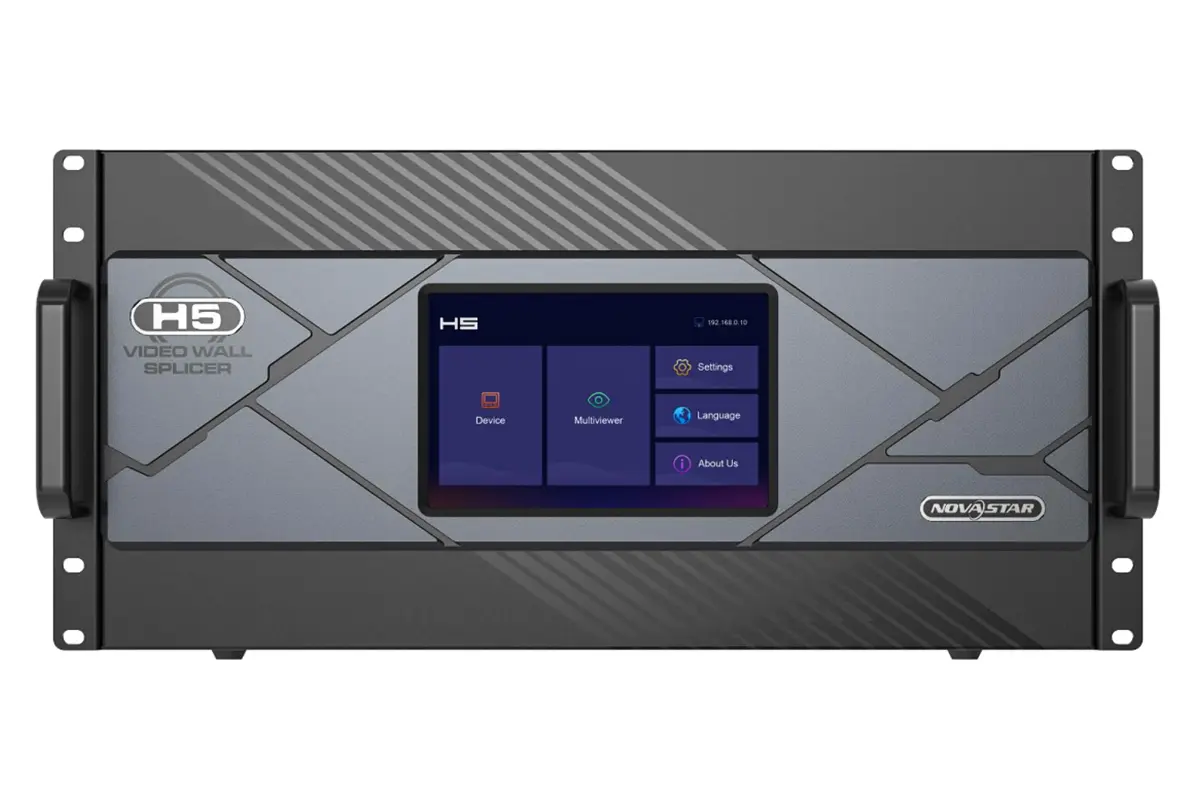
The Novastar H5 sits in the middle of the range and is the model most integrators pick for mid-sized video walls. It doubles the input side of the H2 to ten cards and adds a third output slot, which is often exactly the headroom a project needs when a second screen is added to an existing wall.
01. Key Specifications of the Novastar H5 Processor
- Chassis: 5U with 10 input slots and 3 output slots (40 input and 12 output channels).
- Layers: 48 layers on the canvas.
- Loading capacity: 39 million pixels with H_20xRJ45, 31.2 million with H_16xRJ45+2xfiber and 62.4 million with the H_4xfiber card.
- Power: 400 W with one standard supply and an optional redundant supply.
- Dimensions and weight: 482.6 x 532.8 x 228.2 mm, 17 kg net.
02. Where the Novastar H5 Fits Best
The H5 suits control rooms, hotel and digital retail signage networks, lecture theatres and mid-sized auditoriums. The optional redundant power supply is what separates it from the H2 in 24/7 environments, and the third output slot means a spare card can be held in the chassis for fast maintenance. For projects that sit just above the H2 limits, the H5 is usually the most cost-effective Novastar processor rather than jumping straight to the H9.
5. Novastar H9: Advanced Capabilities for Larger Displays
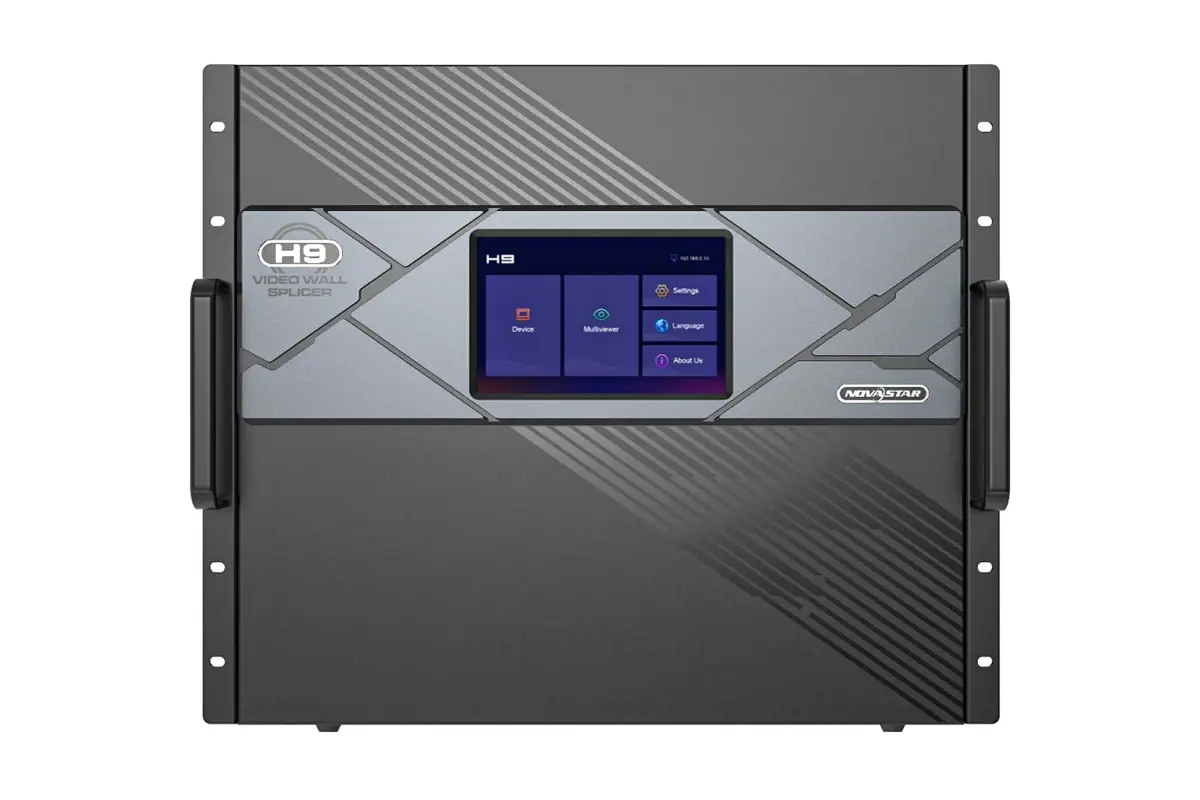
The Novastar H9 is the first model in the range built for genuinely large walls. The 9U chassis accepts fifteen input cards and five output cards in its standard configuration, and the same hardware can be licensed as an Enhanced version with ten output cards, forty output channels and twice the layer budget.
01. Key Specifications of the Novastar H9 Processor
- Chassis: 9U with 15 input slots, plus 5 output slots as standard and 10 in the Enhanced version (60 input and 20 to 40 output channels).
- Layers: 80 layers as standard and 160 layers with the Enhanced licence.
- Loading capacity: 65 million pixels with H_20xRJ45 and 104 million with the H_4xfiber card, rising to 208 million in the Enhanced version.
- Power: 450 W with one standard supply and an optional redundant supply.
- Dimensions and weight: 482.6 x 533.0 x 405.8 mm, 27.2 kg net.
- Special features: 3D support, LCD bezel compensation and input source grouping.
02. Standard H9 and H9 Enhanced: Which to Specify
Both versions run on identical hardware, so the decision is commercial rather than physical: the Enhanced licence unlocks the extra output cards and layers without changing the chassis. Specify the standard H9 when a single canvas of 65 million pixels and 80 layers is enough, and choose the Enhanced version when several independent screens, a large layer count or a future expansion is on the roadmap.
Typical H9 projects include control centres, broadcast walls, large auditoriums and museum installations where a non-rectangular mosaic has to be mapped onto an irregular surface. As with every Novastar processor in the range, the output cards and the canvas capacity scale together, so a change from the 20 Gigabit card to the fiber card can multiply the pixel budget without touching the input side of the system.
6. Novastar H15: High-End Features for Professional Installations
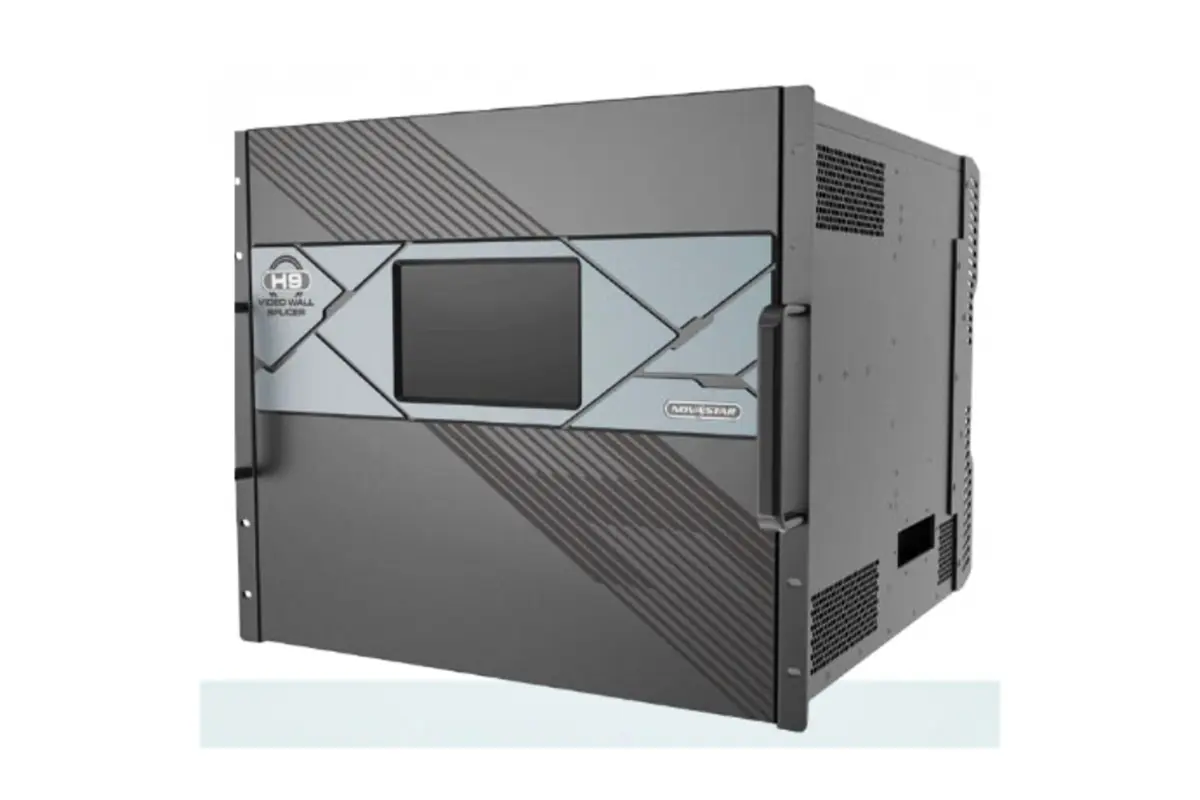
The Novastar H15 is the second-largest chassis in the family and the one aimed at installations that cannot afford downtime. Thirty input cards, ten output cards in the standard version and sixteen in the Enhanced version give it enough capacity for the largest single canvases NovaStar supports. Two power supplies are fitted as standard, with two more available as redundant units.
01. Key Specifications of the Novastar H15 Processor
- Chassis: 15U with 30 input slots and 10 output slots, or 16 with the Enhanced version (120 input channels).
- Layers: 160 layers on the canvas.
- Loading capacity: 130 million pixels with H_20xRJ45, rising to 208 million in the Enhanced version.
- Power: 900 W with two standard supplies and two optional redundant supplies.
- Dimensions and weight: 482.6 x 683.0 x 533.0 mm, 61.8 kg net.
- IP decoding: the H_2xRJ45 input card supports up to 100 IP camera streams on the H15 (specification V1.4.0).
02. Where the Novastar H15 Fits Best
Two H15 characteristics matter in the field. Latency can be as low as one frame, which is why this Novastar processor appears in broadcast and sporting venues where a visible delay is unacceptable. The redundant power design also means a failed supply can be swapped without switching the wall off.
Note the IP camera figure. NovaStar documents up to 512 IP inputs for the H2, H5, H9 and H20 with the H_2xRJ45 card, but the H15 specification sheet (V1.4.0) states 100, so confirm the current datasheet with your supplier before designing a large CCTV wall around the H15.
7. Novastar H20: The Ultimate Solution for Large-Scale Displays
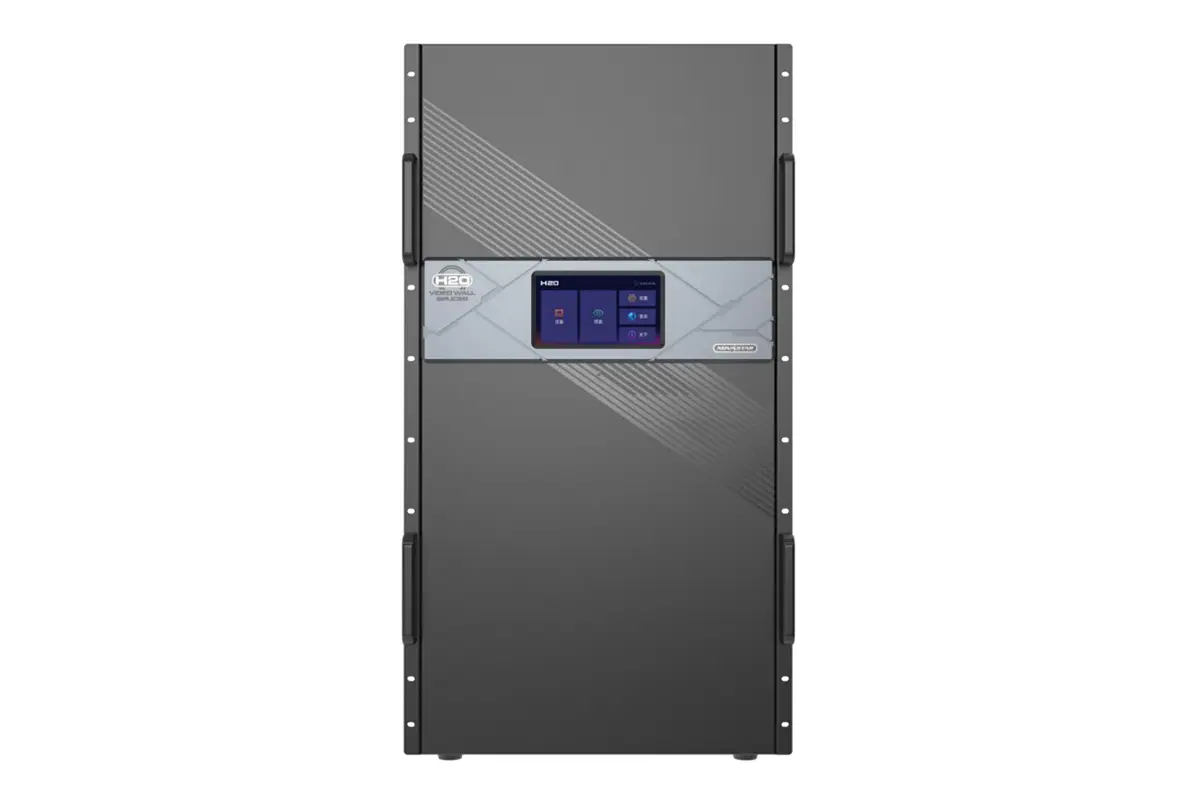
At the top of the range, the Novastar H20 is the largest Novastar processor in the H Series. Forty input cards, twenty output cards, 160 input channels and 80 output channels make it a control core rather than a simple switcher, and the 20U chassis is normally installed in a dedicated equipment room rather than at the screen.
01. Key Specifications of the Novastar H20 Processor
- Chassis: 20U with 40 input slots and 20 output slots (160 input and 80 output channels).
- Layers: 320 layers on the canvas.
- Loading capacity: 260 million pixels with H_20xRJ45, 208 million with H_16xRJ45+2xfiber and 416 million with the H_4xfiber card.
- Power: 1800 W with three standard supplies and one optional redundant supply.
- Dimensions and weight: 482.6 x 533.0 x 905.2 mm, 47.7 kg net.
- Output modes: independent, copy and backup modes on the fiber output cards, plus 144Hz support for fast-moving content.
02. Where the Novastar H20 Fits Best
The H20 is specified for the largest LED walls in the market: stadium big screens and perimeters, airport and rail concourses, and outdoor advertising networks where a single canvas runs for years without a shutdown. Its independent, copy and backup fiber modes let one source drive two screens at once or keep a standby path live, which is the feature that most often decides a tender in favour of the top model.
For stadium screens and similar venues, the combination of 416 million pixels, three standard power supplies and 144Hz output is the practical argument for the H20 over a pair of smaller Novastar processors running side by side.
8. Novastar Processor H Series Comparison: Which One is Best for You?
Choosing between the five Novastar processors comes down to three numbers: the pixel count the wall has to load, the number of layers that must be visible at once, and the rack space available in the equipment room. The three tables below cover hardware, loading capacity and site planning, in that order.
01. Hardware Comparison: Cards, Channels, Layers and Capacity
This table compares the chassis themselves. The H9 Enhanced row uses the same physical hardware as the standard H9, with a different licensed limit on output cards and layers.
| Model | Rack units | Input slots (channels) | Output slots (channels) | Layers on canvas | Max capacity with H_20xRJ45 |
|---|---|---|---|---|---|
| H2 | 2U | 4 (16) | 2 (8) | 32 | 26 million pixels |
| H5 | 5U | 10 (40) | 3 (12) | 48 | 39 million pixels |
| H9 | 9U | 15 (60) | 5 (20) | 80 | 65 million pixels |
| H9 Enhanced | 9U | 15 (60) | 10 (40) | 160 | 65 million pixels, or 208 million with H_4xfiber |
| H15 | 15U | 30 (120) | 10 (16 Enhanced) | 160 | 130 million pixels, or 208 million Enhanced |
| H20 | 20U | 40 (160) | 20 (80) | 320 | 260 million pixels, or 416 million with H_4xfiber |
Read the table from left to right for a project: rack units decide whether the chassis fits, slots decide how many sources and screens can be connected, and the layer count decides how complex the on-screen layout can be. Capacity is quoted for the 20 Gigabit sending card in every row, because that is the card most projects start with.
02. Loading Capacity by LED 4K Sending Card
Loading capacity changes with the sending card, so compare the card first and the chassis second. The figures below are the maximum pixels each Novastar processor can load with each LED 4K sending card.
| Novastar processor | H_20xRJ45 (13 million px per card) | H_16xRJ45+2xfiber (10.4 million px per card) | H_4xfiber (20.8 million px per card) |
|---|---|---|---|
| H2 | 26 million px | 20.8 million px | 41.6 million px |
| H5 | 39 million px | 31.2 million px | 62.4 million px |
| H9 | 65 million px | Not published | 104 million px, or 208 million Enhanced |
| H15 | 130 million px, or 208 million Enhanced | Not published | Not published |
| H20 | 260 million px | 208 million px | 416 million px |
Source: NovaStar H Series specification sheets (H2 V1.12.0, H5 V1.12.0, H9 V1.8.0, H15 V1.4.0 and H20 V1.1.0). Where a value is marked as not published, NovaStar does not list that card type for the model in its current datasheet, so confirm availability with your supplier before the layout is fixed.
03. Rack Space, Power and Weight Planning
Capacity is only half of a specification. The table below covers what the equipment room has to provide, which often decides the model before the pixel count does.
| Model | Power supplies | Typical power consumption | Dimensions (W x D x H, mm) | Net weight |
|---|---|---|---|---|
| H2 | 1 standard | 210 W | 482.6 x 529.8 x 88.1 | 11 kg |
| H5 | 1 standard, optional redundant | 400 W | 482.6 x 532.8 x 228.2 | 17 kg |
| H9 | 1 standard, optional redundant | 450 W | 482.6 x 533.0 x 405.8 | 27.2 kg |
| H15 | 2 standard, 2 optional redundant | 900 W | 482.6 x 683.0 x 533.0 | 61.8 kg |
| H20 | 3 standard, 1 optional redundant | 1800 W | 482.6 x 533.0 x 905.2 | 47.7 kg |
04. How to Choose the Right Novastar Processor
- Calculate the pixel count. Add up the resolution of every LED cabinet in the wall, then allow 10 to 15 percent headroom for future cabinets. That single figure eliminates half of the range.
- Count the layers. A single full-screen video needs one layer, while picture-in-picture, logos and scrolling text need more. If more than 40 layers have to be live at once, start at the H9.
- Check the input mix. Broadcast work usually needs 12G-SDI and security walls need IP decoding. Both are card options, so verify that the cards exist for the model you choose.
- Measure the rack. Add up rack units, power draw and weight before the equipment room is designed; the H15 weighs 61.8 kg, which may need a reinforced rail set.
- Plan redundancy. If the wall cannot go dark, choose a model with redundant supplies fitted and keep one spare card of each type on site.
If budget is the constraint but the pixel count is fixed, the H2 and H5 cover most commercial and retail projects. For anything above 60 million pixels, or for installations that run 24/7 under a service level agreement, the H9, H15 and H20 are the realistic options. You can also compare this range with other controller families in our video wall processor vs controller guide, or ask our engineers to check the pixel count through the contact page before you order.
9. FAQs
10. Conclusion
Every Novastar processor in the H Series shares the same processing platform, the same 4K signal handling and the same web-based control, so the choice between these Novastar processors comes down to capacity, layers and rack space. The H2 covers compact meeting room and retail walls, the H5 handles mid-sized control rooms, the H9 and H15 scale up to large broadcast and event canvases, and the H20 is built for the biggest screens on the market.
Whichever Novastar processor you choose, match the chassis to the pixel count you expect in three years, confirm the LED 4K sending card before the layout is fixed, and plan the equipment room around the figures in Table 5. For more detail, download the Novastar H Series specifications and the H Series user manual, or visit NovaStar’s official website for the latest firmware and software.
 Why 16:9 Aspect Ratio Is the Global Standard For Every Screen?
 Video Wall Processor vs. Controller: Your Pre-Buying Guide