The Novastar VX1000 and VX1000 Pro are two of the most popular LED display controllers on the market, but they are designed for different types of users. While the VX1000 remains a reliable and cost-effective solution for many LED display projects, the VX1000 Pro introduces upgraded processing power, advanced control features, and greater flexibility for modern rental, broadcast, and large-scale installations.
The challenge for buyers is deciding whether the additional cost of the VX1000 Pro is justified. In this guide, we’ll compare the Novastar VX1000 Pro VS VX1000 across performance, connectivity, screen management, real-world applications, and overall value to help you choose the right controller for your project.
Table Of Contents
1.Novastar VX1000 and VX1000 Pro Overview
1.1 What Is the Novastar VX1000?
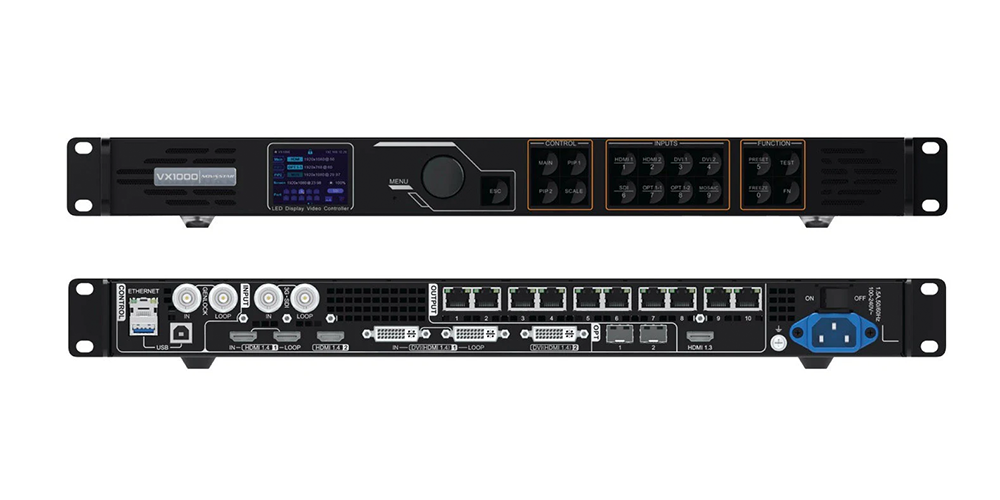
The Novastar VX1000 was, for several years, the flagship all-in-one LED display controller in NovaStar’s VX series lineup. It combines video input processing, scaling, and LED sending card functionality into a single 1U rack-mountable chassis. As of 2026, NovaStar has designated it NRND (Not Recommended for New Design) — a formal lifecycle status meaning the product is still sold and supported, but no longer recommended for new projects.
Core Functions
- Accepts multiple video inputs and routes them to an LED display
- Scales input signals to match the native resolution of the LED wall
- Manages up to 3 layers of picture-in-picture (PiP)
- Distributes video data over 10 Gigabit Ethernet ports (plus 2 SFP+ fiber outputs) to receiving cards on the LED panels
- Provides genlock synchronization for camera-based setups
Typical Applications
- Corporate lobby and conference room LED walls
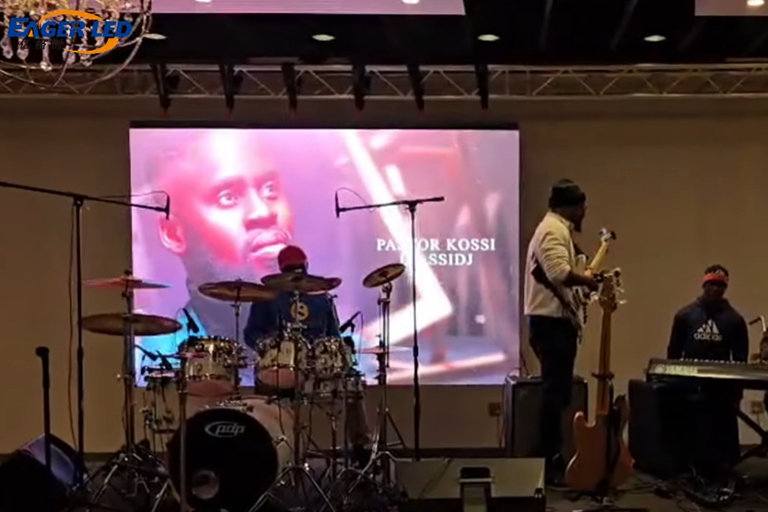
- Houses of worship with single-screen IMAG (Image Magnification)
- Small to medium rental stages with 1–2 camera feeds
- Retail and digital signage installations
- Fixed installations where the signal chain is 1080p end-to-end
1.2 What Is the Novastar VX1000 Pro?
The VX1000 Pro is the direct successor, part of NovaStar’s current-generation VX Pro Series (alongside the VX400 Pro, VX600 Pro, and VX2000 Pro). It occupies the same 1U form factor and price bracket as the original VX1000, but upgrades nearly every internal subsystem: a newer FPGA, an HDMI 2.0 chipset, a USB 3.0 controller, and a redesigned software stack.
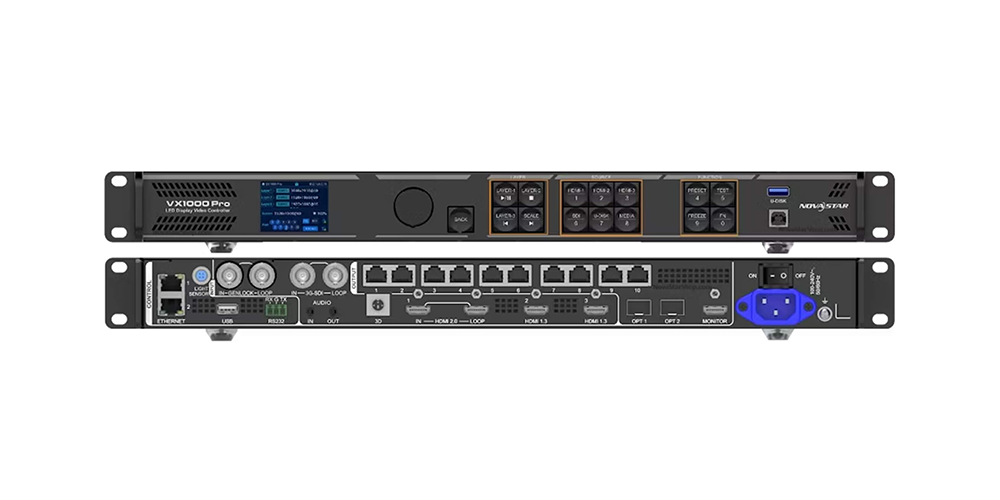
Enhanced Performance and Flexibility
The Pro is built for modern signal environments. Where the VX1000 tops out at 3840×1080@60Hz (effectively stretched 1080p) or 3840×2160@30Hz (choppy 4K), the Pro handles 4096×2160@60Hz natively — true DCI 4K at full frame rate. It supports custom ultra-wide resolutions up to 8192 pixels horizontally, which matters for irregular or extreme-aspect-ratio LED walls.
Main Improvements Over the Standard Model
| Area | Improvement |
| Input resolution | HDMI 2.0 with 4K@60Hz (vs. HDMI 1.4 with 4K@30Hz or 1080p@60Hz) |
| Layers | 6 layers (vs. 3) |
| Presets | 256 presets (vs. 10) |
| USB playback | USB 3.0 — MP4, JPEG, PNG (vs. none) |
| Latency | 0-frame in ByPass mode (vs. ~20 lines / ~0.3ms) |
| HDR | HDR10 and HLG (vs. none) |
| Audio I/O | Independent 3.5mm input + output jacks (vs. HDMI-only) |
| Software control | Unico web interface + VICP mobile app (vs. NovaLCT + V-Can only) |
| 3D emitter | Third-party 3D emitter support (vs. EMT200 only) |
| Product lifecycle | Active, current generation (vs. NRND / sunset) |
1.3 Quick Comparison Table
| Video Inputs | 2× HDMI 1.4, 2× DVI, 1× 3G-SDI | 2× HDMI 2.0, 1× DP 1.2, 1× SDI, 1× HDMI 1.3 | Pro: modern 4K sources |
| Layer Support | 3 layers | 6 layers | Pro: multi-camera live production |
| Processing Power | HDMI 1.4, no HDR, 6.5M px max | HDMI 2.0, HDR10/HLG, up to 10.3M px | Pro: large screens, HDR content |
| Screen Management | NovaLCT (Windows-only) + V-Can | Unico (web-based) + VICP (mobile app) | Pro: faster setup, multi-device control |
| Control Features | 10 presets, front panel | 256 presets, front panel + web + app | Pro: rental/touring workflows |
| Application Scenarios | Fixed installs, small rental, 1080p signage | Live events, broadcast, large rental, multi-camera IMAG | Depends on use case |
2.Difference #1: Hardware Architecture and Processing Power
2.1 VX1000 Processing Capabilities
The VX1000 is built around an older-generation FPGA paired with an HDMI 1.4 input chipset. Its processing pipeline handles:
- Standard video processing:Accepts up to 3840×1080 at 60Hz (ultrawide 1080p) or 3840×2160 at 30Hz. The 30Hz 4K limitation is the single biggest bottleneck — 30 frames per second produces visible judder on any LED wall larger than a desktop monitor, especially with camera feeds or video playback.
- Suitable screen sizes:Up to ~6.5 million pixels total load, which translates to roughly a P2.5 100㎡ wall or a P3.91 260㎡ wall, depending on receiving card configuration.
- Typical performance level:Adequate for static signage, basic corporate presentations, and single-camera IMAG in houses of worship. It hits its ceiling quickly in any scenario that demands high frame rates, multiple high-resolution sources, or HDR.
Internally, the VX1000 processes video with approximately 20 lines of latency in ByPass mode (~0.3ms). For presentations and signage this is invisible. For IMAG with live performers, it’s on the edge — not a dealbreaker for most, but not true zero either.
2.2 VX1000 Pro Processing Improvements
The VX1000 Pro upgrades the processing core with a newer FPGA, an HDMI 2.0 chipset, and a dedicated USB 3.0 controller:
- Faster image processing:Handles 4096×2160 at 60Hz natively — DCI 4K at full frame rate. It also supports custom resolutions up to 8192 pixels wide, useful for irregular LED wall shapes common in stage design.
- Improved scaling performance:The Pro’s scaler handles non-standard input resolutions more smoothly, reducing artifacts when converting between aspect ratios. This matters in live events where source laptops, media servers, and cameras may all output different resolutions.
- Better handling of high-resolution content:HDR10 and HLG support means the Pro can process high-dynamic-range content end-to-end. The standard VX1000 has no HDR pipeline — it simply clips or crushes HDR signals.
The Pro also achieves 0-frame latency in ByPass mode — a genuine zero, not a “near zero.” For IMAG applications where live cameras project performers onto an LED wall behind them, frame-level latency is the difference between a seamless image and a visible echo.
2.3 Why Processing Power Matters
The processing power gap between these two units translates directly to real-world capability in three scenarios:
- Live events:A concert or conference with multiple 4K cameras, playback sources, and graphics overlays demands processing headroom that the VX1000 simply doesn’t have. The Pro’s 4K60 pipeline and 6-layer compositing engine handle this without compromise.
- High-frame-rate content:Sports, broadcast, and any content with fast motion looks smooth on the Pro and juddery on the VX1000 at 4K resolutions. Even at 1080p, the Pro’s superior scaler produces cleaner output on large LED walls.
- Large LED walls:Once your pixel count exceeds ~6.5 million, the VX1000 is out of spec. The Pro can handle up to ~10.3 million pixels in certain configurations, making it the only option for larger or higher-resolution walls without stepping up to the VX2000 Pro or NovaPro UHD Jr.
3.Difference #2: Input and Output Connectivity
3.1 VX1000 Connectivity Overview
The VX1000’s input and output complement reflects its era:
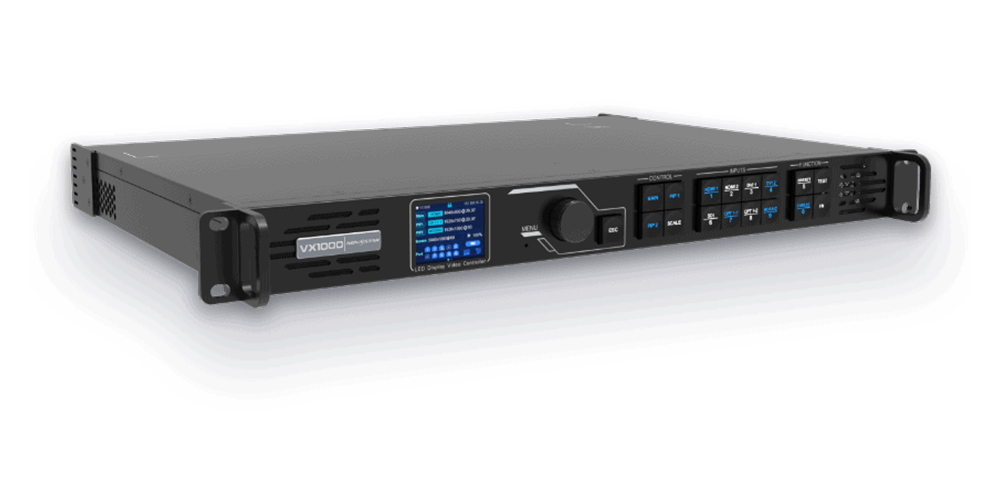
Inputs:
- 2× HDMI 1.4— the primary digital video inputs. Limited to 3840×1080@60Hz or 3840×2160@30Hz.
- 2× DVI— legacy digital inputs, useful for older media players and laptops. 1080p max.
- 1× 3G-SDI— broadcast-standard input with loop-through. Supports up to 1080p60. Genuinely useful for camera feeds, and one of the VX1000’s strengths.
Outputs:
- 10× Gigabit Ethernet(RJ45) — distributes video data to the LED receiving cards. Each port handles ~650,000 pixels.
- 2× SFP+ fiber outputs— for long-haul connections to the LED wall, typically used when the processor is far from the screen.
Audio: Audio embedding/de-embedding via HDMI only. No dedicated audio jacks.
Standard event workflows: A typical VX1000 setup uses HDMI 1 for the main playback source (laptop or media server), HDMI 2 or SDI for a camera feed, and DVI for a backup or confidence monitor source. For 1080p events with 1–2 cameras, this works well. The 3G-SDI input is a genuine asset — many competitors in this class lack SDI entirely.
3.2 VX1000 Pro Connectivity Enhancements
The VX1000 Pro modernizes the input panel:
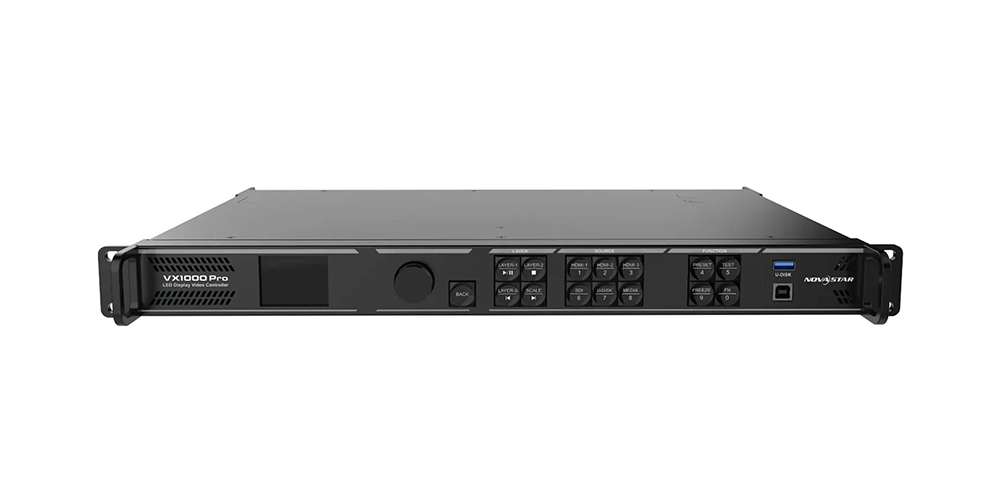
Inputs:
- 2× HDMI 2.0— full 4K@60Hz support. These are the primary inputs for modern 4K sources.
- 1× DisplayPort 1.2— supports 4K@60Hz. DP is increasingly common on professional media servers and high-end laptops, and the VX1000 lacks DP entirely.
- 1× SDI— broadcast-standard input (note: standard SDI, not the VX1000’s 3G-SDI). Still supports 1080p camera feeds.
- 1× HDMI 1.3— auxiliary input, useful for a secondary source or confidence monitor.
Outputs: 10× Gigabit Ethernet (RJ45) and 2× SFP+ fiber outputs — same as VX1000.
Audio: Independent 3.5mm audio input and output jacks — a meaningful addition. The dedicated jacks let you route audio to an external sound system without extracting it from the HDMI stream, which simplifies integration with PA systems.
Additional: USB 3.0 port — supports direct playback of MP4, JPEG, and PNG files without an external source. Useful for simple looping signage, emergency backup content, or on-site testing with calibration patterns.
3.3 Which Users Benefit Most?
- Rental companies:The DisplayPort input is a significant addition. Many modern media servers (Disguise, Resolume, Pixera) output via DisplayPort, and not needing an active DP-to-HDMI converter eliminates a common point of failure. The USB 3.0 playback also provides a quick backup source during events.
- System integrators:The Pro’s HDMI 2.0 inputs ensure compatibility with current-generation 4K sources (laptops, media players, conferencing systems). Specifying the VX1000 in a 2026 installation means either limiting the signal chain to 1080p or adding an external 4K scaler.
- Broadcast environments:While the VX1000’s 3G-SDI is technically a higher SDI spec than the Pro’s standard SDI input, the Pro’s overall signal flexibility — HDMI 2.0, DP 1.2, SDI, plus independent audio — makes it the more versatile choice for broadcast trucks and studio builds.
4.Difference #3: Layer Management and Creative Flexibility
4.1 VX1000 Layer Functions
The VX1000 supports 3 layers of picture-in-picture: one main background layer plus two overlay windows. This covers basic configurations:
- Slides as background + one camera PiP + confidence monitor preview
- Playback as background + logo overlay + one camera feed
- Single camera full-screen + lower-third graphics overlay
Three layers is the floor for any live production, and it works for straightforward corporate keynotes and worship services. But it hits a hard limit quickly: if you need slides, two camera angles, a countdown timer, and a logo — that’s five layers, and the VX1000 can only give you three. Something gets dropped.
Layer transitions on the VX1000 are manual and tied to the 10-preset limit — each preset stores one layer configuration, and switching between them requires loading a new preset.
4.2 VX1000 Pro Advanced Layer Features
The VX1000 Pro supports 6 layers, doubling the creative headroom. This enables broadcast-style compositions without external video mixing:
| Layer | Example Content |
| Layer 1 (Background) | Main slides or playback |
| Layer 2 | Camera 1 (wide shot) |
| Layer 3 | Camera 2 (tight shot) |
| Layer 4 | Countdown timer overlay |
| Layer 5 | Logo bug / branding |
| Layer 6 | Lower-third graphics or social media feed |
Beyond the layer count, the Pro brings flexible window management — each layer can be independently sized, positioned, cropped, and prioritized. Layers can be set to different input sources and switched independently without affecting others.
The Pro’s 256 presets fundamentally change how layers are used in practice. A touring crew can save a complete layer configuration for every venue, every client, and every show format — then recall them with a single action. Scene switching is instantaneous, which matters when you’re transitioning between segments of a live event.
4.3 Real-World Applications
- Concerts:A typical festival stage runs playback visuals, 2–3 camera feeds, sponsor logos, and an IMAG feed for the audience. The VX1000’s 3 layers can’t cover this — you’d need an external video switcher upstream. The Pro’s 6 layers handle it internally.
- Corporate events:Keynotes increasingly use multi-source setups: presenter slides, a confidence monitor feed, a timer for the speaker, sponsor branding, and a live social wall. The Pro accommodates all of these without external compositing gear.
- Broadcast productions:News studios, election coverage, and sports broadcasts use multiple PiP windows simultaneously. The Pro’s layer management, combined with 0-frame latency and genlock, makes it suitable for on-camera LED walls in broadcast environments.
5.Difference #4: LED Screen Control and Calibration
5.1 Screen Management Features on VX1000
The VX1000 provides standard LED screen control through NovaStar’s NovaLCT software (Windows-only) and V-Can network-based control:
- Basic calibration:Supports standard brightness and color calibration via NovaLCT. One-at-a-time adjustment workflow.
- Brightness adjustment:Global brightness control via front panel or software.
- Standard monitoring:Basic status monitoring of Ethernet port load and receiving card connectivity.
For a fixed installation that’s calibrated once and left alone, this toolset is sufficient. The limitation becomes apparent in environments where screens are reconfigured frequently or where fast troubleshooting is needed.
5.2 Advanced Management Features on VX1000 Pro
The VX1000 Pro adds several layers of screen management capability:
- Enhanced diagnostics:The Pro provides more granular status monitoring — per-port throughput, per-receiving-card temperature, and signal integrity metrics. This lets technicians identify a failing receiving card or a marginal Ethernet run before it becomes a show-stopping problem.
- Better screen mapping:The web-based Unico interface offers a visual screen-mapping tool that’s more intuitive than NovaLCT’s table-based approach. You can drag and drop screen segments, reassign ports visually, and see the mapping layout in real time.
- Improved maintenance tools:The Pro supports receiving card firmware updates in batches (rather than one at a time), and the VICP mobile app lets a technician check receiving card status from a phone while walking the LED wall.
5.3 Benefits for Large LED Installations
For LED walls over 50㎡ — where hundreds of receiving cards are distributed across the structure — these improvements translate directly to operational outcomes:
- Faster troubleshooting:A technician can identify which specific receiving card is misbehaving from the Unico interface, without climbing the wall or opening panels at random.
- Reduced downtime:Batch firmware updates and visual screen mapping cut the time required for maintenance windows.
- Better image consistency:The Pro’s calibration workflow handles multi-batch panel corrections more efficiently, which matters for walls built from panels of different ages or production runs.
6.Difference #5: User Interface and Operational Efficiency
6.1 VX1000 User Experience
The VX1000’s control workflow is functional but dated:
- Front panel:Physical buttons and a small LCD screen. Capable of basic operations (input switching, brightness adjustment, preset recall) but navigating anything complex through the front panel is tedious.
- NovaLCT:Windows-only desktop software. It’s powerful — it does everything — but the interface has a steep learning curve, and requiring a Windows laptop just to configure a processor is a friction point. Many AV technicians carry Macs.
- V-Can:Network-based control that provides remote access to the processor. Works over Ethernet, but the interface shares NovaLCT’s design language.
- Setup process:Typical setup involves connecting a Windows laptop, launching NovaLCT, loading or creating a configuration file, mapping the screen, adjusting input settings, and saving to one of 10 preset slots.
For a fixed installation configured once, this is acceptable. For a rental company setting up in a different venue every day, it’s slow.
6.2 VX1000 Pro Workflow Improvements
The Pro introduces a new software stack that meaningfully changes daily operation:
- Unico (web-based interface):Open a browser on any device — Windows, Mac, iPad, even a phone — and you have full control of the processor. No software installation. No OS dependency. For a technician walking into a venue, this means configuring the processor from whatever device is at hand.
- VICP (mobile app):iOS and Android app for basic control — brightness, preset switching, input selection. Designed for on-the-fly adjustments during an event when you’re standing at the screen and need to tweak something without going back to the control desk.
- More intuitive menus:The Unico interface organizes settings in a task-oriented structure (Input → Layer → Output → Screen) rather than NovaLCT’s parameter-list approach. New operators get up to speed faster.
- Faster configuration:The combination of 256 presets, visual screen mapping, and web-based access means a typical event setup (screen mapping + input routing + layer layout) takes minutes instead of the 20–30 minutes common with the VX1000.
6.3 Why This Matters for Rental Companies
For companies that deploy LED walls in different configurations week after week:
- Faster deployment:Walk into a venue, connect to the processor via Wi-Fi from an iPad, load the venue’s pre-saved preset, verify screen mapping — done. No Windows laptop, no NovaLCT install, no scrolling through parameter lists.
- Reduced operator error:256 presets mean every configuration is saved and recallable. No manual re-entry of screen dimensions, input routing, or layer positions — each of which is an error opportunity on the VX1000.
- Higher efficiency during events:If a client asks mid-show to add a PiP window or switch input routing, the operator makes the change from a tablet without leaving the control position. On the VX1000, this would mean going to the processor, navigating the front panel, or returning to the NovaLCT laptop.
The time savings are non-trivial. If a crew spends 30 minutes per event on processor configuration and the Pro cuts that to 10 minutes, across a 50-event tour that’s over 16 hours of labor recovered.
7.Difference #6: Application Scenarios
7.1 Best Applications for VX1000
The VX1000 is still a viable choice for these specific scenarios:
- Small-to-medium LED screens:Walls under 6.5 million pixels where the signal chain is 1080p. A P3.91 40㎡ rental screen (~2.6M px) or a P2.5 25㎡ conference room wall (~4M px) falls within the VX1000’s comfort zone.
- Corporate AV projects:Fixed installations in boardrooms, conference centers, and lobbies where the content is primarily static slides and branding.
- Conference rooms:Single-screen setups with a laptop input and perhaps one confidence monitor feed.
- Standard rental setups:Small rental gigs — weddings, breakout sessions, regional conferences — where the video requirements are straightforward.
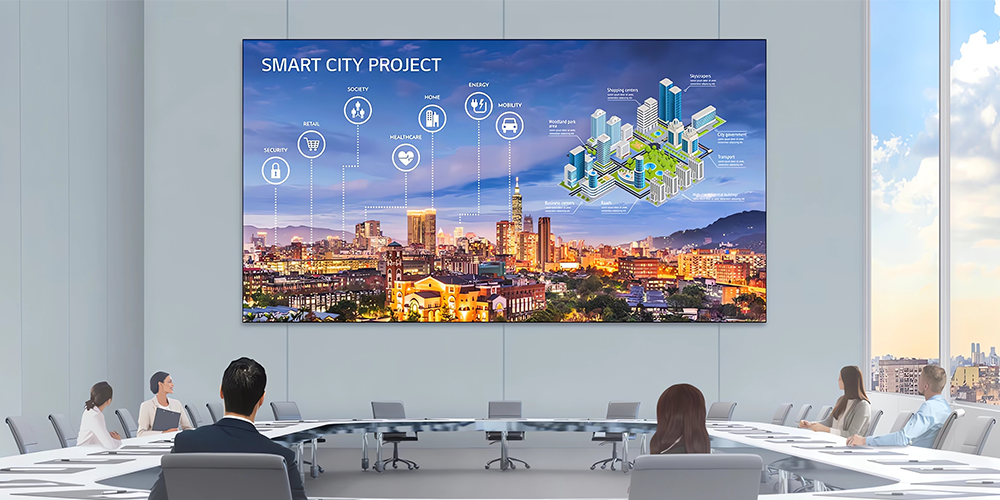
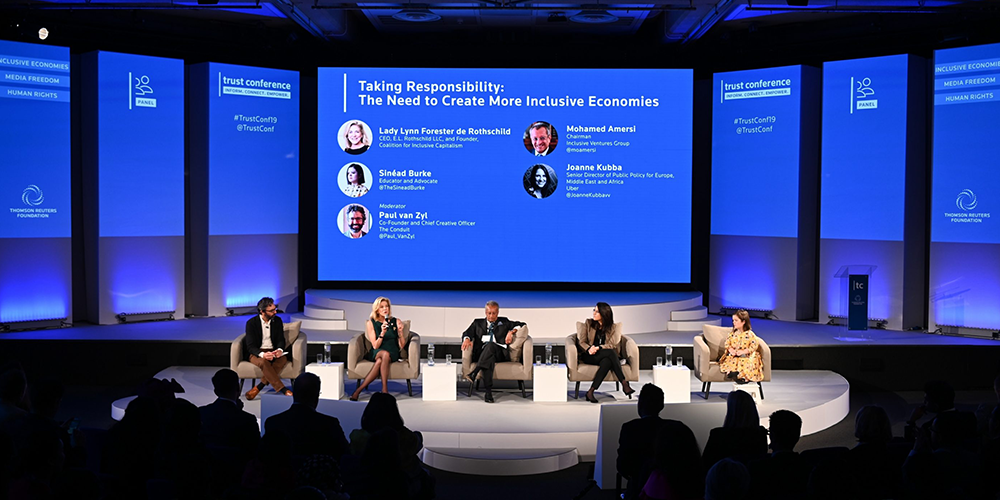
7.2 Best Applications for VX1000 Pro
The VX1000 Pro is the right tool for these scenarios:
- Large rental productions:Any event with multiple cameras, multiple screens, or complex layer requirements. The Pro’s 6 layers, 256 presets, and 0-frame latency make it the default choice for professional rental inventory.
- Concert tours:Touring environments demand reliability, fast setup, and the ability to handle whatever signal the touring video team throws at it.
- Broadcast studios:On-camera LED walls in TV studios require genlock, zero-frame latency, and HDR support — all areas where the VX1000 falls short and the Pro delivers.
- Complex multi-source environments:Command centers, esports arenas, and XR virtual production stages where multiple 4K sources are composited simultaneously.
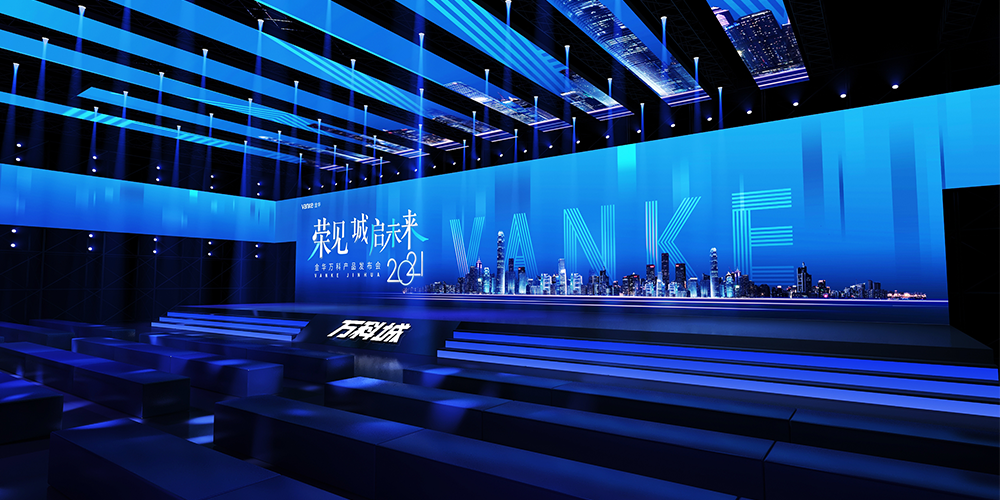
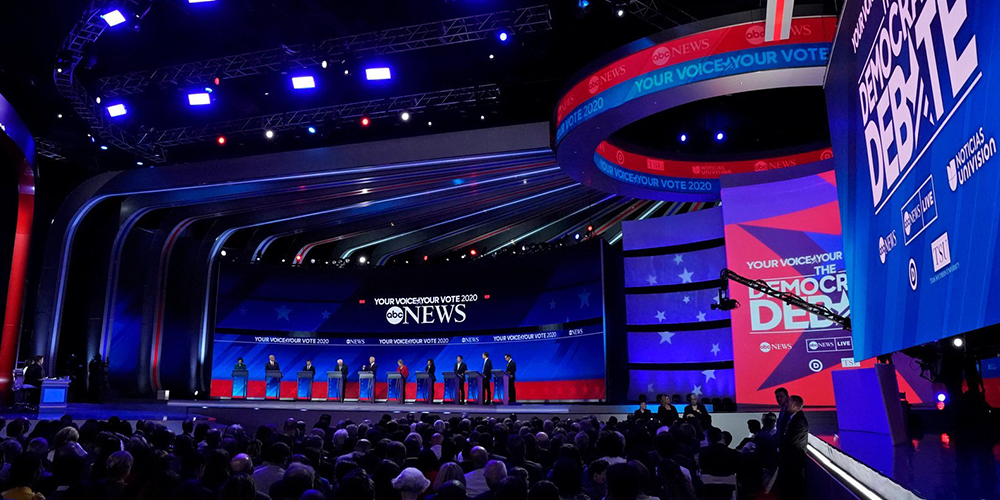
8. Novastar VX1000 Pro VS VX1000 Specification Comparison
| Specification | VX1000 | VX1000 Pro |
| Maximum Loading Capacity | ~6.5 million pixels | ~6.5 million (up to 10.3M in specific configs) |
| Max Input Resolution | 3840×1080@60Hz (or 3840×2160@30Hz) | 4096×2160@60Hz (DCI 4K) |
| Video Inputs | 2× HDMI 1.4, 2× DVI, 1× 3G-SDI | 2× HDMI 2.0, 1× DP 1.2, 1× SDI, 1× HDMI 1.3 |
| Layer Support | 3 layers (1 main + 2 PiP) | 6 layers |
| Scaling Capability | Standard scaling (HDMI 1.4 pipeline) | Advanced scaling with custom resolutions up to 8192px wide |
| HDMI Version | HDMI 1.4 | HDMI 2.0 |
| HDR Support | ❌ None | ✅ HDR10 / HLG |
| Audio Support | HDMI embedded/de-embedded only | HDMI + independent 3.5mm input & output jacks |
| USB Playback | ❌ Not supported | ✅ USB 3.0 (MP4, JPEG, PNG) |
| Ethernet Outputs | 10× Gigabit RJ45 | 10× Gigabit RJ45 |
| Fiber Outputs | 2× SFP+ | 2× SFP+ |
| User Presets | 10 | 256 |
| Low Latency | ~20 lines (~0.3ms) in ByPass mode | 0-frame in ByPass mode |
| Control Options | Front panel, NovaLCT (Windows), V-Can | Front panel, Unico (web), VICP (iOS/Android), NovaLCT |
| 3D Support | EMT200 3D emitter | Third-party 3D emitter |
| Genlock | Yes | Yes |
| Power Consumption | ~43W | ~43W |
| Weight | 4.0 kg | 3.9 kg |
| Dimensions | 1U rack-mountable | 1U rack-mountable |
| Product Status | ⚠️ NRND (Not Recommended for New Design) | ✅ Active (current generation) |
9.Recommended LED Displays for VX1000 and VX1000 Pro
The performance of a video controller is closely linked to the LED display it drives.
For rental applications, the EagerLED EA500C6 Rental LED Display offers lightweight cabinets, fast installation, and excellent image quality, making it a strong match for both the VX1000 and VX1000 Pro.
For conference rooms and corporate environments, the EagerLED EA250WH5 Fine Pitch LED Display provides high-resolution visuals and seamless image performance.
For large commercial installations, the EagerLED EA640F2 Indoor LED Wall combines front maintenance convenience with excellent color consistency.
Choosing a reliable LED display and controller combination can significantly improve overall system performance and reduce long-term maintenance costs.
10.Buying Recommendations
10.1 Best Choice for Rental Companies
Choose VX1000 if:
- You already have matching VX1000 units in your inventory and want uniformity
- Your entire rental fleet operates at 1080p with 1–2 cameras
- You’re buying used at $700–$900 for budget-conscious small gigs
Choose VX1000 Pro if:
- You’re building new inventory — standardize on the Pro series
- Your clients increasingly request 4K content or multi-camera setups
- You value the 256 presets and web-based Unico interface for faster deployment
- You want a processor that will still be current in 3–5 years
10.2 Best Choice for Fixed Installations
Choose VX1000 if:
- The installation is a 1080p corporate boardroom with one laptop and one confidence monitor
- The client’s budget is fixed and cannot accommodate the Pro’s premium
- You’re sourcing used hardware for a cost-sensitive project
Choose VX1000 Pro if:
- The installation has a 5+ year expected service life — avoid NRND hardware
- The client may add 4K sources or HDR content during the installation’s lifetime
- The LED wall exceeds ~3.9 million pixels (if under, consider VX600 Pro instead)
- The installation is in a broadcast, command center, or other mission-critical environment
10.3 Best Choice for Live Events
Choose VX1000 if:
- The event is a single-screen, 1–2 camera setup with 1080p sources
- You already own the VX1000 and it meets the show’s requirements
Choose VX1000 Pro if:
- The event involves IMAG with live cameras on screen (requires 0-frame latency)
- Multiple cameras, playback sources, and graphics overlays are planned
- The show requires fast scene transitions (256 presets)
- 4K content or HDR playback is part of the creative
10.4 Best Choice for Future-Proof Investments
If you’re thinking long-term:
- Scalability:The Pro handles 4K60 today and can be integrated into larger systems (multi-processor setups) as your LED wall inventory grows. The VX1000 is a dead-end platform — no firmware path forward.
- Long-term upgrade potential:The Pro receives active firmware development from NovaStar. The VX1000’s firmware updates have slowed and will eventually stop.
- Resale value:Pro-series hardware holds value better. In 3–4 years, a used VX1000 Pro will be a desirable budget option for smaller companies. A used VX1000 will be two hardware generations behind.
10.5 Which Controller Should You Buy in 2026?
The best choice depends on your application rather than the specifications alone.
| User Type | Recommended Model | Reason |
| Small Rental Company | VX1000 | Excellent value and reliable performance |
| Corporate Meeting Rooms | VX1000 | More than sufficient for daily operation |
| Churches & Houses of Worship | VX1000 | Cost-effective and easy to manage |
| Large Rental Fleets | VX1000 Pro | Better flexibility and scalability |
| Concert Productions | VX1000 Pro | Enhanced processing and layer control |
| Broadcast Studios | VX1000 Pro | Professional workflow support |
| Virtual Production | VX1000 Pro | Greater future-proofing potential |
| System Integrators | VX1000 Pro | Easier deployment across diverse projects |
11.FAQs
11.1 Is VX1000 Pro a Replacement for VX1000?
Yes. NovaStar positions the VX1000 Pro as the direct successor to the standard VX1000. The VX1000 has been marked NRND (Not Recommended for New Design), and the Pro is the recommended alternative for new projects.
11.2 What Are the Biggest Improvements in VX1000 Pro?
The five most impactful upgrades from VX1000 to VX1000 Pro are:
- HDMI 2.0 with true 4K@60Hz(vs. HDMI 1.4 limited to 1080p@60 or 4K@30Hz)
- 6 layersof picture-in-picture (vs. 3)
- 256 user presets(vs. 10)
- 0-frame latencyin ByPass mode (vs. ~0.3ms)
- Web-based Unico interface + VICP mobile app(vs. Windows-only NovaLCT)
11.3 Is VX1000 Still Worth Buying in 2026?
It depends on the context:
- New project, dealer-new price (~$2,067): The VX1000 Pro is $130–$530 more and delivers dramatically better capability. Buying NRND hardware at near-Pro pricing makes no sense.
- Used market ($700–$900):Yes — if your workflow is 1080p end-to-end with 3 layers or fewer, and you have no plans to add 4K, HDR, or IMAG.
- Matching existing inventory:Yes — if your company already owns VX1000 units and you need a spare or an additional matching processor.
11.4 Which Controller Is Better for Rental LED Displays?
The VX1000 Pro is the better rental controller by a wide margin. Rental companies benefit disproportionately from the Pro’s 256 presets (save configurations for every venue and client), web-based Unico interface (configure from any device), VICP mobile app (on-the-fly adjustments during shows), and faster setup workflow. The 20 minutes saved per event on configuration alone repays the premium quickly.
11.5 Can Both Models Support the Same LED Screens?
Yes. Both the VX1000 and VX1000 Pro use NovaStar’s standard Ethernet-based sending protocol and are compatible with the same receiving cards (A5s, A7s, A8s, A10s, and others). You can swap a VX1000 for a VX1000 Pro — or vice versa — without replacing receiving cards or recabling the LED wall. The difference is in what each processor can send to those cards: the Pro can deliver 4K60, HDR, and 6 layers; the VX1000 cannot.
11.6 Is VX1000 Pro Better for Broadcast Applications?
Yes, for three reasons:
- 0-frame latency in ByPass mode— mandatory for on-camera LED walls in broadcast studios. The VX1000’s ~0.3ms latency is noticeable in broadcast monitoring.
- HDR10 and HLG support— broadcast is rapidly adopting HDR, and the VX1000 has no HDR pipeline.
- Genlock with 6-layer compositing— the Pro can synchronize multiple sources to the studio reference signal while compositing 6 layers, which the VX1000 cannot do.
12.Conclusion
The Novastar VX1000 Pro VS VX1000 comparison ultimately comes down to your project requirements and future growth plans. The VX1000 remains a reliable and cost-effective choice for standard rental events, corporate AV, and fixed LED installations. The VX1000 Pro, however, offers stronger processing, greater flexibility, and advanced control features for large-scale productions, broadcast environments, and demanding LED display applications.
If budget and simplicity are your priorities, the VX1000 is still a solid investment. If you need better scalability and future-ready performance, the VX1000 Pro is the smarter long-term choice.
 Rental LED Display Screens: The Ultimate Buyer's Guide 2026
 How to Choose the Best Stadium Perimeter LED Display