An LED control system is the hardware and software that delivers content to an LED display and maps that content across its modules. Choosing it correctly means matching the screen’s pixel load, cabinet electronics, input sources and operating workflow—not simply buying the controller with the largest advertised capacity.
For live presentations or camera feeds, start with synchronous control. For scheduled advertising, consider an asynchronous player that stores content locally. If the screen must do both, verify a hybrid player’s live inputs and switching behaviour. This guide explains those choices, software compatibility, sizing calculations and commissioning checks for buyers, integrators and operators.
The focus is an LED display control system for video walls and signs. It also explains how that differs from lighting controllers and why software labelled “LED Control System” must be matched to the actual control card. Use the tables and worked example to build a practical specification before requesting a quotation.
1. What Is an LED Control System?
An LED control system connects content sources to the electronics inside an LED screen. It coordinates image distribution, cabinet mapping and display parameters so separate modules form one picture. A controller is one device within that wider system; an integrated controller may combine processing, sending and playback functions.
01. LED display control systems vs. lighting controllers
An LED display control system handles video pixels. Lighting controllers handle luminaires, dimming or colour effects through interfaces such as DMX or DALI. A strip-light controller cannot replace a video-wall sending device simply because both products use LEDs. Identify the screen manufacturer, receiving-card model and intended content before comparing equipment.
02. What the system must deliver
The basic requirements are correct mapping, stable image output and compatible module driving. Scaling, multiple windows, scheduled playback, monitoring and backup are additional capabilities that depend on the selected hardware and software. Do not assume every LED control system includes all of them. Write each required function into the project specification and ask the supplier to demonstrate it.
2. How an LED Control System Works: The Signal Path
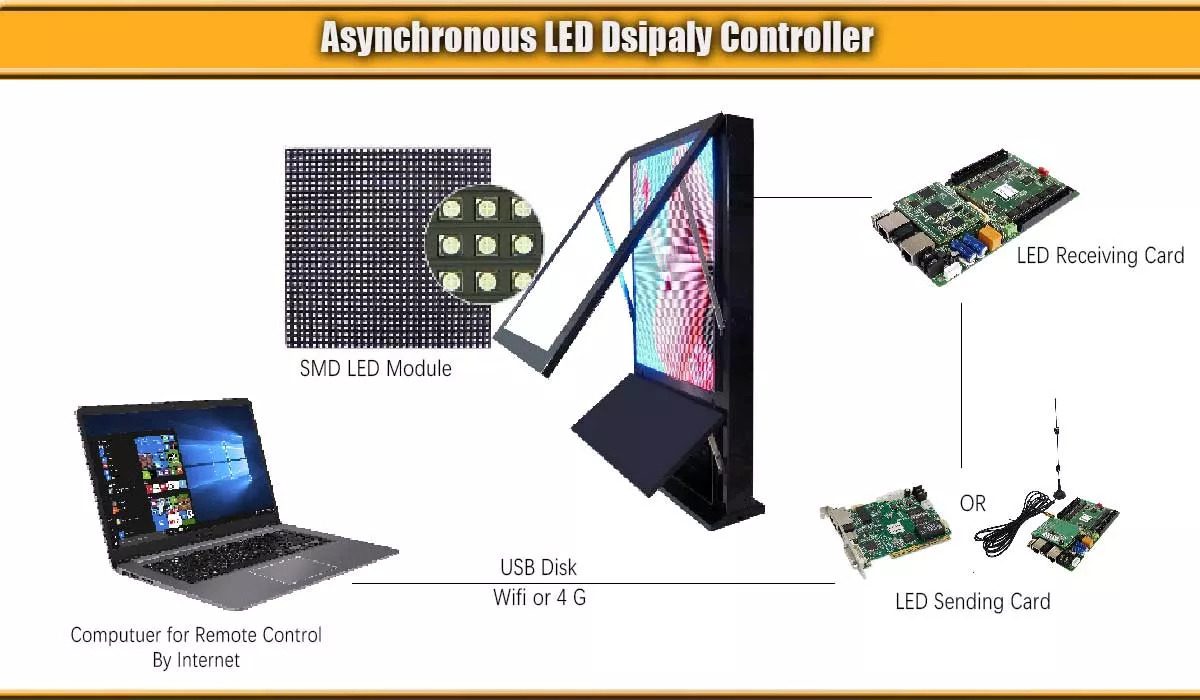
A typical live signal path is source → video processor → sending outputs → receiving cards → HUB board and driver ICs → LEDs. Several stages may share one enclosure. In an asynchronous LED control system, an onboard player provides the source instead of a continuously connected computer.
01. Processing, sending and receiving
Processing can crop, scale or arrange inputs on a canvas. The sending stage assigns image regions to output ports. Receiving cards interpret those regions and drive the modules using cabinet-specific parameters. A receiving card does not automatically know the physical order of cabinets: that order must agree with the wiring and screen map.
Distinguish the management network from the display-data outputs. Similar RJ45 connectors do not guarantee that a sending port carries ordinary IP traffic. Connect it according to the manufacturer’s topology; do not insert an office network switch unless the particular LED control system explicitly supports that arrangement.
02. Capacity depends on the operating mode
Pixel loading is model-dependent. Check total pixels, maximum width and height, output bit depth, video frame rate, per-port limits and receiving-card restrictions together. Optical outputs may mirror or transport existing output groups rather than add extra capacity. A 5 Gbit/s display link is also different from a cellular 5G modem used for remote uploads.
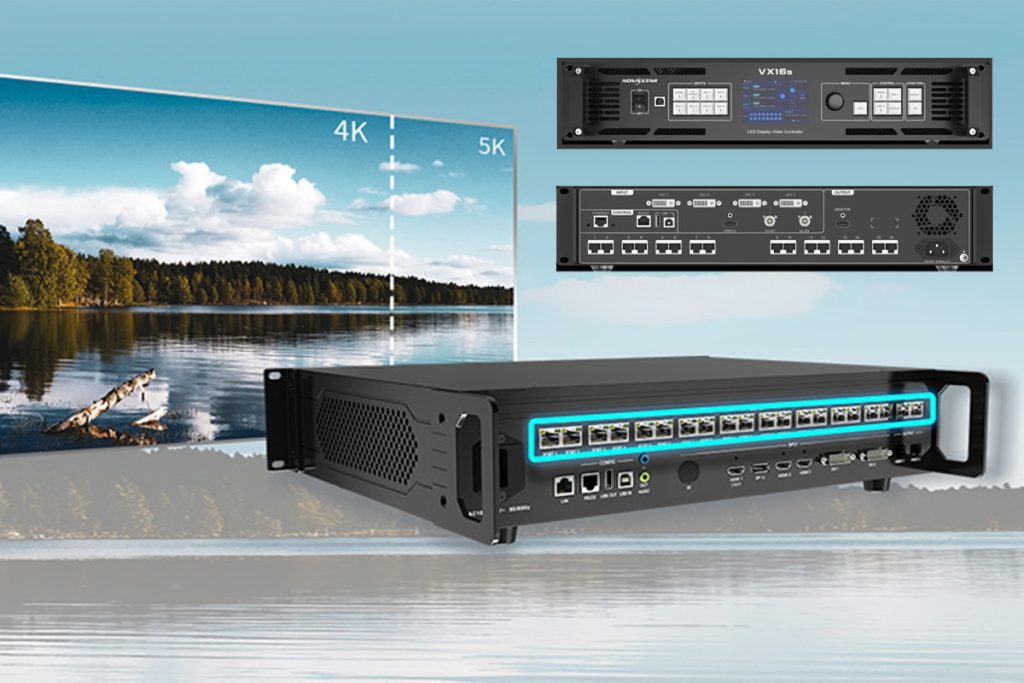
For a documented example, NovaStar lists the VX600 with six Ethernet outputs and a maximum load of 3.9 million pixels. That is a specification for that product, not a rule for all LED control systems. Check the VX600 manufacturer specification against the exact model and operating mode supplied.
3. Synchronous vs Asynchronous LED Control Systems
Choose an LED control system around how content reaches the display. Live video, stored playlists and mixed operation create different requirements for inputs, storage, latency and recovery.
01. Synchronous control for live sources
A synchronous LED control system displays an ongoing video feed from a laptop, camera switcher, media server or another source. It suits presentations and events. A computer is not mandatory if another device supplies the video. Latency is not automatically zero or below one frame: measure the full chain, including cameras, scaling and display processing.
02. Asynchronous control for stored content
An asynchronous LED control system plays files stored on a compatible player. Operators upload content, create schedules and leave playback running locally. This suits advertising and information screens. Internet service may be needed to deliver new cloud content, but already downloaded playlists can continue offline when the player supports that behaviour.
03. Hybrid operation and failure behaviour
Some players combine stored playback with a live input. Confirm input resolution, switching method and what happens when the live source disappears. “Hybrid” does not guarantee seamless switching, a scaler or automatic failover.
| Requirement | Synchronous | Asynchronous | Hybrid |
|---|---|---|---|
| Main content | Continuous live video | Locally stored files and schedules | Stored files plus supported live input |
| Typical use | Stage, meeting room, broadcast | Retail signage, scheduled advertising | Signage with occasional live events |
| Main dependency | Working video source and signal path | Player, valid files and schedule | Both paths and switching configuration |
| Internet requirement | Not inherent to local video | Needed for cloud functions, not necessarily local playback | Depends on publishing and source |
| Acceptance test | Measure delay and source-loss response | Disconnect internet; test schedule and reboot | Test transitions and fallback content |
4. Core Components of an LED Control System
Compare an LED control system quotation by function, not only by the number of boxes. A standalone sending controller may accept video without scaling it. An all-in-one processor may combine scaling and sending. The cabinet electronics still need to match the modules.
| Component | Job in the LED control system | What to verify |
|---|---|---|
| Video processor | Input selection, scaling and optional layers | Input formats, canvas limits, latency and presets |
| Sending device | Distributes mapped image data | Total load, port load, topology and backup support |
| Receiving cards | Drive assigned module data | Driver IC support, scan mode, data groups and firmware |
| HUB board and cables | Connect cards to module interfaces | Pinout, voltage, connectors and physical fit |
| Media player | Stores and schedules supported content | Codec, storage, decoding limits and offline behaviour |
| Monitoring accessories | Provide supported status or sensor readings | Which sensors are installed and which alerts are available |
01. Receiving-card compatibility
Do not calculate receiving-card quantity from total pixels alone. Cabinet dimensions, module arrangement, scan ratio, output groups and routing can require more cards. Specify the exact card and firmware combination approved by the cabinet supplier. The LED receiving-card guide explains the cabinet-side selection process.
02. Power and transmission
Power distribution supports the LED control system but is a separate design task. Use the cabinet’s rated voltage and electrical drawings; do not assume every module operates at 5 V. For long signal routes, select compatible optical converters, transceivers and fibre. Check distance limits, connector cleanliness and spare cable routes before installation.
5. LED Control Software and Brand Ecosystems
LED control software is hardware-specific. Start with the model label and manufacturer’s compatibility list rather than downloading an application whose name merely resembles “LED control system.” Configuration software, playback software and a cloud content platform perform different jobs.
01. NovaStar software and configuration files
NovaLCT and SmartLCT serve supported NovaStar hardware; COEX VMP serves the COEX ecosystem. ViPlex tools handle compatible multimedia-player workflows. Confirm the required version using the official NovaStar downloads. Do not treat SmartLCT as a universal replacement for NovaLCT or assume VMP supports every older processor.
For an LED control system using RCFG or RCFGX files, archive the supplier-approved receiving-card configuration. Back up calibration coefficients separately through the supported workflow; a configuration file alone should not be assumed to contain every calibration asset. Record cabinet type, module batch and firmware alongside the files.
02. Colorlight, Linsn and HUIDU
Colorlight’s current download centre separates LEDSetting, legacy LEDVISION and player tools such as PlayerMaster. Check the Colorlight software documentation for your hardware. Linsn uses its own tools, including LEDStudio and LedSet for supported products. HUIDU products use model-specific software such as HDPlayer and HDSet. These applications are not interchangeable simply because each configures an LED control system.
| Ecosystem | Tools to investigate | Compatibility question |
|---|---|---|
| NovaStar | NovaLCT, SmartLCT, COEX VMP, ViPlex | Which application supports this controller and receiving card? |
| Colorlight | LEDSetting, legacy LEDVISION, PlayerMaster | Is this screen configuration or player publishing? |
| Linsn | LEDStudio and LedSet | Which version and card parameters did the supplier validate? |
| HUIDU | HDPlayer and HDSet where supported | Does this exact player support the required live and offline modes? |
03. Safe software downloads
Searches for LED Control System V3, V5 or V6 can refer to particular sign-control applications, not a universal video-wall standard. Match the controller model before installing anything. Use the LED software download guide to find the relevant ecosystem, then confirm the release notes and operating-system requirements with the manufacturer.
6. How to Choose the Right LED Control System
Size the LED control system from the real cabinet layout, then verify the content workflow and service requirements. Screen area alone is not enough: two equally sized walls can have very different pixel loads.
01. Calculate pixels and output-port loading
Use horizontal pixels = screen width in millimetres ÷ horizontal pixel pitch in millimetres, and the equivalent formula for height. Multiply the two pixel dimensions for total load. Confirm the result using cabinet resolution and cabinet count, especially when the marketed pitch is rounded or horizontal and vertical spacing differ. See the pixel-pitch guide for viewing-distance considerations.
| Calculation | Result | Design implication |
|---|---|---|
| Width | 4,800 ÷ 2.5 = 1,920 pixels | Check the controller width limit |
| Height | 2,880 ÷ 2.5 = 1,152 pixels | Check input canvas and output height |
| Total load | 1,920 × 1,152 = 2,211,840 pixels | Verify capacity at the required operating mode |
| Illustrative port budget | 2,211,840 ÷ 650,000 = 3.40; round up to 4 | Only valid if 650,000 pixels per port is verified |
| Practical routing | Allocate whole cabinet chains across ports | Check every chain; plan backup ports separately |
This is an arithmetic example, not a universal four-port recommendation. An LED control system must satisfy both the total limit and each output’s load and geometry. Reserved spare capacity does not create redundancy by itself. A backup path needs sufficient capacity, compatible receivers and tested switching behaviour.
02. Check picture quality and camera requirements
Video frame rate and LED refresh rate are different. A 60 Hz video feed describes incoming frames; a module specification such as 3,840 Hz describes LED driving behaviour. Neither number alone guarantees clean camera images. Assess driver ICs, scan mode, grayscale at operating brightness, shutter settings, genlock where available and actual camera tests. The LED refresh-rate guide provides further background.
03. Specify service, redundancy and total cost
Request an itemised LED control system quote covering processors, receiving cards, optical equipment, software licences, cloud subscriptions, commissioning, training and spares. Avoid comparing a controller-only price with a complete installed system. For UK or other overseas projects, confirm local support hours, replacement lead times, documentation and the installer responsible for commissioning rather than assuming a brand name guarantees service.
For control-room LED screens, ask how operators recover from source, processor, port and power failures. Test the supported failure cases independently. For rental walls, prioritise rapid mapping and recoverable presets. For signage, verify permissions, scheduling, offline playback and the cost of managing each additional site.
7. LED Control System Setup and Commissioning
A repeatable commissioning sequence makes the LED control system easier to maintain. Keep an untouched copy of the factory configuration before changing any screen parameters.
01. Prepare the hardware and mapping plan
Collect the cabinet layout, native pixel dimensions, module specifications, controller model, receiving-card model and approved software versions. Label cabinets and cable routes. With equipment isolated as required by the installation instructions, connect cabinet power and data through qualified installers. Verify electrical protection and supply ratings before energising the screen.
Detect the controller and receiving cards, then compare the detected count with the drawings. Configure one representative cabinet using the supplier’s file before applying settings to matching cabinets. Load the physical connection order into the LED control system and check each cabinet with identification patterns.
02. Set image parameters and verify output
Select a supported input resolution, video frame rate and output bit depth. Test native-resolution text and a grid to expose scaling or mapping mistakes. Use red, green, blue, white and dark grayscale patterns to assess channels, seams and low-brightness behaviour. Apply the correct calibration data and check that it remains active after a controlled restart.
Run representative content at the intended operating brightness and allow the installation to reach normal operating temperature. A brief test pattern is not a substitute for acceptance testing. Record latency where live camera feedback matters, and inspect the image using the actual camera and shutter settings for filmed events.
03. Configure remote content and handover
For remote control, connect a compatible player to the approved management network or cellular connection, register it in the supported platform and assign publishing permissions. Upload a test playlist, verify the screen’s time zone and confirm playback locally. Then test loss of internet, reconnection and a restart. Transparent LED displays use the same principle, but their mapping and electronics must match the specific cabinet.
Hand over the LED control system map, configuration files, calibration backups, firmware versions and recovery instructions. Separate routine content publishing from engineering access. Confirm who receives fault alerts and who can restore a working playlist without changing cabinet parameters.
8. Common LED Control System Problems and How to Fix Them
Diagnose an LED control system from the source toward the modules. Save the working configuration first, change one variable at a time and record the result. A dark cabinet does not prove its receiving card has failed.
| Symptom | Checks to make first | Next controlled action |
|---|---|---|
| Whole screen dark | Power status, selected input, signal lock and blackout setting | Test a known-good source and supported input format |
| One chain dark | Port status, first failed cabinet and preceding data cable | Isolate the cable or cabinet using an approved known-good spare |
| Scrambled cabinets | Physical chain order versus mapping | Correct the screen map without overwriting module parameters |
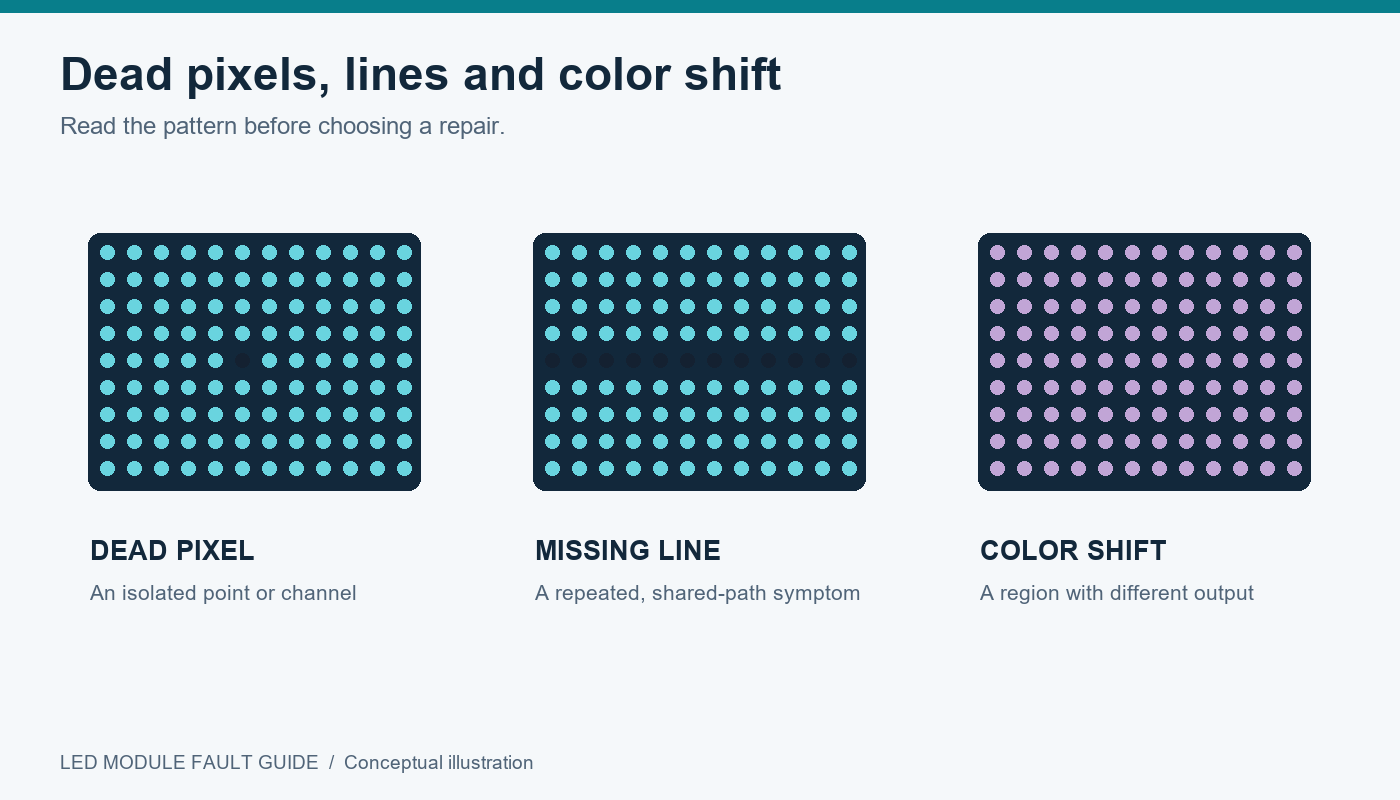
| Missing rows or wrong colours | Ribbon cables, HUB pinout and cabinet configuration | Restore the approved configuration; inspect connectors with power isolated |
| Camera bands or flicker | Camera shutter, frame timing, scan and refresh settings | Test compatible settings with the actual camera |
| Uneven cabinet colour | Calibration enable state, module batch and operating brightness | Restore the correct coefficients and compare grayscale patterns |
| Old or stopped playlist | Player clock, storage, supported codec and publish status | Test a small known-good file and a simple schedule |
| Intermittent restarts | Power supply, temperature and connections | Have qualified personnel diagnose electrical or thermal faults |
If the fault follows a cable or spare card during a controlled swap, that narrows the cause. If it remains in the same position, inspect configuration, module connections and power. Avoid flashing firmware across the entire LED control system as a first troubleshooting step; preserve a tested rollback path.
9. Maintenance, Spares and What Is Changing
01. Routine checks and recoverable spares
Set inspection intervals around operating hours, environment and the supplier’s maintenance plan. Check alarms, cable condition, cooling, scheduled brightness and publishing success. Re-test recovery after material changes. A spare receiving card is useful only when the correct firmware, configuration and calibration recovery process are available.
Maintain a dated LED control system archive with layout drawings, port assignments, software installers and approved backups. Test updates on representative hardware before deployment. Document each change so a future technician can distinguish a hardware replacement from a revised operating mode.
02. Evaluate new features against an actual need
Higher-bandwidth transmission, improved low-grayscale processing and remote management can improve an LED control system, but only as a compatible end-to-end design. Ask which receiving cards, firmware or licences enable a proposed feature. A new processor cannot make an incompatible cabinet support every advertised function. Prefer a demonstrated workflow over an unsupported promise of future upgrades.
10. Frequently Asked Questions About LED Control Systems
These answers address common buying and operating questions. Confirm the final specification against the documentation for the supplied equipment.
11. Conclusion
The right LED control system matches the screen’s native pixels, cabinet electronics, content workflow and recovery requirements. Calculate the load correctly, verify each port and choose software that supports the exact hardware. Keep configuration and calibration backups available to the people maintaining the installation.
For a project-specific LED control system recommendation, prepare the screen dimensions, cabinet resolution, pixel pitch, content sources and transmission distances. Include camera requirements, remote publishing needs and expected backup behaviour. Contact EagerLED with these project details so the proposed controller, receiving cards and service scope can be checked as one complete design.
 LED Video Processor Guide: Installation & Usage
 EagerLED Dragon Boat Festival Holiday Notice 2025