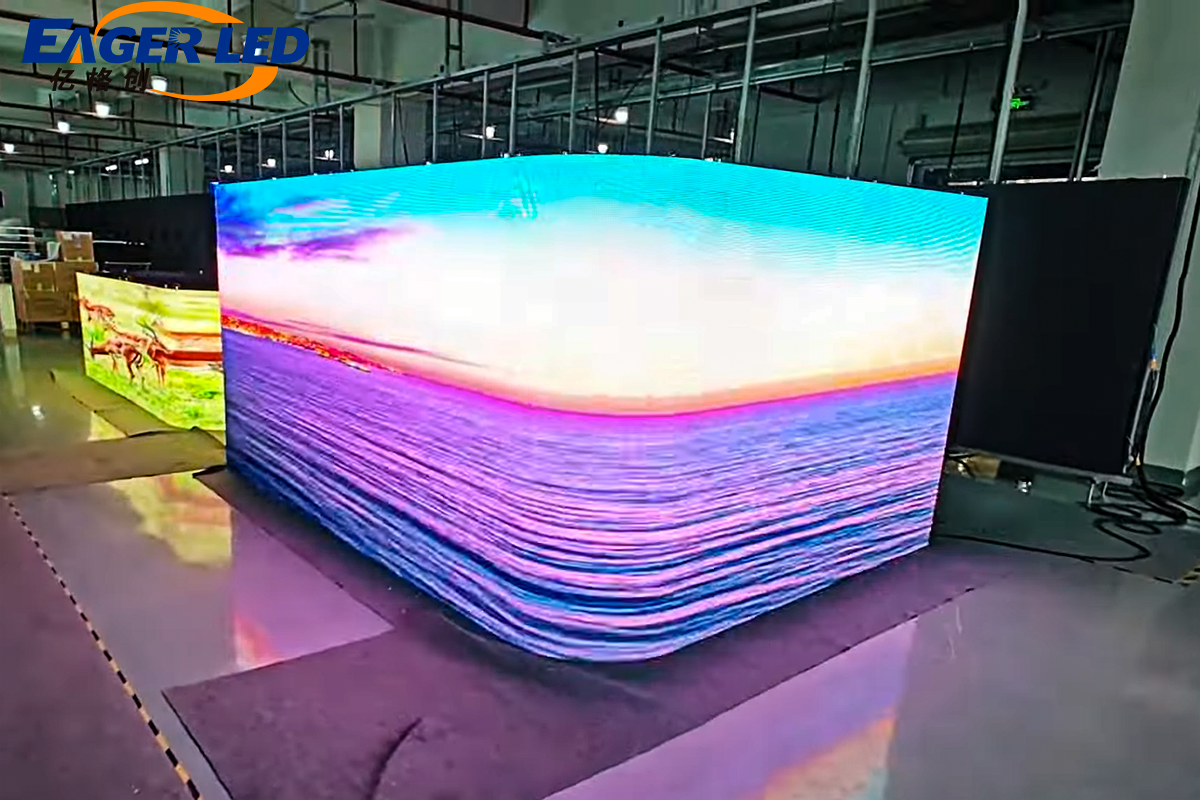
A screen can have millions of pixels and still show a poor image if its shape does not match the content. On an LED wall, that mismatch is especially costly: it can create black bars, crop important details, stretch logos, or leave paid-for cabinets displaying nothing useful.
Screen aspect ratio is the proportional relationship between display width and height. For most video-led projects, 16:9 is the safest starting point because it matches common HD and UHD production formats. It is not a universal rule, however. A portrait retail display, an ultra-wide stage canvas, and a legacy control-room wall should not be designed from the same template.
Unlike a television, a direct-view LED display is assembled from modules and cabinets. The final screen aspect ratio therefore depends on cabinet dimensions, the number of cabinet columns and rows, the available structure, and the content canvas. Screen aspect ratio should be decided before procurement, not corrected in the video processor after installation.
This guide connects the creative and engineering decisions, explains the calculations, compares 4:3 with 16:9, and provides a cabinet-level selection method.
Table of Contents
1. What Is Screen Aspect Ratio?
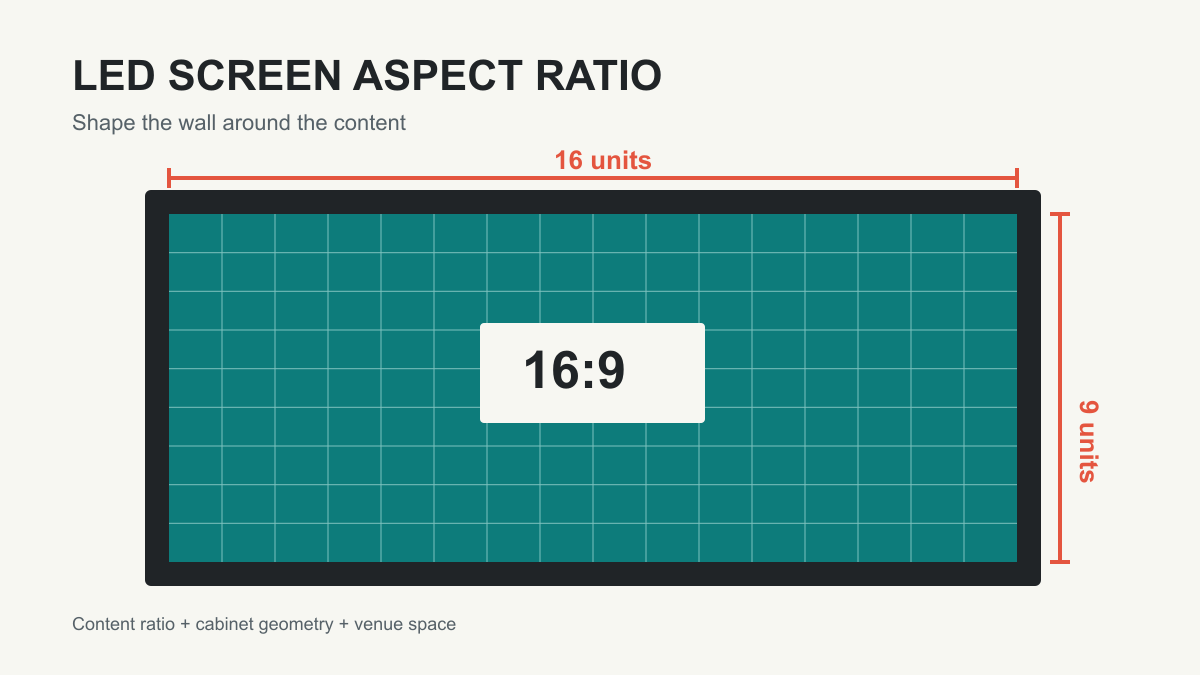
Screen aspect ratio describes shape, not size. It is written as width:height. A 16:9 display is 16 units wide for every 9 units high; a 4:3 display is four units wide for every three units high. A 3.2 m x 1.8 m wall and an 8 m x 4.5 m wall are both 16:9 because each has the same width-to-height relationship.
Screen aspect ratio values have no unit. You may calculate them from millimeters, meters, inches, pixels, modules, or cabinets, provided width and height use the same unit. Dividing 3.2 by 1.8 gives approximately 1.7778, the same decimal value as 16 divided by 9.
Aspect ratio is not resolution or pixel pitch
These specifications are related, but they answer different questions.
| Term | What it describes | LED display example | What it affects |
|---|---|---|---|
| Display aspect ratio | Proportion of physical width to height | 16:9 wall | Screen shape and content fit |
| Resolution | Number of addressable pixels across and down | 1920 x 1080 pixels | Detail available to render content |
| Pixel pitch | Center-to-center distance between adjacent pixels | 1.5 mm | Pixel density, viewing performance, and total resolution at a given size |
| Cabinet size | Physical dimensions of one assembly unit | 600 x 337.5 mm | Possible wall dimensions and grid increments |
Matching screen aspect ratio does not guarantee matching resolution. A 16:9 LED wall does not automatically have Full HD resolution. Its physical dimensions and pixel pitch determine native pixel count; 1920 x 1080 and 3840 x 2160 simply share the same shape.
Technical teams may distinguish display aspect ratio (DAR) from pixel aspect ratio (PAR) and the stored content frame. Modern workflows usually assume square pixels; if circles appear oval, inspect the source and processor before changing wall dimensions.
2. Why Does Aspect Ratio Matter?
Screen aspect ratio controls how much of the LED canvas the audience can use. When source and screen match, one content pixel map can fill the wall predictably. When they differ, the processor or media server must choose a compromise.
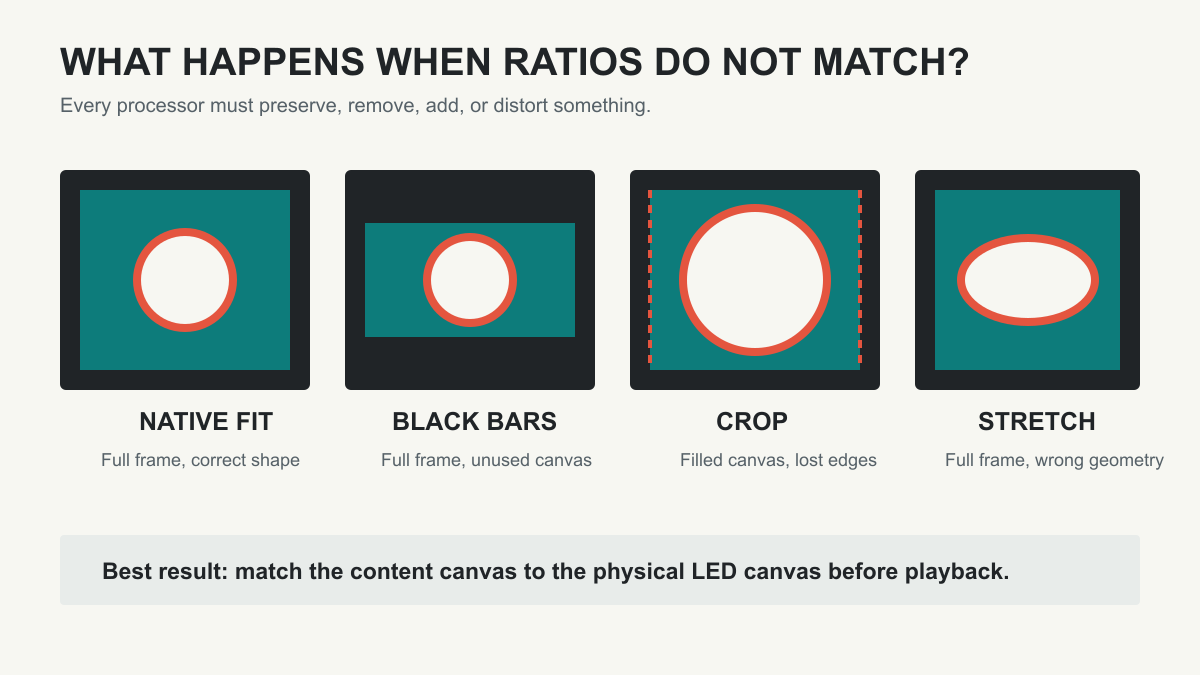
| Mapping method | What the audience sees | When it is acceptable | Main risk |
|---|---|---|---|
| Native fit | Full image fills the active canvas | Source and display ratios match | No ratio-related loss |
| Letterbox or pillarbox | Full image plus unused bands | Preserving every part of mismatched content | Visible black or branded bars; unused pixels |
| Crop to fill | Canvas is filled; outer image areas are removed | Content has protected safe areas | Cut-off text, faces, logos, or captions |
| Non-uniform stretch | Entire image fills the wall but proportions change | Almost never | Distorted people, products, circles, and branding |
The processor can scale an image, but it cannot make incompatible shapes identical without adding space, removing content, or distorting geometry. “We can fix it in processing” is therefore not a complete design strategy.
Screen aspect ratio also affects content production, cabinet utilization, camera framing, rigging, service access, and the safe area used by live inputs and emergency messages. Black bands still occupy physical cabinets, structure, power capacity, and budget.
The best screen aspect ratio is therefore the one that aligns content, space, and cabinet geometry. Image quality metrics such as brightness, refresh rate, grayscale performance, and pixel pitch remain important, but none of them repairs a fundamentally unsuitable canvas shape.
3. Common LED Screen Aspect Ratios
LED technology permits far more shapes than fixed-format flat panels. The screen aspect ratio options below are common reference points, but a modular wall may also be built to a project-specific proportion.
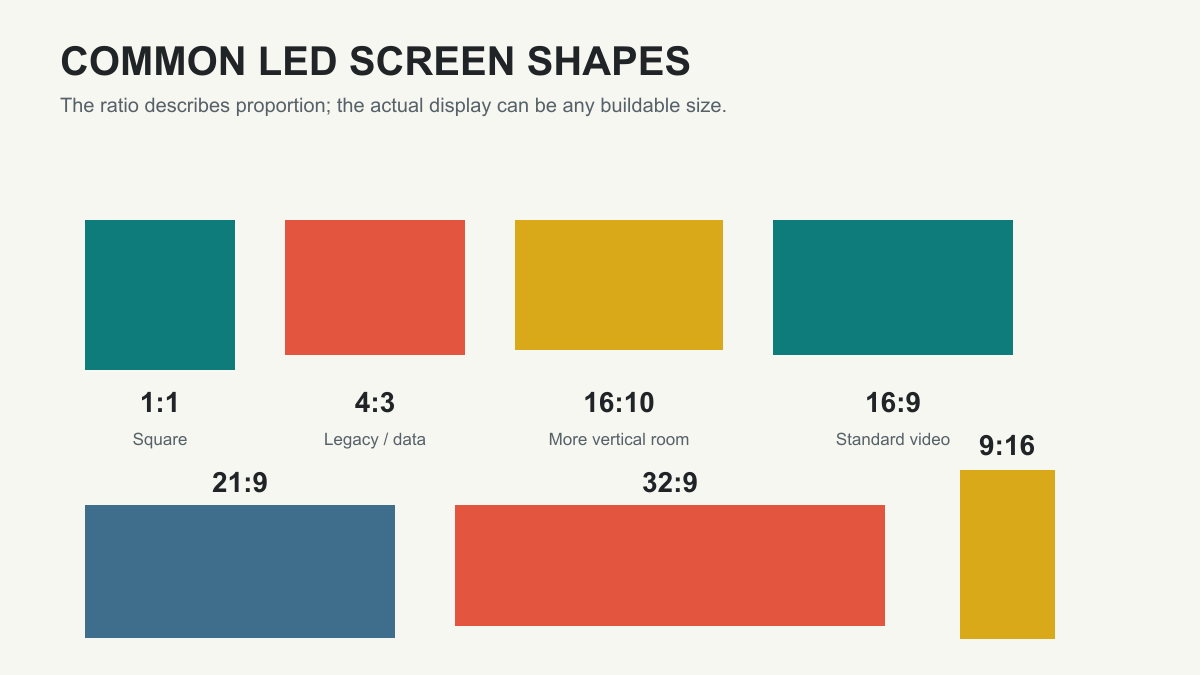
| Ratio | Decimal width/height | Typical LED uses | Content planning note |
|---|---|---|---|
| 1:1 | 1.000 | Retail features, art installations, social content | Square assets fit directly; standard video needs treatment |
| 4:3 | 1.333 | Legacy control interfaces, older presentation systems, constrained spaces | Suitable when the source environment is genuinely 4:3 |
| 16:10 | 1.600 | Data-heavy workspaces and certain presentation layouts | Offers more vertical room than 16:9 |
| 16:9 | 1.778 | Corporate video walls, broadcast, meeting rooms, standard video playback | Broad compatibility with modern HD/UHD workflows |
| 9:16 | 0.563 | Storefront columns, menu towers, wayfinding, short-form vertical video | Requires portrait-first design, not rotated landscape artwork |
| 21:9 | 2.333 | Immersive stages, experience centers, panoramic storytelling | Usually needs custom ultra-wide content |
| 32:9 | 3.556 | Multi-window control views, wide stage backdrops, panoramic signage | Can host two 16:9 regions side by side |
| Custom | Varies | Fascia ribbons, curved architecture, irregular creative walls | Pixel-perfect content must be authored for the actual canvas |
Names such as “21:9” can be format categories rather than exact mathematical ratios. Confirm the actual pixel canvas and physical dimensions instead of purchasing from a label alone.
Landscape, portrait, and ultra-wide are workflow choices
As explained in our retail LED display guide, orientation should follow the placement and content. A portrait screen is not merely a landscape screen turned sideways: text hierarchy, subject placement, viewing path, and source resolution must be designed vertically. An ultra-wide backdrop likewise needs a panoramic composition or mapped zones rather than a stretched 16:9 video. For curved or irregular outlines, the bounding-box ratio is only a starting point; the media server still needs the full active-pixel map.
4. Why Is 16:9 So Popular?
The practical strength of 16:9 is ecosystem compatibility. HDTV production standardized around widescreen formats; the ITU-R BT.709 recommendation defines the widely used HDTV framework. Common 1280 x 720, 1920 x 1080, and 3840 x 2160 canvases all use 16:9.
That common screen aspect ratio reduces handoffs between laptops, playback servers, cameras, streaming programs, and LED processors, with less last-minute cropping and fewer duplicate media files.
16:9 is also easy to scale conceptually. A lower-resolution proxy and a higher-resolution master can keep the same composition while the pixel count changes.
Some fine-pitch cabinets use a physical 16:9 format, such as 600 x 337.5 mm. One cabinet already has the desired proportion, and a grid with equal numbers of cabinet columns and rows remains 16:9.
Popular does not mean mandatory
For product-level selection, see our 16:9 LED display guide. Choose 16:9 when standard video is the primary content and the venue can accommodate the shape. Do not force it into a narrow column, a long ribbon, or a stage design whose creative canvas is intentionally panoramic. In those situations, custom content built for the actual LED pixel map will outperform a nominally “standard” wall.
16:9 is a dependable default, not an engineering law. Ask which source format must fill the display most often without destructive processing.
5. 4:3 vs. 16:9 LED Screen Aspect Ratio
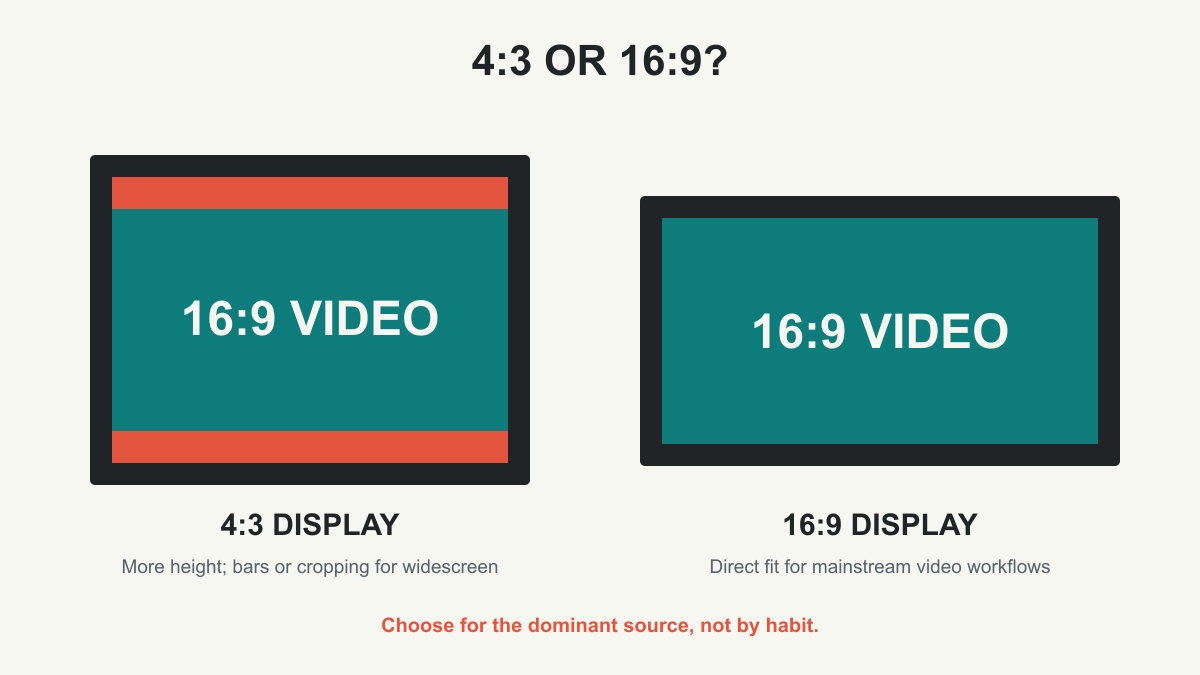
The screen aspect ratio choice between 4:3 and 16:9 should follow the dominant source and available envelope. 4:3 gives more height for a given width, while 16:9 gives more width for a given height.
| Decision factor | 4:3 LED screen | 16:9 LED screen |
|---|---|---|
| Shape | Taller and closer to square | Wider landscape format |
| Best content match | Legacy video, older GUIs, certain data layouts | Mainstream video, presentations, cameras, HD/UHD media |
| Showing 16:9 video | Usually creates top/bottom bars or side cropping | Native fit |
| Showing 4:3 content | Native fit | Usually creates side bars or top/bottom cropping |
| Space behavior | Gains image height where width is limited | Uses horizontal space efficiently |
| New video-first project | Use only with a clear requirement | Usually the stronger baseline |
| Content workload | May require 4:3 masters or protected composition | Easier reuse of mainstream assets |
Suppose a venue allows a maximum width of 4.8 m. At 16:9, the matching height is 2.7 m; at 4:3, it is 3.6 m. That extra 0.9 m may help a monitoring dashboard, but it may exceed the wall height or block sightlines.
On the 4:3 wall, keeping the entire 16:9 feed produces horizontal bands; filling the wall removes content from the left and right. Neither is a hardware defect: it is the mathematical result of placing a wider source in a taller frame.
Use 4:3 when it is supported by a documented source, workflow, or spatial requirement. Choosing it merely because the wall “looks bigger” can transfer cost into content conversion and ongoing operation.
6. How to Calculate Screen Aspect Ratio?
Our LED display size guide covers broader dimensional planning. There are three useful screen aspect ratio calculations: derive a ratio from dimensions, derive one dimension from a target ratio, or calculate both dimensions from a diagonal.
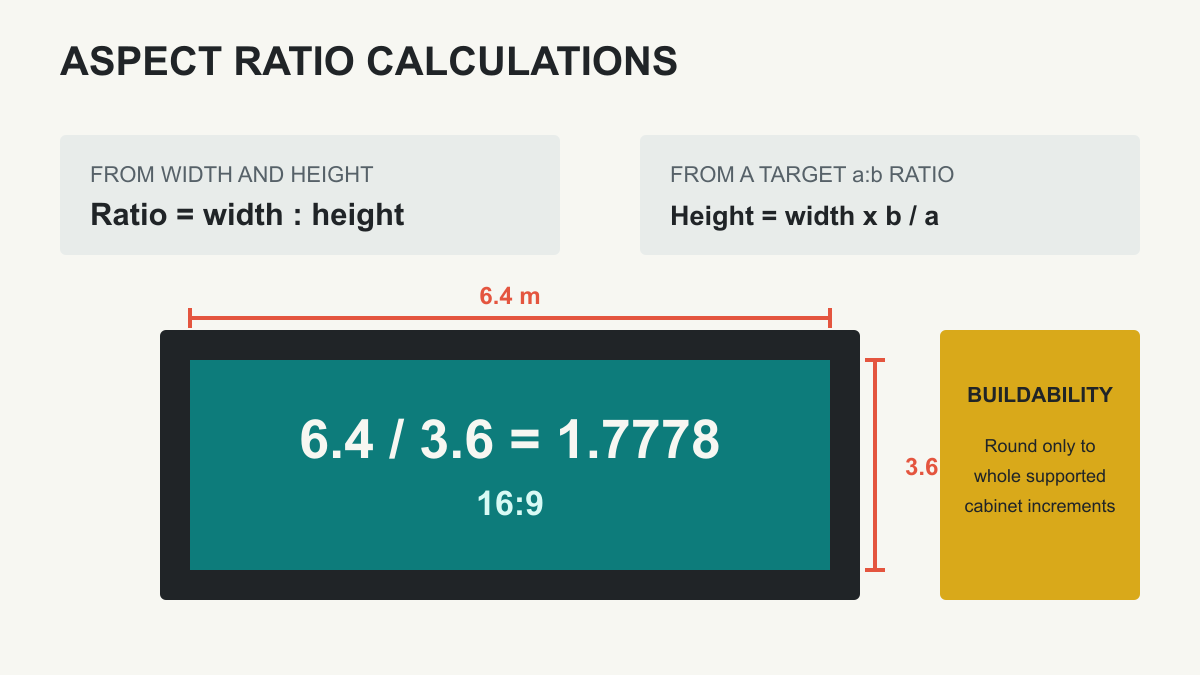
Calculate the ratio from width and height
- Put width and height in the same unit.
- Divide width by height to obtain the decimal ratio.
- Compare the result with a standard value, or reduce whole numbers with their greatest common divisor (GCD).
For a 3840 x 2160 pixel canvas, the GCD is 240. Dividing both values by 240 gives 16:9. For a physical screen measuring 7.5 m x 3 m, 7.5 / 3 = 2.5, so its ratio is 2.5:1, or 5:2.
Calculate height or width from a target ratio
For a target ratio a:b:
- Height = Width x b / a
- Width = Height x a / b
If a planned 16:9 wall is 6.4 m wide, its matching height is 6.4 x 9 / 16 = 3.6 m. If the maximum height is 2.7 m, the matching width is 2.7 x 16 / 9 = 4.8 m.
Calculate dimensions from a diagonal
Diagonal measurements are common for televisions but less useful for modular LED walls. When a diagonal is required, use:
- Width = Diagonal x a / sqrt(a^2 + b^2)
- Height = Diagonal x b / sqrt(a^2 + b^2)
Use the same unit for the diagonal and results. These values describe the active rectangle; they do not include trim, frames, support structure, or service clearance.
| Known dimensions | Calculation | Result |
|---|---|---|
| 1920 x 1080 pixels | Divide both by GCD 120 | 16:9 |
| 1024 x 768 pixels | Divide both by GCD 256 | 4:3 |
| 1080 x 1920 pixels | Divide both by GCD 120 | 9:16 |
| 3840 x 1080 pixels | Divide both by GCD 120 | 32:9 |
| 6.4 m x 3.6 m | 6.4 / 3.6 | 1.778, or 16:9 |
| 5.0 m x 3.0 m | 5.0 / 3.0 | 1.667, or 5:3 |
Keep adequate precision during planning. Rounding 1.7778 to 1.8 too early can create a material error on a large wall. Final dimensions must also land on whole module or cabinet increments; a theoretical answer is not automatically buildable.
7. How to Choose the Right Screen Aspect Ratio?
When choosing screen aspect ratio, start with the source, not the catalog. A successful LED design moves through four filters: content, space, cabinet grid, and signal path.
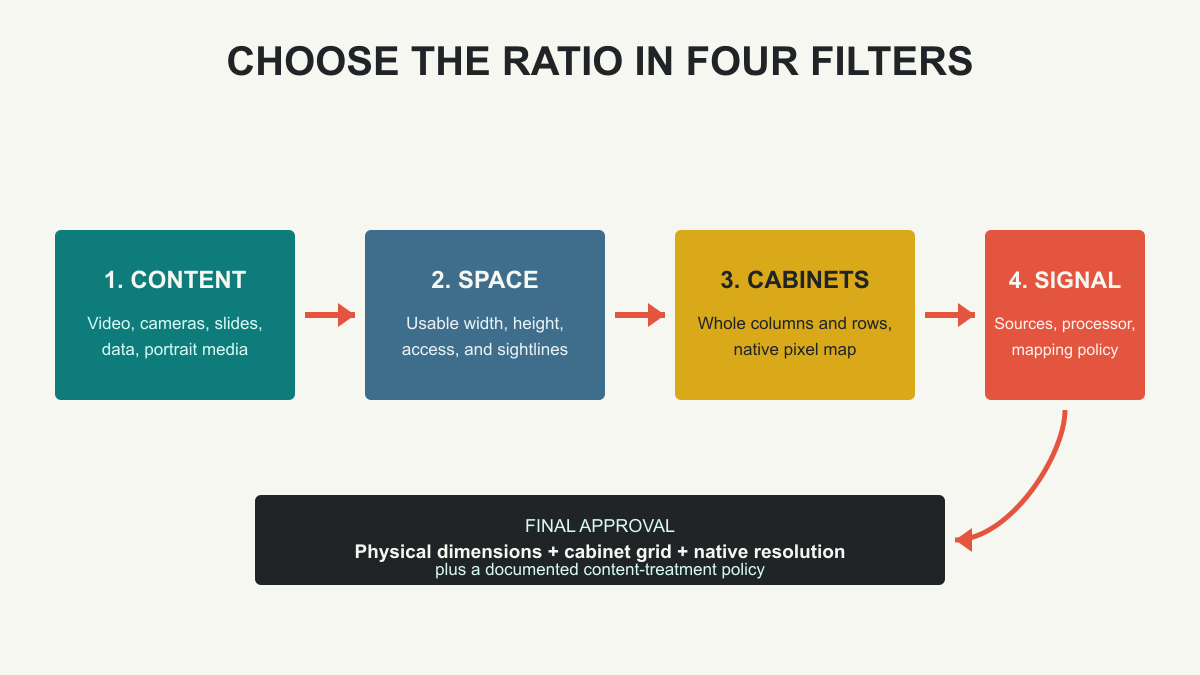
1. Audit the content inventory
List recurring inputs such as produced videos, cameras, slides, dashboards, sponsor loops, signage templates, and emergency messages. Record pixel dimensions and frequency. Give priority to the dominant format; handle rare exceptions with designed backgrounds or zones.
2. Measure the usable installation envelope
Confirm maximum width and height after allowing for structure, ventilation, service access, speakers, doors, sightlines, and local requirements. The architectural opening may be larger than the usable LED area.
3. Decide what happens to mismatched content
Document the policy before commissioning: bars, crop, branded frame, or zones. Protect captions, logos, scores, and faces with agreed safe areas; do not leave the decision to a live-show operator.
4. Convert the ideal shape into a buildable cabinet grid
Ask the supplier for cabinet width, height, per-cabinet pixel resolution, orientation rules, and supported half-size modules. Calculate several whole-number column and row combinations. Compare ratio error, outer dimensions, native resolution, weight, power demand, access, and cost.
5. Validate the complete signal path
Confirm the source canvas, switcher or media-server output, processor input and output limits. This video processor guide explains a representative processing workflow. Confirm the sending-card capacity and receiver-card mapping. For camera applications, also test scan behavior, refresh settings, shutter compatibility, and framing. These are separate from aspect ratio but can determine whether the chosen wall performs in production.
| Primary application | Strong starting ratio | Why | Verify before approval |
|---|---|---|---|
| Corporate presentation and standard video | 16:9 | Matches common slide and video outputs | Native resolution and text legibility |
| Broadcast set | 16:9 or set-specific custom | Fits program feeds; scenery may require custom canvases | Camera framing, scan performance, moire control |
| Control room | 16:9, 16:10, 4:3, or wide custom | Depends on window layout and legacy sources | Number and minimum size of data windows |
| Retail portrait display | 9:16 or space-specific portrait | Fits vertical architecture and content | Portrait masters and viewing height |
| Stage and rental LED display | 16:9, 21:9, 32:9, or custom | Creative design and IMAG zones drive shape | Camera feed placement and scenic integration |
| Fascia or ribbon | Custom ultra-wide | Architecture defines the active strip | Bespoke pixel map and readable content speed |
A useful procurement brief includes the maximum envelope, preferred screen aspect ratio, acceptable tolerance, content resolutions, viewing distances, target native resolution, and whether the physical outline or pixel-perfect source mapping has priority.
8. LED Cabinet Size and Screen Aspect Ratio
Cabinet geometry turns the desired screen aspect ratio into a real wall. If a cabinet is Cw wide and Ch high, with Nw columns and Nh rows:
Wall ratio = (Cw x Nw) : (Ch x Nh)
The same rule applies in pixels: if each cabinet has Pw x Ph pixels, native wall resolution is (Pw x Nw) x (Ph x Nh). Physical and pixel ratios should agree when pixels are square and mapping is correct.
Why cabinet shape matters
A square 500 x 500 mm cabinet creates an exact 16:9 wall only when the column-to-row count is 16:9, such as 16 columns by 9 rows. That minimum exact grid measures 8 m x 4.5 m. A smaller 10 x 6 grid measures 5 m x 3 m and is 5:3, not 16:9.
A 600 x 337.5 mm cabinet is itself 16:9. One cabinet is 16:9, and a grid with equal column and row counts remains 16:9. A 4 x 4 arrangement measures 2.4 m x 1.35 m. A 4 x 3 arrangement does not remain 16:9; its wall ratio becomes 64:27, approximately 2.37:1.
| Cabinet format | Grid | Wall dimensions | Final ratio | Engineering implication |
|---|---|---|---|---|
| 500 x 500 mm | 16 x 9 | 8.0 x 4.5 m | 16:9 | Exact but may be larger than the venue allows |
| 500 x 500 mm | 10 x 6 | 5.0 x 3.0 m | 5:3 | Close to widescreen, but not native 16:9 |
| 500 x 500 mm | 4 x 3 | 2.0 x 1.5 m | 4:3 | Exact 4:3 grid |
| 600 x 337.5 mm | 4 x 4 | 2.4 x 1.35 m | 16:9 | Exact 16:9 with equal grid counts |
| 600 x 337.5 mm | 4 x 3 | 2.4 x 1.0125 m | 64:27 | Wider than 16:9 |
Evaluate ratio error, not just the nearest cabinet count
For a target decimal ratio Rt and proposed wall ratio Ra, a useful comparison is:
Ratio error (%) = |Ra – Rt| / Rt x 100
This does not decide acceptability by itself; it simply makes options comparable. A small error may still show in precision graphics, while a scenic production may intentionally use a different canvas.
When an exact screen aspect ratio cannot fit, adjust the outer dimensions, select another cabinet format, use supported half-size products, or accept a custom content canvas. Do not label a near-16:9 wall as native 16:9.
Also confirm cabinet orientation. Some products may be rotated; others have structural, cooling, weatherproofing, or service constraints that prohibit it. Product drawings and manufacturer approval should govern the final layout.
9. FAQs
What is the best aspect ratio for an LED screen?
There is no universal best screen aspect ratio. 16:9 is the strongest default for standard video, while portrait signage, panoramic stages, ribbons, and legacy systems should follow their content and space.
Is 16:9 the same as 1920 x 1080?
No. Screen aspect ratio is a proportion; 1920 x 1080 is one resolution with it. Other resolutions and physical LED wall sizes can also be 16:9.
Does pixel pitch change screen aspect ratio?
No. Pixel pitch does not change screen aspect ratio; it changes pixel density and native resolution within the selected dimensions.
Can an LED wall use any aspect ratio?
LED walls support many ratios, but cabinet and module dimensions create fixed increments. A custom screen aspect ratio must use supported units, fit the structure, remain serviceable, and have matching content.
What happens when 16:9 content plays on a 4:3 LED display?
The system must add bands, crop the left and right edges, or distort the image. A designed 4:3 background with a protected 16:9 window is often cleaner.
How can I check whether my LED screen is exactly 16:9?
Divide active width by active height; 16:9 is approximately 1.7778. Check native pixel width divided by pixel height as well, then verify cabinet specifications and processor mapping if they disagree.
Does the aspect ratio affect LED screen cost?
It can. Screen aspect ratio influences cabinet count, structure, total area, processing, usable canvas, and ongoing content-production work.
Should an outdoor billboard use 16:9?
Only when standard video playback and site dimensions support it. Many outdoor boards follow the permitted structure instead. Review the enclosure and weatherproofing points in our outdoor LED display guide. For a custom ratio, create content at the installed pixel map and test readability at the intended viewing distance.
Can one LED wall display several aspect ratios?
Yes. A media server can divide the canvas into zones for video, data, tickers, and branding. The wall still has one physical screen aspect ratio, and every zone needs a defined pixel area and source policy.
10. Conclusion
Screen aspect ratio is the link between content composition and LED hardware. It determines the shape the audience sees, the way sources are mapped, and the cabinet grid that must fit the venue. Resolution tells you how many pixels are available; pixel pitch determines their spacing; neither replaces the ratio decision.
For a new video-first installation, 16:9 is usually the most efficient baseline because it aligns with common production and playback formats. Keep 4:3 for workflows that truly need its added height or legacy compatibility. Use portrait and ultra-wide formats when the architecture and content are designed around them.
Before ordering, request a layout that states the active width and height, cabinet grid, native pixel resolution, calculated screen aspect ratio, and treatment of every recurring source format. That one-page check prevents black bars, destructive cropping, avoidable content revisions, and expensive changes after the wall is built.
 Truck Billboard Advertising: Costs & LED Buying Guide
 LED Screen Resolution Guide: How to Choose the Right Display Resolution