MaxCLL means Maximum Content Light Level. In HDR10 metadata, it describes the luminance associated with the brightest pixel anywhere in the content, expressed in nits. It describes the content rather than measuring an LED wall. A file reporting a high value does not establish that the installed screen can reproduce that brightness or that its processor uses the value automatically.
For an AV integrator checking an HDR installation, the useful distinction is between information about the source and evidence about the display. Read the source fields, identify how the playback and processing chain handles them, and assess the actual screen output separately. This explanation focuses on those metadata fields rather than a complete HDR purchasing specification.
1. MaxCLL, MaxFALL and Mastering Luminance
MaxCLL identifies a peak within the content, while Maximum Frame-Average Light Level describes a different maximum. Usually shortened to MaxFALL, the latter concerns the frame with the highest average luminance. It does not mean the average brightness of the entire movie, and it is not the peak value of an individual pixel.
Microsoft’s HDR10 metadata documentation separates these fields from maximum and minimum mastering luminance. The mastering fields describe the display used to master the content. They are not alternative names for the brightest pixel in the finished program. Keep the field labels attached to the values when sharing a report.
| Field | What it describes | What it does not establish |
|---|---|---|
| MaxCLL | The brightest pixel anywhere in the content | The installed LED wall’s measured peak output |
| MaxFALL | The highest frame-average luminance in the content | The average brightness of the whole program |
| Maximum mastering luminance | The mastering display’s maximum luminance | A command to operate the venue screen at that level |
| Minimum mastering luminance | The mastering display’s minimum luminance | The LED wall’s black level under venue lighting |
Consider a hypothetical file reporting MaxCLL of 2,000 nits, MaxFALL of 400 nits, and maximum mastering luminance of 1,000 nits. These values answer different questions, so they need not be identical. The report does not say that every frame averages 400 nits or that the installed wall has been measured at any of these levels.
The broader HDR LED display explanation covers formats, contrast, and acceptance testing. These fields add detail about the source; they do not replace the need to identify whether the program is HDR10, HLG, or SDR and how the system interprets it.
The brightest pixel and the highest frame average can occur in different frames. A small highlight can produce a high peak without making the whole frame bright. A different, broadly illuminated scene can have a higher average even if its brightest individual pixel is lower. The two summary fields cannot be used to reconstruct the brightness distribution of each scene.
Likewise, subtracting one field from another does not calculate the screen’s contrast ratio. Contrast requires defined white and black observations under specified conditions. The file’s content summary and the display’s measured output belong in separate parts of the project record.
2. Why the Value Is Not an LED Wall Specification
MaxCLL is content metadata, not a brightness test of the installed panels. The wall has its own achievable luminance range, calibration, operating settings, and environmental conditions. A source field cannot substitute for measurements or an agreed visual evaluation at the actual operating level.
Tone mapping adapts source values to an output range. Microsoft’s Direct2D HDR tone-map documentation distinguishes input maximum luminance from output maximum luminance. That software example demonstrates why the source peak and destination capability are separate inputs. It does not specify the algorithm or behavior of every LED processor.
If a source contains highlights beyond the wall’s configured output, ask how the selected processing path handles them. Possible processing choices should be established from that system’s documentation and observed behavior. Do not assume that changing MaxCLL makes the LEDs brighter, recovers detail already clipped upstream, or guarantees a particular highlight appearance.
A metadata report also cannot establish comfortable brightness for the room. Compare the approved content under representative ambient lighting and viewing conditions. Record the wall’s operating setting and any measurements independently of the file report. Otherwise, a later technician may mistake a source descriptor for an acceptance result.
3. Follow the Metadata Through the Signal Path
The source file, player output, processor input, and displayed picture are different observation points. Finding MaxCLL in a file report proves that the field is present in that report. It does not prove that every intermediate device preserves it or that the receiving processor uses it in its output mapping.
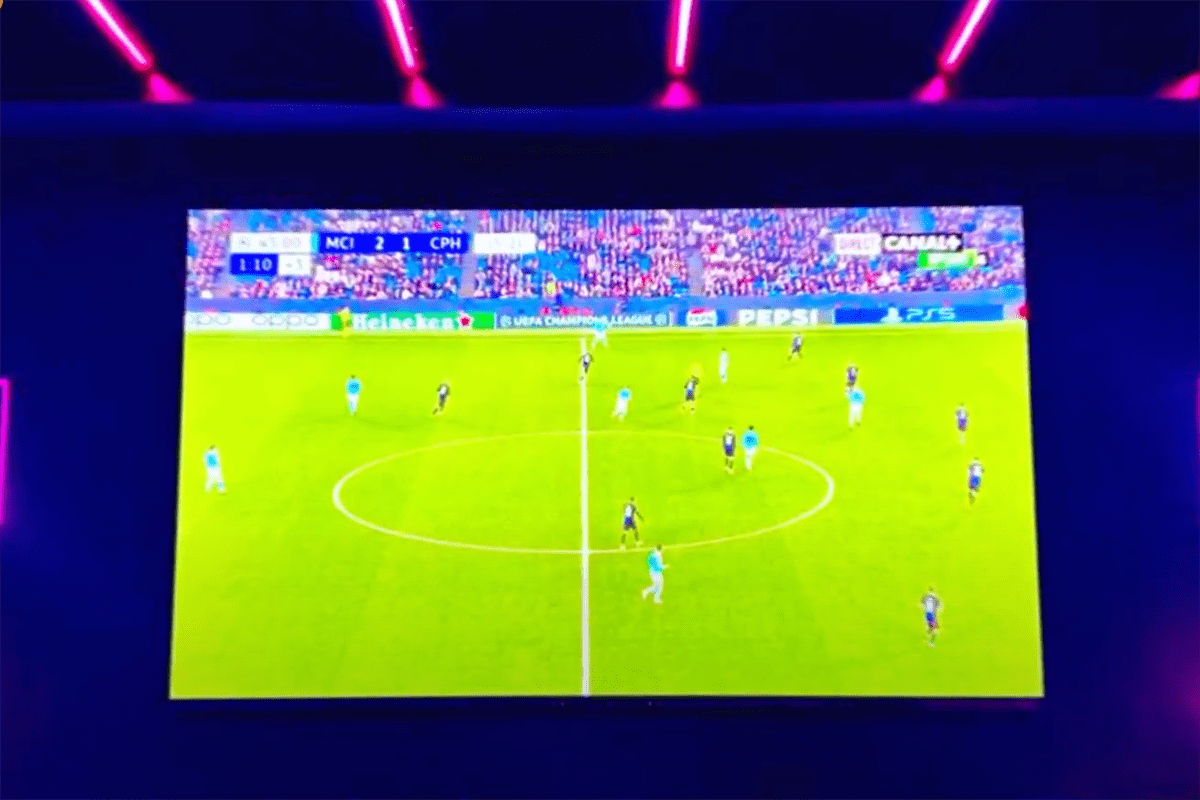
The LED display signal-flow guide separates the source, processing, sending, and receiving functions. The illustrative diagram below shows the main picture path. It does not claim that every stage exposes or forwards the same metadata, and several functions may share one physical device.
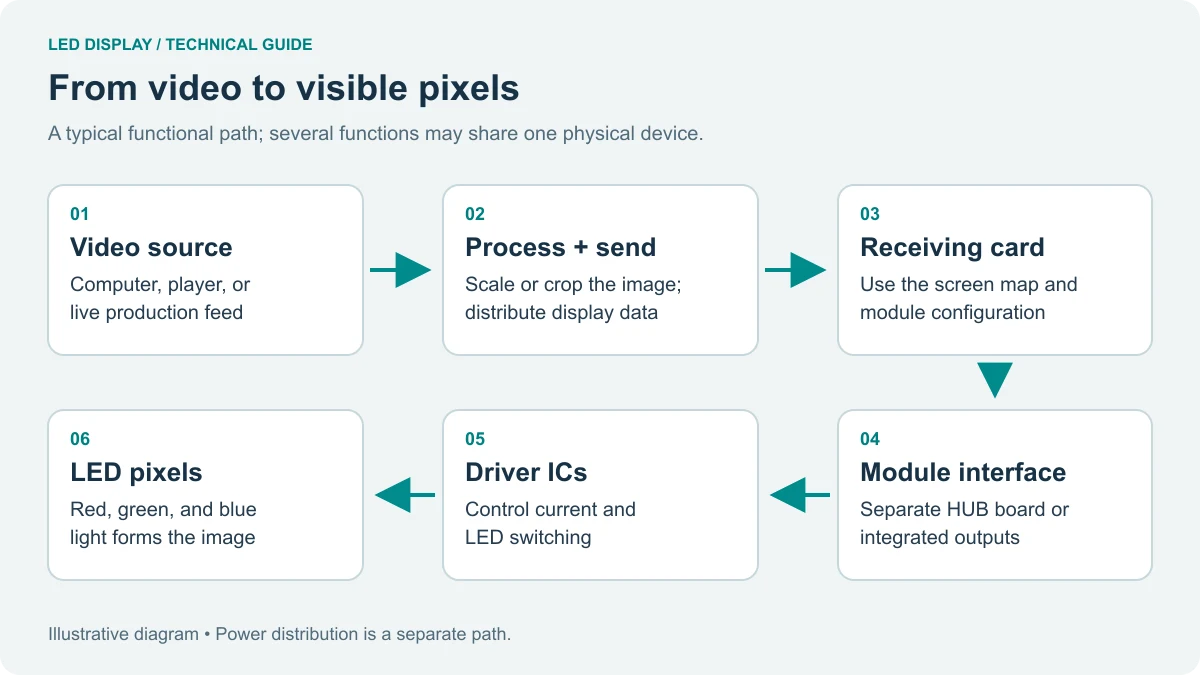
Check the actual software and hardware combination. NovaStar’s Unico Control Platform manual V2.8.0 shows source-information fields for bit depth, gamut, dynamic range, and metadata on supported hardware. Their separation matters: a 10-bit input indication alone does not establish the source’s HDR mode or the content-light values being received.
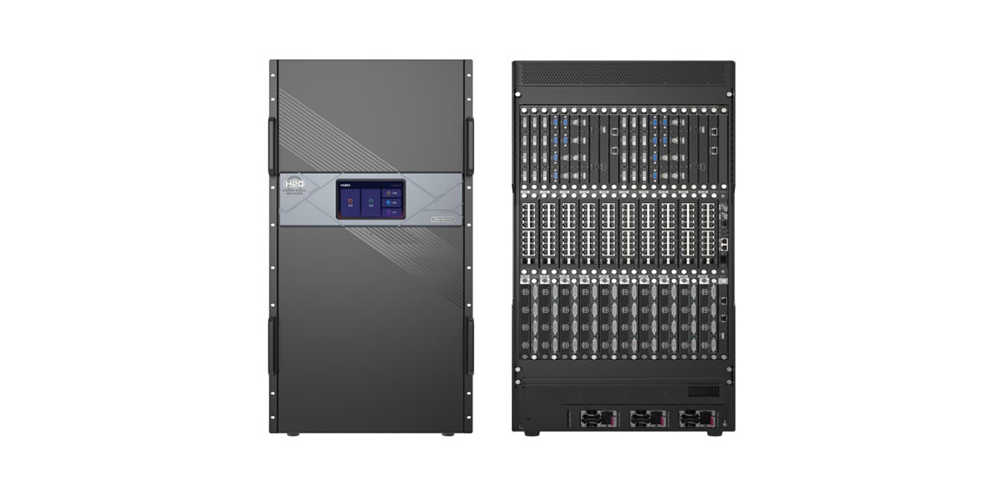
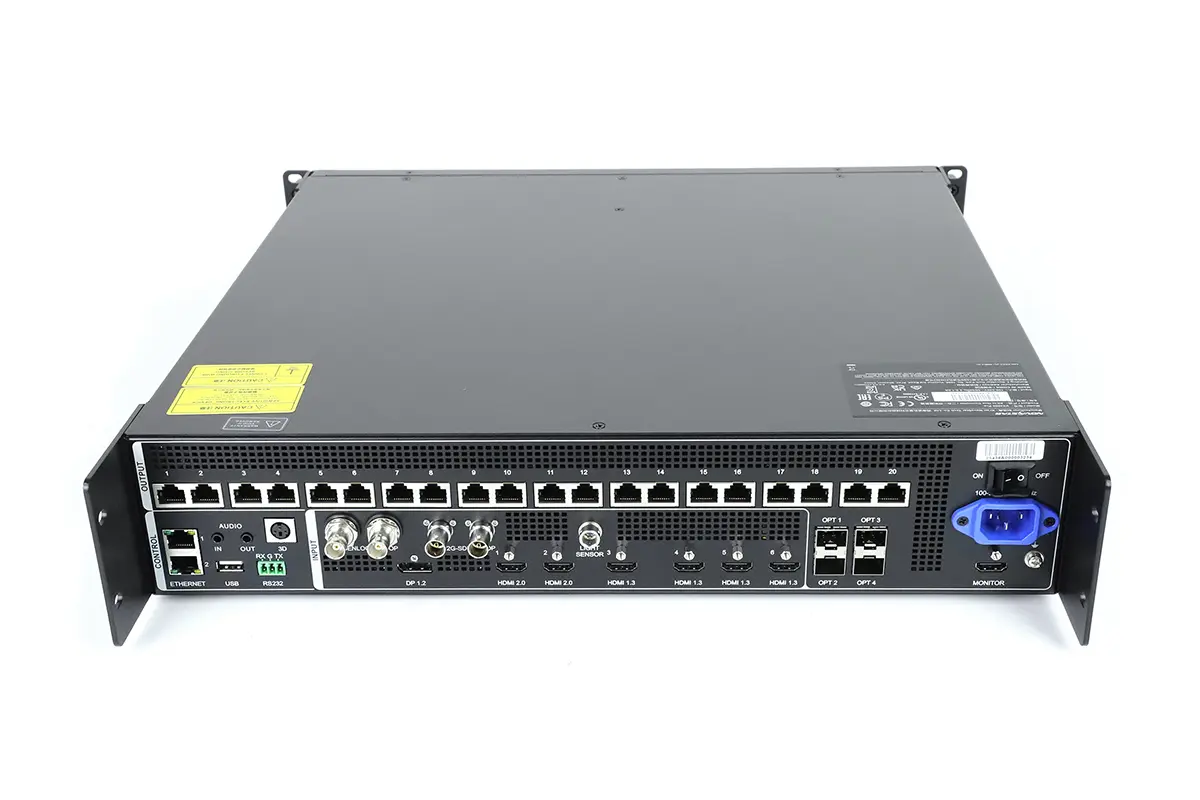
The VX2000 Pro rear-panel photo below identifies physical connection points. It is a hardware reference, not a readout of MaxCLL. Use the documentation for the specific input, operating mode, firmware, and software release rather than inferring metadata behavior from the connector’s shape or the presence of an HDR label.
Microsoft’s SetHDRMetaData documentation provides a useful scope warning for Windows applications: it does not guarantee that swap-chain metadata reaches the monitor. That statement concerns the documented Windows API. It supports checking the actual playback route instead of assuming that a file’s metadata and the processor’s received information are identical.
4. Read the Fields Without Changing the Meaning
Record MaxCLL with the source asset’s name and revision, the reporting tool, and the observation point. Keep the units and original field labels. A number copied into a message without its label could refer to content peak, frame-average light level, mastering luminance, or a display setting.
Distinguish an incoming value from a local override. For example, the NovaStar MX30 user manual V1.5.0 describes a MaxCLL Override setting that makes its associated parameter take effect when enabled. This is a model-specific example. Confirm the equivalent controls and their consequences on the installed system before changing anything.
Do not overwrite the incoming value merely to make it match a brochure brightness figure. Ask why an override is required, what the processor does with it, and how the approved picture changes. Keep the previous settings and record the reason for the change so the operating configuration can be understood later.
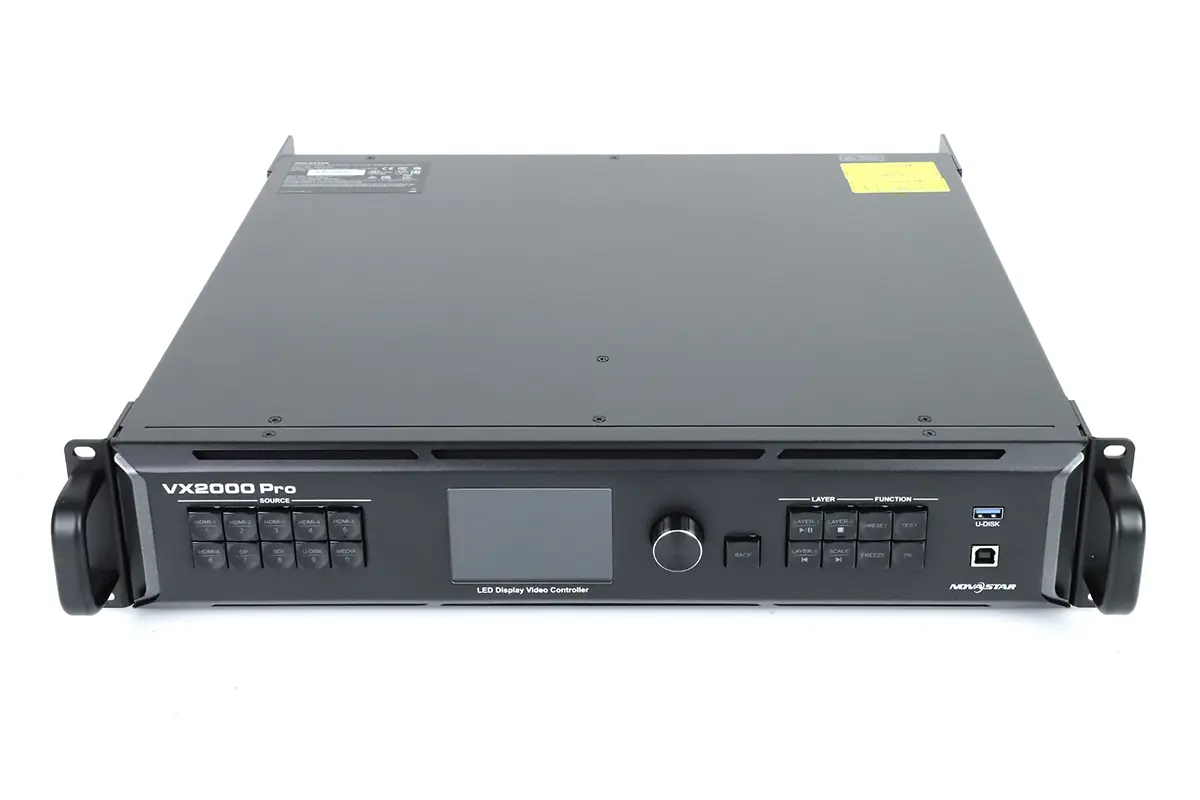
The VX2000 Pro front-panel photo is an equipment-identification reference. It does not show a live metadata measurement. When requesting support, provide the model and firmware alongside the relevant software readout; the VX2000 Pro equipment guide supplies product context rather than evidence of your current source values.
For a repeatable check, use an identified source asset and retain the observations before and after a source change. Compare the detected dynamic range and any exposed fields. If the picture looks different while the reported values remain unchanged, investigate the rest of the processing and display settings instead of treating metadata as the complete diagnosis.
Consider a hypothetical support report where the file analysis lists MaxCLL of 1,000 nits, but a processor interface shows 4,000 beside a brightness-related control. Before calling this a transport fault, identify the control’s full label and function. It may represent a manually selected processing value rather than the received content field. Compare like with like before deciding which setting needs investigation.
Ask the content team to identify the delivered export rather than relying on an earlier master report. A later transcode, alternate version, or different playback asset may need its own verification. Retain the file reference used for acceptance so the next test starts from the same material.
5. Frequently Asked Questions
01. Does a higher MaxCLL mean better HDR content?
No quality ranking follows from that number alone. It describes a content-light maximum, not grading quality, compression, useful highlight detail, or suitability for the installed wall. Evaluate the intended program on the configured system.
02. Does MaxFALL describe the LED wall’s power consumption?
No. It describes content luminance, not measured electrical input. Power planning needs the applicable hardware specifications and operating conditions; representative power measurements answer a different question.
03. What if the software shows a blank or zero field?
Check that tool’s definition and the source documentation. Do not treat an unavailable or ambiguous readout as a measured black image, a panel limit, or proof of SDR. Ask which values the device actually receives and uses.
04. Can two files with the same metadata look different?
Yes. Summary fields do not describe every pixel or scene. Different imagery, grading, encoding, and playback settings can produce different results even when the reported summary values match.
05. Does static metadata mean that picture brightness stays constant?
No. Static describes the accompanying metadata, not an unchanging picture. Pixel values and scenes still vary throughout playback. A program-wide summary should not be read as a command that fixes every frame at one brightness.
6. Keep Source Values and Display Evidence Together
Use MaxCLL as one piece of source information. Keep it alongside MaxFALL, mastering details, the detected input format, processing settings, and separate evidence about the installed wall. For help defining a compatible workflow, send your LED project requirements with the source format, processor and receiving-card models, intended operating brightness, and the observations that need explanation.
 LED Cabinet Lifting Points: Carrying vs. Suspension