Choosing the right LED screen size starts with three measurements: the usable installation space, the nearest viewing distance, and the farthest seat that must read the content. Then match the screen to complete cabinets, the required pixel resolution, and the content aspect ratio. A display that fits the wall can still be too small for readable text or too coarse for close viewing.
This guide covers modular direct-view LED walls used in meeting rooms, auditoriums, stages, retail, and outdoor advertising. If you searched for “dimension LED,” the practical specification you need is the active width and height, followed by cabinet dimensions, pixel pitch, and installed depth. These measurements describe different parts of the system and should never be treated as interchangeable.
Use the formulas, comparison tables, and worked example below to turn an approximate LED screen size into a buildable specification. Calculated examples are planning exercises, not product availability or structural approvals. Before ordering, confirm the exact cabinet drawing, pixel map, processor capacity, and service requirements with the supplier.
1. Define LED Screen Dimensions Before Comparing Products
LED screen dimensions are the active image width and height. The installed envelope also includes the frame, trim, mounting structure, connections, and maintenance access. Ask suppliers to show both on a dimensioned drawing; a quotation that lists only a diagonal leaves important installation questions unanswered.
01. Separate Active Area From Installed Envelope
Record width × height in millimeters or meters, and calculate area as width × height. Keep the same units throughout each calculation. A 4 m × 2.5 m display has 10 m² of active area, but its overall installation occupies more space. Cabinet depth alone does not establish the finished wall depth.
When comparing LED screen size with a television, remember that television inches usually describe the diagonal. For any rectangular image, diagonal = √(width² + height²). Convert millimeters to inches by dividing by 25.4; convert millimeters to feet by dividing by 304.8. Always identify whether a quoted inch measurement is diagonal, width, or height.
| Diagonal | Width × height (m) | Width × height (cm) | Width × height (ft) |
|---|---|---|---|
| 100 inches | 2.214 × 1.245 | 221.4 × 124.5 | 7.26 × 4.09 |
| 135 inches | 2.989 × 1.681 | 298.9 × 168.1 | 9.81 × 5.52 |
| 150 inches | 3.321 × 1.868 | 332.1 × 186.8 | 10.89 × 6.13 |
| 200 inches | 4.428 × 2.491 | 442.8 × 249.1 | 14.53 × 8.17 |
| 300 inches | 6.642 × 3.736 | 664.2 × 373.6 | 21.79 × 12.26 |
For a 16:9 image, width = diagonal × 16 ÷ √337 and height = diagonal × 9 ÷ √337. The table answers inch-to-metric questions; it does not guarantee that a modular product can reproduce every dimension exactly. Select the cabinet grid before stating the final LED screen size.
02. Distinguish Modules, Cabinets, and Pixels
A module is a replaceable LED tile. Cabinets support the modules and associated electronics; multiple cabinets form the complete wall. Pixel pitch is the center-to-center spacing between adjacent pixels, expressed in millimeters. P2.5 denotes a nominal 2.5 mm pitch, rather than a 2.5 m screen.
Request module dimensions, cabinet dimensions, module resolution, and cabinet resolution separately. Similar-looking cabinets can have different connectors, scan configurations, mounting points, or calibration requirements. Matching physical LED screen dimensions does not establish electrical or mechanical compatibility.
2. Choose LED Screen Size for Audience and Content
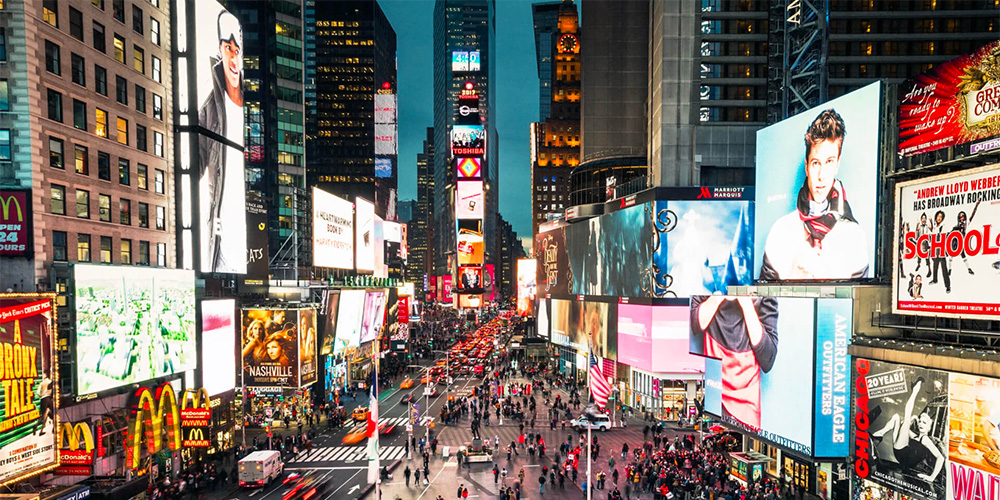
Choose LED screen size around the task the audience must perform. Watching a performer, reading a spreadsheet, and recognizing a roadside logo require different image detail and viewing conditions. Map the actual audience positions instead of selecting a screen from attendance numbers alone.
01. Size the Image for the Farthest Viewer
The farthest viewer helps determine image height and content size. Measure the distance to the most demanding seat, including side seating and standing areas. Test the smallest text, chart labels, subtitles, and other essential details at that position. A large headline remaining readable does not prove that a presentation slide will work.
Screen-height ratios can support early planning, but there is no universal ratio that guarantees readability for every task. For an LED screen size review, record viewing distance ÷ image height, then test representative material. Increase image height, simplify the layout, enlarge text, or add relay displays when the farthest seats cannot follow the content.
02. Use the Nearest Viewer to Narrow Pixel Pitch
Pixel pitch influences how visible the pixel structure appears at close range. A common preliminary rule relates pitch in millimeters to viewing distance in meters, but this is not a guarantee of a seamless image. Eyesight, contrast, content, and acceptable pixel visibility change the result.
EagerLED’s pixel-pitch guidance distinguishes comfortable viewing from visual-acuity distance. Its visual-acuity calculation is pitch × 3,438 in millimeters. The following calculated values illustrate that distinction; they are not minimum safe distances or universal purchasing recommendations.
| Pixel pitch | Calculation | Distance (m) | Practical check |
|---|---|---|---|
| P1.25 | 1.25 × 3.438 | 4.30 | Test small meeting-room text |
| P2 | 2 × 3.438 | 6.88 | Check dashboards and subtitles |
| P2.5 | 2.5 × 3.438 | 8.60 | Compare sample content at close seats |
| P4 | 4 × 3.438 | 13.75 | Evaluate stage graphics and faces |
| P6 | 6 × 3.438 | 20.63 | Check advertising legibility in context |
People may find an image comfortable closer than these acuity distances. Test two candidate pitches at the intended brightness before committing. The appropriate LED screen size and pitch should solve the viewing problem together.
03. Match the Aspect Ratio to Real Content
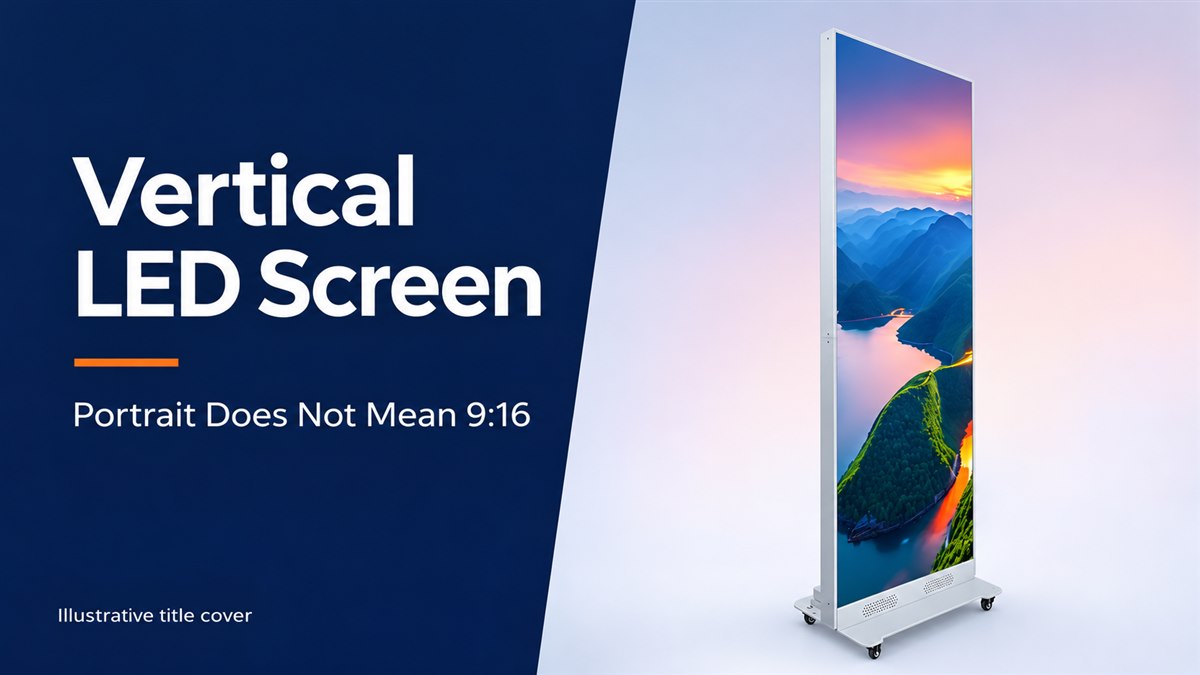
A 16:9 canvas suits standard landscape video, while portrait signage, ribbons, scoreboards, and scenic backdrops may need different proportions. If width is fixed, a 16:9 image has height = width × 9 ÷ 16. For portrait 9:16, height = width × 16 ÷ 9.
Confirm whether media will be letterboxed, cropped, or redesigned when the cabinet grid gives a different ratio. Stretching a source to fill the wall can distort faces and logos. Define safe areas for subtitles and critical information, especially where stage equipment or audience sightlines obscure part of the display.
3. Match LED Screen Size, Pixel Pitch, and Resolution
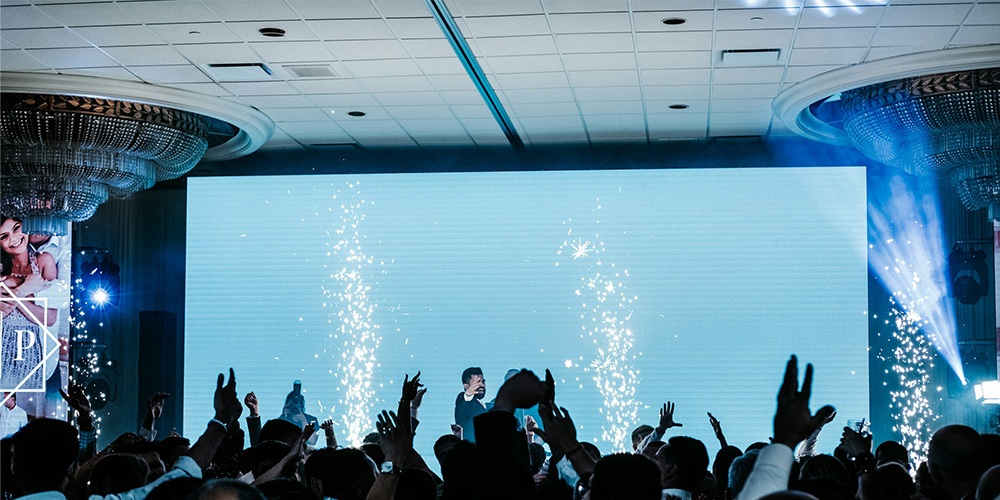
Physical LED screen size controls the area of the image; native resolution specifies how many pixels reproduce it. A processor accepting a 4K input does not make the connected LED wall a native 4K display. For a broader comparison of input formats, see the LED screen resolution guide.
01. Calculate Native Resolution and Pixel Load
For a rectangular display with equal pitch in both directions, horizontal pixels = active width in millimeters ÷ pitch in millimeters. Vertical pixels = active height ÷ pitch. Multiply those results to obtain total pixels. Confirm the result against the manufacturer’s cabinet pixel matrix rather than rounding fractional pixels.
A hypothetical 5,120 × 2,880 mm wall at exact P2.5 contains 2,048 × 1,152 pixels, or 2,359,296 pixels. It has a 16:9 ratio and can display scaled Full HD content. Native 1920 × 1080 at exact P2.5 instead corresponds to 4,800 × 2,700 mm, subject to a compatible cabinet grid.
For native UHD 3840 × 2160 at exact P2.5, the calculated LED screen size is 9,600 × 5,400 mm. This illustrates why “4K” needs a physical sizing check. Confirm actual pitch precision: a marketed P3.9 product may use 3.90625 mm pitch, so dividing by the rounded label can produce the wrong resolution.
02. Avoid Paying for Unused Resolution
At the same LED screen size, halving pitch doubles pixels in each direction and quadruples the total pixel count. P2.5 therefore carries four times the pixels of P5 over equal active area. That can affect receiving cards, data outputs, processing, and cost, although it does not mean every system component costs four times as much.
Specify the detail you need to show before purchasing the finest pitch available. Check processor total capacity, maximum width and height, output-port loading, frame rate, and bit depth. Reserve the capacity required by the selected redundancy design, and validate the actual mapping rather than relying only on a headline pixel limit.
03. Check Camera and Broadcast Requirements
For screens appearing on camera, review refresh behavior, scan method, grayscale at working brightness, synchronization, and moiré. Test the intended cameras, lenses, shutter settings, and shooting positions. A higher resolution alone cannot remove every camera artifact. Final LED screen size decisions should also account for camera framing and the distance between presenters and the wall.
4. Convert an LED Screen Size Target Into Buildable Dimensions
A modular LED wall is assembled from complete compatible units. There is no single standard finished LED screen size. Common module and cabinet formats create repeatable increments, but an architect’s preferred opening will not necessarily match those increments.
01. Calculate Cabinet Counts Before Ordering
Divide target width by cabinet width and target height by cabinet height. If either result is fractional, compare whole-cabinet layouts above and below the target. Where the opening is a hard limit, subtract the required installation allowances before choosing the maximum number of cabinets that fit.
Exact active width = cabinets across × active cabinet width. Exact active height = cabinets high × active cabinet height. Total cabinet quantity = cabinets across × cabinets high. Check the product drawing for any distinction between the active face and external dimensions, particularly for framed or all-in-one displays.
For example, a 4.2 × 2.6 m target using 500 × 500 mm cabinets gives 8.4 × 5.2 cabinets. An 8 × 5 layout makes an actual 4.0 × 2.5 m image; a 9 × 5 layout is 4.5 m wide and exceeds the target. Neither option is 16:9. Confirm the content compromise before quoting the LED screen size.
02. Select Module and Cabinet Formats for the Use Case
| Component | Width × height | Typical use | Sizing or service consideration |
|---|---|---|---|
| Module | 320 × 160 mm | Fixed displays | Confirm compatible cabinet and module resolution |
| Module | 250 × 250 mm | Selected rental systems | Check mounting and connector compatibility |
| Cabinet | 640 × 480 mm | Fixed indoor walls | 8 across × 6 high creates a 16:9 image |
| Cabinet | 500 × 500 mm | Rental stages | Allows 0.5 m width and height increments |
| Cabinet | 500 × 1,000 mm | Larger rental walls | Confirm handling weight and mixed-height compatibility |
| Cabinet | 960 × 960 mm | Fixed outdoor advertising | Coordinate structure, lifting, and service access |
These are format examples, not an interchangeability standard. Compare current indoor LED screen systems, rental LED screen cabinets, and advertising LED boards within the appropriate environment. The EA640F2 product page provides a specific 640 × 480 mm cabinet reference; verify the selected pitch and order configuration separately.
03. Resolve Ratio Errors Intentionally
After fixing the cabinet count, recalculate the final ratio and native pixel map. Agree on letterboxing, cropping, custom media, or a different cabinet family. An exact 16:9 image made from square cabinets needs a 16:9 column-to-row ratio or a whole-number multiple of it; smaller square-cabinet arrangements may only approximate that ratio.
For curved installations, distinguish arc width, chord width, and projected image width. State the radius and angle between cabinets. For corners, confirm edge construction and visible image continuity. A single LED screen size value cannot fully describe a curved or three-dimensional installation.
5. Check LED Screen Size Against Installation Constraints
A feasible LED screen size must fit the building, operating environment, and maintenance plan. Complete these checks before fabricating the surrounding joinery or support structure.
01. Survey the Site and Sightlines
Measure the opening at several points and record the smallest usable dimensions. Note floor and ceiling levels, wall flatness, doorways, delivery routes, mounting elevation, nearby equipment, and sightline obstructions. Include the paths required to move replacement modules or cabinets into position.
Do not assume a universal perimeter gap. Structure, trim, construction tolerance, airflow, cable bends, and the service method determine the clearance. A recessed display may require a removable trim detail even when its modules are front-service. Obtain front, side, and section drawings showing the complete installed envelope.
02. Verify Structure, Power, Heat, and Service
Multiply cabinet mass by quantity, then add the mounting frame, rigging, cables, and associated equipment. Use manufacturer load information and project-specific structural design for suspended or outdoor installations. Wind exposure and support geometry can materially change the design even when LED screen size stays constant.
For an initial electrical load schedule, cabinet count × maximum rated cabinet power gives the display’s stated maximum demand. Typical consumption varies with content and brightness and should not replace the electrical design basis. Have the installer account for circuit capacity, protection, startup behavior, distribution, and local requirements.
Confirm how heat leaves the cavity and how technicians reach power supplies, receiving cards, and connectors. Front service can reduce rear-access needs, but the complete product must support the proposed maintenance method. For outdoor use, check environmental ratings, drainage, corrosion protection, and weather exposure for the actual cabinet faces and connections.
03. Balance Size Against the Whole Budget
Compare complete installed systems at the same LED screen size and required performance. Include structure, processing, electrical work, calibration, freight, installation, spares, content adaptation, and ongoing service. A lower panel price can be offset by difficult access or additional processing hardware.
When budgets are tight, compare a slightly smaller wall with readable content against a larger wall with compromised pitch or access. Record which requirement changes in each option. This makes commercial decisions traceable and prevents an apparently cheaper quotation from silently reducing resolution or serviceability.
6. Work Through an LED Screen Size Example
Consider an auditorium opening 5.4 m wide and 3.2 m high, with viewers from 3 to 17 m away. The content is mainly landscape presentations and video. Evaluate a hypothetical exact-P2.5 configuration using 640 × 480 mm active cabinets; product availability must be confirmed separately.
01. Build and Validate the 8 × 6 Cabinet Option
| Check | Calculation | Result |
|---|---|---|
| Active width | 8 × 640 mm | 5,120 mm |
| Active height | 6 × 480 mm | 2,880 mm |
| Cabinet quantity | 8 × 6 | 48 |
| Image ratio | 5,120 ÷ 2,880 | 16:9 |
| Native pixels | (5,120 ÷ 2.5) × (2,880 ÷ 2.5) | 2,048 × 1,152 |
| Total pixel load | 2,048 × 1,152 | 2,359,296 pixels |
| Active area | 5.12 × 2.88 | 14.7456 m² |
| Remaining opening | 5.4 − 5.12; 3.2 − 2.88 | 280 mm width; 320 mm height |
This LED screen size fits inside the stated opening geometrically. It is not yet an approved installation. If centered, the remaining opening gives 140 mm on each side and 160 mm above and below, before allocating structure, trim, tolerances, and access.
The farthest-view ratio is 17 ÷ 2.88, approximately 5.9 screen heights. Use that number to organize a content test, not to declare that all text will be readable. At the 3 m front row, inspect pixel visibility and small text on a sample; exact P2.5 may or may not meet the audience’s expectations.
02. Compare Alternatives Before Freezing the Design
An 8 × 5 arrangement produces 5.12 × 2.40 m, losing image height and the 16:9 ratio. A 9 × 6 arrangement measures 5.76 × 2.88 m and exceeds the opening width. Another cabinet family may offer a better balance if installation clearances make the original option impractical.
Before approving the LED screen size, request the exact mechanical layout, native canvas, power and data routing, load schedule, service method, and content test. Keep the selected drawing revision with the quotation so procurement and installation use the same assumptions.
7. Use an LED Screen Size Specification Checklist
A useful request for quotation lets every supplier calculate the same LED screen size and performance target. Include the following information before comparing offers:
- Image: active width, height, area, aspect ratio, and target native resolution.
- Building blocks: exact pitch, module dimensions, cabinet dimensions, pixel matrix, and cabinet count.
- Audience: nearest and farthest viewers, side angles, essential text size, and representative media.
- Installation: opening dimensions, overall depth, mounting method, structure, access, and environmental conditions.
- Electronics: input formats, processor limits, receiving-card configuration, data routing, and redundancy requirements.
- Operation: brightness range, working hours, power schedule, thermal plan, and camera requirements.
- Maintenance: replaceable parts, matching spare modules, calibration files, warranties, and service responsibilities.
- Acceptance: approved drawings, test content, mechanical tolerances, and documented commissioning checks.
At acceptance, compare the installed pixel map with the order, inspect cabinet alignment and seams, and test gradients, text, moving images, and dark scenes at the intended brightness. Confirm the content fills the agreed canvas without unintended cropping. An LED screen size specification becomes useful when these requirements can be checked on the delivered system.
8. LED Screen Size Frequently Asked Questions
01. What does “dimension LED” mean?
It generally refers to LED screen dimensions, although buyers may also mean a module or cabinet size. Specify the component, width, height, and units. For the finished wall, distinguish the active image from the installed envelope so that frame depth and service access are included in the project.
02. What is the standard LED screen size?
There is no universal finished LED screen size for modular walls. Common cabinets include 500 × 500 mm, 500 × 1,000 mm, and 640 × 480 mm formats. The complete display depends on the number and arrangement of compatible cabinets, the content ratio, and the installation allowances.
03. How do I convert LED screen sizes in inches to meters?
First confirm that inches describe the diagonal. For 16:9, multiply the diagonal in inches by 0.0254, then by 16 ÷ √337 for width or 9 ÷ √337 for height. A 200-inch diagonal corresponds to approximately 4.428 × 2.491 m of active image, before cabinet-grid adjustments.
04. How do I calculate LED screen size from resolution?
Multiply horizontal pixels by exact pitch to obtain width in millimeters, and vertical pixels by pitch to obtain height. For example, 1920 × 1080 at 2.5 mm gives 4,800 × 2,700 mm. The chosen module and cabinet matrix must support those pixel counts with whole units.
05. What size is a 9 × 12 LED wall?
Confirm the units and whether the supplier states height or width first. A wall 12 ft wide and 9 ft high is approximately 3.658 × 2.743 m and has a 4:3 ratio. If 9 × 12 instead describes cabinet counts, multiply each count by the corresponding cabinet dimension.
06. Should I choose pixel pitch or LED screen size first?
Start with the audience, essential content, and available opening, then evaluate size and pitch together. Image height affects readability from the back, while pitch affects detail and visible pixel structure near the front. Refine both against cabinet increments, processor capacity, service space, and budget.
07. Can cabinets be cut to fit an exact opening?
Normally, standard cabinets cannot be cut to fit. Choose a whole-cabinet layout or a manufacturer-approved system with suitable smaller units. Do not assume cabinets from different series or brands can be mixed simply because their outside dimensions match. Confirm the complete mechanical and electrical configuration.
08. How much clearance and thickness does an LED wall need?
There is no universal clearance or installed thickness. Cabinet depth is only one part of the envelope; mounting, connectors, ventilation, trim, tolerances, and service access also matter. Ask for a section drawing and a demonstrated maintenance procedure before finalizing the surrounding wall or recess.
9. Conclusion: Confirm the Complete LED Screen Size Specification
The right LED screen size connects audience needs with a buildable cabinet grid. Establish active width and height, choose an appropriate pitch, calculate the native resolution, and confirm how the content fits. Then verify the installed envelope, structure, power, processing, and maintenance access before placing the order.
Use the conversion tables for early planning and the worked example to check your arithmetic. Keep approximate dimensions separate from approved product specifications. For a project-specific review, send EagerLED your target LED screen size, opening measurements, viewing distances, and sample content. Request a cabinet layout and documented assumptions so the proposed display can be assessed against the actual site.
 Black LED Display vs White LED Display: Contrast & Cost
 10 Best Cinema Screens in the World: IMAX & LED