If you are pricing a virtual production LED wall for a film, broadcast, music video or xR stage, the quotes you receive will vary by a factor of three for what looks like the same screen. That gap is not marketing noise. A virtual production LED wall is judged by how it behaves on camera – refresh rate, scan rate, colour accuracy, panel uniformity and black level – not by how pleasant it looks to the human eye.
This guide explains what a virtual production LED wall really costs in 2026, which specifications you cannot cut, and where a studio can still save money without wrecking image quality. It is written for producers, technical directors, rental houses and system integrators.
Quick answers before we start.
- Typical cabinet cost: a camera-ready virtual production LED wall usually runs from about USD 1,200 per square metre for P2.6 SMD panels to more than USD 4,000 per square metre for P1.5 panels with tight binning and calibration.
- A complete LED volume – wall, processor, camera tracking, media servers, structure, rigging and installation – typically lands between USD 150,000 for a small 6m x 3m stage and more than USD 2 million for a 24m x 5m volume.
- The specification that decides everything is pixel pitch measured against the closest camera distance, not the biggest number on a brochure.
- Where money is wasted: buying a finer pitch than the camera needs, skipping spare panels, and ignoring the processor and tracking budget until after the screen is ordered.
- Where money is saved: choosing the right pitch, using standard cabinet sizes, buying factory-direct, and planning spares in the first purchase order.
1. What Is a Virtual Production LED Wall?
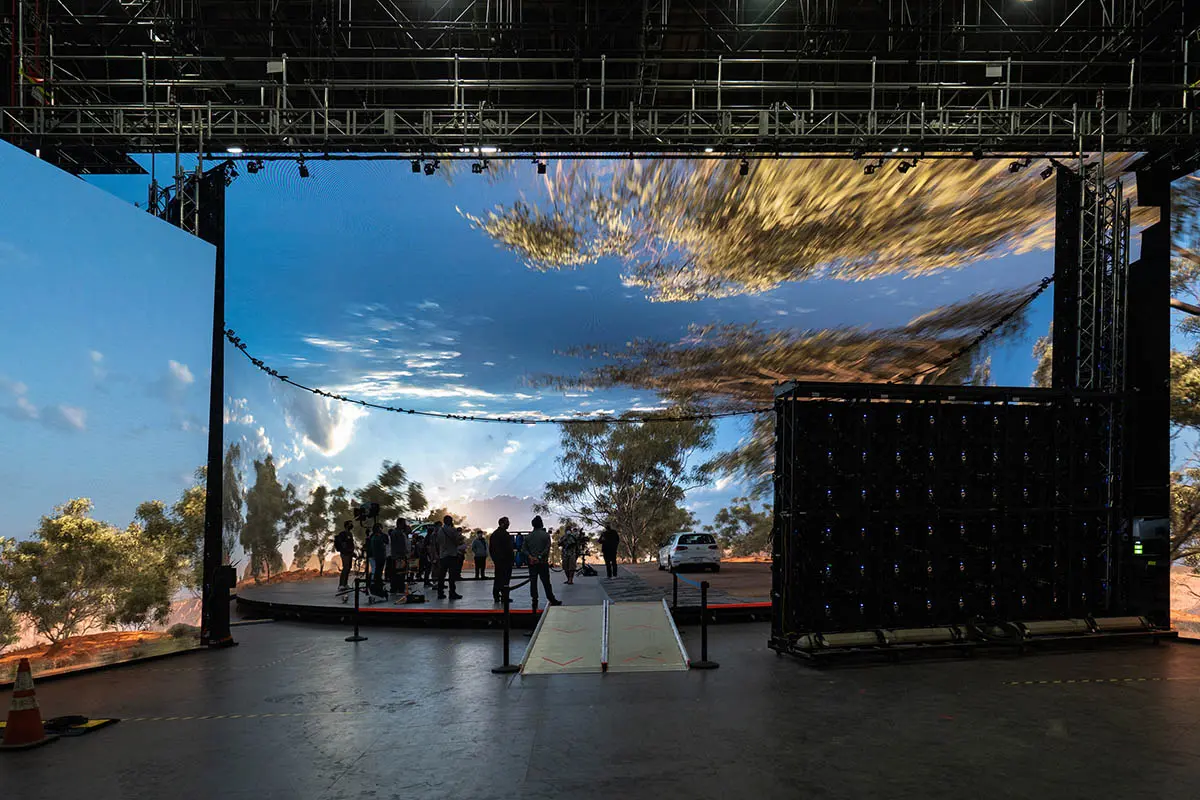
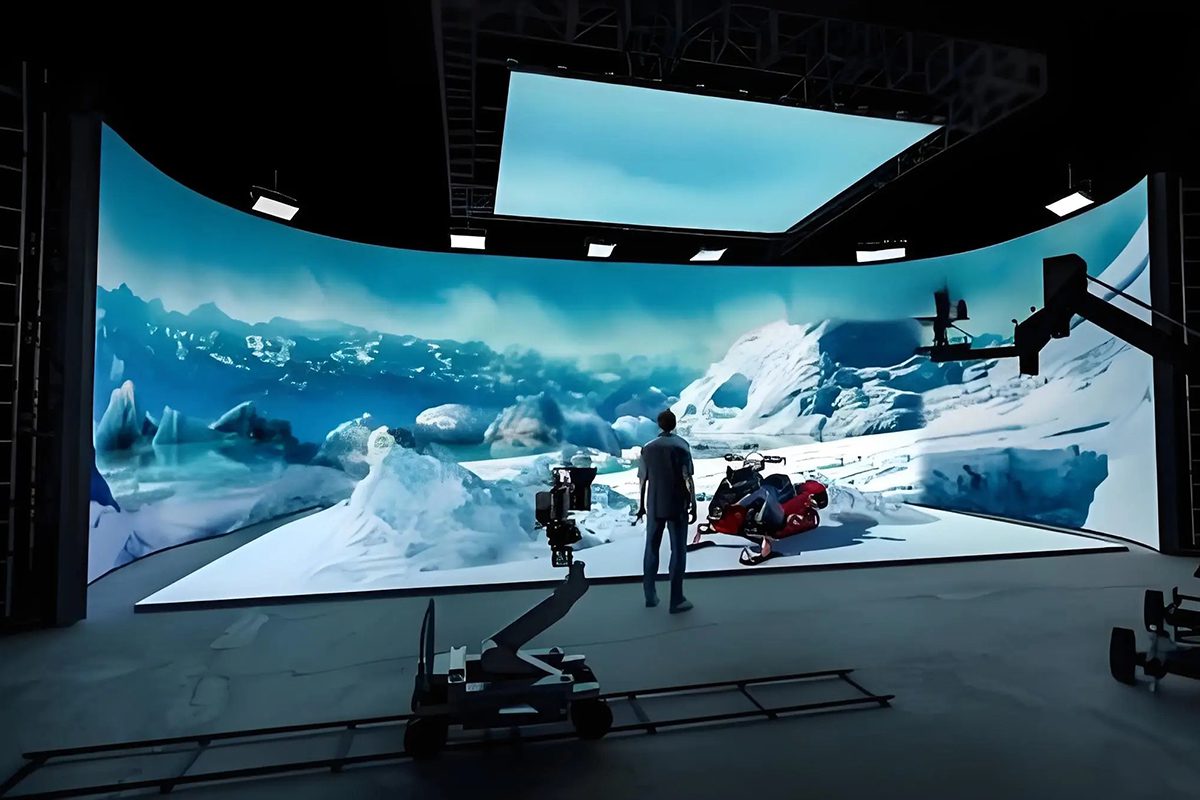
A virtual production LED wall (also written as an LED volume wall, ICVFX wall or xR stage screen) is a large-format, high-refresh LED display that replaces a green screen. A real-time engine – usually Unreal Engine – renders the background, camera tracking data tells the engine exactly where the camera is, and the wall redraws the correct parallax on every frame. The background is therefore lit, in focus and effectively final in camera. This workflow is called in-camera VFX, or ICVFX.
That is why a virtual production LED wall is not simply a big LED screen. It is a display, a tracking system and a render pipeline sold as one product. If any one of those three parts is weak, the whole volume fails on set.
01. How an LED Volume Wall Works with In-Camera VFX
The pipeline repeats many times per second. The tracking system reports the camera position and lens data to the engine; the engine renders the correct view and sends it to the media server; the server maps that image onto the LED wall through the LED processor with a locked frame rate. Because the wall is also the main source of light on the actor, the image on screen must be colour-calibrated and stable, otherwise skin tones shift between shots.
Three technical conditions have to be met for the loop to stay invisible: the wall must refresh fast enough to avoid banding in the shutter window, the processor must be genlocked to the camera so no frame tearing appears, and the tracking latency must stay low enough that the background does not lag behind the camera move.
02. Virtual Production LED Wall vs Green Screen
A green screen is cheaper to buy and more expensive to finish. A virtual production LED wall costs more up front and much less in post-production, because reflections, eye-light and background lighting are captured in camera instead of being invented later.
| Factor | Green screen | Virtual production LED wall |
|---|---|---|
| Upfront cost | Lowest – fabric, paint, lighting | Highest – wall, processor, tracking, servers |
| Lighting control on set | Spill has to be removed in post | The wall lights the actor and the props |
| Reflections and eye-light | Faked in compositing | Physically correct in camera |
| Post-production load | Keying, rotoscoping, relighting | Background is already final; post drops sharply |
| Changes after the shoot | Reshoot or heavy CG work | Re-render the same shot without the talent |
| Best use cases | Low budgets, outdoor work, simple keys | Driving plates, night exteriors, sci-fi, period drama |
| Hidden cost | VFX artist hours | Skilled volume crew and calibration time |
The practical rule for 2026: if the production needs more than a handful of shots with reflective surfaces, moving vehicles or controlled lighting, the virtual production LED wall is normally the cheaper route once post-production is counted.
03. Why Studios Choose an LED Volume Stage
An LED volume stage gives the director a background they can see and light against, and it gives the producer a schedule they can hold. Actors perform against the real final image rather than a blank colour, which shortens the time spent on eyelines and improves performance. For broadcast and live events, the same virtual production LED wall can switch from a news set to a concert stage between shows without rebuilding the room.
Studios also value repeatability: once a virtual production LED wall is calibrated, the same scene can be re-shot months later with the same colour response.
2. Types of Virtual Production LED Wall and LED Volume Stage Layouts
The type of virtual production LED wall you choose decides both the price per square metre and the cost per shooting day. Four decisions cover almost every project.
01. Indoor vs Outdoor Virtual Production LED Wall
An indoor virtual production LED wall is optimised for controlled light. It runs at 800 to 1,500 nits, uses a fine pitch, and relies on high contrast rather than raw brightness. An outdoor virtual production LED wall has to fight the sun, so it starts around 4,500 to 5,500 nits, uses a coarser pitch and needs high-grade waterproofing, UV-stable masks and a stronger cabinet structure. Outdoor walls are usually used for live events and outdoor xR stages rather than for narrative film.
02. Fixed Installation vs Rental LED Volume Stage
A fixed installation is the right answer for a studio that shoots more than roughly 60 days a year: capital cost is higher, but the cost per shooting day falls quickly and the wall can be calibrated once and left alone. A rental LED volume stage makes sense for pilots, one-off commercials and touring productions where the wall has to travel. Rental also shifts the maintenance risk to the supplier.
03. Modular Panels vs Full-Screen LED Walls
Modular cabinets let you build a 6m wall today and extend it to 18m next year from the same stock. A full-screen bespoke wall gives a seamless 180 to 270 degree volume with no visible cabinet edges, but it locks you into one geometry and one supplier. For most first-time buyers, modular panels are the lower-risk choice because spares are cheap and replacements match.
| Type of virtual production LED wall | Typical pixel pitch | Best for | Cost signal |
|---|---|---|---|
| Indoor studio wall | P1.5 – P2.6 | Permanent volume stage, film and series | Highest cost per square metre, lowest cost per shooting day |
| Rental volume wall | P2.6 – P3.9 | Pilots, commercials, touring stages | Lowest upfront spend, highest daily rate |
| Outdoor virtual production LED wall | P3.9 – P6.6 | Outdoor xR stages, live events | Mid cost, needs 4,500+ nits and IP-rated cabinets |
| Fixed installation | P1.9 – P2.6 | Studio-owned volume, broadcast | Capital expense spread over years of use |
| Modular panel system | P2.6 – P3.9 | Rental houses, expanding studios | Cheap to expand and repair, flat-pack logistics |
| Curved full screen | P1.5 – P2.6 | 180 – 270 degree LED volume | Custom cabinets and rigging push the price up |
3. Specifications That Decide Virtual Production LED Wall Price
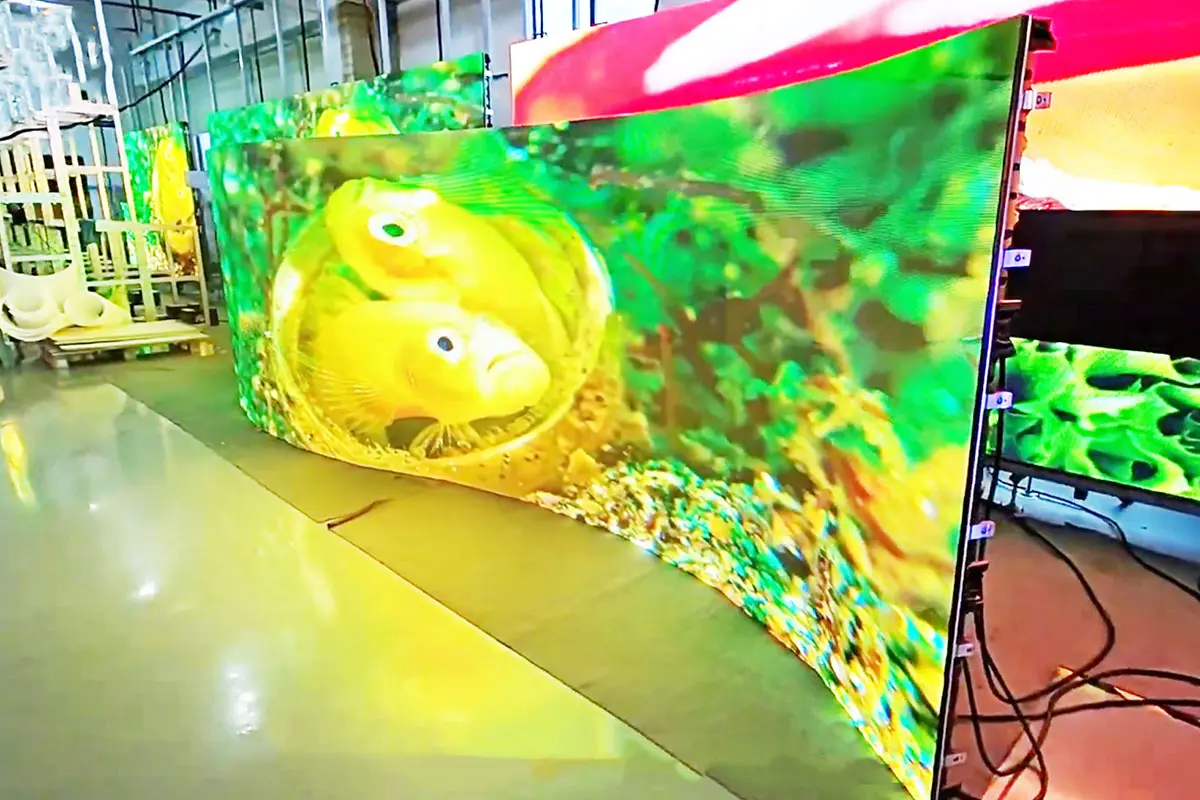
A virtual production LED wall is priced by what it has to do on camera, not by the size of the room. Six specifications move the price the most: pixel pitch, volume size, refresh and scan rate, brightness and colour handling, panel technology, and the tracking and processing chain behind the screen.
01. Pixel Pitch: The Single Biggest Price Driver
Pixel pitch is the distance between two LED pixels, measured in millimetres. Halving the pitch roughly quadruples the number of LEDs and driver channels per square metre, so a P1.5 virtual production LED wall can cost three to four times as much as a P2.6 wall of the same size. The correct question is not which pitch is best, but which pitch survives the closest camera distance in the shot list.
02. Screen Size, Resolution and Volume Geometry
The wall has to fill the camera frame at the widest lens in the shot list, and it has to wrap far enough around the action to keep reflections believable. A 180 degree volume needs roughly three times the linear screen of a flat wall. See our LED screen resolution guide for the arithmetic.
03. Refresh Rate, Scan Rate and Frame Rate
This is where cheap virtual production LED wall quotes fall apart. A camera does not see continuously; it samples the wall for a fraction of each frame. If the wall refreshes too slowly, or the scan pattern is too coarse, the sensor captures dark bands and scan lines that cannot be removed in post. For film work at 24 fps with a 180 degree shutter, a refresh rate of 3,840 Hz is the practical minimum, 7,680 Hz is common on good ICVFX panels, and a high scan count (for example 1/16 scan or better) keeps the camera from seeing a partial refresh.
The same rule applies to broadcast. A virtual production LED wall used in a 50 Hz or 60 Hz studio has to be genlocked to the camera system so that every frame is sampled from a complete refresh cycle.
04. Brightness, Colour Space and Calibration
For an LED volume, brightness is a lighting decision. A wall that is too bright flattens the shot and produces colour spill onto the actor; a wall that is too dim cannot hold a night exterior. Most studios settle between 800 and 2,000 nits and then dim the wall per shot. What matters more than peak brightness is the colour pipeline: a virtual production LED wall should cover the working colour space of the camera, hold a consistent white point across the whole surface, and be calibrated per cabinet so that seams do not appear as colour or brightness steps.
05. Panel Technology: SMD, COB and MIP
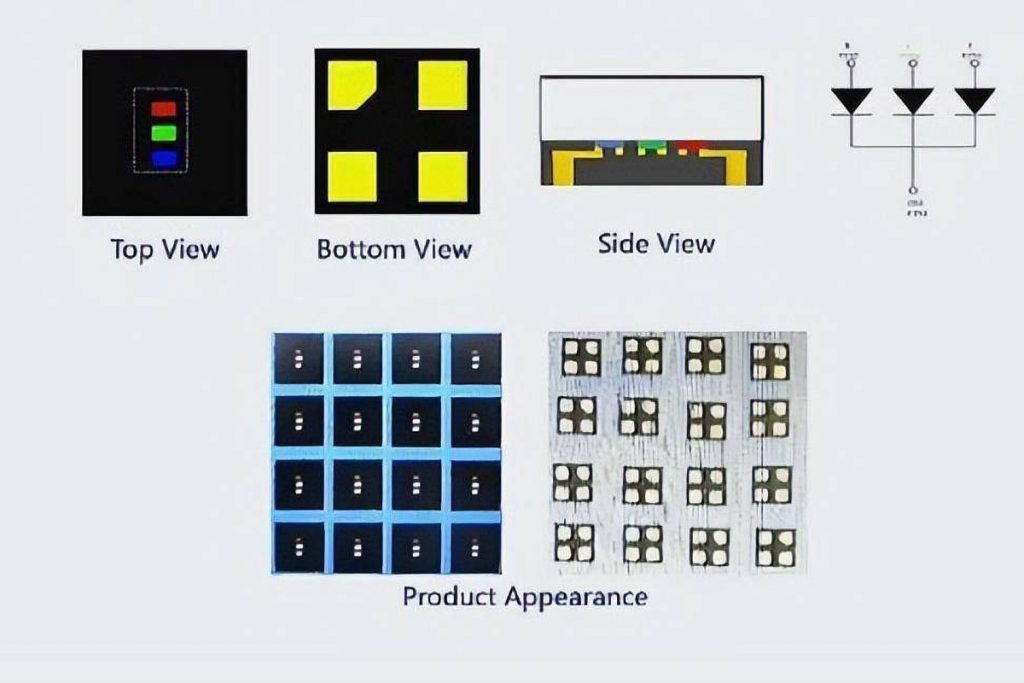
SMD is the most common and cheapest option for a virtual production LED wall, and at P2.6 and above it performs well. COB packages the LEDs in resin, which improves contrast, resists impact and reduces moire – useful when the camera is very close. MIP technology sits between the two and is gaining ground in 2026 because it improves colour consistency across large surfaces at a moderate cost. Micro-LED remains a niche option for the smallest volumes.
06. Camera Tracking, Genlock and Media Servers
Budget for the invisible half of the volume. Camera tracking, the media server or render nodes, the LED processor and the genlock distribution are typically 15 to 30 percent of a complete ICVFX system. A video processor with enough ports and true genlock support is essential, because a virtual production LED wall driven by a consumer-grade controller will show tearing the moment the camera moves.
07. Rigging, Installation and Maintenance
Wall structure, truss, floor loading, cabling, power distribution, commissioning and calibration are frequently forgotten at the quotation stage. On a curved volume these items can add 20 to 35 percent to the screen price. Maintenance is smaller but real: dead pixel repair, spare receiving cards, spare power supplies and an annual recalibration.
| Pixel pitch | Closest camera distance | Typical use | Indicative cabinet price band (USD per square metre, factory-direct 2026) |
|---|---|---|---|
| P1.5 – P1.9 | 1.5 – 3 m | Close-up ICVFX, prestige volumes | USD 2,800 – 4,500 |
| P2.6 | 3 – 6 m | The standard choice for LED volume stages | USD 1,200 – 2,200 |
| P3.9 | 6 – 10 m | Large volumes, rental stages, events | USD 700 – 1,300 |
| P4.8 – P6.6 | 10 m + | Outdoor xR stages, live production | USD 550 – 1,100 |
The bands above are 2026 market estimates for the LED cabinets only, before processors, tracking, structure and installation. Treat them as a planning range, not as a quotation.
4. Virtual Production LED Wall Cost in 2026: A Full Budget Breakdown
The screen is only one line of a virtual production LED wall budget. The table below shows how a complete ICVFX volume is usually split, using three common stage sizes. It is the fastest way to see where a quotation is realistic and where it is optimistic.
| Budget line | Small volume (6m x 3m) | Mid volume (12m x 4m) | Large volume (24m x 5m) |
|---|---|---|---|
| LED wall cabinets and power/data | USD 45,000 – 90,000 | USD 180,000 – 340,000 | USD 450,000 – 900,000 |
| LED processor and signal distribution | USD 6,000 – 12,000 | USD 15,000 – 35,000 | USD 40,000 – 90,000 |
| Camera tracking system | USD 25,000 – 45,000 | USD 40,000 – 90,000 | USD 70,000 – 150,000 |
| Media servers and render nodes | USD 15,000 – 35,000 | USD 40,000 – 90,000 | USD 90,000 – 200,000 |
| Structure, truss, rigging and floor | USD 15,000 – 35,000 | USD 45,000 – 90,000 | USD 120,000 – 260,000 |
| Installation, commissioning and calibration | USD 8,000 – 18,000 | USD 20,000 – 45,000 | USD 50,000 – 110,000 |
| Spare panels, cards and power supplies | USD 5,000 – 10,000 | USD 18,000 – 35,000 | USD 45,000 – 90,000 |
| Indicative total | USD 120,000 – 245,000 | USD 360,000 – 725,000 | USD 865,000 – 1,800,000 |
Three patterns repeat. The wall is roughly 40 to 50 percent of the total, not 90 percent. Peripheral systems scale with resolution more than with area, so a tall wall is often cheaper than a very wide one. And a factory-direct virtual production LED wall can cut the screen portion of the budget by 30 to 50 percent against a reseller quote for the same cabinet.
Running costs matter too: the wall, the servers and the climate control all draw power, and a trained operator is required.
5. How to Choose a Virtual Production LED Wall at the Lowest Cost
Lowest cost does not mean lowest quote. It means the lowest total spend that still produces images the camera accepts. The five steps below are the order in which the decisions should be made; changing the order is the most common reason budgets blow out.
01. Define the Closest Camera Distance First
Open the shot list and find the tightest framing that will use the wall. That single number sets the maximum usable pixel pitch and therefore the ceiling of your budget. Everything else – cabinet size, processor ports, spare ratio – follows from it.
02. Match Pixel Pitch to the Shot, Not to the Brochure
A P1.9 virtual production LED wall is wasted if the camera never comes closer than seven metres. A P3.9 wall will fail if an 85mm lens sits 2.5 metres from the surface. Choosing one step coarser than the theoretical minimum, and compensating with a cleaner driver IC and a higher scan rate, is often the single largest saving available in a volume build.
03. Buy Cabinets That Are Already Camera-Ready
Check the refresh and scan specification, the driver IC model, the flatness tolerance, the colour and brightness binning, and whether the cabinet supports the curved locking you need. A cabinet that is 15 percent cheaper but needs re-binning or extra calibration usually costs more by the time the volume is commissioned.
04. Budget Processors, Tracking and Spares Together
Quote the LED processor, tracking, servers and a 5 to 10 percent spare panel pool in the same document as the wall. Spares bought after the production line has changed are more expensive and may not match the existing bin.
05. Compare at Least Three Factory-Direct Quotes
Ask for the same cabinet specification, the same spare ratio, the same warranty and the same calibration scope, then compare the totals. Quote differences of 20 percent are normal; differences above 50 percent usually mean a different grade of driver IC, a different bin, or no calibration at all.
6. Budget-Friendly Virtual Production LED Wall Options for 2026
The table below describes what three realistic budget levels actually buy in 2026. It is deliberately blunt about trade-offs, because the difference between a working volume and an expensive experiment is usually the tracking and processing chain, not the panels.
| Budget tier | What you can build | Recommended pitch | Where the money goes |
|---|---|---|---|
| Entry (up to USD 150,000) | A 6m x 3m flat or gently curved virtual production LED wall for single-camera work and close-medium shots | P2.6 SMD, 3,840 Hz+ | Panels, basic processor, entry tracking, one render node |
| Mid (USD 150,000 – 600,000) | A 10m – 14m wrap-around LED volume with ceiling strip and reliable genlock | P2.6 or P1.9 for the hero section | More panels, redundant processing, better tracking, two to three render nodes |
| Professional (USD 600,000+) | A 20m+ 270 degree volume with ceiling, per-cabinet calibration and full spare pool | P1.9 down to P1.5 in the hero area | Fine pitch panels, high-end tracking, multi-node rendering, structure and commissioning |
A mixed-pitch build is often the smartest compromise: use a fine-pitch section only where the camera comes close, and a coarser, cheaper pitch for the wrap-around and ceiling areas that are always further away. The audience and the camera never see the difference, but the invoice does.
7. Common Mistakes That Raise Virtual Production LED Wall Cost
01. Buying the Finest Pixel Pitch You Can Afford
The finest pitch does not improve a shot that is never framed closer than eight metres. It increases the LED count, the driver channels, the processor ports and the number of cabinets that need calibration – four costs that multiply together.
02. Ignoring Refresh Rate, Scan and Shutter Angle
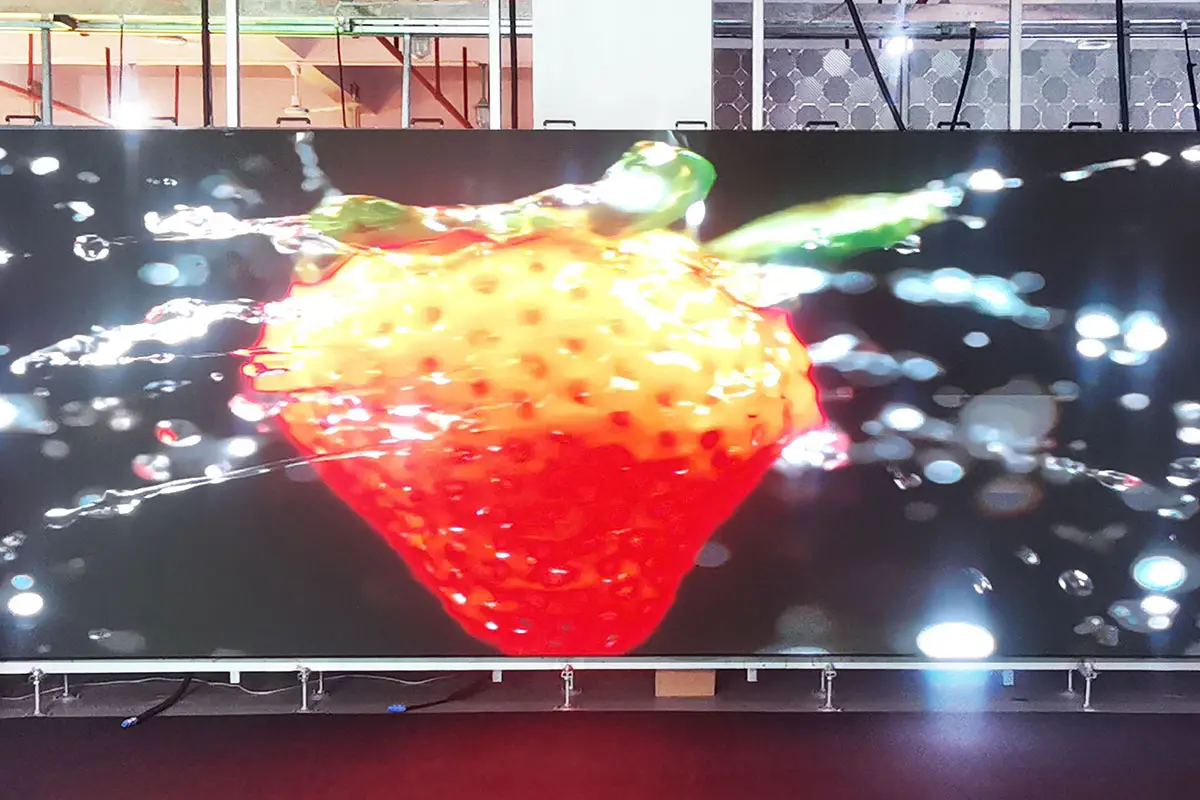
A cheap virtual production LED wall that bands on camera has to be replaced, not repaired. Test the wall with the actual camera, the actual frame rate and the actual shutter angle before ordering a volume quantity, and insist on seeing the test footages rather than a specification sheet.
03. Skimping on Spare Panels and Service
A dead cabinet during a shoot day costs far more than the spare. A 5 to 10 percent spare pool, spare receiving cards and spare power supplies should be part of the original order, not an emergency purchase later.
04. Renting Repeatedly Without a Buy Plan
Rentals are the correct answer for short projects, but a studio that rents a virtual production LED wall for more than about 60 days a year is usually paying for the wall twice over. Model the crossover point before signing another rental contract.
8. How to Choose a Virtual Production LED Wall Supplier
The supplier you choose has more influence on the final cost than any single component, because they control binning, calibration and how quickly a replacement arrives.
01. Camera-Test the Wall Before You Buy
Ask for a live camera test at the pitch you intend to buy, with a moving camera and a reflective prop in frame. Look for banding, moire on fine patterns, colour shifts across cabinet seams and flicker at the extremes of the shutter range.
02. Check Volume Delivery and ICVFX Experience
A supplier who has delivered LED volume stages understands curved locking, floor loading, cable routing and the tolerance stack between cabinets. Ask for references from stages of a similar size.
03. Lock Down Warranty, Spares and Lead Time
Confirm the warranty period for panels and power supplies, the bin-matching guarantee for future orders, the lead time for a replacement cabinet, and who pays for the calibration visit after a repair. These terms matter more than a two percent discount on the panels.
9. FAQs About the Virtual Production LED Wall
These are the questions buyers ask most often when they are comparing quotations for a virtual production LED wall.
10. Conclusion: Buy the Virtual Production LED Wall Your Camera Actually Needs
The cheapest virtual production LED wall is not the one with the lowest quote. It is the one that matches pixel pitch to the shot list, refreshes fast enough for the shutter, and arrives with the processor, tracking and spares already budgeted. Buy one step coarser than the theoretical minimum where the camera allows it, spend the saving on a better driver IC, a genuinely genlocked processor and a proper spare pool, and the volume will pay for itself across productions instead of being rebuilt after the first one.
If you are planning a stage, the fastest way to a realistic number is to send us three things: the widest and tightest camera distances, the target frame rate and shutter angle, and the room dimensions. With those, a factory-direct quotation for a virtual production LED wall can be built around what the camera will actually see – and nothing you do not need. You can also compare the workflow against a traditional build in our LED volume guide, review how pixel pitch changes viewing distance, or check what LED screen size you need before you commit to a volume geometry.
 What Is MIP Technology & Why It Matters For LED Displays ?
 Commercial Digital Signage Displays: LED & LCD Buying Guide