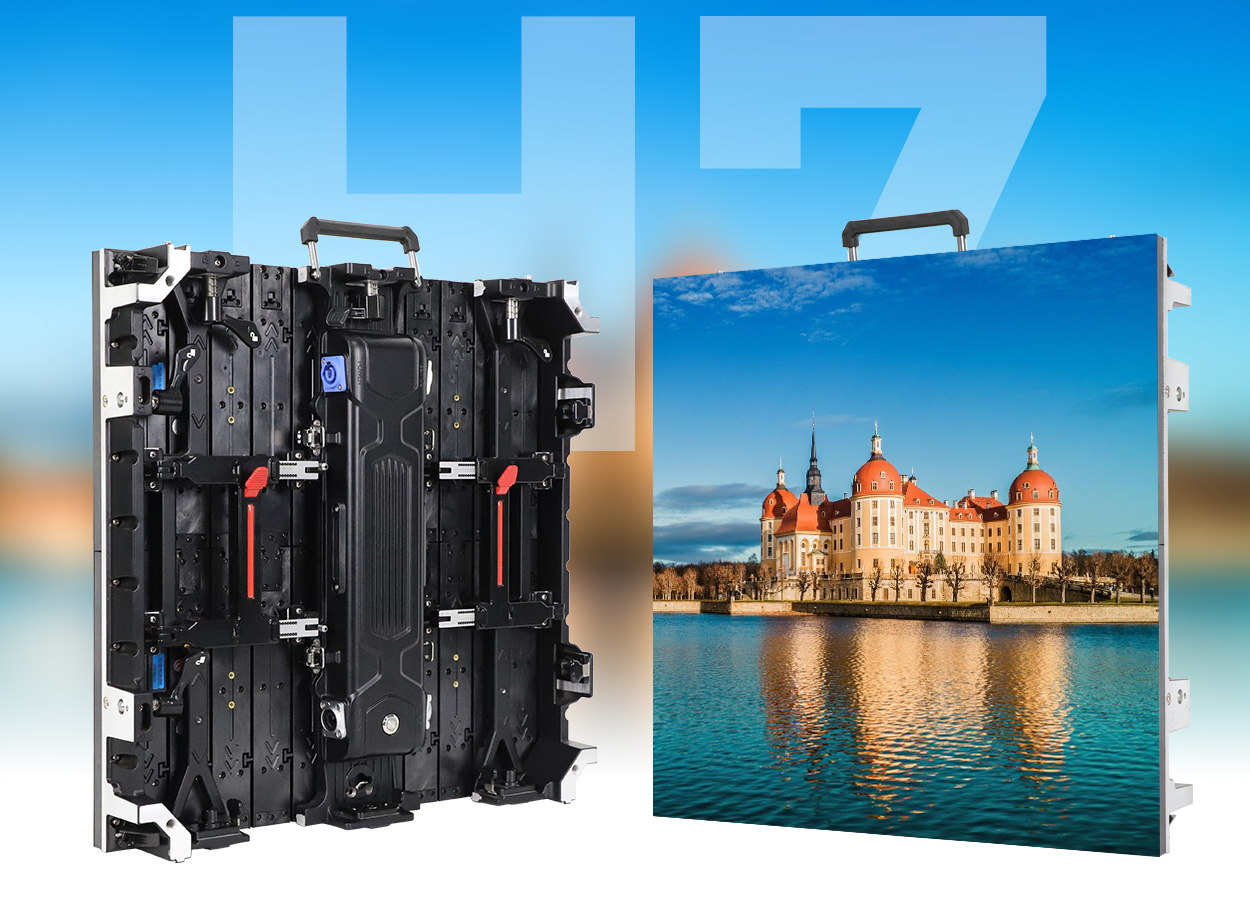
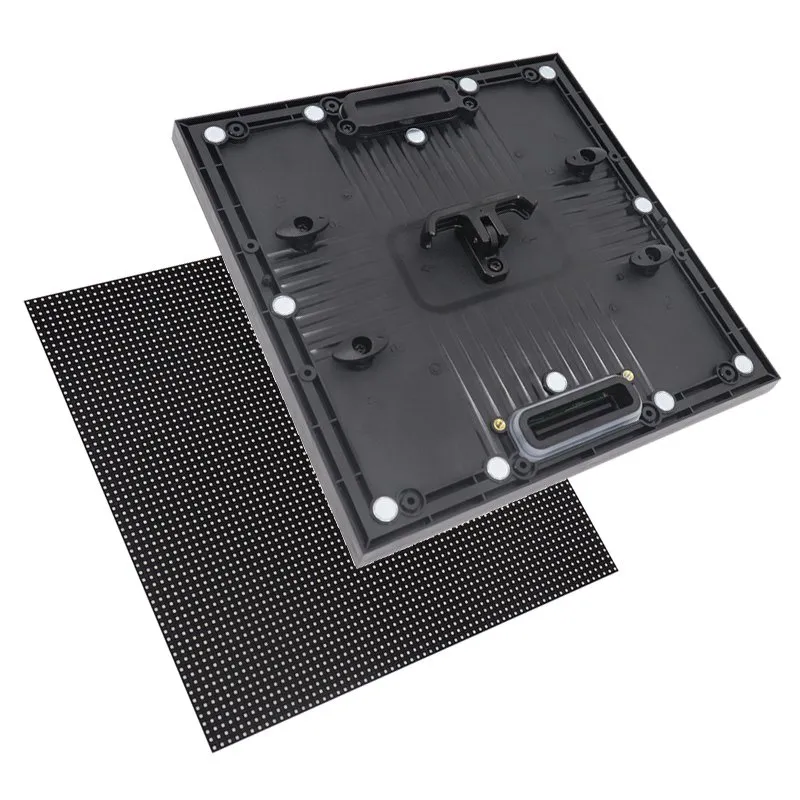
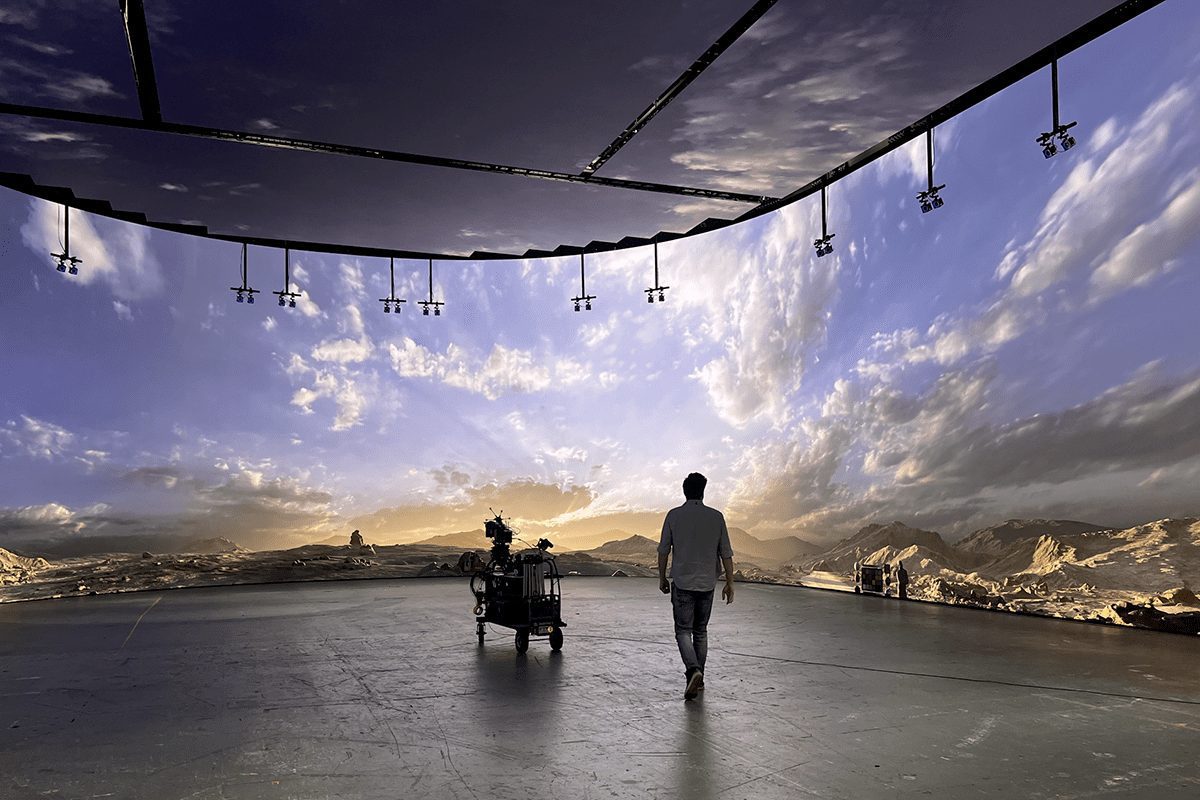
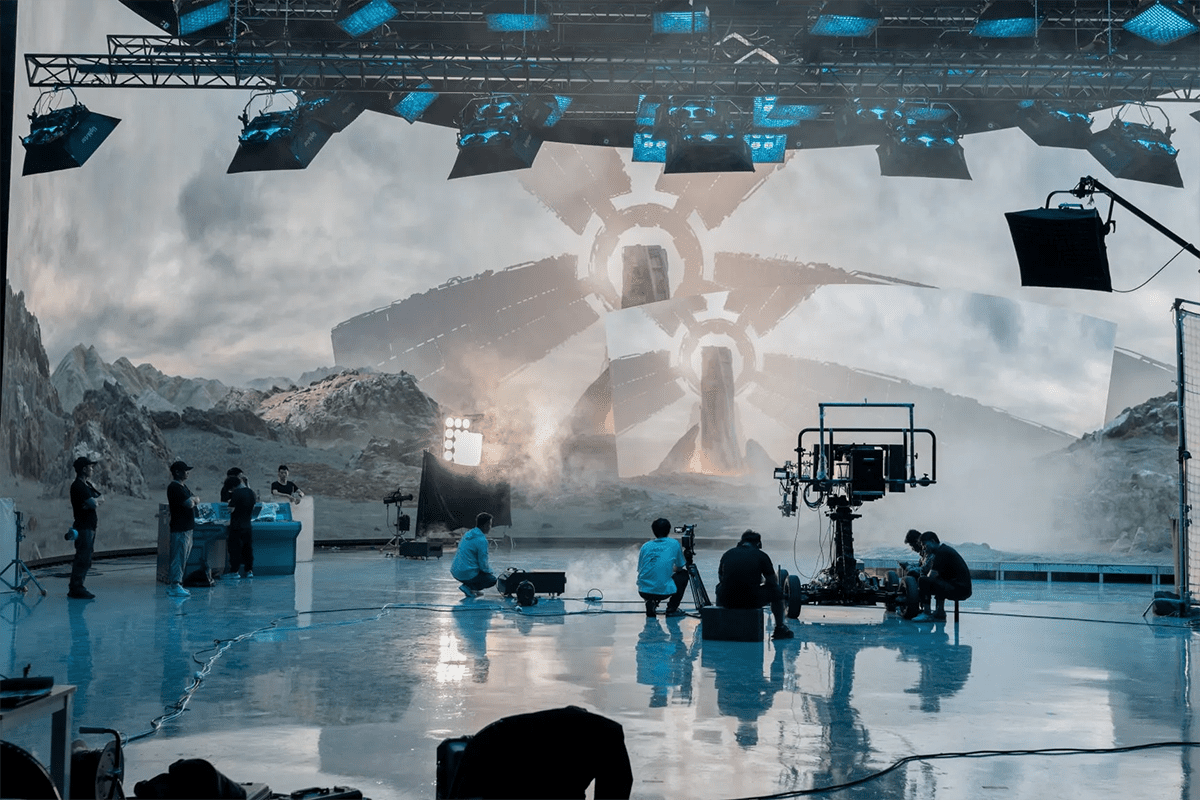
An LED volume wall is an arrangement of LED display panels used to surround a filming area with digital scenery. In a tracked virtual-production workflow, the background changes with the camera’s viewpoint so real performers and virtual environments can appear together in the recorded image. The screen can also supply environmental light and reflections, although dedicated film lighting often remains necessary.
For a studio buyer, the central question is whether the complete system can deliver the planned shots reliably. A convincing demonstration does not automatically prove that a wall will handle your lenses, shutter settings, dark scenes, camera moves or production schedule. Successful LED volume solutions begin with a shooting brief and end with documented acceptance tests.
This guide explains how to plan an LED volume wall, select an integration partner and evaluate installation readiness. It includes comparison tables, a practical commissioning checklist and questions to send with a quotation request. For a broader equipment overview, see our virtual production LED wall guide.
1. What is an LED volume wall, and how does it work?
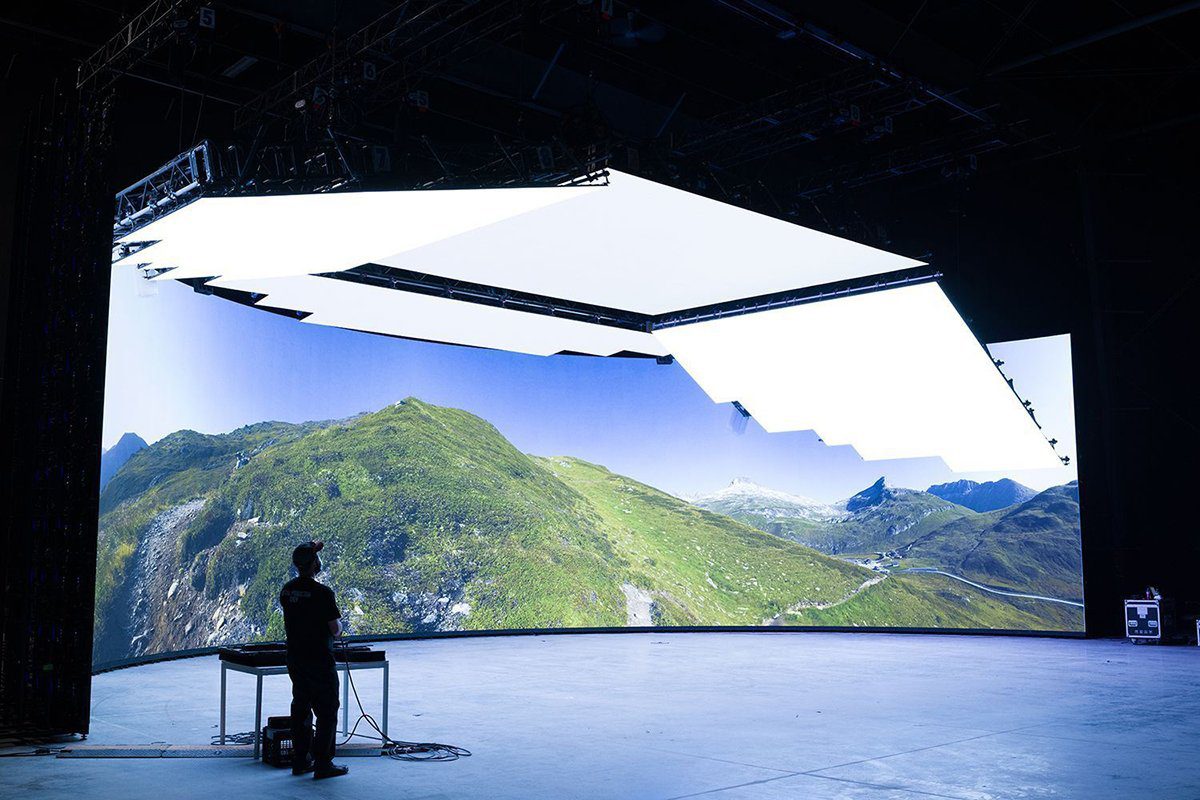
An LED volume is the physical production space; the LED volume wall is its display surface. A stage may use a flat background, curved walls, movable side panels, a ceiling or selected combinations. It does not need to form a complete enclosure. Its geometry should serve camera coverage, lighting and access.
01. Playback backgrounds and tracked environments
A playback setup displays prerecorded footage or prepared graphics. It can suit a controlled interview, music performance or vehicle interior where perspective changes are limited. A tracked LED volume wall adds camera-position data and real-time rendering. The scene is recalculated as the camera moves, producing perspective changes called parallax.
The camera-visible portion of a rendered environment is often called the inner frustum. Surrounding imagery can provide illumination and reflections outside that view. Epic Games’ in-camera VFX quick start describes the relationship between synchronized nDisplay nodes, camera tracking and these display regions. Unreal Engine is one implementation, rather than a requirement for every background-playback project.
02. What the complete system includes
A working LED volume wall connects display cabinets, receiving cards, LED processors, signal distribution, rendering or playback machines and control software. Tracked productions also need camera tracking, lens calibration and synchronized timing. Power distribution, supporting structure, cooling and trained operators complete the installation.
Define who owns each interface. A processor accepting a video signal does not establish that the camera, renderer and panels will remain synchronized under production conditions. Likewise, an attractive background viewed by eye does not establish camera suitability. The deliverable should be an agreed set of repeatable shots, supported by configuration records.
2. LED volume wall vs. green screen
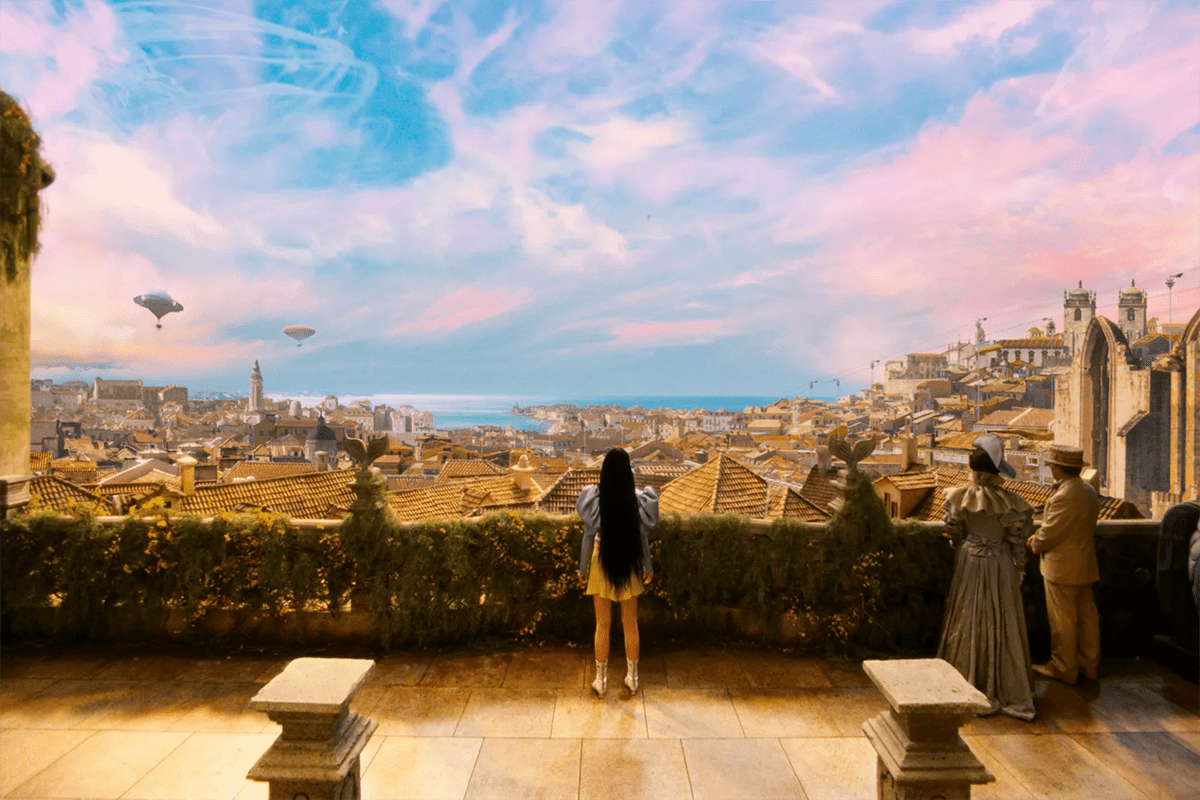
An LED volume wall and a green screen solve different production problems. LED backgrounds can capture environmental reflections and allow the crew to judge more of the composite on set. Green screen provides extensive freedom to replace backgrounds later. Many productions combine both methods with physical sets and conventional visual effects.
| Decision | LED volume wall | Green screen |
|---|---|---|
| Background decisions | Prepare and approve substantial content before shooting. | Background development can continue through post-production. |
| Reflective subjects | Environment can appear naturally in glass, paint and metal. | Reflections and green spill may require additional treatment. |
| Camera movement | Limited by tested coverage, tracking and display geometry. | Requires suitable tracking references and compositing work. |
| On-set requirements | Display, rendering and tracking support alongside film crew. | Controlled backing illumination and clean subject separation. |
| Late creative changes | Recorded backgrounds may be costly to replace. | Designed for replacing and refining backgrounds later. |
| Budget comparison | Include preparation, stage time and technical staffing. | Include keying, tracking, compositing and revision time. |
Compare complete shot costs rather than screen prices. A repeatable driving scene may benefit from an LED volume wall, while a sequence involving extensive digital replacement may still favor green screen. Neither method removes planning, lighting or finishing work.
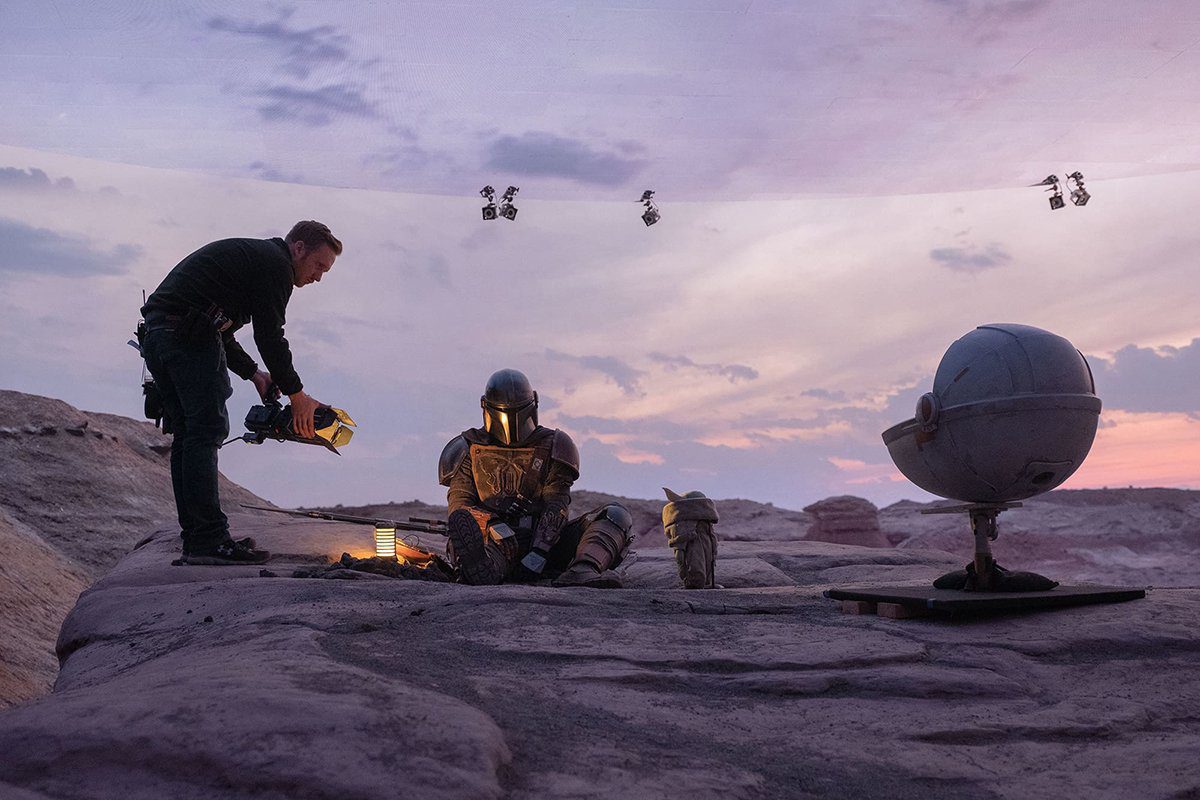
A useful documented example is ILM’s account of The Mandalorian’s first season. It describes real-time StageCraft environments alongside more than 4,000 conventional post-production visual-effects shots. The lesson for buyers is practical: in-camera imagery can be valuable without eliminating post-production.
3. Camera-ready specifications and tests
Specify an LED volume wall using the actual camera package and shooting envelope. Record sensor mode, lenses, aperture range, frame rates, shutter settings, closest camera position and intended wall brightness. These become the conditions against which competing systems are evaluated.
01. Pixel pitch, resolution and moiré
Pixel pitch is the distance between adjacent pixel centers, measured in millimeters. Smaller pitch increases pixel density, but there is no universal pitch-to-camera-distance rule that guarantees clean footage. Moiré depends on the interaction between the display grid, camera sampling and optics. Test difficult focus positions and movements, not only a locked-off demonstration.
For an illustrative 8 m × 4 m wall at an exact 2.5 mm pitch, the nominal pixel matrix is 3,200 × 1,600, or 5.12 million pixels. The calculation is width or height in millimeters divided by pitch. Actual dimensions must fit the selected cabinet matrix. This arithmetic estimates pixel load; it does not predict freedom from moiré.
02. Refresh rate, frame rate and synchronization
Video frame rate describes incoming images per second. LED refresh rate describes how the display drives its pixels. These are different specifications. A quoted high refresh rate alone cannot guarantee clean camera capture: scan behavior, exposure timing, processor settings and the camera’s sensor readout also matter.
Ask the integrator to demonstrate synchronized camera and display operation at every required recording format. Brompton’s virtual-production documentation identifies genlock, phase adjustment and ShutterSync as relevant tools. Their availability depends on the actual processor, receiving hardware and panel configuration; they should never be assumed from a generic cabinet description.
03. Color, low brightness and viewing angles
An LED volume wall must reproduce usable shadows and consistent color at its working brightness. Request dark gradients, neutral grays and skin-tone tests, including camera positions toward the sides. Do not select maximum brightness as a substitute for low-level image quality. Test reflections from the planned props and wardrobe as well.
| Parameter | Evidence to request | Acceptance question |
|---|---|---|
| Pitch and pixel matrix | Cabinet resolution and representative camera footage. | Are pixels or moiré visible in planned shots? |
| Timing and scan behavior | Tests across required frame rates and shutter settings. | Are bands or exposure differences recorded? |
| Low-level grayscale | Dark ramps at intended operating brightness. | Are shadow steps smooth and stable? |
| Color uniformity | Neutral fields before and after a module replacement. | Do cabinet boundaries or tint differences appear? |
| Tracking response | Slow and fast moves across the usable stage. | Does the background follow without visible slipping? |
| Off-axis performance | Camera tests at planned extreme angles. | Do brightness and color remain acceptable? |
4. Planning your LED volume stage layout
Start with a floor plan showing the camera’s movement, performer positions and practical scenery. Add the closest and widest shots before choosing wall dimensions. An LED volume wall that looks generous from the center may expose its edge during a low-angle move or a wider composition.
Define the shooting envelope as the combinations of camera position, lens and subject position that the stage must support. Allow space between performers and the wall for lighting control and practical set dressing. Include service access behind or in front of cabinets according to the selected maintenance method.
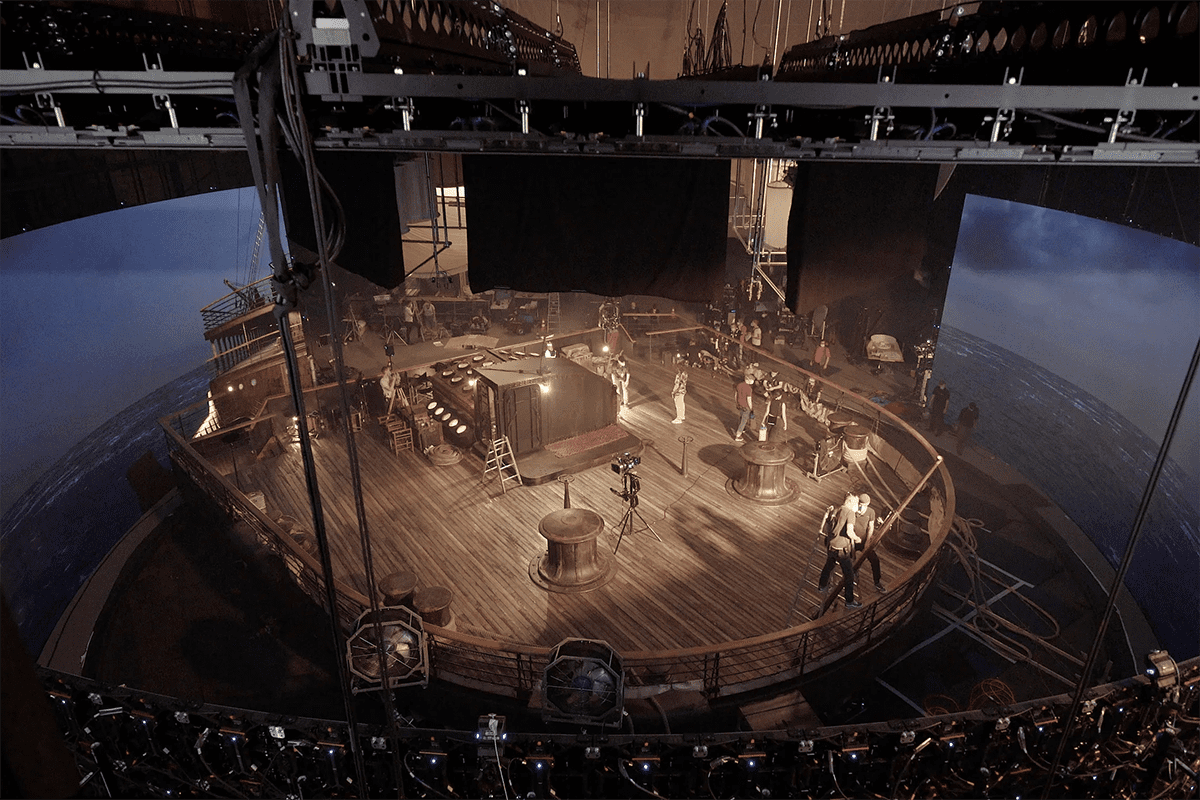
Curved walls can extend background coverage, but curvature must respect the cabinet’s approved connections and mechanical limits. Movable wings may offer flexibility if storage, cable routing and repeatable alignment are planned. Overhead displays introduce separate rigging and access requirements. A floor display needs its own load, surface and camera assessment.
Do not specify identical panels for every surface automatically. A camera-facing background, a reflection panel and an overhead lighting surface can have different priorities. The final choice must still consider color matching between surfaces. ROE Visual’s guidance on working with LED volumes emphasizes system knowledge, testing and equipment synchronization.
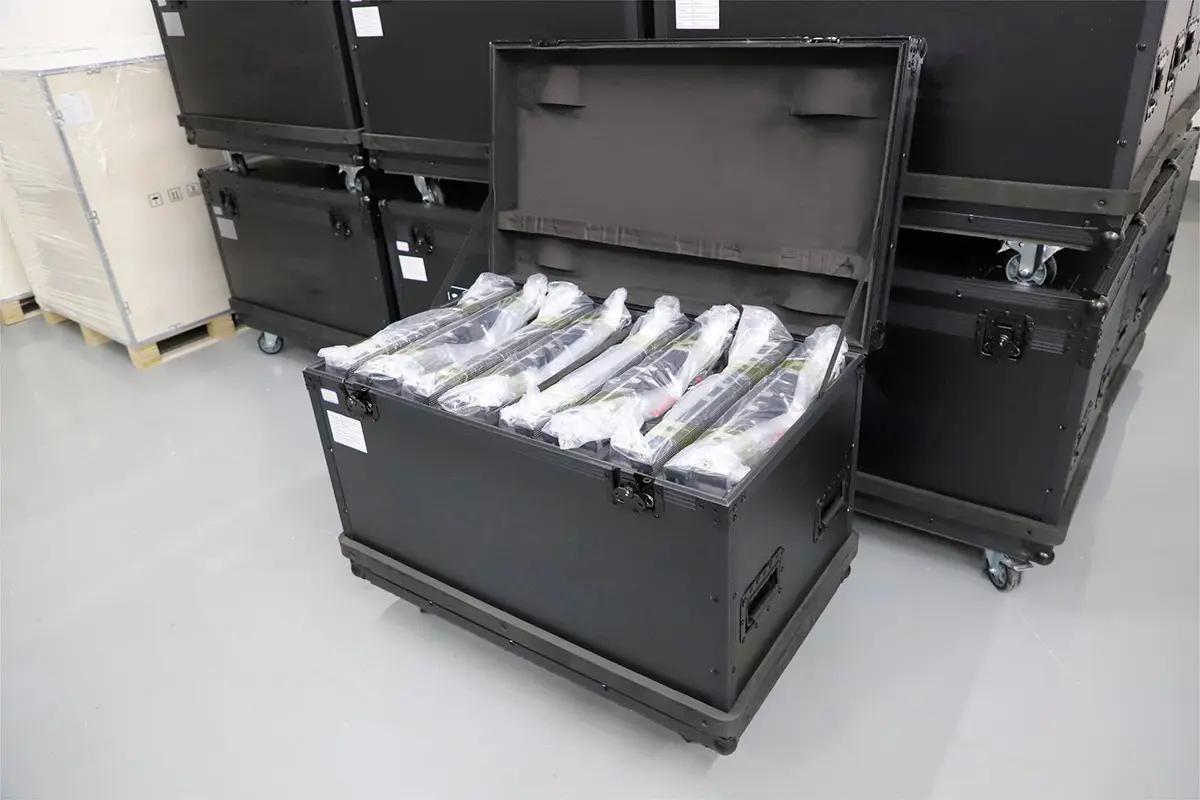
Check access doors, delivery routes, flight-case storage, acoustic treatment and cooling airflow during the survey. Keep processor racks accessible without placing fan noise beside microphones. A usable LED volume stage needs working room for the crew as well as a visually impressive display.
5. LED volume installation: from survey to commissioning
LED volume installation should follow a documented sequence with named responsibilities and sign-off points. Completing the physical wall is only one milestone. Schedule time for alignment, calibration and camera validation before booking the first paid production.
01. Survey, drawings and infrastructure
Confirm room dimensions, supporting structure, floor conditions, service clearances and the proposed hanging or ground-support arrangement. Have the responsible qualified professionals approve rigging and electrical design. Require a cabinet layout, power schedule, signal map and rack plan that match the final equipment list.
Separate maximum electrical demand from typical operating consumption. Both affect planning, but they serve different purposes. Request the manufacturer’s figures and the designer’s assumptions for the specified configuration. Cooling calculations should include the screen, rendering machines and other studio equipment.
02. Assembly and signal commissioning
Inspect cabinets, connectors and modules before assembly. Record serial numbers and identify spare parts. Assemble the LED volume wall using the approved support system, then check flatness and seams before optical calibration. Poor mechanical alignment should not be hidden by image adjustments.
Label power and data runs so technicians can trace a cabinet to its source. Verify pixel mapping with test patterns and check for rotated, duplicated or missing regions. Confirm that the processor configuration fits the wall’s resolution, signal format and distribution capacity. Save a known-good configuration before connecting the production scene.
03. Calibration, integration and handover
Evaluate the installed LED volume wall after warm-up using agreed brightness and color settings. Integrate tracking and rendering, then rehearse representative shots. Record settings, measured results, unresolved issues and the person responsible for each correction.
The handover should include drawings, configuration backups, calibration records, spare-parts identification, recovery instructions and operator training. Confirm how support will work during a shoot: contact route, time-zone coverage and escalation procedure. A successful commissioning session should leave the studio able to restart and recover the system without relying on one visiting technician.
6. Choosing an LED volume technology integrator
An LED volume technology integrator coordinates the display with the camera, rendering, tracking, timing and studio infrastructure. A panel supplier may provide part of this scope, but buyers should confirm which services are actually included. Compare proposals against the same production brief.
Ask candidates to explain a relevant installation and demonstrate how they investigated an on-camera problem. Request footage and configuration details that can legitimately be shared. A recognizable customer logo or a dramatic showreel alone does not demonstrate responsibility for the complete system.
| Scope | Question to ask | Written deliverable |
|---|---|---|
| Display supply | Which exact panel, driver and receiving-card configuration is quoted? | Bill of materials and approved substitutions. |
| System compatibility | Who verifies rendering, tracking and processor operation together? | System diagram and compatibility test plan. |
| Camera performance | Which lenses and recording modes will be demonstrated? | Agreed camera-test matrix and footage. |
| Installation | Who handles structure, power, cooling and access requirements? | Responsibility matrix and installation drawings. |
| Support | What happens if a panel or control component fails during filming? | Recovery process, spares list and support terms. |
| Training | Can the studio restore settings and replace a module independently? | Training schedule and operating documentation. |
For LED volume solutions spanning several vendors, appoint one technical lead to resolve interface disputes. Define who accepts a firmware change, who maintains calibration files and who signs off the final camera tests. This prevents a failure from becoming an unresolved argument between equipment suppliers.
Include a change-control process. If a quoted component becomes unavailable, reassess compatibility and image quality before approving a substitute. Matching cabinet dimensions or nominal pitch does not make two configurations interchangeable. Keep the agreed LED volume wall configuration attached to the purchase specification.
7. LED volume wall cost and ownership planning
There is no dependable universal price for a commissioned LED volume wall. Screen area and panel configuration are only part of the quotation. Stage geometry, processors, rendering capacity, tracking, installation conditions, content preparation and support can materially change the total.
Request an itemized price with clear inclusions and exclusions. State the currency, delivery location, installation scope, taxes or duties treatment, warranty terms and quotation validity. Compare offers using the same wall dimensions and camera-test requirements. A low display-only figure should not be compared directly with a complete installed system.
| Budget heading | Include | Common omission |
|---|---|---|
| Display system | Cabinets, modules, receiving hardware and spares. | Replacement modules from a compatible batch. |
| Processing and playback | Processors, distribution, render machines and storage. | Signal redundancy and software requirements. |
| Tracking and timing | Tracking equipment, lens calibration and synchronization. | Integration labor and camera-format testing. |
| Studio works | Support structure, power, cooling and cable infrastructure. | Building access and acoustic implications. |
| Commissioning | Alignment, calibration, camera tests and training. | Re-testing after corrections. |
| Operation | Crew, energy, maintenance, content and support. | Downtime, backups and scheduled recalibration. |
Ownership makes sense only when expected utilization supports the ongoing costs. For occasional projects, hiring an existing LED volume stage can provide useful production experience before committing to infrastructure. Compare realistic bookable days, staffing requirements and content turnaround instead of assuming the facility will operate at full capacity immediately.
Use a project-specific budget model: initial installed cost plus operating expenditure over the planned ownership period. Add a clearly identified contingency appropriate to the project. Any projected travel or post-production savings should be tied to an actual shot breakdown, not presented as a guaranteed percentage.
8. Acceptance tests and daily operation
Agree the LED volume wall acceptance plan before purchase. Test the installed system, not just a sample panel, and retain the camera originals where practical. Document whether a result passes, fails or requires a restricted operating condition.
- Image integrity: inspect solid colors, neutral grays, gradients and representative content for defective pixels, seams and nonuniformity.
- Camera coverage: record the required lenses, focus positions, viewing angles, shutter settings and camera movements.
- Tracking: check movement across the full agreed working area, including possible occlusion positions.
- Recovery: demonstrate restart procedures and agreed backup paths; record how long recovery takes.
- Maintenance: replace a sample serviceable component using the approved procedure, then verify its image match.
- Operational stability: run representative content for the agreed test duration and check temperatures, faults and synchronization.
Before each shoot, inspect the display, load the approved configuration and confirm timing. Test a representative frame through the production camera. Keep an operating log of brightness, processor settings, scene version and any restrictions. Recheck the LED volume wall after hardware replacements or software changes that could affect the image path.
A clear troubleshooting sequence reduces downtime. First determine whether a defect is visible on the display, only in the camera or only during movement. Check the corresponding mechanical, signal, timing or tracking path. Change one variable at a time and retain a route back to the known-good configuration.
9. Evaluating EagerLED display options
When discussing an EagerLED LED volume wall, provide the production brief before requesting a model recommendation. Useful information includes room dimensions, planned wall shape, closest camera distance, camera and lens package, recording formats, daily operating hours and the required installation date.
Our rental LED screen range offers a starting point for discussions about modular construction. The EA-Flex flexible LED display page describes options for curved creative surfaces. These construction characteristics do not by themselves certify a product for in-camera VFX. Request the exact specification and a representative camera test for the proposed configuration.
The existing product videos below can help you discuss cabinet construction and display formats. Confirm current availability, processor compatibility, service access and camera performance directly with the supplier. An LED volume wall purchase should be based on the configuration being delivered, supported by the acceptance criteria agreed for your studio.
To start a technical review, contact EagerLED with your stage plan and shooting requirements. Request a bill of materials, identified integration responsibilities and an itemized quotation. This makes competing LED volume solutions easier to compare and gives the installation team a clear target.
10. LED volume wall FAQ
01. Is an LED volume wall the same as a video wall?
An LED volume wall is a video display used within a production environment. Camera-facing use adds requirements for optical performance, timing, calibration and sometimes tracking. A conventional event video wall may work for selected shots, but its suitability must be demonstrated with the intended camera setup.
02. What pixel pitch does an LED volume wall need?
Choose pitch after testing the camera, lenses, focus range and shooting distances. Finer pitch increases pixel density but does not guarantee freedom from moiré. Confirm the complete pixel matrix and processor load as well as the appearance of the recorded footage.
03. Does every LED volume wall need Unreal Engine and camera tracking?
No. Prepared background playback can suit shots with limited perspective changes. A tracked real-time environment is useful when camera movement requires the background perspective to change. Define the workflow first, then select the software, rendering and tracking equipment that supports it.
04. How much does an LED volume wall cost?
The cost depends on the complete system and installation scope. Obtain an itemized quotation covering the display, processing, rendering, tracking, structure, power, commissioning and support. Separate initial purchase costs from staffing, content and maintenance expenses when assessing affordability.
05. What should an LED volume technology integrator deliver?
The agreed scope should include compatible system design, installation coordination, camera tests, configuration backups and operator handover. Specify responsibility for every interface and require written acceptance criteria. A hardware list alone is insufficient evidence that the stage is ready for production.
06. Can an LED volume wall replace green screen and film lighting?
It can replace some backgrounds and contribute useful environmental light, but neither replacement is universal. Dedicated lighting may be needed for skin tones, exposure and direction. Green screen and post-production remain appropriate for shots requiring extensive compositing or later background changes.
11. Conclusion: turn the shot list into a specification
A reliable LED volume wall starts with defined shots, a suitable room and clear ownership of the complete system. Select equipment through camera testing, plan installation and service access together, and require documented commissioning before production begins. These steps turn LED volume solutions from a collection of promising components into a stage your crew can operate confidently.
Keep the purchase decision measurable: approved camera formats, usable coverage, acceptable image quality and a tested recovery process. With those requirements in place, an EagerLED LED volume wall proposal can be assessed on the results your studio needs.
 LED Display Manufacturer - EagerLED LED Screen Made In China