The NovaStar H2 video processor is a 2U modular video wall splicer for medium and large LED displays. It accepts up to four hot-swappable input cards and two output cards, supports multiple screens and layers, and provides device, card, and source backup. Choose it when a project needs three or more sources, expandable I/O, or show-critical redundancy.
This guide consolidates NovaStar H2 datasheet-style specifications, card options, use cases, setup steps, H2 vs. H5/H9 differences, and price factors for fine-pitch indoor LED screens. Specifications were cross-checked against NovaStar’s official H Series information; installed input, output, and sending cards determine final capacity.
| Feature | Specification |
|---|---|
| Chassis | 2U rack-mountable |
| Max input cards | 4 (hot-swappable) |
| Max output cards | 2 |
| Max loading capacity | Up to 52 million pixels (depending on sending card) |
| Max layers per card | 16x 2K / 8x DL / 4x 4K / 2x 8K |
| Control | Web-based (B/S architecture), LCD front panel, NovaLCT |
| Key video support | 10-bit, HDR10/HLG, 3D, low latency |
| Presets | Up to 2,000 |
Table of Contents
1. What Is the NovaStar H2 Video Processor?
It is a video wall splicer — a device that takes multiple video inputs, processes them, and sends the combined output to an LED screen. Think of it as the “brain” of a large LED display system: it combines video sources and controls how they appear on screen. It belongs to NovaStar’s H Series, which also includes larger models like the H5 and H9.
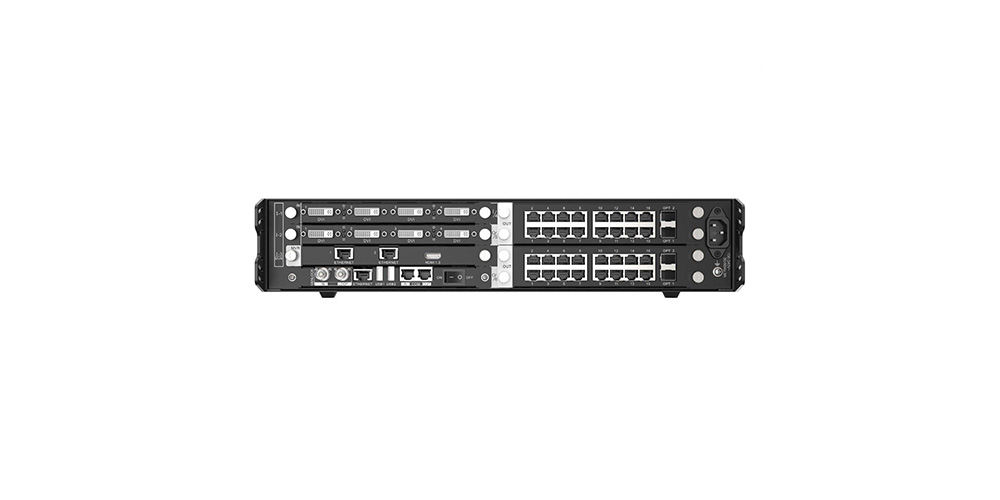
What makes this processor different from a basic LED sending card is its modular design. You choose which input cards and output cards to install based on your project’s needs. The NovaStar H2 can work as both a video processor and a video controller, or as a pure splicing processor when paired with external sending devices.
The H2 is the central hub between your video sources (cameras, computers, media players) and your LED screen. It decides how many sources show up at once, where they appear, and how smoothly they transition.
2. NovaStar H2 Specifications and Datasheet Highlights
| Parameter | Detail |
|---|---|
| Rack unit | 2U |
| Max input cards | 4 |
| Max input channels | 16 |
| Max output cards | 2 |
| Max output channels | 8 |
| Electrical | 100-240V~, 50/60Hz, 4.0A |
| Power consumption | 210 W |
| Operating temperature | 0°C to 45°C |
| Dimensions | 482.6 × 529.8 × 88.1 mm |
| Net weight | 11 kg (chassis only) |
| Noise level | <45 dB (A) |
| Certifications | CCC, CE, FCC, IC, RCM, UKCA, KC, CB, UL, PSE |
3. Key Features of the NovaStar H2
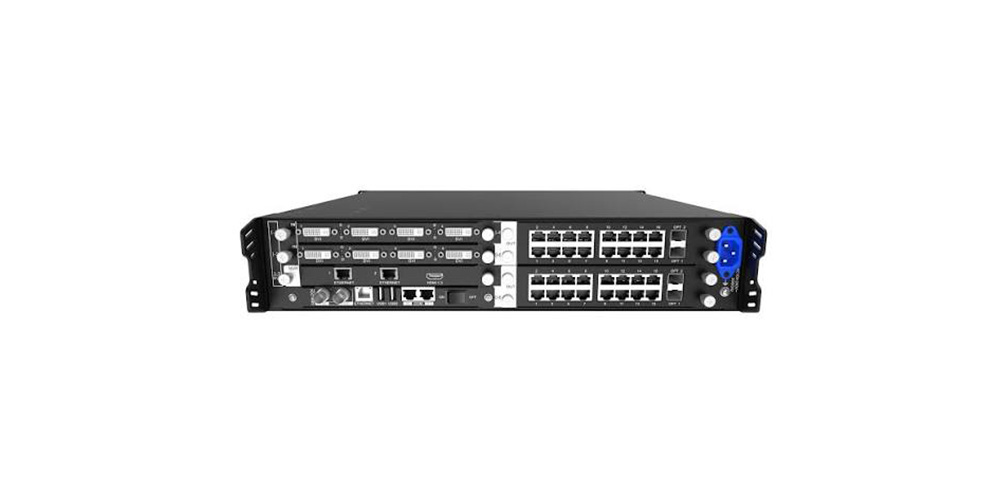
01. Modular and Hot-Swappable Design
All input and output cards on the NovaStar H2 are plug-in modules. You can add, remove, or swap cards without powering down the device. This means you can start with a basic setup and expand later, or replace a faulty card without interrupting a live event.
02. Multi-Layer Display
A single NovaStar H2 card supports up to 16 single-link (2K) layers, 8 dual-link layers, 4 4K layers, or 2 8K layers. Layers can cross output connectors, and cross-connector output does not reduce the available layer count.
What this means in practice: You can display multiple video sources at the same time — cameras, presentations, advertisements, and monitoring feeds — without needing additional processors. For a control room, this lets you watch security cameras, data dashboards, and live TV feeds on one screen simultaneously.
03. Multi-Screen Management
You can control multiple LED screens from one NovaStar H2, each with its own resolution. Preset groups let you save layouts across several screens and load them with one click — useful for venues with multiple displays that need coordinated content changes.
04. BKG and OSD Support
Background images (BKG) do not consume layer resources and support resolutions up to 64K pixels wide. On-screen display (OSD) options include static text, scrolling text, time, weather, and image overlays — all configurable per screen.
05. Web-Based Control
The NovaStar H2 uses a browser-based interface (B/S architecture). No software installation is needed — you control everything from a web browser on Windows, Mac, iOS, Android, or Linux. Multi-user collaboration is supported, meaning your video engineer and LED technician can work on the same project simultaneously from different computers. The interface also allows firmware updates directly through the browser.
06. Backup and Reliability
The NovaStar H2 supports three levels of backup:
| Backup Type | How It Works |
|---|---|
| Device backup | A secondary NovaStar H2 takes over automatically if the primary fails |
| Card backup | Sending cards configured in primary-backup pairs for seamless failover |
| Input backup | If one video source drops, the backup source takes over without blackout |
This makes the NovaStar H2 suitable for 24/7 operation in control rooms and live broadcast environments where downtime is not acceptable.
07. Additional Processing Features
Beyond basic splicing, the NovaStar H2 includes 3D display support (when paired with NovaStar’s EMT200 3D emitter), low-latency mode (as low as 1 frame from input to receiving card), input source cropping and renaming, channel logo overlays, and reverse control of source PCs from the web interface.
4. NovaStar H2 Applications
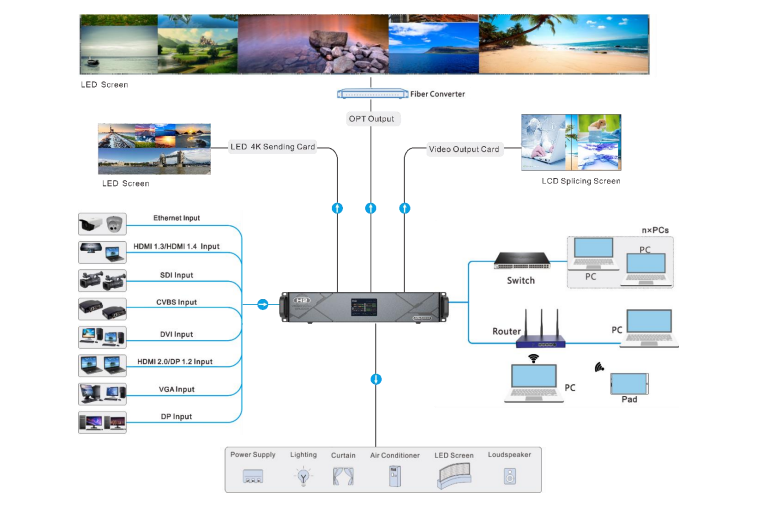
The NovaStar H2 fits a wide range of LED display projects, including rental LED screens and stadium LED screens:
| Application | Why the H2 Works Well |
|---|---|
| Broadcast studios | 10-bit processing, Genlock for frame sync, 3,840Hz output avoids camera flicker |
| Control rooms | Multi-layer display, IP camera decoding (up to 512 sources), multi-screen management |
| Live events & staging | Hot-swappable cards, preset switching with fade effects, compact 2U touring size |
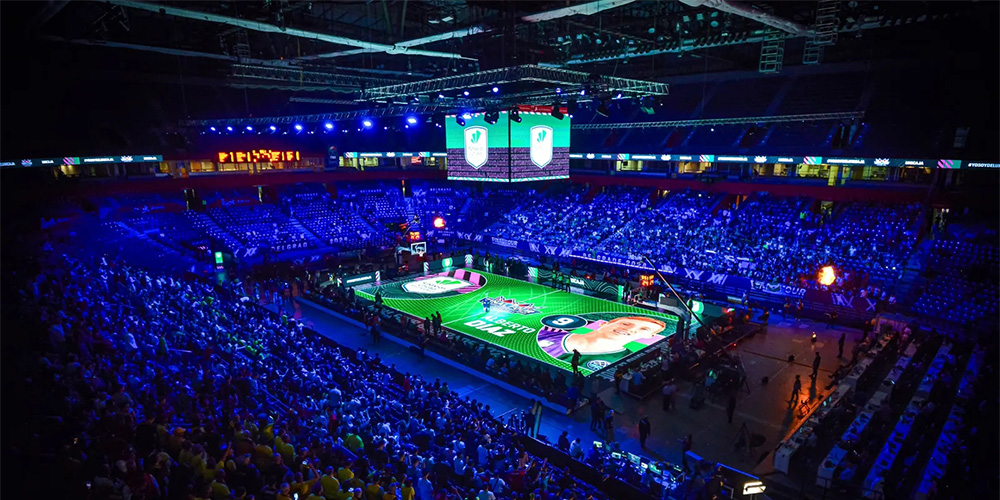
| Sports venues | High brightness processing, multi-screen synchronization, redundant backup design |
| Corporate lobbies | BKG and OSD for branding, web-based control for non-technical staff |
| Rental & staging | Modular design, flight-case-friendly form factor, quick card replacement on site |
For rental companies, the NovaStar H2’s hot-swap capability is particularly valuable — a failed input card can be replaced during a show without powering down. For fixed installations, the backup features mean the display keeps running even if one component fails.
5. Advantages and Limitations of the NovaStar H2
Here is why the H2 stands out from basic LED controllers and entry-level processors:
| Advantage | What It Means for You |
|---|---|
| Modular card design | Buy only the inputs you need. Swap or add cards later without replacing the whole unit. |
| Hot-swappable cards | Replace a faulty card during a live event — no downtime, no reboot. | |
| Multi-layer & multi-screen | Show up to 16 video layers per card and control several LED screens from one device. |
| Web-based control | Operate from any device with a browser — no software install, supports multi-user collaboration. |
| Three-level backup | Device, card, and input backup keep your display running 24/7 without blackouts. |
| Compact 2U chassis | Fits standard flight cases and touring racks — easy to transport between venues. |
| Same engine as H5/H9 | Gets you pro-grade processing power at a mid-range price point. |
6. Who Should Buy the NovaStar H2?
Not every LED display project needs a full video wall splicer. Here is a quick guide to help you decide:
| Your Role / Project | Do You Need the NovaStar H2? | Why |
|---|---|---|
| Small fixed sign (1-2 sources) | Not necessary | A basic sending card is enough |
| Broadcast studio | Recommended | Genlock, 10-bit, multi-layer for camera feeds |
| Control room (multiple feeds) | Recommended | IP camera decoding, multi-window layout |
| Live event / rental company | Recommended | Hot-swap cards, 2,000 presets, touring-friendly |
| Sports venue | Recommended | Multi-screen sync, backup reliability |
| Corporate lobby (single feed) | Optional | Only if you plan to expand later |
7. NovaStar H2 vs. H5 vs. H9
The NovaStar H2 belongs to the H Series, which also includes the larger H5 and H9 models. Here is how they compare:
| Feature | NovaStar H2 | NovaStar H5 | NovaStar H9 |
|---|---|---|---|
| Chassis | 2U | 4U | 7U |
| Max input cards | 4 | More slots | More slots |
| Max output cards | 2 | More slots | More slots |
| Best for | Mid-size projects, touring | Large fixed installations | Very large venues, broadcast centers |
| Portability | Flight-case friendly | Rack-mounted, heavier | Fixed installation only |
| Cost level | $$ | $$$ | $$$$ |
The NovaStar H2 hits the sweet spot for most mid-size LED display projects — it offers the same core processing features as the larger models in a more compact and cost-effective package.
8. How to Set Up the NovaStar H2
If you are setting up a NovaStar H2 for the first time, here is a simplified overview of the workflow:
- Install your input and output cards into the chassis slots (hot-swappable, no tools needed)
- Connect video sources to the input card connectors (HDMI, DP, SDI, etc.)
- Connect the output card to your LED sending cards or directly to LED cabinets via Ethernet/fiber
- Connect the control PC to the H2’s Ethernet port on the control card
- Log in via web browser using the device IP address (default: 192.168.0.10)
- Configure the LED screen in NovaLCT or SmartLCT — set cabinet size, verify the LED screen resolution, then define the connection topology and receiving card layout
- Create your first preset — arrange layers, assign input sources, and save for one-click recall
For detailed step-by-step instructions, refer to the NovaStar H Series user manual or ask your supplier for setup support.
9. Is the NovaStar H2 Worth Buying?
For most mid-size LED projects, yes. Here is a quick breakdown.
Buy the H2 if you:
- Run 3 or more video sources on one screen
- Manage multiple LED displays from one system
- Need backup reliability (live events, broadcast, 24/7 control rooms)
- Expect your setup to grow over time
Skip the H2 if you:
- Only send 1-2 sources to a single screen
- Have a simple fixed sign — a basic sending card is enough
Why the H2 delivers good value: It packs the same core processing engine as NovaStar’s larger H5 and H9 models into a compact 2U chassis. You buy only the input/output cards you need today and add more later — no need to replace the whole unit. For rental crews, hot-swappable cards mean a failed module is swapped in seconds without powering down.
If you are building a mid-size LED project with room to grow, the H2 is a one-time investment that won’t hold you back. If your needs are simple and static, save the budget.
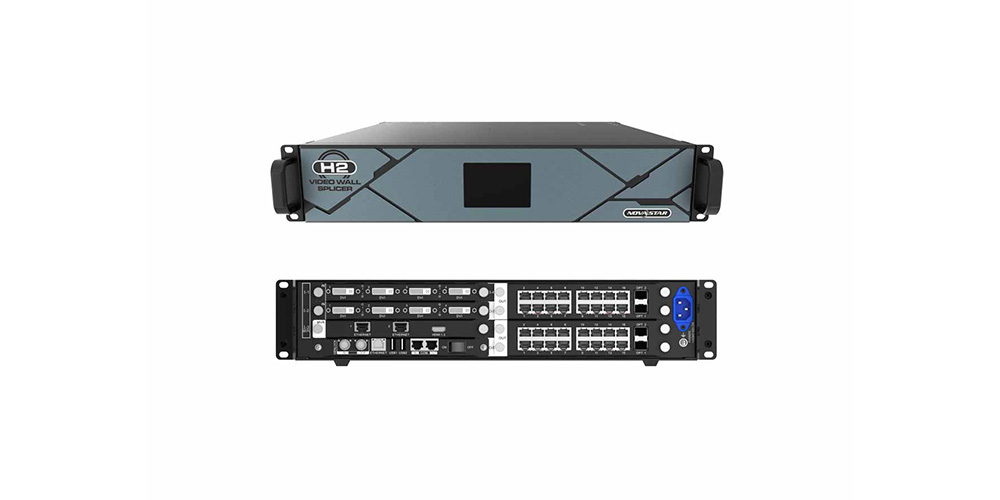
10. NovaStar H2 FAQs
01. What is the difference between the NovaStar H2 and the H5/H9?
It is a 2U device with four input slots and two output slots, which suits mid-size projects. The H5 and H9 provide more card slots and higher total capacity for larger fixed installations and broadcast centers.
02. Does the NovaStar H2 support 4K and 8K sources?
Yes. With the appropriate HDMI 2.1 and DisplayPort 1.4 input card, it supports sources up to 8K x 4K at 30 Hz. Layer capacity depends on the installed card and configuration.
03. Does the NovaStar H2 support HDR?
Yes. It supports HDR10 and HLG when paired with compatible NovaStar receiving cards, including the A8s or A10s. HDR performance also depends on the LED screen and its calibrated brightness settings.
04. What size LED screen needs a NovaStar H2?
There is no fixed minimum screen size. The processor becomes valuable when a project uses multiple video sources, several screens, advanced layouts, or redundant backup. A basic sending controller is usually more cost-effective for one source on one screen.
05. What factors affect the NovaStar H2 price?
Its price depends on the chassis configuration, selected input and output cards, fiber transmission requirements, source resolution, and backup design. A supplier needs the screen resolution, source count, connector types, and redundancy requirements to prepare an accurate quote.
06. How many LED cabinets can the NovaStar H2 control?
Cabinet count is determined by total pixels, not cabinet quantity alone. The installed sending card, pixel pitch, cabinet resolution, and output topology define the final capacity. Calculate the screen’s total pixel load before selecting the card configuration.
07. What is the difference between the NovaStar H2 and VX1000?
The VX1000 is an all-in-one controller with fixed connectivity for simpler systems. The H2 is a modular video wall splicer with swappable cards, more flexible multi-layer processing, multi-screen management, and stronger backup options.
08. Is the NovaStar H2 worth buying?
It is worth buying for projects with three or more sources, multiple screens, live production requirements, or planned expansion. For a single screen with one or two sources, a smaller all-in-one controller may provide better value.
11. Conclusion: Choosing the Right NovaStar H2 Configuration
The NovaStar H2 video wall splicer sits in a sweet spot — powerful enough for demanding broadcast and live event work, compact enough for touring racks, and modular enough to grow with your projects. Its card-based design means you configure it once for your current needs and expand it later without replacing the whole unit.
Need help selecting the right NovaStar H2 configuration for your LED display project? Contact EagerLED project team — our team can recommend the right processor and cards based on your screen size, resolution, number of video sources, and application environment.
Before you contact a supplier, have these details ready: LED screen size (sqm), pixel pitch, indoor or outdoor use, target screen aspect ratio, number of video sources, required input types (HDMI, SDI, etc.), refresh rate, and backup requirements. This helps you get an accurate quote faster.
 Jumbotron Price Guide 2026: Costs by Size and Venue
 Sports LED Screens Buying Guide: Cost, Size and Specifications