A fixed LED screen suits a permanent venue; a rental LED screen suits repeated transport, assembly and changing layouts. Both can deliver excellent images. The right choice comes from the installation, viewing conditions, service access and total cost, rather than the cabinet label alone.
There is also a separate financial decision: LED screen rental vs buying. A rental company can buy rental cabinets, while a venue can hire a screen for a single event. This guide separates equipment design from ownership so you can compare quotations on equal terms.
Choose a fixed LED screen for daily signage in one location. Choose portable cabinets for a touring schedule. Hire an event package when use is occasional and you need transport, technicians and support included. Before ordering, confirm the actual pixel pitch, environmental rating and maintenance method for the specific model.
Contents: fixed, fleet and event-hire checks
1. What Is a Fixed LED Screen?
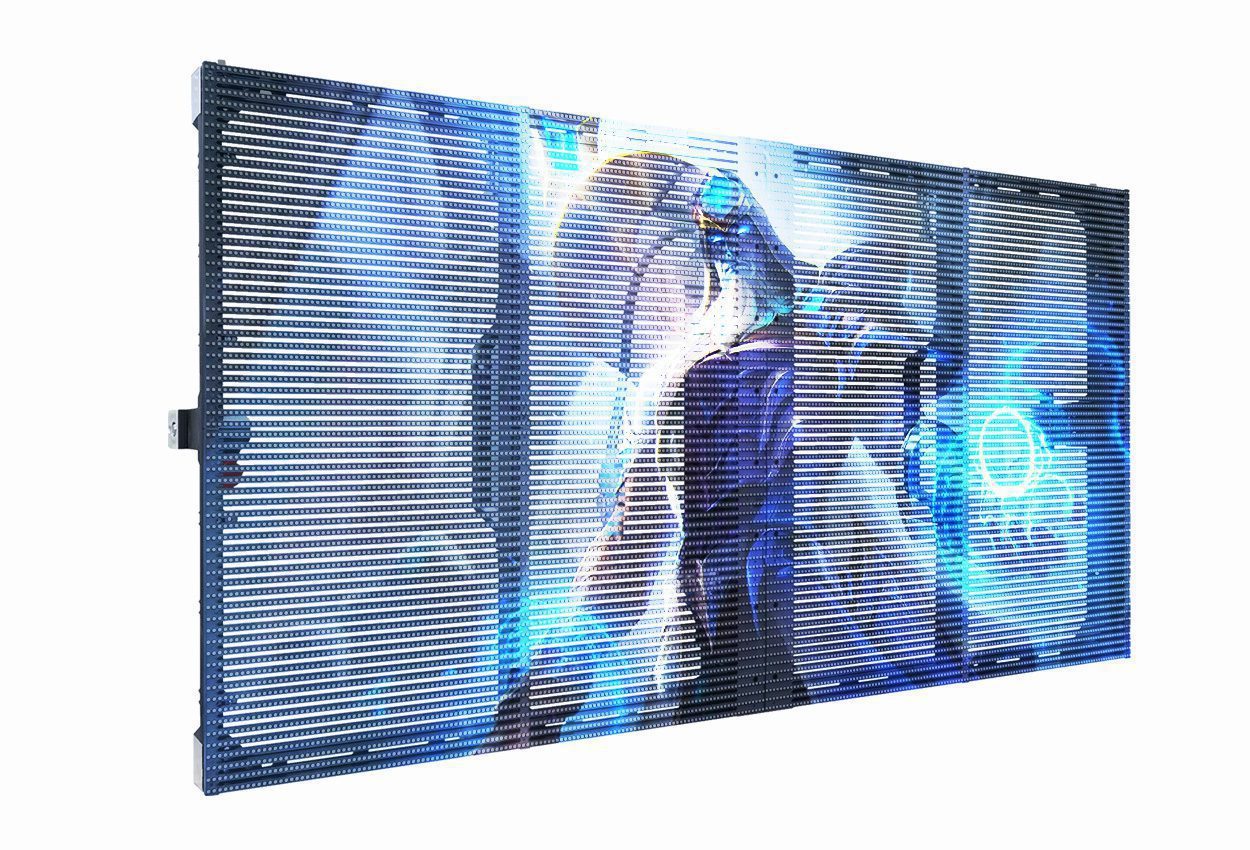
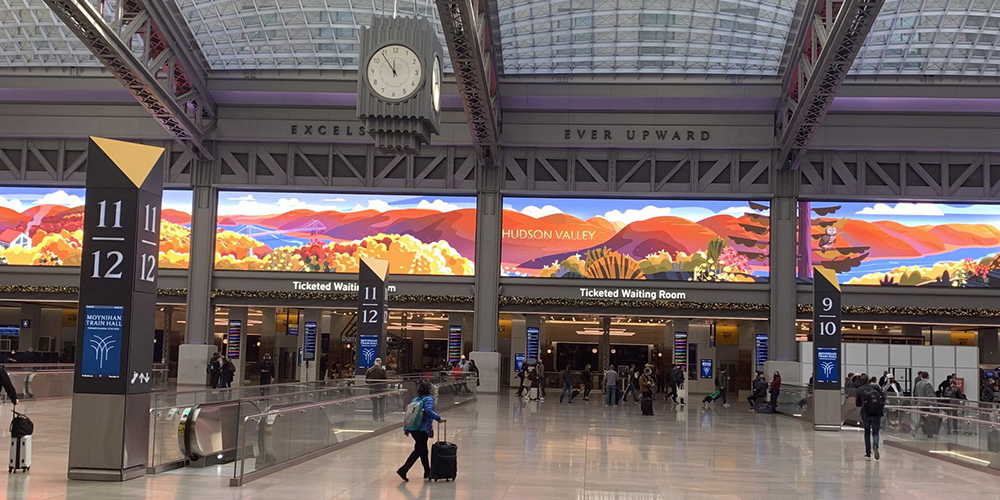
A fixed LED screen is a modular, direct-view LED display installed for ongoing use at one location. Modules form cabinets, and cabinets connect to a supporting structure and control system. A fixed LED display can be indoor or outdoor, wall-mounted, freestanding or integrated into architecture. “Fixed” describes the installation approach, not a particular brightness or resolution.
A fixed LED screen is usually planned around the building: available depth, cable routes, ventilation, audience sightlines and access for repairs. Its practical advantage is that alignment and connections remain in place between uses. You do not need to dismantle and rebuild the display after every meeting, service or advertising session.
01. Main Features of Fixed LED Screens
The most useful fixed LED screen features are the ones that reduce work over the installation’s life. Front-service modules can help where there is no rear corridor. Accessible power supplies and receiving cards make troubleshooting more practical. However, front module access does not automatically mean every component is removable from the front; check the service drawings.
A fixed LED screen does not have to be heavy. Cabinet material, dimensions and construction determine weight, and some indoor systems are deliberately slim. Compare installed weight per square metre, including the support structure, instead of assuming every permanent cabinet weighs more than every rental cabinet.
Brightness and protection must match the environment. An indoor fixed LED screen needs comfortable brightness and clear low-level detail. An outdoor fixed LED screen also needs a specified enclosure rating, suitable cooling and a site-specific installation design. Excessive brightness can make an indoor presentation uncomfortable and increase operating energy.
The International Electrotechnical Commission’s IP guidance explains that enclosure ratings concern intrusion by solids and liquids. An IP rating alone does not certify resistance to wind loading, corrosion, condensation or temperature extremes. For a fixed LED screen outdoors, request separate front and rear ratings and the applicable test documentation.
02. Applications of Fixed LED Screens
A fixed LED screen works well where content changes but the viewing location stays consistent. Retail spaces use it for scheduled promotions; conference rooms use it for presentations; houses of worship use it for lyrics and live video. These applications have different needs, so shortlist hardware around actual content rather than a generic “indoor” label.
For example, a fixed LED screen showing spreadsheets needs readable small text from the closest and furthest seats. A roadside advertising display needs suitable daytime visibility and controlled night-time brightness. A church LED wall may need both comfortable audience viewing and a tested camera workflow.
For transport hubs and stadiums, consider the operational consequences of failure. A fixed LED screen carrying essential information needs a defined support process and, where the project requires it, appropriate redundancy. Continuous operation should be supported by the selected product’s documentation and service agreement, not assumed from the category name.
2. What Is a Rental LED Screen?
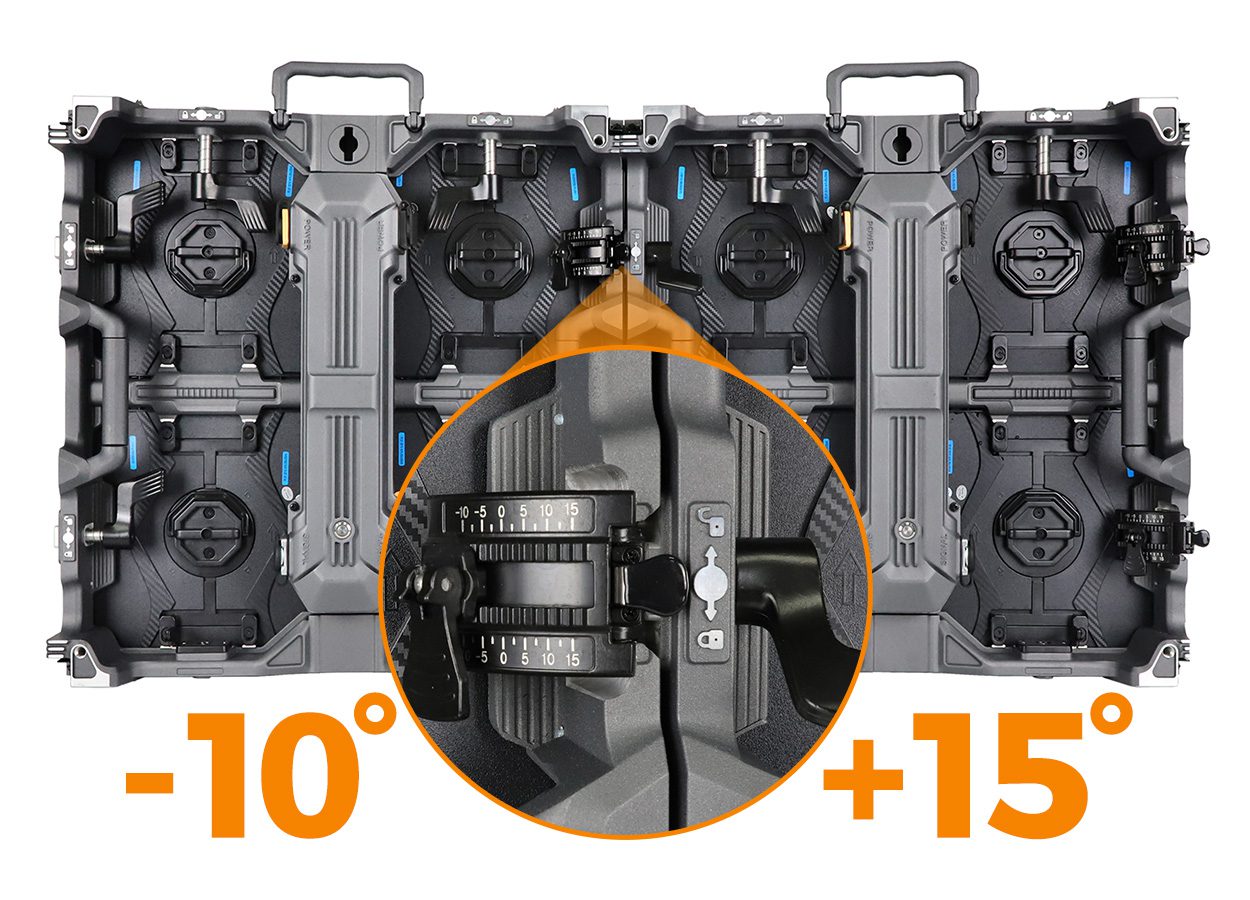
A rental LED screen is a cabinet system designed for repeated deployment. Handles, alignment pins, fast locks, protective corners and transport cases help crews move and assemble it between jobs. It can be purchased outright by an event company; the word “rental” does not mean the hardware can only be hired.
Compared with a fixed LED screen, a mobile system places greater emphasis on handling, repeatable assembly and access during temporary installations. That flexibility is useful when screen dimensions, venues and load-in windows change. It still needs trained installation, suitable support and testing before the audience arrives.
01. Main Features of Rental LED Screens
Look for a complete handling system rather than an isolated cabinet specification. Cases should protect the display faces and connectors. Locks must align neighbouring cabinets reliably. The supplier should identify compatible hanging bars, stacking frames and spare components, with documentation for the configurations you intend to use.
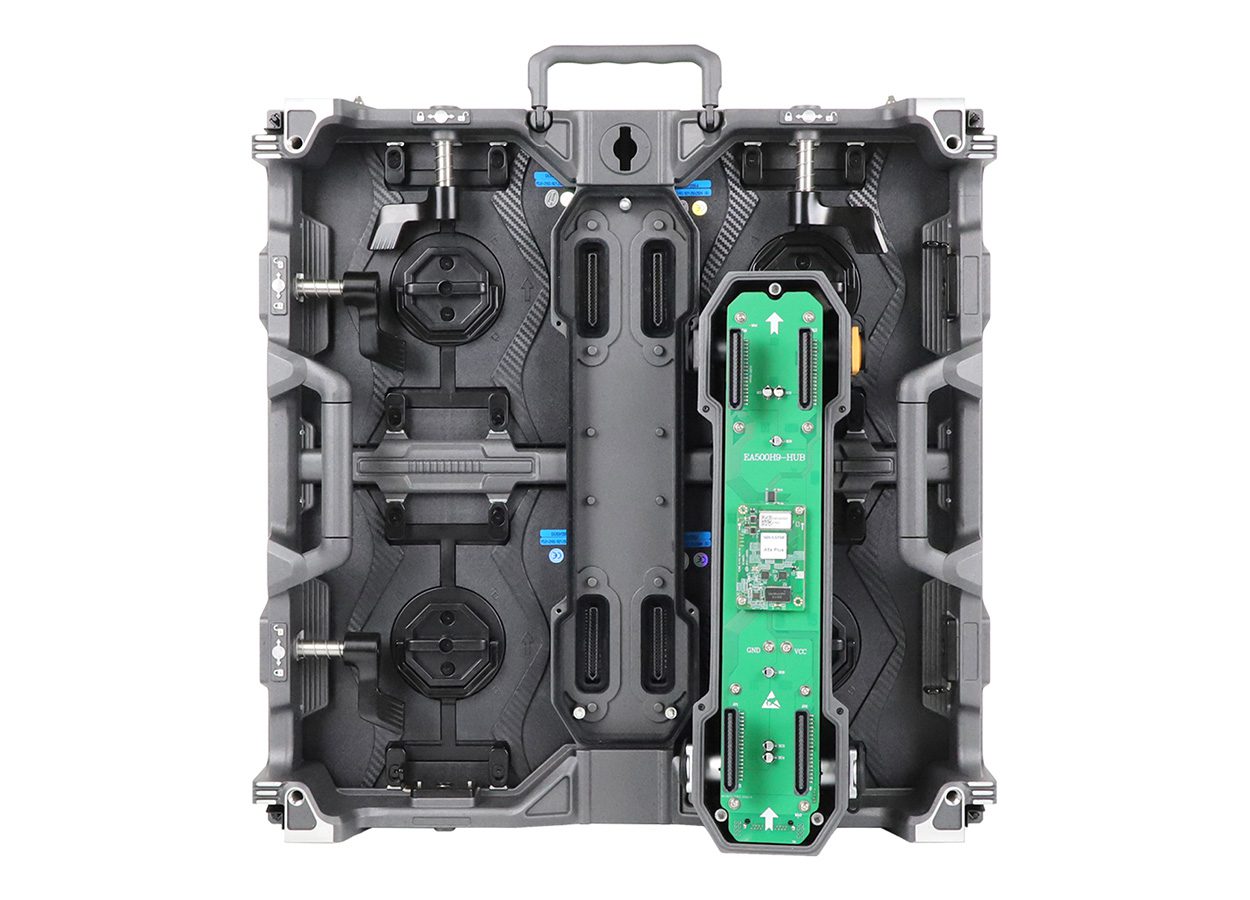
A concrete example is the EagerLED EA500H9. Its published specifications list 500 × 500 mm cabinets, 7 kg indoor cabinet weight, 7.5 kg outdoor cabinet weight and refresh frequency of at least 3,840 Hz. Curved locks and circular configurations are optional. These figures describe that series, not every rental product.
Those dimensions make planning tangible: a 4 m × 2.5 m wall uses 8 cabinets across and 5 high, or 40 cabinets. At the published cabinet weights, the cabinets alone total 280 kg indoors or 300 kg outdoors. Support, cabling and accessories add weight, so these calculations are not a rigging specification.
A fixed LED screen normally avoids repeated packing, while portable cabinets need inspection after each deployment. Check lock wear, exposed corners and damaged connector pins before faults reach the next event. A detachable power box can simplify replacement, but the spare must match the cabinet and control configuration.
02. Applications of Rental LED Screens
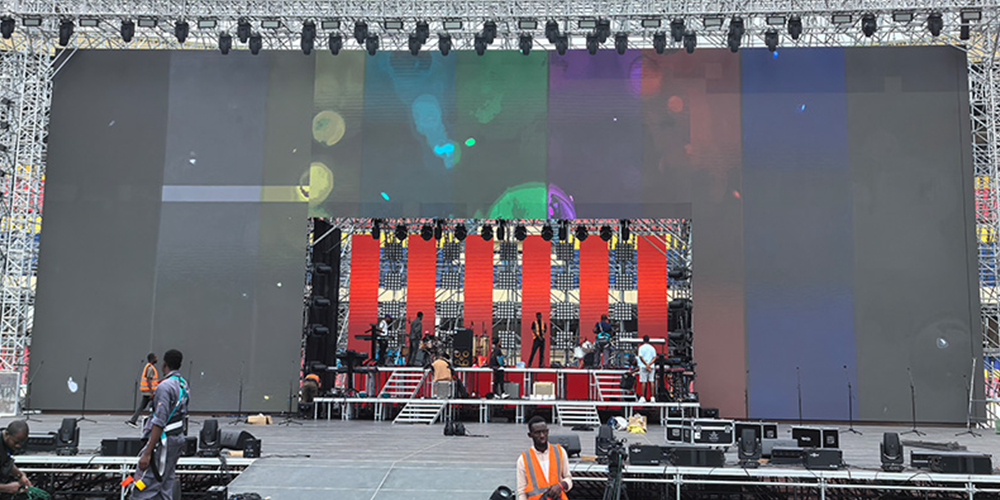
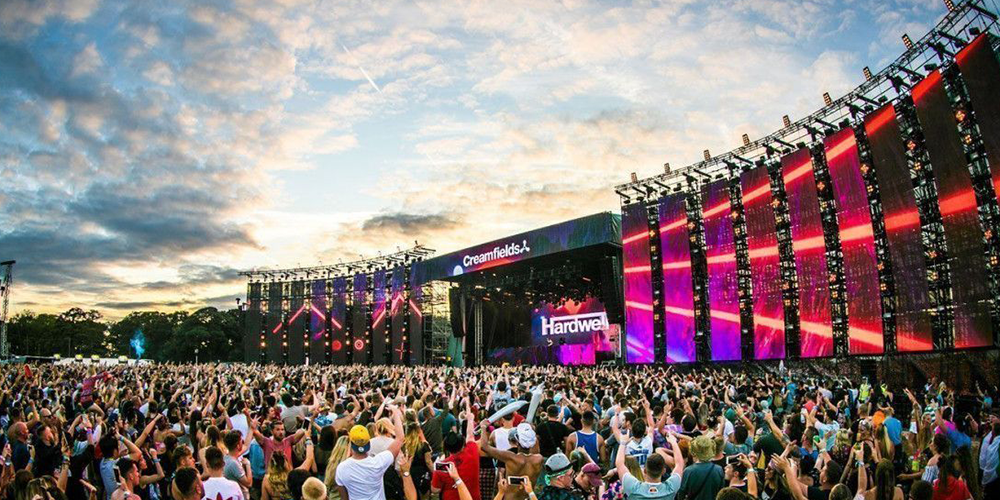
Concerts, exhibitions, corporate launches and temporary sports events benefit from screens that can be resized or moved. A touring operator may reuse the same stock for a wide stage backdrop one week and smaller presentation walls the next. Confirm cabinet compatibility before combining inventory from different purchases or production batches.
For occasional use, hiring a complete event service can be more practical than owning either a fixed LED screen or a portable fleet. Ask whether the quotation includes a processor, distribution, transport, installation crew, rehearsal support and dismantling. A low panel-only rate can conceal substantial event delivery costs.
3. Fixed LED Screen vs Rental LED Screen: The Core Difference
The main difference is the deployment cycle. A fixed LED screen is designed into a location; a rental cabinet system is designed around repeated jobs. Neither label guarantees better resolution, lower power use or longer service life. Compare the proposed models and the complete installation.
01. Structural Design Differences
| Decision point | Fixed LED screen | Rental LED screen |
|---|---|---|
| Primary workflow | Ongoing use in one venue | Repeated builds across venues |
| Support approach | Site-specific wall or support frame | Compatible hanging or stacking system |
| Handling priorities | Access and alignment over years | Locks, handles, edge protection and cases |
| Cabinet weight | Depends on cabinet construction | Depends on cabinet construction |
| Service access | Front, rear or combined; verify components | Front, rear or combined; verify components |
| Layout changes | Possible, but may require rebuilding support | Usually easier within approved cabinet options |
For a fixed LED screen, pay particular attention to the finished depth and the path for replacing a failed component. For portable stock, test whether a technician can identify and swap a faulty power assembly during a realistic rehearsal. Both purchases need spare parts and documented settings.
02. Installation Comparison
A fixed LED screen often needs building integration before cabinets arrive. Temporary screens need a repeatable plan for unloading, support assembly, cabling and commissioning. Fast locks reduce one part of the work; they do not eliminate structural checks, safe access or show testing.
Ask suppliers to separate installation tasks in the quotation. A fixed LED screen proposal should identify who supplies the frame and electrical work. An event proposal should state crew hours, venue access assumptions and who signs off the support arrangement. This prevents an inexpensive cabinet quote becoming an expensive installation.
03. Flexibility Comparison
A fixed LED screen offers a consistent canvas for a venue’s regular content. Portable panels allow more frequent size changes, but flexibility has limits. Curves require compatible locks; corners may need special cabinets; a circular design needs a confirmed diameter and support plan. A modular product is not automatically approved for every shape.
Buying rental-fleet cabinets: request a matching system
For a rental company, “rental LED screen” describes equipment you may own and deploy. Start with the wall layouts you expect to build and the existing stock you intend to retain. Identical cabinet dimensions alone do not prove compatible locks, electronics, module revisions or calibration.
| Purchase item | Confirm before ordering | Evidence to request |
|---|---|---|
| Cabinet compatibility | Exact series, pitch, scan version and optional locks | Supported layout and matching cabinet/component list |
| Control and mapping | Source format, receiver compatibility and output loading | Cabinet-to-port plan plus saved configuration |
| Handling and cases | Cases, lifting or stacking accessories and supported arrangements | Packing plan and installation documentation |
| Spares and service | Module, power/control assembly and calibration matching | Part identifiers and demonstrated exchange procedure |
| Repeatable builds | At least the representative flat or approved curved layouts | Assembly, image test and restart demonstration |
| Quote exclusions | Processor, cables, cases, support equipment, delivery and local labour | Itemised written scope and responsibilities |
Ask the supplier to demonstrate the proposed configuration using the intended content and camera workflow. Keep a known working configuration and a record of supplied revisions with the fleet. For additions to older inventory, approve a representative mixed-batch test before assuming the new stock can replace or extend it.
The fixed-venue break-even example below does not model a travelling fleet. A fleet comparison must also account for equipment availability, transport, crew, storage and expected supported deployments. Use actual operating records and quotations; no universal utilisation threshold makes purchasing the right answer.
04. Brightness and Image Quality Comparison
Image quality comes from pixel pitch, physical resolution, calibration, brightness, processing and content. A fixed LED screen can support demanding presentation or camera applications when specified correctly. Conversely, a rental cabinet does not become suitable for a close-view meeting room simply because it has a high refresh rate.
| Specification | What to compare | Practical acceptance check |
|---|---|---|
| Pixel pitch | Pixel spacing in millimetres and resulting resolution | Show the smallest planned text at real viewing distances |
| Brightness | Operating brightness in cd/m², also called nits | Test under expected ambient light and dimmed conditions |
| Camera performance | Refresh, scan behaviour and processor synchronisation | Record with the actual cameras and shutter settings |
| Protection | Front and rear IP ratings plus operating limits | Verify the selected model and installation exposure |
| Power | Maximum input and realistic average consumption | Size circuits professionally; model energy separately |
| Colour consistency | Calibration data and matching replacement modules | Compare low-grey, white and colour test patterns |
For a fixed LED screen measuring 4,000 × 2,500 mm at a nominal 2.5 mm pitch, the calculated canvas is 1,600 × 1,000 pixels. That is a calculation, not a product recommendation: actual cabinet increments and pixel counts must match the purchase specification. A processor accepting 4K input does not turn that canvas into a native 4K display.
Brompton Technology’s Genlock documentation explains how processor synchronisation and timing adjustment improve camera performance. A 3,840 Hz specification alone cannot guarantee artifact-free footage. Test the complete camera chain, and confirm compatible processor features rather than assuming them from cabinet marketing.
The EA500H9 outdoor specifications list 3,000–6,000 cd/m² across different outdoor versions and IP65 front/IP54 rear protection. Standard and black-LED versions are not brightness-equivalent, so confirm the exact version. The different front and rear ratings are precisely why a fixed LED screen or portable screen must be evaluated as an installed system. Outdoor suitability requires checking the exact configuration, exposure and operating instructions.
4. How Installation Usually Works
01. Fixed LED Screen Installation
Start a fixed LED screen project with a measured site survey. Record the clear opening, audience distances, obstructions, delivery access and available electrical infrastructure. Decide the final canvas and service method before specifying the supporting structure. A drawing should show where cables, ventilation and removable components will go.
A qualified installation team should assess support and electrical requirements under applicable local rules. Mount and align the cabinets, connect power and data, load the correct mapping and calibration, then test the planned content. A fixed LED screen is ready for handover when the complete system works and the operator understands routine use.
02. Maintenance Access in Permanent Installations
Do not let a decorative surround block a fixed LED screen’s maintenance path. Ask for a demonstration of how modules, power supplies and receiving cards are removed after the finishing work is complete. Confirm whether tools need additional clearance and whether servicing interrupts other equipment or public areas.
Keep cabinet maps, wiring diagrams, configuration backups and spare-part identifiers with the fixed LED screen records. Without those details, a minor replacement can turn into a lengthy diagnosis. Agree who owns the configuration files and who provides support after the original installation team leaves.
03. Rental LED Screen Installation
Temporary builds begin with equipment inspection and the approved support arrangement. Crews then assemble cabinets, route cables, map the display and verify signal and power. Rehearsal should include the actual media, cameras and playback source. Leave time to correct visible seams, incorrect mapping and camera artifacts.
| Stage | Permanent venue | Temporary event |
|---|---|---|
| Before delivery | Confirm structure, dimensions and service access | Confirm load-in route, timing and support design |
| Assembly | Align cabinets to the permanent frame | Inspect locks and follow approved build sequence |
| Commissioning | Map pixels; calibrate and test daily content | Map pixels; rehearse show content and cameras |
| Fault preparation | Label spares and document service contacts | Stage compatible spares and assign technical cover |
| Handover | Provide drawings, backups and operator training | Record settings and agree event support scope |
| After use | Inspect on the agreed maintenance schedule | Inspect, dry as instructed and pack safely |
04. Why Rental Screens Reduce Setup Stress
Portable cabinets can reduce repeated assembly work when a trained crew follows a familiar process. The benefit is predictability, not a guaranteed installation time. A venue’s loading restrictions, screen height, cable routing and rehearsal requirements can outweigh the time saved by quick locks.
Compare a fixed LED screen and a temporary build against the actual calendar. A screen used every week in the same hall may justify permanent installation even if each session is called an “event.” A screen moved between cities needs transport-ready hardware, even if the owner uses it daily.
5. Cost, Maintenance, and Lifespan
01. Initial Investment and Long-Term Value
For LED screen rental vs buying, compare the same size, image specification, service level and period of use. Buying a fixed LED screen involves equipment, support, installation and ongoing operation. Hiring a screen involves repeated event fees and whatever services the contract excludes. Buying portable stock adds storage and handling responsibilities.
| Cost item | Buying a fixed LED screen | Hiring an event screen |
|---|---|---|
| Display hardware | Purchase plus compatible spare parts | Included for the contracted hire period |
| Structure and installation | Initial site work and commissioning | Per-event support, setup and dismantling |
| Control equipment | Processor, playback and distribution | Check whether all equipment is included |
| Operation | Electricity, inspections and operator time | Technician cover and venue power charges |
| Logistics | Initial delivery and service visits | Repeated transport, handling and possible overtime |
| Financial exposure | Capital, repairs and future obsolescence | Cancellation terms, damage liability and availability |
Illustrative break-even formula: events = ownership cost over the comparison period ÷ (all-in hire cost per event − variable owned-screen cost per event). Use this only when both options meet the same need at the same venue. If the denominator is zero or negative, this simple model gives no positive break-even point.
Suppose a fixed LED screen has a net ownership cost of US$30,000 over three years, including installation and planned fixed costs after any assumed residual value. Comparable hire costs US$2,000 per event, and owned-screen operation costs US$200 per event. Break-even is 30,000 ÷ 1,800 = 16.7 events, so ownership becomes cheaper at 17 events under those assumptions.
| Events in three years | Hire: US$2,000/event | Own: US$30,000 + US$200/event | Lower modelled cost |
|---|---|---|---|
| 6 | US$12,000 | US$31,200 | Hire by US$19,200 |
| 12 | US$24,000 | US$32,400 | Hire by US$8,400 |
| 17 | US$34,000 | US$33,400 | Own by US$600 |
| 24 | US$48,000 | US$34,800 | Own by US$13,200 |
These are hypothetical planning inputs, not market prices, savings promises or customer results. Replace them with local quotations and include applicable taxes, financing, repairs and opportunity costs. A fixed LED screen cannot replace a travelling screen across multiple venues without extra relocation costs, so that comparison needs a different model.
02. Maintenance Differences
A fixed LED screen needs accessible components, cleaning procedures, ventilation checks and a support schedule appropriate to its environment. Portable inventory also needs connector, lock and transport-case checks. For either system, ask how replacement modules will be matched to the existing wall and whether calibration files remain available.
Energy estimates should use operating conditions. For illustration, 10 m² averaging 200 W/m² for 8 hours consumes 16 kWh per day, before associated equipment or cooling. Multiply by the local electricity tariff. This assumed average is not a product specification; use measured or documented consumption for the chosen brightness and content.
03. Lifespan and Durability
A fixed LED screen’s useful life is not the same as an LED component’s quoted lifetime. Brightness degradation, power-supply failures, unavailable spare parts and changing image requirements can end useful service earlier. A “100,000 hours” claim should identify the measurement conditions and endpoint; it is not a whole-system warranty.
Request warranty duration, exclusions, response arrangements, repair location and spare-part availability in writing. For a fixed LED screen in a revenue-generating location, downtime may matter more than a theoretical lifetime figure. For portable inventory, physical handling damage may matter more than accumulated operating hours.
04. Which One Lasts Better for Your Workflow?
A fixed LED screen avoids repeated transport but may face continuous heat, dust or outdoor exposure. A rental system tolerates movement by design but still relies on careful handling and maintenance. Choose the support package and construction that fit those stresses; neither category automatically wins on durability.
6. Conclusion
Choose a fixed LED screen when the venue, viewing conditions and regular use justify a permanent installation. Choose rental cabinets when frequent relocation and changing layouts are central to the business. Hire a complete event package when occasional use and limited internal technical resources make ownership difficult to justify.
To compare a fixed LED screen with a rental proposal, send suppliers the same brief: location, dimensions, closest viewing distance, content, camera requirements, operating hours, access constraints and budget period. Request the cabinet layout, installed weight, service method, power information and itemised costs. EagerLED can assess indoor display options and rental cabinet systems against that brief.
Request a project-specific comparison with your planned screen size and usage schedule. Confirm the final specification and local installation requirements before placing an order.
7. FAQ
01. What is the difference between a fixed LED screen and a rental LED screen?
A fixed LED screen is planned for ongoing use at one location. Rental cabinets prioritise repeated transport and assembly. Either can offer high image quality; compare the actual pixel pitch, brightness, processing, protection and maintenance access.
02. Is LED screen rental cheaper than buying?
Hiring usually reduces the initial commitment for occasional events. Buying can cost less over repeated use, but only after including installation, operation, repairs and other ownership costs. Use comparable quotations and a defined time period rather than a universal event-count rule.
03. Can rental cabinets be used as a fixed LED screen?
Sometimes, if the manufacturer approves the intended installation and the support, ventilation, service access and environment are suitable. Calculate the installed cost and maintenance implications. Portable locks and handling features alone do not establish suitability for permanent mounting.
04. Can an indoor fixed LED screen be used outdoors?
Only if its documented environmental specification supports that exposure. An indoor model should not be assumed weather-resistant. Check front and rear enclosure ratings, operating temperature and installation instructions; an IP rating does not establish wind-load capacity.
05. Does a higher refresh rate guarantee flicker-free camera footage?
No. Camera shutter settings, scan behaviour, timing and the processor also affect recorded results. Test the selected display with the actual cameras and content. Confirm synchronisation features and compatibility when filming is a critical requirement.
06. What should a rental company request when buying cabinets?
Request the exact cabinet and electronics revision, supported layouts, control and mapping plan, transport cases, mounting accessories, matched spare parts and itemised exclusions. Buying fleet equipment is different from booking an operated screen for one event.
Technical references: IEC enclosure protection guidance; Brompton Technology Genlock; EagerLED EA500H9 specifications. Product figures are model-specific. Cost scenarios are illustrative calculations.
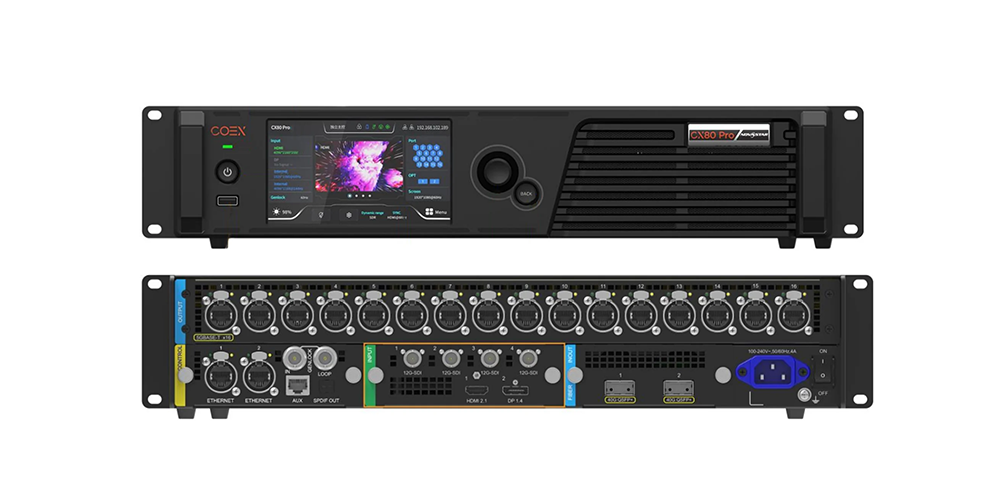 NovaStar CX80 Pro LED Controller: Specs, Price & Setup
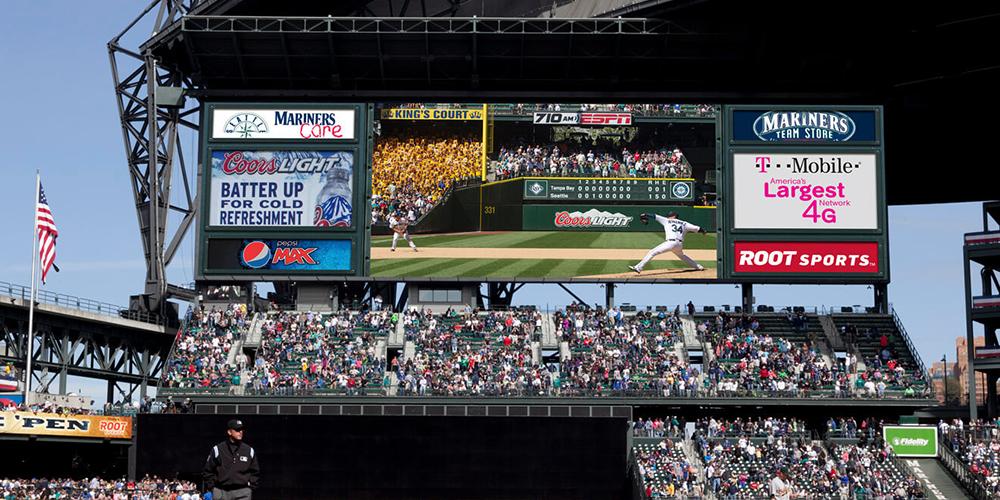 Jumbotron Screen: Specs, Costs & Buying Guide