An exhibition screen is an LED display built or rented for a trade show, expo or conference booth, used to show video, product demos and brand content instead of printed graphics. The short answer for most exhibitors: rent an LED screen if you attend one or two shows a year, buy one if you exhibit three or more times, choose 1.9-2.6 mm pixel pitch for indoor halls, and step up to 3.9 mm or coarser for very large or semi-outdoor stands.
This guide is for exhibitors, event agencies and AV buyers who need a decision this quarter: how an exhibition screen works, which type suits which booth, what the specs mean on the show floor, what it costs, and how to plan and run one on opening day.
Rent an exhibition screen for 1-2 shows a year. Buy from the third show. Use 1.9-2.6 mm pitch indoors.
1.What Is an Exhibition Screen and Why Does It Still Win Trade Shows?
01.What an Exhibition Screen Actually Is
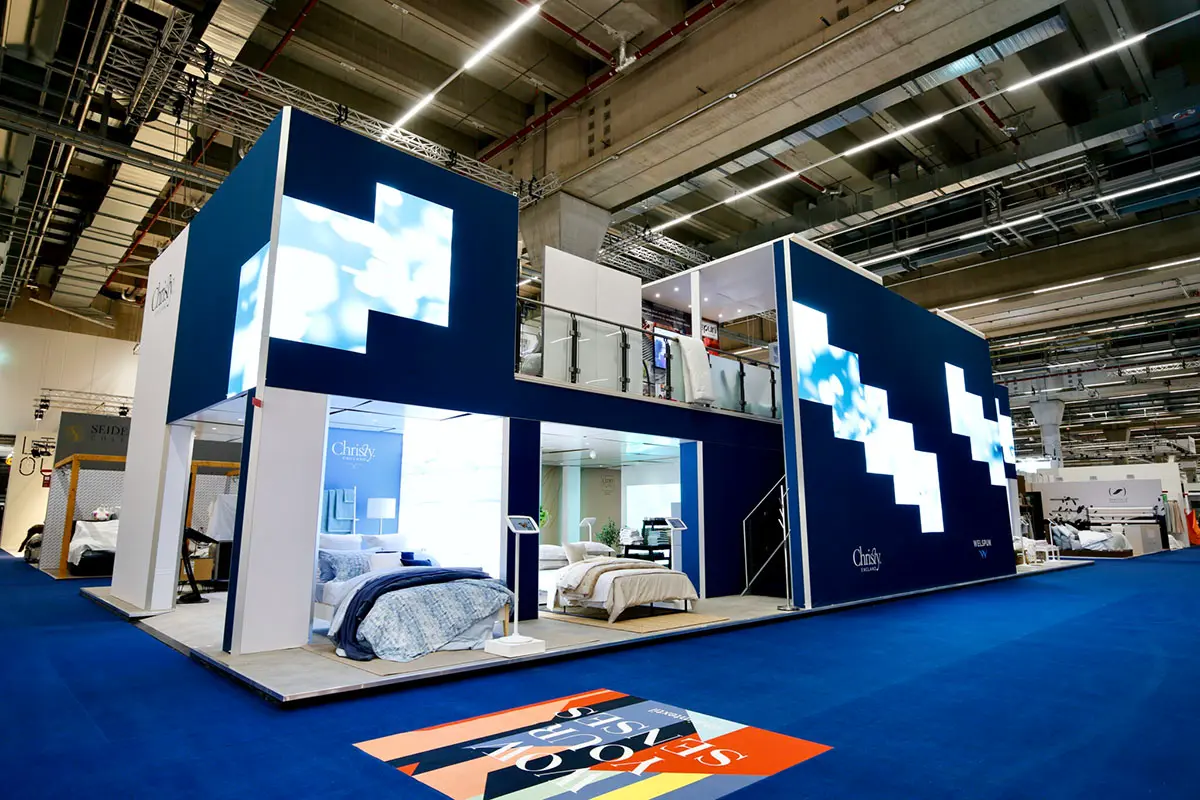
An exhibition screen is a modular LED video wall built from cabinets and driven by a video processor. Each cabinet holds LED modules, a receiving card and a power supply, and the modules are SMD or COB. Cabinets are standardised at 500 x 500 mm and 500 x 1000 mm, so the same fleet can build a 2 m shell-scheme wall or a 12 m island booth.
Two differences separate an exhibition screen from other booth displays. LED cabinets have no bezel, so a 6 m wall reads as one continuous image instead of a grid of panels. Brightness is emitted rather than reflected, so the screen stays readable under hall lighting that would wash out a projector. The same cabinets are then reused show after show, spreading cost across a season rather than a single stand.
02.Why Printed Booths Are Losing Ground to LED
A printed backdrop cannot move, and motion is one of the few cues that reliably interrupts a visitor walking the aisle. An exhibition screen can change content every eight seconds, then hold a static product shot when the aisle is empty. That is why a lit, moving surface is easier to film and easier to remember than a flat wall of text.
Brightness matters as much as motion. Exhibition halls are lit for photography, and that lighting flattens printed panels. A modern indoor exhibition screen runs at 800-1,500 nits with a typical 5,000:1 contrast ratio, so dark content stays black and text stays legible from the far end of the aisle.
03.The Exhibitor Math: Footfall, Dwell Time and Leads
The value of a screen shows up in three numbers: how many visitors stop, how long they stay, and how many conversations become qualified leads. A moving wall buys the first two; the third depends on content. A 30-second product demo gives staff a natural opening line and keeps the pitch consistent across the whole team.
Because the same hardware serves every show, cost per show falls quickly. An exhibition screen bought for a three-show season is effectively shared across all three stands, and content can be re-cut rather than reprinted. That is why LED hardware has replaced roll-up banners on most large stands.
| Booth display option | Visual impact | Reusable across shows | Bright-hall readability | Best for |
|---|---|---|---|---|
| LED exhibition screen | High: motion, no bezel, full-bright video | Yes – same cabinets, new content | Excellent (800-6,500 nits) | Feature walls, demos, lead capture |
| Printed backdrop and roll-up banners | Static, limited by print resolution | Partly – reprints each season | Good with correct lighting | Small stands, tight budgets |
| LCD video wall | Good, but visible bezels | Yes | Poor in bright halls | Meeting rooms, indoor signage |
| Projector and screen | Soft, washes out with ambient light | Yes (lamp and servicing costs) | Poor above 1,000 lux | Dark rooms, presentations |
| LED poster / portable exhibition screen | Medium-high, single unit | Yes | Good | Product plinths, entrances, small stands |
The comparison is not about which technology is newest. It is about which option survives an exhibition hall: LED is the only one above that keeps contrast, motion and modular size scaling at the same time.
2.Types of Exhibition Screens: Which One Fits Your Booth?
Almost every exhibition screen falls into one of four families. The labels are practical rather than technical: they describe where the display is used and how it is paid for.
01.Indoor Exhibition Screens for Halls and Conference Centres
Indoor exhibition screens are the default choice for trade show halls, conference foyers and hotel ballrooms. Pixel pitch runs from 1.2 mm to 3.9 mm and brightness from 800 to 1,500 nits, mounted on truss, ground support or hall rigging. Because visitors stand 2-6 m away, a finer pitch keeps text sharp and product detail readable. See our guide to indoor LED screens for indoor configurations.
02.Outdoor and Semi-Outdoor Exhibition Screens
Outdoor exhibition screens serve open-air expos, festival zones, motorsport paddocks and entrance gates. They run at 5,000-6,500 nits and are sealed to IP65 or better under IEC 60529, meaning dust protected and resistant to water jets. Covered atriums and marquees sit between the two, usually served by a 3,000-5,000 nit cabinet with an IP54 or IP65 rating. If a stand may see rain or direct sun, specify the outdoor cabinet from the start.
03.Rental Exhibition Screens for One-Off Shows
Rental exhibition screens are built for speed: quick-lock cabinets, flight cases, curved and right-angle options, and touring-grade connectors. A 500 x 500 mm rental cabinet weighs roughly 7-9 kg, so a 4 x 2.5 m wall is a two-person build with a lift and a 10 m wall is a same-day install for a small crew. Rental suits exhibitors who attend once or twice a year or whose stand size changes every time. Our rental LED display guide covers the commercial side.
04.Portable and Modular Exhibition Screens
Portable and modular exhibition screens cover the entry end of the range: LED posters, 1-3 m2 folding walls and tabletop units that ship in one case and install without a technician. They are the right first purchase for a distributor or small exhibitor, and can later be expanded with matching cabinets or kept as satellite units beside a larger wall. With a coarser pitch of 2.5-4 mm, they are the lowest-risk way to test whether a screen earns its place in the booth budget.
| Exhibition screen type | Typical pixel pitch | Brightness | Cabinet size | Install time | Best for |
|---|---|---|---|---|---|
| Indoor screen | P1.2 – P3.9 | 800 – 1,500 nits | 500 x 500 / 500 x 1000 mm | 2 – 6 hours | Trade show halls, conference foyers |
| Semi-outdoor | P3.9 – P5.0 | 3,000 – 5,000 nits | 500 x 500 / 960 x 960 mm | 3 – 8 hours | Covered atriums, marquees, gates |
| Outdoor | P4.8 – P6.67 | 5,000 – 6,500 nits | 960 x 960 / 500 x 1000 mm | 1 – 2 days | Open-air expos, festivals, sport |
| Rental / touring | P2.6 – P4.8 | 1,200 – 5,000 nits | 500 x 500 / 500 x 1000 mm | 2 – 6 hours | One-off shows, touring stands |
| Portable / LED poster | P2.5 – P4.0 | 1,000 – 2,500 nits | Foldable, ships in one case | 15 – 45 minutes | Small stands, plinths, entrances |
Read that table as a starting filter. If two rows both look plausible, the deciding factors are usually hall lighting, viewing distance and whether the stand is rebuilt between shows.
3.Key Benefits of an LED Exhibition Screen for Exhibitors
The benefits below are the ones exhibitors actually name when they explain why they moved booth budget from print to LED. They are also the reasons an exhibition screen keeps paying off after the first show.
01.Attention and Stop Power
An exhibition screen competes for attention with hundreds of other stands, and it does so with light. High brightness plus motion captures the first glance; content has to hold it. The practical target is a loop that reads from 8-10 m away, where a visitor is still deciding whether to turn towards your aisle.
02.Instant Credibility
A seamless, correctly proportioned exhibition screen signals an established brand. Buyers read the stand before they read the product: a clean wall with accurate colour and no flicker says the company controls its production. That impression carries into the first conversation, and it is one of the cheapest credibility signals available, because the same screen is reused at every show.
03.Flexibility Across Booth Sizes
Modular cabinets scale in both directions. A 2 m exhibition screen suits a 3 x 3 m shell scheme; the same cabinets form a 10 m feature wall on an island stand. Curved, corner and suspended configurations use the same hardware, so a brand keeps one visual language even when the stand footprint changes. If you are still matching screen size to stand size, our LED screen size guide covers the arithmetic.
04.Cost Efficiency and Sustainability
An exhibition screen replaces a printed backdrop discarded after one or two shows, so there are no reprint costs, no vinyl waste and no storage full of outdated graphics. Running costs are modest for the light output: a well-specified indoor LED wall draws roughly 150-250 W/m2 in average content, and LED chips are commonly rated for 100,000 hours. Reusing a screen season after season is also the simplest sustainability story an exhibitor can put in a tender document.
05.Lead Capture and Engagement
Screens create reasons to stop that printed graphics cannot. Product animations, interactive tours, live dashboard feeds and QR-driven demos all run on the same wall and all give staff an opening line. Rotating between demo mode and lead-capture mode keeps the booth useful when footfall drops.
4.How to Choose the Right Exhibition Screen: Specs That Matter
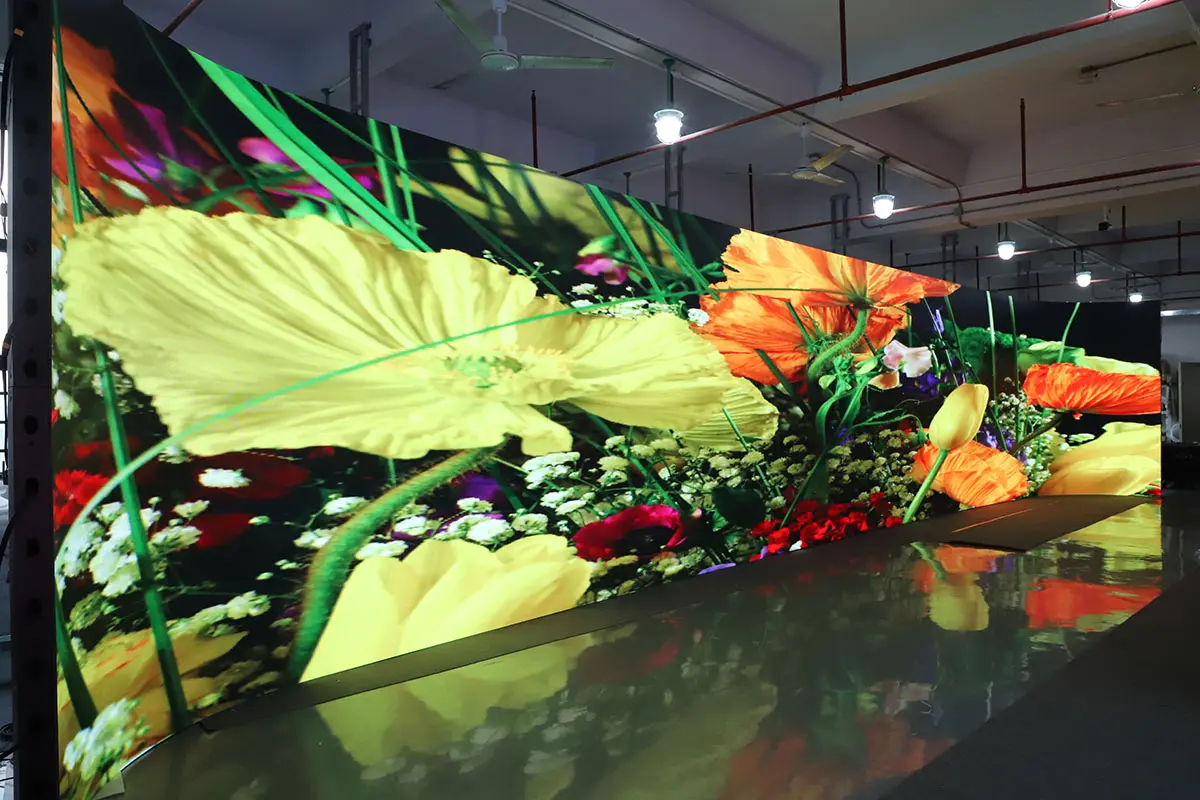
Four specifications decide whether an exhibition screen looks good in the hall: pixel pitch, brightness, cabinet size and weight, and signal handling. Everything else is refinement.
01.Pixel Pitch: Match the Screen to Viewing Distance
Pixel pitch is the distance between LED clusters, measured in millimetres. The smaller the number, the finer the image and the closer a visitor can stand before pixels become visible. The industry rule of thumb is that minimum comfortable viewing distance in metres roughly equals the pixel pitch in millimetres: a P2.6 exhibition screen is comfortable from about 2.6 m, a P4.8 screen from about 4.8 m. A finer pitch than the viewing distance requires raises cost sharply without a visible gain.
02.Brightness: Nits for Indoor Halls and Outdoor Stands
Indoor exhibition screens usually run at 800-1,500 nits, matching hall lighting of roughly 500-1,000 lux. If a stand sits beside a glass wall or under a skylight, budget for 2,500-3,500 nits or the wall will look washed out in daylight. Outdoors, 5,000-6,500 nits is the working range. Higher brightness is not automatically better indoors: an over-bright wall hurts eyes at close range and makes phone cameras struggle with exposure.
03.Cabinet Size, Weight and Rigging
Cabinet format determines how the wall is built and how heavy it is to fly. The 500 x 500 mm rental cabinet is the industry workhorse; 500 x 1000 mm cabinets build large walls faster because fewer cabinets and seams are needed. Specify cabinet weight, hanging hardware and maximum stack height early, then compare them against venue rigging points and floor loading rules. In heritage venues, floor-standing ground support is often safer than suspension.
04.Refresh Rate, Processing and Content Source
Refresh rate decides whether the wall flickers on camera. Where press, broadcast or smartphone video matters, specify at least 1,920 Hz, and 3,840 Hz if the screen will appear in professional footage. Grey scale of 14-16 bit keeps gradients smooth. On the signal side, confirm the video processor accepts the sources you actually use – HDMI, DisplayPort, SDI or a media player – and agree who owns the content player. Most problems on show day are signal problems, not LED problems.
| Pixel pitch | Comfortable viewing distance | Maximum sensible distance | Recommended use |
|---|---|---|---|
| P1.2 – P1.5 | 1.5 – 3 m | 4 – 5 m | Fine-pitch walls in conference and exhibition halls; product detail |
| P1.9 – P2.5 | 2.5 – 5 m | 7 – 8 m | Indoor exhibition screens on mid-size and island stands |
| P2.6 – P3.9 | 4 – 8 m | 10 – 15 m | Rental exhibition screens, large booth feature walls |
| P4.8 – P6.67 | 6 – 12 m | 20 – 25 m | Semi-outdoor and outdoor exhibition screens, entrance walls |
5.How Much Does an Exhibition Screen Cost?
An exhibition screen is priced per square metre, and the price of that square metre depends on pixel pitch, cabinet grade, brightness and control hardware. The bands below are indicative 2026 market ranges for standard indoor and rental cabinets; a real quotation moves within them according to pitch, quantity and the accessories you add.
01.What Drives the Price of an Exhibition Screen
Five factors account for most of the variation. Pixel pitch is the largest: halving the pitch roughly quadruples the LEDs per square metre. Brightness and IP rating add cost outdoors. Cabinet grade separates fixed-install cabinets from touring rental cabinets with quick locks. Control hardware – processor, player, cards and cabling – is often 8-15% of a project. Spares cost far less when bought with the order than after a show. For wider pricing context, see our notes on LED display price.
02.Typical Budget Bands in 2026
Treat the next table as a planning tool for a budget conversation, not as a quotation. A hosted rental wall and an owned exhibition screen of the same size are not comparable line items, because rental includes transport, crew and support.
| Option | Indicative 2026 investment | What is included | Best for |
|---|---|---|---|
| Portable / LED poster wall, 1 – 3 m2 | USD 1,500 – 6,000 (purchase) | Screen, processor, case | First purchase, small stands, plinths |
| Indoor wall, 6 – 15 m2, P2.6 – P3.9 | USD 6,000 – 25,000 (purchase) | Cabinets, processor, spares, structure options | Exhibitors attending 3 or more shows a year |
| Large booth feature wall, 15 – 40 m2 | USD 20,000 – 70,000 (purchase) | Cabinets, processor, rigging hardware | Island stands, brand pavilions |
| Rental wall, 10 – 20 m2, 3-day show | USD 1,500 – 8,000 (per show) | Delivery, crew, support, collection | One-off shows, changing stand sizes |
| Outdoor wall, 10 – 25 m2, IP65 | USD 18,000 – 60,000 (purchase) | Weatherproof cabinets, processor | Open-air expos, festivals, sport |
03.Buy or Rent an Exhibition Screen?
The decision usually comes down to frequency. Rental wins when you exhibit once or twice a year, when stand size changes each time, or when storage and maintenance are impractical. Buying wins from roughly the third show onwards, because the wall is then amortised across a season and rebuilt in configurations you control. A middle path is to buy one compact screen for permanent use and rent extra cabinets for the largest shows – the content and workflow stay the same.
Two line items are regularly forgotten: spares (plan 3-5% of modules, plus at least one spare power supply and receiving card) and content production. The second is often larger than the first, and it is the one that decides whether the exhibition screen performs.
6.How to Plan an Exhibition Screen for Your Booth
Most exhibition screen problems are decided weeks before the show, during planning. Three checks prevent nearly all of them.
01.Measure the Booth and Set the Viewing Distance
Measure the available wall or rigging width first, then work backwards from the typical viewing distance in the aisle. Booth dimensions rarely match standard cabinet ratios, so agree final pixel dimensions rather than just physical size – a wall 5.5 m wide at P2.6 does not resolve to a native 16:9 image. If the screen will be seen from both sides of an aisle, favour a slightly coarser pitch at a larger size over a finer pitch at a smaller one.
02.Check Power, Rigging and Floor Loading
Confirm the venue power supply, number of circuits and distance from the distribution board before you design the wall. Then confirm rigging points, maximum suspended load and floor loading for ground support. Venues enforce these limits strictly, and a change of mounting method late in planning usually costs more than the exhibition screen itself. Ask for the hall technical regulations when you book the stand, not when you order the screen.
03.Build the Content Workflow Before You Ship
Decide early who produces the content, at what resolution, and how it reaches the player. The safest workflow is a playlist exported at the native screen resolution, tested on the actual processor, with a USB drive and a backup travelling with the crew. Agree a fallback: if the media player fails, the screen should still accept a laptop feed so the stand is never dark. Teams that plan this step have noticeably shorter setup days.
7.What Content Works Best on an Exhibition Screen?
Content decides whether an exhibition screen earns attention or becomes expensive wallpaper. Three rules cover most of it.
01.Loop Length and Pacing
Keep the main loop between 20 and 45 seconds and make it readable without sound. Visitors rarely arrive at the start of a video, so every segment should make sense on its own. Put the strongest product or brand moment first, repeat the company name at least twice per loop, and avoid long title cards – a static logo held for 10 seconds is the fastest way to make an exhibition screen look empty.
02.Text Size, Contrast and Safe Areas
Design text for the furthest viewer, not the closest. As a working rule, headline text should be legible at 10 m, which means large type, high contrast and short lines. Keep a safe area of at least 5% on each edge, avoid thin fonts on bright backgrounds, and test the content on the exhibition screen itself before the show opens. Bold colours, dark backgrounds and simple motion read better in a bright hall than subtle gradients.
Watch the video above for a practical look at how EagerLED exhibition screens are configured and driven in real installations.
8.Exhibition Screen Setup and Troubleshooting Checklist
This checklist is the short version of what experienced crews run before doors open.
01.Before the Show
- Test the full cabinet chain on site power, not just on a bench.
- Confirm the processor recognises every source you plan to use, including the backup laptop.
- Load the playlist at native resolution and check the first and last frame of each clip.
- Check that spare modules, one spare power supply and one spare receiving card are in the case.
- Walk the exhibition screen from 10 m, 5 m and 2 m and confirm text is readable at all three distances.
02.On-Site Fixes for Common Problems
If a section of the exhibition screen is dark, check the data cable and the receiving card before assuming a module has failed; reseating a single ribbon cable resolves most dead sections. If the image flickers on camera but looks fine to the eye, raise the refresh rate or shorten the camera shutter. If colour looks uneven between cabinets, run a brightness and chroma calibration across the whole wall rather than adjusting individual cabinets by eye. If the whole wall shows nothing, work backwards along the signal chain – player, processor, sending card, first cabinet – and confirm the source resolution matches the processor output.
9.Why Exhibitors Choose EagerLED Exhibition Screens
EagerLED manufactures exhibition screens in Shenzhen and supplies exhibitors, event agencies and AV integrators worldwide, from single portable units to multi-metre booth walls. Cabinets are produced in the same facility as the modules they carry, so pitch, brightness and cabinet format can be matched to a specific stand instead of being forced into a catalogue configuration.
Projects are supported end to end: configuration advice before the order, pixel-dimension drawings for the stand plan, content workflow guidance, and spares so a screen survives a full season of shows. Screens are available in indoor, rental, semi-outdoor and IP65 outdoor formats, with control hardware configured for the sources each venue uses. Send the booth dimensions and viewing distance and we will return a recommended exhibition screen configuration with the pixel dimensions already worked out.
10.FAQs
11.Conclusion
An exhibition screen earns its place when it is matched to the booth rather than bought from a catalogue. Confirm viewing distance before choosing pixel pitch, check hall lighting before choosing brightness, and settle the mounting method against venue rules before ordering cabinets. Then treat content as part of the build, because a well-planned video wall with a 30-second loop will outperform a larger wall running a ten-minute video that nobody waits for.
Done that way, an exhibition screen stops being a stand expense and becomes a reusable asset: one investment, one content workflow, and a booth that looks deliberate at every show on the calendar.
 NovaStar ViPlex Express Download: Free Software & User Guide
 Your Guide to NovaStar Taurus Multimedia Player TB30, TB40, TB50, TB60 Players