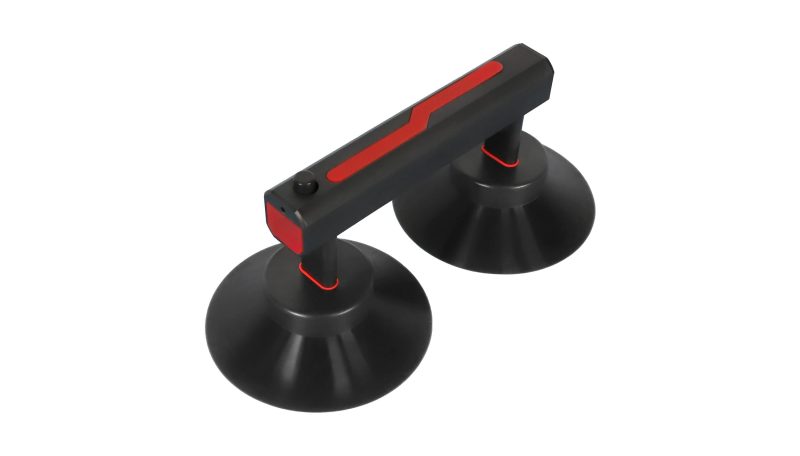
Which LED front maintenance tool should you order? Start with the exact module, not the tool photograph. Ask your screen supplier to confirm the module’s front-service method, surface finish, lifting points and weight. Then request a demonstration on a matching spare module. EagerLED’s H-01 is a powered suction tool with an adjustable cup arrangement; the M1 and M2 are manual tools offered in single- and double-cup forms for COB/GOB front-service work. The names alone do not prove compatibility with your wall.
In this guide
1. Choose the tool family by the module, not the label
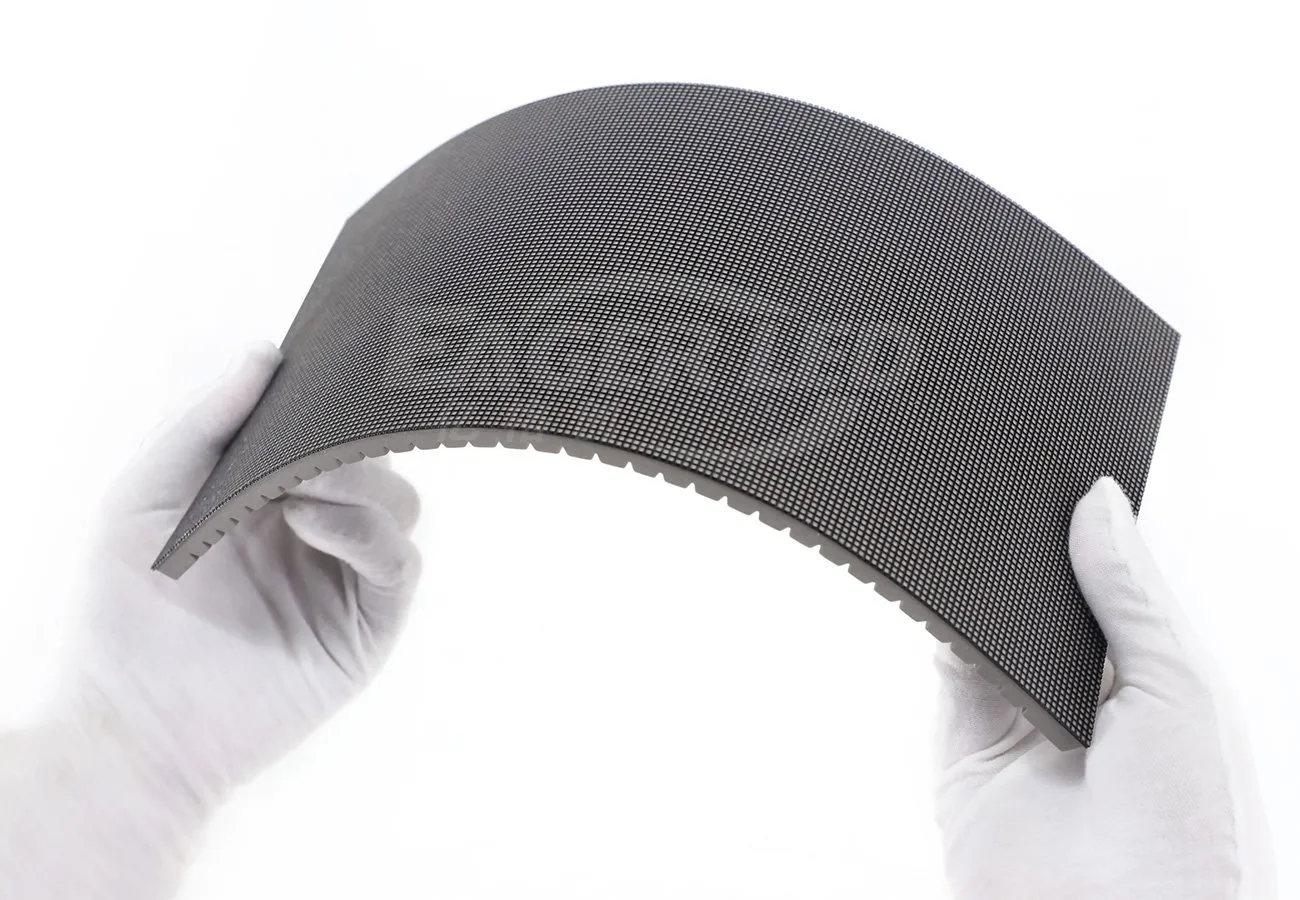
A front-service display is designed so an approved technician can access specified components from the viewing side. That does not mean every suction tool works on every module. A GOB or COB face, an exposed SMD face, a curved flexible module and a module with a narrow accessible area can call for different contact arrangements. The cabinet’s release mechanism also matters: suction lifts the module only after the manufacturer-approved release steps are complete.
The practical choice is between a powered tool such as the EagerLED H-01, the M1/M2 manual tools, or a different approved tool supplied with the cabinet. Ask the screen manufacturer to identify the approved combination in writing. For a broader overview of servicing access, see our EAV6 replacement-tool introduction; that is a different tool, not a substitute approval for H-01 or M1/M2.
2. Verify module fit before you buy
Send the supplier the module model and revision, dimensions, approximate mass, surface treatment, curvature if any, and a clear face and rear photograph. State whether the module is retained magnetically or by another mechanism, and identify any approved release step. Ask for the cup’s contact area and a marked photograph showing where it lands on your module. A cup that overlaps an edge, joint or raised feature may not make a reliable seal.
Important: A successful demonstration on a different screen is not proof of fit. Treat supplier claims of universal compatibility as provisional until the exact module and service procedure have been checked.
3. When does the H-01 make sense?
EagerLED describes the H-01 as a powered front maintenance tool with adjustable suction cups, automatic power-off and a backpack-style carrying arrangement. The battery, charger and cup arrangement should be listed as actual line items for the offered kit. A powered tool may suit a fleet that frequently services approved modules, but do not infer a safe lifting load, duty cycle or battery runtime from the product name. Request the current manual and demonstration for the configuration being quoted.
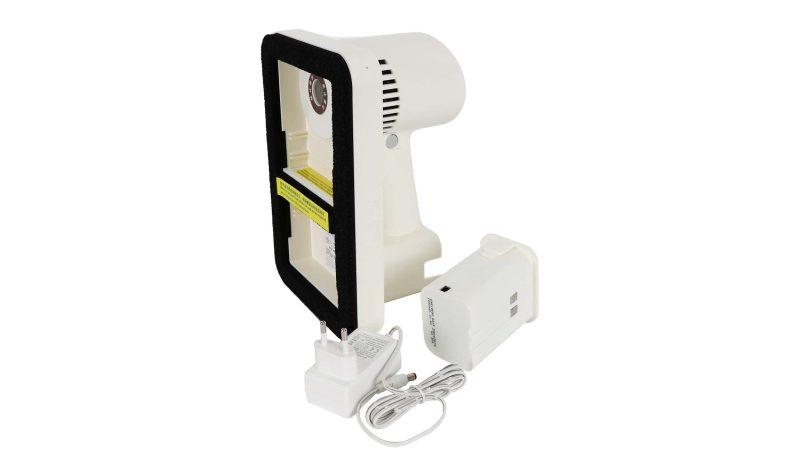
The official EagerLED video below demonstrates the H-01 product and its adjustable suction arrangement. It is a product demonstration, not a load rating or a test of your module.
4. When should you consider M1 or M2?
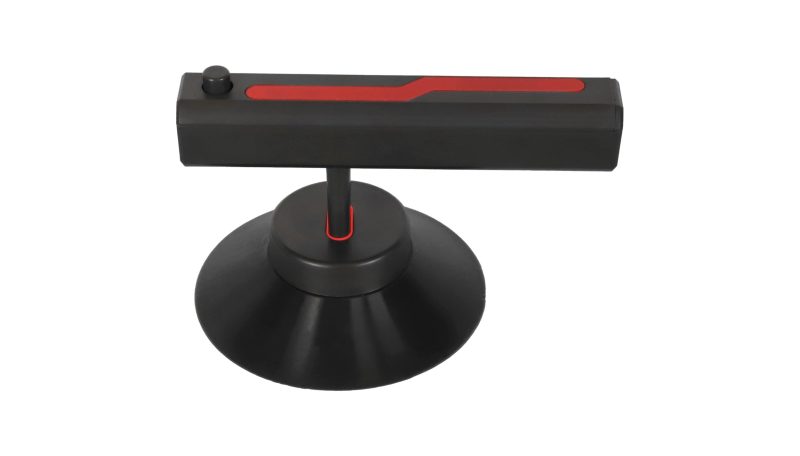
EagerLED markets M1 and M2 as manual front-service tools for COB/GOB modules. Its product listing shows a single-cup M1 form and a double-cup M2 form with pressure release. The second cup offers a different contact arrangement, but it is not evidence of twice the lifting capacity. Choose only after the supplier confirms the intended cup positions, module size and service method. The tool must not be used on a surface for which it is not approved.
5. Ask for a demonstration on the ordered module
Before approving the tool, request a short supplier demonstration using the same module model and surface treatment you will receive. Have the technician show the approved power-off and release sequence, cup placement, controlled lift, support of the free module, replacement and a final display check. Record the module and tool revisions used. If a demonstration cannot be provided, ask for written compatibility evidence and keep the decision open.
The screen’s own service instructions govern electrical isolation, access and personal protection. Do not pull a module merely because suction has engaged; hidden retainers and connected cables can still be present. For work at height, use the site’s approved access and handling plan rather than treating a backpack strap as fall protection.
6. Put the compatibility proof into the quotation
On a phone, swipe the table sideways to view every column.
| Quote line | Ask the supplier to state | Why it matters |
|---|---|---|
| Screen match | Cabinet and module model/revision, surface type and approved service method. | Prevents a generic “front service” claim from replacing a specific fit check. |
| Tool variant | H-01 kit or M1/M2 variant, cup type and contact layout. | Identifies exactly what is being supplied. |
| Powered kit | Battery, charger, plug standard and replacement parts, if H-01 is chosen. | A tool-only quote may omit the items needed on site. |
| Demonstration | Matching module test, technician instructions and acceptance record. | Connects the purchase decision to the delivered module. |
| Support | Spare cups, manual, warranty terms and replacement lead times. | Clarifies the operating cost after delivery. |
If you are ordering the tool with a new screen, include it in the same bill of materials as the spare modules and service documentation. For an existing wall, send a face photograph and the module label before asking for a price. This helps the supplier distinguish a compatible tool from a visually similar one.
7. Frequently asked questions
Can the H-01 lift any front-service LED module?
No universal compatibility is established here. The module surface, size, mass and release procedure must be checked against the offered tool and cup configuration.
Does M2 replace M1 for every COB or GOB panel?
No. The single- and double-cup layouts suit different contact areas. Ask the supplier to mark approved cup locations on the actual module and demonstrate the removal process.
Should a tool be included in a new screen quote?
Yes, if the proposed screen requires that tool for the agreed maintenance method. List the exact model, included accessories, compatibility evidence and training or instructions as separate deliverables.
Request a tool and module compatibility check
Send us your cabinet and module model, front and rear photos, surface type, quantity, installation environment, country and buying timeline. We can confirm which service-tool configuration to quote with the screen or replacement modules.
Product features above are based on EagerLED’s H-01 and M1/M2 product information checked 20 October 2026. Actual compatibility and kit contents must be confirmed for the ordered revision.
 LED Screen Module Price: Compare Replacement Batches