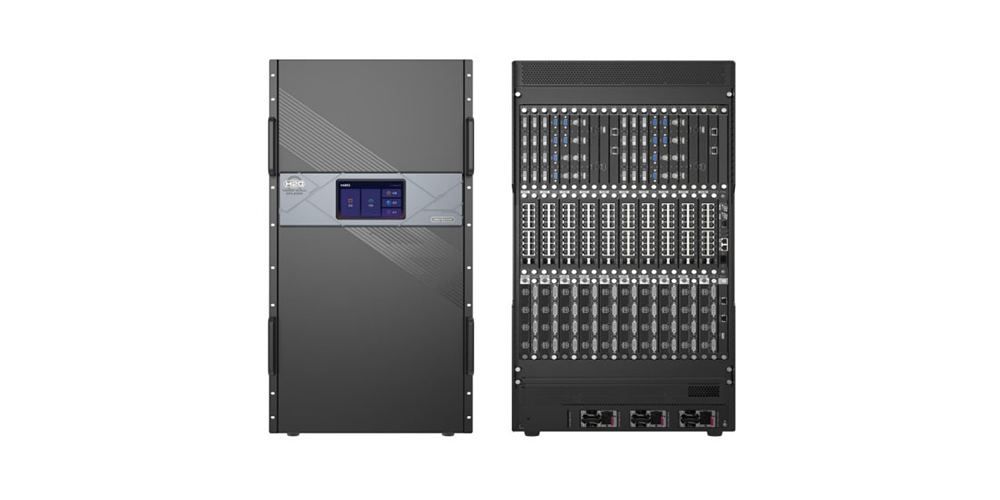
The NovaStar H20 is a modular video wall splicer that combines video processing and LED display control, or operates as a standalone splicing processor. It is designed for large, multi-source installations requiring configurable inputs, synchronized outputs and layered layouts. Select the NovaStar H20 by the actual screen resolution, source formats, sending-card type and backup design, rather than an isolated maximum-pixel or 8K headline.
Key takeaways: Calculate the physical pixel canvas first. Check every input at its required frame rate and color depth. Budget output ports and layers separately. Confirm which backup hardware is included. Obtain a configuration-specific quotation before comparing prices.
This guide distinguishes the model-specific NovaStar H20 Specifications V1.1.0, released August 18, 2023, from newer H Series platform information. Hardware and firmware revisions can change capabilities; the dated specifications below are a planning reference, not a promise about every current supply configuration.
1. What the NovaStar H20 Does in an LED Video Wall
A video wall splicer takes multiple video signals and arranges them across one or more displays. It can scale a presentation, crop a camera feed and position several windows on a shared canvas. The NovaStar H20 adds modular hardware selection, allowing an integrator to build the input and output combination around the installation.
With compatible LED sending cards, the NovaStar H20 combines image composition and display transmission. With conventional video output cards, it can feed downstream equipment as a processing stage. These are different signal paths: a quotation must identify which approach is included and which external controllers or optical receivers remain necessary.
The NovaStar H20 is most relevant when the job exceeds a fixed controller’s connector count, layout flexibility or expansion capacity. A small screen showing one laptop may not justify this chassis. For a multi-screen control room, however, separating source selection, window layouts and output mapping makes everyday operation easier to document and repeat.
| Project question | Information to collect | Design consequence |
|---|---|---|
| How many simultaneous sources? | Connector, resolution, frame rate and protection status | Sets input card types and active channel count |
| How many physical pixels? | Cabinet pixel dimensions and cabinet arrangement | Sets canvas, sending capacity and port mapping |
| How many visible windows? | Largest layout, including emergency content | Sets the layer budget at the intended resolution |
| What failure must be tolerated? | Source, link, card, power or complete device loss | Determines separate backup resources |
| How far is the display? | Actual cable routes and accessible service points | Determines copper or optical transmission equipment |
Use this checklist before requesting a system quotation. It converts a general product enquiry into a bill of materials that can be checked against measurable requirements.
2. NovaStar H20 Core Specifications and Architecture
The NovaStar H20 uses an FPGA-based hardware architecture with plug-in input and output cards. Its published connector options include HDMI, DVI, DisplayPort, VGA, CVBS, SDI and IP. Available connectors are options across the card range; they are not all automatically included with a chassis.
| Specification | Published value | What the buyer should verify |
|---|---|---|
| Rack size | 20U | Rack space, support, access and ventilation |
| Maximum input cards / channels | 40 cards / 160 channels | Actual populated slots and each card’s operating mode |
| Maximum output cards / channels | 20 cards / 80 channels | Output type, slot occupancy and usable connectors |
| Maximum layers | 320; up to 16 per card | 16 x 2K, 8 x DL or 4 x 4K layers per card |
| Image processing | 10-bit sources; HDR10 and HLG | Compatible source format and receiving system |
| Preset storage | Up to 2,000 presets | Transition support with the selected output cards |
| Operating temperature | 0 to 45 degrees Celsius | Rack inlet conditions during sustained operation |
| Chassis net weight / listed power consumption | 47.7 kg / 1,800 W | Installed weight, nameplate ratings and electrical design |
Source: official H20 specifications, features and specifications sections. Maximum figures describe different resource limits and should not be assumed achievable simultaneously with every card combination.
01. Modular cards and serviceability
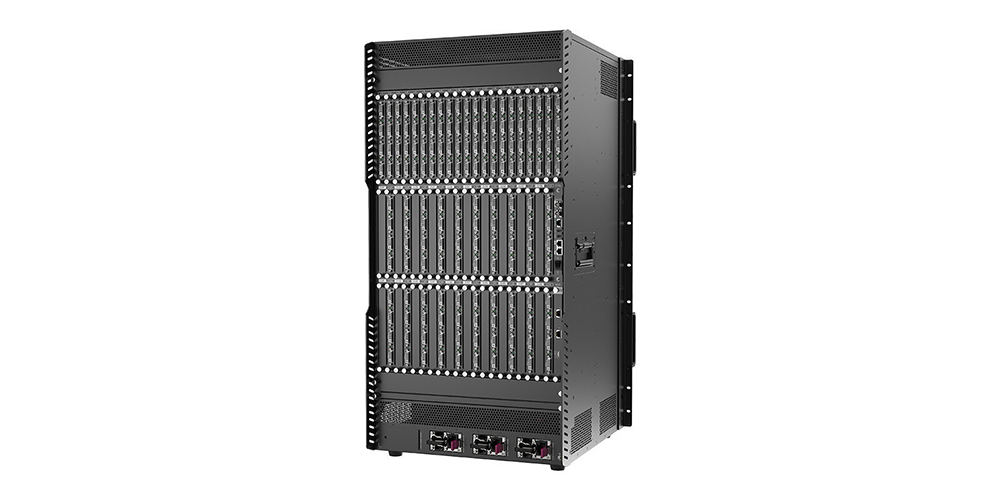
Hot-swappable input and output cards let the NovaStar H20 support planned component replacement. This does not mean that replacing a card carrying the only active signal leaves its screen unaffected. Provide an alternate path where continuity matters, follow the manufacturer’s service procedure and export the configuration before maintenance.
Document the slot labels and part numbers. Some sending cards occupy two slots, so count physical occupancy as well as card quantity. Keep replacement hardware compatible with the installed firmware, and verify source detection, output mapping and stored presets after a change.
02. Processing headroom
Do not specify a NovaStar H20 installation merely as “8K compatible.” NovaStar’s current H Series page promotes 8K workflows and 4K 120 Hz input, whereas the linked 2023 H20 document gives card-specific formats such as 4096 x 2160 at 60 Hz and 8192 x 1080 at 60 Hz. An 8192-pixel-wide strip is not a full 7680 x 4320 image.
For an 8K requirement, obtain written confirmation of the exact input card, source timing, color format, firmware and output arrangement. The proposed design must satisfy these together. Likewise, 320 layers is a maximum resource statement, not permission to place 320 independent 4K windows on any populated chassis.
3. How the NovaStar H20 Works: Signal to Screen
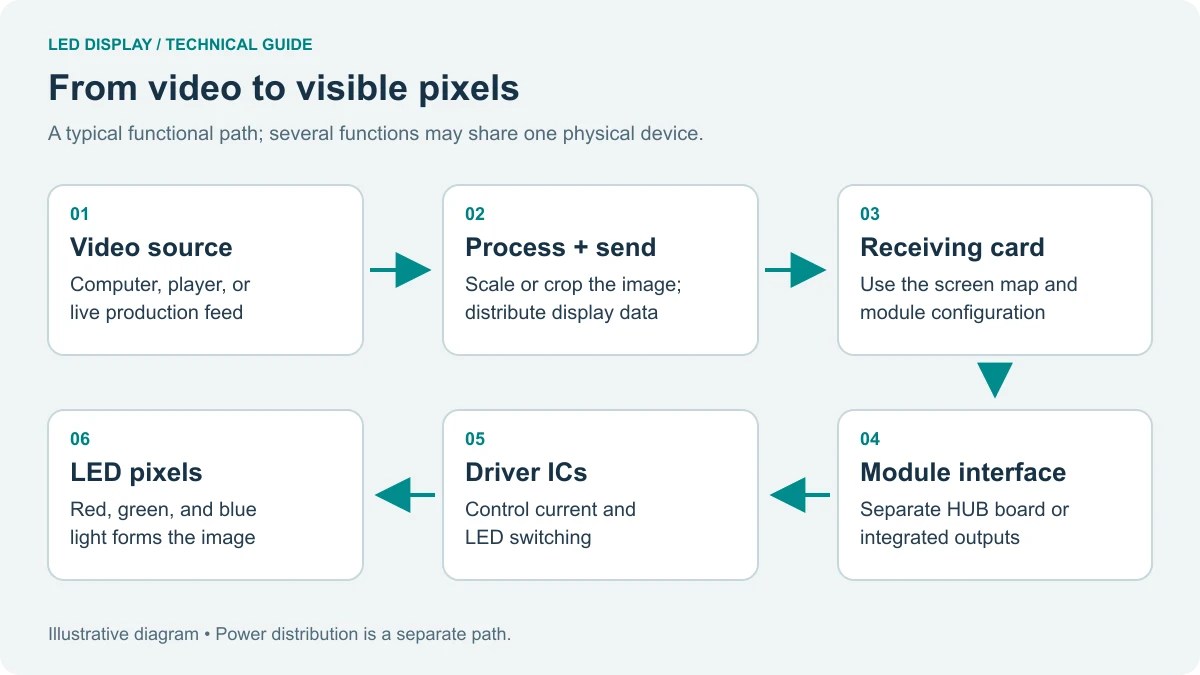
A NovaStar H20 signal path has five practical stages. Establishing these in order also provides a useful troubleshooting sequence when a source appears correctly in monitoring but not on the physical wall.
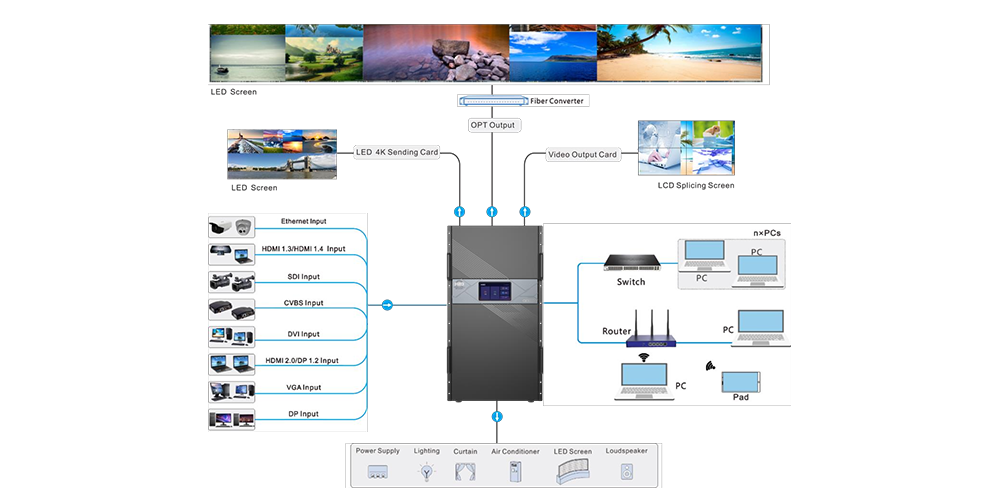
- Receive: connect each source to a compatible input card and confirm signal detection.
- Process: establish input timing, color settings, crop and scaling without stretching essential content.
- Compose: arrange the required windows, background and on-screen information.
- Transmit: route the canvas through the selected video output or LED sending cards.
- Verify: inspect actual cabinet order, image boundaries, motion and recovery behavior.
01. Input and synchronization
EDID is the display-capability information used when a source negotiates its video output. Record the source’s selected resolution and refresh rate before troubleshooting the NovaStar H20. A laptop using a different timing after reconnection can create an unexpected scale change even when the cable and input card remain healthy.
The H20 specification’s input-card sections identify important distinctions: the HDMI 2.0 plus DP 1.2 combination card uses only one connector at a time, while the 3G-SDI input card supports up to 1920 x 1080 at 60 Hz. Two physical connectors therefore do not always mean two simultaneous sources.
The NovaStar H20 supports output synchronization and documents latency as low as one frame from input source to receiving card. At 60 frames per second, one frame is approximately 16.7 milliseconds. That calculation is not a measured camera-to-screen latency: cameras, conversion, decoding and the display add their own delays.
02. Layer-based content management
For each NovaStar H20 screen, draw the most demanding intended scene before assigning hardware. A presentation layout might contain a background, a live camera and two slides. A monitoring layout might require many smaller feeds instead. The resources needed depend on window formats as well as their quantity.
The manufacturer states that background images do not occupy layer resources. Use a suitable background for static artwork and preserve live layers for changing sources. Give presets operational names, such as “presentation,” “camera full screen” and “standby,” and rehearse changes using the actual selected cards.
03. Sending cards and transmission
The NovaStar H20 sending-card options below have different capacities and operating restrictions. For the two RJ45-based cards, the specification lists up to 650,000 pixels per Ethernet port at 8-bit and 320,000 at 10-bit. Raising bit depth can therefore require substantially more ports.
| Card | Published maximum load | Ports and important limitations |
|---|---|---|
| H_20xRJ45 | 13,000,000 pixels per card | 20 Ethernet outputs; occupies two slots; 10-bit reduces per-port capacity |
| H_16xRJ45+2xfiber | 10,400,000 pixels per card | 16 Ethernet outputs; two optical outputs copy Ethernet groups; occupies two slots |
| H_4xfiber | 20,800,000 pixels per card | Four 10G optical ports; independent, copy or backup modes; preset transitions are cut-only in this document |
Critical compatibility rule: the manufacturer’s specification says these three sending-card types cannot be used together to load the same screen. Do not mix them simply to fill remaining NovaStar H20 slots. Optical copy and backup paths also do not add independent image capacity.
Specify matching optical modules, fiber type and receiving equipment at both ends. The documented maximum distance of up to 10 km is conditional on the optical arrangement; it is not a guarantee for any cable or transceiver. Record the complete link rather than buying fiber accessories by connector appearance alone.
4. Configuration Guide for Integrators
Begin a NovaStar H20 configuration with the real cabinet matrix. Multiply cabinet columns by pixels per cabinet horizontally, and cabinet rows by pixels vertically. Use those totals for the physical canvas. Cabinet dimensions in millimeters or the marketing term “4K wall” are insufficient for port allocation.
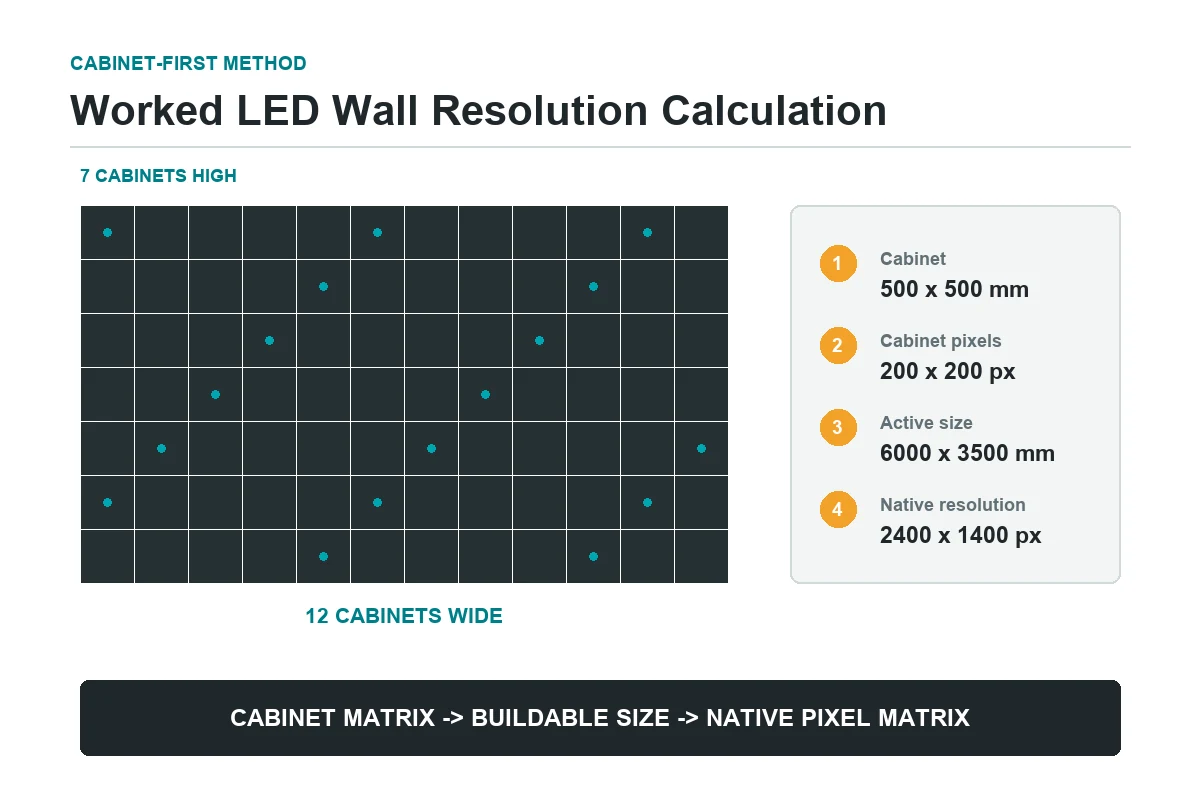
The following worked example is an arithmetic planning exercise, not a tested project or approved card configuration. It illustrates why checking only a card’s headline capacity can produce the wrong NovaStar H20 purchase.
| Planning item | Calculation | Interpretation |
|---|---|---|
| Total wall pixels | 3840 x 2160 = 8,294,400 | Physical LED pixel count, regardless of source scaling |
| 8-bit Ethernet lower bound | 8,294,400 / 650,000, rounded up = 13 ports | Arithmetic minimum before cabinet mapping and other constraints |
| 10-bit Ethernet lower bound | 8,294,400 / 320,000, rounded up = 26 ports | Exceeds the 20 physical ports on one H_20xRJ45 card |
| Full duplicate link allocation | Reserve backup resources separately | Do not count copied outputs as extra active canvas capacity |
Actual mapping may require more ports because cabinets cannot always be divided to match a perfect arithmetic allocation. Maximum width and height, frame rate and receiving-card limits must also pass. The final port plan should identify each cabinet chain, load and backup partner before commissioning.
| Stage | Record | Acceptance check |
|---|---|---|
| Source qualification | Input name, card, timing, color format and EDID | Every intended source reconnects and displays correctly |
| Canvas and port mapping | Pixel dimensions, cabinet order and port loads | Test grid is continuous across all cabinet boundaries |
| Image and motion | Pattern set, video material and viewing conditions | No visible tearing, unintended crop or inconsistent range |
| Presets and recovery | Scene list and failure test results | Operators recall scenes and recover within agreed requirements |
| Handover | Configuration, firmware versions and wiring drawings | Customer can restore the approved operating state |
01. Network and browser control
The NovaStar H20 supports browser-based control through its B/S architecture. Keep a documented device address and an authorized service computer available. Separate control traffic from congested guest networks, and restrict administrative access according to the customer’s network policy.
Browser operation does not remove every software dependency. The 2023 specification calls for a particular NovaLCT version when configuring screens using H_4xfiber cards. Ask NovaStar or the supplier which supported software and firmware combination applies to the delivered hardware; retain those files with the NovaStar H20 backup.
02. Redundancy test
Specify the failure first: source loss, cable failure, sending-card loss and complete chassis failure need different responses. The NovaStar H20 specification lists device and sending-card backup, plus an optional redundant power supply. It states that three power supplies are included and one redundant supply is optional, so verify the purchased arrangement.
During an approved commissioning window, test one planned failure at a time while moving content is displayed. Record the observed interruption, alarms and recovery sequence. Use qualified personnel for electrical checks and follow manufacturer procedures. A backup label on a drawing is not evidence that the complete installed path works.
5. Applications and Buying Fit
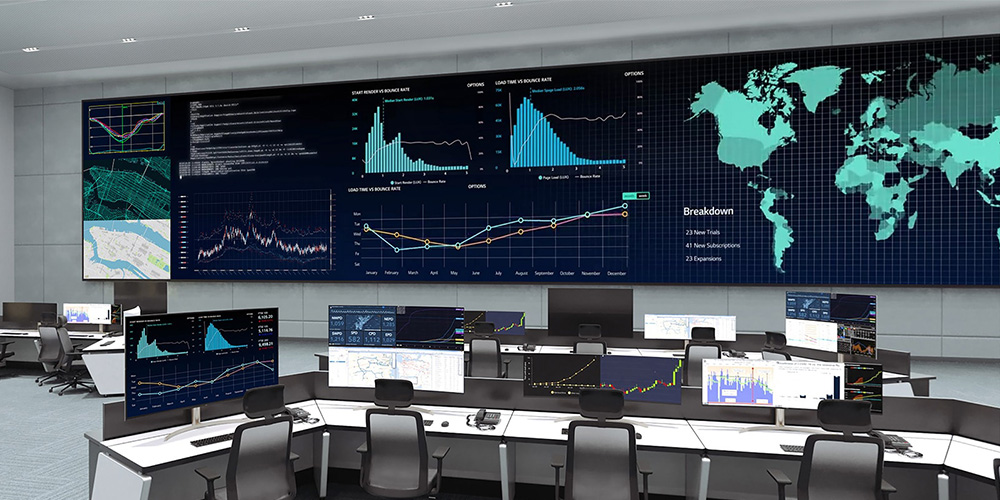
The NovaStar H20 is suitable for evaluating large control-room, exhibition, presentation and stage-rental requirements. Those applications appear in NovaStar’s documentation, but suitability for a particular site still depends on its signal and operating requirements. The buying question is which resources the installation actually needs.
| Application | Typical requirement | Prioritize in the configuration |
|---|---|---|
| Control room | Many feeds with repeatable layouts | Decode budget, source naming, monitoring and recovery |
| Live presentation or stage | Cameras and slides with fast scene changes | Compatible SDI/HDMI inputs, latency testing and rehearsed presets |
| Exhibition | Wide or irregular content canvas | Source timing, crop boundaries and operator handover |
| Corporate display suite | Multiple screens managed centrally | Screen-specific resolutions and approved control access |
| Single-source small display | One stable input and simple mapping | Compare a smaller fixed controller before selecting a modular chassis |
For a rental project, evaluate the processor together with transport, rack support, spare cards and setup time. For a permanent installation, prioritize access for service, ventilation and long-term availability of compatible replacements. The chassis should fit the operating model as well as the pixel count.

Also distinguish processor selection from display selection. An indoor LED screen must suit the viewing distance and environment; a rental LED screen must suit repeated installation. Neither choice alone proves that the NovaStar H20 card allocation is correct.
6. NovaStar H20 Price, Manuals and Ownership Cost
NovaStar H20 price is configuration-dependent. A useful quotation identifies the chassis and every installed card, rather than supplying one price without a bill of materials. This page does not state an unverified starting price: chassis-only offers and complete commissioned systems are not comparable purchases.
| Cost item | Ask the supplier to specify | Why it changes the total |
|---|---|---|
| Chassis and power | Model, revision and included power supplies | Redundant supply may be an additional item |
| Input cards | Exact part numbers and quantities | Different formats need different hardware |
| Output and sending cards | Card type, quantity, slot use and working mode | Capacity and backup allocations differ |
| Optical equipment | Modules, fiber and compatible receiving equipment | Some accessories must be purchased separately |
| Delivery and service | Freight, tax basis, commissioning, training and warranty | Defines the delivered scope and continuing responsibilities |
| Spares and recovery | Replacement cards and support response terms | Determines recovery options after component failure |
Request the current NovaStar H20 user manual, specifications, release notes and supported software from the official NovaStar download center or supplier. Match the documents to the delivered revision. Do not install a firmware package solely because its filename contains “H Series.”
Keep an offline copy of the accepted configuration, cable map and version list. Before upgrading the NovaStar H20, establish a maintenance window, read compatibility notes and agree on recovery steps. A later release may add functions, but a release date alone does not prove that it is appropriate for an existing installation.
7. Common Mistakes to Avoid
The most expensive NovaStar H20 mistakes usually begin in the specification stage. Prevent them with explicit checks rather than trying to compensate during final installation.
- Equating canvas pixels with input resolution: calculate the physical wall and verify source timing separately.
- Counting inactive connectors: check whether a card shares resources between HDMI, DP or dual-link modes.
- Ignoring bit depth: recalculate port loads when changing from 8-bit to 10-bit output.
- Mixing sending-card types on one screen: follow the compatibility restriction in the model-specific documentation.
- Assuming all transitions are available: the documented H_4xfiber screen mode supports cut transitions only.
- Promising a universal one-frame delay: measure the complete source-to-screen path under the required operating conditions.
- Buying backup hardware without a test: demonstrate the failure scenario and preserve the result with the handover records.
For rack installation, follow the NovaStar H20 installation notes: mount the unit horizontally, use the specified mounting arrangement and maintain airflow and reliable earthing. The document requires rack support for at least four times the mounted equipment’s total weight. Have the installer verify the actual loaded rack and local electrical requirements.
8. NovaStar H20 FAQ
01. What is the NovaStar H20 used for?
The NovaStar H20 processes and arranges multiple sources across large video walls. Depending on its cards, it can combine video processing with LED sending or operate as a standalone splicing processor feeding downstream equipment. Typical documented applications include control rooms, exhibitions, presentations and stage rental.
02. Does the NovaStar H20 support 8K?
Confirm the exact configuration. Current H Series information advertises 8K workflows, while the linked H20 V1.1.0 document specifies card-dependent formats, including 8192 x 1080 at 60 Hz on certain DP inputs. That wide format is not full 8K UHD. Obtain confirmation for the intended resolution, frame rate, color format and cards.
03. How many layers can the NovaStar H20 manage?
The model-specific specification lists a maximum of 320 layers. Per card, it describes 16 x 2K, 8 x DL or 4 x 4K layers. Installed cards and the selected layer formats determine the usable arrangement, so the maximum is not a promise of 320 simultaneous 4K windows.
04. Can NovaStar H20 cards be replaced without shutdown?
The documented input and output cards support hot swapping, subject to the manufacturer’s service procedure. Removing an active card can still interrupt its signal path. Back up the configuration, arrange continuity where required and verify the replacement before returning the installation to normal service.
05. What should be included in a NovaStar H20 quote?
Request the exact chassis revision, input cards, output or sending cards, power arrangement, optical equipment and spares. The quotation should also identify freight, commissioning, training, warranty and support terms. Include the screen pixel map and operating requirements so suppliers price the same scope.
9. Recommended Next Step
To specify a NovaStar H20 system, prepare the cabinet matrix, total pixel width and height, source list, required frame rates, output bit depth and cable distances. Add the largest intended layout and the failures the installation must tolerate. These details support a checkable configuration and a meaningful quotation.
Use our LED screen resolution guide to establish the pixel canvas, then contact EagerLED with your project requirements. Ask for a NovaStar H20 card schedule, port diagram and acceptance checklist alongside the price. Review the proposed system against the official documentation before placing an order.
 Top 10 LED Display Suppliers in France (2026 Guide)
 Top 10 LED Display Suppliers in Hungary: Buyer Guide