Huidu HD-H8 vs HD-H6 LED Multimedia Players: Complete 4K Buying Guide
The Huidu HD-H8 and HD-H6 are standalone Huidu LED multimedia players for 4K playback, wireless screen sharing and network-managed LED displays. Choose HD-H8 for higher pixel loads and larger multi-output walls; choose HD-H6 for medium displays where a balanced Huidu multimedia player is more practical. Always verify final specifications against the latest Huidu datasheet before ordering.
1. What Is a Huidu LED Multimedia Player?
A Huidu multimedia player sits between content sources and an LED display control system. It decodes video, scales content, manages playlists and sends synchronized signals to the LED controller. Unlike a consumer TV box, a Huidu multimedia player is selected by pixel load, output count, input resolution, refresh rate, cable distance and control software.
| Selection factor | Why it matters | What to confirm |
|---|---|---|
| Pixel load | Defines how much LED canvas the player can drive | Total width × height and reserve capacity |
| Inputs | Determines how presenters and media servers connect | HDMI version, source count and switching |
| Outputs | Controls cabinet distribution and cable topology | Ethernet port count and mapping |
| Management | Enables scheduled and remote content updates | LAN, Wi-Fi and software compatibility |
2. HD-H8 vs HD-H6: Which Huidu Multimedia Player Fits Your Project?
Both models target professional LED display projects, but their practical roles differ. HD-H8 is the higher-capacity Huidu multimedia player for large canvases, multiple zones, events and control rooms. HD-H6 is the streamlined Huidu multimedia player for medium-sized signage, classrooms, meeting rooms and retail displays.
| Use case | Recommended model | Reason |
|---|---|---|
| Large event backdrop | HD-H8 | More output headroom for complex layouts |
| Retail single-screen signage | HD-H6 | Lower hardware complexity and cost |
| Multi-zone flagship store | HD-H8 | Better fit for distributed output planning |
| Classroom or boardroom | HD-H6 | Wireless presentation with balanced capacity |
| Control room or stadium | HD-H8 | Designed for higher pixel-load systems |
01. When to choose HD-H8
Select the HD-H8 Huidu multimedia player when the project uses a wide LED wall, several synchronized zones, long-distance fiber links or future expansion. It is especially suitable for stadiums, exhibitions, command centers and stage screens. Confirm the actual pixel calculation with the system integrator.
02. When to choose HD-H6
Select the HD-H6 Huidu multimedia player when the display is medium-sized and the priority is dependable playback, wireless casting and simple remote updates. It suits stores, hotels, schools and standard corporate rooms.
3. Huidu HD-H8 and HD-H6 Specifications to Verify
Published specifications can vary by firmware, region and revision. Use the following checklist before purchase rather than relying on an old product listing.
| Specification | HD-H8 | HD-H6 | Verification note |
|---|---|---|---|
| Video playback | 4K class playback | 4K class playback | Confirm codec, bitrate and frame rate |
| Ethernet outputs | 8 listed for high-capacity systems | 6 listed for medium systems | Confirm mapping and maximum load |
| Wireless networking | Dual-band Wi-Fi support | Dual-band Wi-Fi support | Confirm casting protocol and firmware |
| Optical connection | SFP or fiber options where supported | SFP or fiber options where supported | Confirm module and cable specification |
| Audio | External audio output where supported | External audio output where supported | Match amplifier and venue requirements |
4. 4K Playback, Scaling and Content Preparation
A Huidu multimedia player can simplify 4K playback, but the source file still needs to match the LED canvas. Confirm supported H.264, H.265, VP9 or other codecs from the current manual. Test frame rate, bitrate, audio format, portrait layouts and ultra-wide content before installation.
Prepare content at the display’s native aspect ratio. For example, a 16:9 video on a wide banner may create cropping or empty space. Test gradients, small text, dark scenes and fast motion because these reveal scaling and decoding issues that a static logo will not.
| Content test | What to inspect | Pass condition |
|---|---|---|
| Fast motion | Judder, dropped frames and tearing | Continuous motion at the configured rate |
| Fine text | Scaling and edge clarity | Readable at the normal viewing distance |
| Dark scenes | Banding and crushed blacks | Visible shadow detail without artifacts |
| Audio | Delay and channel routing | Speech and music remain synchronized |
5. Inputs, Outputs and Cascade Design
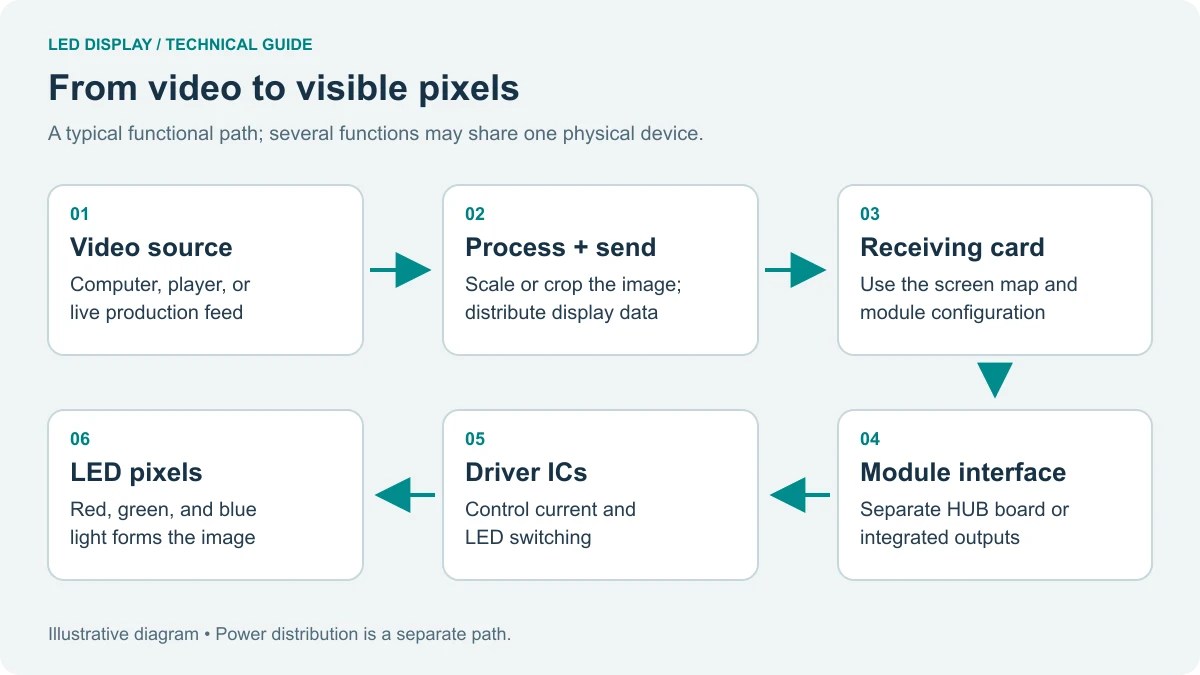
The HD-H8 and HD-H6 Huidu multimedia player models can be integrated with HDMI sources, Ethernet control, receiving cards and optical links. A typical signal chain is source device → Huidu multimedia player → LED sending system → receiving cards → LED modules.
01. HDMI and local sources
Use HDMI for laptops, media servers and monitoring where supported. Confirm the HDMI version, number of simultaneous sources, picture-in-picture behavior and switching method.
02. Ethernet and fiber distribution
Ethernet is used for control and signal distribution. Fiber can be preferable for long runs or electrically noisy venues. Distance depends on the complete chain, cable quality, transceivers and receiving hardware, so confirm the project limit with the installer.
03. Cascade planning
Draw the cabinet map before commissioning. Label every output, receiving card and cable. Reserve an output or backup player when downtime would affect a live event or 24/7 advertising network.
6. Wireless Screen Mirroring and Remote Management
Wireless casting lets presenters, teachers and store teams share content without repeatedly changing HDMI cables. The experience depends on Wi-Fi coverage, device permissions, interference and the protocol supported by the current firmware.
| Management task | Recommended practice |
|---|---|
| Device naming | Use site-zone identifiers such as Store01-Front |
| Content upload | Use approved file formats and a staging playlist |
| Access control | Separate viewer, editor and administrator permissions |
| Network security | Use protected LAN, VPN or managed service |
| Firmware | Test updates on one unit before fleet rollout |
7. Applications for Huidu Multimedia Players
Retail: schedule promotions, menus and product videos across one or many stores. Corporate: run presentations, welcome screens and meeting-room content. Education: cast lessons and campus announcements. Events: deliver stage backgrounds and synchronized visuals. Control rooms: present dashboards and continuously updated information.
8. Installation and Purchasing Checklist
- Calculate total LED pixels and output allocation.
- Confirm source resolutions, codecs and frame rates.
- Match the Huidu multimedia player to the sending and receiving system.
- Confirm HDMI, Ethernet, SFP and audio requirements.
- Measure copper and fiber cable distances.
- Test wireless coverage and user permissions.
- Document firmware, software and backup procedures.
- Confirm warranty, spare parts and technical support.
9. FAQs
01. Can a Huidu multimedia player run an LED display without a PC?
Yes, the HD-H8 and HD-H6 are designed as standalone players. Confirm storage, codec, output and control-system compatibility before deployment.
02. What is the main HD-H8 and HD-H6 difference?
HD-H8 is intended for larger or more complex output layouts; HD-H6 is intended for medium-sized systems with a simpler budget and deployment profile.
03. Does the Huidu multimedia player support wireless casting?
The models are promoted for wireless casting from compatible Windows, iOS and Android devices. Confirm the exact protocol and firmware for each client device.
04. Can several Huidu multimedia player units be managed remotely?
Yes, when the network and control software support remote access. Confirm fleet limits, permissions, monitoring and recovery features.
05. How should I request a quotation?
Send the LED pixel dimensions, cabinet layout, input sources, cable distances, operating hours and preferred model. This allows the supplier to recommend the correct Huidu multimedia player configuration.
Need help selecting a Huidu multimedia player? Contact LED Screen Board with your display resolution and project diagram for a configuration review.
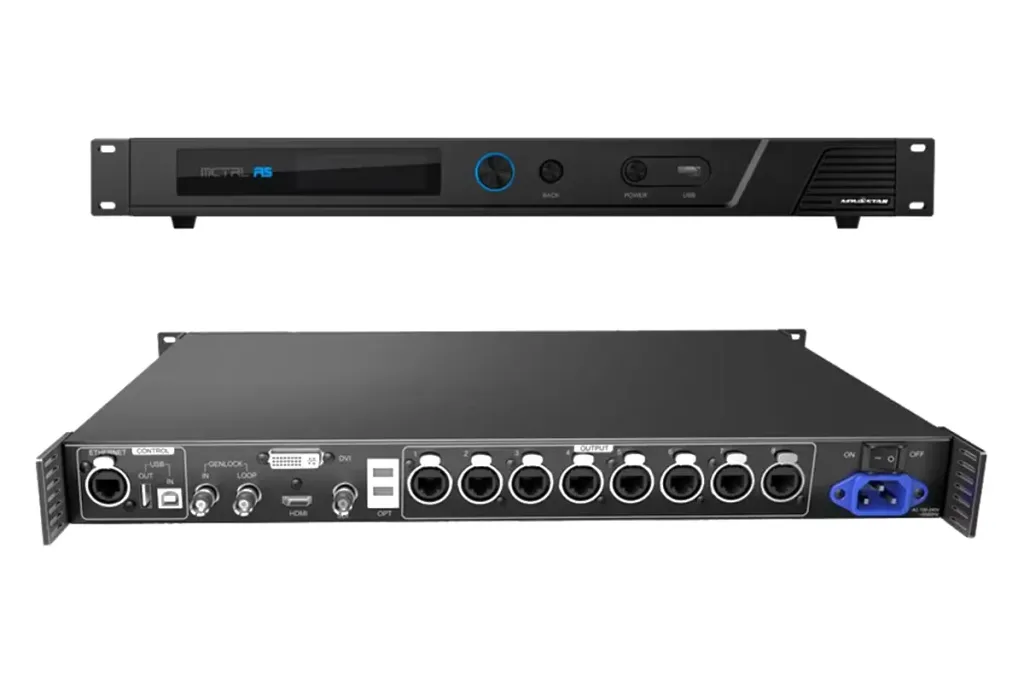 Complete Guide To The MCTRL R5 LED Display Controller – Features, Setup & Configuration
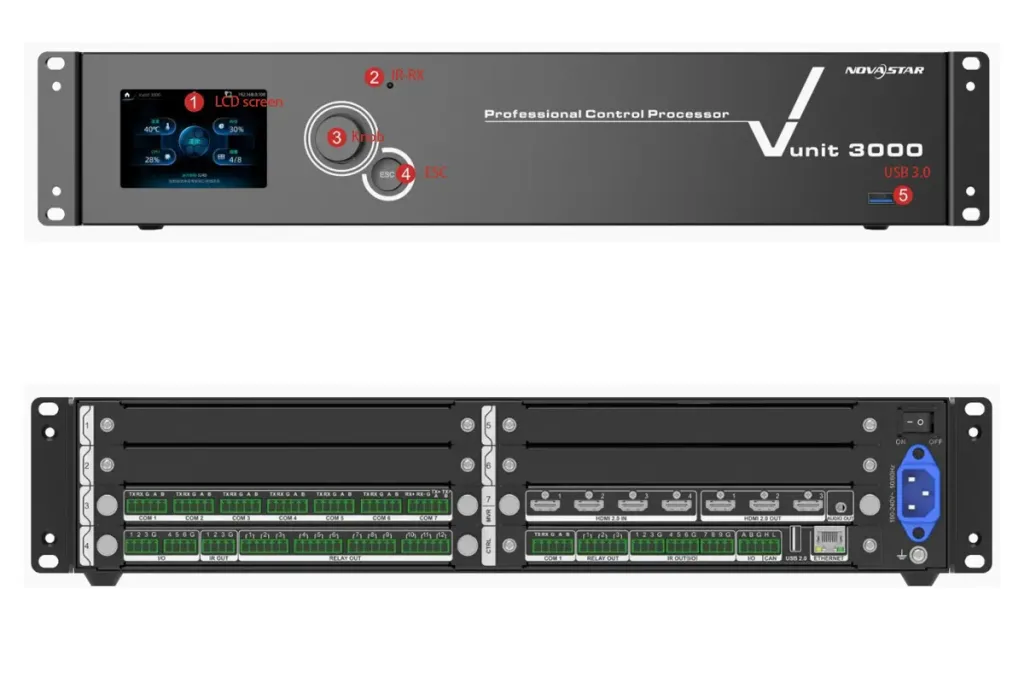 Vunit 3000 Control Processor Guide: 4K LED Display Control Systems