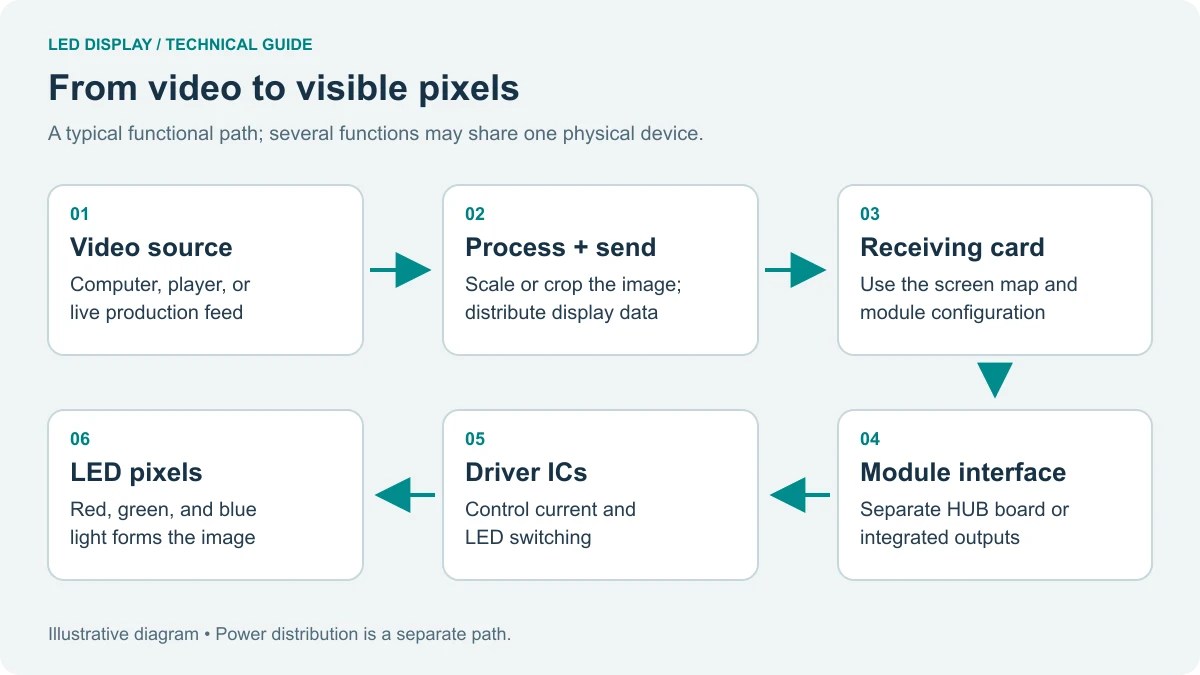
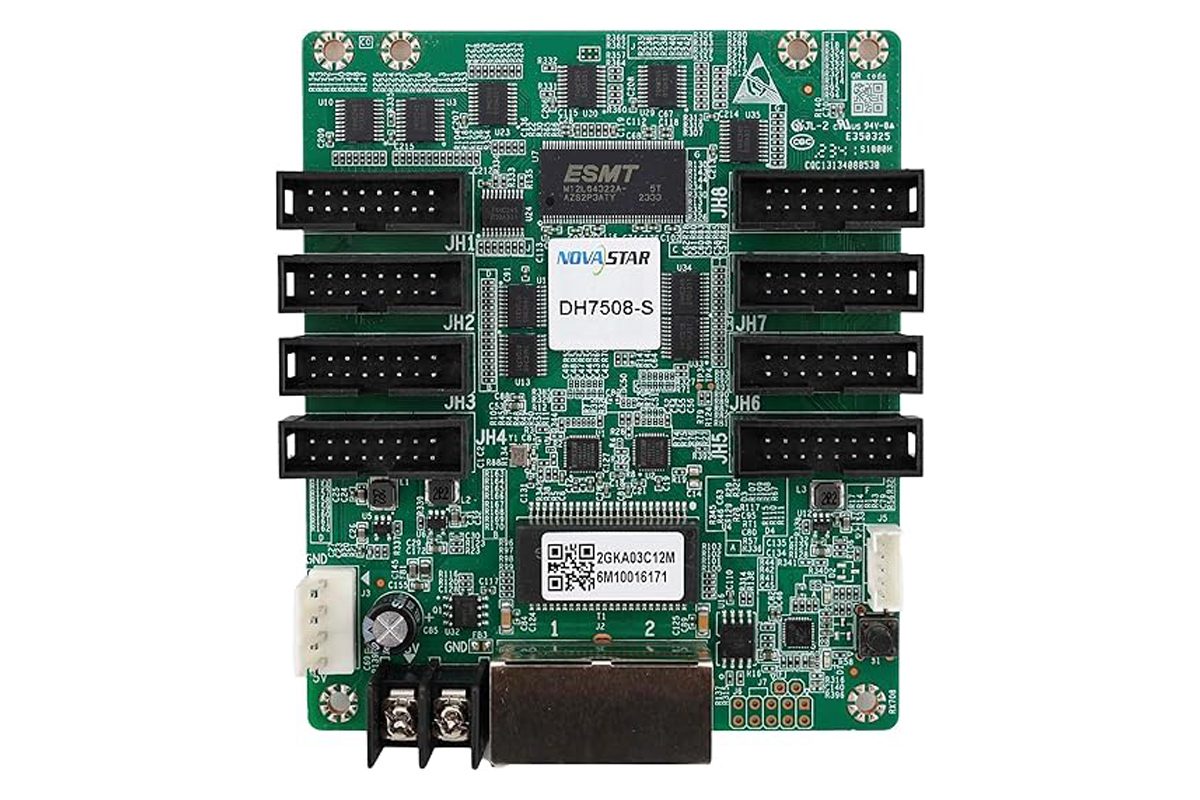
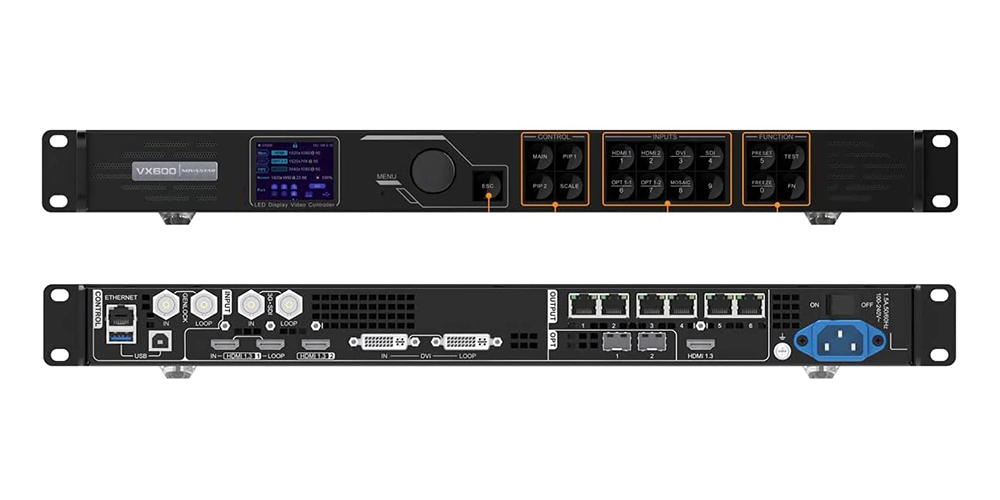
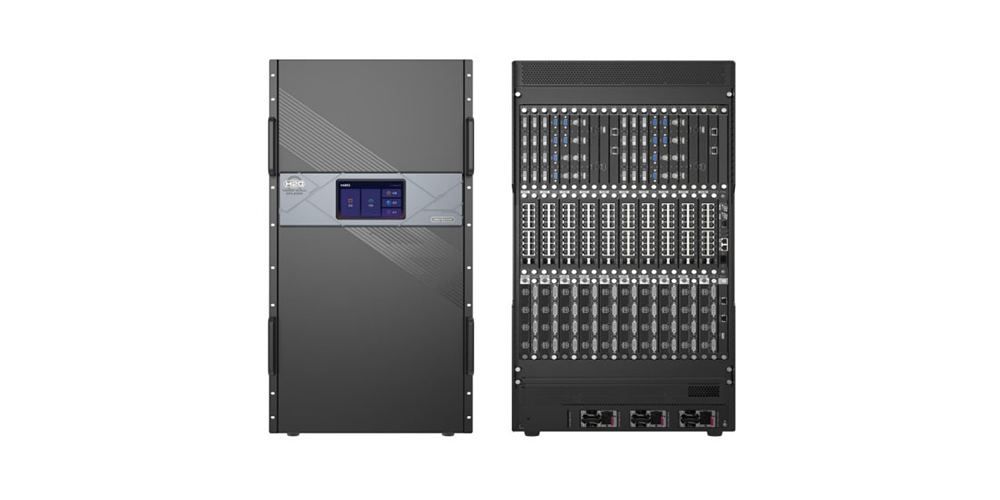
The NovaStar VX2000 Pro is a flagship all-in-one LED video processor and controller that merges video processing and display control into one 4U-class chassis. It drives up to 13 million pixels across 20 Gigabit Ethernet ports, accepts video up to 4K×2K@60Hz over HDMI 2.0, DP 1.2 and 12G-SDI, and runs from the front panel knob, NovaLCT, Unico or the optional remote control.
The NovaStar VX2000 Pro replaces the classic two-box chain of a separate video processor plus a sending-card controller with a single device — fewer rack units, fewer cable runs and one point of failure instead of two.
This review is based on NovaStar’s official VX2000 Pro All-in-One Controller Specifications V1.4.0 (30 July 2026) and the VX Pro Series user manual V1.4.1, so every figure below can be verified in those documents. Quick verdict: the NovaStar VX2000 Pro is the right controller when one processor must feed more than 6.5 million pixels, when you need 12G-SDI or DisplayPort inputs, or when 0-frame latency decides whether the show works.
catalogue
1. What Is the NovaStar VX2000 Pro?
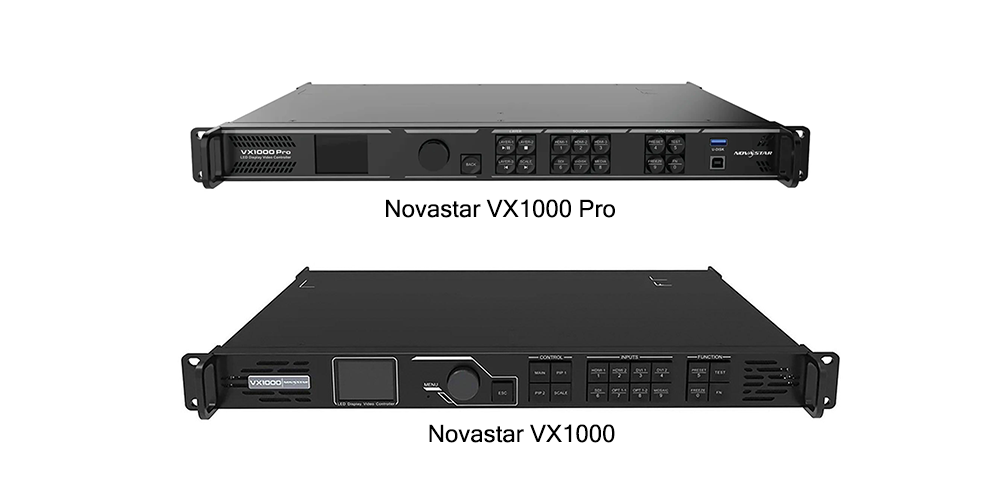
The NovaStar VX2000 Pro is an all-in-one controller that combines video processing and video control in one unit. NovaStar positions it for medium and high-end rental, stage control systems and fine-pitch LED screens. It is the flagship of the VX Pro Series alongside the VX400 Pro, VX600 Pro and VX1000 Pro.
Three numbers separate it from the rest of the series: 13 million pixels of loading capacity, 20 Gigabit Ethernet ports and 12×2K×1K layer resources. The VX1000 Pro stops at 6.5 million pixels and 10 ports; the VX600 Pro stops at 3.9 million pixels and 6 ports. The chassis measures 482.6 × 493.0 × 94.6 mm, weighs 7.4 kg and carries CE, FCC, IC, RCM, EAC, UL, CB, KC and RoHS certification.
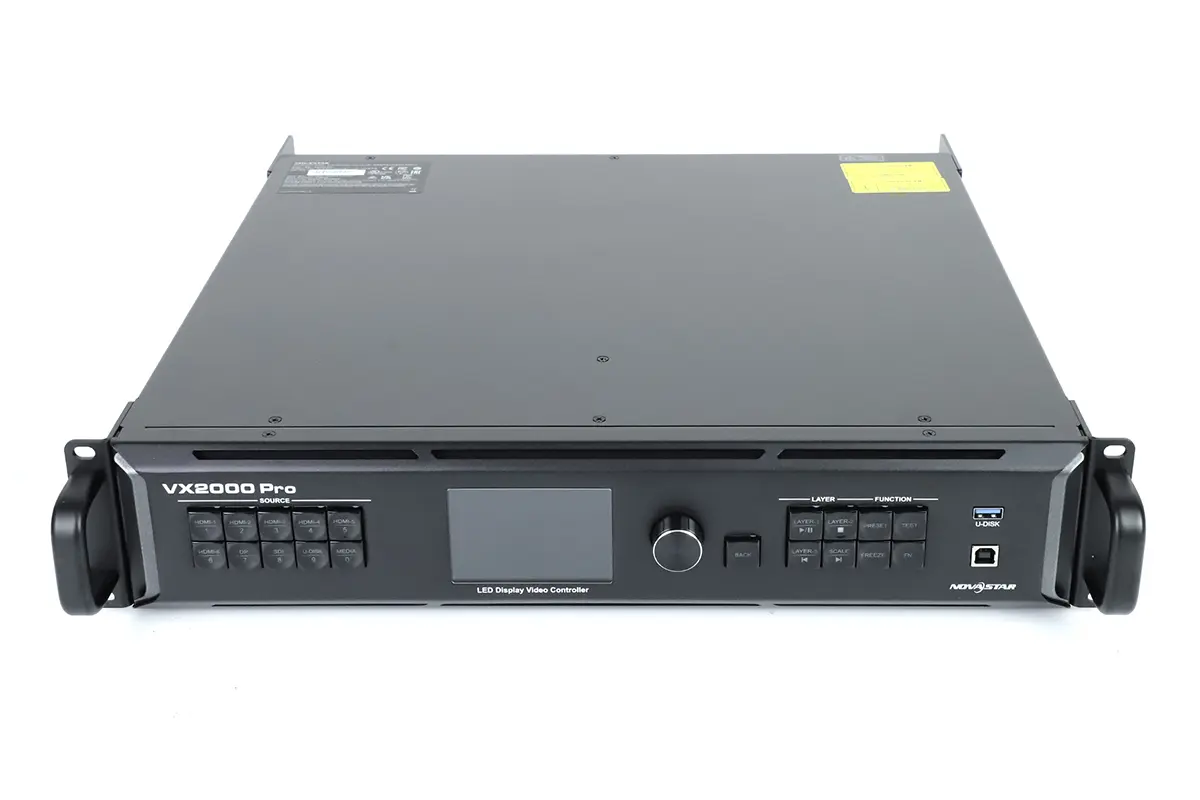
01. NovaStar VX2000 Pro Key Specifications at a Glance
The short version of the official NovaStar VX2000 Pro specification sheet, for checking fit before the detailed breakdown later in this review.
| Specification | NovaStar VX2000 Pro |
|---|---|
| Loading capacity | Up to 13,000,000 pixels |
| Maximum output size | 16,384 pixels wide × 8,192 pixels high |
| Ethernet output ports | 20 × Gigabit Ethernet |
| Single-port load (8-bit) | 650,000 pixels; lower at 10-bit |
| Fiber outputs | 4 × 10G optical (OPT 1–4) |
| Maximum video input | 4K×2K (4096×2160) @ 60Hz |
| Video inputs | 1× DP 1.2, 2× HDMI 2.0, 4× HDMI 1.3, 1× 12G-SDI, 2× 10G fiber, 1× USB 3.0 |
| Layer resources | 12 × 2K×1K (4K×2K, 4K×1K or 2K×1K layers) |
| Presets | 256 user-defined |
| Working modes | Video controller, fiber converter, ByPass |
| Latency | 0 frames (ByPass) to 3 frames |
| HDR | HDR10 and HLG output; HDMI 2.0 HDR input |
| Control | Front panel, NovaLCT, Unico, VICP app, optional remote |
| Power and weight | 100–240V~, 83 W rated; 7.4 kg net |
02. Who the NovaStar VX2000 Pro Is Built For
NovaStar names three audiences, and the specification supports each one. Rental and staging gains from 20 Ethernet ports per rig, a built-in 3D connector, Genlock input and 0-frame ByPass mode. Fine-pitch installations benefit because 650,000 pixels per 8-bit port and 13 million pixels total avoid cascading two or three smaller controllers.
Control rooms and XR stages get twelve layer resources, HDMI mosaic and pixel-level calibration in one box. Below 3.9 million pixels the VX600 Pro does the same job for less money.
2. Input and Output Connectors Explained
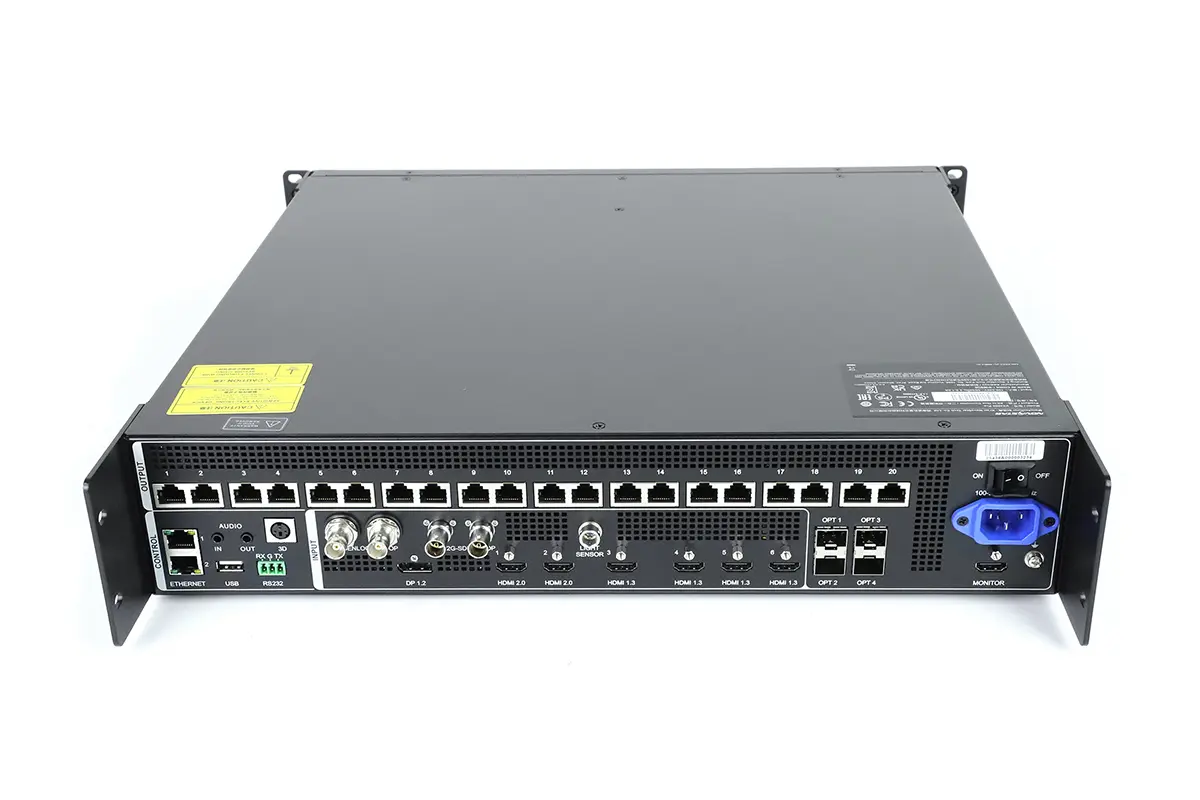
The NovaStar VX2000 Pro has the widest connector set in the VX Pro Series, and the details matter more than the port count: two fiber ports are self-adaptive, one HDMI port is monitoring only, and the SDI port is a full 12G input with loop-through.
01. Video Inputs and Supported Resolutions
All inputs are progressive only — interlaced signals are rejected, except on the 12G-SDI port, which includes deinterlacing.
| Connector | Qty | Maximum input | Colour depth and HDCP |
|---|---|---|---|
| DP 1.2 | 1 | 4096×2160@60Hz; custom to 8192×1080 | 8/10/12-bit; HDCP 1.3 |
| HDMI 2.0 | 2 | 4096×2160@60Hz; HDR input | 8/10/12-bit; HDCP 1.4 and 2.2 |
| HDMI 1.3 | 4 | 1920×1080@60Hz | 8-bit only; HDCP 1.4 |
| 12G-SDI | 1 | 4096×2160@60Hz with loop output | 10-bit YCbCr 4:2:2 |
| 10G fiber (OPT 1/2) | 2 | Self-adaptive — input or output | Depends on the connected device |
| USB 3.0 | 1 | Playback source, fixed 3840×2160@60Hz | Image and video files |
Mosaicing extends the input side: two HDMI 2.0 or four HDMI 1.3 inputs combine into one source at up to 4K×2K, and the two fiber inputs combine the same way — building a 4K canvas from four 1080p sources without an external switcher. Frame rates run from 23.98Hz to 144Hz, and firmware from V1.3.0 added input up to 240Hz.
02. Output Ports, Fiber Links and Monitoring
| Output | Qty | Function |
|---|---|---|
| Gigabit Ethernet | 20 | Main screen output; 13M pixels, 16,384 × 8,192 maximum |
| 10G fiber OPT 1–2 | 2 | Output on Ethernet ports 1–10 and 11–20, or video input |
| 10G fiber OPT 3–4 | 2 | Copy or back up the output on ports 1–10 and 11–20 |
| HDMI monitoring | 1 | Preview only, fixed 1920×1080@60Hz |
| 3D connector | 1 | Connects a third-party 3D emitter |
| AUDIO | 2 | 3.5 mm in and out, up to 48 kHz, adjustable volume |
| Control connectors | — | 2× ETHERNET, USB 2.0, RS232, GENLOCK IN-LOOP, light sensor |
OPT 1 and OPT 2 are self-adaptive, so they can carry video in or screen data out. OPT 3 and OPT 4 are output-only and exist for redundancy. The monitoring HDMI port is not a programme output: it is fixed at 1080p60 for a confidence monitor. Genlock accepts bi-level and tri-level signals, but in ByPass mode it is mutually exclusive with low latency.
03. Single-Port Load Capacity and Bit Depth
At 8-bit the official figure is 650,000 pixels per Ethernet port. At 10-bit NovaStar publishes no single number, because the reduction depends on the receiving card model — the specification quotes 325,000 or 480,000 pixels. This is the most common specifying error on the NovaStar VX2000 Pro: a wall that fits at 8-bit can overflow at 10-bit, and the shortfall only appears once the screen is mapped. Calculate the load in the colour depth you will actually run, and remember that 3D with a Side-by-Side or Top-and-Bottom source halves output capacity again.
3. Pixel Capacity Math: How Large a Screen Can It Drive?
The NovaStar VX2000 Pro ceiling of 13 million pixels is easier to judge with real cabinet counts. These examples use standard 500×500 mm rental cabinets at 8-bit colour depth, rounded to whole cabinets the way a rental house would quote them.
| Pixel pitch | Cabinet resolution | Screen size | Total resolution | Pixels | Verdict |
|---|---|---|---|---|---|
| P2.6 indoor | 192 × 192 | 10 m × 3 m | 3840 × 1152 | 4.42 M | Comfortable, even at 10-bit |
| P2.6 indoor | 192 × 192 | 16 m × 5 m | 6144 × 1920 | 11.80 M | 8-bit only |
| P2.9 indoor | 172 × 172 | 12 m × 4 m | 4128 × 1376 | 5.68 M | Room for a second surface |
| P2.9 indoor | 172 × 172 | 18 m × 5 m | 6192 × 1720 | 10.65 M | 8-bit only |
| P3.9 outdoor | 128 × 128 | 14 m × 6 m | 3584 × 1536 | 5.51 M | Comfortable at 10-bit |
| P3.9 outdoor | 128 × 128 | 20 m × 8 m | 5120 × 2048 | 10.49 M | 8-bit only |
| P4.8 outdoor | 104 × 104 | 24 m × 9 m | 4992 × 1872 | 9.35 M | Ports spare for backup |
Three rules follow. Anything above roughly 11 million pixels should be quoted at 8-bit. Leave headroom for the port and device backup the controller supports. And although screens up to 16,384 pixels wide are supported, the 8,192-pixel height limit makes height the binding constraint on portrait layouts.
Free topology improves the maths: port load is calculated from the actual cabinet shapes rather than their bounding rectangle, so irregular screens waste fewer pixels. Specific receiving cards are required for this; otherwise the NovaStar VX2000 Pro calculates the load from the maximum circumscribed rectangle.
4. Layer Resources, Presets, OSD and Backgrounds
Processing features decide how the finished wall looks on the NovaStar VX2000 Pro, which covers the essentials plus several features added by firmware after launch.
01. How Layer Resources Work on the VX2000 Pro
NovaStar specifies 12×2K×1K layer resources for the NovaStar VX2000 Pro. That is a budget, not a count of windows: a 2K×1K layer spends one resource, 4K×1K spends two and 4K×2K spends four.
| Layer size | Resources used | Maximum simultaneous | Typical use |
|---|---|---|---|
| 2K×1K (1920×1080) | 1 | 12 | PIP windows, IMAG, lower thirds |
| 4K×1K (3840×1080) | 2 | 6 | Ultra-wide banners and tickers |
| 4K×2K (up to 4096×2160) | 4 | 3 | Full-canvas 4K playback |
A mixed layout works too: one 4K×2K layer plus four 2K×1K layers uses eight of the twelve resources and leaves four for graphics. Size, position, priority and aspect ratio are all adjustable. The practical warning is that a 4K input does not give you 4K layers automatically — opening a 4K×2K layer consumes four resources, and the input connector must support that layer size.
02. Presets, OSD Overlays, Backgrounds and HDR
The controller stores up to 256 user-defined presets. Each captures a complete scene — layer layout, input routing, scaling and output configuration — and can be recalled with one button press. Firmware V1.3.0 added configurable switching effects and layout preview, which removes the classic failure mode of recalling a preset blind.
The OSD function, added in V1.1.1, draws text and images over the programme output without external graphics hardware. Component limits are fixed: 10 static text OSDs, 1 dynamic text OSD, 2 weather OSDs and 2 time OSDs. Font, colour, size, opacity and background are customisable. A text OSD cannot be used together with an image OSD, and the dynamic text OSD is exclusive with the other text components.
Background (BKG) settings provide a 150 MB gallery. You can load a solid colour or image, capture a live input frame as a background, or import one from USB or Unico, in JPG, JPEG, BMP or PNG. HDR output is supported in HDR10 and HLG and needs HDR-capable receiving cards; the HDR source must be layer 1, and HDR cannot be combined with 3D or input crop.
5. Working Modes, Latency and Backup
Three working modes determine what the NovaStar VX2000 Pro can do and how much delay it adds.
| Working mode | What it does | Low latency | Standard |
|---|---|---|---|
| Video controller | Full processing: scaling, layers, OSD, colour management | 1–2 frames | 2–3 frames |
| ByPass | Passes the source through; video processing unavailable | 0 frames | 1 frame |
| Fiber converter | Converts between fiber and Ethernet for long-distance transport | 0 frames | 0 frames |
Zero-frame ByPass is the mode that wins camera-facing work, because the wall stays inside the tracking system’s latency budget. The trade-off is that the processing chain is off, so scaling, layer compositing, OSD and HDR are unavailable. Low latency also requires that all cabinets on an Ethernet port are aligned at the top of the circumscribed rectangle.
Backup is end-to-end: between devices, input sources, Ethernet ports and between fiber and Ethernet ports, plus dual receiving card backup. A built-in port backup test verifies that pre-stored images and backup ports actually engage without unplugging cables. Device restoration stores up to five configuration snapshots within a 1 GB limit, and saved settings are restored automatically after a power failure.
6. How to Set Up the NovaStar VX2000 Pro
Setting up the NovaStar VX2000 Pro follows a predictable sequence: wire the inputs and outputs, configure the screen in software, save a preset, then verify.
01. Wiring, Power and First Power-On
Connect the primary programme source to an HDMI 2.0, DP 1.2 or 12G-SDI input and reserve the four HDMI 1.3 ports for 1080p auxiliary sources. For a 4K mosaic, feed the two HDMI 2.0 inputs and enable HDMI mosaic in the input settings.
Then connect the screen. Ethernet ports 1–10 and 11–20 are the two output groups, and each can also be carried over fiber through OPT 1 or OPT 2. Keep every port inside the pixel budget calculated earlier. For rack mounting, NovaStar specifies at least eight M5×8 screws and a rack rated for at least 28 kg; remember that a closed rack runs hotter than the room.
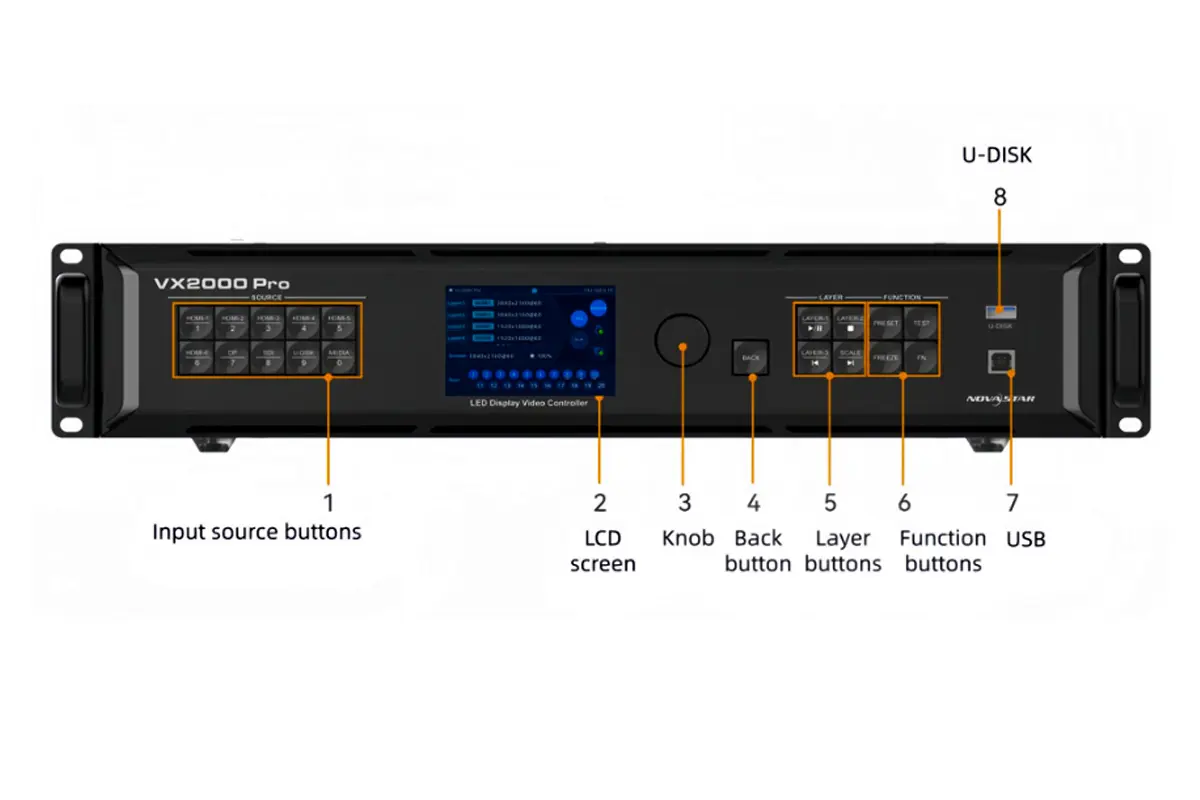
On power-up the LCD reports device status, and the input buttons show signal state through their indicator LEDs.
02. Screen Configuration in NovaLCT or Unico
Define the canvas, set the cabinet layout for each Ethernet port and map the receiving cards. This is where free topology or non-free topology is chosen: free topology uses real cabinet shapes and needs compatible receiving cards, while non-free topology uses the bounding rectangle.
After mapping, set the output scaling. Three modes are available — full screen, pixel-to-pixel and custom. Use pixel-to-pixel while commissioning so cabinet boundaries are visible, then switch to the mode your content was authored for. Finish by calibrating, since the NovaStar VX2000 Pro works with NovaLCT and NovaStar calibration software for pixel-level brightness and chroma calibration.
03. Control Options Compared
| Control method | Connection | Best for | Limitation |
|---|---|---|---|
| Front panel knob and LCD | On device | Input switching, preset recall, on-site checks | Slow for full configuration |
| NovaLCT | USB or network | Screen configuration and calibration | Windows PC required |
| Unico web page | ETHERNET, browser | Configuration from a laptop, tablet or Mac | Network setup required |
| VICP app | Mobile | Quick checks and switching | Not a full configuration tool |
| Remote control (optional) | Infrared | Standby, screen power, brightness, presets, 3D | Sold separately, item M07020005 |
04. Presets, Firmware Updates and Restoration
Save one preset per show state rather than a single master preset, and preview the stored layer layout before recalling it. With 256 slots there is no reason to reuse a slot you may need later. Update firmware from a USB drive or over the network, and back up the configuration first; if a setting misbehaves after an update, device restoration returns the configuration to a stored restore point. Keep a copy of the EDID files you use, since the controller imports and exports EDID and a saved set turns a source that refuses to handshake into a two-minute fix.
05. Verifying Output Before Doors Open
Confirm that every Ethernet port reports the expected cabinet count and that none is over budget, run test patterns for dead cabinets and wrong mapping, then use the port backup test to prove redundancy engages. For HDR, confirm the receiving cards support it and the source is on layer 1.
7. NovaStar VX2000 Pro vs VX1000 Pro vs VX600 Pro
The NovaStar VX2000 Pro shares one software platform, one preset system and one control interface with the VX1000 Pro and VX600 Pro, so the choice between the three comes down to pixel capacity and connectors. All figures are from the official V1.4.0 specification sheets.
| Feature | VX600 Pro | VX1000 Pro | NovaStar VX2000 Pro |
|---|---|---|---|
| Loading capacity | 3.9 million pixels | 6.5 million pixels | 13 million pixels |
| Ethernet ports | 6 | 10 | 20 |
| Maximum output size | 10,240 × 8,192 | 10,240 × 8,192 | 16,384 × 8,192 |
| Layer resources | 6 × 2K×1K | 6 × 2K×1K | 12 × 2K×1K |
| Fiber outputs | 2 | 2 | 4 |
| SDI input | 3G-SDI | 3G-SDI | 12G-SDI with loop |
| DisplayPort input | No | No | 1 × DP 1.2 |
| Presets | 256 | 256 | 256 |
| Typical deployment | Single mid-size wall | Large stage or wide banner | Flagship walls and multi-source shows |
The step from VX1000 Pro to VX2000 Pro doubles pixel capacity, layer resources, ports and fiber outputs, and upgrades SDI from 3G to 12G while adding DisplayPort. That is why the NovaStar VX2000 Pro appears in 4K broadcast and XR workflows. If a project needs a single 4K wall under four million pixels, the VX600 Pro is the better-value alternative and uses the same software, so crew training carries over.
8. NovaStar VX2000 Pro Price and Buying Advice
NovaStar does not publish list pricing, because the controller sells through distributors and integrators. The ranges below are market observations from listed resellers, not official pricing.
01. What the NovaStar VX2000 Pro Costs
| Channel | Indicative price (USD) | What you get |
|---|---|---|
| Marketplace listing | ~3,200 – 3,500 | Unit only; verify warranty and region |
| Pro AV dealer | ~3,500 – 4,100 | Warranty, returns and support |
| Broadcast reseller | ~4,500 – 5,000 | Integration support and spares |
| Accessories | Additional | Four optical modules and the remote are not included |
Treat any listing far below that range as a risk signal, since firmware region, warranty coverage and receiving-card compatibility vary between grey-market sellers.
02. How to Avoid a Grey-Market or Refurbished Unit
Certification labels. A unit intended for your market carries CE, FCC, IC, RCM, EAC, UL, CB, KC and RoHS markings; NovaStar states that customers carry the legal risk when a product lacks the certifications required where it is sold.
Firmware and release notes. Match the installed firmware against NovaStar’s published release notes; current firmware is V1.4.1, which adds the BKG function and topology mode switching.
Accessory completeness. A new unit ships with the power cord, Ethernet cable, HDMI cable, USB cable, Phoenix connector, four silicone dustproof plugs, the Quick Start Guide, the Certificate of Approval and the Safety Manual.
Support path. Confirm who performs firmware updates and receiving-card calibration; pixel-level calibration needs the right software and often a trained technician.
9. Common NovaStar VX2000 Pro Problems and Fixes
Most NovaStar VX2000 Pro support calls come down to a small set of configuration issues.
| Symptom | Likely cause | Fix |
|---|---|---|
| Input button flashes blue fast, no image | Source selected but no valid signal | Check cable, resolution and HDCP |
| Wall shows fewer pixels than expected | Budget spent at 10-bit or in 3D mode | Recalculate per-port load at the colour depth in use |
| Only three 4K windows open | Layer resources, not layer count, are the limit | 4K×2K layers cost four of twelve resources each |
| Low latency will not enable | Cabinets on a port are not aligned at the top of the rectangle | Realign the topology or set low latency to Auto |
| HDR option is greyed out | HDR needs layer 1 and conflicts with 3D and input crop | Move the source to layer 1 and disable 3D or crop |
| Settings lost after a power cut | Configuration never saved | Save presets and a restore point; saved settings reload automatically |
| USB media will not play | Unsupported container, codec or partition layout | Use a single-partition NTFS, FAT32 or exFAT drive; H.264 caps at 3840×2160@30fps |
If a problem survives these checks, export the device log from the USB 2.0 port and send it with the firmware version to NovaStar support.
10. Official NovaStar VX2000 Pro Downloads
Download the NovaStar VX2000 Pro manual, datasheet and firmware from NovaStar’s own download centre rather than third-party mirrors. These are the current official files for the VX2000 Pro and the VX Pro Series platform.
| Resource | Version | Download |
|---|---|---|
| VX2000 Pro specifications (datasheet) | V1.4.0 | VX2000 Pro Specification PDF |
| VX Pro Series user manual | V1.4.1 | VX Pro Series User Manual PDF |
| VX Pro Series quick start guide | V1.0.1 | Quick Start Guide PDF |
| VX2000 Pro firmware | V1.4.1 | VX2000 Pro Firmware ZIP |
| VX2000 Pro release notes | V1.4.1 | Release Notes TXT |
| Unico Control Platform user manual | V2.7.0 | Unico Manual PDF |
| NovaStar download centre | Current | NovaStar VX Pro Series |
Before updating NovaStar VX2000 Pro firmware, note the current version and back up your presets. If you also run the NovaStar VX600 Pro, update the whole fleet in one maintenance window so software versions stay aligned.
11. NovaStar VX2000 Pro FAQ
These are the questions buyers ask most often about the NovaStar VX2000 Pro, answered from the official V1.4.0 specification and the VX Pro Series user manual. Select a question to expand it.
12. Conclusion: Is the NovaStar VX2000 Pro Worth It?
The NovaStar VX2000 Pro is the right controller when one device has to do more than a mid-range processor can. Its case rests on four numbers: 13 million pixels of loading capacity, 20 Gigabit Ethernet ports, 12×2K×1K layer resources and 0-frame latency in ByPass mode. Add 12G-SDI, DisplayPort, four fiber outputs and end-to-end backup, and it covers requirements that normally force a two-box solution.
It is not the right controller for every screen. Below four million pixels and without a need for 4K SDI or DisplayPort, the NovaStar VX600 Pro runs the same software for materially less money. If you need the flagship feature set, the NovaStar VX2000 Pro will not need replacing when the next wall is bigger.
Before buying, verify three things against your own project: the pixel load at the colour depth you will run, whether 12G-SDI or DisplayPort is required, and whether frame-accurate sync is a requirement. If all three point at this controller, our LED display controller comparison shows how it stacks up against the alternatives.
 Best LED Display Controllers 2026: 7 Tested & Price Compared
 Novastar MCTRL4K LED Controller - Ultimate Guide & Setup Tips