Quick answer: For large stages, control rooms and premium fixed installations, the best LED display controller in 2026 is the NovaStar VX2000 Pro. For virtual production and on-camera LED volumes the Brompton Tessera SX40 is still the reference LED display controller. For mid-to-large commercial screens the Colorlight Z5 gives the best balance of pixel capacity and price, and the NovaStar KU20 plus HUIDU HD-H8 are the most cost-effective LED screen controllers for small displays.
An LED display controller is the part of an LED screen that buyers think about last, and it is usually the part that limits the screen. It decides how many pixels the wall can show, how stable the image looks on camera, how evenly colour and brightness are spread across cabinets, and how quickly your team can change content. Choose too little capacity and the controller becomes the bottleneck. Choose too much and you pay for headroom that never gets used.
This guide compares seven controllers I have configured, tested or supported on real projects: the NovaStar VX2000 Pro, NovaStar MX6000 Pro, Brompton Tessera SX40, Colorlight Z5, Linsn S3000, NovaStar KU20 and HUIDU HD-H8. Specifications come from the manufacturer documentation for each unit, and street prices were last checked in September 2026.
Key takeaways
- Pixel capacity, not price, decides whether a controller fits a screen. A true 4K LED wall needs at least 8.3 million pixels of capacity, plus headroom.
- NovaStar and Brompton lead on image quality and reliability. Colorlight and Linsn lead on value. HUIDU leads on entry-level price.
- For on-camera work, refresh rate and shutter-friendly processing matter more than peak pixel capacity.
- Budget roughly 3-8% of the LED screen budget for the controller and its sending and receiving cards.
1. What Is an LED Display Controller?
An LED display controller is the hardware that converts a video source into the pixel data an LED screen can display. It accepts a signal over HDMI, DisplayPort, SDI, fibre or IP, scales and maps that signal to the physical resolution of the LED wall, sets the refresh rate and grey scale, applies brightness and colour correction, and then distributes the finished data to the receiver cards mounted inside each cabinet.
01. What an LED Display Controller Actually Does
Every controller in this class performs five jobs at the same time:
- Signal conversion. HDMI 2.0, HDMI 2.1, DP 1.2 or 1.4, 12G-SDI and IP streams are converted into the internal data format used by the LED control system.
- Scaling and pixel mapping. A 1,920 x 1,080 source is stretched or cropped to fit a wall that might be 6,000 x 2,000 pixels, and the controller decides which output ports drive which cabinets.
- Refresh rate and grey scale. Refresh rate keeps the flicker out of camera shots; grey scale decides how smooth gradients look. Both are configured on the controller, not on the LED panels.
- Colour and brightness management. Point-by-point correction compensates for differences between modules and keeps the wall uniform as it ages.
- Synchronisation and monitoring. Genlock or frame sync keeps several screens locked together, while LAN, USB and RS232 control keep the controller manageable during an event.
02. LED Display Controller, Sending Card and Receiver Card: What Is the Difference?
These three terms get mixed up constantly, so it is worth separating them. The controller is the complete unit that processes the video signal and presents the user interface. The sending card is the output stage that turns processed data into the signal that travels over Gigabit Ethernet or fibre to the screen. The receiver card sits inside each LED cabinet and drives the LED modules themselves. Together they form the LED control system. Some products, such as the NovaStar KU20, are effectively a controller with the sending card built in, which is why they are popular in small installations.
2. Best LED Display Controllers in 2026: Full Comparison
The table below compares the seven controllers in this guide on capacity, connectivity, ideal use case and price. Pixel capacities are the manufacturer figures for a single unit at standard settings, and street prices are indicative USD figures for the controller alone – sending cards, receiver cards and installation are quoted separately and vary with configuration and order volume.
01. Comparison Table: Seven Popular LED Display Controllers
| Model | Brand | Level | Max pixel capacity | Key inputs | Best for | Street price |
|---|---|---|---|---|---|---|
| NovaStar MX6000 Pro | NovaStar | Flagship | 141 million pixels | DP 1.4, HDMI 2.1, 12G-SDI, ST2110 | Ultra-large walls and 8K control rooms | $11,608 |
| NovaStar VX2000 Pro | NovaStar | High-end | 13 million pixels, 12 layers | DP 1.2, HDMI 2.0, 12G-SDI, fibre, USB playback | Stages, touring and high-end fixed screens | $2,835 |
| Brompton Tessera SX40 | Brompton | High-end | 9 million pixels at 12-bit | HDMI 2.0, 12G-SDI | Virtual production and on-camera LED volumes | $3,498 |
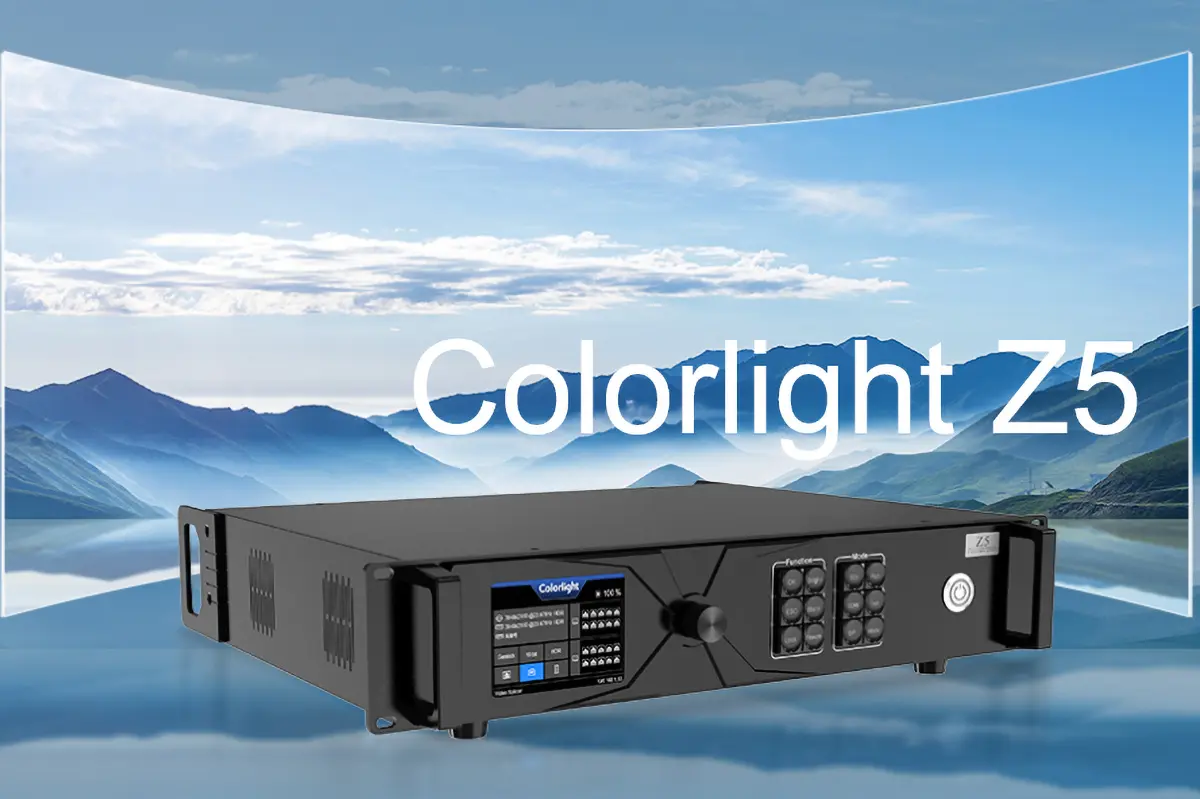
| Colorlight Z5 | Colorlight | Mid-high | 13.1 million pixels (60Hz, 8-bit) | HDMI 2.0, DP 1.2, 12G-SDI | Commercial LED walls and rental screens | $3,638 |
| Linsn S3000 | Linsn | Mid-range | 9.8 million pixels | HDMI, DVI, DP, VGA | Medium stages and shopping-centre screens | $1,577 |
| NovaStar KU20 | NovaStar | Entry | 3.9 million pixels | 1 x HDMI 1.3, 6 x Gigabit, 10G fibre | Small fixed LED screens and signage | $607 |
| HUIDU HD-H8 | HUIDU | Entry | 5.24 million pixels | 2 x HDMI 1.4, USB, SFP, RS232/485 | Shop windows, meeting rooms and poster screens | $492 |
02. High-End LED Display Controllers
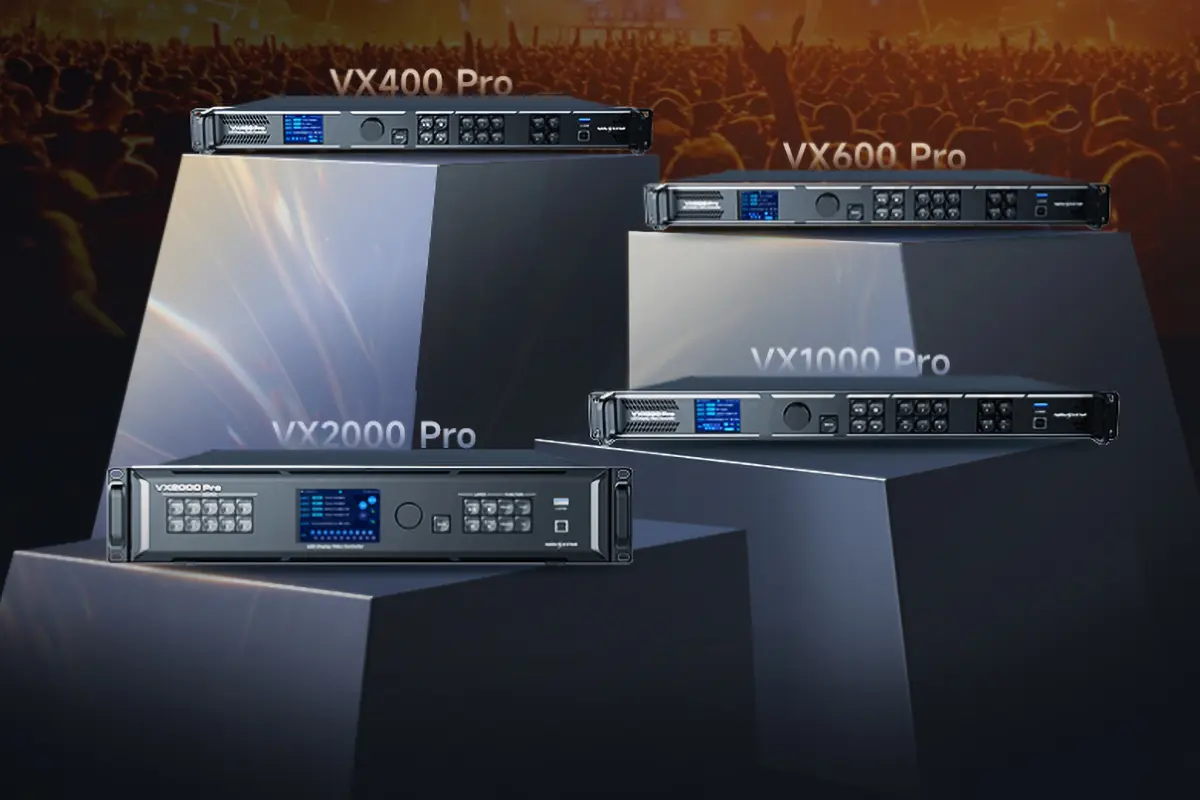
NovaStar VX2000 Pro is the LED display controller I recommend most often for touring and large fixed installations, because it balances 13 million pixels of capacity with the widest input set in its class. It handles up to 12 content layers, supports HDMI 2.0, DP 1.2, HDMI 1.3, fibre and 12G-SDI inputs, plays images and video directly from USB, and can be driven from the front panel, NovaLCT, a web interface or the VMP platform. HDR10 and HLG support, point-by-point correction and 256 one-click scene presets make it a practical choice for crews rather than a spec sheet hero.
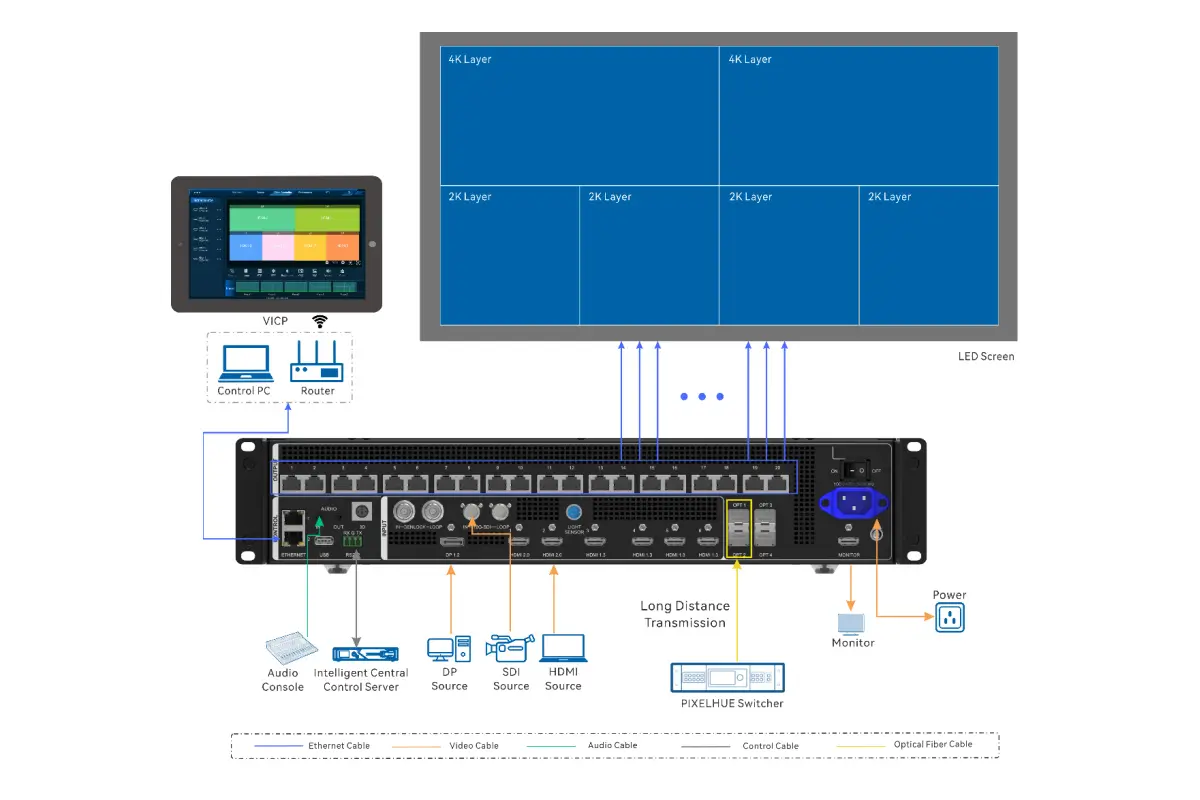
NovaStar MX6000 Pro is the flagship option when a single LED display controller has to drive an enormous canvas. One unit is rated for 141 million pixels, accepts 32 channels of 4K@60Hz or 8 channels of 8K@60Hz, and offers 1G and 5G output options. Its 7-inch touch screen, 12-bit processing, 3D LUT support and 480Hz high frame-rate mode put it in a different class from mid-range controllers, which is why it is usually specified for stadium screens, broadcast control rooms and 8K command centres rather than for a single advertising wall.
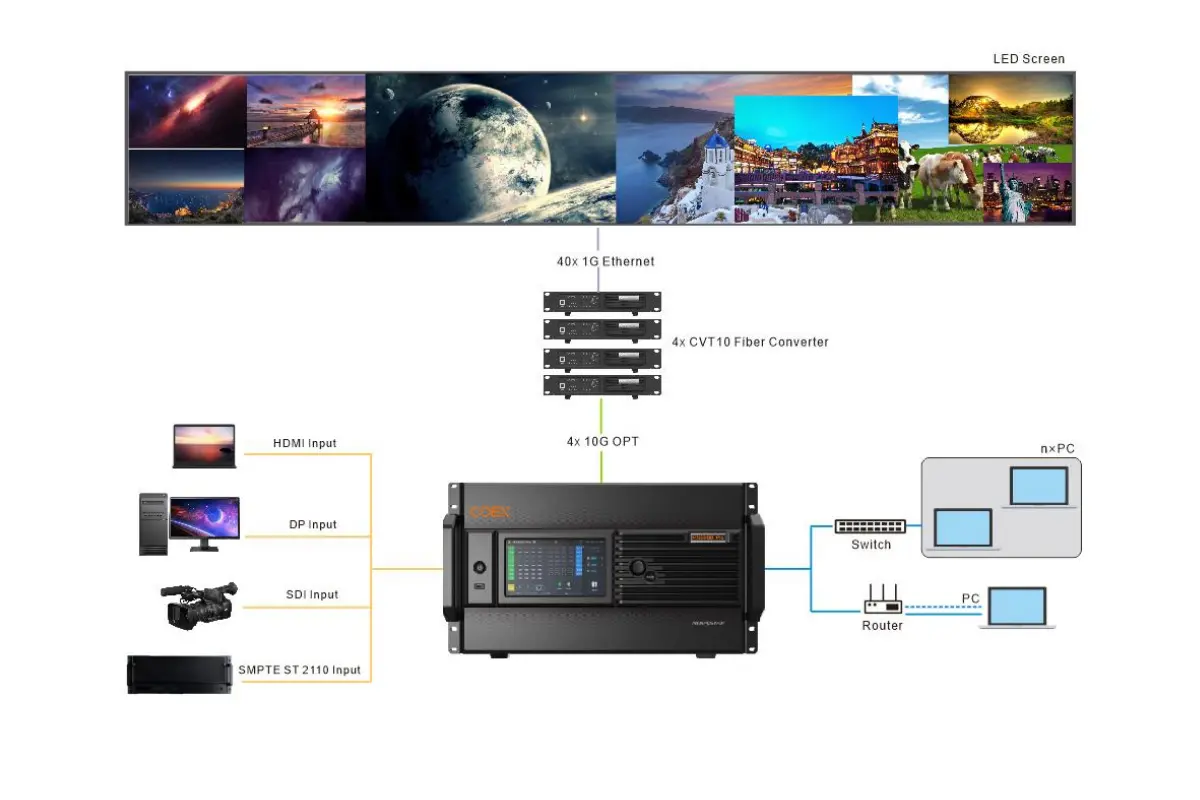
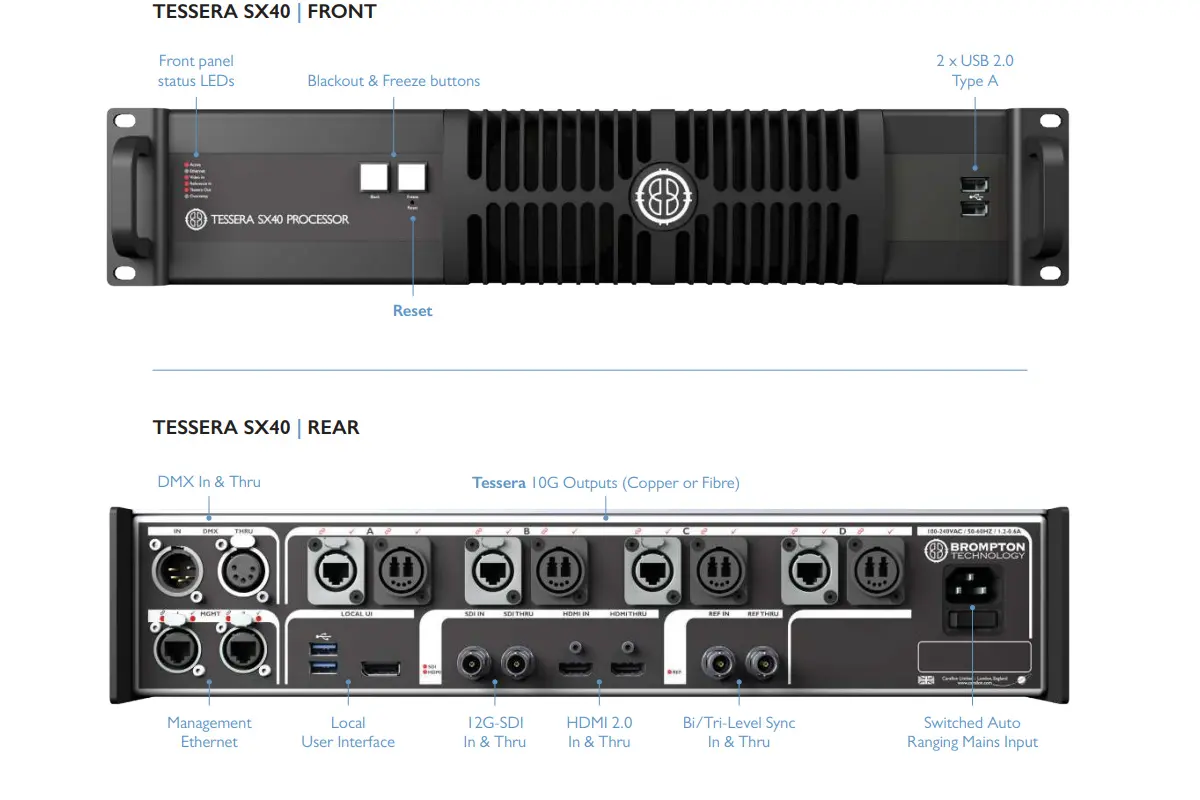
Brompton Tessera SX40 is the LED display controller that most virtual production stages standardise on. Tessera processing keeps scan lines out of camera shots, Dynamic Calibration holds uniformity over long shoots, and 12-bit colour depth keeps gradients clean in HDR. With 9 million pixels of capacity it is not the largest unit here, but for LED volumes, xR stages and high-end broadcast work the software ecosystem matters more than raw capacity – which is exactly why StageCraft-style workflows are built around Tessera.
3. Mid-Range and Budget LED Display Controllers
Most LED screens are not driven by a flagship unit. The mid-range bracket is where the largest volume of LED display controller sales happens, and it is also where the gap between specification sheets and real-world behaviour is widest. Two LED display controllers dominate this band, with two more covering the entry level.
01. Mid-Range LED Display Controllers: Colorlight Z5 and Linsn S3000
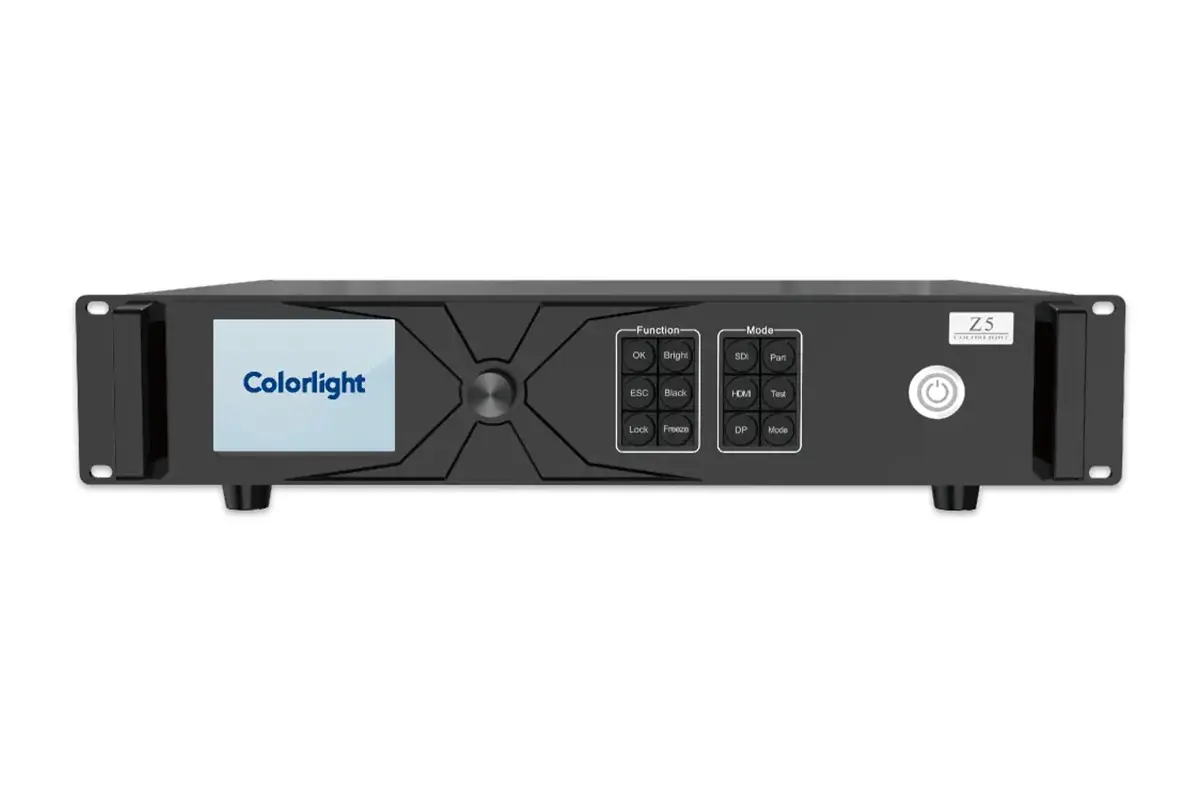
The Colorlight Z5 is the value pick among serious controllers. It drives 13.1 million pixels at 60Hz and 8-bit, supports 4K@60Hz input on HDMI 2.0, DP 1.2 and 12G-SDI, and covers HDR10 and HLG. Capacity falls as you push frame rate or bit depth – roughly 6.55 million pixels at 120Hz and 8-bit – so plan headroom. Two features stand out for rental work: controller and network-port redundancy, and independent adjustment of hue, saturation, contrast, brightness, colour temperature and RGB. Configuration runs through Colorlight iSet, and the front-panel LCD with knobs keeps on-site changes quick.
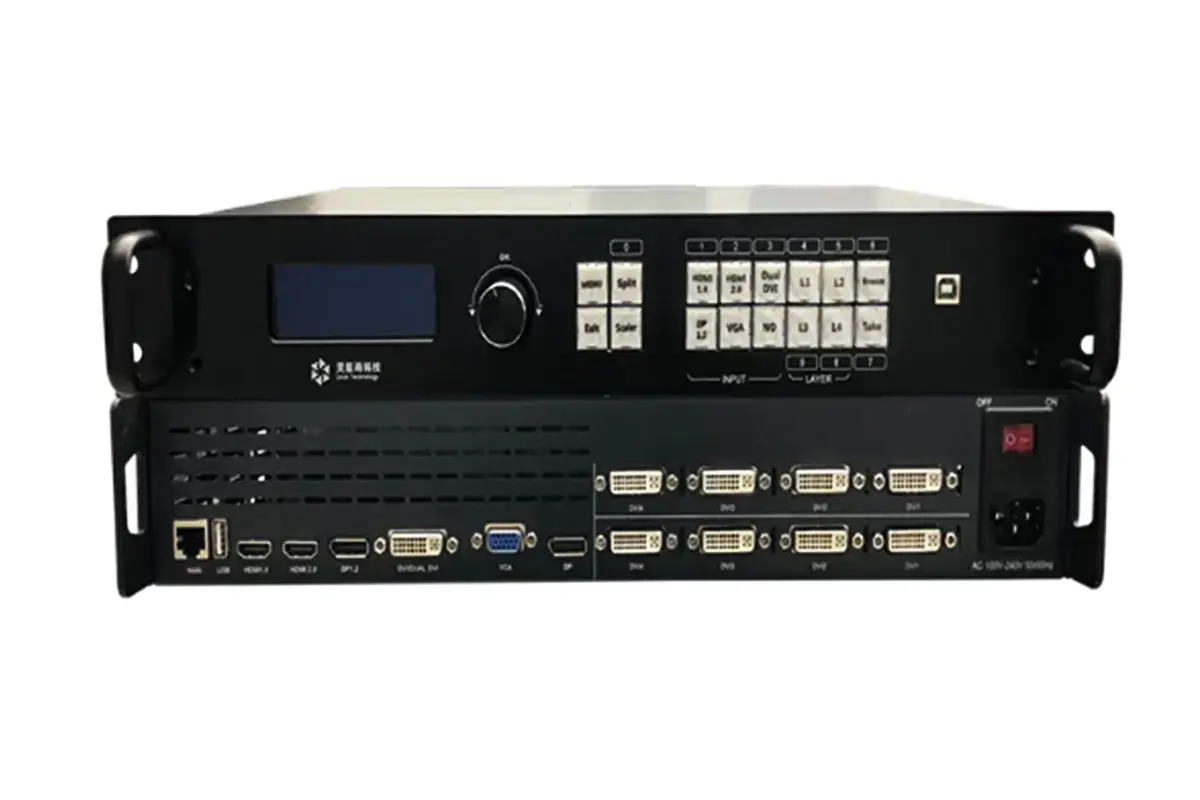
The Linsn S3000 is the affordable workhorse of the category. It drives up to 9.8 million pixels, accepts HDMI, DVI, DP and VGA, supports 4K@60Hz input over DP 1.2 and HDMI 2.0, and includes backup output plus four-way picture-in-picture with fade transitions. Linsn’s software is simpler than the flagship platforms, and that is the point: for shopping centres, exhibition halls and medium stages, a straightforward LED display controller that a local technician can service is worth more than extra layers nobody uses.
If you are comparing Colorlight hardware in particular, the differences between the current Colorlight controllers are covered in our X8m vs X12m breakdown.
02. Budget LED Display Controllers: NovaStar KU20 and HUIDU HD-H8
The NovaStar KU20 proves that a low-cost LED display controller can still be a NovaStar. It drives 3.9 million pixels, takes one HDMI 1.3 input with loop-through, and outputs to six Gigabit ports plus a 10G fibre port. Point-by-point brightness and colour calibration, 128 one-click scene presets, SNMP, Art-Net and control-system protocols are all included, which makes it the cheapest way into the NovaStar ecosystem and a sensible LED screen controller for shop windows and small meeting rooms.
The HUIDU HD-H8 is the entry-level option for projects where the display has to publish content by itself. It drives 5.24 million pixels, supports a maximum canvas of 65,536 x 8,192, and offers two HDMI 1.4 inputs, USB, an SFP optical port, sensor input and RS232/485 control. Because it is a fully integrated asynchronous LED display controller, it can replace a playback PC entirely: wireless screen mirroring from Windows, iOS and Android, dual Wi-Fi, Bluetooth peripherals and third-party app publishing are all handled on the device.
4. Top LED Display Controller Brands in 2026
Brand choice shapes service, spares and software more than any single specification does. These are the five LED display controller brands that appear most often in projects worldwide.
| Brand | Based in | Known for | Configuration software | Best fit |
|---|---|---|---|---|
| NovaStar | China | Widest control-system range and global supply | NovaLCT, SmartLCT, VMP | Most projects, from signage to 8K control rooms |
| Brompton Technology | United Kingdom | On-camera image quality and virtual production | Tessera | Virtual production, xR stages, broadcast studios |
| Colorlight | China | Pixel capacity per dollar and 4K-8K input range | iSet | Commercial, rental and outdoor advertising screens |
| Linsn | China | Stable, simple and easy to service | Linsn LEDSet | Shopping centres, exhibition halls, medium stages |
| HUIDU | China | Entry-level price with integrated playback | HDPlayer | Shop windows, poster screens, small meeting rooms |
01. NovaStar
NovaStar is the largest LED display controller brand in the world, supplying control systems to a very large share of global LED screen manufacturers. The company launched the industry’s first dedicated MLED control chip, builds point-by-point brightness and colour correction into its hardware, and offers 8K single-port solutions with 8K and 5G output bandwidth. Reference projects include the Beijing Winter Olympics, the CCTV Spring Festival Gala, the Hangzhou and Guangzhou Asian Games, the London Olympics, the Rio, Russia and Qatar World Cups and the Brazil World Cup. If you want one brand with worldwide spares availability, it is this one.
02. Brompton Technology
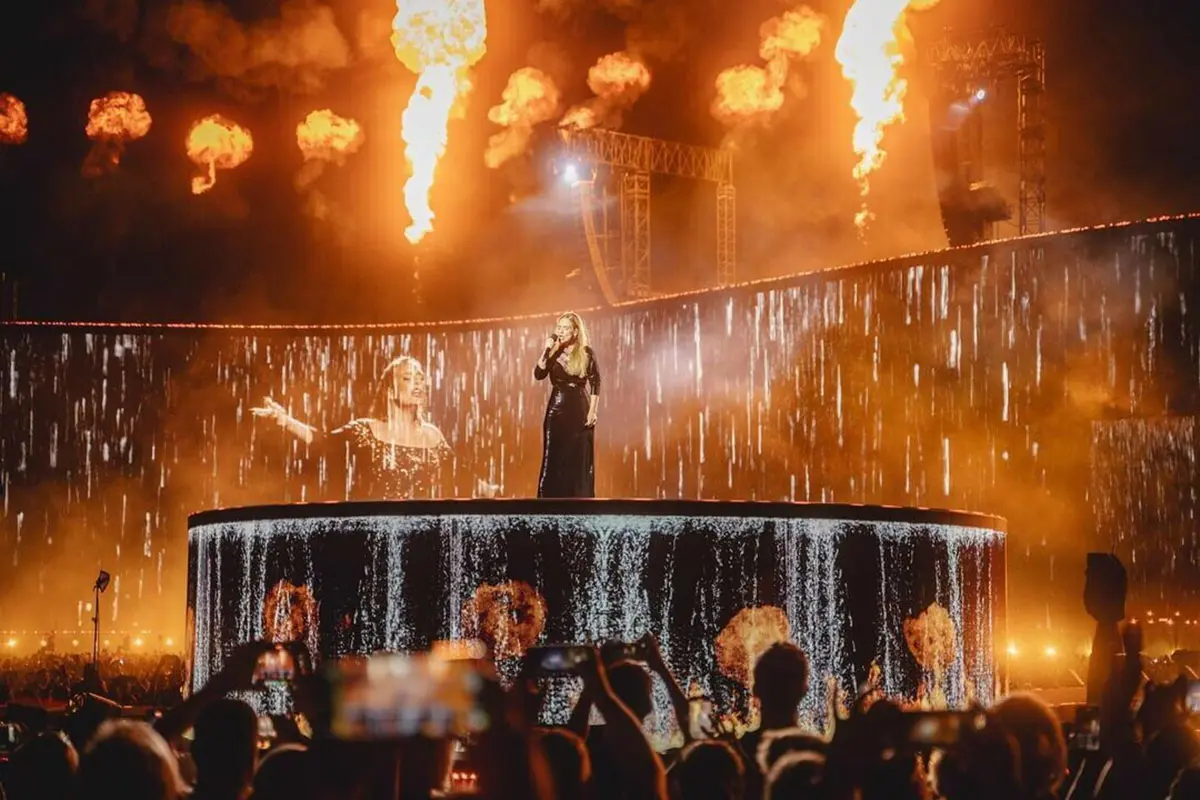
Brompton Technology, based in the United Kingdom, built its reputation in film and high-end production. Tessera processing sits at the centre of virtual production workflows such as StageCraft, dynamic calibration keeps LED volumes accurate across long shooting days, and HDR support is implemented precisely rather than as a marketing line. Projects include The Mandalorian, Adele’s Munich concert residency and the 2020 League of Legends World Championship. A Brompton LED display controller costs more per pixel than a Colorlight or Linsn unit, and for on-camera work that premium is usually justified.
03. Colorlight
Colorlight has become a serious challenger in the high-end bracket by offering 4K to 8K input across a full control-system range, flexible splicing, high refresh rates and quick setup. Its hardware covers main controllers, receiver cards and fibre transmission, and Colorlight controllers are widely used in outdoor advertising, stage rental and fixed installation. The Z5 in this guide is the clearest example of the brand’s positioning: flagship-adjacent capacity and redundancy for noticeably less money than the top two brands.
04. Linsn
Linsn has been making sending cards, receiving cards and video processors for years and is valued for control systems that simply keep running. The software is easy to learn, the hardware tolerates a wide range of driver ICs, and point-to-point calibration and multifunctional control are included. Linsn controllers are common in shopping malls, outdoor billboards and corporate exhibition halls, where reliability and easy local support matter more than advanced layer management.
05. HUIDU
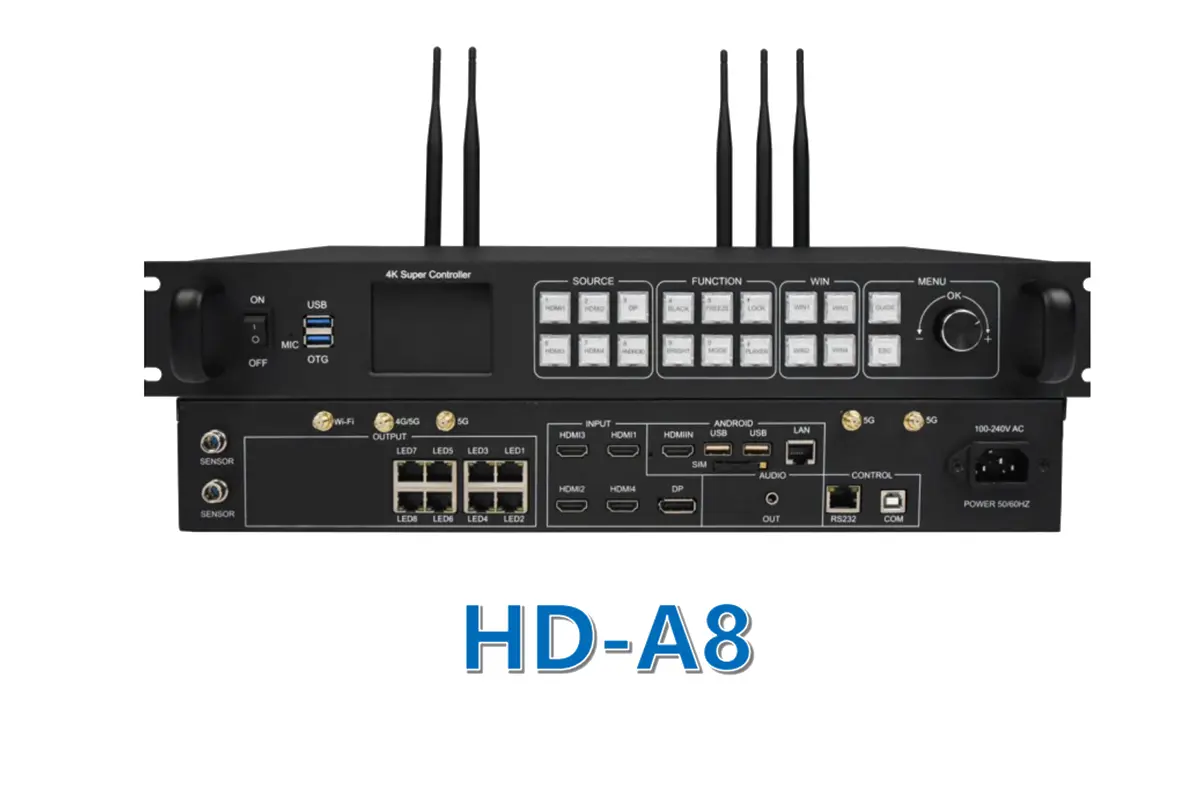
HUIDU is a fast-growing Chinese control-solution provider that competes on price and integration. Its range covers mainstream sending and receiving devices and integrated players, and it offers a useful degree of customisation for OEM projects. The HD-H8 in this guide is a good example of an asynchronous LED display controller that can run a screen without a computer attached. For a HUIDU-only deep dive, see our HD-A8 Super Controller guide.
5. Types of LED Display Controllers
Before comparing models, decide which type of LED display controller the project needs. The type determines whether a computer must stay connected, how content is published and how much rack space is required.
| Type | How it works | Content update | Best for |
|---|---|---|---|
| Synchronous | Stays locked to a live video source such as a PC, camera or media server | Live, in real time | Stages, broadcast, control rooms, virtual production |
| Asynchronous | Has built-in storage and plays content on its own schedule | USB, network, Wi-Fi or cloud | Advertising screens, signage, traffic information boards |
| All-in-one | Combines video processing, control and playback in one box | Onboard or network | Meeting rooms, retail displays, small rental screens |
01. Synchronous Controllers
A synchronous controller mirrors what the computer or media server sends, frame for frame. It supports high refresh rates and high grey scale, and is the only sensible choice when content changes live: stage shows, broadcast studios, monitoring centres, sports venues and virtual production stages. The trade-off is that a source device must stay connected and powered whenever the screen is on.
02. Asynchronous Controllers
An asynchronous controller stores content internally and plays it from a schedule, so no computer is needed on site. Content is published over USB, LAN, Wi-Fi or a cloud platform. This is the standard choice for outdoor advertising, retail signage, traffic information and storefront displays where the same content loops for weeks.
03. All-in-One Controllers
All-in-one controllers merge video processing, control and playback into a single chassis. They are quick to install, easy to operate and portable, which suits meeting rooms, retail displays, simple rental setups and projects with limited rack space. The trade-off is expandability: an all-in-one unit is usually harder to scale than a modular control system.
6. How to Choose the Right LED Display Controller
Work through these four checks in order. Most controller mistakes trace back to skipping the first one.
| What to check | Target value | Why it matters | Risk if you ignore it |
|---|---|---|---|
| Pixel capacity | Screen resolution plus 20-30% headroom | A single controller can only address a fixed number of pixels | Screen cannot reach its physical resolution |
| Refresh rate | 3,840Hz or higher for camera work | Prevents flicker and scan lines on video | Visibly banded footage from every shoot |
| Input connectivity | Matches every source in the signal chain | Sources cannot be converted if no port supports them | Expensive re-cabling or new converters mid-project |
| Redundancy and monitoring | Dual controller and dual network path for live events | Keeps the screen alive if one path fails | Black screen during a paid event |
01. Match Pixel Capacity to the Real Screen
Add the physical resolution of every cabinet and compare it with the load capacity of the controller at the frame rate and bit depth you intend to use. Capacity drops as refresh rate and colour depth rise, so a unit rated for 13 million pixels at 60Hz and 8-bit will drive far fewer pixels at 120Hz or 10-bit. Leave 20-30% headroom for future expansion and for canvas layouts that need extra space.
02. Check Refresh Rate and Grey Scale Against the Camera
For events that will be filmed, the controller must support a high refresh rate and full grey-scale processing. A refresh rate of 3,840Hz or more, combined with shutter-friendly processing, removes the dark bands that appear when a camera shutter and an LED wall drift out of step. Our guide to 1920Hz vs 3840Hz LED refresh rates explains how to specify this properly.
03. Confirm Every Input and Output Path
List every source the screen will ever see – laptop, media server, camera, switcher, satellite receiver – and confirm the controller accepts it natively. Then check the output side: number of Gigabit or 5G ports, fibre options, and whether the receiver cards in your cabinets are compatible with the sending hardware.
04. Decide How Much Redundancy You Need
For one-off installations and signage, single-path hardware is fine. For live events, broadcast and command centres, specify redundancy at both the controller and the network-port level, and keep a spare sending card on site. The cost of redundancy is small compared with the cost of a dark screen during a paid event.
7. LED Display Controller vs LED Video Processor
These two devices are often confused, and some systems combine them. In a high-end signal chain they are separate, and both are necessary.
| Feature | LED display controller | LED video processor |
|---|---|---|
| Primary job | Drives the LED screen and manages pixels | Improves, converts and combines input signals |
| Typical functions | Pixel mapping, refresh rate, grey scale, point-by-point correction, cabinet distribution | Scaling, noise reduction, colour adjustment, multi-window layout, seamless switching |
| Where it sits | Closest to the LED screen | Earlier in the signal chain, before the controller |
| When you need it | Always – every LED screen has one | When sources must be cleaned up, mixed or matrixed |
01. What the LED Display Controller Owns
It owns everything that happens after the signal is final: how the canvas is divided across output ports, which cabinet receives which data, how bright and how uniform the wall is, and how often each pixel is refreshed. If a wall shows the wrong resolution or flickers on camera, the LED display controller is usually where the fix happens.
02. What the LED Video Processor Adds
A video processor sits in front of the LED display controller and prepares the picture: scaling unusual sources, removing noise, matching colour between cameras and screens, combining several inputs into one canvas, and switching between them without a visible glitch. If your project needs picture-in-picture, multi-source layouts or camera-matched colour, you need both devices – which is exactly the comparison we cover in video wall processor vs controller.
8. Frequently Asked Questions About LED Display Controllers
Short answers to the questions buyers ask most often before specifying a controller.
01. How many pixels can one LED display controller drive?
It depends entirely on the model. Entry-level LED display controllers such as the HUIDU HD-H8 drive around 5.24 million pixels, mid-range units such as the Linsn S3000 reach 9.8 million, and flagship products such as the NovaStar MX6000 Pro are rated for 141 million pixels. Always check the capacity at the refresh rate and bit depth you actually plan to use, because both reduce the pixel budget.
02. What is the difference between an LED display controller and an LED video processor?
An LED display controller drives the screen: it maps pixels to cabinets, sets refresh rate and grey scale, and manages brightness and colour correction. A video processor prepares the signal before the controller sees it, handling scaling, noise reduction, colour matching and multi-window layouts. Every LED screen needs a controller; only some projects need a separate processor.
03. Which LED display controller brand is the best?
There is no single winner. NovaStar is the safest choice for availability and range, Brompton is the best on-camera LED display controller for virtual production, Colorlight offers the most pixel capacity per dollar, Linsn is the most straightforward to service, and HUIDU is the most affordable integrated option. Match the brand to the job rather than to a ranking.
04. Do I need a 4K LED display controller?
You need one if a 4K source will ever be connected without downscaling, or if the screen must display 4K content pixel for pixel. A 4K input does not mean the screen is 4K – a full 4K canvas is 8.3 million pixels, which is beyond many entry-level LED display controllers. If your sources are 1080p, a 1080p-class controller is enough.
05. How much does an LED display controller cost?
Street prices in 2026 run from roughly $490 for an entry-level integrated controller to more than $11,000 for a flagship unit, with the practical middle of the market between $1,500 and $3,700. Budget about 3-8% of the total LED screen cost for control hardware, including sending and receiving cards.
06. Can one LED display controller run two different LED screens?
Yes, if the combined pixel count of both screens fits within its capacity and the controller supports multiple canvas or output groups. Even then, the two screens share a single processing budget, so a busy show benefits from separate LED display controllers for the main screen and the side screens.
07. How do I update content on an LED display controller?
With a synchronous LED display controller you send content from the connected computer, media server or the vendor software. With an asynchronous LED display controller you publish content over USB, LAN, Wi-Fi or a cloud platform, and the controller plays it on schedule without a computer attached.
08. How do I avoid flicker when filming an LED screen?
Choose an LED display controller that supports high refresh rates – 3,840Hz or above – and full grey-scale processing, then match the camera shutter angle to the screen refresh rate. Brompton Tessera and NovaStar’s high frame-rate modes are the most commonly used solutions for on-camera LED walls.
9. Conclusion
There is no universal best LED display controller, only the right one for the screen in front of you. Match pixel capacity to the real canvas first, then confirm refresh rate, inputs and redundancy. If you want maximum image quality and the widest support network, choose a NovaStar LED display controller such as the VX2000 Pro or MX6000 Pro. For virtual production, the Brompton Tessera SX40 remains the standard. If budget is the priority, the Colorlight Z5 and Linsn S3000 deliver most of the capability for considerably less, and for small screens the NovaStar KU20 and HUIDU HD-H8 cover the basics for a few hundred dollars.
Need help matching an LED display controller to a specific screen size or signal chain? Send us your wall dimensions, pixel pitch and source list, and our engineers will confirm the right controller, sending cards and receiver cards before you order.
 Stadium LED Display: Boost Fan Engagement in Sports Venues
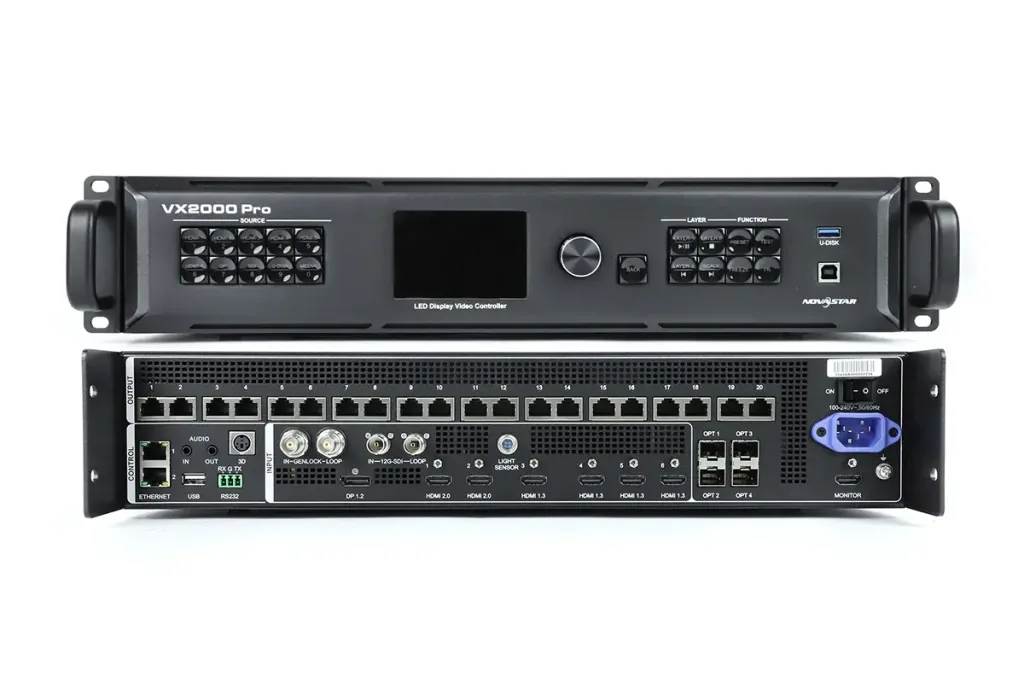 NovaStar VX2000 Pro Review: Specs, Setup, Software & Price