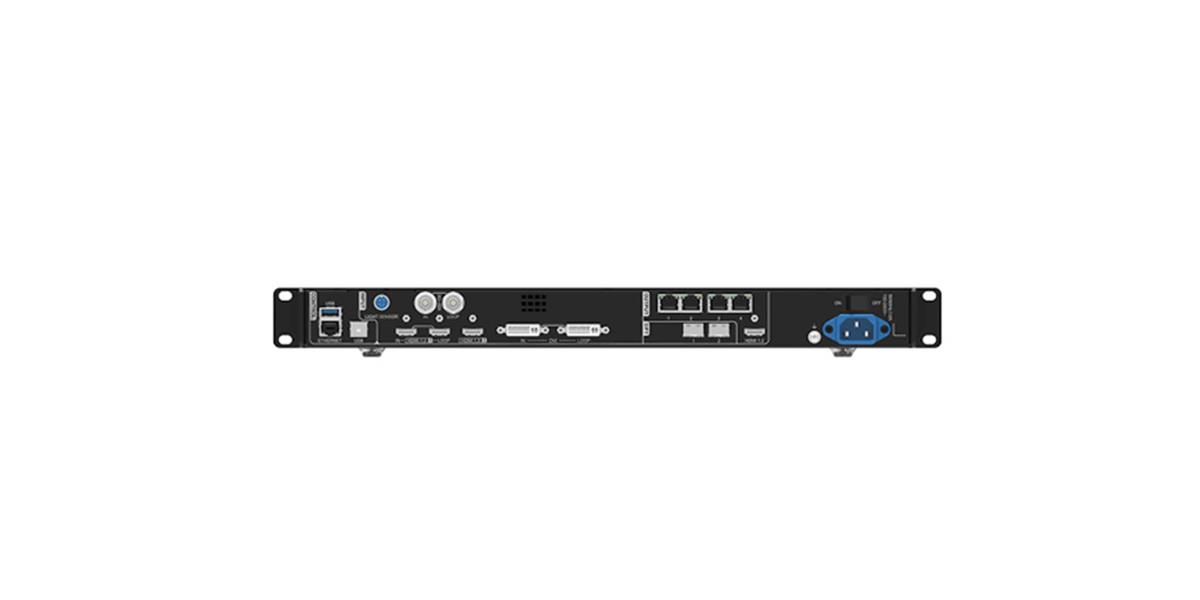
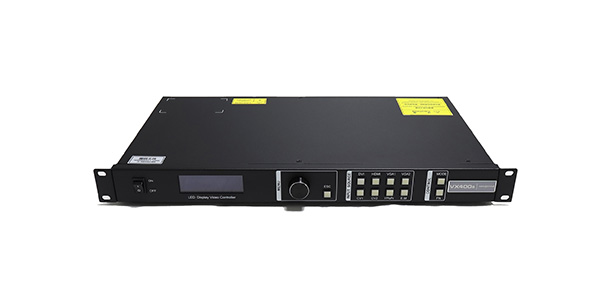
The NovaStar VX400 is an all-in-one LED display controller for projects up to 2.6 million pixels. It combines video processing and LED sending in a 1U unit, provides four Gigabit Ethernet outputs and two optical-fiber ports, and supports a maximum output width of 10,240 pixels or height of 8,192 pixels.
Choose it for medium-size rental, stage, church, conference, and fine-pitch LED screens that need HDMI, DVI, or 3G-SDI input without a separate video processor. The limits to check before buying are its 2.6-million-pixel load, two video layers, and lack of a native HDMI 2.0 4K input.
Table of Contents
1. What Is the NovaStar VX400?
The NovaStar VX400 is a combined video processor and LED sending controller. Instead of connecting a separate scaler to a sending card, an operator can connect the video source, process the image, configure the LED screen, and send data to the receiving cards from one device.
This design reduces rack space and cable count. It also gives rental teams and AV integrators one control point for scaling, cropping, layer management, color adjustment, presets, backup settings, and firmware updates.
01. Who Is It Designed For?
The controller fits small and medium professional LED systems where the total canvas stays within 2.6 million pixels. Typical users include rental companies, houses of worship, event technicians, corporate AV teams, retailers, and system integrators.
02. What Makes It an All-in-One Controller?
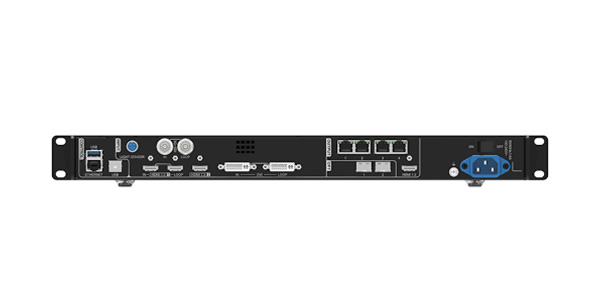
The VX400 accepts video through HDMI 1.3, DVI, and 3G-SDI, processes that signal, and distributes LED data through four Gigabit Ethernet ports. It can also use optical fiber for longer transmission paths or work as a fiber converter.
03. VX400 vs VX400 Pro Naming
This page covers the standard NovaStar VX400 described in the linked 2.6-million-pixel documentation. The VX400 Pro is a separate model with different connections and capabilities; use the NovaStar VX400 Pro setup guide when that exact model name appears on the front panel or product label.
2. NovaStar VX400 Specifications
The specifications below are based on the ADJ NovaStar VX400 product documentation and its linked VX400 specification sheet. Confirm the firmware and hardware revision on the unit you receive because manufacturers can revise specifications without notice.
| Specification | NovaStar VX400 | Planning Implication |
|---|---|---|
| Maximum load | 2.6 million pixels | Add the width multiplied by height of the full LED canvas, not the source resolution. |
| Maximum output width | 10,240 pixels | Useful for ultra-wide ribbons and stage backdrops within the total pixel limit. |
| Maximum output height | 8,192 pixels | Supports tall portrait layouts within the same total pixel limit. |
| Ethernet outputs | 4 × Gigabit Ethernet | Each port must stay within its receiving-card and pixel-load limits. |
| Optical-fiber ports | 2 | OPT1 is self-adaptive; OPT2 can copy or back up the Ethernet-port output. |
| Video inputs | 2 × HDMI 1.3, 1 × DVI, 1 × 3G-SDI | One HDMI, DVI, and SDI connection supports input loop-through. |
| Monitoring/video output | 1 × HDMI 1.3 | Use for local monitoring or video output. |
| Input/output resolution | Up to 1920 × 1200 at 60 Hz | No native HDMI 2.0 4K input; scale the source or choose a higher model when required. |
| Video layers | 2 | Supports a main layer plus a secondary picture-in-picture composition. |
| Low latency | As low as 20 lines | Requires both Low Latency and Bypass modes to be enabled. |
| User presets | Up to 10 | Store repeatable screen layouts for faster event changeovers. |
| Working modes | Video Controller, Fiber Converter, Bypass | One unit can cover standard processing, long-distance fiber, or pass-through workflows. |
| Control software | NovaLCT and V-Can | Supports screen configuration, backup, layer, preset, and firmware management. |
| Power | 100-240 V AC, 50/60 Hz | Suitable for common touring and fixed-install power environments. |
| Dimensions and weight | 482 × 275 × 44 mm; approximately 4 kg | Fits a standard 1U rack space. |
3. Inputs, Outputs, and Signal Flow
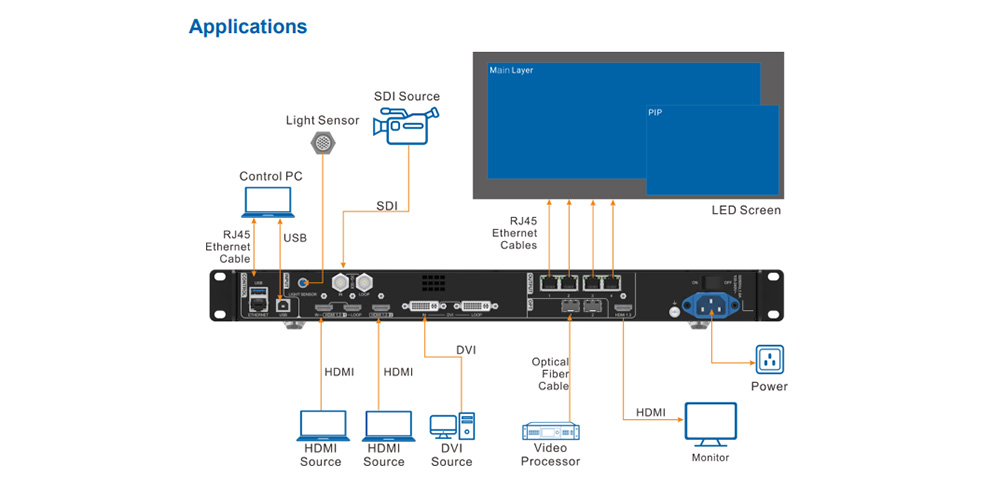
Input planning matters because the VX400 is not a native HDMI 2.0 4K processor. Its standard source path is designed around signals up to 1920 × 1200 at 60 Hz, which covers most presentation laptops, media players, cameras, switchers, and broadcast feeds used on medium LED systems.
01. Video Inputs
- HDMI 1.3: two inputs, including one input-and-loop connection for common computers and media players.
- DVI: one input-and-loop connection for legacy graphics and AV equipment.
- 3G-SDI: one input-and-loop connection for broadcast cameras and longer coaxial runs.
- OPT1: a self-adaptive optical port that can act as a video input or sending-card output, depending on the connected device.
02. LED Data and Monitoring Outputs
Four Gigabit Ethernet ports carry screen data to the receiving cards. Two fiber ports extend or protect the output path, while the HDMI monitoring output lets the operator check or route the processed image locally.
4. Key Features and Practical Benefits
01. Stepless Scaling and Cropping
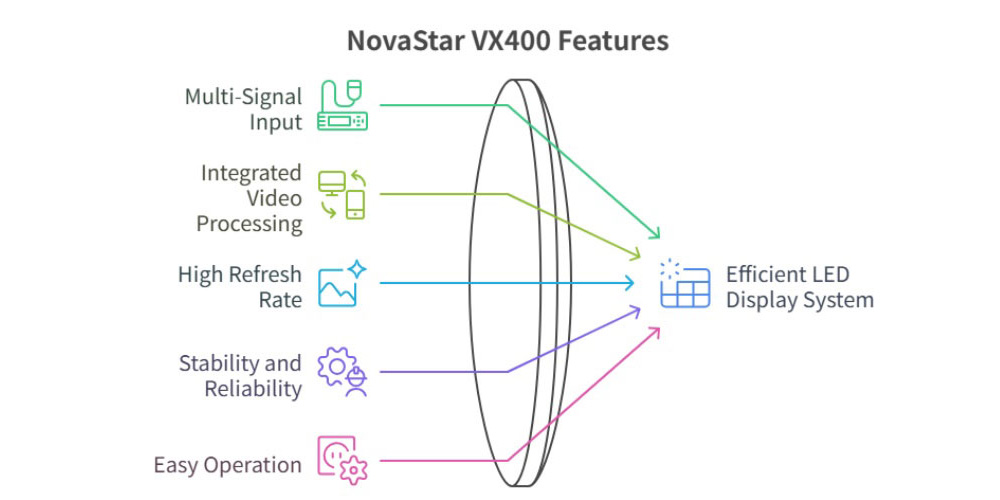
NovaStar’s SuperView III processing supports stepless output scaling, one-click full-screen display, and free input cropping. Operators can adapt a standard source to a custom LED canvas without rebuilding the media for every screen shape.
02. Two Layers and Output Synchronization
Two adjustable layers support a full-screen source plus picture-in-picture, or two sources arranged within the canvas. Output synchronization can use an internal input as the sync source so cascaded units present aligned images.
03. Backup, Calibration, and Presets
The VX400 supports backup between devices and between Ethernet ports. It also works with NovaLCT and NovaStar calibration software for pixel-level brightness and chroma correction, while up to 10 presets make recurring layouts faster to load.
5. Best Applications for the NovaStar VX400
01. Rental and Stage LED Screens
A 1U chassis, multiple input formats, low-latency mode, saved presets, and device backup suit repeat event workflows. For a compatible cabinet option, see the EA500H9 rental LED display.
02. Churches and Conference Rooms
Presentation computers can connect through HDMI while an SDI camera supplies a live speaker feed. The two-layer layout can place the camera over slides, worship lyrics, remote participants, or other supporting content.
03. Retail and Fine-Pitch Installations
Preset management helps stores return to approved layouts, and pixel-level calibration improves consistency on screens viewed from shorter distances. For projects that need more advanced color processing or newer input formats, compare the NovaStar MX40 Pro.
6. Screen Size and Pixel Capacity
The VX400’s 2.6-million-pixel limit is based on the total receiving canvas. Calculate the screen width in pixels, multiply it by the height in pixels, and confirm that the result stays below the controller limit with a practical engineering margin.
01. Example Pixel Calculations
| Canvas Resolution | Total Pixels | VX400 Fit |
|---|---|---|
| 1920 × 1080 | 2,073,600 | Yes, within the 2.6-million-pixel limit. |
| 2560 × 960 | 2,457,600 | Yes, but verify per-port loading and cabinet mapping. |
| 3840 × 1080 | 4,147,200 | No; use a higher-capacity controller or an engineered multi-unit design. |
The physical area is not enough to size the controller because pixel pitch changes the pixel count. Use the LED screen resolution guide to convert cabinet and module specifications into the final canvas resolution.
02. Width and Height Limits
The 10,240-pixel width and 8,192-pixel height limits do not increase the total 2.6-million-pixel capacity. An ultra-wide layout can use the high width allowance only when its height is low enough to keep the total load within range.
7. NovaStar VX400 vs VX600 vs VX1000
Controller selection should start with pixel load and port count, then move to input formats, layers, backup design, and future expansion. The comparison below focuses on the first planning decision rather than implying that every model revision has identical firmware features.
| Model | Advertised Pixel Capacity | Ethernet Outputs | Best Fit |
|---|---|---|---|
| VX400 | 2.6 million | 4 | Medium rental, church, conference, retail, and fine-pitch screens. |
| VX600 | 3.9 million | 6 | Larger canvases that need more output ports and expansion headroom. |
| VX1000 | 6.5 million | 10 | Large stages and venues with significantly higher pixel loads. |
For the middle option, read the NovaStar VX600 user guide. For the larger platform, compare the NovaStar VX1000 Pro and VX1000. Very large or multi-screen systems may be better served by a modular processor such as the NovaStar H2.
8. How to Set Up the NovaStar VX400
Complete the physical signal plan and pixel-load calculation before sending any configuration to the screen. The VX400 user manual should remain the primary reference for model-specific menu and firmware details.
01. Connect and Power the Hardware
- Connect the video source through HDMI, DVI, 3G-SDI, or the planned optical input.
- Connect the four Ethernet outputs to the correct receiving-card chains, or connect the designed fiber path.
- Connect the control computer by USB or LAN, confirm protective grounding, and power on the receiving system before sending screen data.
02. Configure the Screen in NovaLCT
- Load the correct receiving-card configuration supplied for the LED modules and cabinets.
- Map the cabinets in their physical signal order and verify each port’s pixel load.
- Set the output canvas, scaling, crop, layers, color, and synchronization required by the content workflow.
- Test a pattern before live content, then save a known-good preset and a backup copy of the configuration.
03. Test Backup and Latency Modes
Do not wait for a live event to test failover. Verify Ethernet or device backup with a controlled signal interruption, and enable Bypass plus Low Latency only after confirming that the source timing and receiving-card configuration support the intended workflow.
9. Should You Buy the NovaStar VX400?
Buy the VX400 when your complete LED canvas is under 2.6 million pixels and you need a compact processor with four Ethernet ports, common professional inputs, fiber options, two layers, presets, and backup. It is especially practical when simplifying a 1U rental or fixed-install rack matters more than native 4K input.
01. Reasons to Choose It
- One device handles video processing and LED sending.
- HDMI, DVI, 3G-SDI, Ethernet, and fiber cover common AV workflows.
- Two layers, 10 presets, low-latency operation, and calibration support solve typical medium-system needs.
- Device and Ethernet backup options improve resilience for events and services.
02. Reasons to Choose Another Controller
- Your total canvas exceeds 2.6 million pixels or needs more than four Ethernet outputs.
- You need native HDMI 2.0 4K input, more layers, or a newer high-dynamic-range workflow.
- Your project uses multiple large canvases and needs a modular splicer architecture.
If your workflow only needs a traditional sending controller, compare the NovaStar MCTRL660 Pro before paying for processing features you may not use.
10. NovaStar VX400 FAQ
01. What is the maximum pixel capacity of the NovaStar VX400?
One VX400 can drive up to 2.6 million pixels. The maximum width is 10,240 pixels and the maximum height is 8,192 pixels, but the width multiplied by height must still remain within the total pixel limit.
02. Does the NovaStar VX400 support 4K input?
The standard VX400 does not provide a native HDMI 2.0 4K input. Its documented input and output resolution is up to 1920 × 1200 at 60 Hz; higher-resolution workflows may require source scaling, optical mosaic planning, or a higher controller model.
03. What inputs does the VX400 have?
It has two HDMI 1.3 inputs, one DVI input, one 3G-SDI input, and a self-adaptive OPT1 optical port. One HDMI, the DVI, and the SDI connection support input loop-through.
04. Can the VX400 replace a separate sending card?
Yes. The VX400 includes LED sending capability and outputs data through four Gigabit Ethernet ports, so most compatible systems do not need a separate external sending controller. The receiving cards inside the LED cabinets are still required.
05. What software works with the NovaStar VX400?
NovaLCT and V-Can are the documented control applications. They support tasks such as screen configuration, Ethernet backup, layer and preset management, and firmware updates.
06. What is the main difference between the VX400 and VX600?
The first difference is capacity: the VX400 is rated for 2.6 million pixels through four Ethernet ports, while the VX600 is rated for 3.9 million pixels through six ports. Confirm input, layer, and firmware requirements in the manual for the exact unit before purchasing.
Sources checked: ADJ Products’ NovaStar VX400 product page, the NovaStar VX400 specification sheet, and the NovaStar VX400 user manual linked above. Page reviewed and updated September 2026.
 Wedding LED Screen Rental Guide: Sizes, Cost & Setup
 How to Choose a Waterproof LED Display: 10-Point Guide