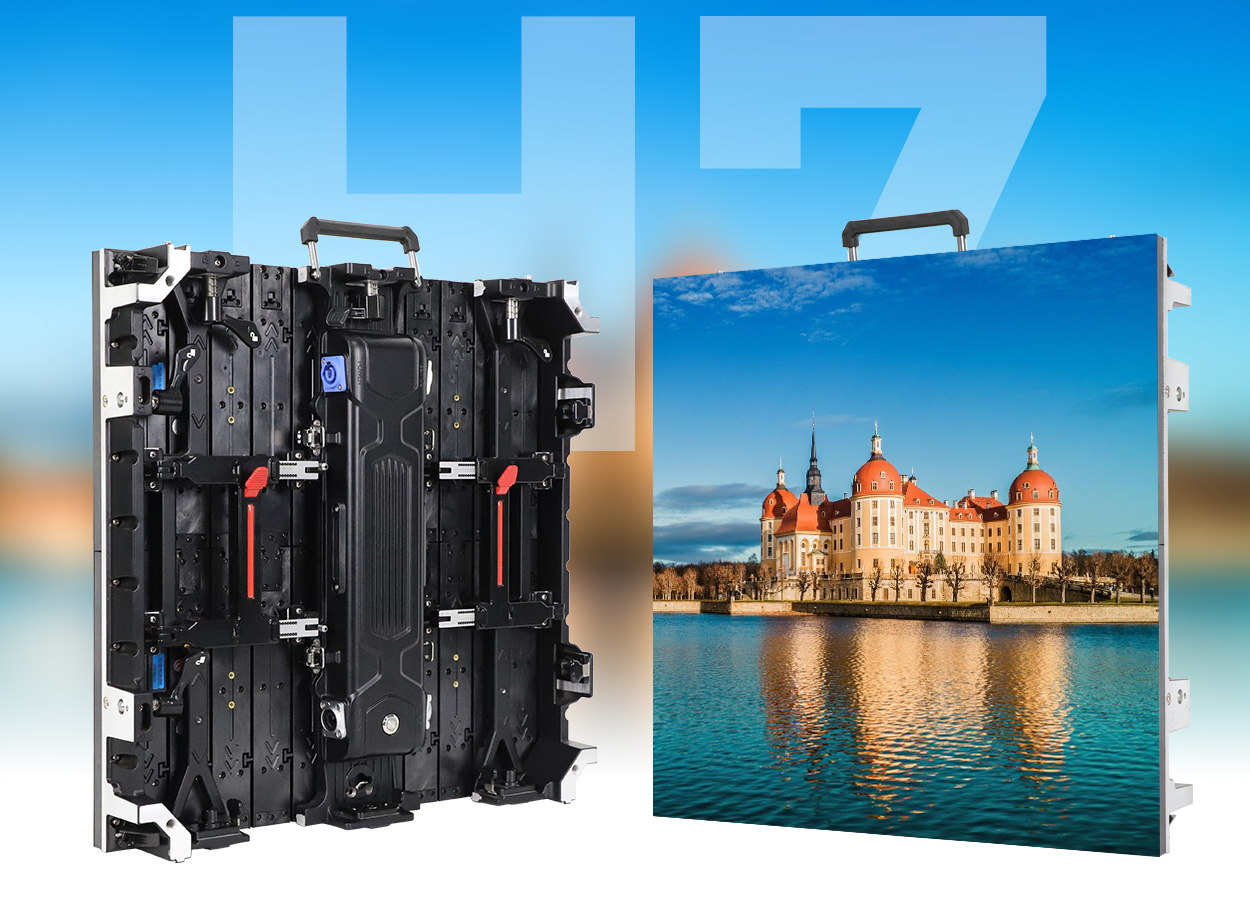
LED screens serve very different jobs in a stadium, a wedding venue, and an outdoor advertising installation. A sports audience needs readable scores and timely replays. Wedding guests need comfortable brightness and clear views of the couple. Advertisers need legible messages, reliable scheduling, and an installation that can be maintained throughout its operating life.
The right LED screens combine suitable pixel pitch, physical dimensions, brightness, cabinet construction, and a compatible control system. A large screen is not automatically high resolution, an outdoor rating does not describe the entire installation, and a high refresh specification alone cannot guarantee clean camera footage. These distinctions matter more than a generic promise of impressive visuals.
This guide compares practical applications of LED screens and explains what to specify, what to test, and what to ask a supplier. It covers sports LED displays, wedding LED screens, outdoor advertising, and the software behind them, followed by a procurement checklist and answers to common questions. The examples are planning illustrations, not universal specifications or project quotations.
1. LED screens by application: what changes and why
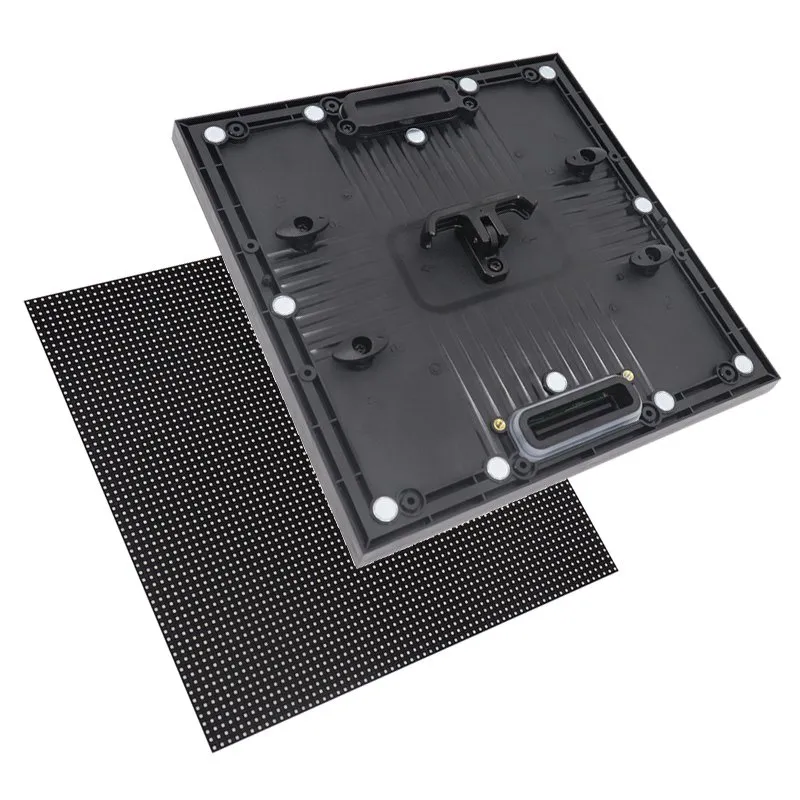
Direct-view LED screens build an image from light-emitting pixels arranged in modules and cabinets. Combining cabinets creates a larger display surface with a chosen shape and pixel count. Unlike projection, the image comes from the display itself. Unlike a typical LCD video wall, modular LED construction does not introduce the same panel-bezel grid, although cabinet alignment and calibration still affect visual uniformity.
Start by defining the audience task. Watching a live camera image, reading a score, examining a product diagram, and enjoying a decorative backdrop require different detail levels. LED screens should be designed around the nearest and farthest important viewers, the content, the ambient light, and the available installation space.
| Application | Primary content | Selection priorities | Acceptance check |
|---|---|---|---|
| Sports venue | Scores, clock, replays, sponsors | Sightlines, data integration, camera performance, appropriate protection | Read scores from distant seats and test live feeds |
| Wedding reception | Photos, ceremony relay, scenic backgrounds | Closest guests, dimming quality, quiet operation, discreet installation | Rehearse with the photographer and room lighting |
| Outdoor advertising | Short messages and scheduled campaigns | Daylight contrast, environmental design, service access, content control | Check day and night settings and loss-of-network behavior |
| Conference or exhibition | Slides, demonstrations, product graphics | Native resolution, readable text, signal compatibility | Display the smallest real slide text from the back row |
| Concert or stage | Live camera feeds and synchronized visuals | Rigging, transport, latency, processing, creative layout | Run the actual playback and switching sequence |
A modular system can support several applications, but versatility has limits. Cabinets must be compatible electrically and mechanically, and indoor units should not be assumed suitable for rain exposure. A touring rental cabinet may prioritize repeated assembly, while a permanent installation may prioritize access for repairs. Agree on the intended use before comparing headline prices.
2. Sports LED displays: scores, replays, and sponsorship
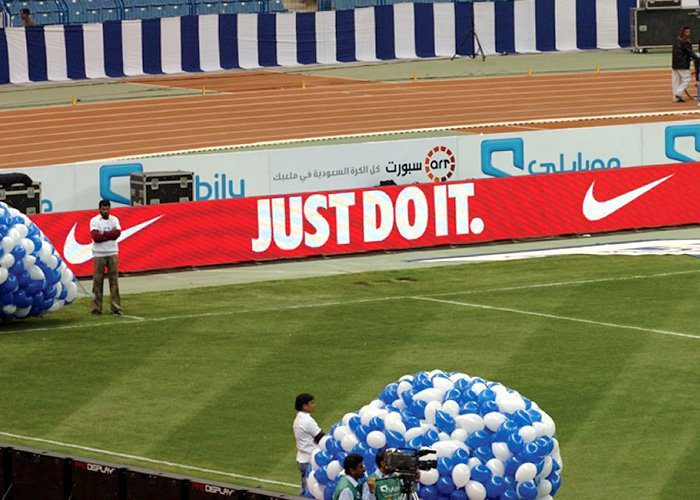
Sports LED displays work best when each screen has a defined role. A main stadium screen can show live video and replay packages; a scoreboard prioritizes scores and timing; perimeter boards carry sponsor messages. Treating these as one interchangeable product can leave spectators with unreadable information or create unnecessary complexity in the control room.
01. Choose the right format and viewing geometry
Map the seating bowl, field boundary, obstructions, and camera positions. Check whether spectators see the display straight on or at an angle. A display that looks excellent from the center of the field may have poor visibility from lower seats or behind structural columns. LED screens need adequate character height and contrast for the farthest intended viewers.
For pitch-side installations, specify suitable cabinet protection, stable supports, and the required access routes. Impact-reducing masks and padded edges may be appropriate, but they do not replace the venue’s installation requirements. Permanent stadium LED screens and temporary perimeter systems can have very different support and maintenance arrangements. The sports LED display solutions page explains the main formats.
02. Separate scoring, replay, and display control
The LED display does not create official scoring data or instant replays by itself. A scoring system supplies game information; camera and replay equipment produce video; a switcher or processor routes the selected output to the screen. Confirm interface compatibility, operator responsibilities, and the fallback image if a feed fails.
Rehearse the complete signal chain with live sources. Check score updates, clock visibility, aspect ratio, and audio synchronization where relevant. When cameras film LED screens, test the actual frame rate, shutter settings, brightness, and viewing angles. Refresh frequency is only one variable, and a specification sheet cannot replace an on-site camera test.
03. Make sponsorship measurable and operationally clear
Build sponsor layouts for the physical canvas instead of stretching a standard video across a long perimeter ribbon. Keep logos readable, respect clear areas around scores, and define who approves each creative. Where the playback platform supports it, retain playback logs to confirm delivery. A logged play is not a verified audience impression.
Schedule emergency and venue announcements so operators can override commercial content quickly. LED screens can support an emergency communication plan, but they should not be presented as a replacement for required alarms or other venue systems. Agree on permissions and procedures before the first event.
3. Wedding LED screens: visibility without distraction
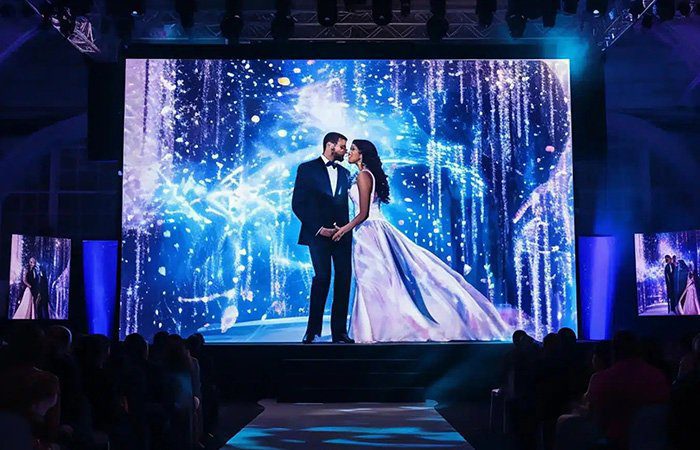
Wedding LED screens can provide scenic backdrops, photo montages, guest messages, and close-up camera views. Their value comes from matching the display to the celebration. A bright, fast-moving background behind the couple may compete with the ceremony and make photographs harder to expose, even when it looks striking in a sales demonstration.
01. Plan brightness, content, and camera exposure together
Assess the distance from the screen to the head table, guests, and camera. Ask for a demonstration at the dimmed level intended for dinner or speeches, not only at full output. Observe shadow detail, color consistency, and whether dark backgrounds remain smooth. Coordinate screen brightness with the lighting designer and photographer.
Use gentle motion behind speeches and place important photographs where faces will not be obscured by stage furniture. Export content for the agreed canvas and keep a safe area around names and captions. Wedding LED screens may be wider than a standard video, so decide whether a 16:9 clip will be letterboxed, cropped, or placed within a designed background.
02. Distinguish in-room video from online streaming
A local camera relay lets guests see details from distant seats. Streaming to remote guests additionally needs an encoder or streaming application, an internet connection, audio routing, and access settings. The screen is only the display endpoint. Test the complete workflow, including how remote callers are heard and shown without feedback.
Prepare local copies of approved videos and a still background as a fallback. Confirm permission to use personal photos and moderate guest-submitted messages before they reach the screen. Assign one person to approve late content changes so the playback operator is not interpreting conflicting instructions during the reception.
03. Confirm installation and the rental scope
Wedding LED screens require a clear plan for delivery, assembly, support, cable routing, rehearsal, and removal. Confirm access through doors and lifts, floor protection, crew working hours, and available power. Ask whether the quote includes a processor, operator, content preparation, transport, and dismantling.
Outdoor ceremonies require equipment and an installation appropriate to the exposure, along with a weather response plan. A covered stage does not automatically protect every connector or cabinet surface. For application options, see the wedding LED display guide; for commercial planning, use the separate event LED screen price and rental guide.
4. Outdoor LED advertising screens: readability and reliability
Outdoor LED screens need to deliver a readable message in changing light while remaining serviceable in the actual environment. Specify operating conditions, daily hours, intended audience, mounting position, and maintenance access. Do not treat maximum brightness or a single ingress-protection number as a complete description of outdoor suitability.
01. Design for daylight and nighttime operation
Brightness is commonly expressed in cd/m², also called nits. The required output depends on sun exposure, orientation, surrounding light, display surface, and content. Request a site-specific recommendation and an explanation of how the display will dim after dark. Excessive nighttime output can reduce comfort and waste energy.
For outdoor LED advertising screens, keep each creative focused on one message. Use strong contrast, large lettering, and enough display time for the intended audience. Roadside, pedestrian, and retail audiences have different viewing opportunities. Confirm applicable sign permissions, operating restrictions, and brightness conditions with the responsible local authority before installation.
02. Specify the whole installation, not just the cabinet
Ask which faces of the cabinet carry the stated protection rating and under what test conditions. Connections, cable entries, power distribution, ventilation, corrosion resistance, drainage, and service doors also need attention. LED screens exposed to salt, dust, heat, or condensation require an appropriate environmental design and maintenance plan.
Discuss module replacement, spare parts, cleaning access, and how a technician will isolate power. Avoid promises of maintenance-free operation or a guaranteed lifespan based solely on the LED component rating. Actual service life depends on operating temperature, drive settings, component quality, environment, and the availability of replacement parts.
03. Manage campaigns and running costs
A content-management system can schedule campaigns and distribute approved files to remote players. Confirm whether it supports offline playback, content expiry, monitoring, and proof-of-play logs. Test what outdoor LED screens display after a network interruption or power recovery; an outdated promotion is still an operational failure even when every pixel works.
Estimate energy from realistic operating power and hours. For example, an illustrative 20 m² screen averaging 250 W/m² for 10 hours uses about 50 kWh per day before auxiliary equipment: 20 × 250 × 10 ÷ 1,000. This is a calculation example, not a product rating. Obtain measured or documented values at representative brightness and content settings.
5. How to specify LED screens: pitch, resolution, and processing
Evaluate LED screens as a complete image system. Pixel pitch determines pixel density; screen dimensions determine the total pixel canvas; processing determines how sources map onto it. Brightness, grayscale behavior, calibration, and camera interaction then influence the perceived result. No single specification describes all of these factors.
01. Calculate native resolution before ordering content
Pixel pitch is the center-to-center distance between adjacent pixels, measured in millimeters. Smaller pitch places more pixels into the same physical area. For an initial estimate, divide screen width and height in millimeters by pitch. Final pixel counts must come from the actual module and cabinet matrix, because commercial pitch names are often rounded.
For example, a 4,000 × 2,500 mm display at an exact 2.5 mm pitch has a 1,600 × 1,000-pixel canvas and a 16:10 shape. It is not a native 1,920 × 1,080 display. A processor may accept a Full HD input, but scaling that input cannot add physical pixels. Confirm the content resolution and cropping plan before the designer exports the final files.
| Specification | What it tells you | What to verify |
|---|---|---|
| Pixel pitch and cabinet matrix | Pixel spacing and actual canvas resolution | Native width × height in pixels for the assembled wall |
| Physical dimensions | Image size and installation footprint | Cabinet count, overall size, service space, and sightlines |
| Brightness and dimming | Available light output and adjustment | Image quality at the intended day and night settings |
| Refresh and grayscale | Display driving behavior | Actual camera test and smooth dark gradients at working brightness |
| Processor capacity | Supported sources and output mapping | Pixel load, dimensions, frame rate, ports, and redundancy limits |
| Power and environment | Electrical and operating requirements | Maximum load, expected use, protection boundaries, temperature limits |
02. Use viewing distance as a test condition
A pitch-to-distance shortcut can help narrow options, but it is not a universal minimum viewing distance. Eyesight, content detail, contrast, and expectations affect whether pixels or artifacts are noticeable. Compare samples using the smallest text, faces, and gradients that matter to the project. Inspect both close viewing and the farthest required seat.
For LED screens showing presentation slides, readability can matter more than video sharpness. Increasing physical size or simplifying slide layouts may solve a visibility problem more effectively than choosing finer pitch alone. Ask the supplier to demonstrate the proposed configuration with your files rather than relying exclusively on promotional footage.
03. Test cameras and the complete signal path
Display refresh frequency and video frame rate are different measurements. High refresh can help camera performance, but exposure timing, scan behavior, synchronization, brightness settings, and sensor characteristics also matter. NovaStar’s XR control documentation describes shutter matching and phase adjustment, illustrating why camera compatibility involves more than a single refresh number.
Check latency from camera capture through processing to the screen when presenters and their enlarged images appear together. Test source switching, cable distances, signal converters, and recovery from a disconnected input. Record the working settings and keep a configuration backup so the system can be restored without rebuilding it during an event.
6. LED screen software: configuration, playback, and monitoring
LED screen software is not one universal application. Configuration software maps cabinets and adjusts compatible controller settings. Playback software organizes media and playlists. A content-management platform distributes and schedules files. Live production software or hardware handles camera switching, graphics, and other show sources. Some products combine roles, but compatibility must be checked.
| Software layer | Typical job | Question to ask |
|---|---|---|
| Controller configuration | Map cabinets, set output, manage compatible receiving hardware | Does this version support the exact controller and receiving cards? |
| Local media playback | Play videos, images, and prepared sequences | Which formats, resolutions, and frame rates are supported? |
| Remote content management | Schedule and distribute campaigns across players | What remains available offline, and who can approve content? |
| Live event production | Switch cameras, presentations, and graphics | How are source formats, latency, and fallback feeds managed? |
| Monitoring | Report supported device conditions and faults | Which faults are actually detectable, and who receives alerts? |
01. Match the software to the hardware
A drag-and-drop editor can simplify arranging media, but it does not guarantee compatibility with every LED poster, player, or controller. Ask for a demonstration on the supplied hardware. Confirm operating-system support, licensing, user limits, offline features, and whether cloud access is optional or required.
Use the NovaStar software resources or Colorlight software resources to identify relevant tools, then verify the version against the equipment documentation. Preserve the working cabinet configuration before changes. A file from a similar-looking module is not necessarily correct for the installed receiving card and scan design.
02. Build a dependable content workflow
For LED screens used at events, approve files in advance, organize a cue list, and rehearse transitions with the operator. Keep local copies of essential content and define the fallback for each live input. Assign responsibility for the final playback canvas, audio tracks, and late revisions.
For networked LED screens, use individual accounts and appropriate publishing permissions. Confirm how access is removed, how content is approved, and how updates are logged. Monitoring features vary: a connected player does not prove that every module is displaying correctly. Combine software alerts with visual inspection and a documented response process.
7. Buying or renting LED screens: an acceptance checklist
Compare complete scopes rather than cabinet prices alone. Rental usually includes a temporary delivery and production workflow; ownership adds storage, maintenance, spare parts, training, and long-term support. There is no universal number of event days at which buying becomes cheaper. Build the comparison from local quotations and your expected use.
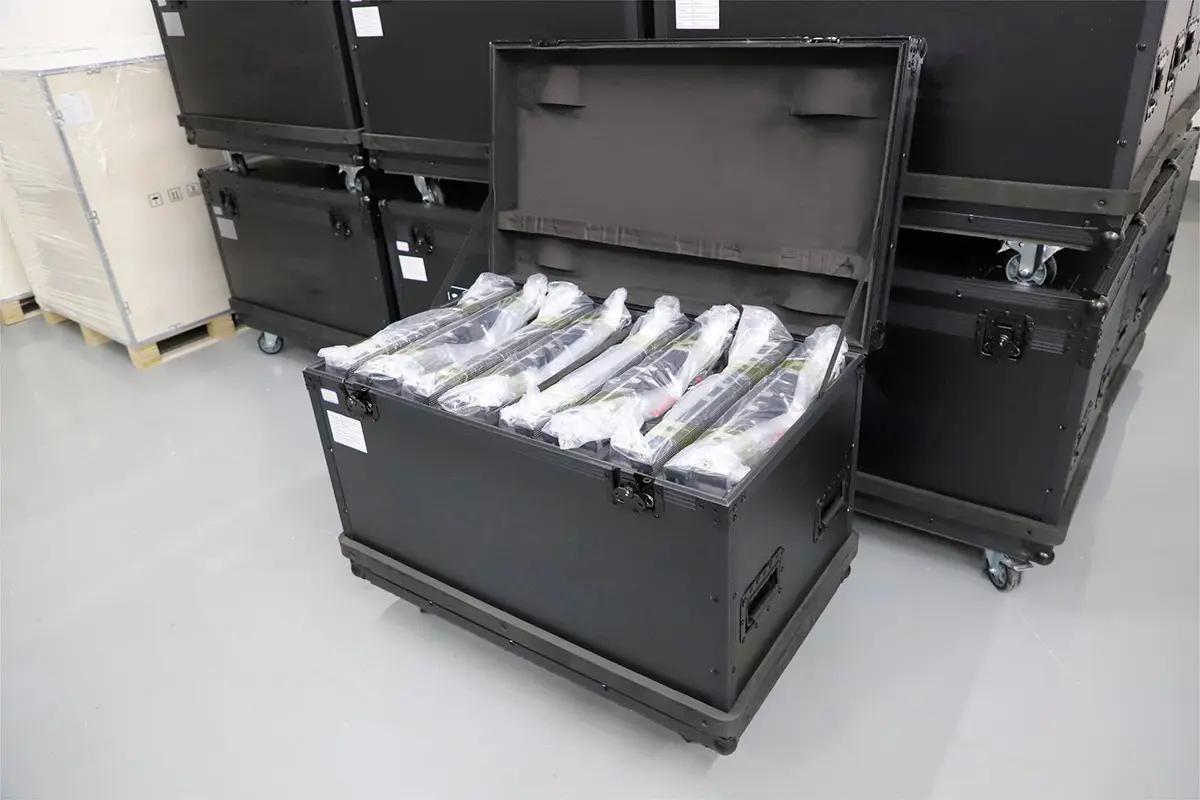
Request an itemized proposal covering cabinets, controller, receiving hardware, support structure, power distribution, signal cables, spare modules, cases, delivery, installation, commissioning, and operator training where applicable. Identify exclusions explicitly. A supplier’s factory price and a local turnkey event quote answer different questions and should not be compared as if they were equivalent.
Before approval, send a brief stating the application, indoor or outdoor exposure, proposed dimensions, nearest and farthest viewing distances, content types, camera requirements, operating hours, location, and installation constraints. Include venue photographs and the intended mounting approach. This information makes alternative proposals more comparable.
For LED screens on temporary structures, the qualified installation team should determine rigging, ballast, wind limits, electrical distribution, and stop-work procedures for that specific configuration. Obtain the required venue approvals. A cabinet’s weather rating does not establish a safe wind speed for an assembled wall or its support structure.
At acceptance, inspect cabinet alignment, seams, uniformity, dead pixels, grayscale, and brightness using agreed test material. Run the real content and camera chain. Demonstrate source loss, playback recovery, and any promised backup arrangement. Record configuration files, serial information, spare-part references, warranty terms, and the support contact before handover.
Ask who will replace a failed module and how quickly compatible parts can arrive. Replacement LED modules may require calibration to match neighboring units. A service plan should explain access, isolation, troubleshooting, and restoration, not merely promise a long warranty. These practical details help LED screens remain useful after the first successful demonstration.
8. FAQ about LED screens
01. What are LED screens used for?
LED screens show live video, scores, advertising, presentations, and decorative content. Sports venues, weddings, exhibitions, concerts, and retail locations use them for different tasks. Choose the display around the audience, viewing distances, lighting, content, and installation conditions rather than assuming one specification suits every application.
02. What pixel pitch is best for wedding LED screens?
There is no single best pitch for every wedding. Start with the closest guests, screen dimensions, photographs or text being displayed, and the camera plan. Compare suitable options at the intended brightness and distance. Confirm the actual native pixel count before commissioning content.
03. Can indoor LED screens be used outdoors?
Only use equipment within its documented operating conditions. Indoor cabinets may lack suitable protection against water or other environmental exposure. Outdoor suitability must cover the cabinets, connectors, power system, supports, and operating plan. A roof or temporary cover does not automatically make an indoor display suitable for outdoor use.
04. Do sports LED displays include scoring and replay software?
Not necessarily. Sports LED displays show the signal supplied to them. Scoring integration, camera switching, replay equipment, and production operators may be separate items. Ask the supplier to identify each component and demonstrate compatibility with the scoring and broadcast workflow you intend to use.
05. Does a high refresh rate guarantee flicker-free video?
No. Camera results also depend on shutter settings, frame rate, synchronization, scan behavior, exposure, and display operating settings. Test the actual cameras with the proposed LED screens and planned brightness. A successful test with one camera mode does not establish performance in every recording mode.
06. Can LED screens operate without internet access?
Many systems can display a local video source or play files stored on a compatible media player without internet access. Remote uploads, cloud scheduling, live online content, and remote monitoring may require connectivity. Confirm offline behavior, storage capacity, scheduling, and recovery with the specific player and software.
07. How much do LED screens cost?
Cost depends on size, pitch, cabinet design, controller, protection, installation, service, and the commercial scope. Rental pricing also depends on duration, crew, transport, and local availability. Request comparable itemized quotations; a cabinet-only price excludes much of the equipment and labor needed for an operational system.
9. Conclusion: match LED screens to the real job
The versatility of LED screens comes from combining modular hardware with the right content and control workflow. Sports LED displays prioritize readable information and live production. Wedding LED screens balance presentation, guest comfort, and photography. Outdoor LED screens require environmental planning, legible messages, and dependable content management.
Choose the application first, calculate the native canvas, and test the system under its intended conditions. Ask for a complete proposal with clear responsibilities and acceptance criteria. Well-specified LED screens deliver useful communication because the hardware, software, installation, and people operating them have been planned together.
 Is a MicroLED Monitor Worth Buying? Price, OLED & Availability
 LED Screen Displays for Home: Benefits, Costs & Buying Guide