LED screen displays can turn a living room or dedicated cinema into a large, continuous viewing surface. Their strongest benefits are flexible dimensions, a picture produced directly by the screen, and a modular design that allows individual components to be serviced. Whether those benefits justify bringing one home depends on your room, seating distance, content, and complete installation budget.
This guide focuses on direct-view LED screen displays: walls assembled from LED modules or cabinets. These differ from the LED-backlit LCD televisions sold in electronics stores. Understanding that distinction prevents expensive mistakes, especially when comparing a home LED video wall with an OLED TV, a Mini LED TV, or a projector.
Before choosing LED screen displays for home use, establish the available width and height, the nearest seat, your desired native resolution, and the conditions in which you watch. The following comparisons, calculations, and supplier checklist explain what to verify. Numerical examples are planning calculations, not product quotations or promises of performance.
1. What Are LED Screen Displays for Home?
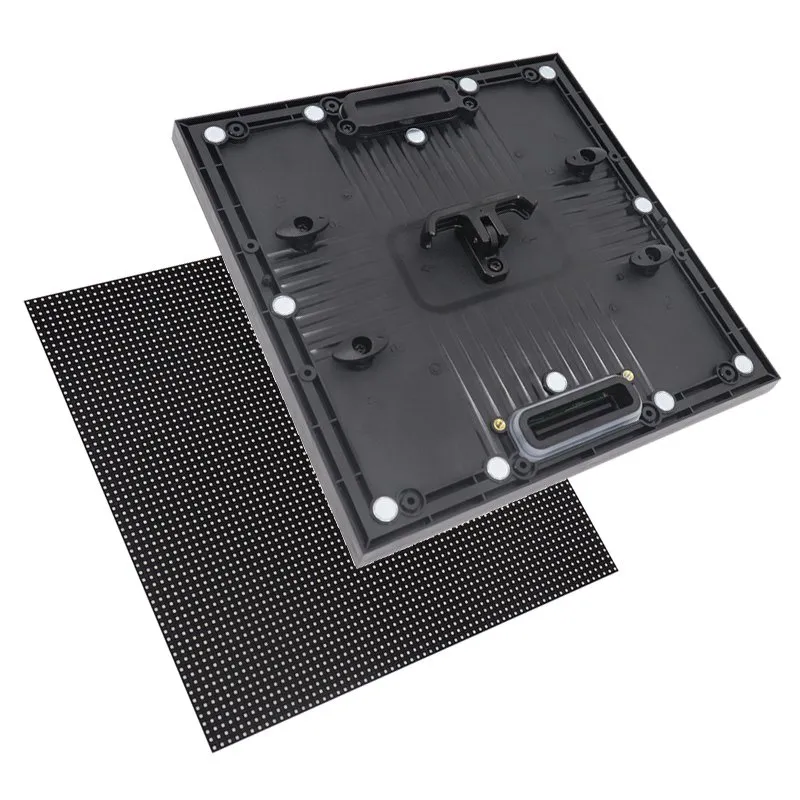
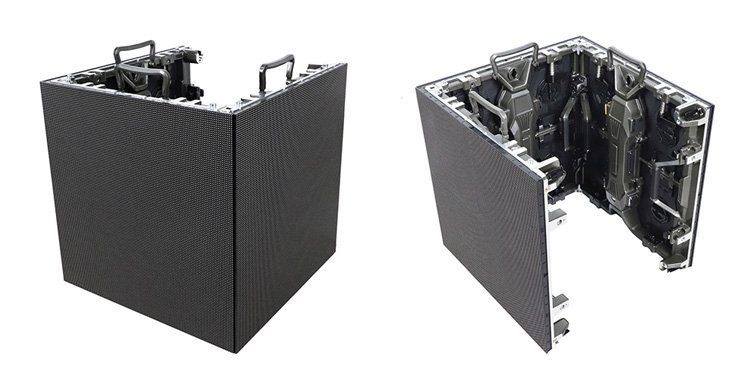
Direct-view LED screen displays create images with red, green, and blue light-emitting elements at the display surface. Multiple modules fit into cabinets, and cabinets join to form a larger image. A controller maps the incoming video onto the physical pixel layout; receiving cards and power supplies operate the modules.
An LED-backlit LCD television works differently: LEDs illuminate a liquid-crystal panel from behind. Mini LED usually describes a finer backlight system in an LCD TV, while OLED uses organic self-emissive pixels. MicroLED describes a different emissive technology and should not be treated as a synonym for every fine-pitch LED wall.
The practical advantage of modular LED screen displays is architectural flexibility. The practical responsibility is system integration. A cabinet specification alone does not tell you whether streaming services, sound, gaming, wall construction, and maintenance will work together. For the available product categories, explore our indoor LED screen range, then request a configuration suitable for residential viewing.
Do not assume a commercial rental cabinet becomes a home-cinema display simply because it fits the wall. Surface finish, low-brightness performance, noise, electrical suitability, and repair access all need their own assessment.
2. Benefits of Bringing LED Screen Displays Home
01. A large image with flexible dimensions
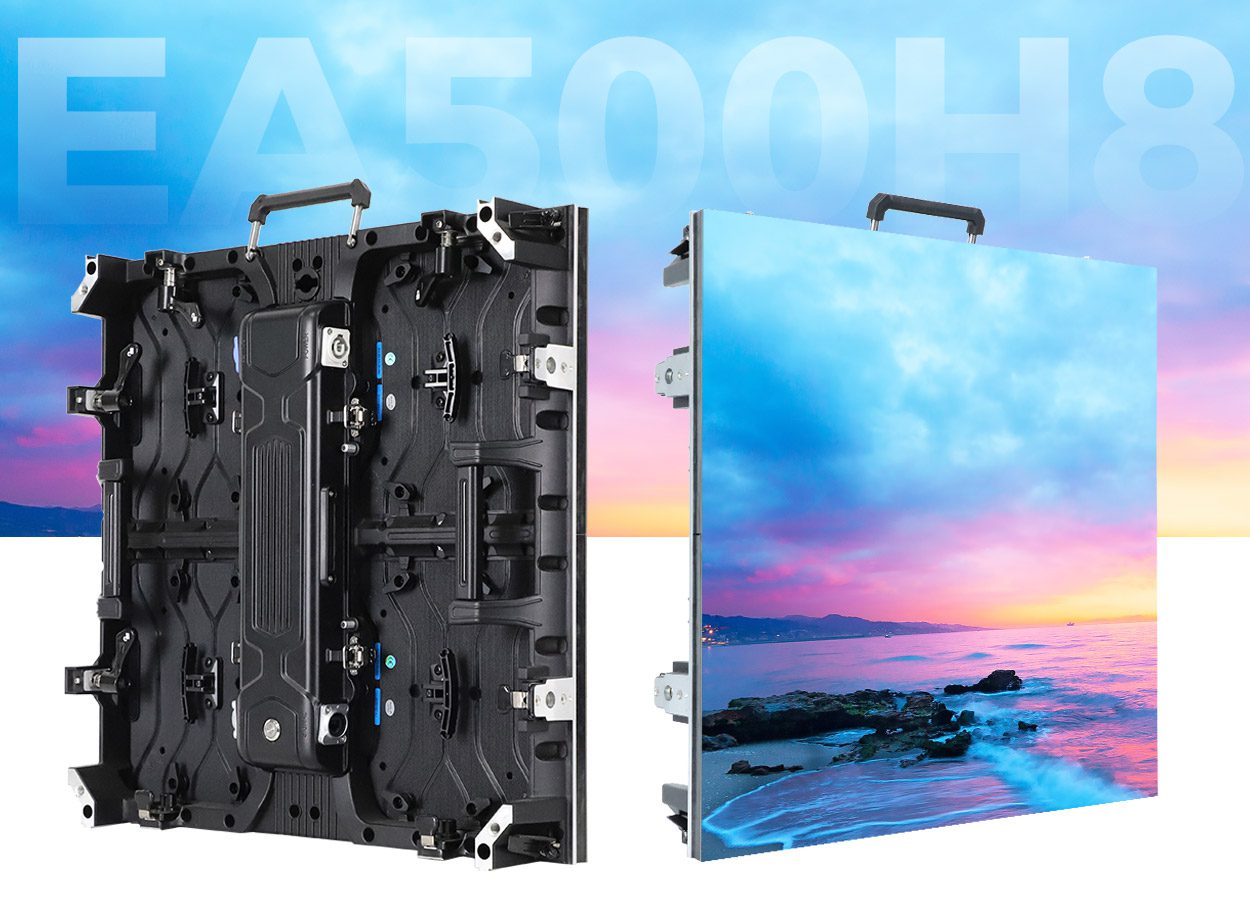
LED screen displays can create a continuous canvas beyond common television dimensions without the bezel grid of a tiled LCD wall. The finished size follows the cabinet or module geometry, so dimensions are flexible in defined increments rather than completely arbitrary. An integrator should supply the exact active image size and overall installed dimensions.
A large image can make sports, films, and shared gaming more engaging, but size alone is not quality. Confirm that the nearest viewer can take in the picture comfortably. A wall that overwhelms a small room may be less enjoyable than a smaller, sharper display.
02. Useful brightness in multipurpose rooms
Because LED screen displays emit their own light, there is no projector beam for someone to walk through. They can be useful in a lounge where viewers want some lights on. However, windows and reflections still affect perceived contrast; high maximum brightness does not eliminate the value of shades and thoughtful room lighting.
Judge daytime and evening performance separately. A comfortable night setting must preserve dark detail and smooth gradients, rather than merely reducing overall output. A demonstration at showroom maximum brightness cannot establish this.
03. Component serviceability and everyday versatility
Suitable LED screen displays allow technicians to replace a faulty module, power supply, or receiving card. That can limit the scope of a repair, provided compatible spares and calibration files remain available. It does not eliminate maintenance or guarantee that every repair is inexpensive.
The same wall can show films, family photographs, sports, or digital artwork. Ask how aspect ratios and source changes are handled. A cinema-shaped canvas will still need a policy for television content, and a 16:9 wall will normally show letterboxing with wider films.
3. LED Screen Displays vs OLED, LCD, and Projectors
Choose LED screen displays because the application needs their scale and configuration, rather than assuming they outperform every alternative. Compare complete systems at the same image size, viewing distance, and lighting conditions wherever possible.
| Option | Where it fits | What to check |
|---|---|---|
| Direct-view LED wall | Large custom installations and architectural media walls | Pixel visibility, native resolution, processing, installation, and service support |
| OLED TV | Conventional TV-sized home cinema with close seating | Available size, room reflections, brightness behavior, and static-content usage guidance |
| LED-backlit or Mini LED LCD TV | Everyday viewing with integrated television functions | Viewing angles, local-dimming behavior, reflections, and connectivity |
| Projector and screen | Large images where room lighting and projection geometry can be controlled | Throw distance, screen material, ambient light, fan noise, and installation space |
For a household seeking straightforward installation, built-in apps, and a conventional screen size, a television deserves serious consideration. For a cinema with a large acoustically transparent screen and speakers behind it, projection has practical advantages. A solid LED wall requires a different loudspeaker arrangement.
LED screen displays are particularly interesting when the desired size, architecture, or lighting makes those alternatives less suitable. Request a full-room proposal before deciding. The display, audio system, control interface, and supporting structure should be evaluated as one purchase.
4. Pixel Pitch, Viewing Distance, and Native Resolution
01. Choose LED screen displays by the nearest seat
Pixel pitch is the center-to-center spacing between adjacent pixels, measured in millimeters. Smaller pitch places more pixels into a given area. For LED screen displays viewed closely, that can reduce visible pixel structure, but it also increases pixel count and usually the cost of the display system.
Planar’s viewing-distance guidance distinguishes visual-acuity calculations from subjective comfortable viewing distance. Its one-arc-minute model corresponds to approximately 3.438 meters of viewing distance per millimeter of pitch. This is a model for resolving individual pixels with 20/20 vision, not a universal minimum seating requirement.
Use calculations to shortlist LED screen displays, then view actual samples from your nearest seat. Subtitles, fine textures, game interfaces, and computer text can expose limitations that a colorful demonstration video hides. Personal eyesight and the content matter as well.
02. Calculate physical pixels before accepting “4K”
Horizontal pixels ≈ screen width in millimeters ÷ pixel pitch in millimeters. Apply the same calculation to height. Native UHD resolution requires 3840 × 2160 physical pixels; accepting a 4K input does not make a lower-resolution wall native 4K.
| Exact pitch used | Width | Height | One-arc-minute distance model |
|---|---|---|---|
| 0.75 mm | 2.880 m | 1.620 m | 2.58 m |
| 0.90 mm | 3.456 m | 1.944 m | 3.09 m |
| 1.25 mm | 4.800 m | 2.700 m | 4.30 m |
| 1.50 mm | 5.760 m | 3.240 m | 5.16 m |
These figures are mathematical examples. Marketed pitch names may be rounded, and actual cabinet dimensions may prevent the exact arrangement shown. Require a cabinet layout and the final physical pixel matrix for the quoted model.
For example, a 3000 × 1687.5 mm image at exactly 1.5625 mm pitch calculates to 1920 × 1080 pixels. Feeding it UHD video involves scaling down. That may suit the viewing conditions, but it should be an informed choice rather than a surprise after installation.
5. Picture Quality, Brightness, and Gaming Performance
For home use, LED screen displays should be judged with ordinary source material at your intended brightness. Ask for dark film scenes, skin tones, subtitles, sports camera pans, and low-level gray patterns. Look for visible cabinet boundaries, uneven color, crushed shadows, and abrupt brightness steps.
01. Evaluate the complete image pipeline
HDR support requires more than a label on a controller. Confirm the accepted HDR format, video processing, calibration, and behavior of the assembled display. Color-gamut coverage and bit-depth claims are useful only when tied to the actual operating configuration. Ask which settings were used for the demonstration and whether those settings will be delivered.
LED screen displays also need careful low-brightness adjustment. A wall that looks vivid in a bright showroom may show banding or lose shadow detail when dimmed for films. Surface reflections and the room’s light-colored walls can reduce perceived black depth even when emissive pixels are switched off.
02. Separate refresh rate from input lag
An advertised LED driving refresh rate, such as 3840 Hz, is not the same as accepting a 120 Hz gaming signal. Input frame rate describes incoming pictures per second; LED refresh describes how the hardware drives the LEDs. End-to-end latency includes the source, processor, scaling, and display electronics.
For gaming on LED screen displays, request measured latency in the proposed mode and verify the exact resolution and frame-rate combination. Test your console or PC, including HDR and variable refresh features if required. Never infer those capabilities from the cabinet refresh specification alone.
Audio synchronization deserves a separate test. Switch between a streaming device, game console, and television source, then check dialogue timing and recovery after standby. A system that looks excellent on a test generator still needs to work reliably with the equipment your household uses.
6. Installing LED Screen Displays in a Home
01. Structure, access, and room layout
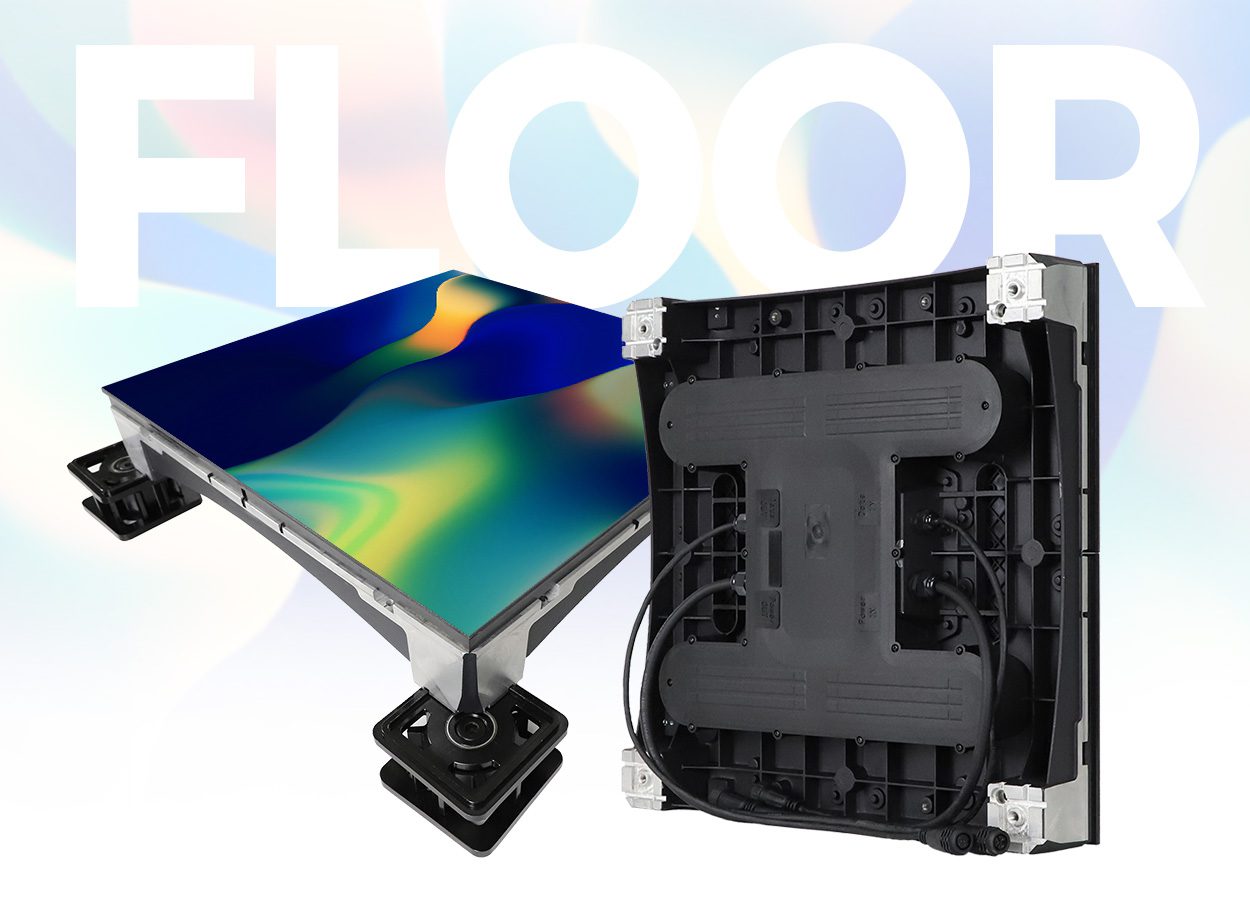
LED screen displays need a mounting design that accounts for the complete installed weight: cabinets, frame, trim, cables, and any associated equipment. Lightweight individual cabinets do not mean the assembled wall is light. Ask the installer to confirm the wall construction, anchor design, flatness tolerance, and access route before ordering.
Front service can be valuable in a shallow residential installation. Confirm that modules, receiving cards, and power supplies are all accessible, and that a failed component can be removed without dismantling surrounding cabinetry. Allow for the tools and working clearance the service procedure requires.
Plan loudspeakers at the same time. Most conventional LED walls are not acoustically transparent, so a center speaker behind the screen may be unsuitable. Coordinate speaker positions, screen height, seating, and acoustic treatment before the wall becomes a fixed architectural feature.
02. Electrical supply, heat, and noise
Electrical planning for LED screen displays must use the selected system’s maximum load and installation documentation, not a promotional average-power figure. A qualified installer should determine the appropriate circuits, isolation, grounding, protection, and cable routes for the location.
The display and processor contribute heat to the room. A recessed installation needs the manufacturer’s ventilation clearances and an airflow plan. Ask where heat exits, whether fans are present, and what the system sounds like during a quiet film scene. “Fanless cabinet” does not necessarily mean the processor or power equipment is silent.
For residential suitability, request the applicable safety and electromagnetic-compatibility documentation for the exact model and market. Samsung’s IW012A product documentation, for example, specifically distinguishes Class B residential electromagnetic compatibility from Class A commercial environments. Do not generalize one product’s certification to other LED screen displays.
Finally, arrange a simple control experience: source selection, volume, day and night brightness presets, shutdown, and recovery after a power interruption. Family members should be able to operate the system without opening engineering software.
7. LED Screen Displays: Price and Running Costs
There is no single reliable price for LED screen displays for home use. A panel price, a price per square meter, and an installed home-cinema quotation describe different scopes. Compare offers only after the active dimensions, native pixel matrix, processor, installation, and support are defined.
| Cost item | Request in writing | Common omission |
|---|---|---|
| Display hardware | Exact model, pitch, dimensions, pixel matrix, cabinet quantity | A low panel price without the complete wall |
| Video and control | Processor, source inputs, accepted formats, remote control | Streaming devices, adapters, or audio integration |
| Structure and installation | Frame, trim, delivery access, assembly, commissioning | Wall reinforcement and finishing work |
| Electrical and cooling | Maximum load, circuits, ventilation, equipment location | Room modifications or additional cooling |
| Logistics | Packing, freight, insurance, delivery terms, applicable taxes | Last-mile handling and import charges |
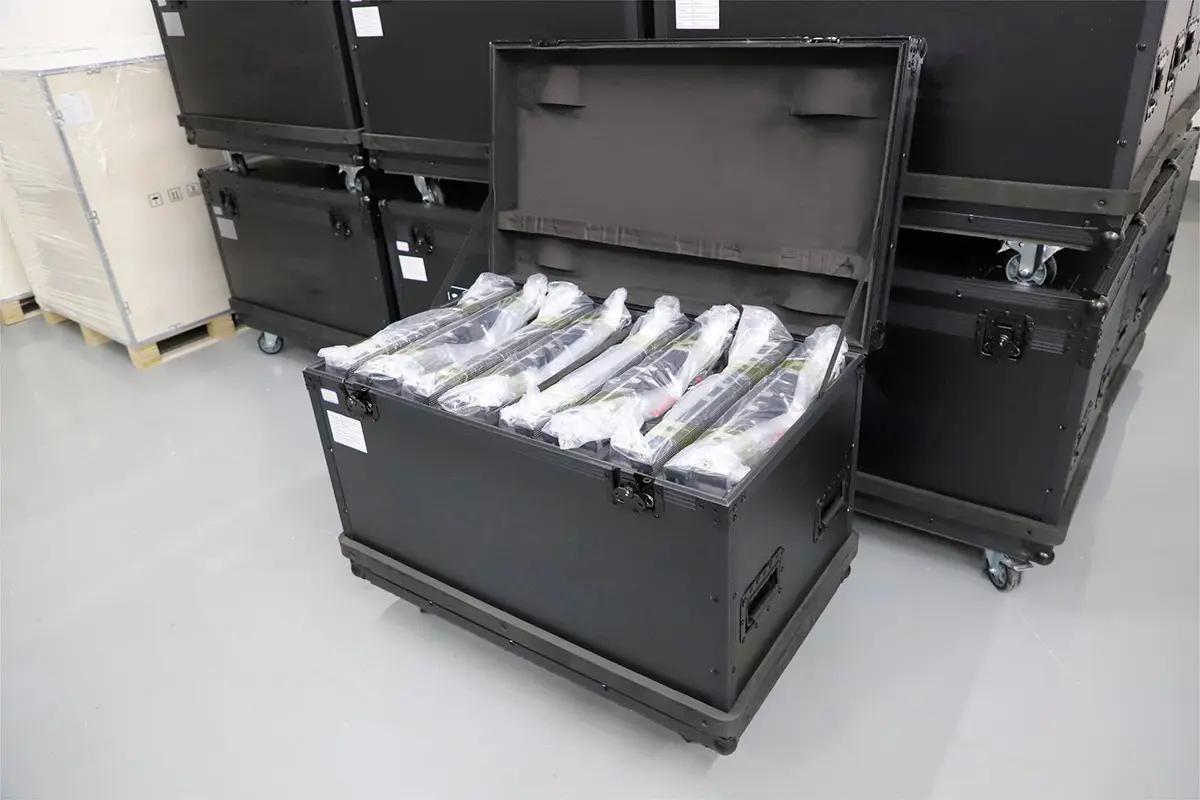
| Service and spares | Labor coverage, response arrangements, spare parts, calibration | Travel charges or unmatched replacement modules |
Smaller pitch at the same physical size increases the number of pixels. Costs also depend on packaging, surface treatment, electronics, mechanical quality, warranty, and local labor. Use our LED display price guide to organize quotations, then obtain a current project-specific offer.
01. Calculate electricity with declared assumptions
Daily energy in kWh = average operating watts ÷ 1000 × operating hours. If an entire example system averages 800 W for four hours daily, it uses 3.2 kWh per day, or 96 kWh over 30 days. At an illustrative electricity rate of US$0.20/kWh, that is US$19.20 per month, excluding additional room cooling. These assumed figures are not measurements of an EagerLED product.
Request average power at your intended brightness and content mix, plus maximum power for installation planning. Large LED screen displays are not automatically more efficient than a smaller TV. Fair comparisons use similar image area, brightness, content, and daily hours, with controllers and standby consumption included.
02. Assess lifespan as a service plan
A quoted LED lifetime may describe a brightness-degradation threshold under specified conditions. It is not a promise that every power supply, connector, receiving card, and module will operate for that period without repair. Ask what the lifetime rating measures and how it relates to the actual warranty.
LED screen displays can support long ownership when spares, repair skills, and calibration remain available. Maintain records of the cabinet map, firmware, processor settings, and calibration files. Follow the manufacturer’s cleaning method and storage guidance for spare modules. Avoid treating a protected surface as permission to use household cleaners or apply pressure.
8. A Buying Checklist for Home LED Screen Displays
Prepare a short project brief before requesting quotations for LED screen displays. Include room photographs, usable wall width and height, nearest and farthest seats, typical lighting, preferred content, daily hours, delivery location, and a complete installed budget. This gives suppliers a common basis for their proposals.
- Confirm the canvas. Request an annotated cabinet drawing, active dimensions, overall dimensions, and physical pixel resolution.
- Inspect representative content. Use films, subtitles, sports, and games at the intended brightness and viewing distance.
- Approve integration. List every source, accepted format, audio route, and control function.
- Review installation. Confirm structure, electrical design, ventilation, noise, and component replacement access.
- Define acceptance. Agree how alignment, uniformity, faulty pixels, source switching, and warranty issues will be assessed.
- Secure handover materials. Obtain settings backups, operating instructions, serial numbers, spare-part details, and service contacts.
For LED screen displays in a family space, also consider accidental contact, access by children or pets, and how the equipment is protected without blocking ventilation. COB, SMD, and GOB labels describe construction choices; none replaces a model-specific assessment of surface durability and repairability.
Ask the supplier to separate essential requirements from optional upgrades. A finer pitch may matter more than a higher peak-brightness figure in a close-viewing cinema, while a simpler control system may deliver more everyday value than an unusual screen shape. The best specification is the one that solves your actual room constraints.
9. Frequently Asked Questions About LED Screen Displays
01. Are LED screen displays suitable for a small living room?
They can be, but close seating makes pixel pitch, native resolution, brightness control, and noise especially important. Compare a suitable television before committing. A large modular wall is worthwhile only when its size or installation advantages justify the additional integration and service requirements.
02. How much do LED screen displays for home cost?
Cost depends on the complete installed system, not just the modules. Specify dimensions, pitch, native resolution, processing, mounting, electrical work, delivery, and service. Request itemized current quotations rather than applying a general price range to a room with unknown requirements.
03. Are LED screen displays better than OLED?
Neither technology is universally better. A direct-view LED wall offers modular scale and architectural flexibility. An OLED television offers an integrated product in defined sizes. Compare the actual models for close-viewing detail, room reflections, brightness behavior, connectivity, price, and the content you watch.
04. Does a 4K controller make an LED wall native 4K?
No. LED screen displays have a fixed physical pixel matrix. A controller may accept and scale a UHD signal, but native UHD requires 3840 × 2160 physical pixels. Confirm the finished wall’s matrix, not only the maximum input resolution.
05. Can LED screen displays be used outdoors at home?
Only use a system specified for the actual outdoor exposure. A covered patio can still involve moisture, condensation, dust, and temperature variation. Confirm protection of the front, rear, connectors, and installation enclosure. Indoor equipment should not be assumed suitable because a roof keeps off direct rain.
06. Do LED screen displays protect eyesight or eliminate eye strain?
That benefit should not be promised based on display technology alone. This guide makes no medical claim. For viewing comfort, assess brightness, glare, readable content, and seating during a demonstration; do not treat marketing terms such as “eye-friendly” as proof of a health benefit.
07. What happens when a module fails?
A technician may be able to replace the affected module rather than the complete wall. The replacement must be compatible and may need calibration to match the surrounding image. Verify spare availability, service access, warranty labor, and the process for reporting faults before purchase.
10. Conclusion: Choose LED Screen Displays Around Your Room
LED screen displays offer a compelling route to a large home viewing surface when scale, modular construction, and room integration matter. Their benefits depend on the complete design: suitable pitch, verified native resolution, controlled brightness, dependable processing, quiet operation, and accessible service.
Start with the room and the nearest seat. Compare realistic alternatives, see the proposed screen at evening brightness, and insist on an itemized installation and support plan. To discuss a configuration, contact EagerLED with your wall dimensions, viewing distance, content sources, and delivery country. Those details are more useful than choosing LED screen displays from a headline specification alone.
 LED Screens for Sports, Weddings & Outdoor Advertising
 EagerLED Sun-resistant And Waterproof Outdoor LED Video Wall