A control room video wall should show the information operators need to recognize a situation together: current status, exceptions, location, and the context needed to coordinate a response. Specify those tasks before choosing pixel pitch or screen dimensions. The useful result is a readable shared picture under normal and abnormal conditions, with an agreed recovery procedure when a source or display component fails.
This guide is for systems integrators defining a monitoring-center upgrade. It concentrates on the direct-view LED display, the division between shared and desktop information, and evidence to request before purchase. Controller hardware selection is a separate design exercise.
Begin with representative dashboards and the actual seating plan. Attractive demonstration video cannot establish whether an operator at the rear desk can identify a small label during a busy shift.
1. Define the Control Room Video Wall Around Operator Tasks
Write a task brief describing what people must notice, understand, and communicate from each seat. For each recurring situation, identify the essential information, who needs it, and whether it belongs in the shared view. This turns a general request for a larger screen into requirements that can be demonstrated.
Interview operators from different shifts, including supervisors and relief staff. Ask them to walk through a routine period, a developing incident, and a handover. Record where they currently lose context, which labels require explanation, and which information they copy between systems. Avoid treating the busiest application window as automatically the most important one.
Give each proposed wall view a named purpose. A normal overview might communicate the state of monitored locations, while an incident view might emphasize one location and its relevant history. A handover view could highlight unresolved conditions and ownership. The operations team should approve these purposes before the integrator fixes the display layout.
A control room video wall also needs boundaries. Decide which work continues at the operator desk if the shared display is unavailable, and which activities require another approved arrangement. For safety-related operations, have the responsible specialists define the independent protections and procedures. A display procurement specification does not establish a safety function.
Use anonymized or simulated content when discussing the brief with suppliers. The sample must preserve real label lengths, density, colors, and window behavior, but it need not disclose customer records, access credentials, or sensitive live feeds. Assign someone to approve the demonstration package and keep its version identifiable.
2. Give Shared Information a Clear Priority
Put information on the shared wall when several people need the same context at the same time. Keep detailed investigation and individual interaction on desktop monitors when those tasks would make the wall crowded or difficult to read. A control room video wall should support coordination without becoming a duplicate of every workstation.
Agree a visual hierarchy with the operations team. A useful alarm presentation identifies the affected area, condition, priority, time, and current status. Avoid depending on color alone: pair it with readable labels, symbols, or another consistent cue. The UK Health and Safety Executive’s control-room guidance supports logical grouping, consistent labeling, and redundant coding when color is used.
Specify what happens when several events arrive together. Which information remains visible? Can an operator enlarge the affected area without hiding another team’s essential overview? Does an automatic layout change preserve location and time references? Use recorded event sequences to discuss these questions instead of simply asking for more windows.
| Information example | Shared-wall responsibility | Desktop responsibility | Owner to approve the rule |
|---|---|---|---|
| Site or network overview | Maintain common location and operating context | Inspect one device or location in detail | Operations lead |
| Active exception | Show the agreed priority, location, and status | Investigate and perform authorized actions | Alarm or application owner |
| Trend comparison | Show a small set relevant to team coordination | Change time ranges and analyze detailed values | Process or service specialist |
| Camera image | Present a selected scene with a clear source label | Select, investigate, and manage permitted controls | Security or video-system owner |
| Shift handover | Keep agreed unresolved items and ownership visible | Maintain the controlled detailed record | Shift supervisor |
These assignments are a workshop starting point, not a mandatory operating policy. Review them against permissions, privacy, and existing response procedures. For example, a supervisor may need a shared summary while only a named operator can acknowledge a condition. Changing a wall preset must not silently change an application’s authority.
Finally, identify stale information. A control room video wall can look normal while an upstream feed has stopped updating. Request a clear way to distinguish current data from a frozen image or disconnected source. Agree who responds to that indication and where the operator obtains a trustworthy alternative view.
3. Test Text from the Rear Desk Before Selecting Pitch
Test the smallest required labels from the farthest intended seat through the proposed content path. Include the nearest seat and off-center positions too. Pixel pitch and native resolution help describe the display, but neither establishes that the application remains readable after windowing and scaling.
Mark seated eye positions, distances, desk heights, and likely obstructions on the room drawing. Include monitors, partitions, equipment, and people who could block the view. Measure to the active image rather than to an approximate wall position. Show the proposed screen’s lower and upper edges so the review considers posture as well as distance.
For a control room video wall, the test file should contain the actual smallest identifiers, similar-looking characters, decimal values, trend legends, map labels, and alarm states. Ask operators to identify information rather than merely say the image looks sharp. A location label that can be guessed from context is a weaker test than an unfamiliar but representative identifier.
Use the final intended window sizes. A dashboard readable full-screen may fail when reduced to one quarter of the canvas. Native display pixels, source resolution, application zoom, and window size all affect the rendered result. The LED screen resolution and aspect-ratio guide explains the underlying pixel-canvas distinction; this review adds the operator task and seat-specific test.
As an illustrative calculation, consider a 3.84 × 2.16 m (12.6 × 7.1 ft) active canvas with 1920 × 1080 native pixels. Its nominal pitch is 2 mm. A character rendered 24 native pixels high occupies about 48 mm (1.9 in) vertically. If the entire source is scaled to half its original height, that character occupies about 12 native pixels, or 24 mm (0.9 in). These dimensions explain the scaling effect; they do not establish a minimum readable character size.
Include transitions between views. Ask an operator at each nominated seat to locate an affected area, read its identifier, and compare its status with the overview after the preset changes. Record whether the person needed to stand, lean, request an explanation, or move the window. Those observations expose practical shortcomings that a full-screen static chart can miss. Agree any response-time criterion with the operations owner; do not import an arbitrary time limit from a display brochure.
Record pass criteria before the demonstration. Identify which labels each seat must resolve, the operating illumination, the content layout, and how observations will be recorded. If a test fails, try a larger content element, fewer simultaneous windows, a different active area, or a revised seating arrangement. Compare finer pitch only as part of that combined review.
AVIXA’s display-image-size resources distinguish viewing needs and relate image size, content elements, and viewer positions. Use the applicable design method with a competent AV designer, then verify representative content. A general distance formula or a supplier’s viewing-angle figure cannot replace a control room video wall readability test.
4. Evaluate the Display at Its Intended Operating Settings
Compare candidate displays at the brightness, room lighting, and content conditions expected during a shift. A bright showroom picture is a different test from small gray labels in a dim monitoring room. Include day and night presets if the room changes significantly across operating hours.
For a control room video wall, inspect dark backgrounds, low-level gray steps, thin lines, colored text, and adjoining cabinet boundaries. Look for distracting differences that become visible at the chosen operating brightness. Keep the content and settings consistent between candidates, and record adjustments so an attractive demonstration can be reproduced later.
Do not select surface technology from a name alone. Compare the exact SMD or COB configuration, repair procedure, cleaning requirements, and visual sample. A protective surface and a smaller pitch address different questions. Neither proves that your specific dashboard will be comfortable to review for a long period.
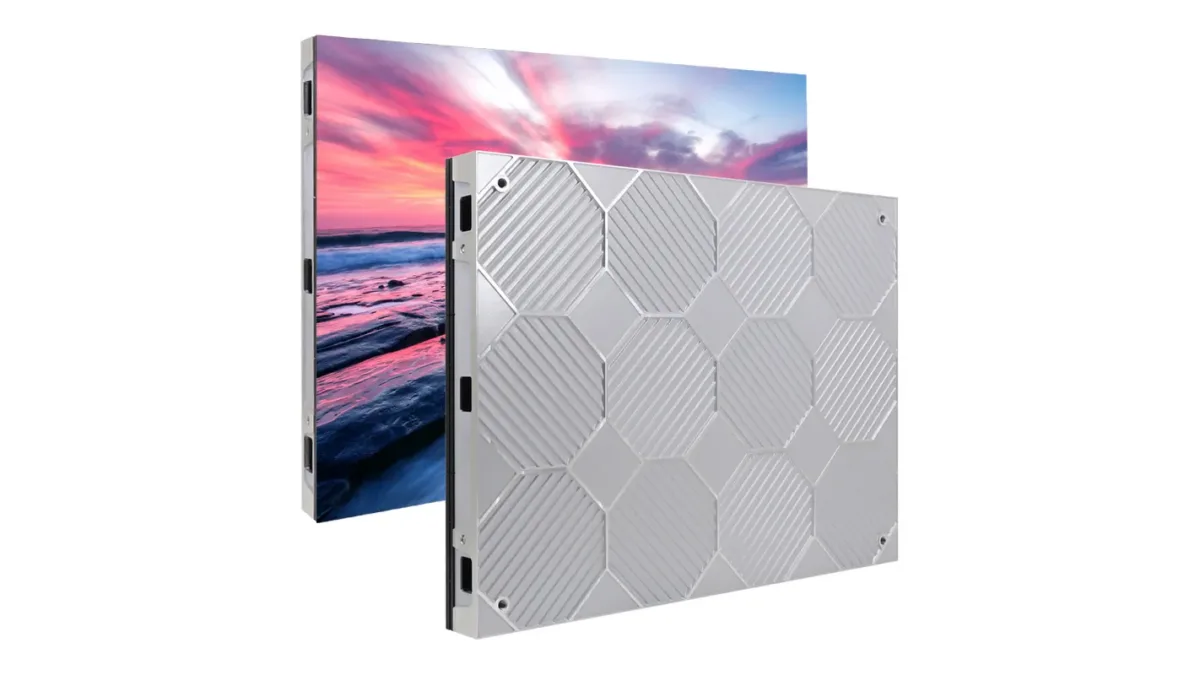
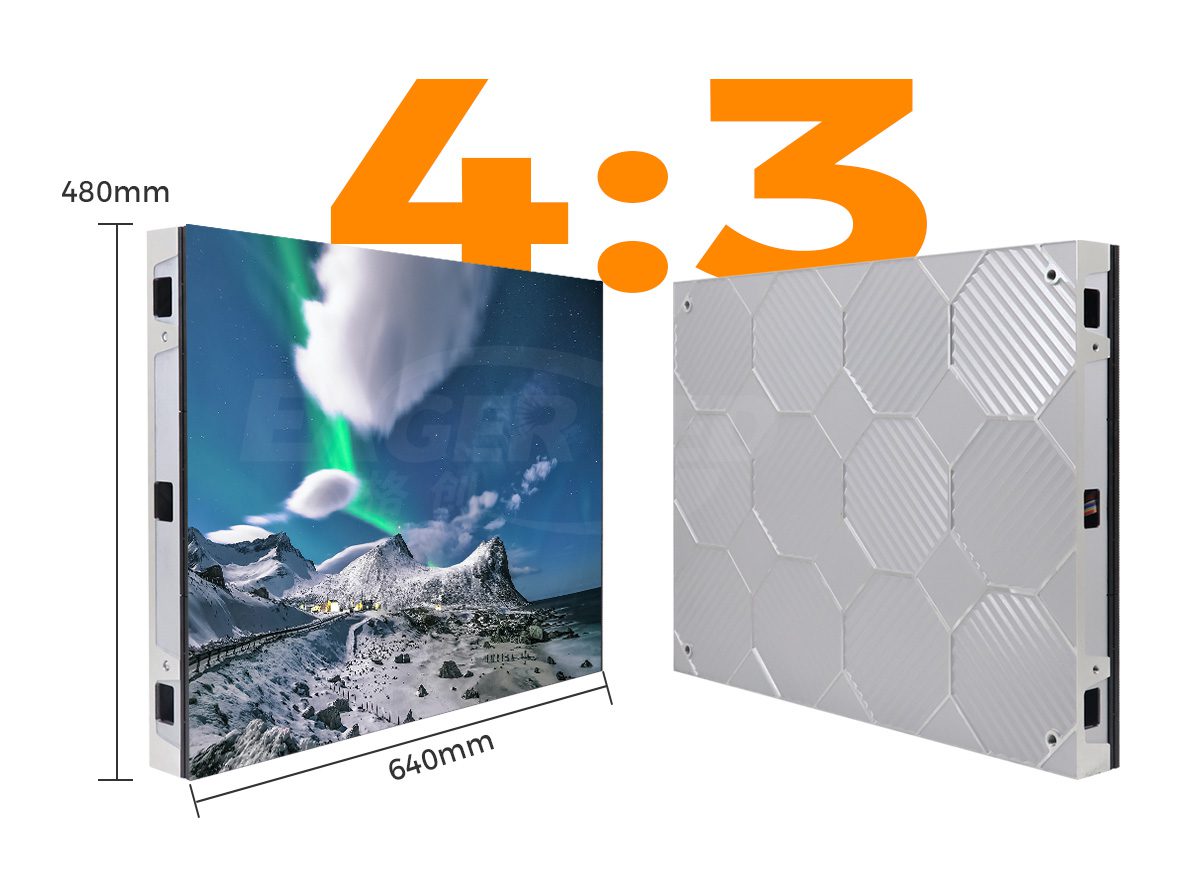
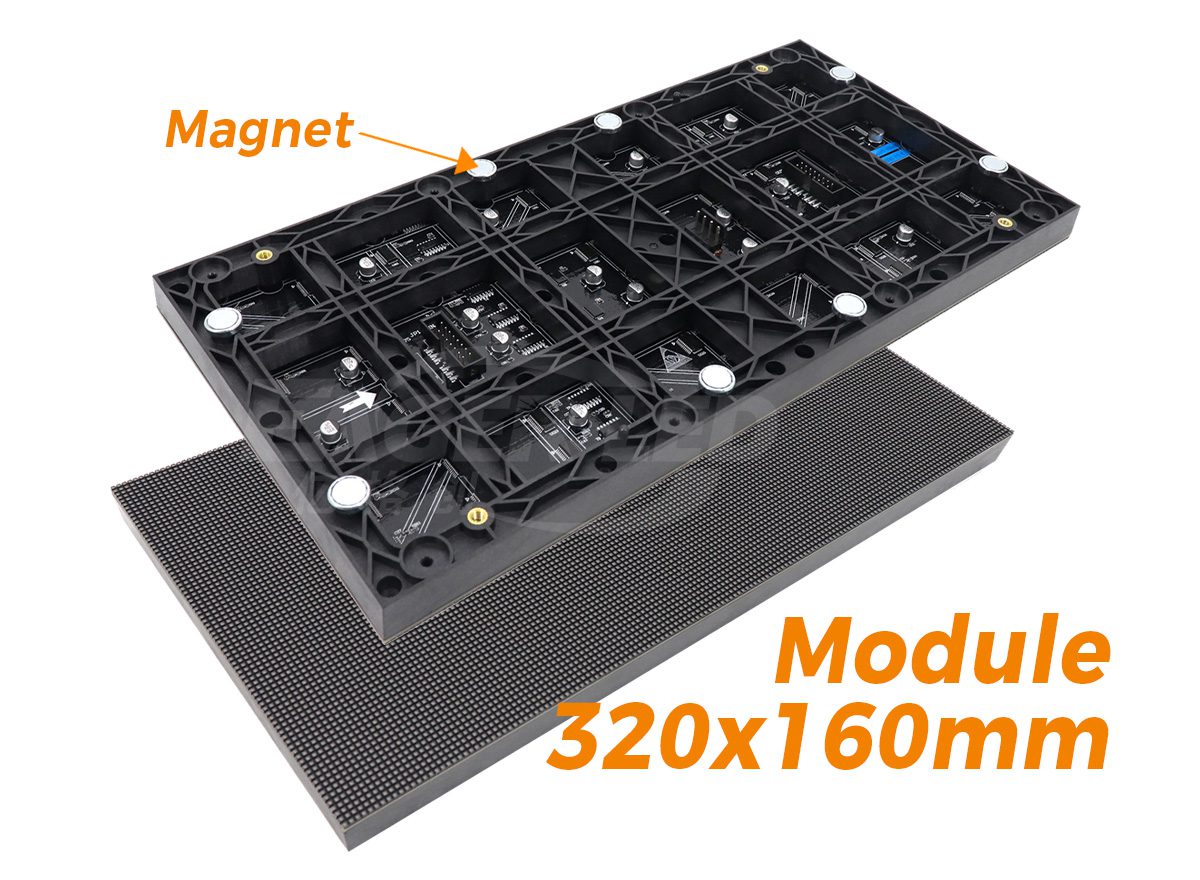
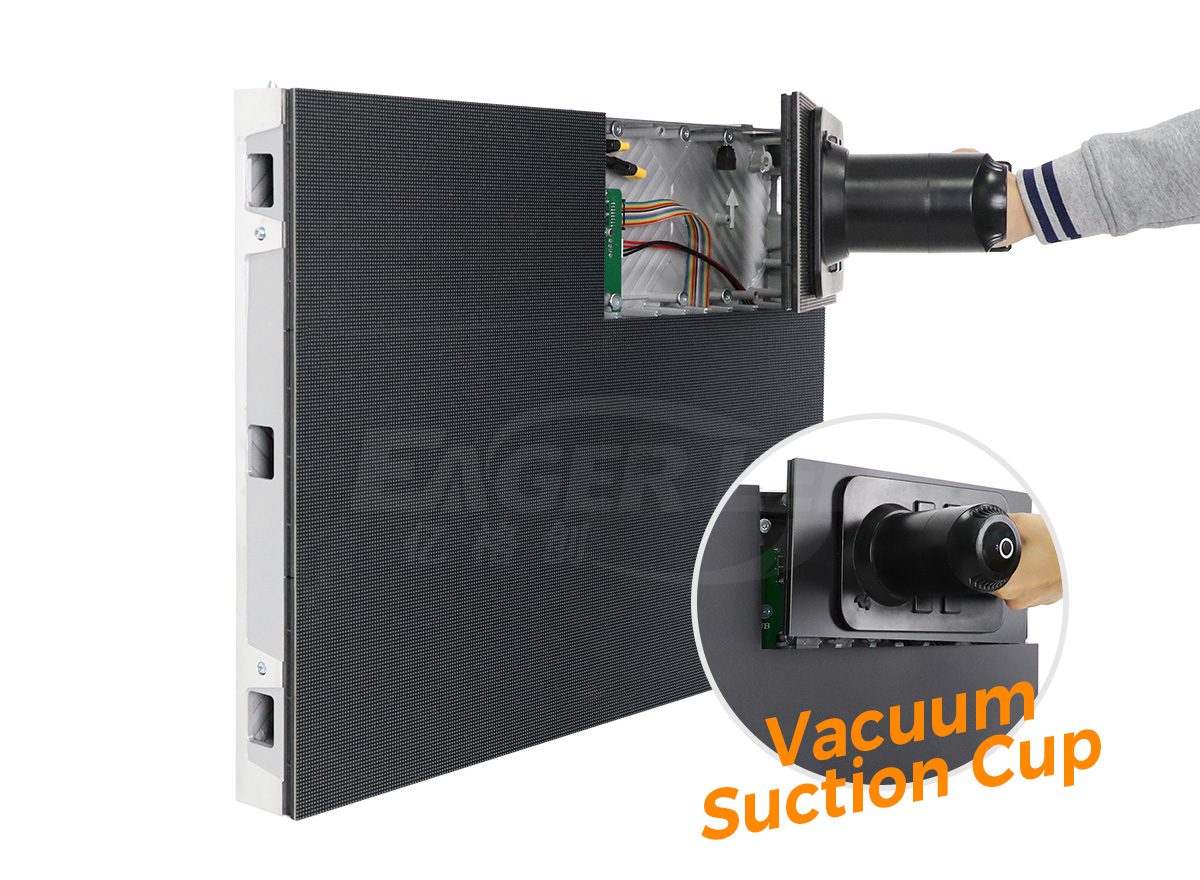
EagerLED’s EA640F2 front-service indoor cabinet is one product example for a fixed wall. Its published cabinet format is 640 × 480 mm, using 320 × 160 mm (12.6 × 6.3 in) modules, with listed SMD and COB options. Request the current datasheet and sample for the exact proposed version rather than transferring specifications between variants.
Also review acoustics and the physical environment. Request the proposed equipment arrangement, cooling requirements, and any fan or other operating noise information. Check the conditions at occupied desks. A control room video wall belongs in a room with people and other equipment; its operating behavior must be assessed in that complete setting.
5. Require Recorded Operation and Recovery Tests
Specify continuous-operation evidence for the quoted configuration and a controlled recovery test plan. Ask the supplier to state supported duty, environmental limits, warranty conditions, and the test arrangement. A control room video wall described as suitable for continuous use still needs a project-specific acceptance record.
Agree the observation period, operating brightness, representative layouts, room conditions, and permitted interventions. Record the start and end times, configuration identifiers, and exceptions. A short demonstration can reveal some problems, but it cannot establish a lifetime, availability percentage, or every possible fault mode.
Test relevant failures in a controlled demonstration environment using an approved method. Do not interrupt a live operational system merely to collect procurement evidence. Separate loss of source information from loss of a display path: a perfectly functioning LED cabinet can still present an obsolete dashboard.
| Demonstration | Record to retain | Acceptance decision |
|---|---|---|
| Normal operation at agreed settings | Run duration, brightness preset, content version, environment, exceptions | Confirm the observed result against the signed test plan |
| Loss of an identified source feed | Visible indication, remaining information, operator steps, restoration result | Confirm stale or unavailable content is recognizable |
| Restart of the agreed display system | Sequence, elapsed recovery time, restored preset, manual actions | Compare with the project’s agreed recovery requirement |
| Approved spare-component replacement | Part identifiers, service steps, restored image, configuration changes | Confirm serviceability and visual acceptance after repair |
| Restore a saved layout or configuration | Backup version, restoration steps, source positions, labels, sign-off | Confirm the approved operational view can be recovered |
Draw the boundary of each test. Identify the source, application, network path, processing stage, and display section involved without assuming they fail independently. Two apparently separate views may depend on the same upstream service. Ask the integrator to identify shared dependencies and document which ones the proposed demonstration covers. This does not require choosing controller hardware in the brief; it requires knowing what the observed result actually establishes.
Define what the recovery clock measures. It might run from the initiating event to the first usable shared overview, or until all approved views return. Those are different outcomes. Specify whether operator intervention is expected, what happens during recovery, and who confirms that information is current.
Evaluate the control room video wall after a repair, not only before it. Check image alignment, brightness match, source labels, and the restored operating preset. Record unresolved items with an owner and a retest method. A statement that the screen turned back on is insufficient evidence that the shared operational picture was restored.
6. Make Handover Usable by the Next Shift
Deliver a controlled record of the installed system, the approved wall views, and the steps needed to recover them. A control room video wall should remain understandable after the original installer has left and a different shift takes over. Assign responsibility for maintaining those records when applications or parts change.
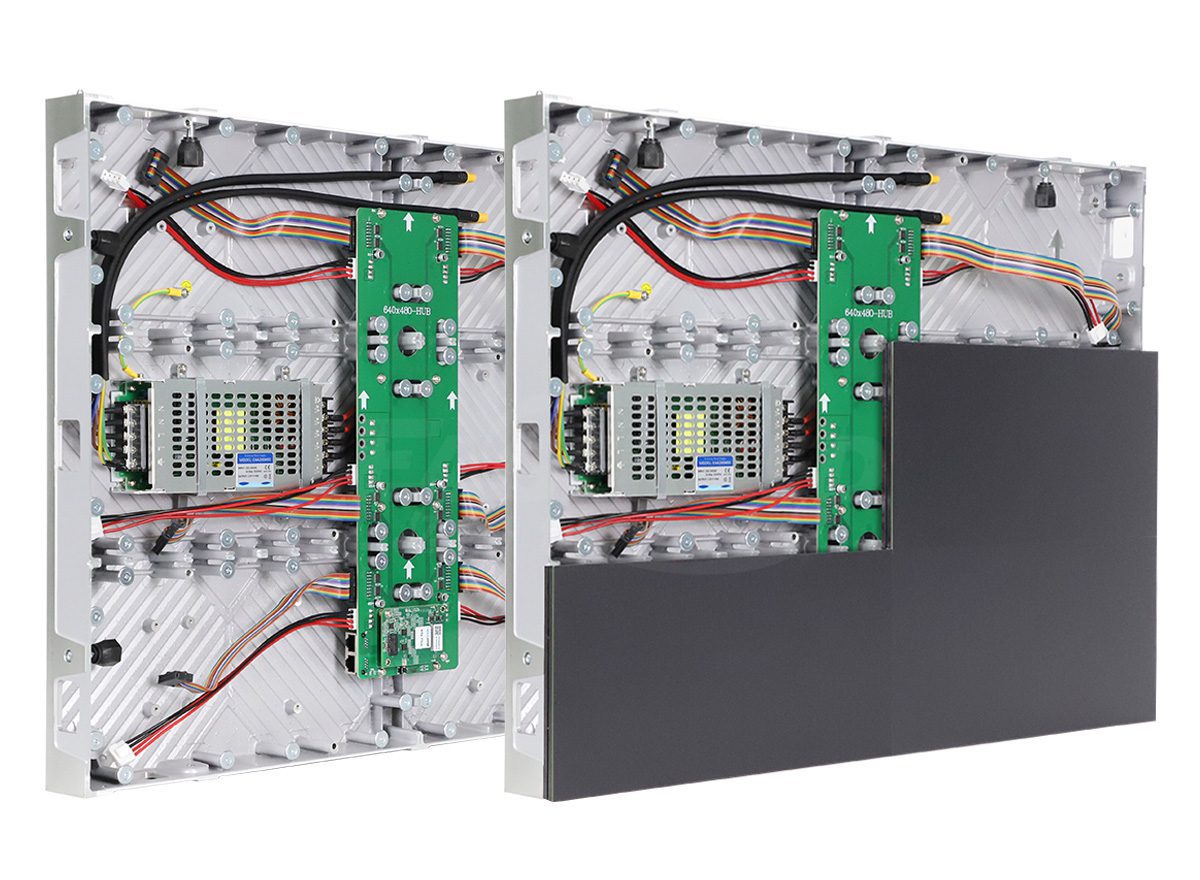
The handover package should identify the cabinet map, installed part versions, service tools, approved spares, configuration backups, brightness presets, and source-to-window assignments. Include the acceptance observations and any open exceptions. Keep access credentials in the customer’s approved secure process rather than embedding them in ordinary drawing files.
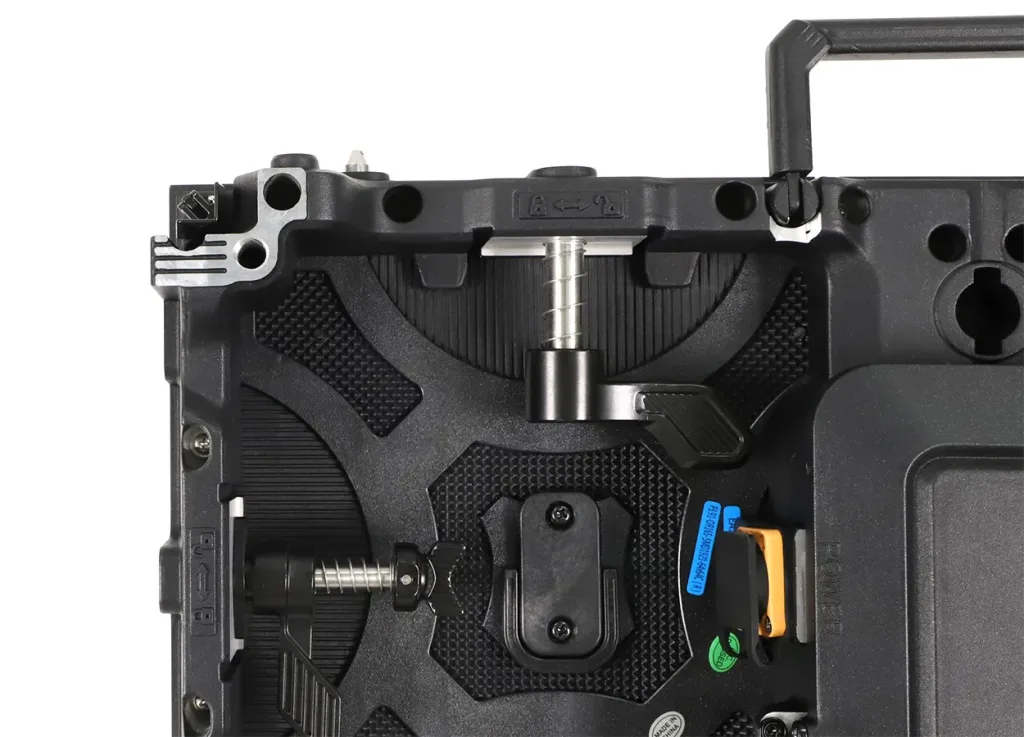
Demonstrate a representative service task within the finished installation constraints. Check access equipment, front working space, trim, cable reach, and how a removed part is supported. EagerLED’s front-service module maintenance guidance provides related care considerations; use the installed model’s procedure for the actual work.
Keep a proposal exception list for the control room video wall. If a supplier cannot demonstrate a requirement before ordering, identify the missing evidence, the later test date, the responsible party, and the agreed remedy if it fails. Distinguish a requested feature from an accepted contractual obligation. The equipment purchase, local integration, application changes, and operator training may have different owners, so unresolved interfaces need named responsibility rather than an assumption that another party will cover them.
Ask a person who did not build the demonstration to locate the correct backup, identify a cabinet, and explain the recovery sequence. This checks whether the documentation can be used, rather than merely whether a folder exists. Keep a change record when a test result, spare revision, or operational preset is updated.
Frequently Asked Questions
Can we purchase the wall before the dashboard software is finalized?
Only if the unresolved content requirements are bounded and the purchase agreement explains how they will be tested. Use representative worst-case labels and layouts, reserve a review point, and identify who bears redesign costs. Otherwise the installed hardware may be accepted before anyone can show that the final information is readable.
Can a remote video demonstration establish rear-seat readability?
It can document the source layout and obvious faults, but camera focus, exposure, compression, and the viewer’s own display affect the result. Use an on-site or suitably arranged witnessed review for the final seat-based decision. Keep remote footage as supporting documentation, with the capture conditions identified.
Should every application use the same text size?
Not necessarily. Required labels, secondary annotations, and detailed desktop analysis have different roles. Define a readable minimum for each essential task at its assigned viewing positions. Keep conventions consistent enough that the same status does not change meaning between applications, while allowing layouts to fit their information.
How should a control room video wall handle confidential sources?
Decide which information may appear in a shared view and which remains on authorized workstations. Review visitor sightlines, screen capture, source permissions, and incident presets with the customer’s information owner. A large shared canvas increases visibility; display hardware does not determine permission to expose a feed.
What should we compare when two proposals have the same screen area?
Compare the native canvas, demonstrated content layout, seat coverage, operating brightness, service scope, and acceptance obligations. Then compare the complete quoted equipment, spares, installation interfaces, and support. Equal area does not mean equal usable information capacity or equal responsibility for achieving the specified operating result.
Build an Operator-Led Project Brief
Prepare a seating drawing, representative content package, information-ownership worksheet, and list of recovery scenarios. State which decisions are approved and which need demonstration. Ask each supplier to respond to the same brief so the review compares outcomes rather than differently worded feature lists.
For an EagerLED control room video wall discussion, include the usable wall dimensions, viewing positions, sample dashboards, room conditions, proposed operating duty, and maintenance constraints. Send your control-room display requirements and request a matched equipment proposal with the configuration, responsibilities, and acceptance evidence clearly identified.
 LED Display Sample Order: Module or Full Cabinet?