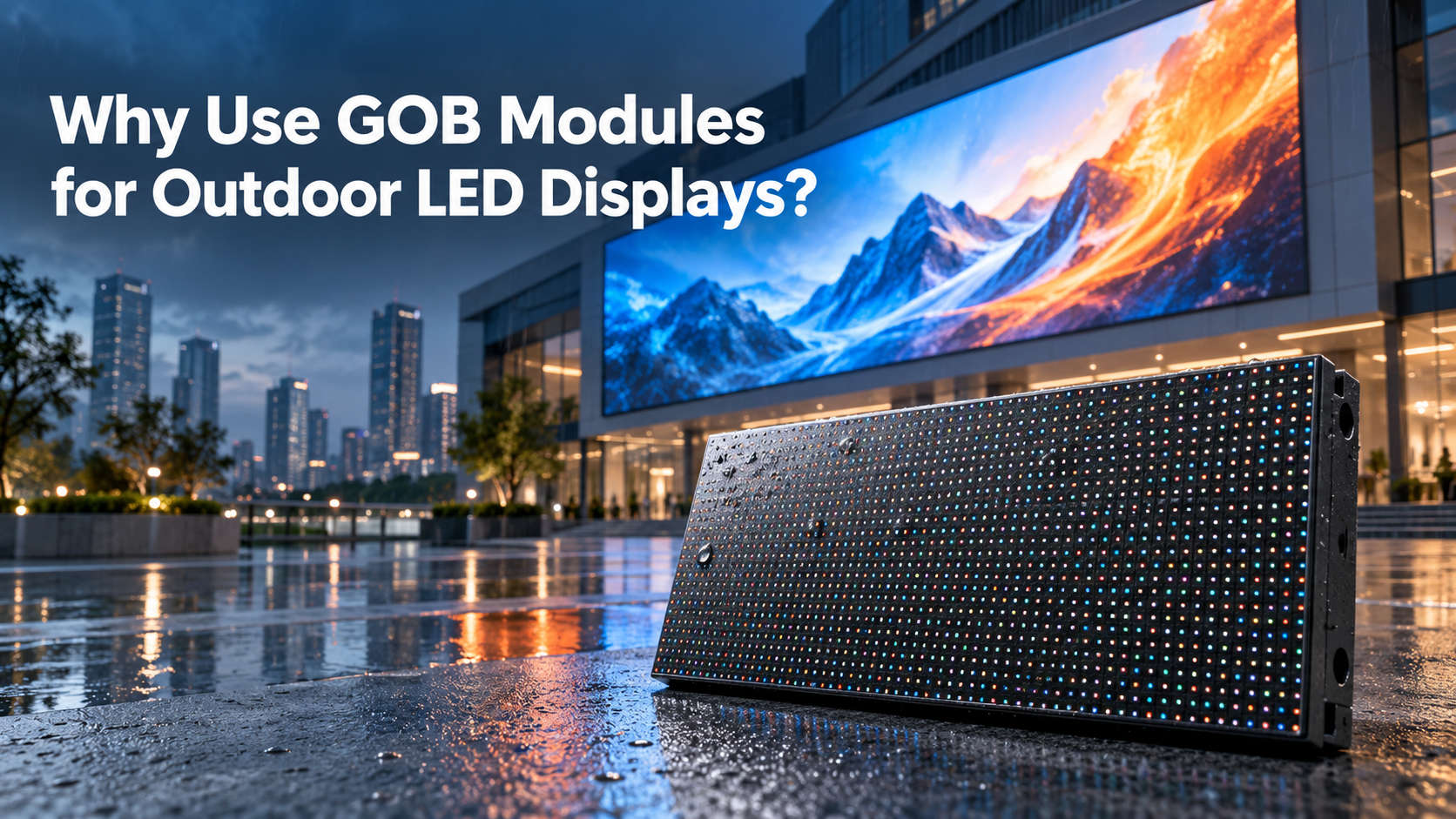
An outdoor poster LED display needs a site plan as well as a specification sheet. Before ordering a freestanding screen for a shop entrance, hotel or event, check weather exposure, readability, the deployed footprint, playback, service access and the delivery scope. The best purchase is a display that the site team can operate and maintain under the conditions you actually have.
This guide is for businesses buying outdoor LED posters. Use the seven checks below to turn a location photo and a product quotation into a practical deployment brief.
On this page
1. Check the whole outdoor poster LED display installation
Describe where water, dust and direct sun can reach the screen. An entrance under a canopy and an open plaza are different operating environments. Photograph the rear as well as the display face, and mark nearby drainage, doors and the proposed cable route.
The EagerLED EA1920OP2 outdoor foldable poster lists IP65 front protection. That is a front-side specification; rear protection and the complete deployed system still need confirmation. Ask the supplier to identify the approved exposure conditions for the enclosure, connectors and cable entries.
- Protected entrance: show the canopy coverage and any wind-driven rain path.
- Open location: request a complete installation proposal covering rear exposure, connections, drainage and support.
- Seasonal deployment: agree on operating conditions, storage and when the unit must be taken out of service.
Decision to resolve: do not approve an exposed site solely because the front face has an outdoor IP rating. Obtain confirmation for the proposed arrangement.
2. Test daylight visibility with your actual message
A bright screen can still carry an unreadable advertisement. Small text, a crowded layout or a poor viewing angle can undermine a short promotional message. Decide what the passing visitor must understand first: a product, an offer, a direction or a brand.
EA1920OP2 lists 5,000 cd/m² brightness. Treat that as a model specification, then request a demonstration using your artwork under representative lighting. Check the screen from the nearest and farthest useful positions, including the approach from either side.
Use a simple acceptance sequence: show the main headline, price or offer, then any contact detail; photograph or film the result from the visitor’s position. Repeat at the intended reduced evening brightness. Ask how brightness will be adjusted and who will manage the schedule, rather than assuming automatic dimming is included.
For an entrance poster, one clear message per scene is a useful starting point. An entire printed flyer squeezed onto the screen usually gives buyers a misleading impression of the usable content area.
3. Confirm the open footprint, base and handling route
Foldability helps transport planning, but the stored dimensions do not describe the space needed in use. Request drawings for the fully deployed screen, base, folding movement and service clearance. Measure doors, lifts, thresholds and the route from unloading to the final position.
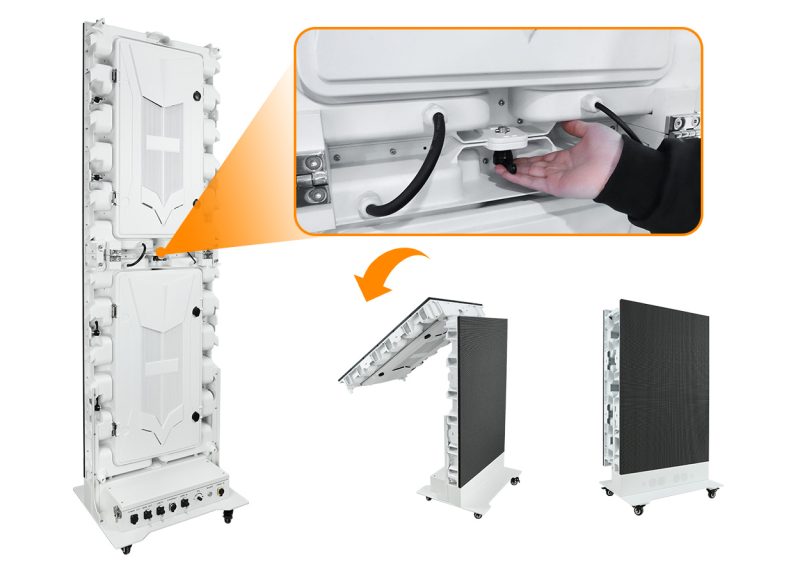
Wheels make a unit movable; they do not establish its stability outdoors. Have the supplier and the local installation team agree on the support arrangement for the site. Keep the visitor route, door swing and escape access clear. Any anchoring or structural solution should be assessed by a qualified installer for that location.
Specify the packing as part of the order: packed dimensions, lifting or handling provisions, protection for the display face, and the route for return service. Confirm whether the quoted base, packing and handling accessories cover your intended use.
4. Match pixel pitch to the finished content canvas
Choose pitch using the actual message and viewing positions. Product images and large headlines need a different assessment from a dense menu or detailed wayfinding text. Ask to see the same artwork on the proposed pixel canvas before choosing a finer pitch.
Worked planning example: a 640 × 1,920 mm active display face at P2.5 has 256 × 768 pixels: 640 ÷ 2.5 by 1,920 ÷ 2.5. Its width-to-height ratio is 1:3. This is a content-planning calculation, not a project test or a promise of readability at a particular distance.
Prepare a portrait layout for that canvas. A landscape video can be redesigned, cropped deliberately or placed within a planned composition; stretching it to fill the poster distorts the content.
For a foldable or multi-unit arrangement, confirm the number of active faces, whether each face plays independently, and the final synchronized resolution. The controller, mapping and content files must match that agreed mode. Our LED poster display overview explains the broader format options.
5. Demonstrate playback and connections before shipment
Decide whether the screen will show a scheduled local playlist, a live source or centrally managed content. These are different workflows. A port on the cabinet does not, by itself, prove a cloud platform, remote monitoring service or a particular wireless feature is included.
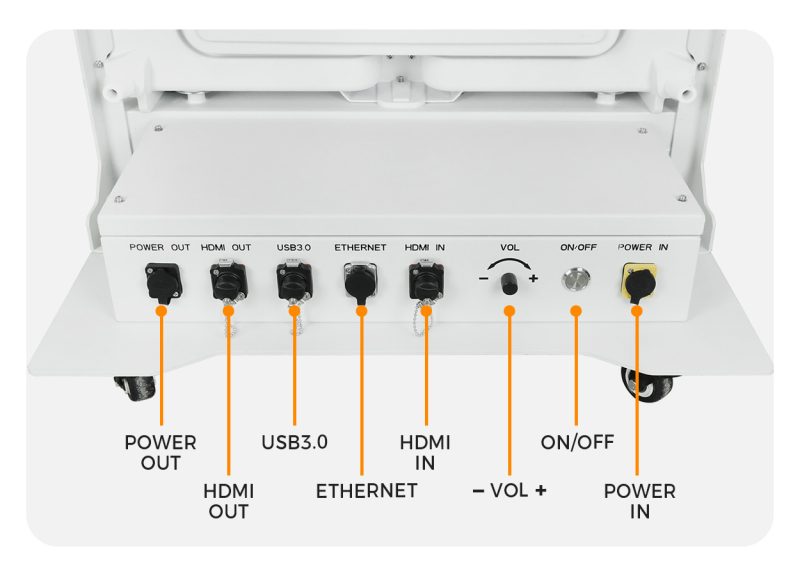
EA1920OP2 lists USB 3.0, HDMI and Ethernet connections. Ask the supplier to demonstrate your selected workflow with the supplied hardware and software, including a restart and an interrupted network connection where networked playback is part of the brief.
- Local content: confirm supported files, the upload process and the startup playlist.
- Live source: test the intended source, scaling and the expected response when the input disappears.
- Remote updates: confirm player model, account ownership, network needs and any recurring service charges.
For staff training, agree on a short written update procedure and a recovery procedure. The existing LED poster connection tutorial is a useful introduction; the final instructions should match the ordered configuration.
6. Leave room for maintenance and define support
Mark the space required to open the service cover and reach replaceable components. A poster placed close to a wall may look tidy while preventing the agreed maintenance method. Review the service drawing before deciding on its position.
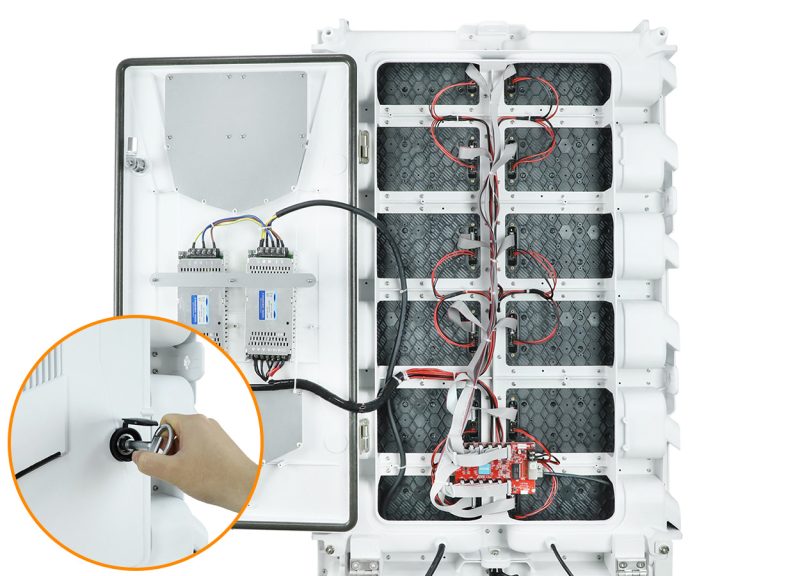
Ask which modules, power supplies and control components are supplied, how replacements are identified, and what documentation will travel with the screen. Agree on a suitable spare-parts package for your operating schedule rather than an arbitrary percentage of the order.
Clarify the service process: fault information required, who diagnoses the problem, which parts can be replaced locally and how freight is handled. Record warranty coverage and exclusions in the quotation or service agreement. Keep a copy of the approved configuration and the contact route for support.
7. Compare the complete quote and record handover
Send every supplier the same site brief. Compare the delivered system, not only the headline screen price. A useful quotation identifies the model and pitch, display arrangement, base or support scope, control hardware, cables, packing, training, spare parts and delivery terms.
On smaller screens, swipe the table sideways to view every column.
| Check | Evidence to request | What to confirm |
|---|---|---|
| Site exposure | Site photos and approved operating conditions | Front, rear and connections suit the proposed location |
| Content | Your artwork on the agreed native canvas | The key message is readable from planned visitor positions |
| Footprint | Deployed, folded and packed drawings | Access route, support and maintenance clearance are resolved |
| Playback | A demonstration of the supplied player and software | Updates, restart and recovery work as agreed |
| Delivery | Itemized scope and handover record | Accessories, documents, training and open issues are accounted for |
At handover, record the serial numbers and configuration, inspect the supplied items, play the approved artwork and verify the agreed operating workflow. Document any unresolved issue and the responsible contact. Avoid improvising water or electrical tests on site; any specified testing should follow the manufacturer’s approved procedure.
Outdoor poster LED display FAQ
Can an indoor LED poster be used outside under a canopy?
A canopy does not establish suitability. Rain can reach the rear or connections, and the ambient conditions can differ from an indoor location. Ask the manufacturer to approve the actual environment and installation.
Does IP65 front protection cover the whole poster?
A front-only rating describes the stated face. Ask for rear-side and connection protection and the approved operating conditions for the complete arrangement.
Which pixel pitch should I choose?
Compare the proposed native resolution using your actual content from the intended viewing positions. Confirm the result with a sample or demonstration rather than selecting from a universal distance rule.
Can several outdoor posters display one video?
Some products support multi-unit splicing. Confirm the mechanical layout, installed controller, mapping, synchronization and final pixel canvas before preparing a shared video.
Prepare your outdoor poster project brief
Send EagerLED your country, quantity, desired screen size, site photos, daylight and rain exposure, nearest viewing distance, playback method and target purchase date. Include whether the screen will move between locations or stay in one position.
We can use that brief to discuss the EA1920OP2 configuration and identify the items that need confirmation in your quotation.
Product specifications and photographs: EagerLED EA1920OP2 product page, checked October 13, 2026. Photographs are product presentation images, not evidence of a customer installation or field test. Confirm the final ordered configuration and approved operating conditions with the supplier.
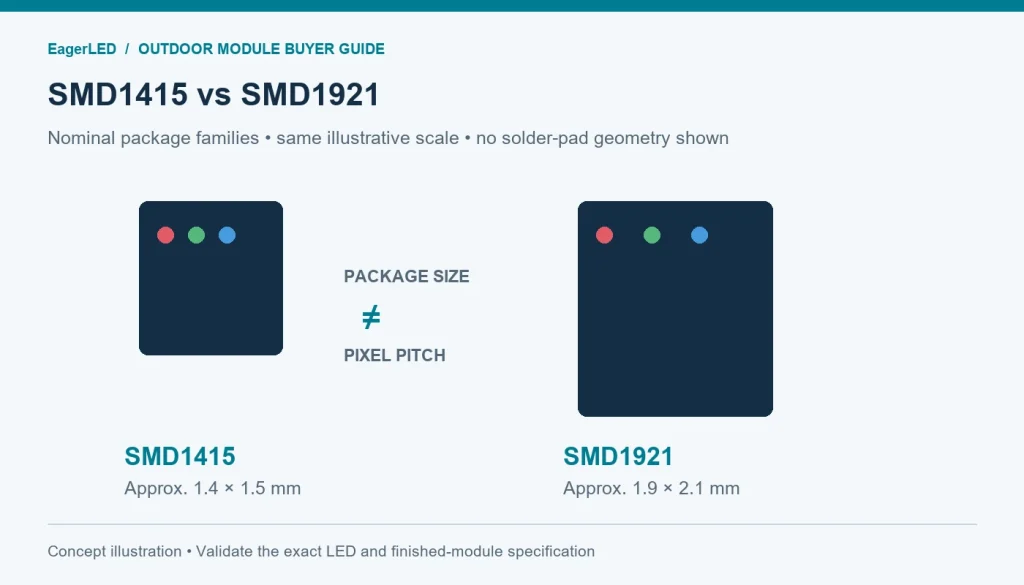 SMD1415 vs SMD1921 for Outdoor LED Modules: A Buyer’s Guide
 LED Transparent Film Screen: Glass Retrofit Checklist