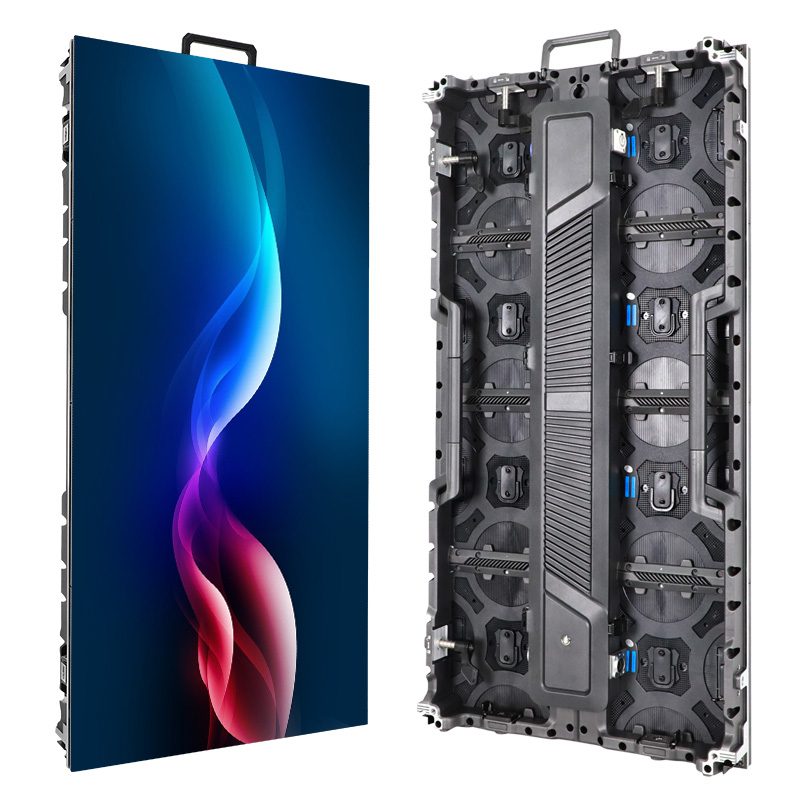
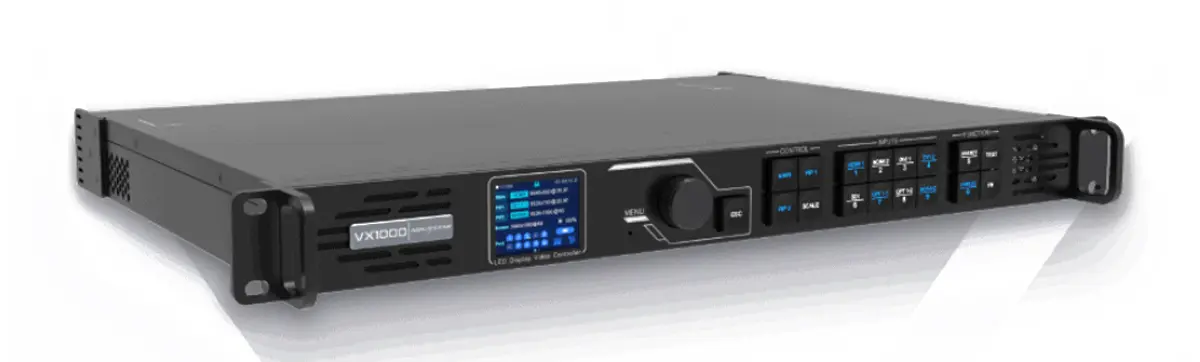
The NovaStar VX1000 LED screen controller combines video processing and LED sending in one unit. It has ten Gigabit Ethernet LED outputs and a listed total capacity of 6.5 million pixels. Its maximum width and height are separate limits, not a 10,240 × 8,192-pixel canvas.
This explanation accompanies the original EagerLED video and focuses on interpreting ports, loading limits and working modes. It is for integrators, rental equipment buyers and stage teams checking a proposed controller against an actual LED wall. The standard VX1000 discussed here is a different model from the VX1000 Pro.
- Ten Gigabit Ethernet outputs do not mean ten 10G network outputs.
- Check total pixels, canvas dimensions and the load assigned to each output.
- 4K × 1K input support is not the same as full 4K UHD at 60 Hz.
- Choose the working mode and backup arrangement for the actual signal path.
On this page
NovaStar VX1000 LED Screen Controller: Loading Limits
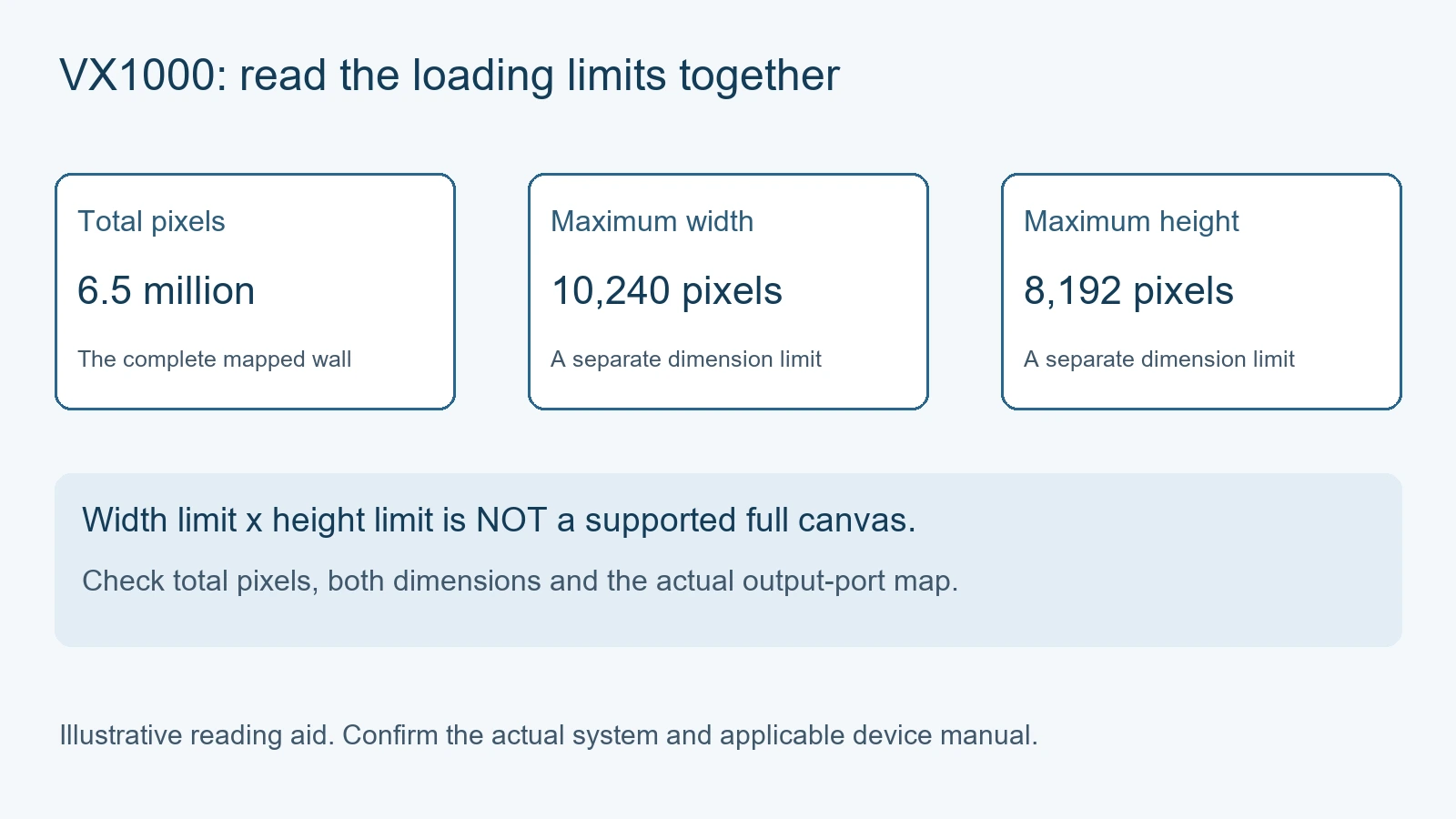
The manufacturer’s specifications list 6.5 million pixels of total loading capacity, a maximum output width of 10,240 pixels and a maximum height of 8,192 pixels. Those values answer different questions. A proposed wall must satisfy the applicable total capacity and dimension limits together, as well as its output-port and receiving-card requirements.
Multiplying the maximum width by the maximum height would describe more than 83 million pixels. That is far beyond the listed total and is not a supported full canvas inferred from those two dimensions. The width limit is useful for a wide, relatively shallow screen; the height limit concerns a different tall-screen arrangement.
| Specification | Listed value | What to check |
|---|---|---|
| Total loading | 6.5 million pixels | The complete mapped wall, not just its longest edge |
| Maximum width | 10,240 pixels | Width within the total load and actual port mapping |
| Maximum height | 8,192 pixels | Height within the total load and actual port mapping |
| LED network outputs | 10 Gigabit Ethernet ports | The cabinet chains and load assigned to each output |
For example, a hypothetical 3,200 × 1,600-pixel canvas contains 5.12 million pixels. That calculation checks only the aggregate total. It does not approve a receiving-card configuration, cable arrangement or per-port allocation. Use the cabinet pixel resolution and the intended mapping to complete that assessment before treating the controller as a match.
Separate Input, LED Output and Control
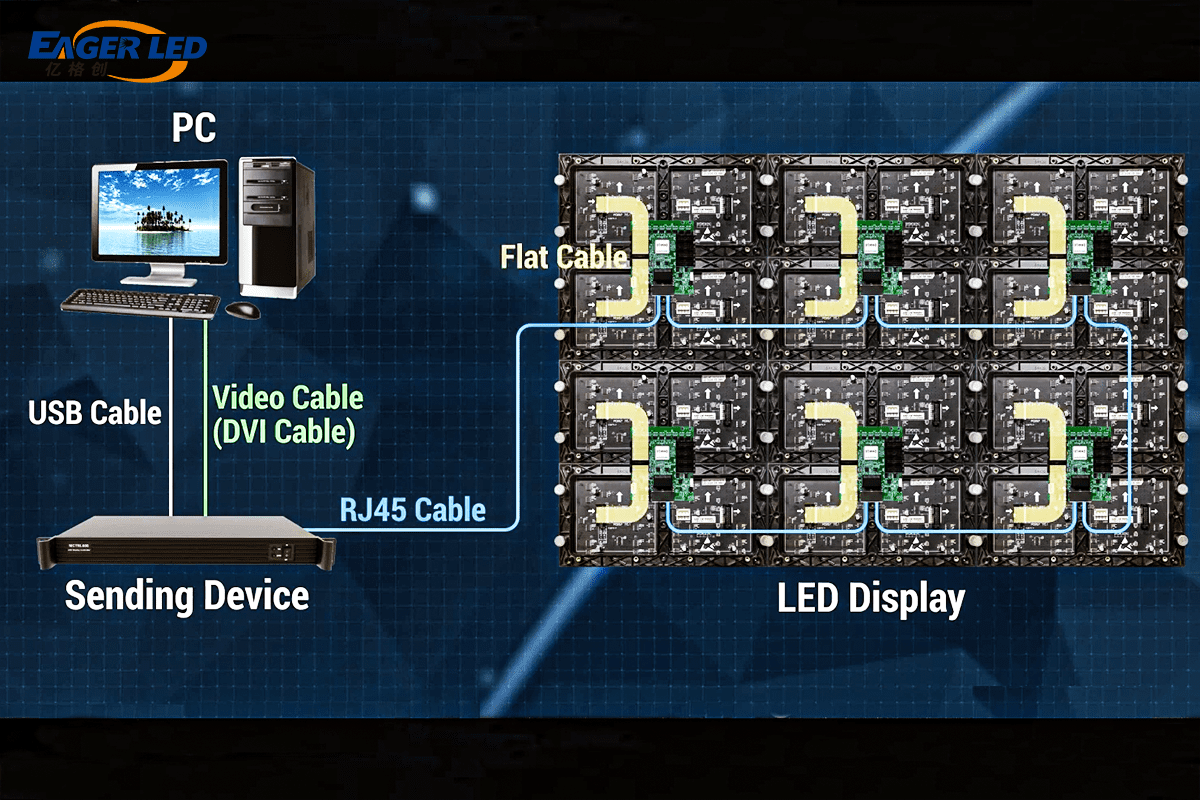
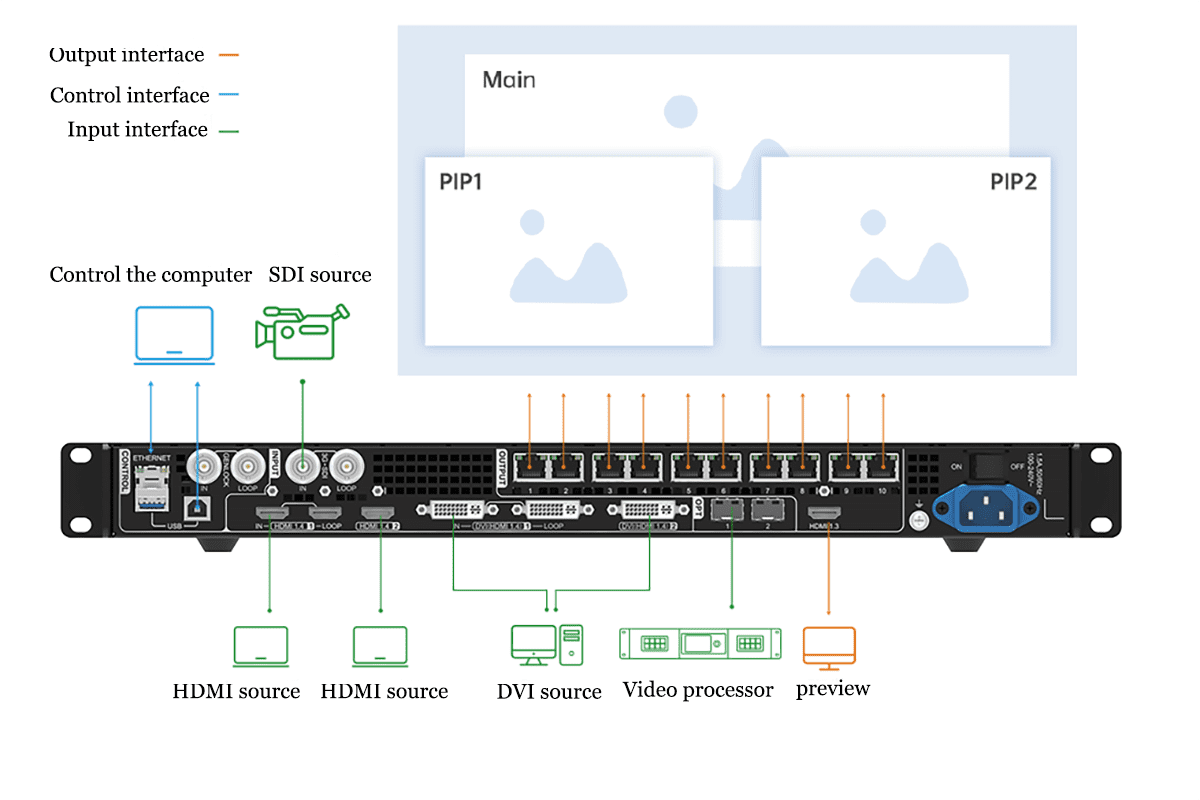
The NovaStar VX1000 LED screen controller accepts video sources and sends processed display data to compatible LED cabinet systems. Its LED output ports are not ordinary source inputs. The computer control connection also has a different role from the ports used to load the screen.
The official specifications describe 4K × 1K at 60 Hz input processing. This is a wide input format, not a general promise to accept 3,840 × 2,160 at 60 Hz on any connector. Confirm the connector, resolution and signal format against the manual for the installed version. A laptop output setting and the final LED canvas are separate parts of the signal path.
Layer count is another separate specification. The manufacturer’s comparison lists one main layer and two picture-in-picture layers for this model. These are picture-composition resources, not three independent increases in the screen’s total pixel budget. Describe the actual presentation requirement, including which source belongs in each region, before assuming a particular layout will be supported.
For a wide stage backdrop, also decide how the source artwork should fit the LED canvas. A full-width graphic, a centered presentation and a cropped camera image are different content choices. Specify the intended result so the operator can check proportions and the visible content at handover. The existence of scaling does not decide whether stretching or cropping is acceptable for the project.
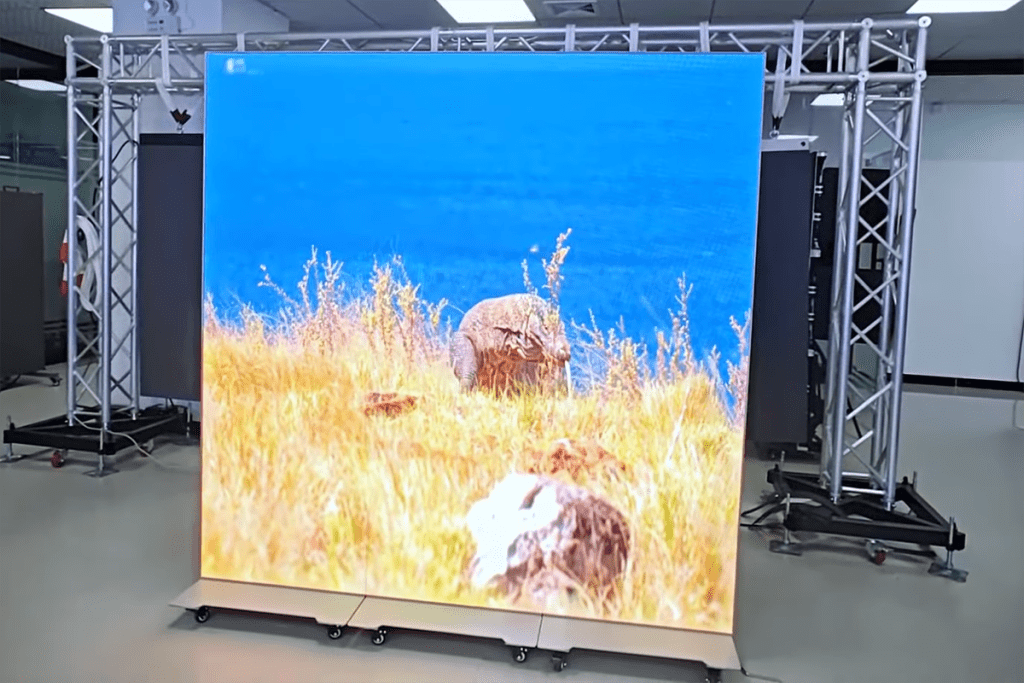
The original EagerLED video below introduces the controller. The original article photograph is retained after it; neither the photograph nor the video should replace a check of the actual order and system configuration.
Understand the Working Modes
The documented working modes include video controller, Bypass and fiber converter. They are alternatives for different system arrangements, rather than three additional increases in pixel capacity. Before configuring the NovaStar VX1000 LED screen controller, agree which device processes the picture and which device sends data to the receiving cards.
In video controller mode, processing and sending are combined. This is the relevant starting point when the VX1000 is handling the intended video presentation and loading the LED wall. Check the source and layer requirements with the applicable manual instead of assuming that every input, resolution and processing feature can be combined without restrictions.
Bypass changes the processing path for the intended application. Do not present it as unlimited scaling or a universal end-to-end latency guarantee. Fiber converter mode has a different role again: the optical and electrical data paths must match the upstream system. It should not be confused with adding an independent media player or another source-processing engine.
The specifications identify NovaLCT and V-Can as software used with this controller for configuration and operational tasks. Match the software and device version to the actual work. Keep the accepted settings before changing a working system, and record which configuration belongs to which wall. This is particularly useful when rental equipment is moved between different cabinet inventories.
Validate the Proposed System
Begin with the total cabinet layout and pixel resolution, then check the port map and source format. For a rental LED screen system, include the intended reconfiguration and spare-equipment scope in the discussion. A controller specification alone cannot define the complete screen package.
Retain the accepted source settings, cabinet map and working mode with the system record. When a different wall is connected later, compare its requirements with that record rather than assuming that an earlier successful setup validates the new arrangement.
Backup features also require a deliberate configuration and a check of the covered failure. Confirm what is protected, how the alternative path is connected and what the operator should observe during a controlled handover test. Do not turn a backup feature list into a promise that an event can never lose its picture.
For wider system planning, the LED video processor overview provides related context. If the purchase decision is specifically between the two named models, use the separate VX1000 Pro and VX1000 comparison. This page keeps its focus on interpreting the standard model’s limits and connections.
Controller Questions
Does the NovaStar VX1000 LED screen controller have ten 10G Ethernet outputs?
No. The ten LED network outputs are Gigabit Ethernet. The optical connection has a different role; it should not be used to relabel the ten electrical outputs as 10G ports.
Can the maximum width and height be used as one full canvas?
No. The total pixel capacity and the dimension limits must be satisfied together. The actual receiving cards and output allocation also need to support the proposed layout.
Is 4K × 1K at 60 Hz the same as full 4K UHD at 60 Hz?
No. The input dimensions differ. Check the source format and connector limits in the applicable manual instead of relying on a broad UHD label.
Request a Matched Configuration
For a NovaStar VX1000 LED screen controller enquiry, send the cabinet model and pixel resolution, cabinet layout, intended source formats and connection distance. Include the required working mode, receiving-card details and backup expectations. Ask for the controller, optical equipment if needed, software support and screen package scope to be identified together.