LED receiving card replacement files should identify the approved cabinet configuration, the hardware and software versions it belongs to, and any separate mapping or calibration information needed for recovery. Buying the correct spare board is only part of the preparation. Ask the supplier to demonstrate the matched file package with the intended cabinet before treating the spare as ready for service.
This guide is for AV integrators purchasing replacement receiving cards or preparing a service handover. It focuses on the digital information that should accompany the spare, rather than repeating a card-selection or wiring tutorial.
- A receiving-card configuration approved for each cabinet group.
- Hardware, firmware and configuration-software version references.
- Separate screen-layout and calibration records where applicable.
- A documented recovery check and a named technical contact.
Match LED Receiving Card Replacement Files to the Cabinet
Start with the cabinet model, receiving-card model and hardware revision, module configuration, and original order reference. Photograph the board label and its connections through the approved service procedure. A folder labeled only with pixel pitch does not establish which cabinets its contents can restore.
The board photograph below shows a NovaStar DH7508-S. Its label is useful for identifying the physical part. It does not identify the configuration required by every cabinet using that card, and it does not establish the file or firmware that should be loaded into another board.
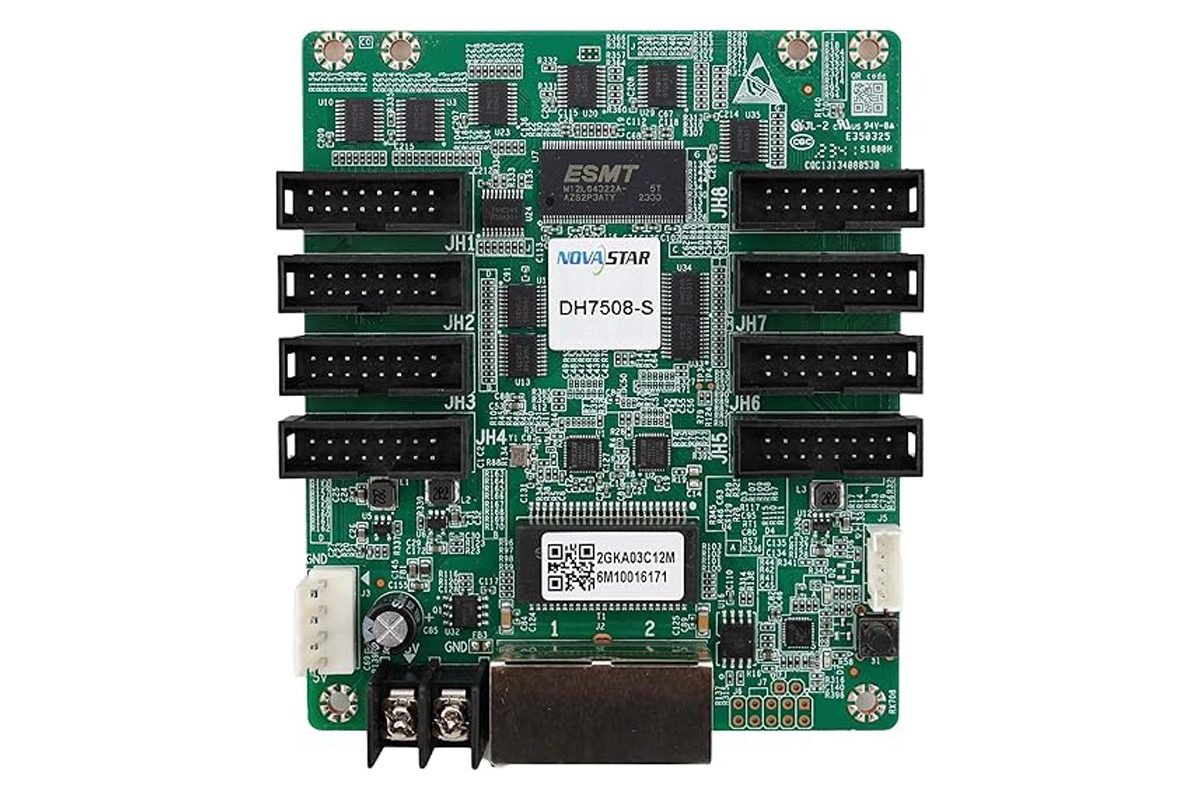
Use the existing receiving-card selection guide for hardware comparisons. For this purchase, ask the supplier to map each replacement file to a specific cabinet group and confirm whether the proposed spare has already been configured or still needs setup.
Keep different module or cabinet revisions separate in the request. Two cabinets can share a card model while requiring different parameters. Do not choose a file solely because its name contains the same pixel pitch or screen size.
Separate Cabinet Parameters from Screen Layout
LED receiving card replacement files can cover different parts of the system. A cabinet parameter file and a whole-screen connection record serve different purposes. Ask what each supplied file contains, what it restores, and which information must be handled separately.
For a documented NovaLCT workflow, the receiving-card configuration uses an .rcfgx file. NovaStar’s synchronous-system documentation also distinguishes screen-connection information, such as .scr, and a system-configuration file, .scfg. Available options depend on the software and control system. These extensions are examples, not a universal checklist for every brand or generation.
| Information | Purpose | Question for the supplier |
|---|---|---|
| Receiving-card configuration | Parameters for the approved module and cabinet arrangement | Which cabinet group and board revision does this file serve? |
| Screen connection or mapping | Logical arrangement and connection order across the display | Does this represent the commissioned layout or a factory test layout? |
| Firmware reference | Identifies the approved program version and dependencies | Is the spare supplied with that version, or is an approved update required? |
| Calibration information | Supports the relevant brightness and color corrections | Is recovery included in this package or managed separately? |
Keep the scope explicit for non-NovaStar systems too. Request the supported native format and recovery procedure for the actual equipment. An RCFGX file should not be treated as a generic configuration package for unrelated control systems.
Keep Versions, Files and Hardware Together
Record the software version used to create or verify the package, the relevant receiving-card firmware, and the date of the approved cabinet configuration. A newly purchased card may need a different preparation step from a spare already tested and stored with the screen.
Ask who will confirm compatibility when the originally supplied card revision is unavailable. A file copied from a working cabinet is useful evidence, but it does not by itself approve a different replacement model or a changed module design.
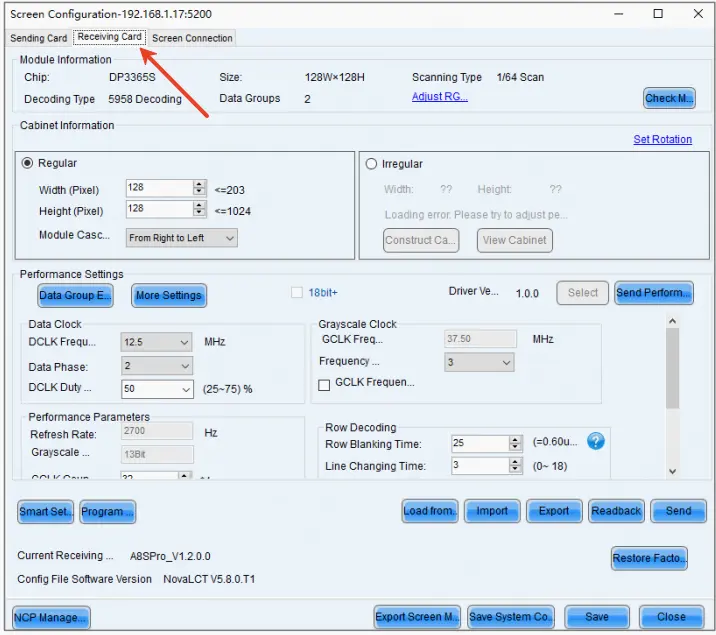
Label LED receiving card replacement files with a clear cabinet-group reference and an approved revision. Keep the original delivered package unchanged, then store subsequent service revisions separately with a short change record. Avoid overwriting the only known working copy during troubleshooting.
Keep software access and documentation practical for the service team. Confirm where the approved installation package and instructions can be obtained, whether access permissions are needed, and which supplier contact can interpret the version record.
Agree the Recovery Check Before Buying Multiple Spares
A recovery check should demonstrate that the proposed spare, approved files and intended cabinet work together. Agree the procedure and scope with the supplier, then have qualified technicians carry it out using the applicable instructions. Do not experiment with parameters on a live production wall merely to identify an unknown file.
The official EagerLED tutorial below shows loading receiving-card configuration files in NovaLCT. It illustrates why selecting a file and applying it to hardware are distinct actions. The video uses an older interface and example hardware; it does not approve the file selection or settings for your cabinet.
Ask the acceptance record to identify the spare board, cabinet group, file revision and software used. Include the agreed image checks and confirmation that required settings persist through the applicable restart procedure. Record unresolved calibration or mapping work instead of marking the package complete because the cabinet lights up.
Use the cabinet-level wiring checklist for the physical connection review. Configuration files cannot compensate for an unapproved interface or incorrect wiring.
Make the Package Usable During a Service Call
Store the approved package where the authorized maintenance team can retrieve it, with a second controlled copy away from the day-to-day service computer. Include a readable index explaining the cabinet groups, file purpose, revision and support contact. A folder of unexplained downloads creates uncertainty when the screen is already unavailable.
Record whether LED receiving card replacement files describe the factory arrangement or the final commissioned screen. Update the service record when an approved change affects the configuration, and retain the prior version for traceability.
List the digital deliverables in the spare-parts quotation. Clarify whether the offer includes a bare card, a configured spare, recovery instructions, configuration assistance or a witnessed check. Compare those scopes before treating two prices as equivalent.
Before handover, have the authorized service team open the archive and confirm that the listed files are present and readable. If the package uses a temporary download link, agree how a retained copy will remain available after that link expires.
Frequently Asked Questions
What if the failed card cannot be read?
Ask the original supplier for the approved configuration tied to the order and cabinet group, and check the commissioning archive. Do not assume a neighboring cabinet is an identical source without confirming its configuration.
Can renaming a file extension make an old file compatible?
No. Renaming does not convert the file contents. Ask for the supported format or an approved conversion procedure for the actual software and hardware.
Should credentials be stored inside the file package?
Keep necessary access instructions with the handover, but manage passwords through the organization’s approved secure process. Confirm that the authorized service team can access the tools without publishing credentials in a shared document.
Prepare a Matched-Spare Request
Send EagerLED the cabinet and receiving-card models, hardware labels, original order reference, module information and existing configuration records. Include the required spare quantity, installation environment, country, procurement date and who will perform the recovery check.
Request LED receiving card replacement files matched to your cabinet groups, with the spare’s setup status and recovery deliverables listed in the quotation.
 LED Display Aging Test Report: Before Shipment