An HDR LED display reproduces a wider range of light and dark detail when HDR content, video processing, receiving cards, and calibrated LED panels work together. HDR stands for high dynamic range. It can make highlights more convincing and shadows easier to distinguish, but an HDR-compatible input alone does not establish picture quality.
This guide explains LED display HDR technology for buyers, integrators, and operators of direct-view LED video walls. You will learn how HDR10 and HLG differ, what to test before purchase, and why brightness, resolution, and signal bit depth must be evaluated separately. Use the comparisons and commissioning checklist to specify an HDR LED display around your content and viewing conditions.
On this page
1. What Is HDR Technology in an LED Display?
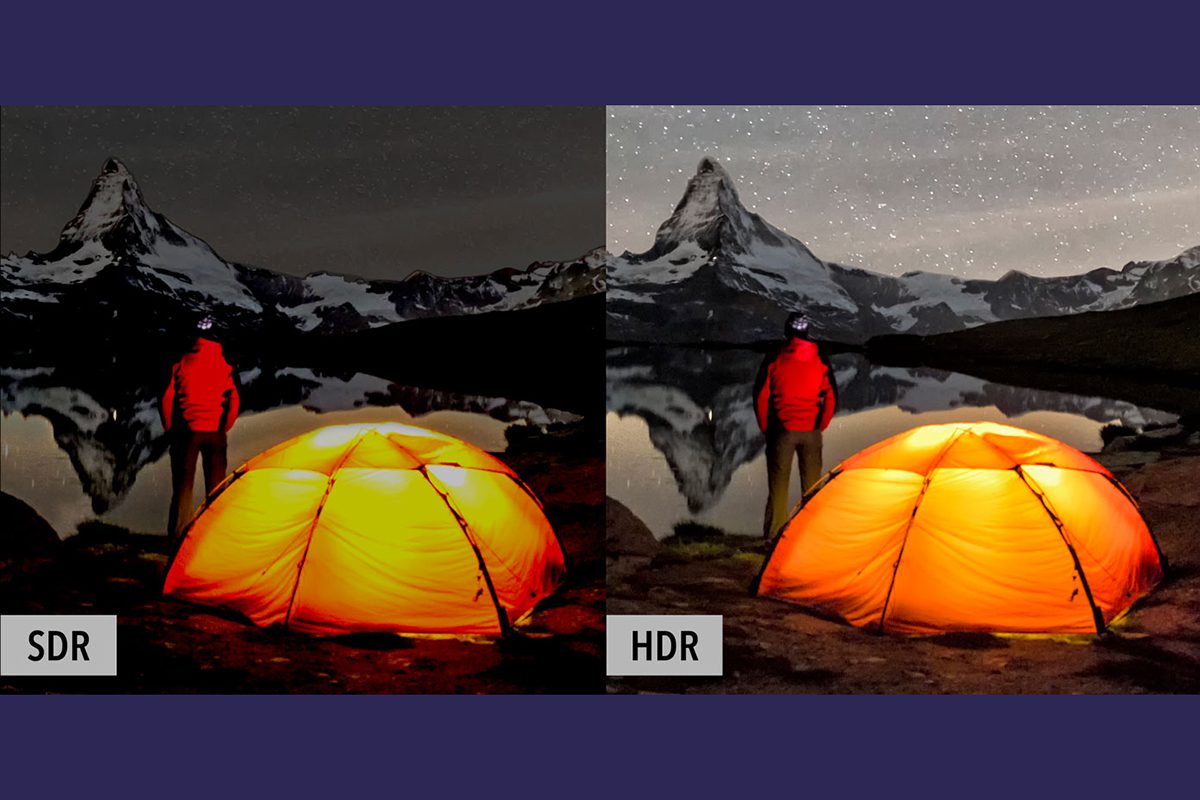
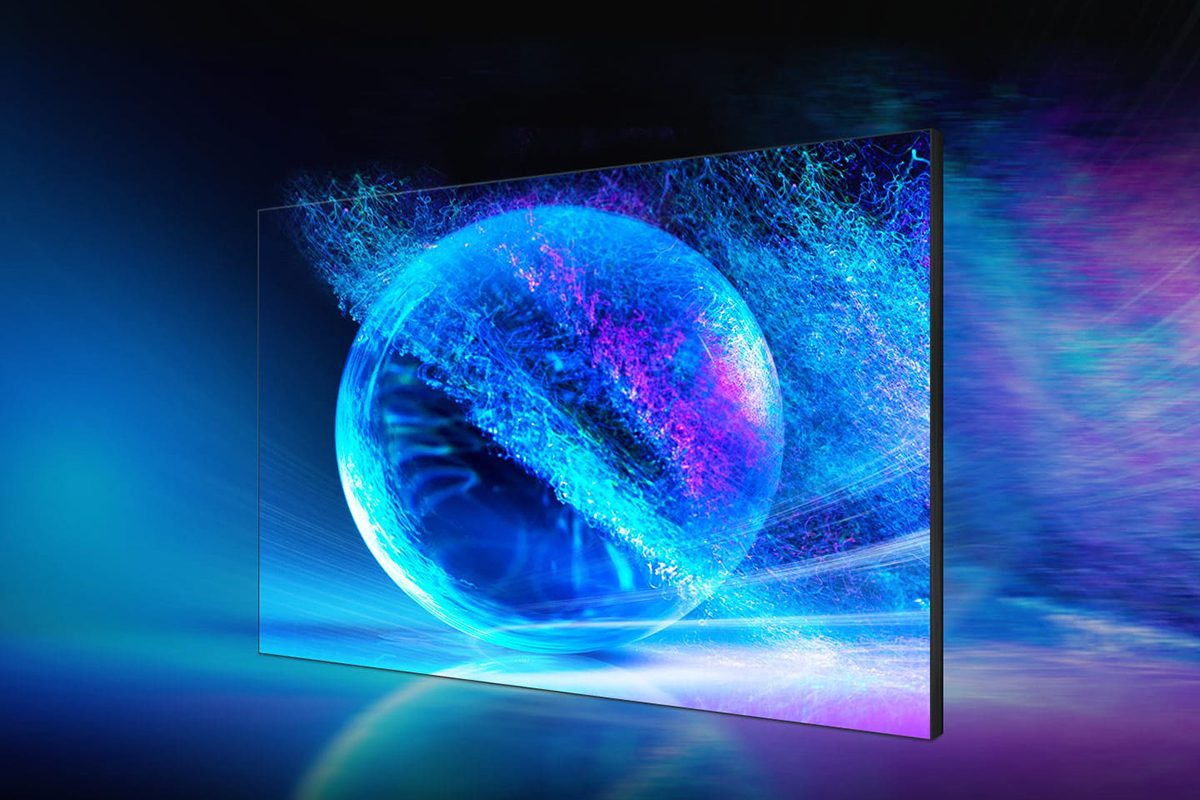
An HDR LED display takes an HDR video signal and maps its brightness and color information to the light the installed wall can actually produce. The goal is to retain useful separation between dark tones, normal picture content, and bright highlights. A reflection on metal can look brighter than the surrounding surface without turning the entire scene into an overexposed image.
Here, LED means a direct-view display with light-emitting pixels, assembled from modules and cabinets. A television marketed as an LED TV usually uses an LCD panel with an LED backlight. Both can support HDR, but their light control, installation requirements, and performance limits differ. An HDR LED display should therefore be evaluated as a complete video-wall system.
Dynamic range describes the span between dark and bright levels. Color gamut describes the range of colors; bit depth describes how finely signal values are divided. These properties interact, but none can substitute for the others. HDR does not automatically increase the physical pixel count, and it cannot recover detail that was clipped before the source file reached the screen.
The ITU-R BT.2100 recommendation defines HDR television image parameters using PQ and HLG. These transfer functions describe how image signals relate to light. Correct interpretation is essential: sending a PQ image through an ordinary SDR gamma workflow can produce a picture that looks unexpectedly dark or washed out.
01. How the HDR LED Display Signal Chain Works
Content: Start with a correctly produced HDR master or a live HDR feed. Confirm its transfer function, color space, frame rate, and bit depth with the content team. A file name containing “HDR” or an enhanced contrast preset is insufficient evidence. Keep an approved SDR version for sources or destinations that require it.
Transport and processing: The player, switcher, converter, cable path, and processor must support the chosen signal combination. Check the input status at the processor, rather than assuming the source output remains unchanged through every device. An HDR LED display may receive SDR if a player negotiates a fallback format.
LED output: Receiving cards, driver configuration, calibration, and panels determine how that signal becomes light. High internal grayscale precision helps processing, but an advertised 16-bit or 22-bit processing figure does not prove an equally deep source signal. Request separate specifications for input bit depth and internal processing.
For an HDR LED display, document the entire signal chain before ordering equipment. A replacement receiving card or firmware change should trigger a compatibility check. The LED receiving card wiring checklist covers cabinet-level connections; HDR capability must also be confirmed for the exact hardware combination.
2. What Does HDR Technology Bring to LED Displays?
The most useful benefit of an HDR LED display is controlled contrast: visible texture in highlights and shadows within the same scene. Product photography, cinematic material, museum presentations, and carefully produced event content can benefit. Basic menus, spreadsheets, or ordinary SDR advertisements may gain more from accurate calibration and readable design than from adding an HDR mode.
01. HDR versus SDR on an LED video wall
Compare matching content under the same room lighting. Do not compare a bright HDR demonstration with an intentionally dim or badly adjusted SDR image. A well-configured SDR wall remains a valid choice when the content pipeline is predominantly SDR.
| Property | SDR workflow | HDR workflow | Practical check |
|---|---|---|---|
| Brightness mapping | Uses conventional SDR transfer characteristics | Uses PQ or HLG with suitable output mapping | Confirm the detected input format |
| Highlight detail | Constrained by the SDR master and display mapping | Can retain more highlight separation | Inspect clouds, lamps, and metallic reflections |
| Dark detail | Depends on grading and low-level reproduction | Still depends on black level and calibration | Inspect dark ramps at operating brightness |
| Color | Often delivered in Rec.709 | Often uses a wider color-space container | Measure actual gamut and color accuracy |
| Resolution | May be HD, 4K, or a custom canvas | May also be HD, 4K, or a custom canvas | Count physical pixels independently |
02. Brightness, black level, and color volume
Brightness is measured in nits, equivalent to candelas per square meter. Ask whether a quoted value describes a brief small highlight, a full white screen, or sustained output after warm-up. Those measurements answer different questions. There is no single nit figure that guarantees an HDR LED display will look good in every installation.
Ambient light reflects from the LED surface and raises the perceived black level. Consider a simplified example: measured white at 1,000 nits divided by measured black at 0.1 nit gives 10,000:1 contrast. If reflected light raises black to 1 nit, that ratio becomes 1,000:1. These are illustrative calculations, not specifications for an EagerLED product.
A wide-gamut input also does not mean that every encoded color can be displayed. Ask for measured gamut coverage, white-point accuracy, and color behavior at different brightness levels. On an HDR LED display, saturated highlights should retain recognizable color rather than drifting toward white because one channel reaches its limit.
03. Choose benefits around the application
In a showroom, evaluate product colors under the actual lighting. In a conference space, check presentation readability and comfortable operating brightness. For a stage or virtual-production wall, include the intended cameras, shutter settings, scan behavior, and synchronization in the test. An attractive picture to the eye can still show banding or moiré on camera.
Ask to see the HDR LED display at your normal operating level as well as its maximum setting. A bright demonstration can hide poor low-grayscale performance. Compare neutral gray ramps, skin tones, a dim scene, and a scene containing bright highlights before approving the system.
3. What Is the Best HDR Technology for an LED Display?
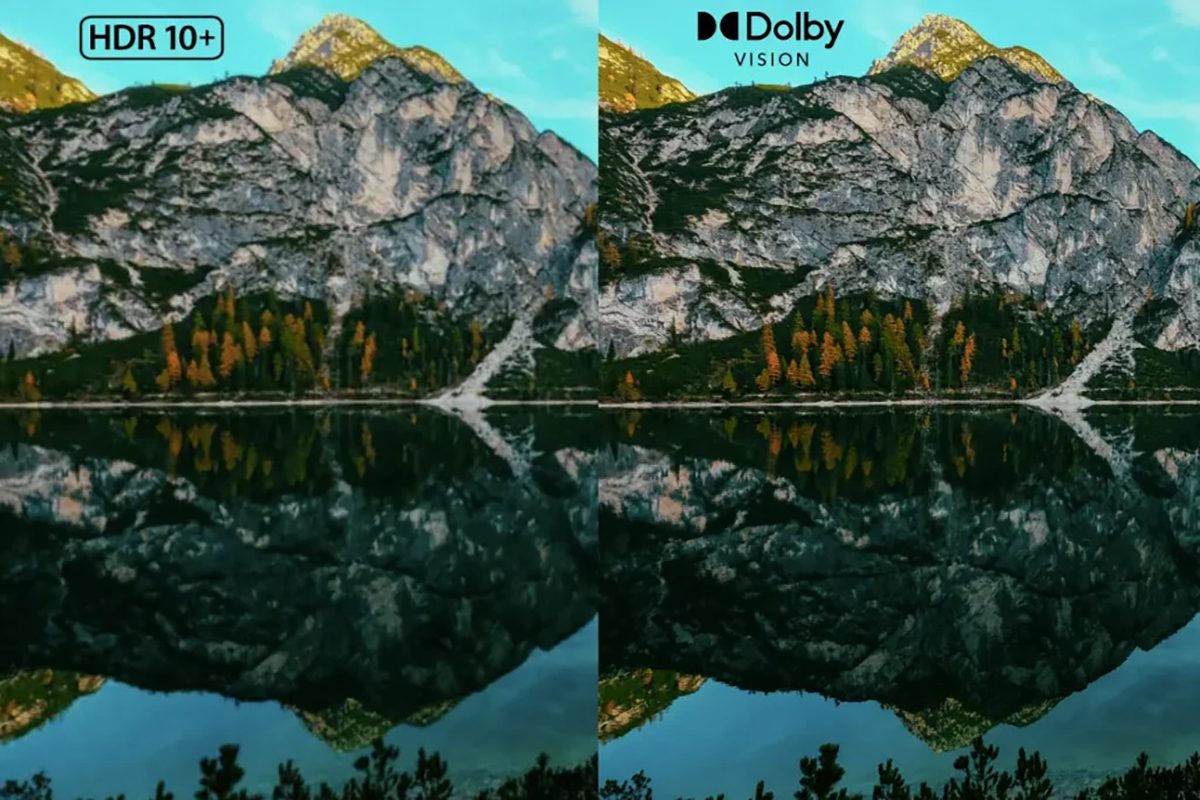
The best format for an HDR LED display is the one supported by the source, distribution path, processor, and installed receiving-card system. HDR10 and HLG are practical starting points for many professional workflows. HDR10+ and Dolby Vision need explicit compatibility checks; their names should never be inferred from a generic HDR specification.
01. HDR10, HLG, HDR10+, and Dolby Vision compared
| Format | Signal approach | Metadata | Buyer question |
|---|---|---|---|
| HDR10 | PQ, commonly a 10-bit delivery workflow | Static mastering/content information | Can the complete system interpret HDR10 and map it to measured panel output? |
| HLG | Hybrid log-gamma, used in broadcast workflows | Does not require scene-by-scene dynamic metadata | Does the live production chain preserve HLG and provide the required output adjustment? |
| HDR10+ | PQ-based HDR with additional guidance | Dynamic, scene- or frame-dependent information | Is the dynamic metadata used, or is playback falling back to HDR10? |
| Dolby Vision | Dolby-defined profiles and processing | Dynamic metadata with profile-dependent requirements | Which exact profiles, devices, and processing stages are supported? |
Static metadata does not freeze the brightness of every scene. The video still contains changing pixel values. “Static” means that the accompanying descriptive metadata is not updated for every scene. Dynamic metadata can provide scene-dependent guidance for adapting the content to the display.
The HDR10+ ecosystem white paper explains how HDR10 devices can play compatible content while ignoring the additional dynamic metadata. Dolby’s metadata documentation distinguishes global, shot-based, and frame-based information. These capabilities do not remove the physical limits of an HDR LED display.
02. Match the processor to the installed panels
Published support is model-specific. For example, Brompton’s HDR documentation lists PQ-HDR10 and HLG for Tessera SX40 and S8 processors, and explains the role of dynamically calibrated panels. That does not establish Dolby Vision support for those units.
NovaStar’s HDR solution identifies an MCTRL4K controller with compatible A8s/A10s Plus receiving cards. Treat this as a documented combination, not permission to assume that any NovaStar controller and card will work. Verify current firmware, supported ports, loading capacity, and restrictions against the supplier’s exact bill of materials.
For an HDR LED display quote, request a written compatibility statement covering the player, processor, receiving cards, driver configuration, and panel calibration. Include the required resolution, frame rate, chroma sampling, and bit depth. An input connector’s version alone is not a complete capability statement.
03. Tone mapping and commissioning
Tone mapping adapts source luminance to the display’s achievable range. If a master contains highlights above the wall’s calibrated output, the processor must compress that range or clip it. Good mapping preserves useful separation while keeping ordinary picture elements plausible. Avoid boosting every tone simply to make the HDR LED display look brighter.
Commission in a repeatable order: verify the source format; check signal transport; load the correct panel calibration; set the operating luminance; confirm the PQ or HLG mode; then evaluate test patterns and approved content. Save named SDR and HDR configurations so operators can switch intentionally when the program changes.
Record any automatic brightness or content-adaptive processing enabled during acceptance. For an HDR LED display used with cameras, test latency and synchronization in the actual production configuration. A specification measured with one feature disabled may not describe the operating mode you intend to use.
4. What Is the Downside of HDR?
An HDR LED display adds value only when the whole workflow can sustain it. The main trade-offs are compatibility, commissioning effort, environmental limits, and operating cost. Plan for calibrated output over the service life, including replacement modules, rather than treating the purchase as a one-time panel specification.
01. Cost, ambient light, and sustained operation
Budget for processing, compatible receiving cards, calibration, source preparation, installation, and operator training. Ask which services are included and which are optional. A universal HDR price per square meter would conceal major differences in pitch, cabinet construction, redundancy, service access, and required performance.
High output can increase electrical and thermal demands, but the HDR label alone does not determine power consumption. Measure representative playlists at the agreed brightness and duty cycle. Confirm ventilation and sustained performance after warm-up. An HDR LED display should not be accepted solely on a short demonstration of bright highlights.
For outdoor use, daylight contrast and content readability often dominate. Test the display surface under realistic illumination and view it at night with the planned dimming schedule. Surface coatings, cabinet alignment, and reflections matter. COB, SMD, and other packaging choices influence behavior, but packaging alone is not an HDR certification.
02. Common HDR LED display problems and checks
| Symptom | Possible cause | First check |
|---|---|---|
| Picture looks dark or washed out | PQ, HLG, or SDR interpreted incorrectly | Compare source settings with the processor’s detected format |
| Highlights lose texture | Clipping or unsuitable tone mapping | Check calibrated peak output and source mastering information |
| Steps appear in gradients | Bit-depth reduction, compression, or low-level processing limits | Use a known clean gradient and inspect the entire transport path |
| Dark scenes have colored patches | Module mismatch or grayscale calibration errors | Test uniform gray at the intended operating brightness |
| Black appears gray | Reflections, raised black setting, or range mismatch | Compare with room lights reduced and confirm video levels |
| Camera bands or flicker | Scan timing, shutter, or synchronization interaction | Test the production camera and agreed frame/shutter settings |
Change one setting at a time and record the result. If a known-good local source works, reintroduce upstream devices individually. This narrows the fault without replacing panels unnecessarily. Keep screenshots of the HDR LED display input status alongside configuration files for later support.
03. Acceptance tests to put in the purchase specification
| Test | Record | Why it matters |
|---|---|---|
| Signal compatibility | Source, format, resolution, frame rate, sampling, and bit depth | Prevents an unnoticed SDR or lower-bandwidth fallback |
| White and black | Pattern size, measurement method, ambient lighting, and warm-up time | Makes contrast and brightness results comparable |
| Color and grayscale | Target gamut, white point, test patterns, and agreed tolerances | Reveals clipping, color shifts, and cabinet mismatch |
| Sustained playback | Representative playlist, operating brightness, power, and temperature | Tests performance beyond a brief demonstration |
| Service and recovery | Saved presets, calibration backup, and replacement-module procedure | Helps maintain uniformity after maintenance |
Agree on tolerances with the integrator before installation. Test the completed HDR LED display from representative viewing positions, including the closest seats and off-axis locations. Preserve the approved test files and settings so future maintenance can reproduce the original acceptance conditions.
5. Is HDR Better Than 4K?
HDR and 4K solve different problems. HDR describes tonal range and its reproduction; 4K describes spatial resolution. An HDR LED display can have fewer or more pixels than a 4K canvas. A 4K screen can also show SDR content. Choose both according to viewing distance, content, and the available signal path.
01. Calculate the physical LED resolution
For a rectangular wall, horizontal pixels equal active width in millimeters divided by horizontal pixel pitch in millimeters. Apply the same calculation vertically, then confirm the result using module and cabinet pixel counts. A processor accepting 4K input does not make the wall itself native 4K.
For example, a 6,000 × 3,375 mm active area at a 1.5625 mm pitch gives 3,840 × 2,160 pixels, the common 4K UHD raster. This is a calculation example, not a product offer; actual dimensions must fit the selected modules. The LED resolution guide provides further planning context.
Smaller pitch can improve close-view detail, but it is not a universal HDR requirement. The useful pitch depends on distance, screen dimensions, content detail, and any camera requirements. Do not reject an otherwise suitable HDR LED display solely because its pitch falls outside a generic online recommendation.
02. Balance resolution and HDR bandwidth
Higher resolution, frame rate, and bit depth increase transport demands. Chroma sampling also matters: 4:4:4 preserves more color detail than subsampled formats and can be valuable for small colored text. Verify the exact combination across the source, processor ports, and output loading plan before installation.
If the budget forces a trade-off, compare real content from the intended seats. For data-heavy presentations, legible pixel detail may matter most. For cinematic imagery, well-controlled contrast may be more visible than extra pixels at a long distance. Specify the HDR LED display around the task, then confirm the choice with a demonstration.
6. HDR LED Display FAQ
Select a question to expand the answer.
01. What is an HDR LED display?
An HDR LED display is a direct-view LED system that interprets HDR video and maps it to calibrated light output. Its performance depends on the content, processor, receiving cards, panels, and viewing environment. An HDR input badge alone does not show how well it reproduces highlights, shadows, or color.
02. Is an LED display with HDR worth it?
It can be worthwhile for HDR-mastered video, premium presentations, and workflows that benefit from controlled highlight and shadow detail. For mostly SDR signage or simple dashboards, compare the benefit against calibration, resolution, and operating costs. Evaluate your own content before deciding.
03. How many nits does an HDR LED display need?
There is no universal nit threshold for every LED-wall application. Assess sustained output, highlight capability, black level under actual lighting, tone mapping, and viewing comfort together. Ask for the measurement conditions behind every brightness figure and test at the brightness you will actually use.
04. Does HDR10 support mean Dolby Vision will work?
No. HDR10, HDR10+, HLG, and Dolby Vision have different requirements. Request explicit support for the exact source profile and complete processing path. If a source falls back to HDR10 or SDR, the display may still show a picture without reproducing the originally intended format.
05. Can an existing LED wall be upgraded to HDR?
Sometimes. Check the processor, receiving cards, panel drivers, firmware, calibration capability, and source path. A processor replacement alone may be insufficient. Ask the supplier to demonstrate the proposed configuration on the existing cabinets before approving an upgrade budget.
06. Why does HDR look worse than SDR on my wall?
Common causes include an incorrect transfer function, video-range mismatch, insufficient signal precision, and unsuitable tone mapping. Start with a known-good source, confirm the detected input format, and inspect gradients and highlights. Compare both modes at sensible operating brightness under the same room lighting.
07. Are HDR, OLED, and LED competing formats?
No. HDR describes an imaging and display workflow, while OLED and direct-view LED describe display technologies. Either technology can support HDR with different practical strengths and limitations. For a modular video wall, compare installed size, maintenance, brightness, uniformity, and the complete HDR signal path.
08. Can ordinary SDR content become true HDR?
SDR-to-HDR processing can remap tones and create a different presentation, but it cannot reliably recover source detail that was discarded or clipped. Judge conversion using approved content and retain an SDR preset. Native HDR content with a verified workflow is the stronger basis for evaluation.
7. Conclusion: Specify the Complete HDR LED Display System
A successful HDR LED display combines suitable source material, verified processing, compatible receiving cards, calibrated panels, and realistic environmental targets. Choose HDR10, HLG, or another format because your workflow supports it. Evaluate contrast, color, low-grayscale behavior, and sustained operation alongside physical resolution.
Before requesting a proposal, prepare the active screen dimensions, nearest viewing distance, room or outdoor lighting conditions, content formats, required operating hours, and camera requirements. Ask for an itemized hardware list and an acceptance test using your own material.
Contact EagerLED to discuss the project requirements and request confirmation of the proposed HDR LED display configuration. Written compatibility evidence and a repeatable demonstration provide a better basis for purchase than a brightness figure or format logo alone.