Evaluate an LED window display through the real glass, from the positions where visitors need to understand it. This practical worksheet helps buyers compare message readability, reflections and the view into the premises before approving equipment.
1. Record the actual glass and viewing positions
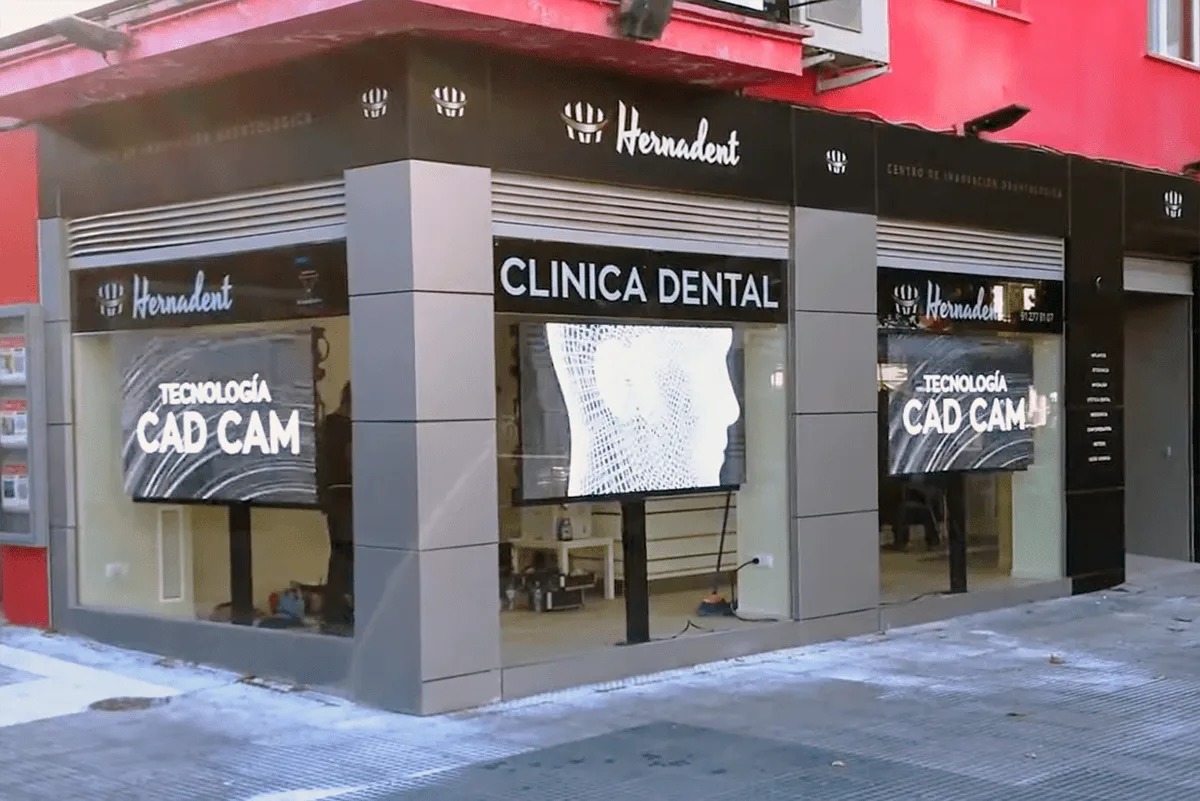
An LED window display is judged from the audience side of the glass. The useful question is whether visitors can understand the message at the intended positions and times, while the shop still presents the background view it needs. A quoted maximum brightness figure alone cannot answer that.
Record the pane dimensions, visible framing, glass type if known, tint or coating information, interior lighting and the proposed distance between display and glass. Ask the glazing or building team to confirm material details rather than identifying a coating from a photograph.
Mark the normal pedestrian approach from both directions, a near viewing point and the place where people should read the main message. Include side views and window mullions. Use these same positions when comparing candidate equipment.
2. Compare bright and dark operating conditions
Check the window during representative bright conditions and during the darker hours when the display will operate. Record the time, weather, sun position, interior lights and screen setting. If a critical seasonal condition cannot be reproduced before purchase, identify that limitation in the approval record.
Evaluate the proposed equipment through the actual glass where practical. When only a supplier demonstration is available, describe how its glass, background and lighting differ from the site. Do not treat a showroom clip as proof of all-day street visibility.
Use photographs and short video as supporting records. Automatic exposure, reflections and camera processing can change how a screen looks in a recording, so retain notes from direct viewing as well. A phone image is not a calibrated brightness measurement.
3. Test the campaign that visitors need to read
Prepare a test playlist containing the actual logo, a short offer or service message, a product image and representative motion. Include the longest essential wording and any required fine detail. Decorative animation alone does not show whether a visitor can read a price, date or product name.
Ask a reviewer at the marked positions to identify the intended message without first explaining it. Record where the message becomes difficult to read. Adjust the content layout and compare again before assuming that a hardware change is necessary.
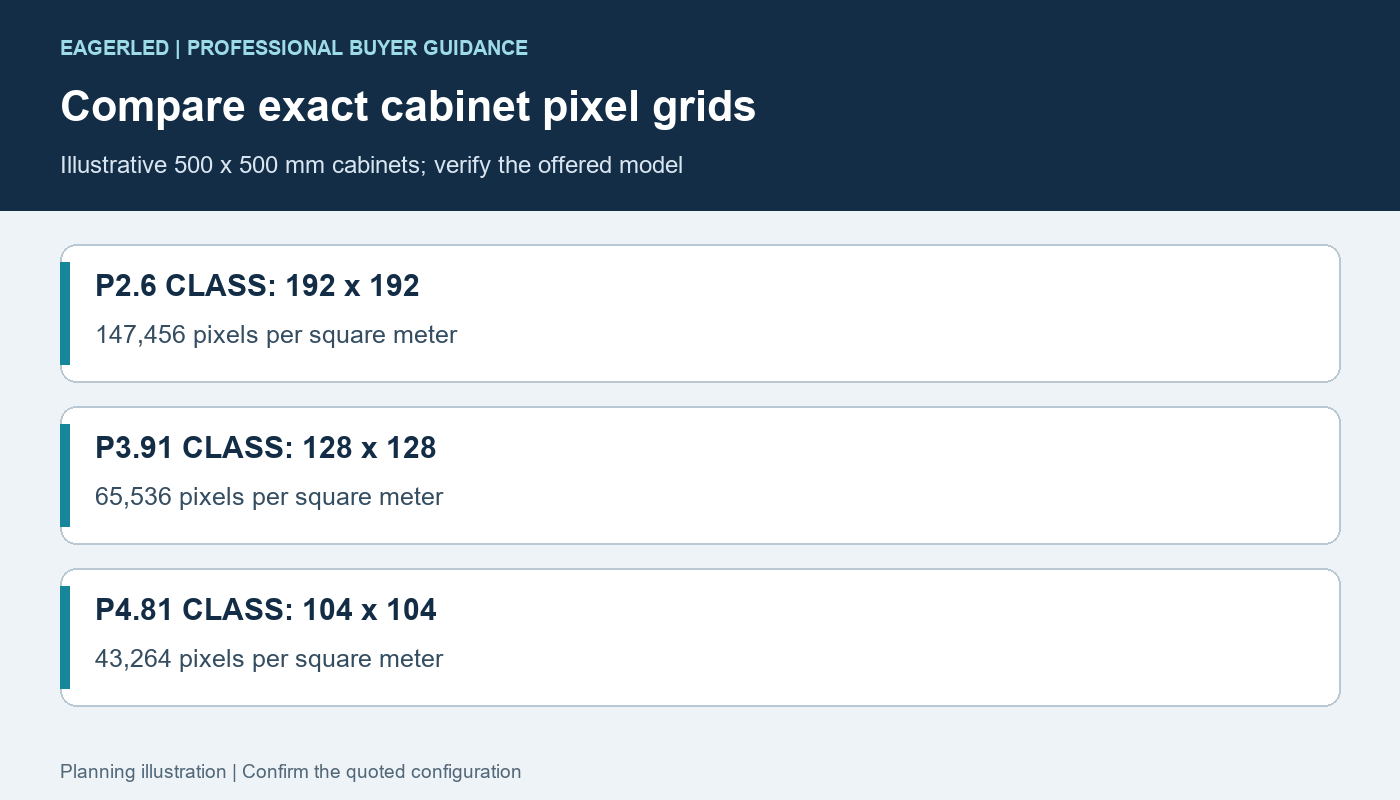
Keep the physical display size and native pixel canvas in the record. When comparing two pitches, use equivalent content scaled for the respective native layouts. A file that looks sharp on a laptop is not evidence that the final window canvas has the same resolution.
4. Check the merchandise and background view
For a transparent display, inspect both the digital message and what must remain visible behind it. Repeat the comparison with the planned merchandise, lighting and interior arrangement. A transparency percentage is a product metric under stated conditions, not a guarantee that every display scene leaves the same perceived view.
Try content with generous spacing as well as a dense bright scene. Identify whether essential merchandise, signage or sightlines become harder to see. Decide what degree of coverage is acceptable for this window instead of choosing the highest advertised transparency value by itself.
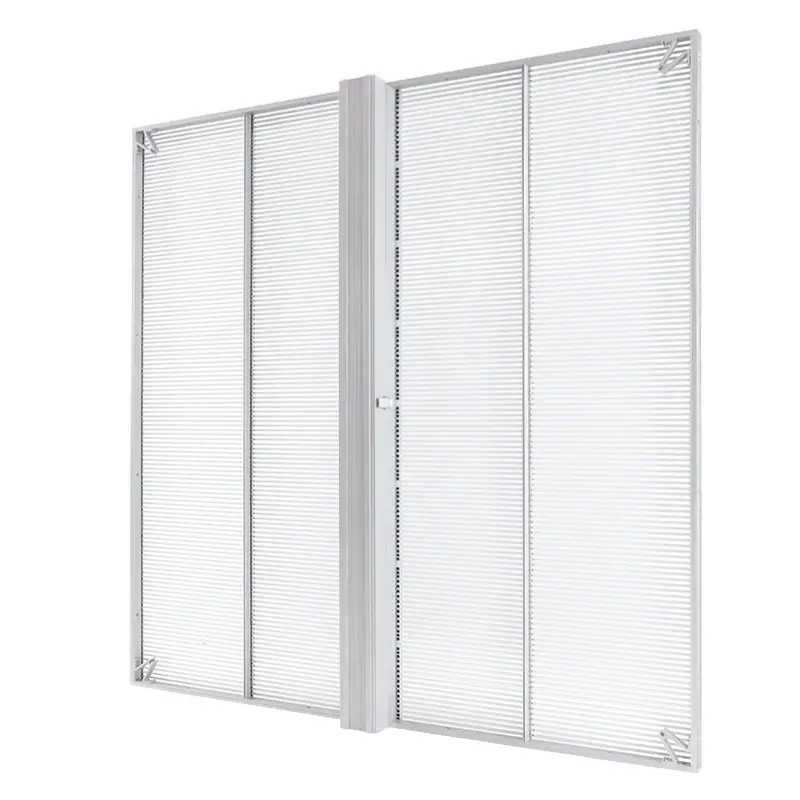
An opaque display may be suitable when the window’s primary purpose is a solid advertising canvas. If preserving the interior view is essential, compare the actual transparent system under the same conditions. The transparent LED screen range provides format options for the supplier discussion.
5. Use a repeatable approval worksheet
Use one record for each candidate. Keep the same observation positions and playlist so differences remain assessable. Agree the acceptance method with the supplier before final approval; do not invent a universal pass threshold for every storefront.
| Test field | What to record | Question to resolve |
|---|---|---|
| Equipment | Model, pitch, native canvas and settings | Is this the quoted configuration? |
| Glass and lighting | Pane, time, weather and interior lights | Does this represent the operating condition? |
| Viewing position | Distance, approach direction and obstruction | Can the essential message be understood? |
| Content | File version and scene or timestamp | Is the real campaign readable? |
| Background | Merchandise visibility with the display on and off | Is the window’s other purpose preserved? |
| Open items | Unreproduced conditions and required changes | Who resolves them before approval? |
Retain the approved content files and settings with the equipment proposal. If the supplier changes the cabinet, pitch or control package, reassess the affected results rather than assuming that approval transfers automatically.
6. Confirm the equipment behind the glass
A display installed indoors behind glass is not automatically suitable for every temperature or exposure found there. Ask the supplier to confirm the proposed equipment’s environmental limits, ventilation, service clearance and operating schedule for this location.
Map the routes needed for window cleaning and component replacement. Confirm how doors, blinds and shutters operate after installation. Refer any support, glazing, electrical or access design to the relevant qualified local professionals.
Ask who supplies content preparation, control configuration, dimming setup, staff training and service documentation. A successful visual demonstration should be accompanied by a workable installation and operating plan.
7. Frequently asked questions
Can maximum nits guarantee daylight readability?
No. Assess the complete display through the actual glass with the intended content, reflections, viewing positions and background conditions.
Does higher transparency always produce a better window display?
No. Openness, image detail and the visibility of merchandise must be assessed together for the intended content and site.
Is a shop-window LCD the same as an LED video display?
No. Confirm the display technology and complete equipment specification before comparing proposals that use the same window-display label.
Can a phone recording replace a site test?
No. It supports the record, but automatic exposure and processing can alter the appearance. Retain direct-view observations and the test conditions.
8. Request an LED window display assessment
Send window dimensions, glass information, photographs from inside and outside, nearest viewing distance, country and purchase timeline. Include operating hours, lighting conditions, what must remain visible behind the screen and a sample campaign. Ask for a proposed configuration and a documented through-glass demonstration.
Reviewed October 16, 2026. This is a proposed buyer test method, not a report of measured performance or increased store visits.
 5-Face Cube LED Display: Which Side Stays Open?
 Cylinder LED Display: Module Count & Pixel Canvas