Before buying an interactive LED floor, confirm that sensors, compatible control equipment, interactive content and calibration are included. Then test the actual response across the assembled floor. Keep those functional checks separate from approval of the supporting floor and intended traffic.
1. Separate interactive response from video playback
An interactive LED floor needs a complete response system: the display, sensing hardware, compatible control equipment, interactive software or content, and an approved mapping between the floor and the visual effects. Playing an animated video on LED tiles does not by itself make the floor respond to visitors.
Start by describing the experience you want. A ripple following a footstep, a team game and a branded animation triggered in one area have different requirements. Ask for a demonstration of your intended interaction instead of approving the purchase from an attractive video loop.
2. List the complete interaction package
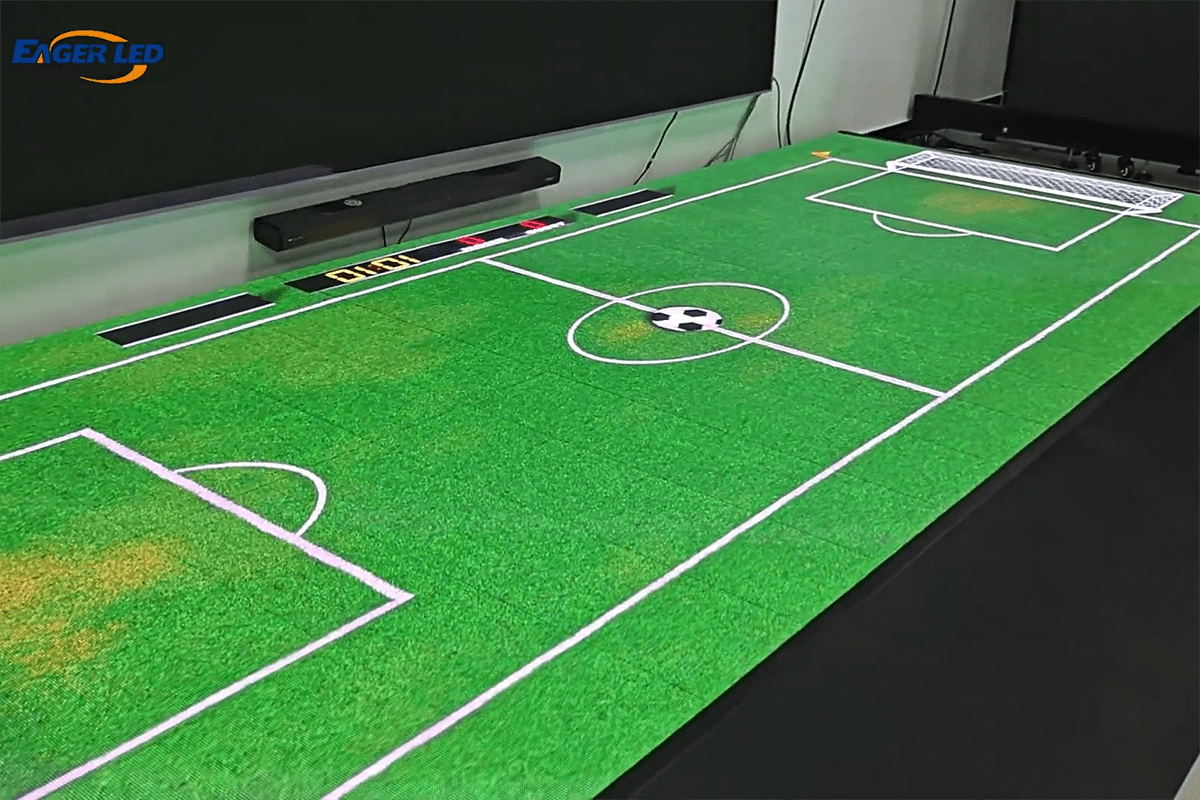
The EA500RF2 indoor floor screen is a useful procurement example: it lists 500 × 500 mm cabinets and optional interactive induction. Confirm whether the sensing option is included in your specific order. A quote for a display-only configuration should not be compared with a complete interactive package as if the scope were equal.
- Display: cabinet model, pitch, native pixel map and the intended environment.
- Sensing: supplied sensing option, detection coverage and interface requirements.
- Control: the exact processor or sending system and its compatibility with the sensing hardware.
- Content: included effects or games, editing rights, licensing terms and supported operator devices.
- Commissioning: physical layout mapping, calibration, training and handover records.
Ask the supplier to identify any computer, network equipment or separate software needed for normal operation. Specify what must work after the installer leaves and what support is available if the operator changes the layout.
3. Confirm the physical layout and native canvas
As an illustrative cabinet-count example, a 3 × 2 m active floor made from 500 × 500 mm cabinets uses six columns and four rows: 24 cabinets and 6 m² of active area. This is equipment arithmetic, not a support or load-bearing design. Edge treatments, access areas and other project components are additional scope.
The cabinet count does not tell you the number of independently detected zones. Ask the supplier to provide both the native LED pixel canvas and the sensing map for the assembled floor. Establish the origin, orientation and relationship between the physical tiles and the on-screen response.
Give the content supplier the approved canvas and interaction area. Test effects near boundaries and joins as well as in the centre. If the layout will be changed between events, ask how the mapping is updated and whether the operator can perform that task with the delivered software.
4. Demonstrate the interaction you intend to use
After the supplier and venue have approved the assembled floor for the intended use, run a controlled functional demonstration with the proposed hardware, content and software. Agree the acceptance criteria before the test; do not invent a universal response-time threshold for every interactive floor.
Swipe inside the table on a small screen.
| Check | Demonstration | What to record |
|---|---|---|
| Position mapping | Trigger representative areas, edges and joins | Whether the visual response appears in the intended place |
| Response | Use the actual effect or game at its intended pace | The agreed timing and detection criteria |
| Multiple users | Demonstrate the planned simultaneous activity | Supported user count and behavior when triggers overlap |
| Idle behavior | Observe the floor with no intended input | Background content and any unwanted triggering |
| Restart | Restart through the documented procedure | Mapping, calibration and content recovery |
| Layout change | Demonstrate the required remapping workflow | Tools, permissions and operator training |
If a demonstration uses different software or a smaller sensing configuration, record that difference and require confirmation of the final package. A short promotional clip cannot show every operating condition your project needs.
5. Review the floor installation separately
Functional interactivity and the physical floor design are separate acceptance matters. Give the supplier the intended traffic, footwear, equipment and environment. Have suitably qualified personnel approve the supporting floor, cabinet supports, edge transitions and load conditions for the actual installation.
A published load figure in kg/m² does not by itself establish suitability for every concentrated, moving or dynamic load. Request the test conditions and the approved use limitations for the quoted version. Do not infer that equipment wheels, vehicles or a particular activity are allowed simply from a marketing image.
For outdoor locations, specify the exposure, drainage and protected power and signal routes. Use an appropriate outdoor product proposal such as the EA-OFloor range, with its exact supplied configuration reviewed for the project. An indoor floor model should not be assigned outdoor duty because it has a protective surface.
6. Include service access and recalibration
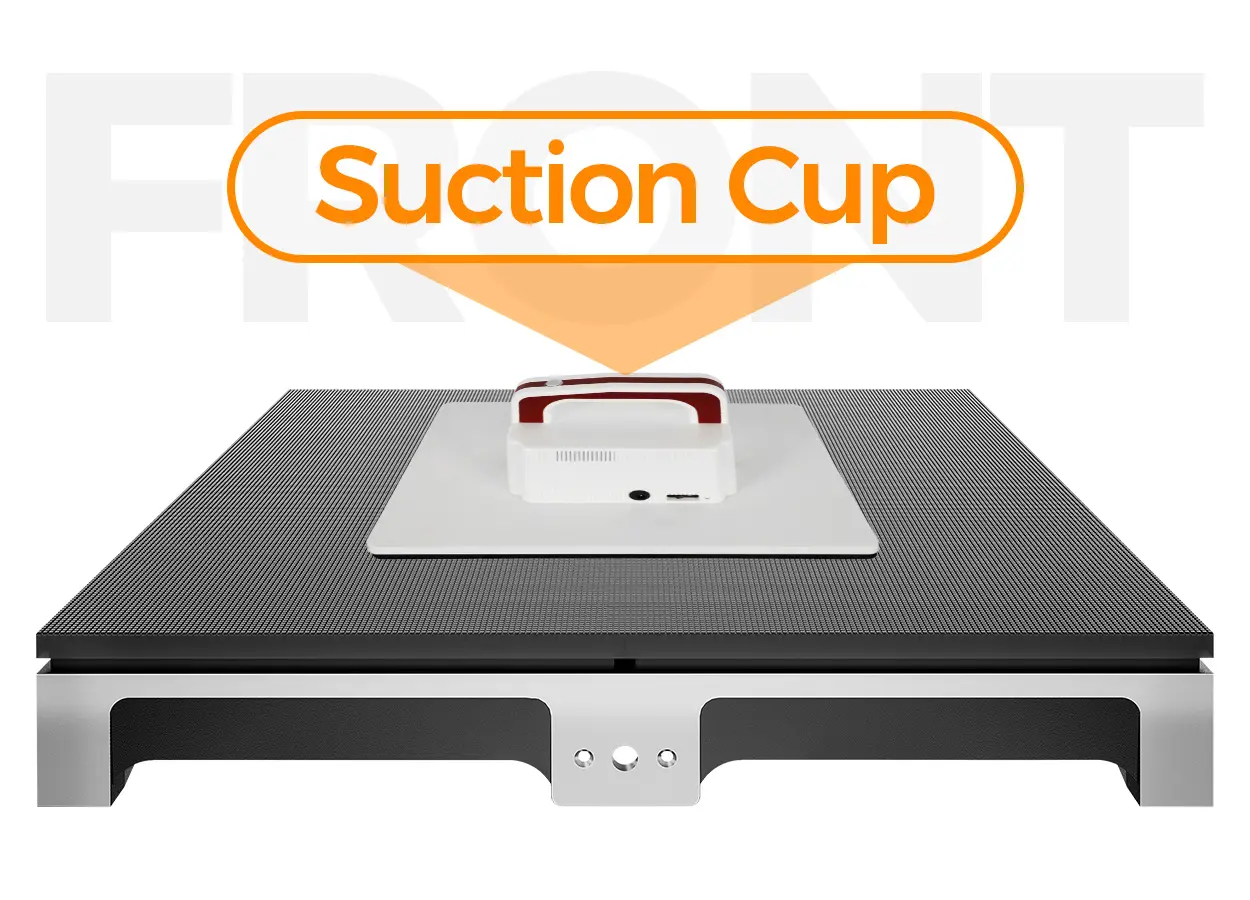
Ask for the replacement procedure for display modules, sensing components, power assemblies and control equipment. The EA500RF2 product page illustrates front service using a vacuum tool; confirm what is supplied and which tasks require trained service personnel.
Request matching spare parts and records of the approved hardware and software versions. Establish whether replacing a module or sensor changes the interaction map or requires recalibration. Include that process in operator training, with the manufacturer’s specified power-isolation and service instructions.
Agree how the floor is returned to service after maintenance, including checks of the surface, display and sensing functions. A successful replacement is more than a module showing an image again.
7. Frequently asked questions
Is every LED floor interactive?
No. Verify the sensing hardware, control compatibility and interactive software in the quoted package.
Does cabinet quantity equal sensor-zone quantity?
No. Request a sensing map for the supplied system; do not infer detection granularity from the cabinet grid.
Are games and branded effects included?
Ask for the exact content, editing rights and licensing scope. Hardware and content may be quoted separately.
Can a load figure prove the floor is suitable for my event?
Not on its own. Have the supplier and qualified installation team review the intended traffic, support, concentrated loads and operating conditions.
8. Request a complete interactive-floor proposal
Send the active width and length, indoor or outdoor location, expected activity, viewing conditions, country and purchase timeline. Describe the effect or game, the simultaneous users and how often the layout will change. Request a proposal that separates the display, sensing, content and installation scope.
Manufacturer materials reviewed on October 14, 2026. The cabinet count is an illustrative calculation. Functional checks are proposed buyer acceptance requests; final installation suitability requires the supplied model and site design to be approved.
 Wi-Fi LED Poster Control: Offline & Remote Buying Checks