Related Posts
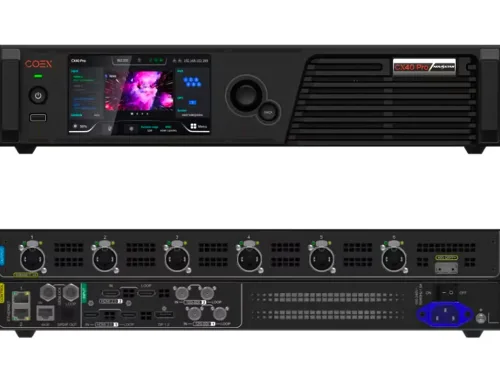
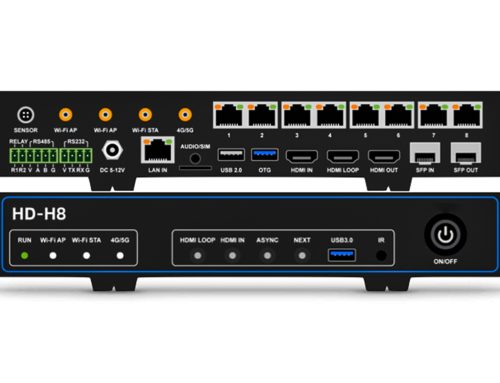
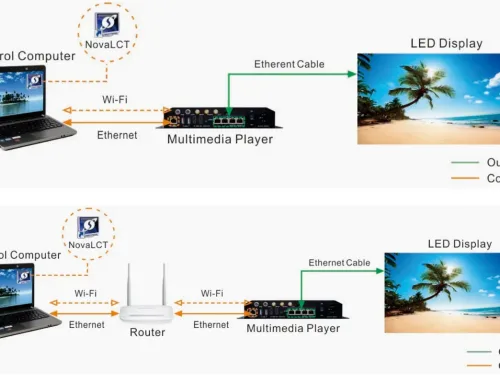
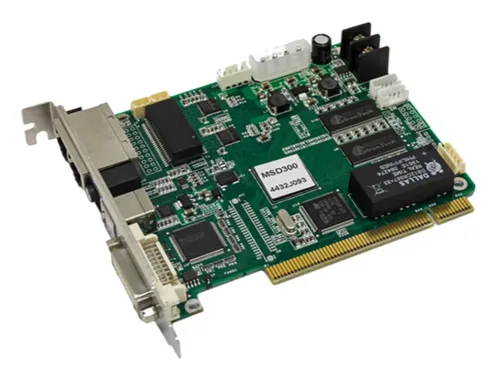
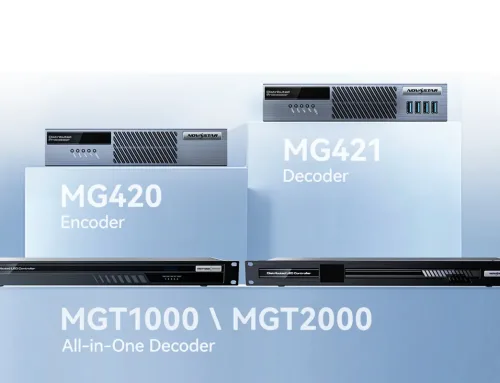




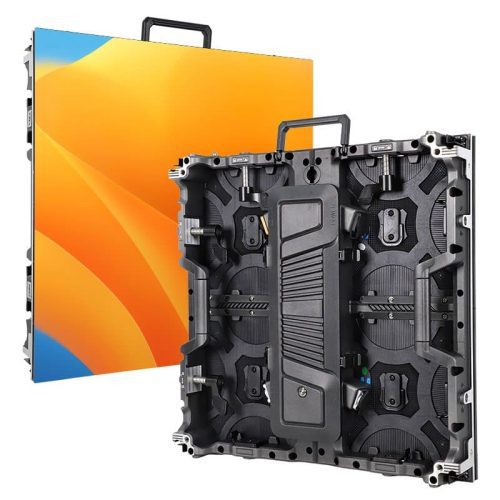
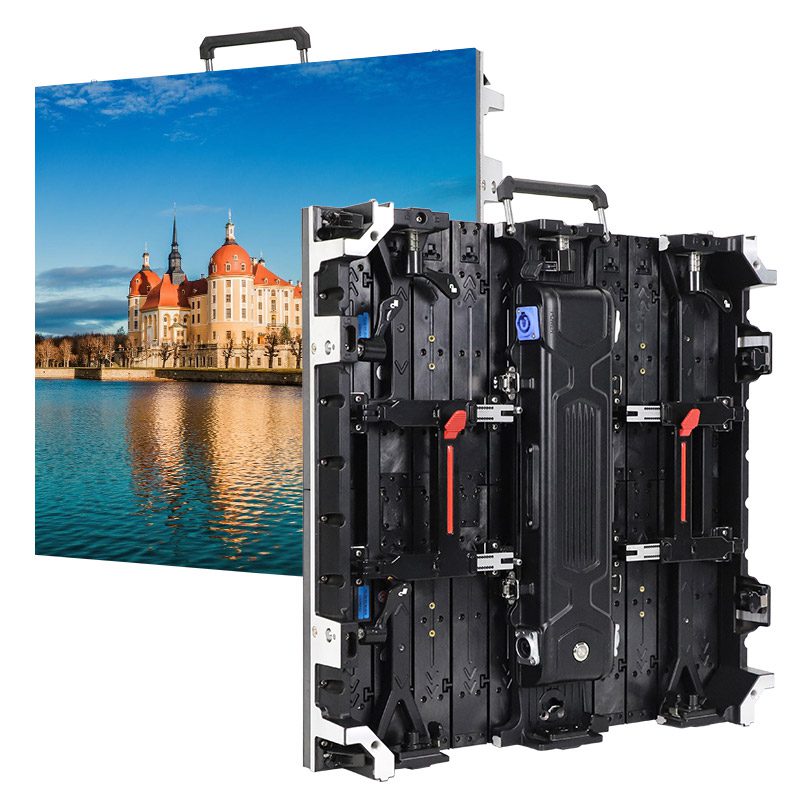
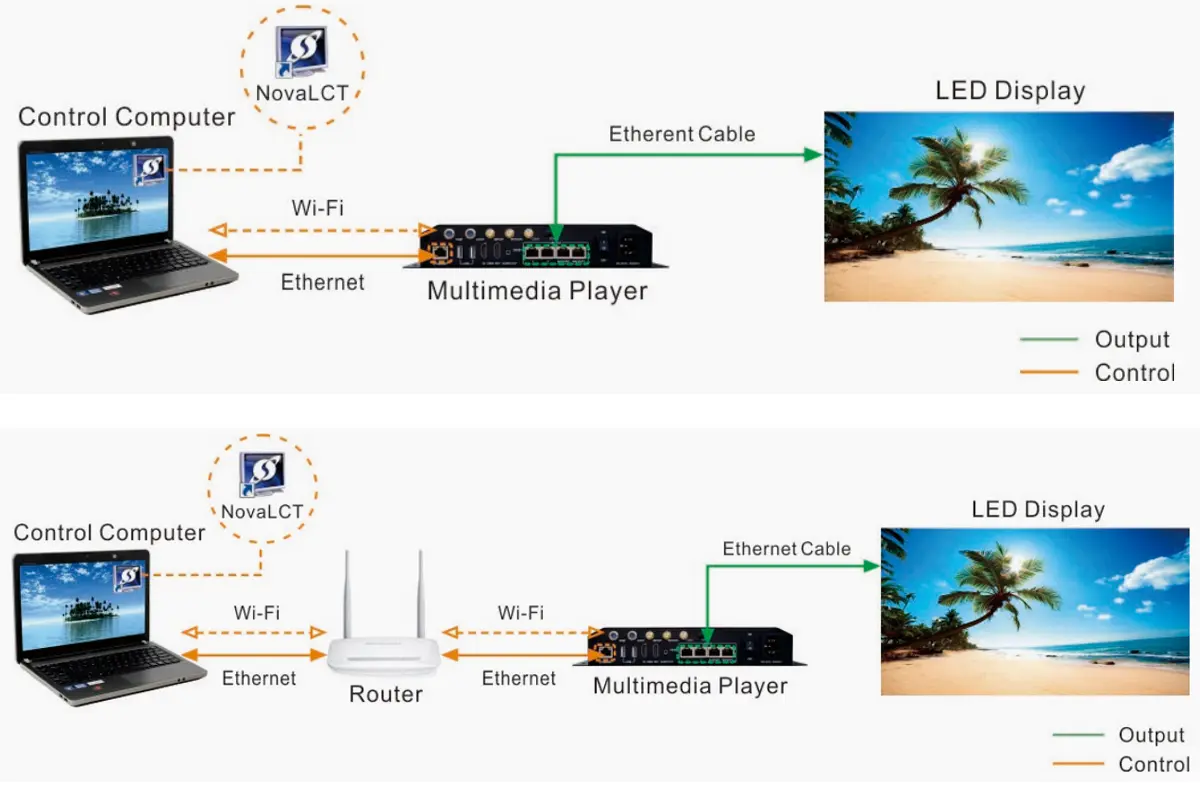
The NovaStar Taurus multimedia player comes in several models, including TB1-4G, TB2-4G, TB30, TB40, TB50, and TB60. These are core devices for controlling LED displays, suitable for various applications such as advertising screens, information displays, and store window screens.
Different models in the NovaStar Taurus series vary in storage capacity, output interfaces, and feature configurations. Many first-time users may not know how to choose or install the right model. This guide provides an overview of the specifications, key features, and user manuals for each model, with a focus on how to properly configure and use these digital media players.
catalogue
1.What is the NovaStar Taurus Series Multimedia Player?
The NovaStar Taurus Series is a professional multimedia player designed specifically for LED full-color displays, integrating playback, control, and storage functions. It not only enables multi-screen synchronization but also supports intelligent brightness adjustment, automatically optimizing the image quality based on ambient lighting conditions.
Additionally, the Taurus multimedia player series supports remote and cluster management, allowing users to update content in bulk and monitor screen status via the network. This makes it ideal for large-scale applications such as digital signage, advertising screens, window displays, and information screens.
The digital media player series includes models such as TB1-4G, TB2-4G, TB30, TB40, TB50, and TB60.
Application Benefits of the NovaStar Taurus Multimedia Players Series
- Cluster Management: With Taurus, you can manage hundreds or even thousands of screens centrally, batch-publishing and updating advertising content on a scheduled basis.
- Intelligent Brightness Adjustment: Automatically adapts to changes in lighting throughout the day, keeping the display bright and clear during the day and soft and comfortable at night.
- Multi-Screen Synchronization: For large LED walls made up of multiple screens, the Taurus series ensures seamless synchronization across all displays.
- Flexible Control: Easily switch playback content via smartphone or tablet for quick adjustments.
- 4G Wireless Transmission: For outdoor billboards or temporary events without fixed network connections, the 4G module allows for remote content updates.
- USB Plug-and-Play: For temporary events, content can be updated directly via a USB drive, offering a plug-and-play solution that’s highly flexible.
2. Novastar TB1-4G
The Novastar TB1-4G is a multimedia player that integrates both playback and transmission functions. Users can directly publish programs and control displays via various terminals such as PCs, smartphones, and tablets. Additionally, the TB1-4G can connect to NovaStar’s cloud publishing and cloud monitoring platforms, allowing for convenient remote management.
It is ideal for applications that do not require a PC to remain constantly connected, such as lamp post LED displays, chain store screens, advertising kiosks, retail displays, shop front signs, and vehicle-mounted screens. The current official price for the TB1-4G is $51.70.
Features and Specifications:
- Supports a maximum transmission of 65,000 pixels, with a maximum width of 1920 and height of 1080 (1080P output).
- Supports 1 channel of 1080P, 2 channels of 720P, 4 channels of 480P, or 4 channels of 360P video playback.
- Wi-Fi AP/STA dual-mode, allowing control via PC, smartphone, or tablet, and supports USB plug-and-play for playback and storage expansion.
- Supports 4G module (optional), enabling remote program publishing and monitoring in clusters.
- Equipped with 1GB of RAM and 32GB of internal storage.
2.1 Novastar TB1-4G Multimedia Player Appearance
Novastar TB1-4G Front Panel
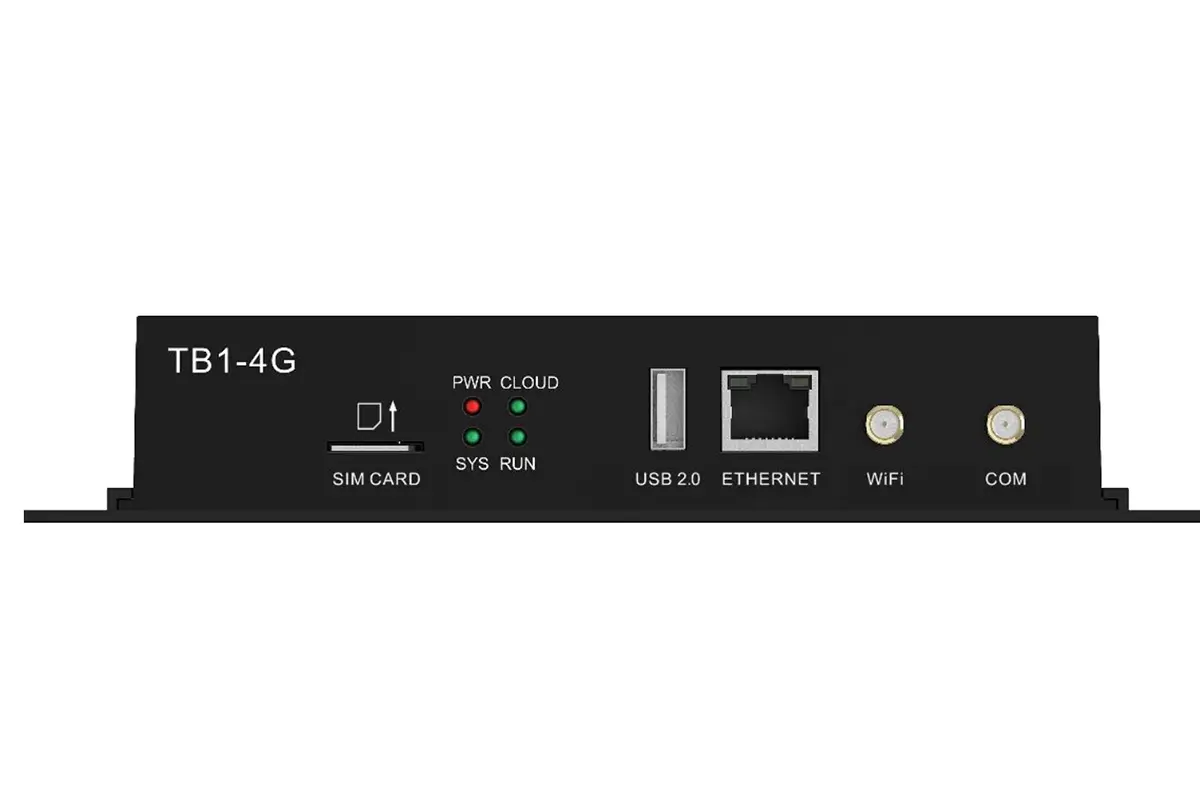
| Name | Description |
|---|---|
| SIM CARD: | SIM card slot, supports anti-reverse insertion. |
| USB 2.0: |
|
| ETHERNET: | 100Mbps Ethernet port, used for network connection or controlling a PC. |
| WiFi: | Connects to the Wi-Fi antenna (supports 2.4GHz Wi-Fi). |
| COM: | Connects to the 4G antenna. |
Novastar TB1-4G Rear Panel
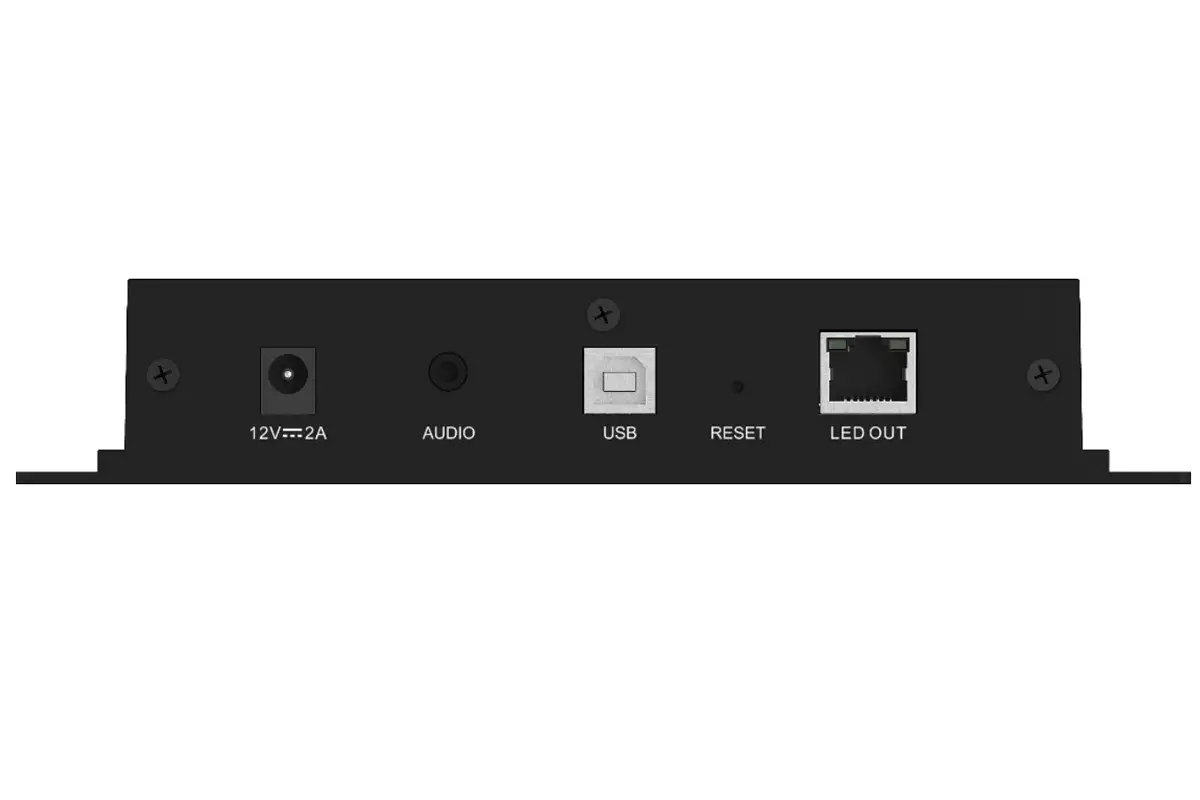
| Name | Description |
|---|---|
| 12V –2A: | Power input interface. |
| AUDIO: |
Audio output interface, supports connecting to national standard (OMTP) headphones. |
| USB: | USB 2.0 (Type B) interface. |
| RESET: | Factory reset button, hold for 5 seconds to activate. |
| LED OUT: | Gigabit output Ethernet port. |
2.2 Novastar TB1-4G Specifications and User Manual Download
| NovaStar TB1-4G Specifications | NovaStar TB1-4G Quick Start Guide |
|---|---|
| NovaStar TB1-4G Firmware | NovaStar RCFG File Download |
2.3 FAQs about TB1-4G
3.Novastar TB2-4G
The Novastar TB2-4G multimedia player shares the same basic functions as the TB1-4G, but it adds a feature that is particularly important for complex projects: an HDMI 1.3 input port, which allows it to work seamlessly in sync mode. It supports both synchronous and asynchronous dual modes, whereas the TB1-4G primarily operates in asynchronous playback mode.
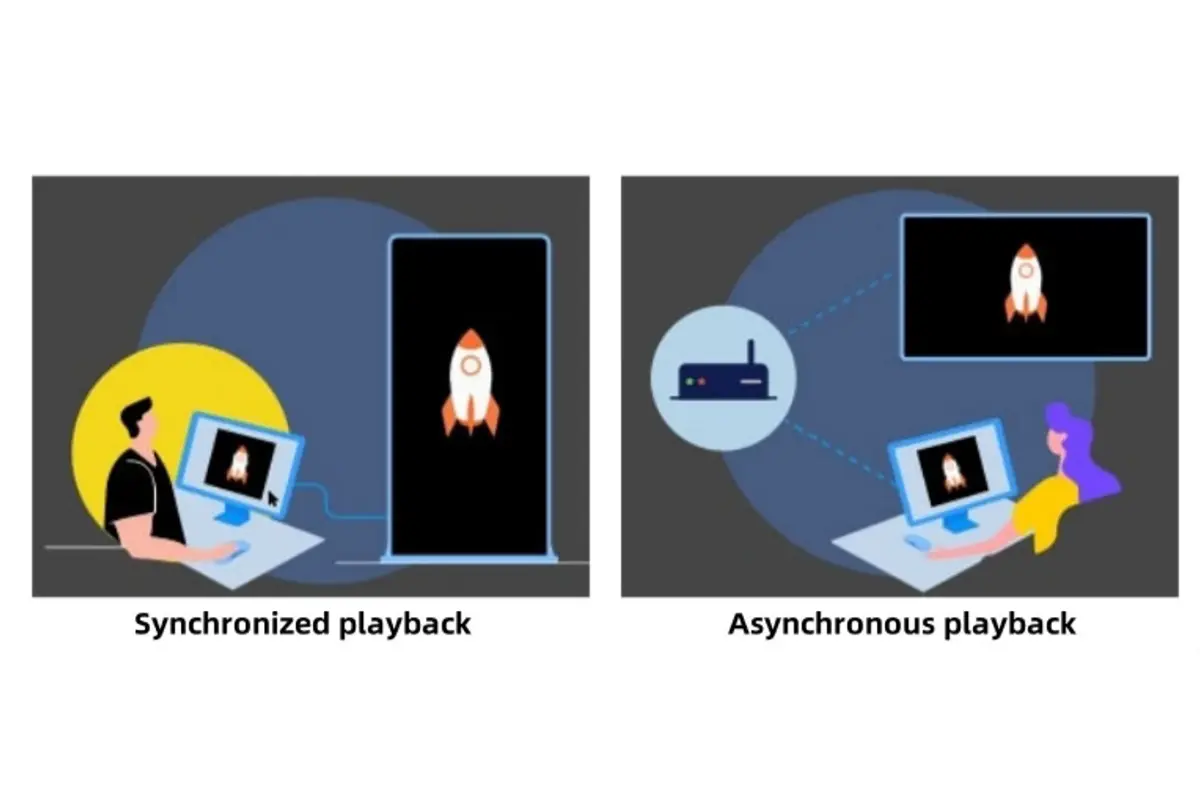
What can the “synchronous mode” of the TB2-4G do? When would I use it?
Synchronous mode allows the TB2-4G multimedia player to function like a computer monitor. By connecting it to a computer, camera, or video switcher via an HDMI cable, the LED screen can display the content from the signal source in real-time with zero delay.
Typical Application Scenarios:
- Live broadcasts and events: Such as concerts, press conferences, and sports events, where live video signals are projected onto large screens in real-time.
- Command and control centers: Real-time display of monitoring footage, data visualization screens, and dispatch information systems.
- TV studio: Used as a background screen for studio productions.
3.1 Novastar TB2-4G multimedia Player Appearance
Novastar TB2-4G front panel
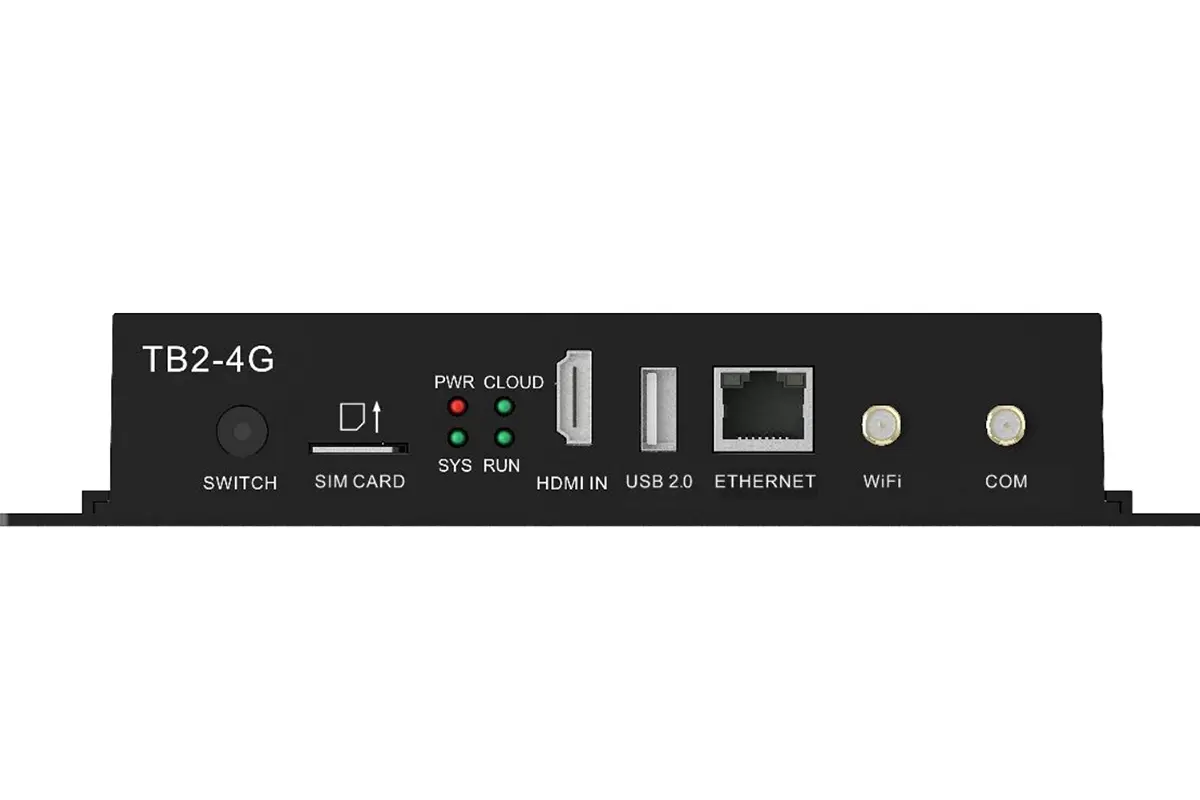
| Name | Description |
|---|---|
| SWITCH |
Dual-mode switch button.
|
| SIM CARD: | SIM card slot, supports anti-reverse insertion. |
| HDMI IN: |
HDMI 1.3 input port, used for inputting video sources in synchronous mode. Synchronous mode full-screen scaling requirements:
|
| USB 2.0 (Type A): | Supports USB drive program playback and USB storage expansion. The file system supports FAT32, allowing a maximum file size of 4GB. |
| ETHERNET: | 100Mbps Ethernet port, used for network connection or controlling a PC. |
| WiFi: | Connects to the Wi-Fi antenna (supports 2.4GHz Wi-Fi). |
| COM: | Connects to the 4G antenna. |
Novastar TB2-4G rear panel
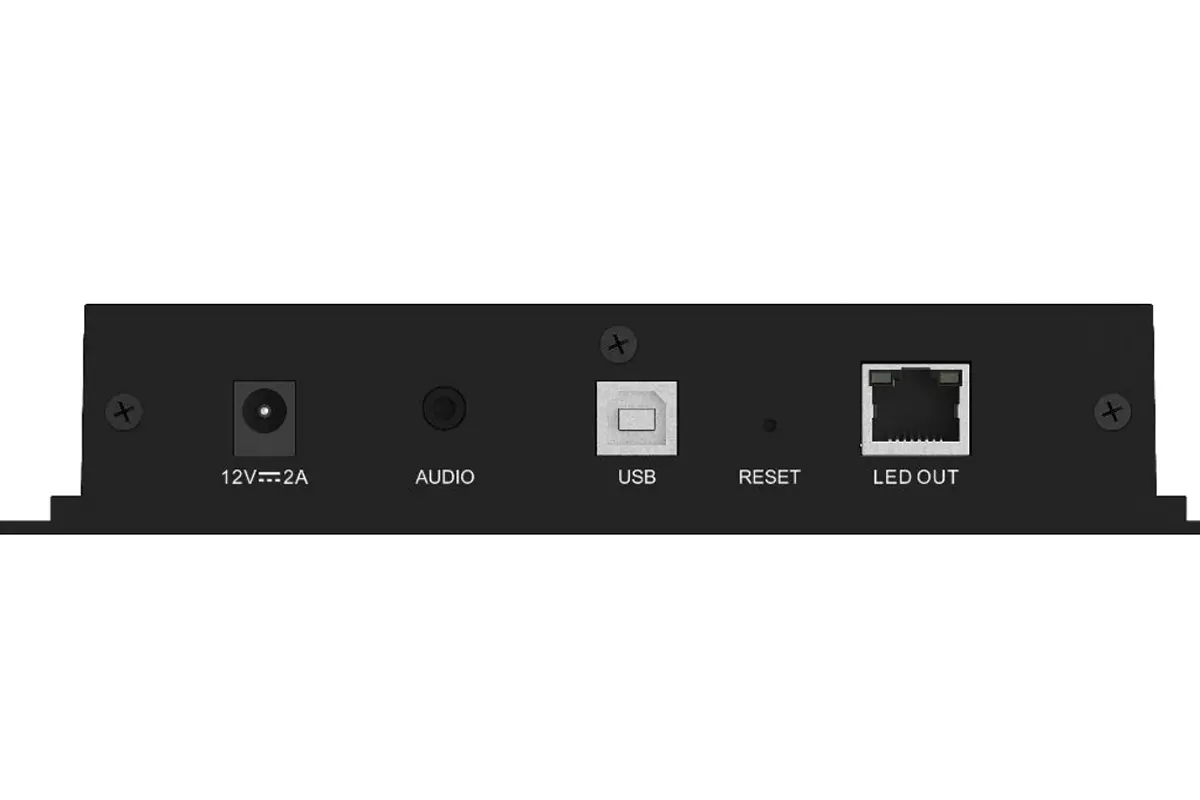
| Name | Description |
|---|---|
| 12V — 2A: | Power input interface. |
| AUDIO: | Audio output interface, supports connecting to national standard (OMTP) headphones. |
| USB: | USB 2.0 (Type B) interface. |
| RESET: | Factory reset button, press and hold for 5 seconds to activate. |
| LED OUT: | Gigabit output Ethernet port. |
3.2 Novastar TB2-4G Specifications and User Manual Download
| Novastar TB2-4G Manual | Novastar TB2-4G Specifications |
|---|---|
| Novastar TB2-4G Firmware | NovaStar RCFG File Download |
3.3 FAQs about TB2-4G
4. Novastar TB30
Novastar TB30 multimedia player is not only a multimedia player responsible for playing videos, images, audio, and other content, but it also functions as an LED display controller, converting the playback content into signals that the LED screen can recognize. This means that in many application scenarios, users do not need additional receiving cards or control boards. The TB30 itself can handle both content management and signal driving, performing these two core tasks.
Features and Specifications:
- Supports a maximum bandwidth of 650,000 pixels, with a maximum height of 4096 and maximum width of 4096 for output.
- Allows content publishing and display control through various terminals such as PCs, smartphones, and tablets, and supports Wi-Fi connectivity.
- The device supports wired network, Wi-Fi, and 4G/5G modules (separate purchase required).
- Capable of simultaneously playing multiple video streams, such as supporting 1 4K video, 2 1080P videos, or 4 720P videos in synchronized output.
4.1 Novastar tb30 Multimedia Player Appearance
Tb30 Front Panel
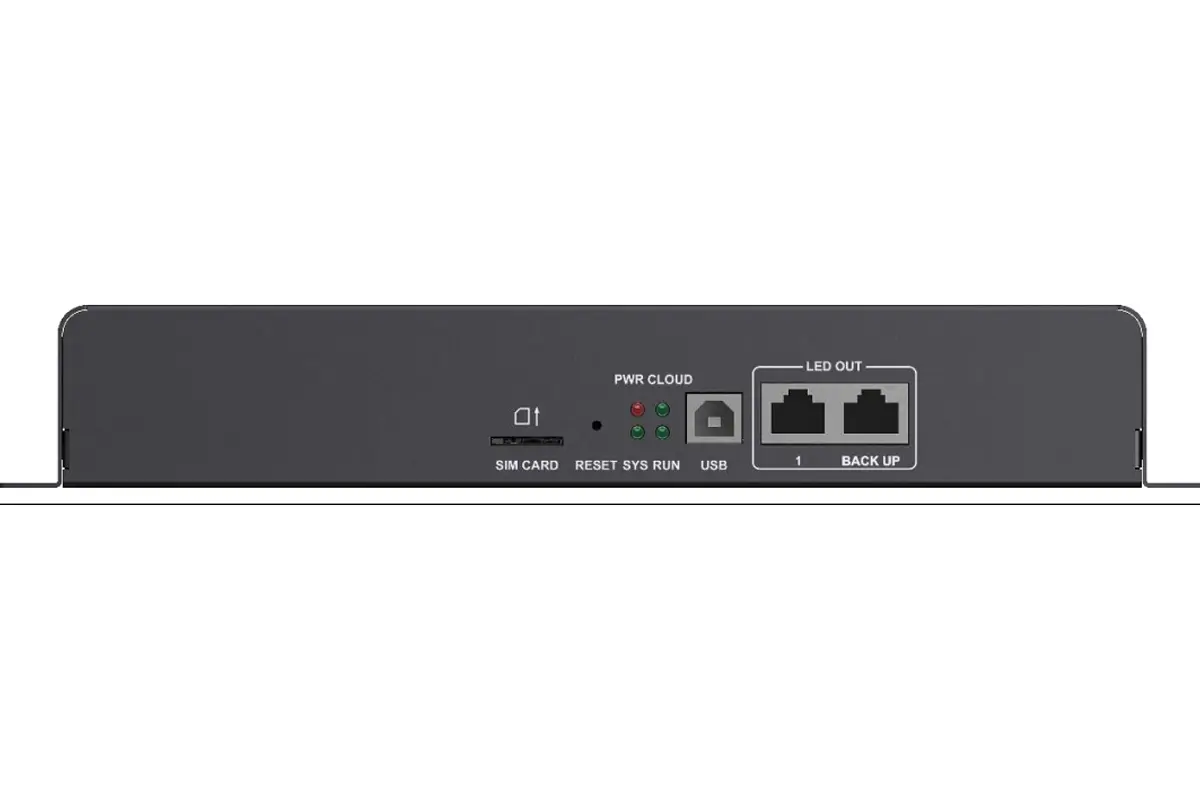
| Name | Description |
|---|---|
| SIM CARD | SIM card slot, supports anti-reverse insertion. |
| RESET | Factory reset button, press and hold for 5 seconds to activate. |
| USB | USB (Type B) interface, connects to the device for program publishing and display control. |
| LED OUT | LED output Ethernet port. |
Tb30 Rear Panel
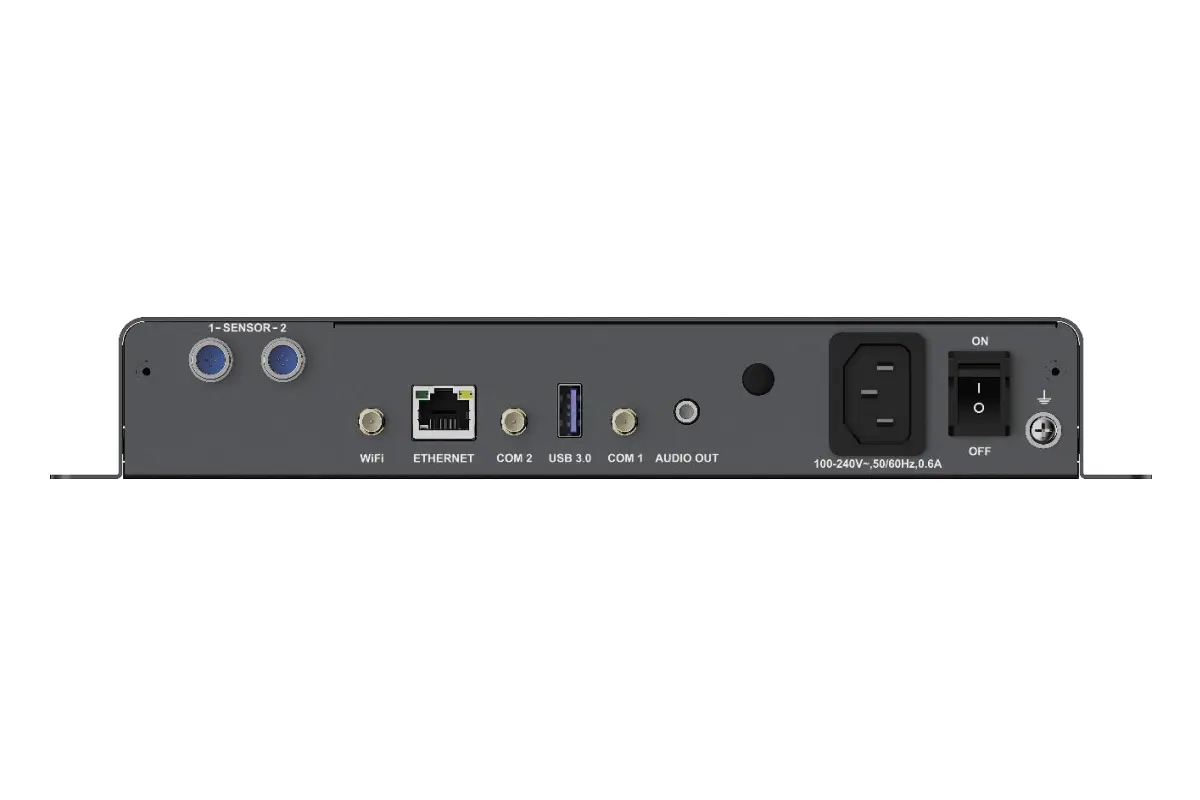
| Name | Description |
|---|---|
| SENSOR | Sensor interface for connecting an illumination sensor or a temperature & humidity sensor. |
| RF antenna port (Reserved). | |
| WiFi | WiFi antenna interface. Supports switching between WiFi AP and WiFi STA modes (Supports 2.4GHz WiFi). |
| ETHERNET | Gigabit Ethernet port for directly connecting a host computer to the device, or connecting the device to a LAN or the public network for content publishing and display control. |
| COM 2 | GPS antenna interface. |
| USB 3.0 | USB 3.0 (Type A) interface, supports content playback from USB drive, firmware update via USB drive, and storage expansion. File systems support Ext4 and FAT32. FAT32 has a maximum single file size limit of 4GB. |
| COM 1 | 4G antenna interface. |
| AUDIO OUT | Audio output interface, supports connecting to GB standard (OMTP) headphones. |
| 100-240V~, 50/60Hz, 0.6A | Power input interface. |
| ON/OFF | Power switch. |
4.2 Novastar Tb30 Specifications and User Manual Download
4.3 FAQs about TB 30
5.Novastar TB40
The TB40 multimedia player is an all-in-one media player designed specifically for large LED screens. It integrates two core functions—content playback and signal control—into a single device. This means in many cases, all you need is this one unit to get your LED screen running and displaying various promotional content. It eliminates the hassle of additional controllers and complex wiring, making installation and management exceptionally simple.
Features & Functions of the TB40 digital media player:
- It can easily drive large screens with up to 1.3 million pixels. You can simultaneously play one 4K video, two 1080P promotional videos, plus several 720P advertisements, all while maintaining smooth and clear picture quality, meeting all your expectations for high-definition playback.
- By connecting a computer or camera via an HDMI cable, the screen can display the computer’s content in real-time and without delay, making it ideal for scenarios requiring instant display, such as live streams or conferences.
- You can use a mobile phone, tablet, or computer to upload new content, turn the screen on/off, or adjust playback schedules anytime, anywhere.
- It supports Wi-Fi and 4G/5G dongles (sold separately), allowing for easy management even if the screen is installed in a location without Ethernet access.
- Simply store your prepared videos and images on the device, and it will automatically play them on loop, making it suitable for daily promotions in shopping malls and retail stores.
5.1 Novastar tb40 digital media player Appearance
Tb40 Front Panel
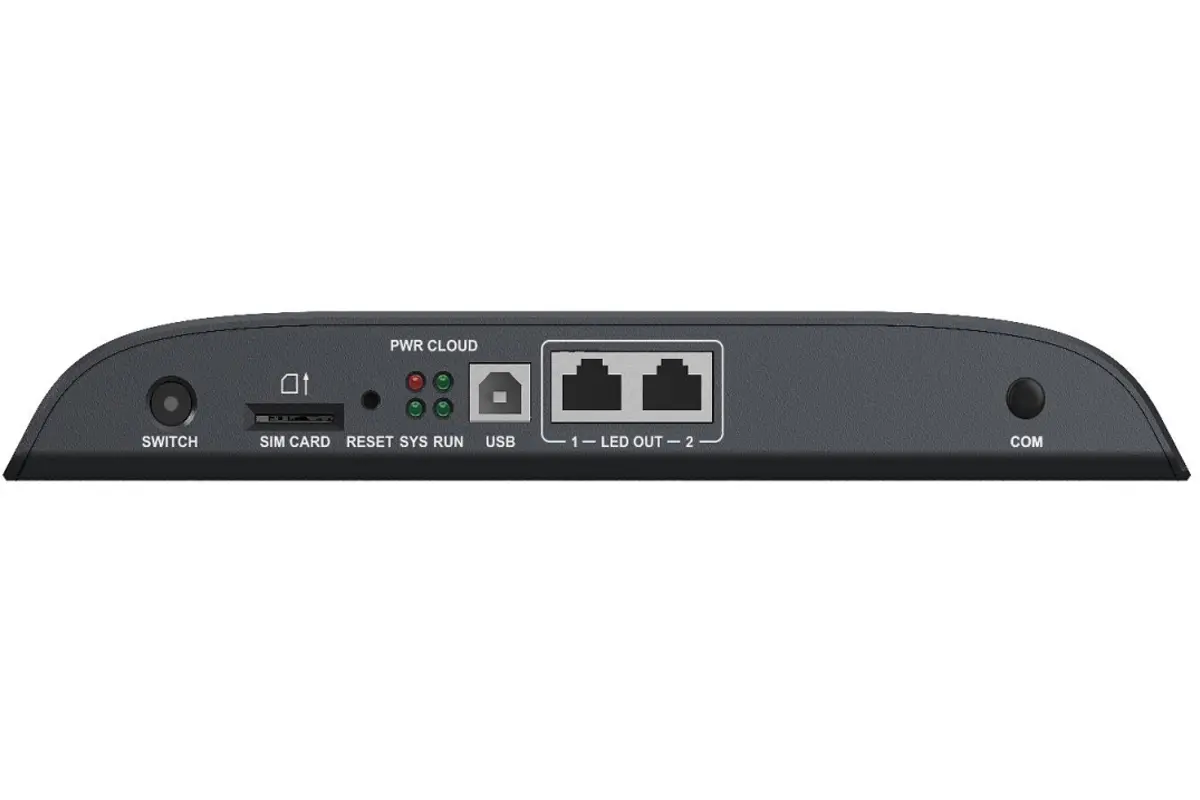
| Name | Description |
|---|---|
| SWITCH | Toggle button for Sync/Async mode. • Solid On: Sync mode. • Off: Async mode. |
| SIM CARD | SIM card slot, supports anti-reverse insertion. |
| RESET | Restore factory defaults button. Press and hold for 5 seconds to take effect. |
| USB | USB (Type B) port for directly connecting a host computer for content publishing and display control. |
| LED OUT | LED Gigabit output Ethernet port. |
| COM | RF antenna port. (Reserved) |
Tb40 Rear Panel
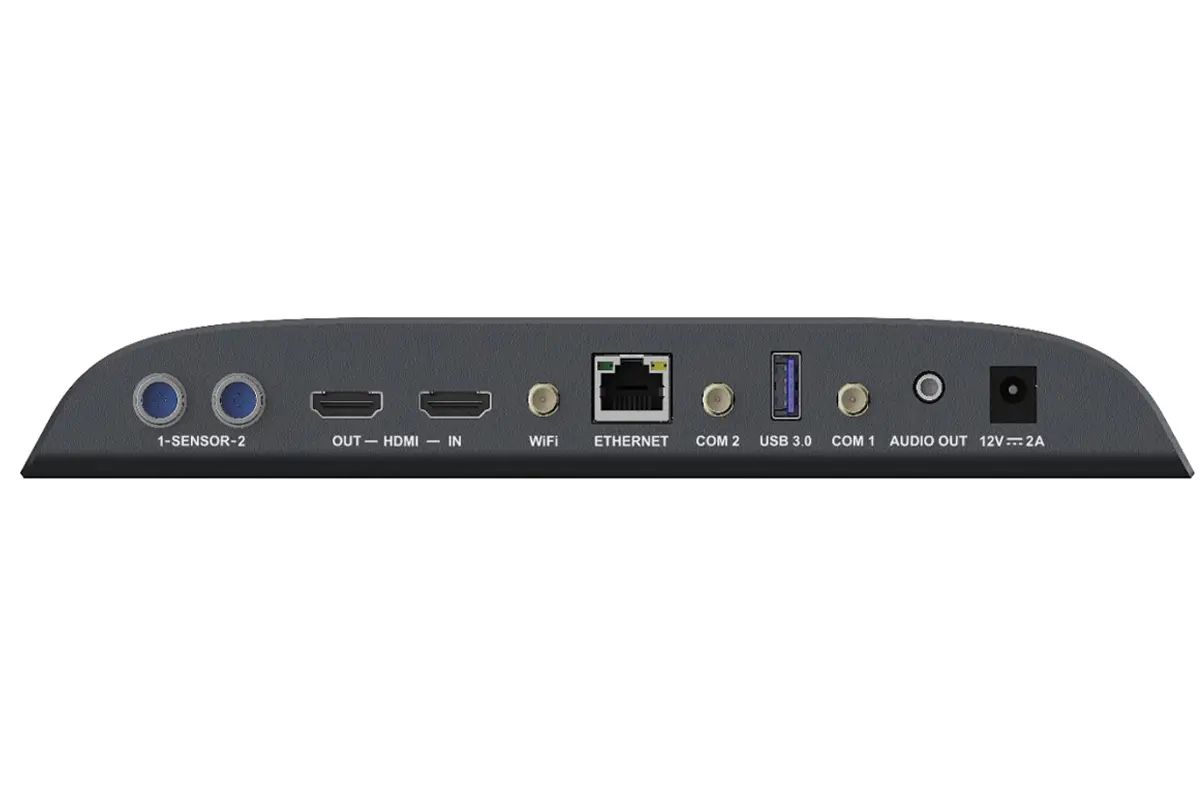
| Interface | Description |
|---|---|
| SENSOR | Sensor interface for connecting an illumination sensor or a temperature & humidity sensor. |
| HDMI | 1×HDMI OUT 1.3: Supports up to 1920×1200@60Hz output; allows custom resolutions in asynchronous mode. 1×HDMI IN 1.3: Supports up to 1920×1200@60Hz input and enables full-screen adaptive playback in synchronous mode. |
| WiFi | Can switch between WiFi AP and WiFi STA modes. |
| ETHERNET | Gigabit Ethernet port. |
| COM 2 | GPS antenna interface. |
| USB 3.0 | Supports content playback from USB drive, firmware updates, and storage expansion. |
| COM 1 | 4G antenna interface. |
| AUDIO OUT | Audio output interface, supports connecting to standard (OMTP) headphones. |
| 12V 2A | Power input interface. |
5.2 Novastar Tb40 Specifications and User Manual Download
5.3 FAQs About TB40
6.Novastar TB50
The TB50 digital media player is a more powerful and flexible LED large-screen multimedia player that integrates content playback, multi-signal input, and smart control. Whether for advertising, live events, or information distribution, the TB50 can easily handle a variety of complex scenarios, allowing you to manage content playback and real-time signal switching with a single device. It simplifies installation and daily operations, making it more hassle-free.
Features and Highlights of the TB50 digital media player:
- Powerful Processing Performance: Equipped with a 4-core ARM processor and 10GB of RAM, it can smoothly handle 1 4K video, 2 1080P videos, 4 720P videos, or even more simultaneously, ensuring clear, stutter-free images.
- Multiple Input Options: Supports HDMI inputs and external video sources. Whether connecting to a computer for live streaming or plugging in a USB drive for local content, switching between them is effortless.
- Remote Control: You can control the screen remotely using a smartphone, tablet, or computer. Upload content, adjust schedules, or turn the screen on/off anytime and anywhere, making management very convenient.
- Wi-Fi Dual Mode (AP and Station): The device can create its own hotspot or connect to an on-site Wi-Fi network. It also supports external 4G/5G modules (sold separately), allowing remote control even in locations without Ethernet.
- 32GB Built-in Storage: Allows you to store videos and images for continuous playback, making it perfect for daily promotions in shopping malls or stores. It also supports plug-and-play via USB.
- Multiple Synchronization Methods: Supports NTP, GPS, and audio synchronization, which is especially useful in multi-screen broadcasting or scenarios requiring audio-visual.
6.1 Novastar tb40 digital media player Appearance
Tb50 Front Panel
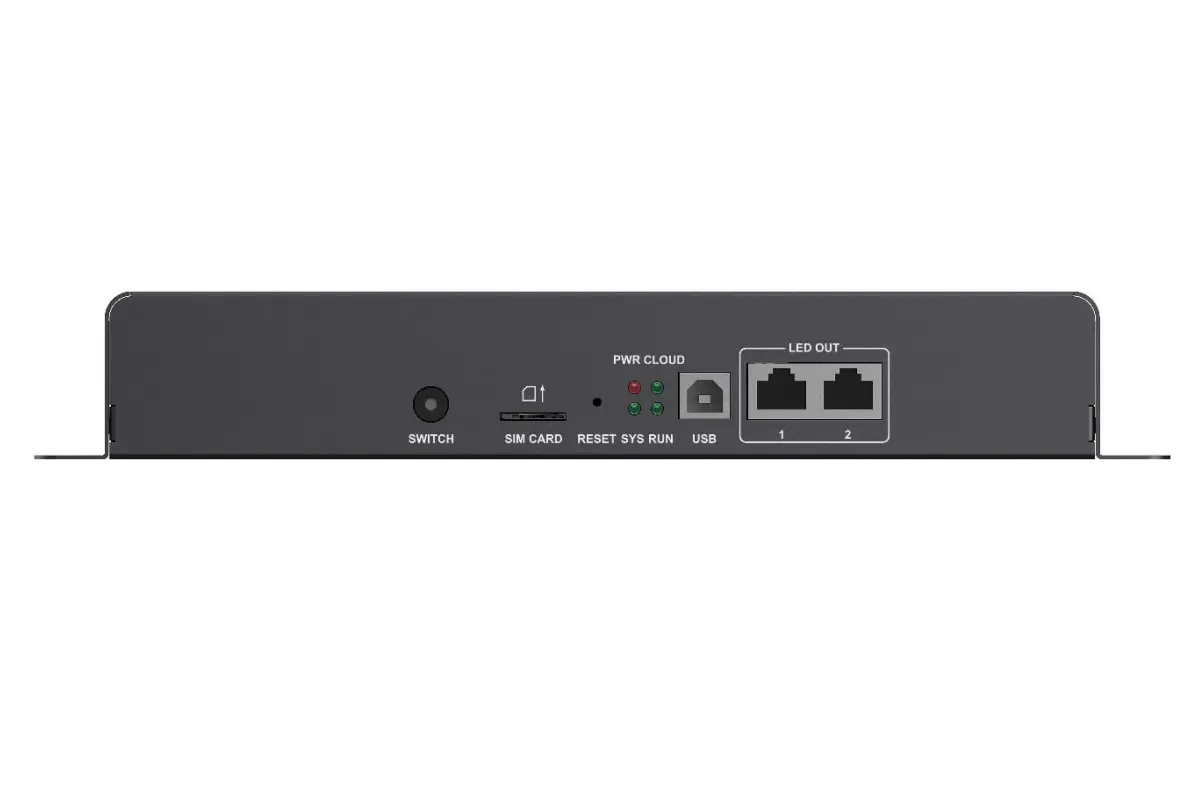
| Name | Description |
|---|---|
| SWITCH | Toggle button for Sync/Async mode. • Solid On: Sync mode. • Off: Async mode. |
| SIM CARD | SIM card slot, supports anti-reverse insertion. |
| RESET | Restore factory defaults button. Press and hold for 5 seconds to take effect. |
| USB | USB (Type B) port for directly connecting a host computer for content publishing and display control. |
| LED OUT | LED Gigabit output Ethernet port. |
Tb50 Rear Panel
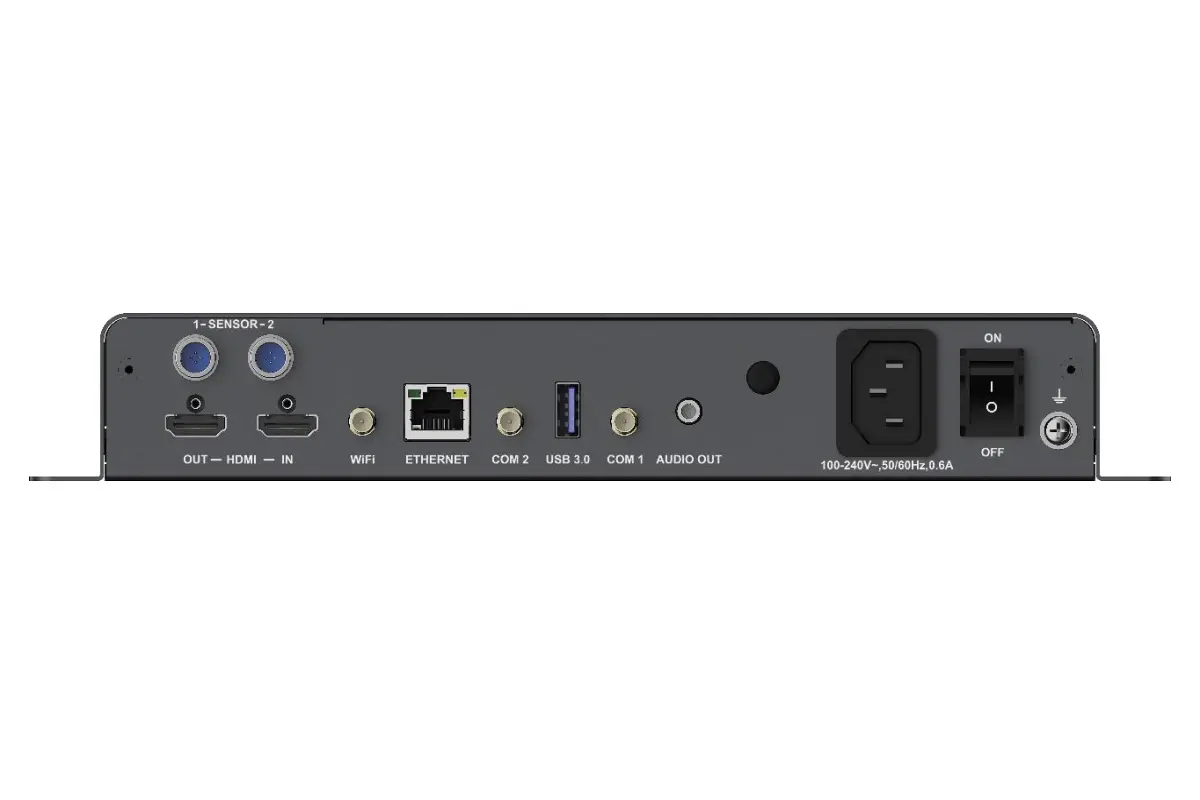
| Interface | Description |
|---|---|
| SENSOR | Sensor interface for connecting an illumination sensor or a temperature & humidity sensor. |
| HDMI | 1×HDMI OUT 1.3: Supports up to 1920×1200@60Hz output; allows custom resolutions in asynchronous mode. 1×HDMI IN 1.3: Supports up to 1920×1200@60Hz input and enables full-screen adaptive playback in synchronous mode. |
| WiFi | Can switch between WiFi AP and WiFi STA modes. |
| ETHERNET | Gigabit Ethernet port. |
| COM 2 | GPS antenna interface. |
| USB 3.0 | Supports content playback from USB drive, firmware updates, and storage expansion. |
| COM 1 | 4G antenna interface. |
| AUDIO OUT | Audio output interface, supports connecting to standard (OMTP) headphones. |
| 12V 2A | Power input interface. |
6.2 Novastar Tb50 Specifications and User Manual Download
6.3 FAQs about Novastar Tb50
7.Novastar TB60
Novastar TB60 digital media player is not just a media player; it’s a powerful control center that integrates ultra-high load capacity, multi-screen management, and precise synchronization to meet the demanding requirements of large-scale projects. Through its intelligent system architecture, the TB60 can simultaneously manage multiple display units, ensuring perfect frame synchronization while supporting output resolutions of up to 4K to guarantee every detail is rendered with stunning clarity. Whether for indoor or outdoor applications, the TB60 delivers robust image processing power and highly reliable operational performance, making it the ideal choice for major display installations.
Core Advantages & Functions of the Novastar TB60:
- Massive Load Capacity: Boasts an impressive 2.3 million pixel load capacity, enabling it to drive and smoothly control massive LED displays with breathtaking detail and scale.
- Multi-Screen Drive & Management: Features 4 independent Gigabit LED output ports (configurable as 4 main or 2 main + 2 backup), allowing you to easily drive and manage multiple screens simultaneously without additional hardware.
- Async Playback for Scheduled Content: Store promotional videos and images directly on the device for automated looped playback, ideal for daily advertising and scheduled content.
- Sync Mode for Live Broadcasting: Connect a computer or camera via HDMI for real-time, low-latency display of live feeds, perfectly suited for live events, conferences, and stages where instant display is critical.
- Comprehensive Remote Control: Remotely manage the screen using a computer, smartphone, or tablet via Ethernet, Wi-Fi, or even 4G/5G networks (module required separately), providing control from anywhere.
- Precision Synchronization: Supports multiple high-precision time synchronization methods like NTP and GPS, ensuring all screens in a network play in perfect unison for a flawless, professional presentation.
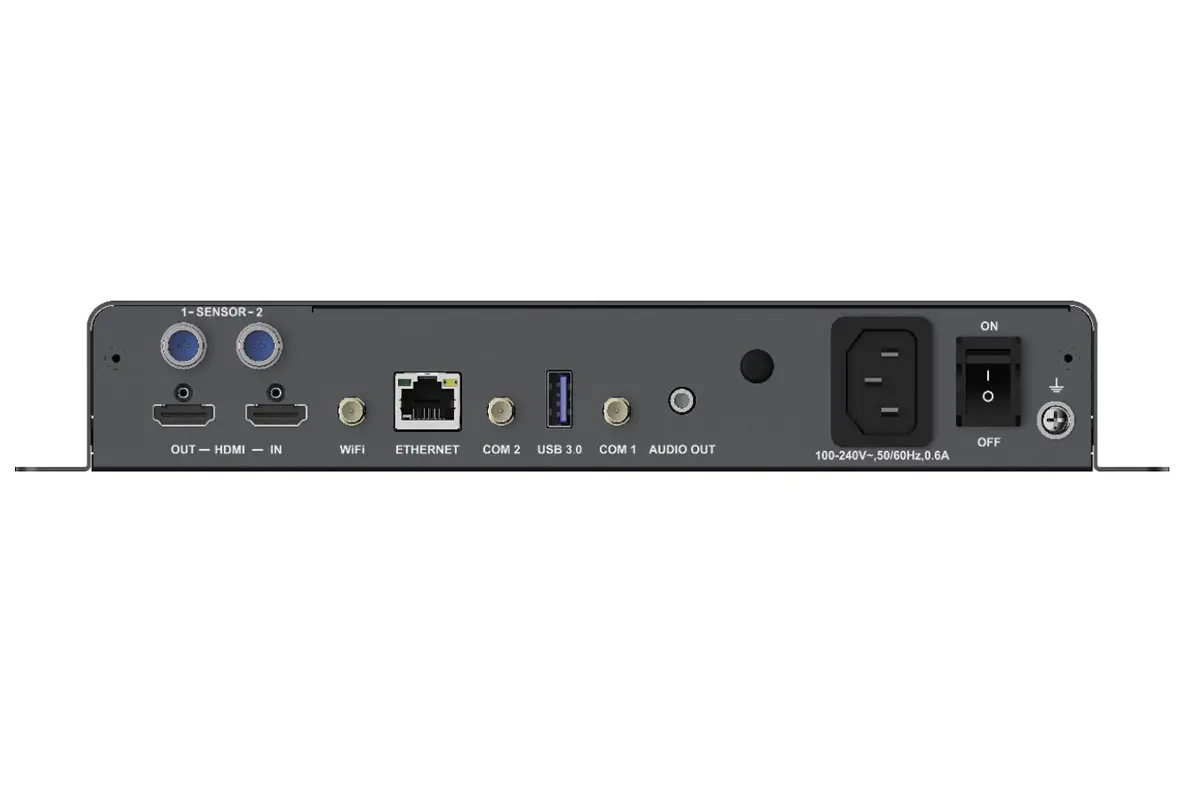
5.1 Novastar tb60 digital media player Appearance
Tb60 Front Panel
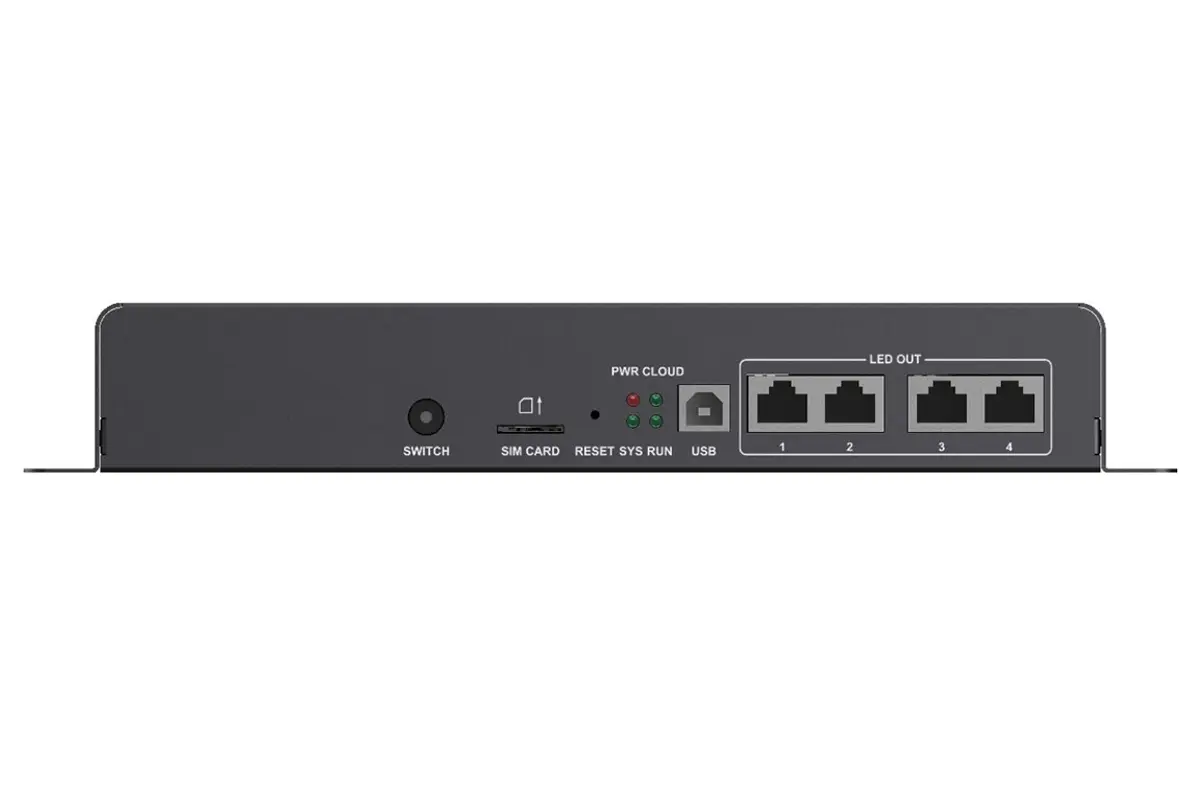
Tb60 Rear Panel
5.2 Novastar Tb60 Specifications and User Manual Download
5.3 FAQs About TB60
8. Novastar Multimedia Player Configuration Software
A variety of software solutions are available for use with NovaStar Taurus multimedia players, providing users with multiple configuration, management, and debugging functions to ensure stable system operation and efficient performance. Through these software tools, users can easily manage content, perform real-time monitoring, and optimize system settings, thereby enhancing display quality and improving work efficiency.
8.1 ViPlex Handy
Core Positioning: A lightweight control application designed for mobile devices (such as smartphones and tablets).
Main Features: Focuses on daily operations and maintenance, supporting quick upload and switching of playlists, screen on/off control, brightness adjustment, status monitoring, and more.
Application Scenarios: Ideal for users who require mobile inspection or on-site quick operations, allowing you to manage screen status anytime, anywhere.
8.2 ViPlex Express
Core Positioning: A web browser-based remote control software.
Main Features: Enables content publishing, screen control, and centralized management directly through a browser without the need to install a client.
Application Scenarios: Designed for users seeking deployment convenience and cross-platform operation, particularly suitable for managing displays distributed across multiple locations.
Latest Version Download Link:ViPlex Express V3.0.5.1501 Update_X64_
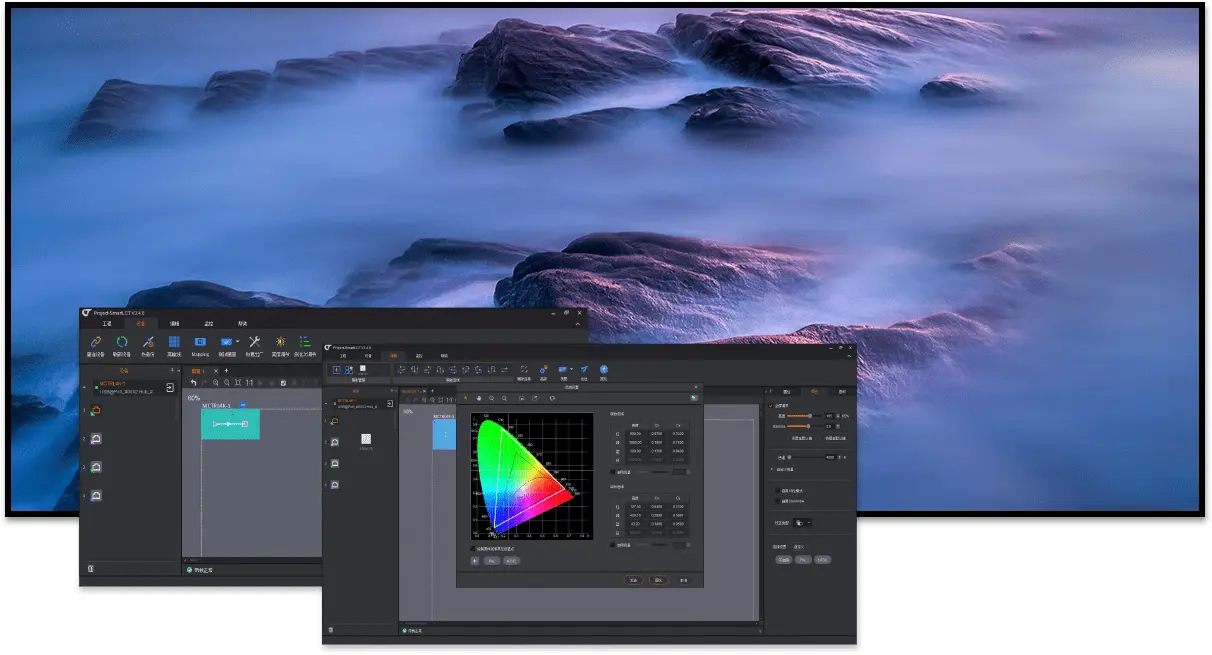
8.3 NovaLCT
Core Positioning: The most comprehensive and professional desktop configuration software for LED display systems.
Main Features: Serves as the core tool for in-depth debugging and system configuration, supporting all advanced operations including display connection setup, parameter calibration, receiver card configuration, complex content creation, and firmware updates.
Application Scenarios: An essential software for technicians and engineers during project installation, debugging, and maintenance phases.
Latest Version Download Link:
9. Conclusion
Different models in the NovaStar Taurus series of multimedia players share similar basic functionalities, yet each offers distinct features and advantages tailored to specific application needs. The TB30 and TB40 are well-suited for small to medium-sized display projects, providing efficient content management and playback capabilities. The TB50 and TB60, on the other hand, target larger-scale and more complex application scenarios, delivering enhanced processing power and greater configuration options.