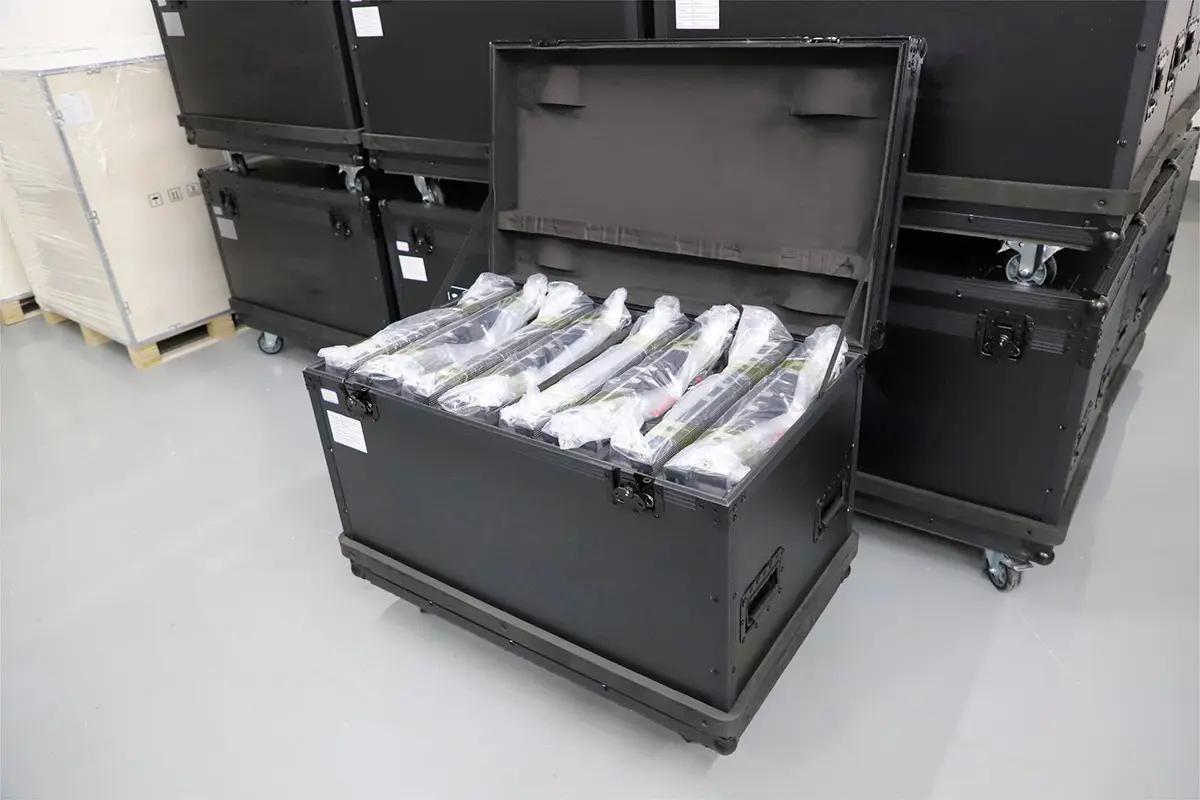
An LED stage screen is a modular, direct-view video wall that displays stage backgrounds, live camera feeds, lyrics, presentations, and sponsor messages. When comparing an LED stage screen for sale, start with the closest audience position, indoor or outdoor conditions, required screen dimensions, and camera use. These choices determine the cabinet configuration and the supporting equipment your production needs.
The right purchase is a complete working system. Panels alone cannot deliver a show: you also need compatible video processing, signal distribution, power, mounting hardware, content preparation, and trained operators. A low panel price becomes expensive if essential accessories or installation work are missing from the quotation.
This guide explains how to specify an LED stage screen, compare purchase and rental costs, evaluate EagerLED options, and prepare for concerts, church services, school productions, and Christmas shows. Worked calculations are planning examples, not product quotations or structural designs. Confirm the final configuration against the selected model’s current specification and your venue requirements.
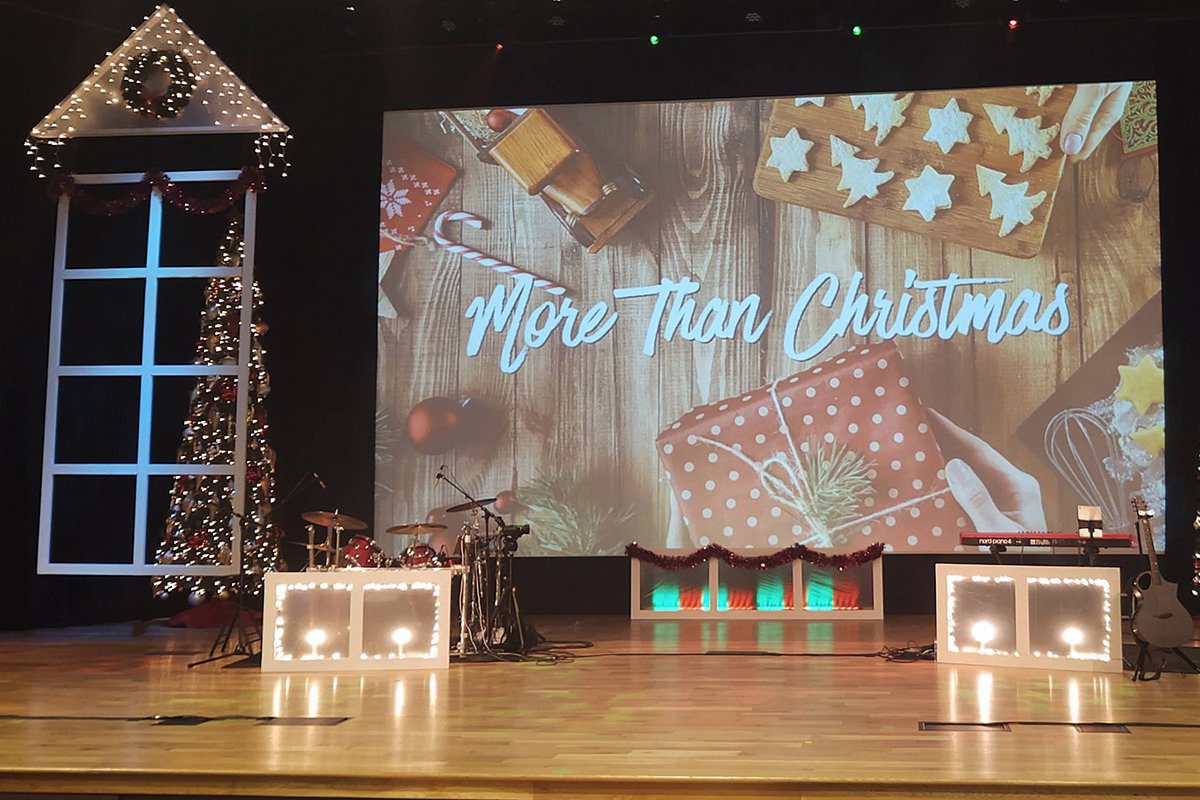
1. LED Stage Screen Types and Applications
A conventional LED stage screen combines modules into cabinets, then cabinets into a larger image. The video processor maps the source to that physical pixel canvas. Unlike projection, the display produces its own light and does not need a projector throw distance. It still needs appropriate brightness, contrast, service space, and a support structure.
01. Rental cabinets, fixed walls, and creative displays
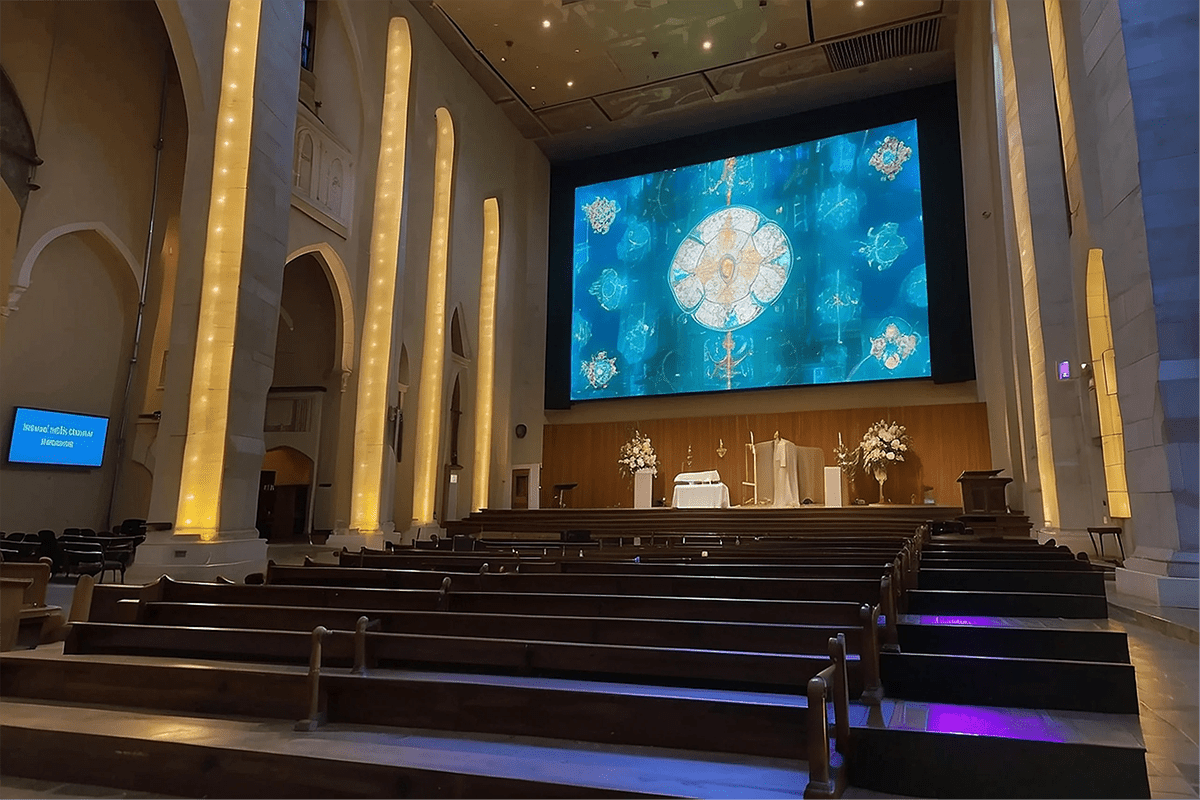
“Rental” describes equipment built for repeated assembly and transport; it does not mean you must hire it. Production companies often buy rental cabinets for their own inventory. A permanently installed stage LED display may instead prioritize front access, quiet operation, and integration with the venue. Evaluate how the screen will actually be handled throughout its life.
| Format | Useful application | Check before choosing |
|---|---|---|
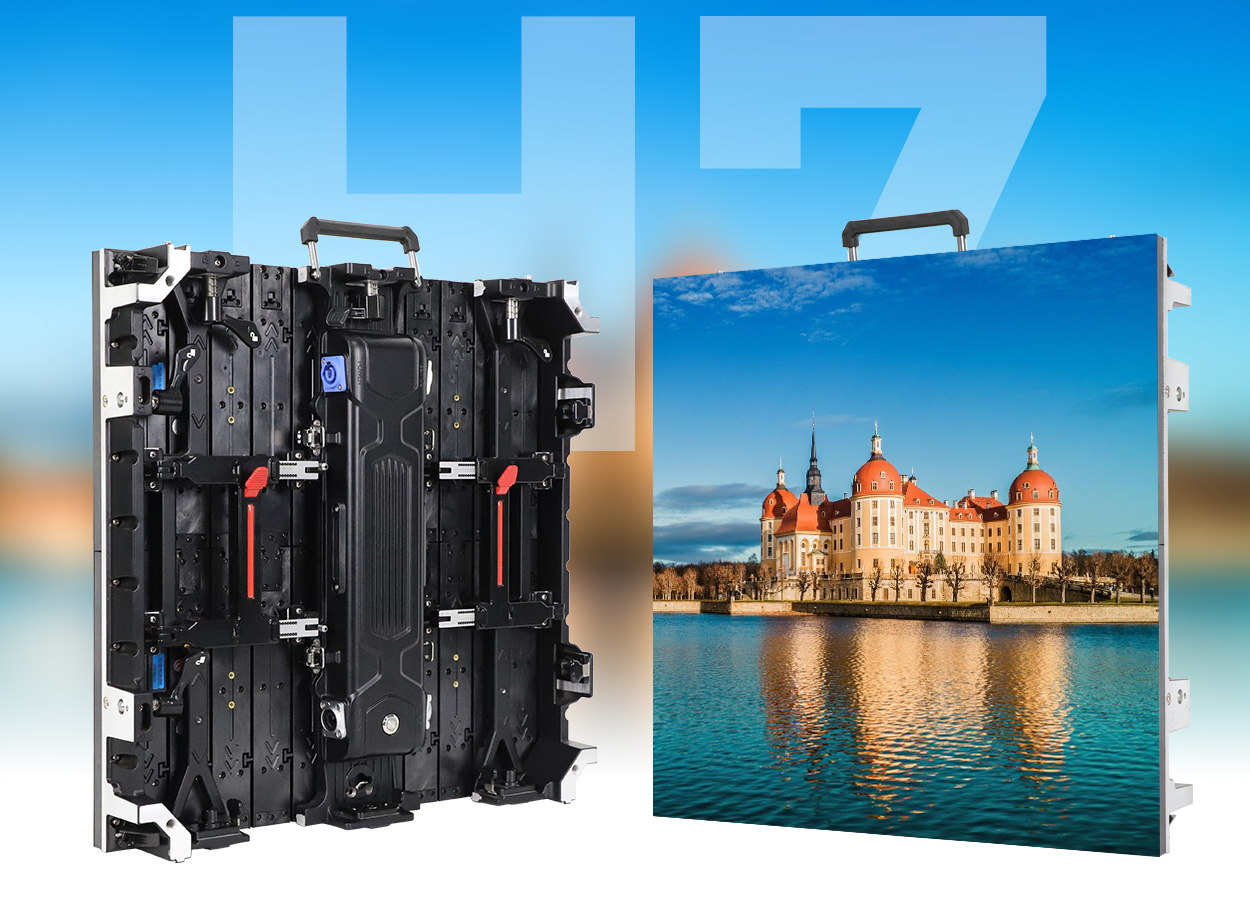
| Modular rental video wall | Touring concerts, conferences, temporary stage backgrounds | Locks, cabinet weight, corner protection, cases, service access |
| Fixed indoor wall | Churches, theaters, school auditoriums | Closest seats, fan noise, ventilation, front or rear maintenance |
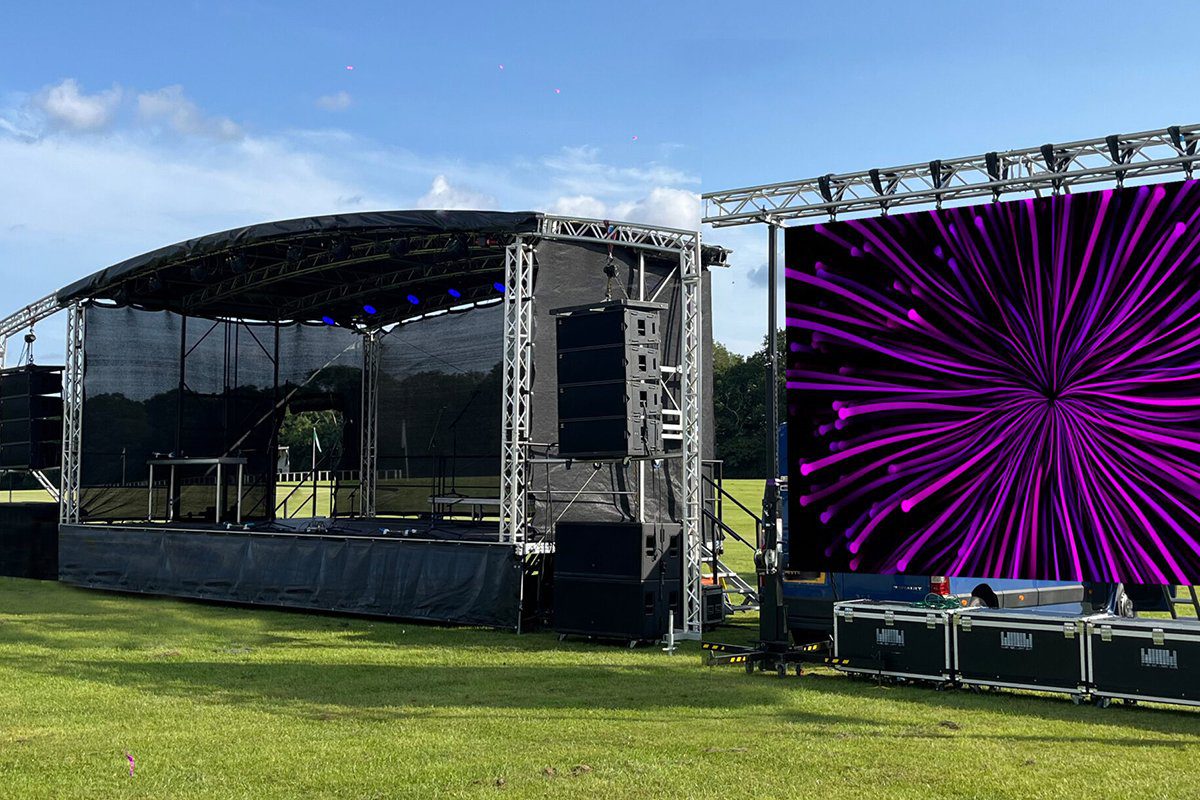
| Outdoor rental wall | Festivals and daylight performances | Brightness, front/rear IP ratings, approved rigging, weather plan |
| Transparent display | Layered scenery with lighting or performers behind the screen | Transparency versus image density, background light, viewing distance |
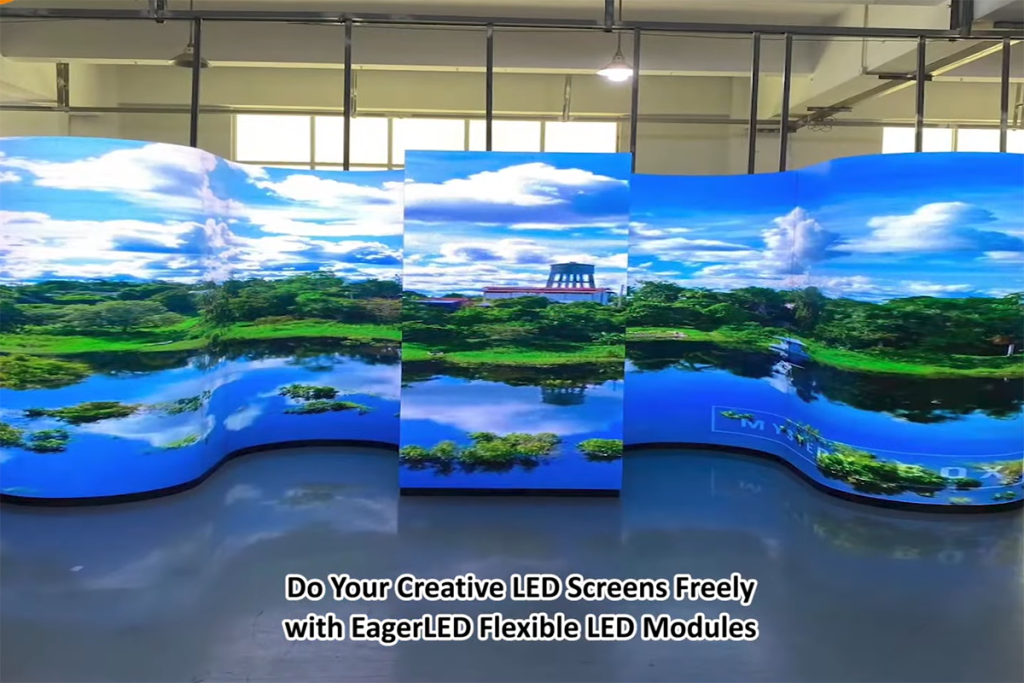
| Flexible module display | Curved scenery, columns, wave-shaped indoor surfaces | Bend radius, custom frame, wiring and module replacement |
| Purpose-built LED floor | Walkable scenic video and interactive effects | Specified loads, support system, surface grip, impact protection |
02. Match the screen to its role
A main backdrop carries scenery; side screens usually carry image magnification, or IMAG, so distant spectators can see performers. Those roles may need different dimensions and pixel pitches. A decorative strip can use abstract content, whereas lyrics and presentation slides need a readable pixel canvas. Plan these separately before combining them into one system.
Poster displays can serve foyers, sponsor areas, or small presentation zones, but their stands and cabinets are not automatically suitable for overhead stage mounting. Likewise, an ordinary LED stage screen must never be treated as a walkable floor. Use the product’s intended installation method and documented accessories.
2. Choose Pixel Pitch and LED Stage Screen Size
Pixel pitch is the center-to-center spacing between adjacent pixels, measured in millimeters. A smaller pitch puts more pixels into the same physical area. It can improve close-view detail, but it also increases the pixel load and usually the display cost. Choose your LED stage screen from audience and content requirements rather than the smallest number available.
01. Start with viewing distance and content
Measure the nearest and farthest useful viewing positions, including balconies and side seats. A pitch-in-millimeters to distance-in-meters comparison is only an initial screening heuristic, not a guarantee of invisible pixels. Text size, eyesight, contrast, camera framing, and screen height all affect what viewers can resolve. Request a sample demonstration with your own slides and video.
For a church, assess lyrics from the rear seating row as well as the front. For a concert backdrop, broad scenic imagery may tolerate a coarser pitch than a corporate presentation. If presenters stand close to the wall and appear on camera, evaluate the display through the production camera before committing to the LED stage screen.
02. Calculate the actual pixel canvas
Approximate horizontal pixels = screen width in millimeters ÷ pixel pitch in millimeters. Apply the same calculation to height. For the final design, multiply the manufacturer’s exact cabinet resolution by the number of cabinet columns and rows; rounded marketing pitch names can introduce small calculation differences.
| Nominal pitch | Approximate pixel canvas | Approximate total pixels | Planning implication |
|---|---|---|---|
| P2.5 | 2,400 × 1,200 | 2.88 million | More detail and greater processing demand |
| P3 | 2,000 × 1,000 | 2.00 million | Compare text legibility with the finer option |
| P4 | 1,500 × 750 | 1.125 million | Check suitability for scenic video and audience distance |
| P5 | 1,200 × 600 | 0.72 million | Less detail; test small text carefully |
This example has a 2:1 aspect ratio, not 16:9. A standard 16:9 source must be cropped, letterboxed, or reformatted. Sending a 4K signal to a processor does not make the physical LED stage screen a native 4K display. The wall’s installed pixel count determines its native resolution.
Cabinet dimensions also constrain the finished size. A 6 m × 3 m wall built entirely from 500 × 500 mm cabinets requires 12 columns and six rows, or 72 cabinets. Using compatible 500 × 1000 mm cabinets could produce 12 columns and three rows, or 36 cabinets. Confirm orientation, model compatibility, weight, and handling requirements before comparing either layout.
3. Indoor vs Outdoor LED Stage Screen Specifications
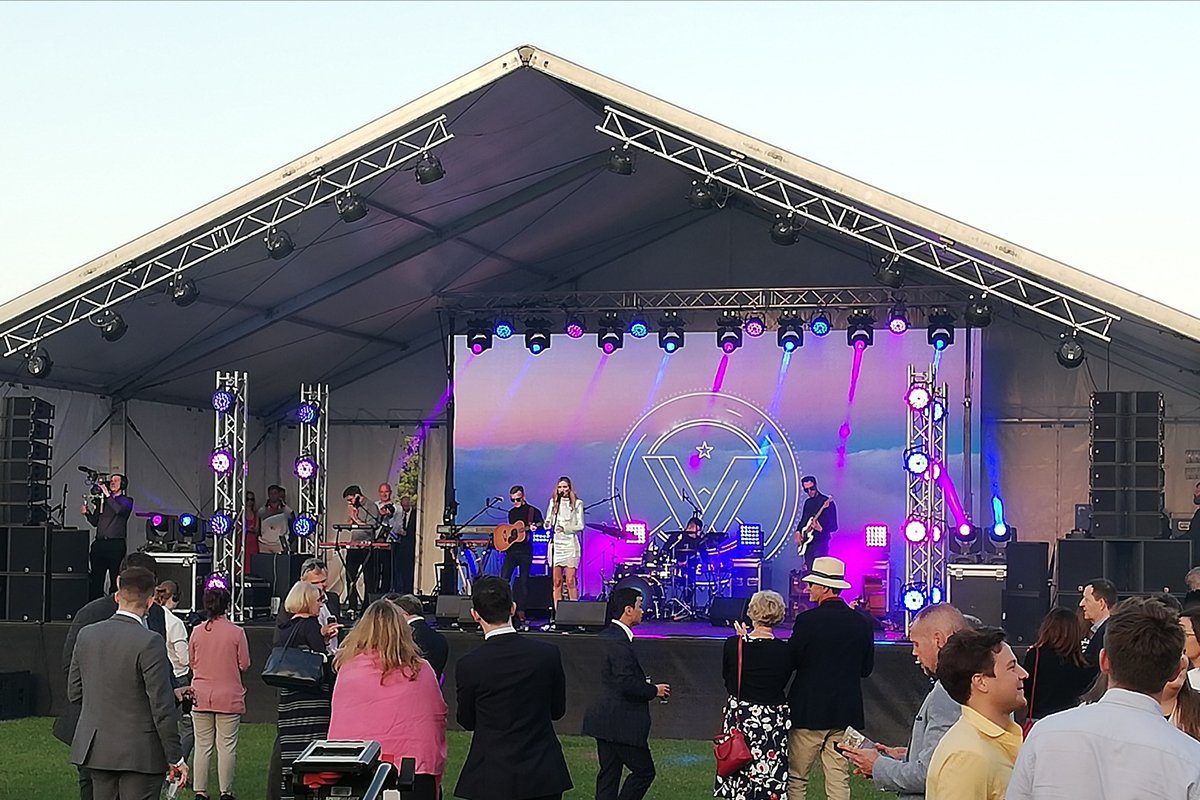
An indoor LED stage screen and an outdoor version may look similar while using different LEDs, power arrangements, coatings, and enclosure protection. Never infer outdoor suitability from cabinet appearance or a product-family name. Ask for the specification of the exact pitch and indoor/outdoor variant being quoted.
01. Brightness, contrast, and protection
Brightness is specified in cd/m², commonly called nits. Direct sunlight requires a different output level from a dark theater. However, maximum brightness alone does not define image quality: black levels, viewing angle, calibration, and low-brightness grayscale matter too. A wall that looks impressive at full output may show uneven dark gradients after dimming.
As one model-specific reference, the EA500C6 rental video wall specifications list indoor brightness of 700–800 cd/m² and outdoor options of 4,000–6,000 cd/m². These are configuration ranges, not universal requirements for every LED stage screen. Check the selected option and test at the intended show brightness.
Request separate front and rear IP ratings and installation limitations. An enclosure’s ingress-protection rating does not establish wind resistance, lightning protection, structural capacity, or permission to operate in every weather condition. Connections, distribution equipment, and cable joints need suitable protection too. A canopy does not automatically make indoor equipment appropriate outdoors.
02. Camera performance and refresh rate
LED refresh rate and video frame rate describe different processes. A specification such as 3,840 Hz does not mean the wall accepts 3,840 video frames per second. Refresh is one useful parameter, but it cannot guarantee flicker-free footage with every shutter setting, scan configuration, or camera.
Brompton’s explanation of LED refresh and camera shutter timing shows why the two must be coordinated. Where filming matters, test the complete signal chain at the production frame rate, shutter speed, brightness, and camera distance. Confirm supported synchronization features for the actual processor and receiving cards; brand-specific functions are not available on every system.
Check slow pans, dark gradients, skin tones, and fine patterns. Moiré involves interaction between camera sampling and the display’s pixel structure, so changing refresh rate alone may not resolve it. Adjust framing, distance, focus strategy, or panel selection during rehearsal. Agree on an acceptable camera result before accepting the LED stage screen.
4. LED Stage Screen Price and Total Ownership Cost
The useful LED stage screen price is the cost of a specified, usable system delivered to your project. A per-panel offer, a price per square meter, and an installed package describe different scopes. Compare them only after standardizing screen size, pixel pitch, environment, accessories, delivery terms, and service responsibilities.
01. Compare itemized quotations
Ask each supplier to identify included quantities and exclusions. A smaller LED stage screen can cost more per square meter than a larger one if it uses finer pitch or more capable processing. Indoor equipment is not inherently more expensive than outdoor equipment; the chosen components and installation requirements determine the comparison.
| Cost item | Required detail | Common comparison mistake |
|---|---|---|
| Display cabinets | Model, pitch, quantity, dimensions, brightness, protection | Comparing different variants under one product name |
| Processing and distribution | Processor, receiving cards, output capacity, cable lengths | Assuming a controller or backup path is included |
| Mounting equipment | Approved bars or stacking system, engineered support scope | Treating cabinet locks as the complete supporting structure |
| Electrical installation | Distribution, connectors, circuits, protection, qualified labor | Budgeting from typical energy use instead of maximum demand |
| Transport and delivery | Cases, freight, insurance, delivery term, destination charges | Comparing factory-gate pricing with delivered pricing |
| Commissioning and support | Setup, calibration, training, spares, warranty responsibilities | Assuming remote support includes on-site labor |
For a simple budgeting formula, multiply screen area by the quoted display-only cost per square meter, then add the other agreed items. On an 18 m² design, every change of 100 currency units per square meter changes that display subtotal by 1,800. This is arithmetic, not an EagerLED price indication. Obtain a dated quotation in your requested currency.
02. Decide whether to buy or rent
Buying an LED stage screen can suit recurring productions with compatible requirements, trained staff, and storage. Rental can suit occasional shows or venues whose dimensions change frequently. Ownership also brings maintenance, transport, setup labor, insurance, calibration, and the risk of unused inventory.
An illustrative break-even calculation is: net ownership cost ÷ (comparable rental cost per event − owned-system operating cost per event). If hypothetical net ownership is 30,000, rental is 2,500 per event, and ownership operation is 1,000 per event, the simple result is 20 events. These invented inputs demonstrate the method only; they are not market rates. Include resale value, financing, and changing requirements in a real decision.
Explore the rental LED screen cabinet range when comparing equipment intended for repeated builds. The term “rental cabinet” alone does not establish local hire availability, crew provision, or a daily rental rate.
5. Plan Power, Processing, and Installation
A dependable LED stage screen starts with a documented system design. Screen drawings should identify cabinet positions, data paths, power circuits, support points, access space, and the location of control equipment. Keep configuration backups with the project documentation so a replacement component can be commissioned consistently.
01. Power and signal capacity
Calculate maximum display demand from the selected cabinet’s specification. For example, an 18 m² wall specified at a hypothetical maximum 600 W/m² would have a display demand of 10.8 kW before other equipment. This example is not a product rating or a circuit design. A qualified electrician must account for supply voltage, power factor, inrush current, load distribution, protection, and local requirements.
For processing, count the actual pixels and check supported width, height, frame rate, bit depth, and capacity per output. A processor that supports enough total pixels can still fail a particular layout because of output mapping or dimensional limits. Confirm source formats and connector types for laptops, cameras, switchers, and media servers.
Where continuity is important, agree on backup sources and supported signal redundancy. Test what happens when an input, data cable, or processor path fails. A spare cable in a flight case helps recovery, but it is not the same as an automatic failover system.
02. Structural planning and service access
Calculate the total suspended or supported load, including cabinets, bars, cables, and accessories. Use the manufacturer’s approved mounting system and obtain competent structural and rigging review. Outdoor wind loading requires specific engineering and an operating plan; an IP rating is unrelated to the wall’s ability to withstand wind.
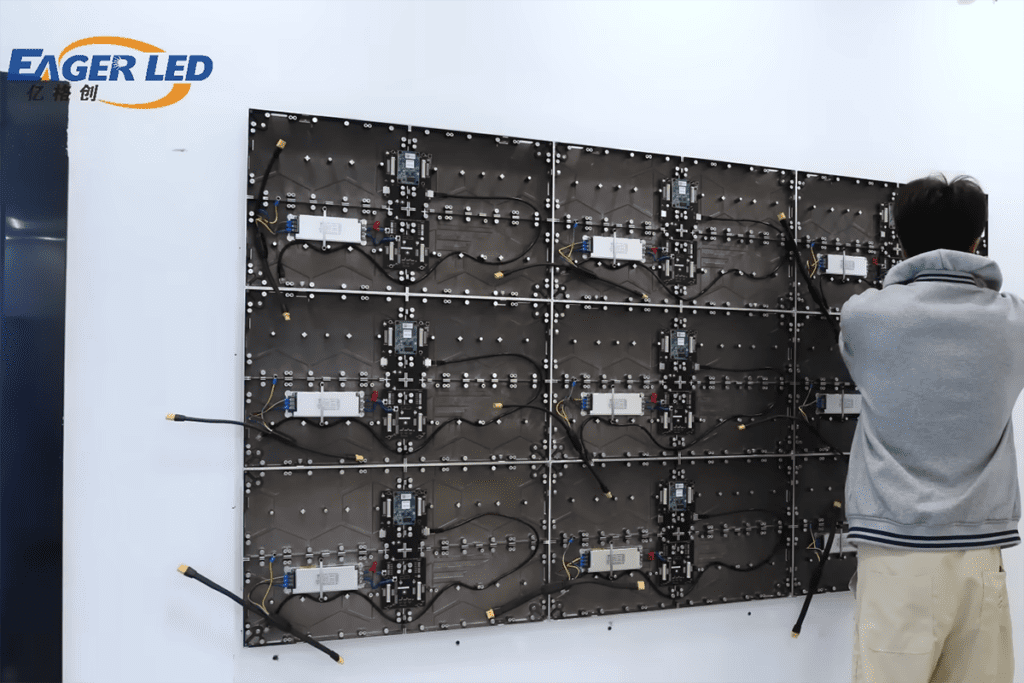
Fast locks reduce assembly effort but do not remove the need for trained installers. Protect connectors from tension, route cables away from pedestrian paths, and keep ventilation openings clear. Plan a practical replacement route for modules and power supplies without dismantling unrelated scenery.
Before transport, label cabinets and cases, record serial numbers, and confirm spare modules match the installed batch and configuration. The most useful spare inventory reflects the operator’s repair capability and the time available before the next show. An LED stage screen should be evaluated as maintainable production equipment, not just a finished image.
6. Design LED Stage Screen Content for Live Shows
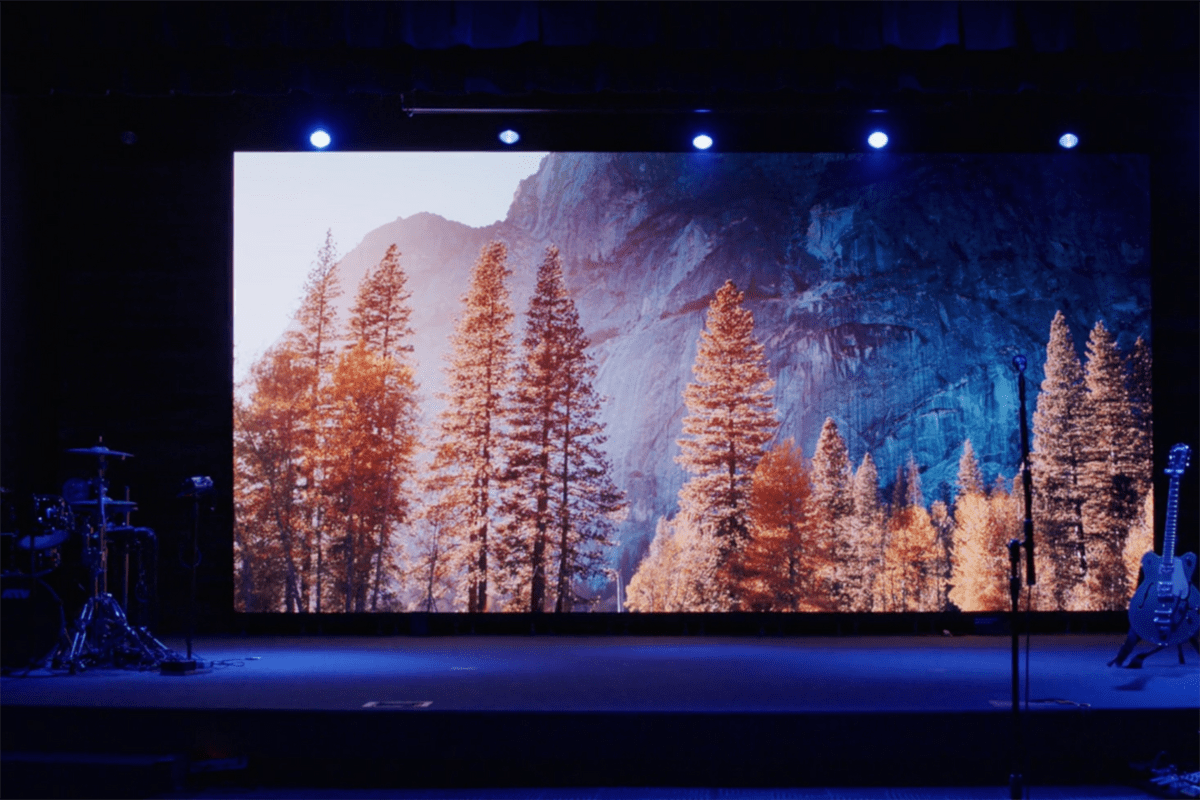
Content should be designed for the installed pixel canvas and viewing conditions. Share an accurate pixel map with the creative team before animation begins. Include the main screen, side screens, gaps, and any curved sections. Otherwise, important faces, titles, or logos may land across a seam or disappear behind performers.
01. Concerts, churches, schools, and Christmas shows
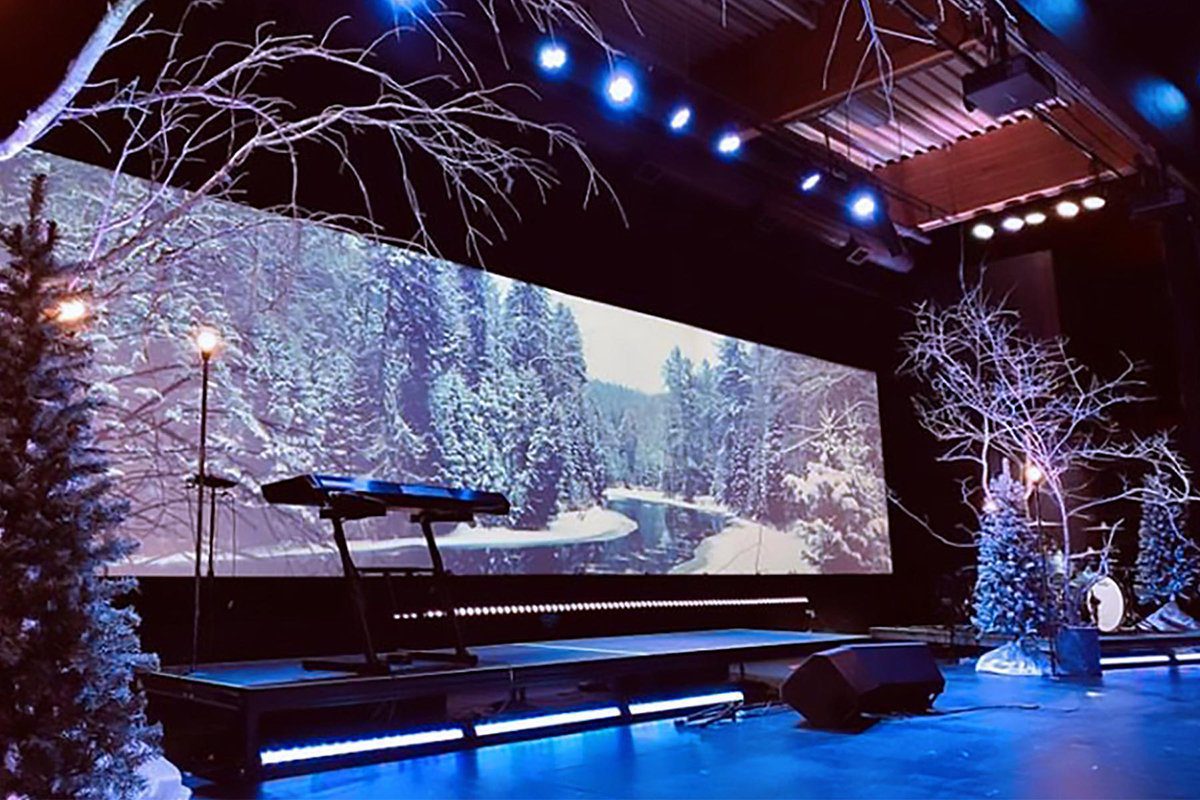
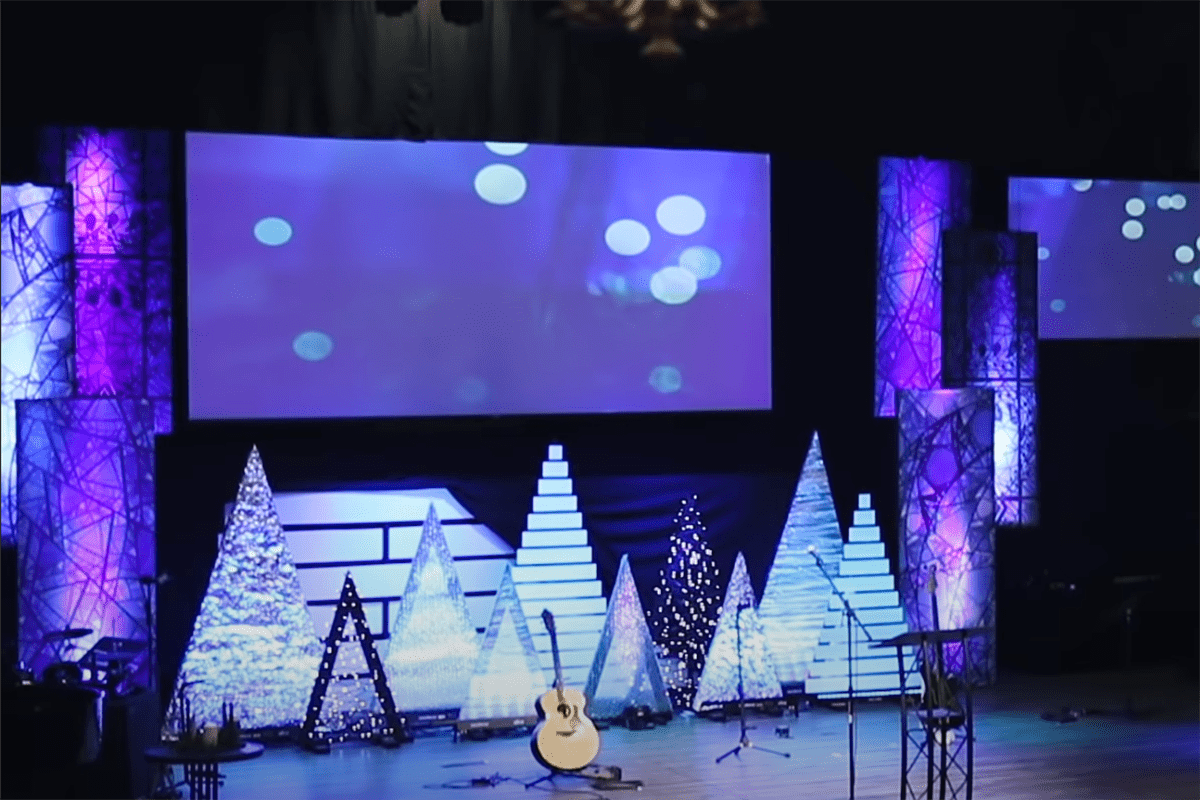
For concerts, assign clear roles to scenic playback and live camera feeds. For church services and school productions, prioritize readable lyrics, calm backgrounds, and simple transitions. An LED stage screen can support a Christmas show with snowfall, illustrated scenery, or a coordinated color palette, but moving detail behind text should remain restrained.
Set brightness with the lighting and camera teams. Large bright backgrounds can compete with faces or overwhelm a quiet scene. Rehearse the darkest and brightest cues, not just the most colorful demonstration video. Check readability from the worst audience position with the actual stage lighting running.
02. Creative effects and rehearsal
Curved, transparent, and split-screen layouts need dedicated content mapping. Perspective-based “3D” illusions depend on geometry and a preferred viewing position; they do not automatically appear three-dimensional from every seat. Interactive effects also need suitable sensors, software, processing, and latency testing.
Prepare a cue list, a locally available backup of all show files, and a simple holding image. If live audience messages are used, assign moderation and a fallback screen. The LED stage screen displays the output supplied to it; cameras, streaming encoders, and recording systems are separate parts of the production workflow.
7. Compare EagerLED LED Stage Screen Options
Use the following products as a starting shortlist for an LED stage screen for sale. They address different roles and should not be treated as interchangeable. Product-family descriptions summarize available configurations; the signed specification should identify exactly what will be supplied.
| Product | Documented format | Potential stage role | Confirm in the quotation |
|---|---|---|---|
| EA500C6 | 500 × 500 mm rental cabinet | Main or side video wall | Pitch, indoor/outdoor variant, mounting accessories |
| EA1000C6 | 500 × 1000 mm rental cabinet | Larger modular stage backdrop | Cabinet resolution, handling weight, compatible configurations |
| EA1000TiR | Indoor transparent rental display | Layered scenic display | Availability, transparency, pitch, approved support method |
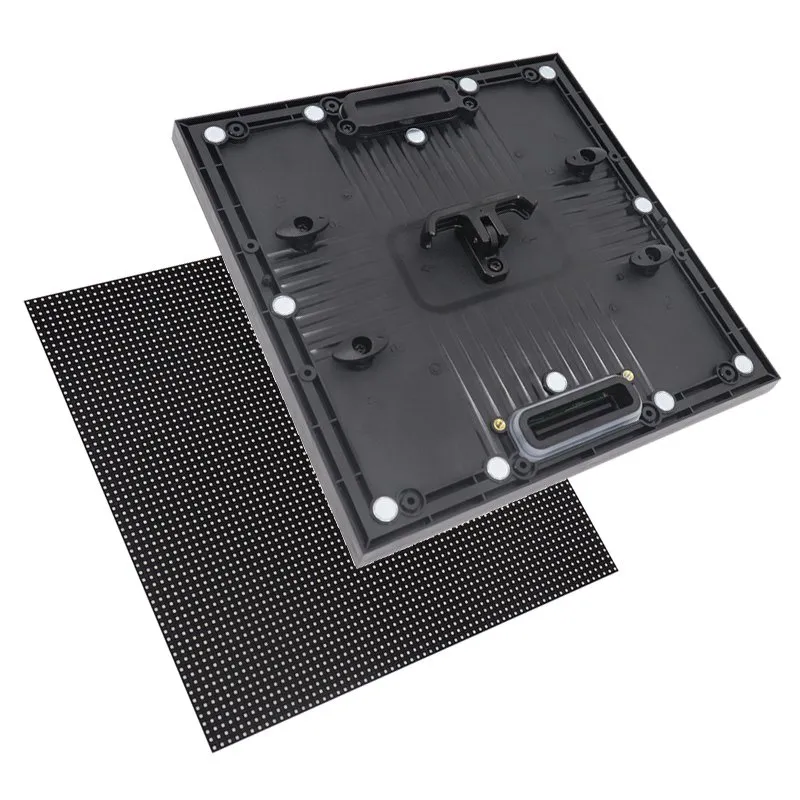
| EA-Flex | Indoor flexible magnetic modules | Curves, columns, and custom scenery | Module format, bend radius, frame design, access |
The EA500C6 page lists a refresh frequency of at least 3,840 Hz across its listed configurations, alongside quick locks and an openable rear cover. That specification supports shortlisting; it does not replace a camera test or prove that every installation will be free from artifacts.
For an EA-Flex-based stage LED display, the supporting frame and module arrangement are integral to the design. Its product page describes magnetic front service and indoor curved applications. Do not assume a creative flexible surface has the handling characteristics, weather protection, or assembly speed of a touring rental cabinet.
For transparent scenery, request a demonstration against the actual background lighting. A transparency percentage alone does not describe how clearly text will read or how visible performers behind the screen will remain. Ask the team to compare a transparent surface with an opaque LED stage screen using the same content.
8. LED Stage Screen Purchase and Acceptance Checklist
Send a concise project brief before requesting a quote: venue and country, indoor or outdoor use, desired dimensions, nearest viewing distance, main content, camera requirements, installation method, show date, and budget scope. Include drawings and the available power information. This allows suppliers to propose comparable LED stage screen configurations.
01. Documents and factory acceptance
Request cabinet drawings, pixel maps, power specifications, supported control hardware, spare-part lists, operating limits, and installation instructions. Where certificates are required, verify that their model references cover the supplied equipment and destination requirements. Obtain written warranty terms, repair arrangements, response expectations, and responsibility for shipping and labor.
Agree on acceptance criteria before production finishes. Test solid colors, grayscale ramps, low-brightness content, motion, seams, and the intended camera settings. Record faults by cabinet position and define how they will be corrected. Confirm that the demonstrated configuration matches the shipped LED stage screen, including receiving cards and firmware.
02. Used LED stage screens
A used LED stage screen may reduce initial spending, but inspect it under power. Look for damaged LEDs, uneven color, worn locks, bent frames, connector damage, and inconsistent modules. Ask about operating history, repair history, calibration files, ownership, and remaining compatible spares. Photographs of a bright promotional video are insufficient evidence of condition.
For either new or used equipment, rehearse assembly and a representative fault recovery before the first paid show. Confirm that staff can load a configuration backup and replace a module safely. A successful handover leaves the team able to operate and maintain the LED stage screen independently.
9. LED Stage Screen FAQs
01. How much does an LED stage screen cost?
The cost depends on screen area, pixel pitch, indoor/outdoor specification, processing, mounting, delivery, and labor. Request an itemized quotation for the complete LED stage screen system. A panel-only price cannot be compared directly with an installed package, and a generic price range may omit essential equipment.
02. What pixel pitch should I choose for a stage LED display?
Start with the closest viewers, required text detail, camera use, and total screen dimensions. Compare samples at realistic distances and calculate the installed pixel canvas. A finer pitch adds detail, but it is useful only when the audience or production benefits from it.
03. Is P3.91 suitable for an LED stage screen?
P3.91 can be considered for modular stage applications, but suitability depends on viewing distance, content, brightness, and the exact cabinet. It is not a universal answer for every venue. Check cabinet resolution and test your own text and camera footage before ordering.
04. Can an indoor LED stage screen be used outdoors?
Only if the manufacturer explicitly approves that exact configuration for the intended conditions. Indoor cabinets should not be assumed suitable because they fit beneath a roof. Verify enclosure protection, connections, operating limits, support engineering, and the complete outdoor operating plan.
05. Does a 3,840 Hz refresh rate guarantee flicker-free video?
No. Camera shutter timing, scan behavior, synchronization, brightness settings, and processing also affect results. Test the complete LED stage screen system with the intended cameras. Moiré is a separate sampling issue and may require changes to framing, distance, or display selection.
06. Should I buy or rent an LED stage screen?
Compare expected usage with the complete cost of ownership and a like-for-like rental package. Buying may suit frequent, similar shows with trained staff and storage. Renting may suit occasional events, changing requirements, or productions that need a supplier to provide crew and support.
07. What should I send to get an accurate quotation?
Provide screen width and height, venue conditions, closest viewing distance, content type, camera needs, mounting method, destination, and required delivery date. State whether you need processing, cases, spare parts, commissioning, and training. A clear brief makes competing LED stage screen proposals easier to compare.
10. Choose an LED Stage Screen with a Complete Project Brief
The best LED stage screen for your project is the configuration that meets audience, content, camera, and operating requirements within a realistic total budget. Establish the screen size and pixel canvas first, verify indoor or outdoor suitability, then compare the complete equipment and support scope.
For an EagerLED LED stage screen proposal, send your stage dimensions and project requirements. Request a cabinet layout, the exact specification, an itemized quotation, and an acceptance plan. Those documents turn an attractive display offer into a purchase your production team can evaluate and operate with confidence.