
Related Posts





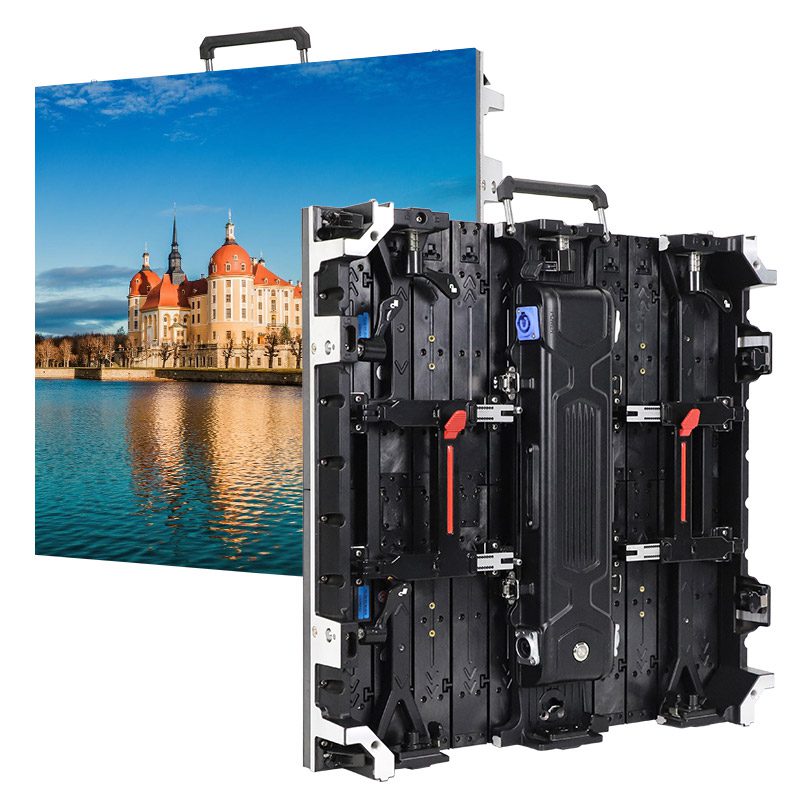

NovaStar MSD300 Sending Card is widely used in LED display systems to handle video input and distribute signals to LED receiving cards. This technical guide explains the core functions of the MSD300, its capacity and interface limitations, and how it is typically deployed in rental and fixed installation projects. The goal is to help users understand the practical use of the MSD300 within a complete LED display control system.
catalogue
- 1. O que é a placa transmissora NovaStar MSD300?
- 2. Especificações principais da placa de envio NovaStar MSD300
- 3. Capacidades de entrada e saída da placa de envio NovaStar MSD300
- 4. Como a placa transmissora MSD300 se integra a um sistema de controle de LED NovaStar
- 5. Cascata de múltiplas placas de envio NovaStar MSD300 para grandes displays de LED
- 6. Cenários típicos de aplicação para a placa de envio NovaStar MSD300
- 7. Perguntas frequentes
- 8. Conclusão
1.What Is the NovaStar MSD300 Sending Card?
Novastar MSD300 is a compact, cost-efficient sending card designed for professional LED video applications. As a reliable Novastar sending card, it delivers stable signal transmission for both rental and fixed installations.
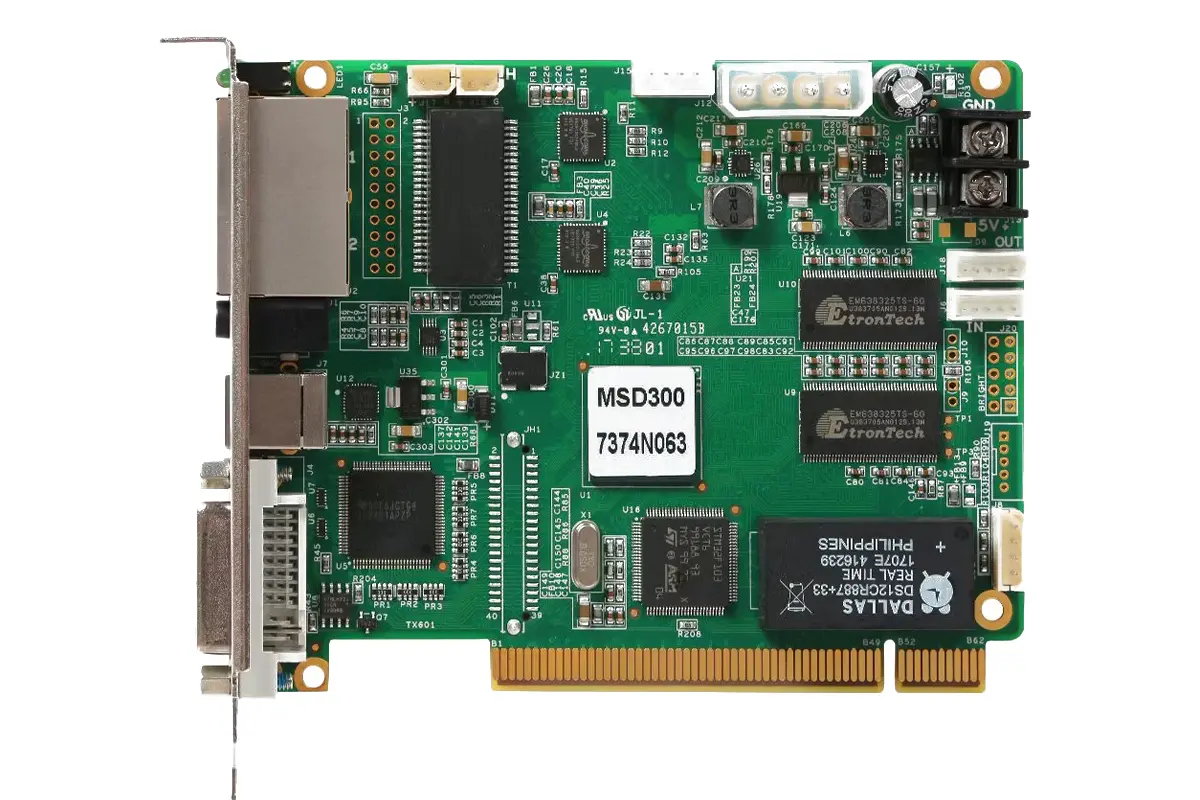
Key advantages include:
- High-resolution support: Accepts input up to 1920×1200@60Hz and custom resolutions with a maximum width or height of 3840 pixels—ideal for diverse screen configurations.
- Pixel-level calibration: Enables precise brightness and chroma correction across the display when paired with NovaStar’s calibration software, ensuring visual consistency.
- Cascading capability: Supports daisy-chaining of up to 20 units via UART, simplifying control in large or multi-cabinet setups without extra hardware.
- Dual Gigabit Ethernet outputs: Provides redundant or extended signal distribution to receiving cards, enhancing system stability and layout flexibility.
Thanks to its robust feature set and streamlined design, the MSD300 is commonly used in concerts, sports arenas, broadcast environments, and security command centers—where performance and reliability are non-negotiable.
2.Key Specifications of the NovaStar Sending Card MSD300
To better understand the technical capabilities of the MSD300, here is a detailed breakdown of its specifications:
| Category | Details |
|---|---|
| Input Resolution | Up to 1920×1200@60Hz (custom resolutions supported up to 3840×600) |
| Output Capacity | 650,000 pixels per Ethernet port |
| Cascading Capability | Up to 20 devices via UART ports |
| Power Consumption | 3W (rated), input voltage range: DC 3.3V to 5.5V |
| Operating Temp. | –20°C to +75°C |
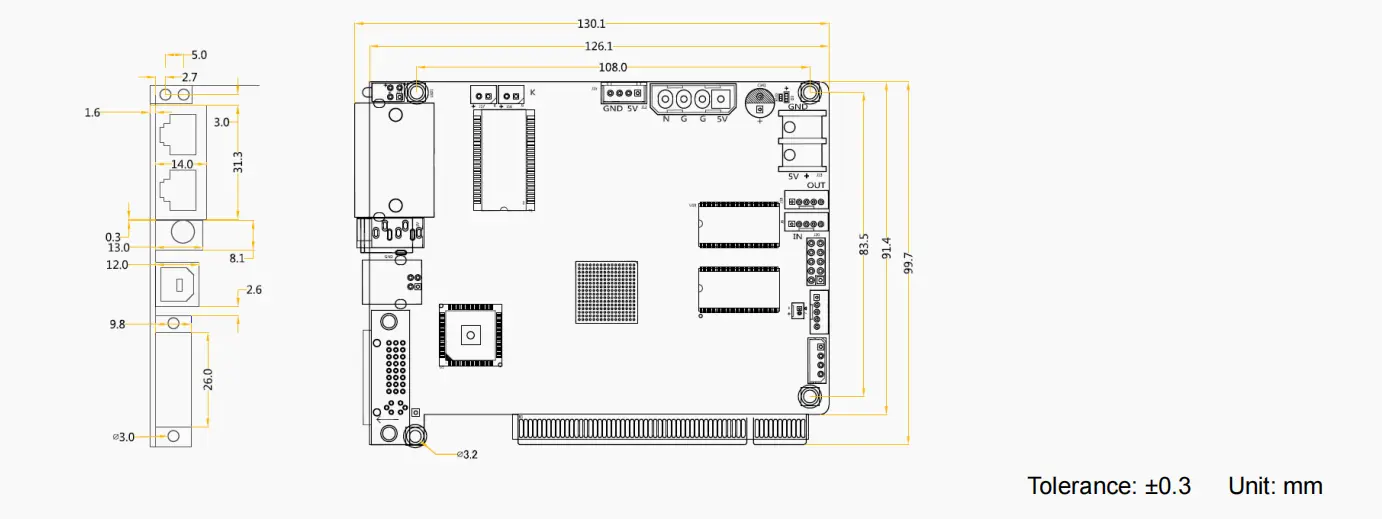
| Dimensions | 130.1mm × 99.7mm × 14.0mm |
| Certifications | EMC, RoHS, PFoS, FCC |
3.Input and Output Capabilities of the NovaStar Sending Card MSD300
Novastar MSD300 delivers versatile connectivity tailored for professional LED display systems. As a compact Novastar sending card, it balances performance with practical I/O options to suit both fixed and rental deployments.
Input Interfaces:
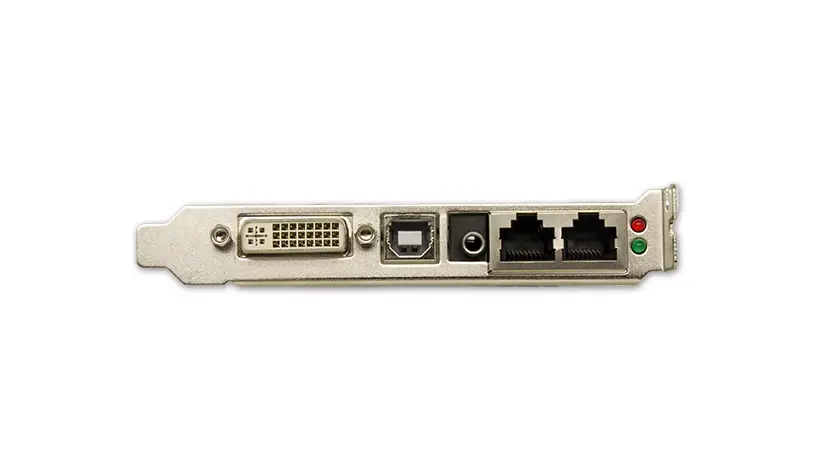
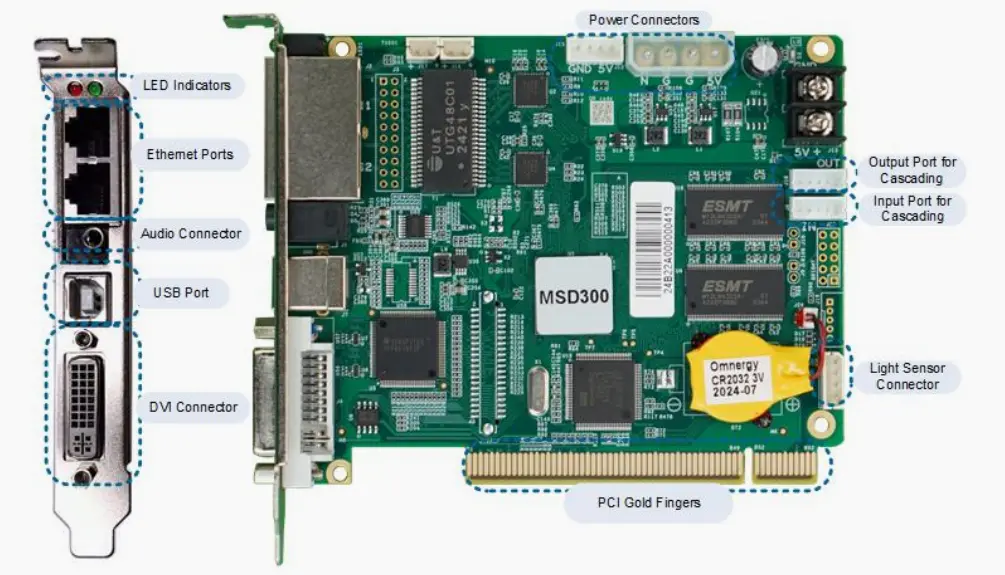
- 1× SL-DVI: Accepts video signals up to 1920×1200@60Hz, plus custom resolutions with a maximum width or height of 3840 pixels. Interlaced formats are not supported.
- 1× Audio Input: Enables synchronized audio transmission alongside video.
Output Interfaces:
- 2× Gigabit Ethernet Ports: Each port can drive up to 650,000 pixels, ensuring smooth data delivery to downstream receiving cards.
- Built-in Redundancy: The dual Ethernet outputs support failover operation, significantly improving system reliability in critical applications.
Additional Connectivity & Control:
- Light Sensor Port: Allows integration with ambient light sensors for automatic brightness adjustment—ideal for energy efficiency and visual comfort.
- Type-B USB Port: Used for direct PC connection during setup, firmware updates, or real-time control via NovaStar software.
- UART Ports: Enable cascading of up to 20 MSD300 units, simplifying large-scale deployments without additional control hardware.
4.How the MSD300 Sending Card Fits into a NovaStar LED Control System
In a typical NovaStar LED control architecture, the MSD300 functions as a key signal gateway—not a central hub, but a dedicated sender that bridges the source computer and the display backend. It works in tandem with receiving cards (like the M3 or A-series) and NovaStar’s control software to form a complete, scalable video distribution chain.
The workflow is straightforward:
- A PC or media player sends a video signal via SL-DVI to the Novastar MSD300.
- The card processes the input in real time, applying features like pixel-level brightness and chroma calibration when enabled through NovaLCT or other configuration tools.
- Processed data is then transmitted over one or both Gigabit Ethernet ports to downstream receiving cards, which drive the LED modules.
- For large installations, multiple Novastar sending cards—including additional MSD300 units—can be managed from a single controller PC, or cascaded via UART for synchronized operation across zones.
While not designed for ultra-high-resolution or multi-input scenarios (unlike higher-end models such as the VX4S or A8), the MSD300 excels in cost-sensitive, single-source applications where reliability and ease of deployment matter most—making it a practical choice within the broader NovaStar ecosystem.
5.Cascading Multiple NovaStar MSD300 Sending Cards for Large LED Displays
Novastar MSD300 supports cascading up to 20 units via its UART interface, enabling centralized control across multiple sending cards in a single installation. This feature is especially useful when managing several independent display zones—such as separate screens at a concert venue or multi-wall setups in command centers—where each zone requires its own video feed.
Key benefits of cascading include:
- Simplified Control: A single PC can configure and monitor all cascaded MSD300 units through NovaLCT software, reducing operational complexity.
- Cost-Efficient Scaling: Instead of deploying a high-end multi-output sender, integrators can use multiple MSD300 cards to cover distributed displays at a lower total cost.
- Consistent System Management: Firmware updates, brightness adjustments, and calibration settings can be applied uniformly across the cascade chain.
It’s important to note that cascading does not merge video inputs—each Novastar sending card processes its own DVI source independently. Therefore, this setup is ideal for multi-screen scenarios with separate content, not for stitching a single ultra-wide image across all displays (which would require a different NovaStar model like the VX6S or A10).
6.Typical Application Scenarios for the NovaStar Sending Card MSD300
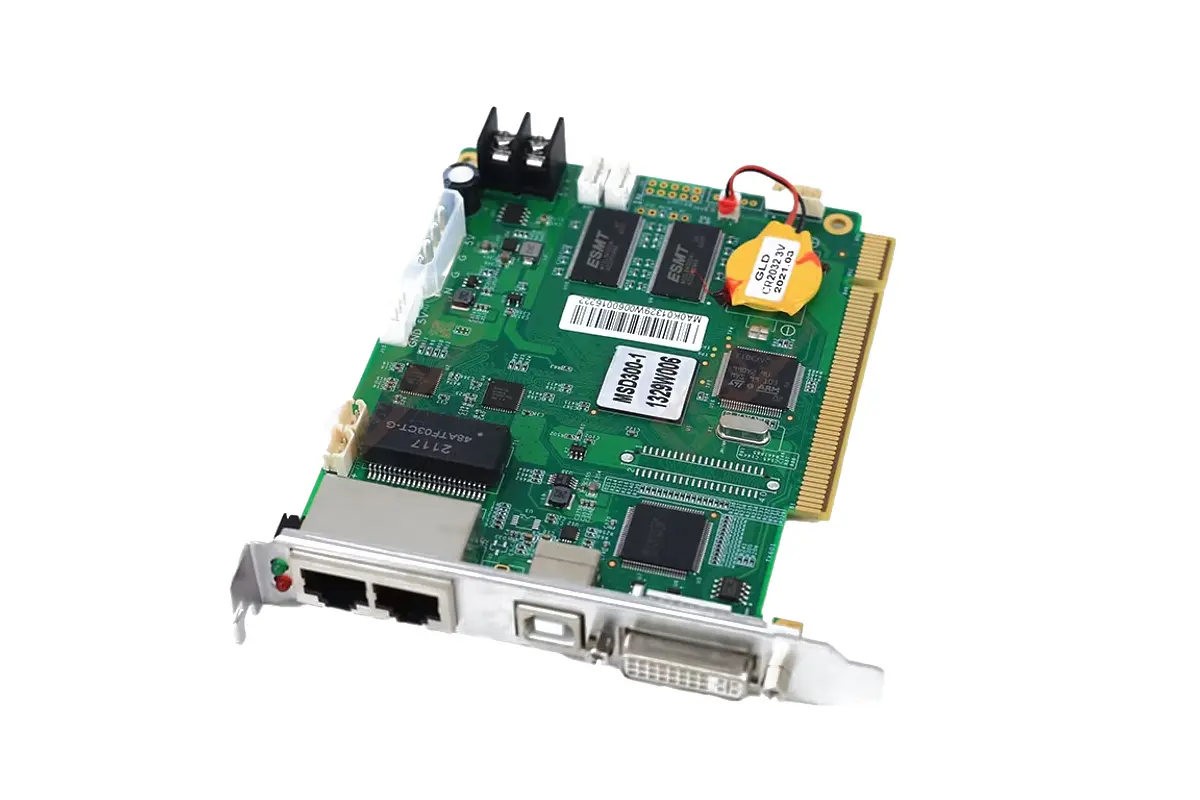
Novastar MSD300 is widely deployed in real-world projects that rely on single-input, reliable signal distribution—particularly where budget efficiency and system stability are key. As a compact Novastar sending card, it pairs well with a range of LED display types across industries:
- Indoor Rental Screens (e.g., P2.5–P4): Frequently used with modular rental cabinets at concerts, award shows, and corporate events, where each stage screen runs content from a dedicated media server via DVI.
- Control Room Video Walls (e.g., P1.8–P2.5 Small-Pitch LED): Powers fixed monitoring walls in security centers, power plants, or traffic command rooms, delivering consistent, flicker-free visuals for 24/7 operation.
- Sports Venue Auxiliary Displays: Drives tunnel LED screens, bench-side ribbons, or secondary scoreboards (often P4–P6) that show replays, ads, or player stats—typically fed by a local playback PC.
- Outdoor Advertising Screens (e.g., P5–P8 Fixed Installations): Used in shopping districts or highway billboards for full-screen promotional content, especially when the source is a single industrial PC or media player.
- Retail Digital Signage (e.g., P2–P3 Indoor Posters or Countertop Displays): Supports branded content in flagship stores, airports, or exhibition booths where simplicity and plug-and-play setup are prioritized.
7.FAQs
8.conclusion
By leveraging the capabilities of the NovaStar MSD300 sending card, users can achieve exceptional performance and reliability in their LED display systems. Whether you’re managing a small installation or a large-scale project, the MSD300 is a powerful tool to meet your needs.