
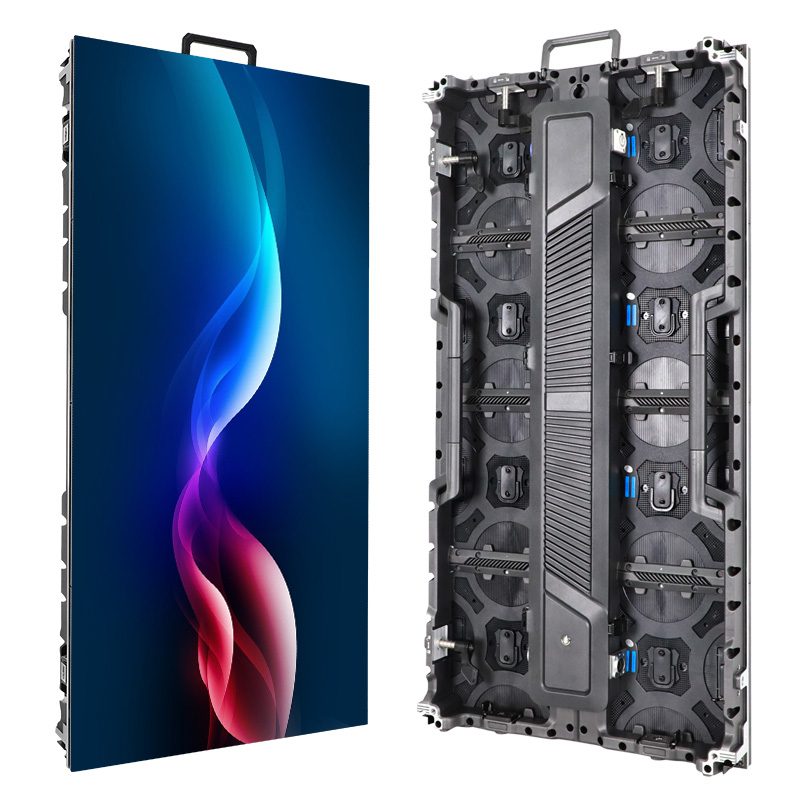
LED wall color temperature describes whether the screen’s white looks warmer or cooler. A setting near 6500 K is a useful starting point for video intended for a D65 white point, but it is not proof of accurate color. The content standard, room lighting, camera workflow, and measured screen output determine whether that setting is appropriate.
For an AV integrator approving an indoor display, the practical decision is which white point to specify and how to verify it. A customer may prefer a warm-looking showroom, while the content team expects its graphics to match a reference monitor. Agree on that priority before adjusting the display.
1. LED 벽걸이 조명의 색온도는 실제로 어떻게 변하나요?
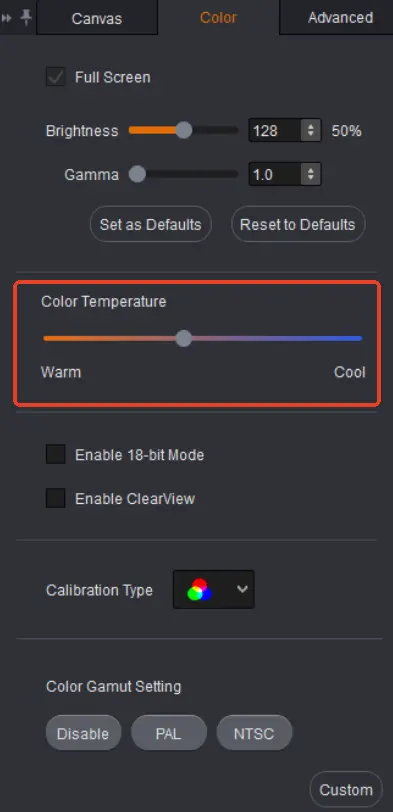
켈빈 값이 낮을수록 흰색이 더 따뜻하게 보이며, 파란색에 비해 노란색이나 붉은색이 더 많이 나타납니다. 반대로 켈빈 값이 높을수록 흰색이 더 차갑거나 파랗게 보입니다. 이러한 용어는 화면의 외관적인 변화를 설명하는 것이며, 화면 본체의 물리적인 작동 온도를 나타내는 것은 아닙니다. 켈빈 값을 높인다고 해서 화면이 열적으로 더 뜨거워지는 것은 아닙니다.
직접 시청형 디스플레이는 빨강, 초록, 파랑 빛을 조합하여 흰색을 생성합니다. 이 빛들의 상대적인 출력량을 조절하면 화이트 밸런스가 변경됩니다. 하지만 결과는 설치된 LED, 교정 데이터, 처리 방식 및 작동 조건에 따라 달라집니다. 따라서 동일한 메뉴 값을 표시하는 두 화면이라도 다르게 보일 수 있습니다.
LED wall color temperature is therefore a convenient description, not a complete color specification. Correlated color temperature reduces a color location to one number. A greenish white and a pinkish white can have similar reported Kelvin values. When matching displays matters, request measured white-point coordinates as well as the nominal setting.
고객에게 명확한 기준을 제시하십시오. 따뜻한 천장 조명 아래 놓인 흰 종이는 보정된 비디오 모니터와는 다른 기준입니다. 휴대폰으로 찍은 사진이나 어제 시연에 대한 기억으로는 화면의 실제 화이트 포인트를 확인할 수 없습니다.
2. 6500K가 합리적인 경우
For a video system following ITU-R BT.709, D65 is the reference white. The recommendation specifies chromaticity coordinates x = 0.3127 and y = 0.3290. A controller preset labeled 6500 K is commonly used as a starting point, but selecting that label alone does not verify the coordinates on the finished wall.
신호 워크플로우를 고려하여 LED 벽면 색온도를 선택하십시오. 미디어가 어떤 색 공간으로 준비되었는지, 어떤 프로세싱 변환이 활성화되어 있는지, 그리고 크리에이티브 팀이 승인에 어떤 모니터를 사용하는지 확인해야 합니다. 화이트 포인트 조정만으로는 이러한 요소들 간의 모든 불일치를 보정할 수 없습니다.
Room lighting also affects perception. White graphics can seem cool beside warm decorative lighting. That may be acceptable for faithful video reproduction, or the project may deliberately prioritize a different visual balance. Record the chosen compromise instead of calling either appearance universally correct.
For camera work, involve the camera and lighting teams before approval. They need to evaluate the screen and subjects together through the intended recording chain. Changing camera white balance affects the captured scene, while changing the wall affects the emitted image. Treating these as interchangeable adjustments can create another mismatch elsewhere in the shot.
| 프로젝트 요구 사항 | 동의 참조 | 요청할 증거 |
|---|---|---|
| BT.709 video presentation | D65 화이트와 의도된 콘텐츠 워크플로 | Measured white coordinates with operating brightness recorded |
| Matching a nearby display | 승인되고 측정된 기준 표시 | 동일한 실내 조명 아래에서 나란히 비교 |
| 촬영된 무대 또는 프레젠테이션 | The camera team’s approved image | A recorded test using the production camera settings |
| 장식용 소매 콘텐츠 | 의도적으로 승인된 시각적 치료법 | Named preset, sample content, and customer sign-off |
Consider a hypothetical showroom with an LED wall beside a desktop monitor. Both menus say 6500 K, yet the wall appears pink. First establish whether the monitor is an approved reference and whether both devices receive the same unmodified file. Then compare measured white coordinates. Turning the wall toward a warmer or cooler preset without those checks may move the error rather than resolve it. This is a planning example, not a measured EagerLED 설치.
The useful purchasing question is therefore not simply whether color temperature is adjustable. Ask whether the supplied system can reach the agreed target at the required brightness, retain the necessary calibration behavior, and reproduce the approved result after normal operation. Those conditions make competing demonstrations more comparable.
3. Keep Color Temperature Separate from Other Controls
LED 벽면 조명의 색온도는 백색의 균형을 변화시키고, 밝기는 광 출력을 조절하며, 감마 또는 해당 전달 함수 제어는 신호 레벨이 가시적인 색조로 변환되는 방식을 좌우합니다. 색역 제어는 색상의 범위와 매핑에 관한 것입니다. 한 설정을 조정하여 다른 설정의 문제를 숨기려고 하면 시연 결과를 평가하기가 더 어려워질 수 있습니다.
예를 들어, 디테일이 손실된 어두운 회색 배경은 레벨 처리, 전송 설정 또는 디스플레이의 저채도 표현 성능과 관련이 있을 수 있습니다. 이미지를 더 차갑게 만드는 것은 확실한 해결책이 아닙니다. 마찬가지로, 과포화된 로고는 화이트 포인트를 자동으로 변경하는 것이 아니라 콘텐츠와 색상 매핑을 조사해야 합니다.
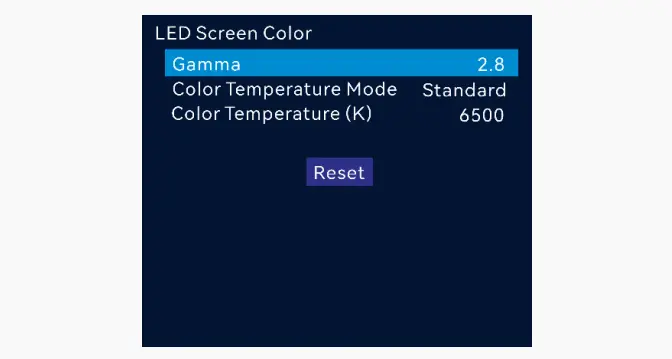
Software interactions matter too. NovaStar’s SmartLCT V3.5.13 manual states that its color-temperature adjustment and calibration effect cannot operate simultaneously. Check the documentation for the actual system before moving a slider. This version-specific limitation should not be assumed to apply identically to every NovaStar product or newer workflow.
SmartLCT 구성 가이드 소프트웨어 프로젝트와 저장된 하드웨어 설정 간의 차이점을 설명합니다. 시스템 통합업체는 작동 구성을 보존하고 조정 후 의도된 교정 상태를 확인해야 합니다. 만족스러운 임시 미리보기는 반복 가능한 작동 사전 설정을 대체할 수 없습니다.
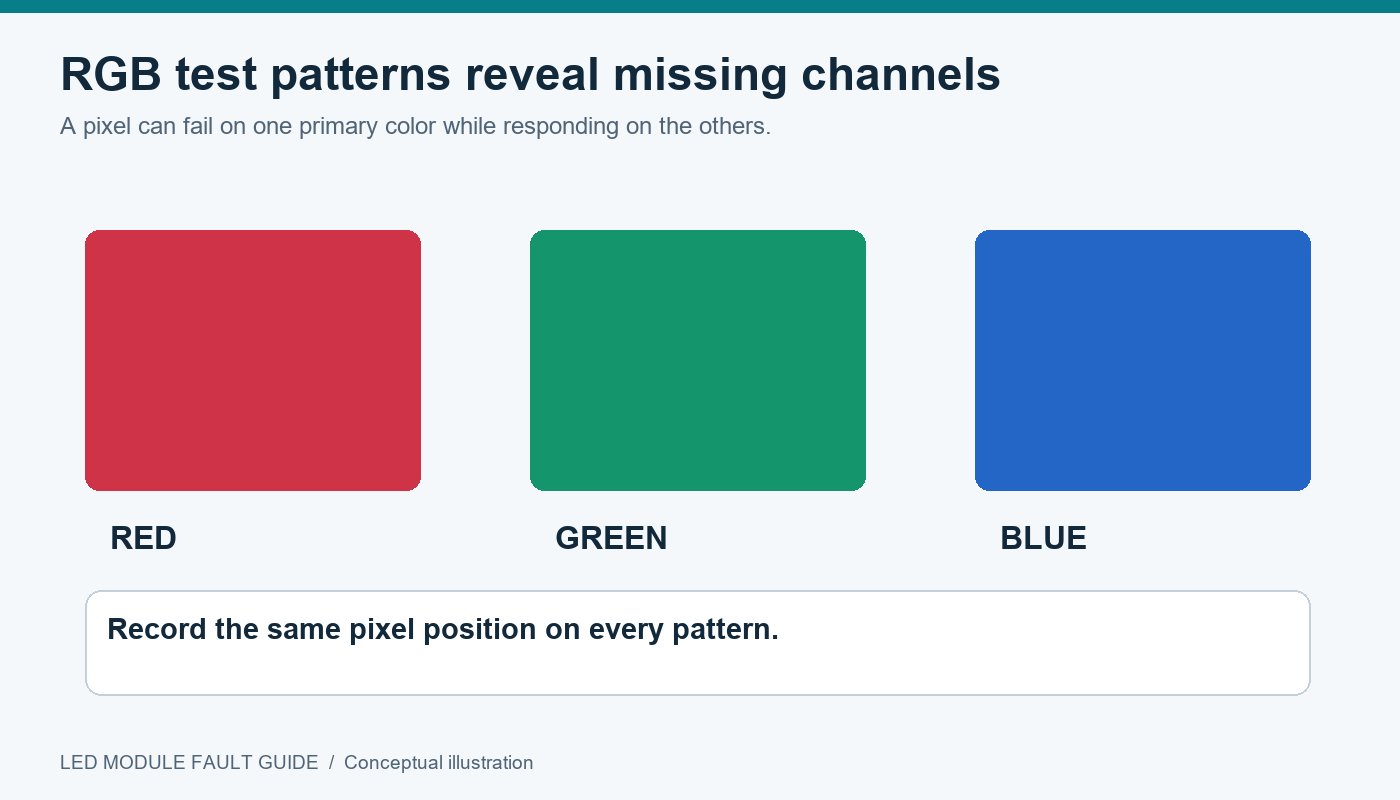
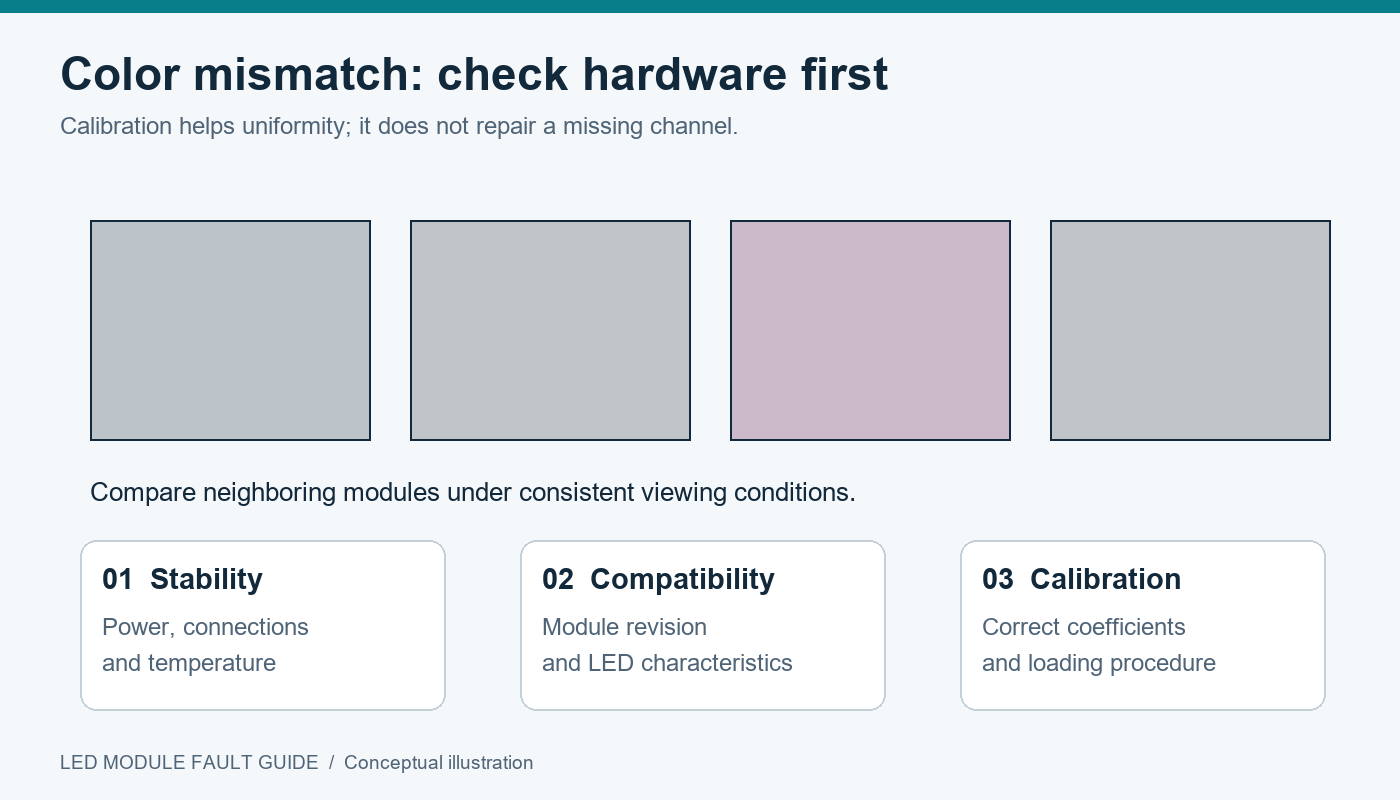
분홍색이나 녹색으로 부분적으로만 나타나는 사각형 현상도 별도로 살펴봐야 합니다. 주변 모듈이 중립적인 색상을 유지하는 경우, 벽 전체의 색상을 변경하면 정상적인 영역만 바뀌고 색상 불일치는 그대로 남을 수 있습니다. 전체 색상 설정이 문제의 원인인지 판단하기 전에 LED 모듈 오류 가이드를 사용하여 호환성, 채널 동작 및 보정 상태를 확인하십시오.
4. 반복 가능한 검사를 통해 화이트 포인트를 승인합니다.
Approve LED wall color temperature under documented conditions. Begin with the intended operating brightness, a stable signal source, and the room lighting that the audience will actually encounter. Let the display reach the manufacturer’s recommended stable operating condition before comparing readings.
Use neutral white and several gray levels, followed by representative photographs, brand graphics, and skin tones where relevant. Neutral patterns expose a tint without the distraction of colorful content. Real content then shows whether the agreed setup serves the presentation. Inspect multiple positions across the screen and the normal audience viewing area.
시운전팀에게 장비, 측정 위치, 백색점 좌표, 밝기, 사전 설정값 및 교정 상태를 기록하도록 요청하십시오. 테스트 전에 공급업체와 허용 오차를 합의하십시오. 사전에 목표값이나 측정 조건을 정의하지 않은 경우, 시연 후에 기록된 수치는 큰 의미가 없습니다.
When comparing two LED wall color temperature presets, change only the intended variable and retain a way to restore the baseline. If brightness changes as a consequence of white balancing, record that too. Compare the useful light output at the approved white point, rather than treating an unrelated peak-brightness figure as the delivered result.
마지막으로, 문서화된 워크플로를 통해 구성을 저장하고 재시작 후 확인하십시오. 운영자에게 명확하게 이름이 지정된 승인된 사전 설정 파일을 제공하고 백업을 보관하십시오. 향후 콘텐츠 제공업체가 다른 디자인을 요청할 경우, 해당 기준 파일을 통해 구체적인 논의를 진행하고 변경 사항을 적용할 수 있습니다.
인수인계 패키지에 소스 파일 이름, 재생 장치, 입력 형식, 컨트롤러 모델 및 펌웨어, 프리셋 이름, 측정 보고서 등의 간단한 기록을 포함하십시오. 또한 작동 프리셋을 변경할 수 있는 사람을 명시하십시오. 이렇게 하면 승인 이후 화면, 노트북, 미디어 파일이 모두 변경되었지만 화면만 다르게 보이는 이유로 지목되는 일반적인 서비스 관련 모호성을 방지할 수 있습니다.
클라이언트가 레퍼런스 비디오 모드와 따뜻한 느낌의 데코레이션 모드 모두를 필요로 하는 경우, 별도의 데모를 요청하고 지원되는 경우 명확하게 이름이 지정된 프리셋을 제공하십시오. 재시작 후 기본 모드가 무엇인지 지정하십시오. 프리셋에 모든 관련 설정이 저장되어 있다고 가정하지 마십시오. 설치팀은 프리셋에 저장된 내용을 정확히 확인해야 합니다. 각 모드의 사용 시점과 해당 모드를 승인하는 데 사용된 레퍼런스를 명시한 작동 설명서를 작성하십시오.
자주 묻는 질문
휴대폰 사진으로 화이트 포인트가 정확하다는 것을 증명할 수 있을까요?
아니요. 자동 화이트 밸런스, 노출, 현상, 그리고 사진을 보는 데 사용되는 화면 모두 사진의 모양에 영향을 미칩니다. 사진은 눈에 보이는 문제를 기록할 수는 있지만, 적절한 기기 측정값과 기록된 테스트 조건을 대체할 수는 없습니다.
6500K를 선택하면 브랜드 색상이 일관되게 유지되나요?
아니요. 화이트 포인트는 색 재현의 한 부분일 뿐입니다. 소스 파일, 신호 해석, 색역 매핑, 디스플레이 기능 및 시청 환경 또한 중요합니다. 전체 재생 과정을 통해 브랜드 대표 그래픽을 검증하십시오.
Should the white-point setting change automatically throughout the day?
프로젝트에서 해당 동작이 필요하고 시스템이 승인된 일정을 지원하는 경우에만 적용됩니다. 밝기 스케줄링과 화이트 포인트 스케줄링은 별개의 결정 사항입니다. 레퍼런스 비디오 워크플로의 경우, 예상치 못한 색상 변화는 실내 환경에서 보기에는 자연스러워 보일지라도 일관성을 해칠 수 있습니다.
교체 모듈도 다시 점검해야 하나요?
Yes. Confirm the replacement is compatible and review the screen under the approved preset. Retain the relevant calibration records and ask the supplier how replacement coefficients are handled. Matching the pixel pitch alone does not establish an optical match.
프로젝트 개요에 화이트포인트를 명시하십시오.
For an LED wall color temperature discussion, send the content standard, screen dimensions, viewing conditions, operating brightness target, and any camera requirements. Include the reference monitor or sample content used for approval. 문의하기 EagerLED 디스플레이 요구 사항에 관하여 지원되는 화이트 포인트 제어, 교정 워크플로 및 인수인계에 포함할 측정값에 대한 확인을 요청합니다.
 LED 벽 테스트 패턴: 어떤 패턴이 고장을 나타내는가?